navigation LEXUS ES300h 2021 User Guide
[x] Cancel search | Manufacturer: LEXUS, Model Year: 2021, Model line: ES300h, Model: LEXUS ES300h 2021Pages: 464, PDF Size: 9.55 MB
Page 261 of 464
2615-1. Remote Touch
5
Interior features
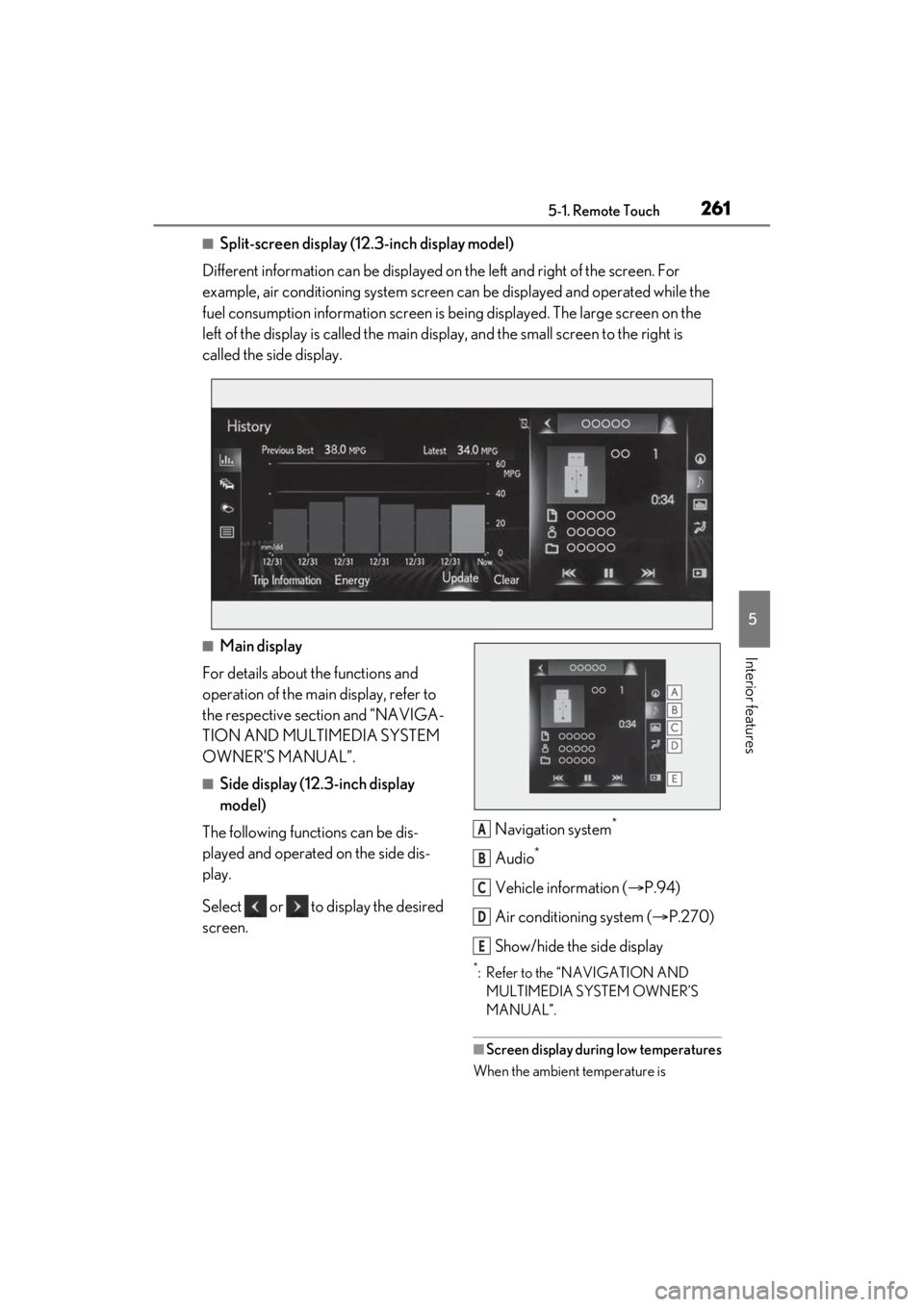
■Split-screen display (12.3-inch display model)
Different information can be displayed on the left and right of the screen. For
example, air conditioning system screen can be displayed and operated while the
fuel consumption information screen is be ing displayed. The large screen on the
left of the display is called the main display, and the small screen to the right is
called the side display.
■Main display
For details about the functions and
operation of the main display, refer to
the respective section and “NAVIGA-
TION AND MULTIMEDIA SYSTEM
OWNER’S MANUAL”.
■Side display (12.3-inch display
model)
The following functions can be dis-
played and operated on the side dis-
play.
Select or to display the desired
screen. Navigation system
*
Audio*
Vehicle information (
P.94)
Air conditioning system ( P.270)
Show/hide the side display
*: Refer to the “NAVIGATION AND MULTIMEDIA SYSTEM OWNER’S
MANUAL”.
■Screen display during low temperatures
When the ambient temperature is
A
B
C
D
E
Page 267 of 464
2675-3. Using the air conditioning system
5
Interior features
dirty air from entering the vehicle interior
and helping to cool the vehicle when the
outside air temperature is high.
●Outside/recirculated air mode may
automatically switch regardless of the air
conditioning setting depending on the
temperature setting or inside tempera-
ture.
■Registering air conditioning settings to
electronic keys
●Unlocking the vehicle using an electronic
key and turning the power switch to ON
mode will recall that key’s registered air
conditioning settings.
●When the power switch is turned off, the
current air conditioning settings will auto-
matically be registered to the electronic
key that was used to unlock the vehicle.
●The system may not operate correctly if
more than one electr onic key is in the
vicinity or if the smart access system with
push-button start is used to unlock the
passenger door.
●Vehicles with the driving position mem-
ory: The doors that can recall the air con-
ditioning setting
* when unlocked using
the smart access system with push-but-
ton start can be changed. For details,
contact your Lexus dealer.
*: The doors that can recall the driving posi-
tion memory are changed at the same
time.
■Operation of the air conditioning sys-
tem in Eco drive mode
In Eco drive mode, the air conditioning sys-
tem is controlled as follows to prioritize fuel
efficiency:
●Engine speed and compressor operation
controlled to restri ct heating/cooling
capacity
●Fan speed restricted when automatic
mode is selected
To improve air condit ioning performance,
perform the following operations:
●Turn off eco air conditioning mode
( P.268)
●Adjust the fan speed
●Turn off Eco drive mode ( P.213)
■When the outside temperature falls to
nearly 32°F (0°C)
The dehumidification function may not
operate even when “A/C” is selected.
■Ventilation and air conditioning odors
●To let fresh air in, set the air conditioning
system to the outside air mode.
●During use, various odors from inside
and outside the vehicle may enter into
and accumulate in the air conditioning
system. This may then cause odor to be
emitted from the vents.
●When parking, the system automatically
switches to fresh air intake mode to
encourage better air circulation through-
out the vehicle, helping to reduce odors
that occur when starting the vehicle.
■Using the voice command system
Air conditioning system can be operated
using voice commands. For details, refer to
the “NAVIGATION AND MULTIMEDIA
SYSTEM OWNER’S MANUAL”.
■Air conditioning filter
P.342
■Air conditioning system refrigerant
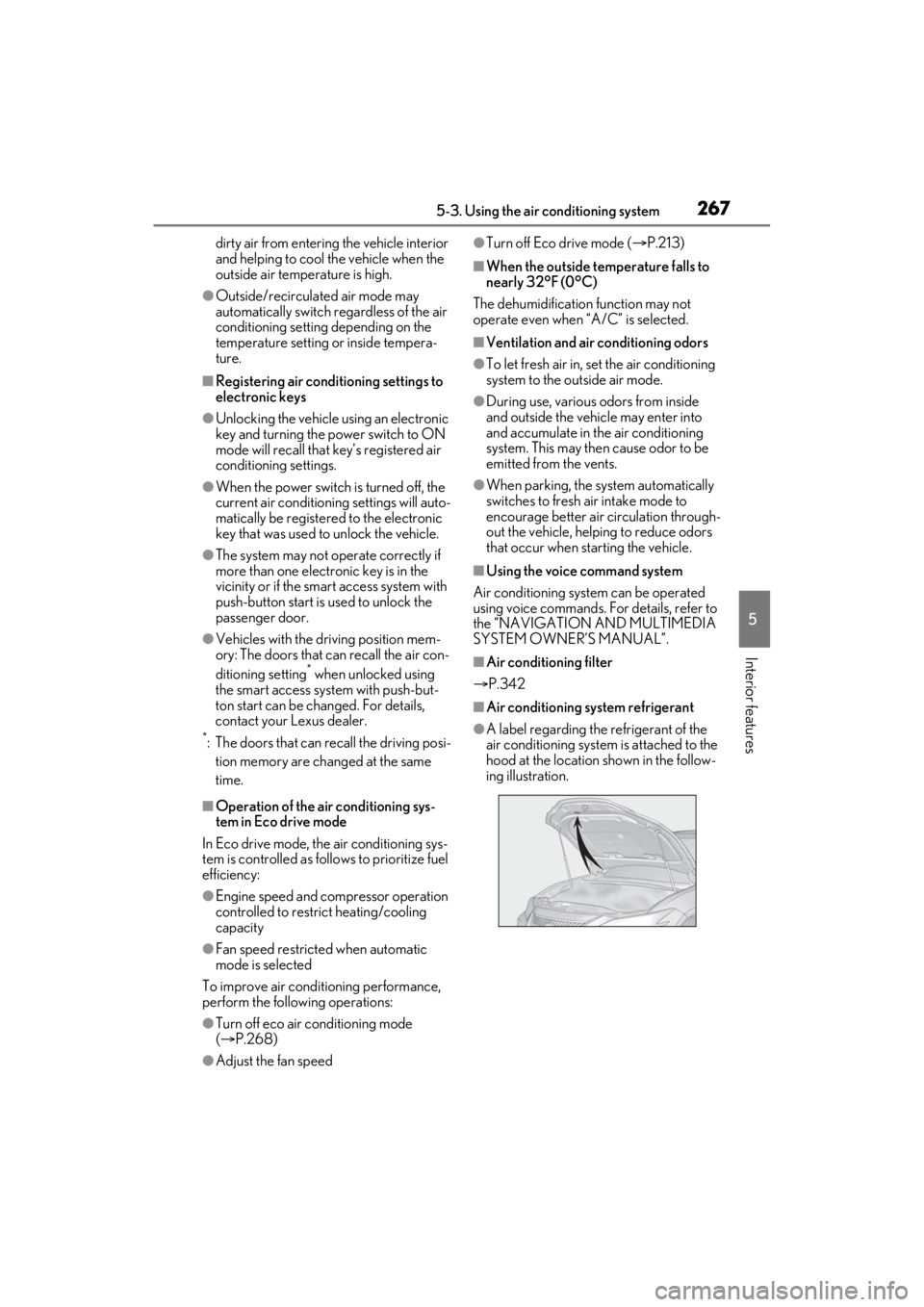
●A label regarding the refrigerant of the
air conditioning system is attached to the
hood at the location shown in the follow-
ing illustration.
Page 284 of 464
2845-6. Using the other interior features
5-6.Using the other interior features
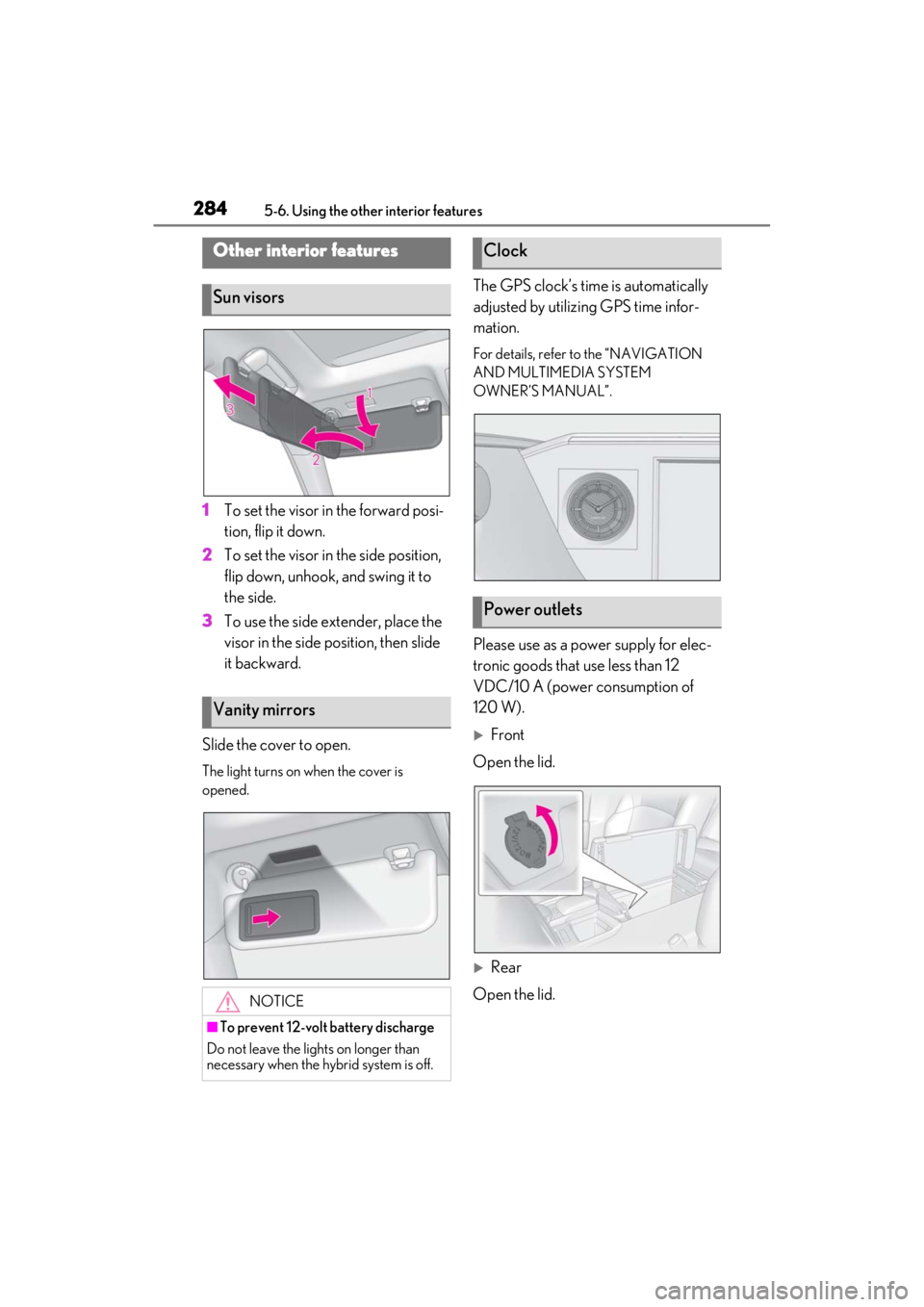
1To set the visor in the forward posi-
tion, flip it down.
2 To set the visor in the side position,
flip down, unhook, and swing it to
the side.
3 To use the side extender, place the
visor in the side position, then slide
it backward.
Slide the cover to open.
The light turns on when the cover is
opened.
The GPS clock’s time is automatically
adjusted by utilizing GPS time infor-
mation.
For details, refer to the “NAVIGATION
AND MULTIMEDIA SYSTEM
OWNER’S MANUAL”.
Please use as a power supply for elec-
tronic goods that use less than 12
VDC/10 A (power consumption of
120 W).
Front
Open the lid.
Rear
Open the lid.
Other interior features
Sun visors
Vanity mirrors
NOTICE
■To prevent 12-volt battery discharge
Do not leave the lights on longer than
necessary when the hy brid system is off.
Clock
Power outlets
Page 385 of 464
3857-2. Steps to take in an emergency
7
When trouble arises
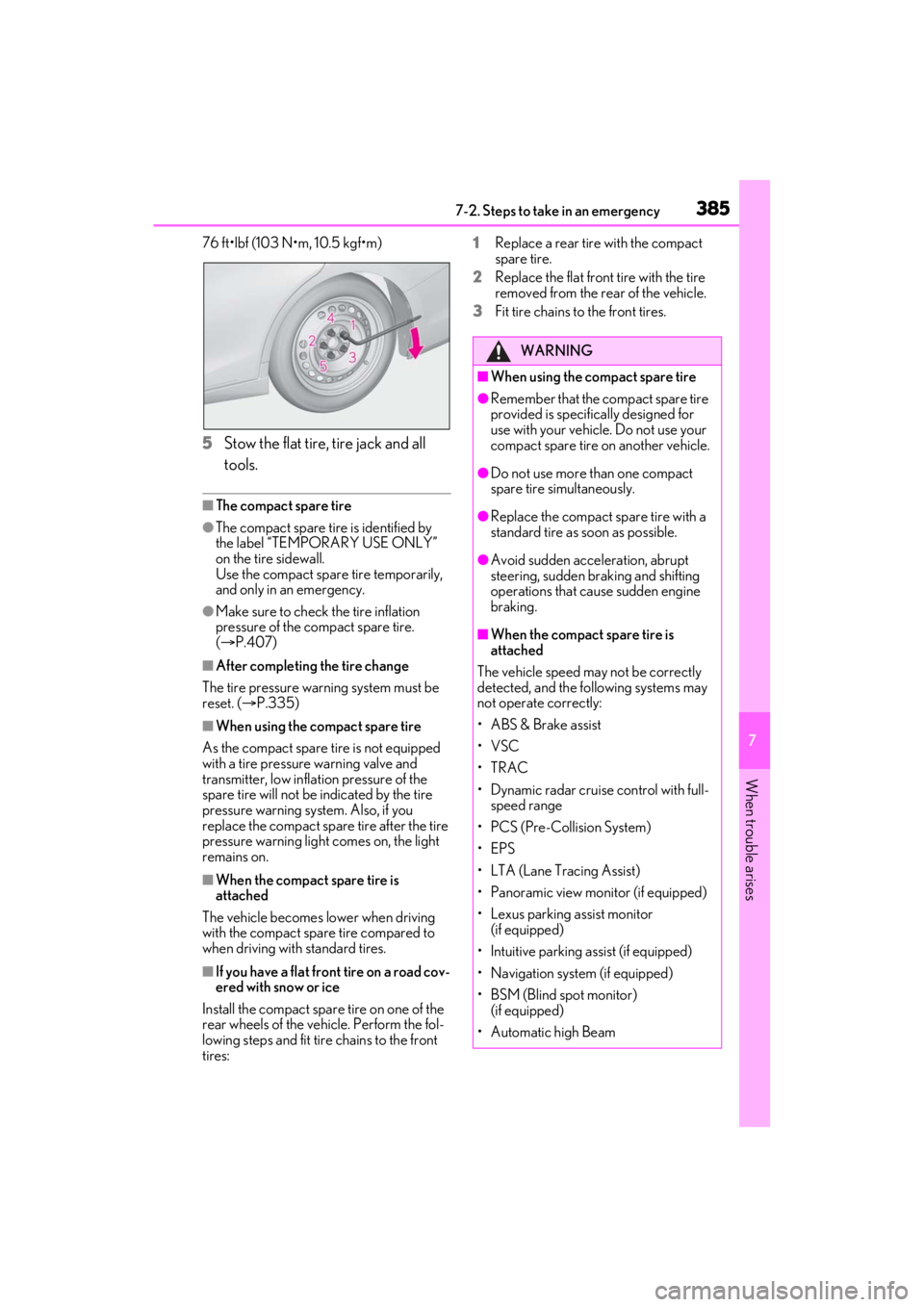
76 ft•lbf (103 N•m, 10.5 kgf•m)
5Stow the flat tire, tire jack and all
tools.
■The compact spare tire
●The compact spare tire is identified by
the label “TEMPORARY USE ONLY”
on the tire sidewall.
Use the compact spare tire temporarily,
and only in an emergency.
●Make sure to check the tire inflation
pressure of the compact spare tire.
( P.407)
■After completing the tire change
The tire pressure warning system must be
reset. ( P.335)
■When using the compact spare tire
As the compact spare tire is not equipped
with a tire pressure warning valve and
transmitter, low inflat ion pressure of the
spare tire will not be indicated by the tire
pressure warning sy stem. Also, if you
replace the compact spare tire after the tire
pressure warning light comes on, the light
remains on.
■When the compact spare tire is
attached
The vehicle becomes lower when driving
with the compact spar e tire compared to
when driving with standard tires.
■If you have a flat fron t tire on a road cov-
ered with snow or ice
Install the compact spare tire on one of the
rear wheels of the vehicle. Perform the fol-
lowing steps and fit tire chains to the front
tires: 1
Replace a rear tire with the compact
spare tire.
2 Replace the flat front tire with the tire
removed from the rear of the vehicle.
3 Fit tire chains to the front tires.
WARNING
■When using the compact spare tire
●Remember that the compact spare tire
provided is specific ally designed for
use with your vehicle. Do not use your
compact spare tire on another vehicle.
●Do not use more than one compact
spare tire simultaneously.
●Replace the compact spare tire with a
standard tire as soon as possible.
●Avoid sudden acceleration, abrupt
steering, sudden br aking and shifting
operations that cause sudden engine
braking.
■When the compact spare tire is
attached
The vehicle speed may not be correctly
detected, and the following systems may
not operate correctly:
• ABS & Brake assist
•VSC
•TRAC
• Dynamic radar cruise control with full- speed range
• PCS (Pre-Collision System)
•EPS
• LTA (Lane Tracing Assist)
• Panoramic view monitor (if equipped)
• Lexus parking assist monitor (if equipped)
• Intuitive parking assist (if equipped)
• Navigation system (if equipped)
• BSM (Blind spot monitor) (if equipped)
• Automatic high Beam
Page 420 of 464
4208-2. Customization
8-2.Customization
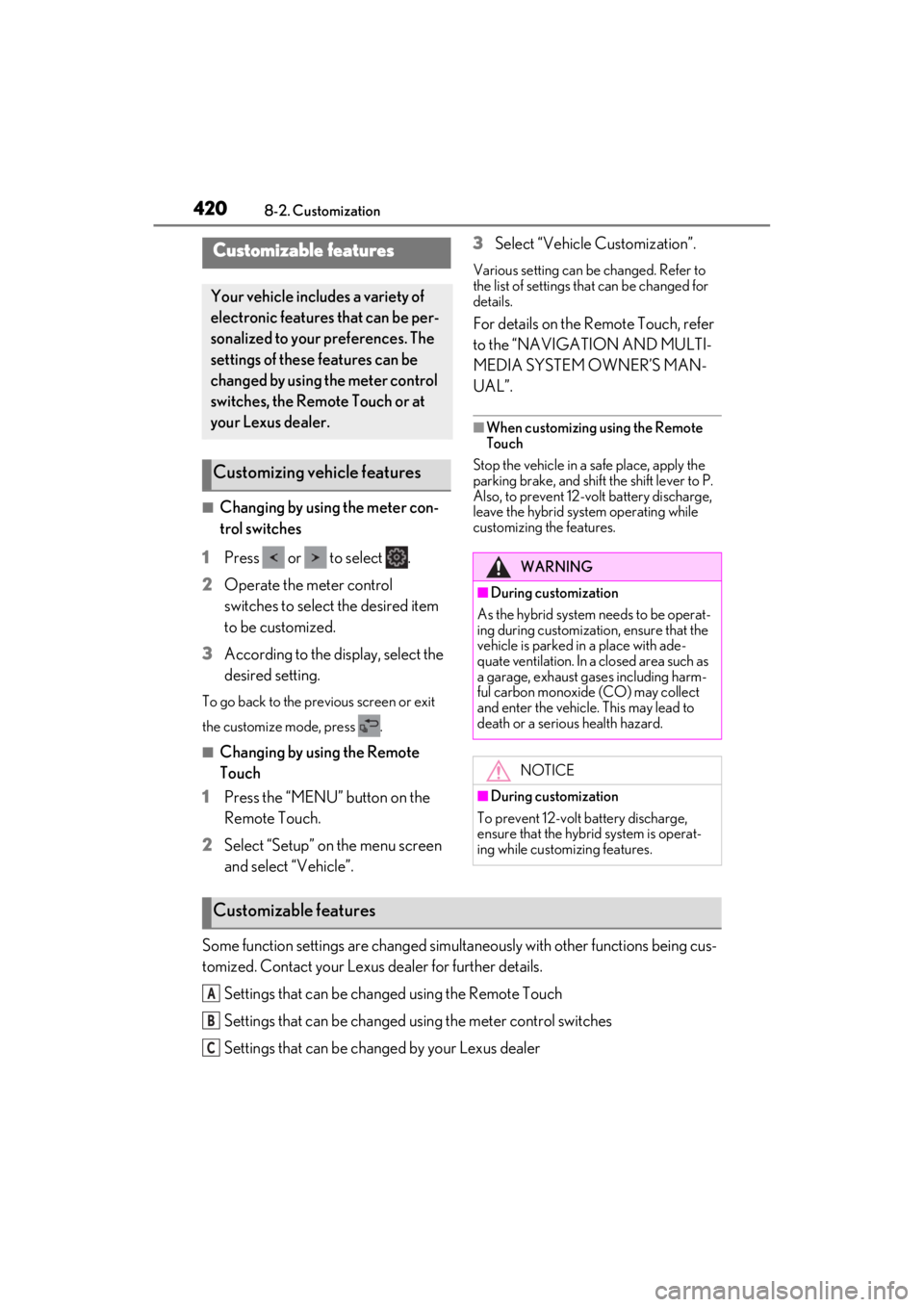
■Changing by using the meter con-
trol switches
1 Press or to select .
2 Operate the meter control
switches to select the desired item
to be customized.
3 According to the display, select the
desired setting.
To go back to the previous screen or exit
the customize mode, press .
■Changing by using the Remote
Touch
1 Press the “MENU” button on the
Remote Touch.
2 Select “Setup” on the menu screen
and select “Vehicle”. 3
Select “Vehicle Customization”.
Various setting can be changed. Refer to
the list of settings th at can be changed for
details.
For details on the Remote Touch, refer
to the “NAVIGATION AND MULTI-
MEDIA SYSTEM OWNER’S MAN-
UAL”.
■When customizing using the Remote
Touch
Stop the vehicle in a safe place, apply the
parking brake, and shift the shift lever to P.
Also, to prevent 12-volt battery discharge,
leave the hybrid system operating while
customizing the features.
Some function settings are changed simultaneously with other functions being cus-
tomized. Contact your Lexus dealer for further details.
Settings that can be changed using the Remote Touch
Settings that can be changed using the meter control switches
Settings that can be changed by your Lexus dealer
Customizable features
Your vehicle includes a variety of
electronic features that can be per-
sonalized to your preferences. The
settings of these features can be
changed by using the meter control
switches, the Remote Touch or at
your Lexus dealer.
Customizing vehicle features
WARNING
■During customization
As the hybrid system needs to be operat-
ing during customizatio n, ensure that the
vehicle is parked in a place with ade-
quate ventilation. In a closed area such as
a garage, exhaust gases including harm-
ful carbon monoxide (CO) may collect
and enter the vehicle. This may lead to
death or a serious health hazard.
NOTICE
■During customization
To prevent 12-volt battery discharge,
ensure that the hybrid system is operat-
ing while customizing features.
Customizable features
A
B
C
Page 453 of 464

Alphabetical index453
...........................................................................163
Automatic High Beam system..............164
Light switch ...................................................... 161
Replacing light bulbs................................ 352
Headlights aim ................................................351
Head restraints ...............................................123
Head-up display.............................................. 86 Driving information display area........... 86
Driving support system display area ..88
HUD (Head-up display) switch............ 87
Hybrid System Indicator ........................... 89
Navigation system-linked display ........ 86
Pop-up display...............................................88
Settings .............................................................. 87
Heated steering wheel .............................. 273
Heaters Air conditioning system.......................... 265
Heated steering wheel............................ 273
Outside rear view mirrors .................... 266
Seat heaters .................................................. 273
High mounted stoplight Replacing light bulbs................................ 352
High-voltage components ......................... 64
Hill-start assist control ............................... 248
Hood ...................................................................319 Open .................................................................319
Hooks Cargo hooks................................................ 283
Coat hooks ................................................... 295
Grocery bag hooks ................................. 283
Retaining hooks (floor mat)......................22
Horn .................................................................... 126
HUD (Head-up display) switch................ 87
Hybrid battery (traction battery) Location............................................................. 64
Specification .................................................404
Warning message........................................ 67
Hybrid battery (traction battery) air vents ..............................................................................67
Hybrid system .................................................... 61 Acoustic vehicle alerting system .......... 63
Emergency shut off system ..................... 67 Energy monitor/consumption screen90
EV drive mode............................................. 150
High voltage components ....................... 64
Hybrid system precautions...................... 64
Hybrid vehicle driving tips .................... 252
If the hybrid system will not start ....... 386
Overheating ................................................. 397
Power (ignition) switch ............................ 145
Regenerative braking ................................. 62
Starting the hybrid system ...................... 145
Hybrid System Indicator...................... 79, 89
Hybrid transmission......................................152 Paddle shift switches .......................154, 155
S mode ............................................................. 155
I
I/M test ..............................................................316
IdentificationEngine............................................................. 403
Vehicle ............................................................402
Ignition switch (power switch) .................145
Auto power off function........................... 149
Changing the power switch modes . 148
If your vehicle has to be stopped in an emergency ................................................ 358
Starting the hybrid system ...................... 145
Immobilizer system........................................ 69
Indicators ........................................................... 75
Initialization Items to initialize ...........................................431
Maintenance.......................................312, 323
Power windows ........................................... 130
Tire pressure warning system .............335
Inside rear view mirror ................................126
Instrument panel light control ................... 80
Interior lights...................................................277
Intuitive parking assist........................215, 216 Function ............................................................216
Warning message ...................................... 218
Page 455 of 464

Alphabetical index455
General maintenance ...............................313
Maintenance data...................................... 402
Maintenance requirements .................... 312
Malfunction indicator lamp ..................... 366
Master warning light .................................. 372
Menu icons..........................................................81
Meter Clock .................................................................. 78
Hybrid System Indicator ........................... 79
Indicators .......................................................... 75
Instrument panel light control ................80
Meter control switches .............................. 82
Meters ................................................................ 78
Multi-information display ............................81
Settings .............................................................. 84
Warning lights .............................................365
Warning message..................................... 375
Mirrors Inside rear view mirror.............................. 126
Outside rear view mirror defoggers266
Outside rear view mirrors ...................... 127
Vanity mirrors.............................................. 284
Moon roof Door lock linked moon roof operation...........................................................................133
Jam protection function............................133
Operation........................................................ 132
Multi-information display ..............................81 Audio system-linked display................... 83
Drive information 1/Drive information 2............................................................................ 82
Driving information display...................... 82
Driving support system information dis- play ................................................................... 83
Dynamic radar cruise control with full- speed range ............................................... 198
Energy monitor.............................................. 90
LTA (Lane-Tracing Assist) ..................... 192
Menu icons ........................................................81
Meter control switches .............................. 82
Navigation system-linked display ........ 83
Pop-up display.................................................81 Settings...............................................................84
Suggestion function .....................................84
Tire pressure ................................................. 331
Warning message .....................................375
N
Navigation system-linked display... 83, 86
Noise from under vehicle ...............................6
O
Odometer ......................................................... 80
Odometer and trip meter display
“ODO TRIP” switch ................................... 80
Display items .................................................. 80
Pop-up display .............................................. 80
“ODO TRIP” switch ...................................... 80
Oil Engine oil....................................................... 404
Opener Fuel filler door ................................................ 172
Hood ................................................................. 319
Trunk ................................................................. 107
Outer foot lights Replacing light bulbs ................................352
Outside door handle lig hts.......................277
Outside rear view mirrors ......................... 127 Adjustment ...................................................... 127
BSM (Blind Spot Monitor)................... 208
Folding.............................................................. 128
Linked mirror functi on when reversing
............................................................................129
Mirror position memory .......................... 120
Outside rear view mirror defoggers266
RCTA function ............................................ 222
Outside temperature.................................... 78
Overheating .................................................. 396
P
Paddle shift switches ......................... 154, 155
Panic mode ....................................................... 99
Page 461 of 464

Alphabetical index461
Windows .......................................................... 130Power windows........................................... 130
Rear window defogger .......................... 266
Washer ............................................................. 167
Windshield wiper de-ice r ........................ 270
Windshield wipers ........................................ 167 Position .............................................................170
Rain-sensing windshield wipers........... 167
Winter driving tips....................................... 254
Wireless charger ......................................... 286
Wireless remote control ............................. 99 Battery-Saving Function ........................... 113
Locking/Unlocking ..................................... 99
Replacing the battery............................... 347
For information regarding the equipment listed below, refer to
the “NAVIGATION AND MUL-
TIMEDIA SYSTEM OWNER’S
MANUAL”.
· Audio/video system
· Navigation system
· Lexus parking assist monitor
· Panoramic view monitor
· Lexus Enform