warning light LEXUS ES300h 2021 Workshop Manual
[x] Cancel search | Manufacturer: LEXUS, Model Year: 2021, Model line: ES300h, Model: LEXUS ES300h 2021Pages: 464, PDF Size: 9.55 MB
Page 201 of 464
2014-5. Using the driving support systems
4
Driving
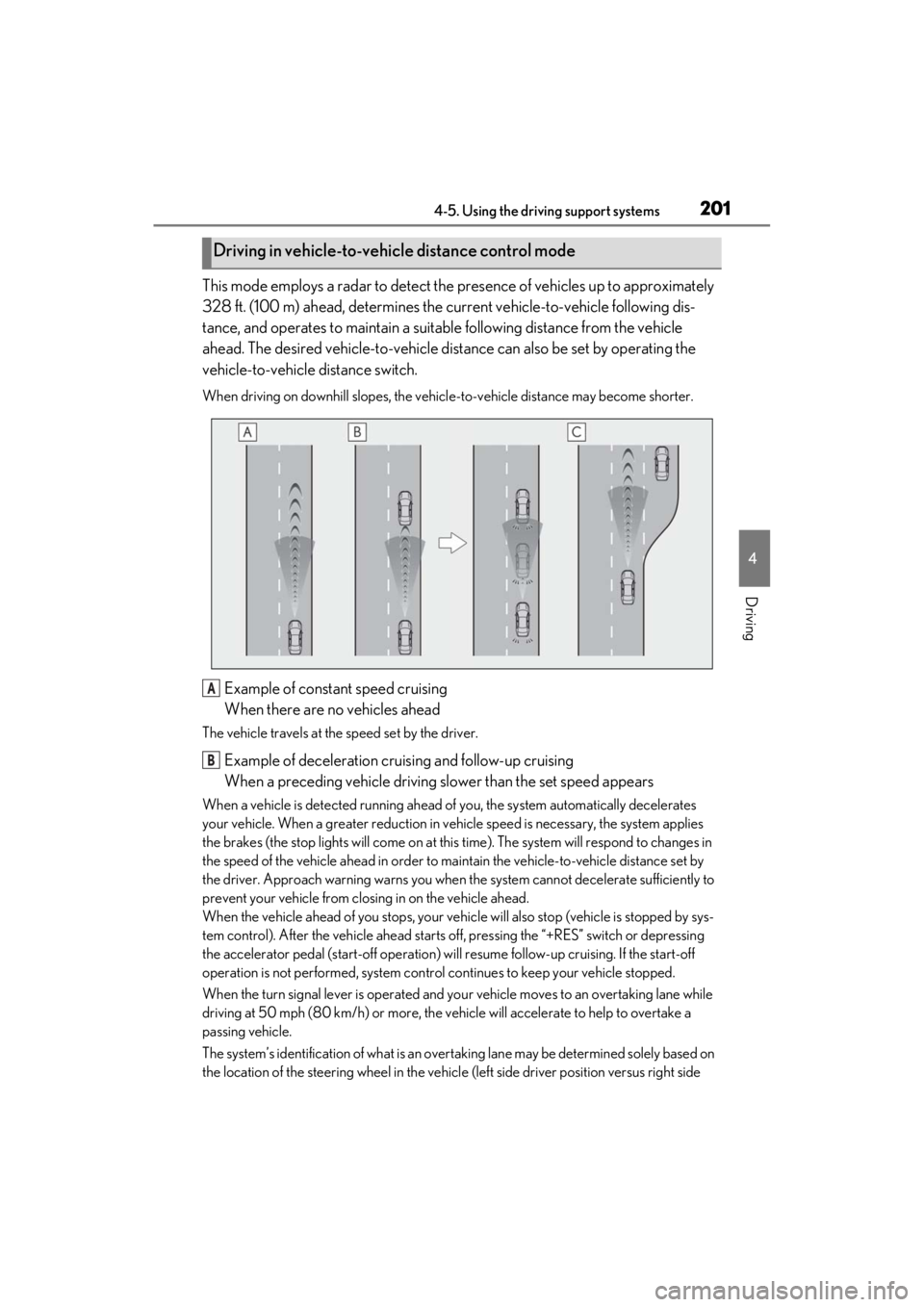
This mode employs a radar to detect the presence of vehicles up to approximately
328 ft. (100 m) ahead, determines the cu rrent vehicle-to-vehicle following dis-
tance, and operates to maintain a suitab le following distance from the vehicle
ahead. The desired vehicle-to-vehicle distance can also be set by operating the
vehicle-to-vehicle distance switch.
When driving on downhill slopes, the vehicl e-to-vehicle distance may become shorter.
Example of constant speed cruising
When there are no vehicles ahead
The vehicle travels at the speed set by the driver.
Example of deceleration cruising and follow-up cruising
When a preceding vehicle driving slower than the set speed appears
When a vehicle is detected running ahead of you, the system automatically decelerates
your vehicle. When a greater reduction in vehicle speed is necessary, the system applies
the brakes (the stop lights will come on at this time). The system will respond to changes in
the speed of the vehicle ahead in order to maintain the vehicle-to-vehicle distance set by
the driver. Approach warning warns you when th e system cannot decelerate sufficiently to
prevent your vehicle from closing in on the vehicle ahead.
When the vehicle ahead of you stops, your vehi cle will also stop (vehicle is stopped by sys-
tem control). After the vehicle ahead starts off, pressing the “+RES” switch or depressing
the accelerator pedal (start-off operation) will resume follow-up cruising. If the start-off
operation is not performed, system contro l continues to keep your vehicle stopped.
When the turn signal lever is operated and yo ur vehicle moves to an overtaking lane while
driving at 50 mph (80 km/h) or more, the vehicle will accelerate to help to overtake a
passing vehicle.
The system’s identification of what is an over taking lane may be determined solely based on
the location of the steering wheel in the vehicl e (left side driver position versus right side
Driving in vehicle-to-vehicle distance control mode
A
B
Page 208 of 464
2084-5. Using the driving support systems
*:If equipped
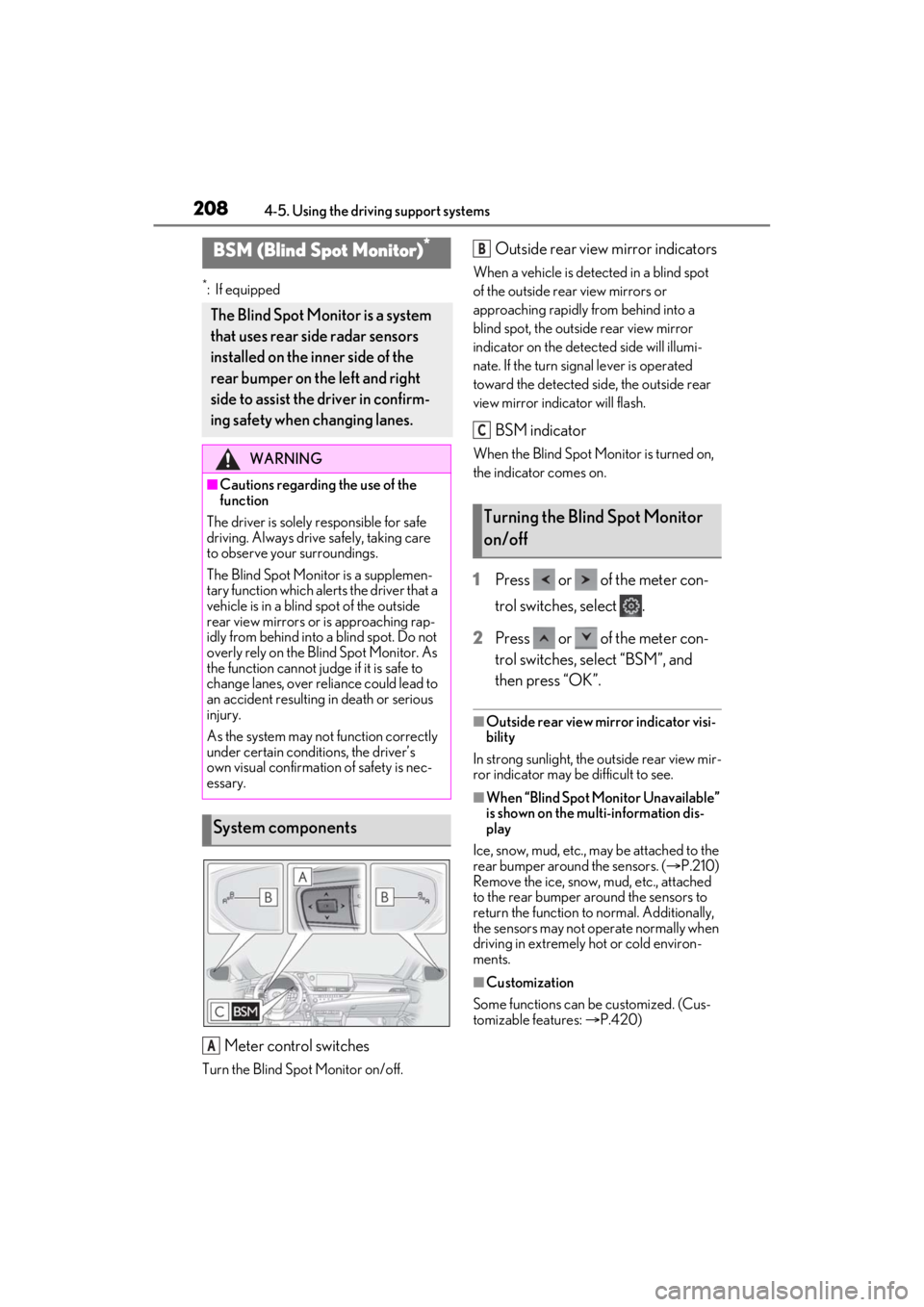
Meter control switches
Turn the Blind Spot Monitor on/off.
Outside rear view mirror indicators
When a vehicle is detected in a blind spot
of the outside rear view mirrors or
approaching rapidly from behind into a
blind spot, the outside rear view mirror
indicator on the detected side will illumi-
nate. If the turn signal lever is operated
toward the detected side, the outside rear
view mirror indicator will flash.
BSM indicator
When the Blind Spot Monitor is turned on,
the indicator comes on.
1 Press or of the meter con-
trol switches, select .
2 Press or of the meter con-
trol switches, select “BSM”, and
then press “OK”.
■Outside rear view mirror indicator visi-
bility
In strong sunlight, the outside rear view mir-
ror indicator may be difficult to see.
■When “Blind Spot Monitor Unavailable”
is shown on the multi-information dis-
play
Ice, snow, mud, etc., may be attached to the
rear bumper around the sensors. ( P.210)
Remove the ice, snow, mud, etc., attached
to the rear bumper around the sensors to
return the function to normal. Additionally,
the sensors may not operate normally when
driving in extremely hot or cold environ-
ments.
■Customization
Some functions can be customized. (Cus-
tomizable features: P.420)
BSM (Blind Spot Monitor)*
The Blind Spot Monitor is a system
that uses rear side radar sensors
installed on the inner side of the
rear bumper on the left and right
side to assist the driver in confirm-
ing safety when changing lanes.
WARNING
■Cautions regarding the use of the
function
The driver is solely responsible for safe
driving. Always driv e safely, taking care
to observe your surroundings.
The Blind Spot Monitor is a supplemen-
tary function which alerts the driver that a
vehicle is in a blind spot of the outside
rear view mirrors or is approaching rap-
idly from behind into a blind spot. Do not
overly rely on the Blind Spot Monitor. As
the function cannot judge if it is safe to
change lanes, over reliance could lead to
an accident resulting in death or serious
injury.
As the system may not function correctly
under certain conditions, the driver’s
own visual confirmation of safety is nec-
essary.
System components
A
Turning the Blind Spot Monitor
on/off
B
C
Page 210 of 464
2104-5. Using the driving support systems
WARNING
■Handling the rear side radar sensors
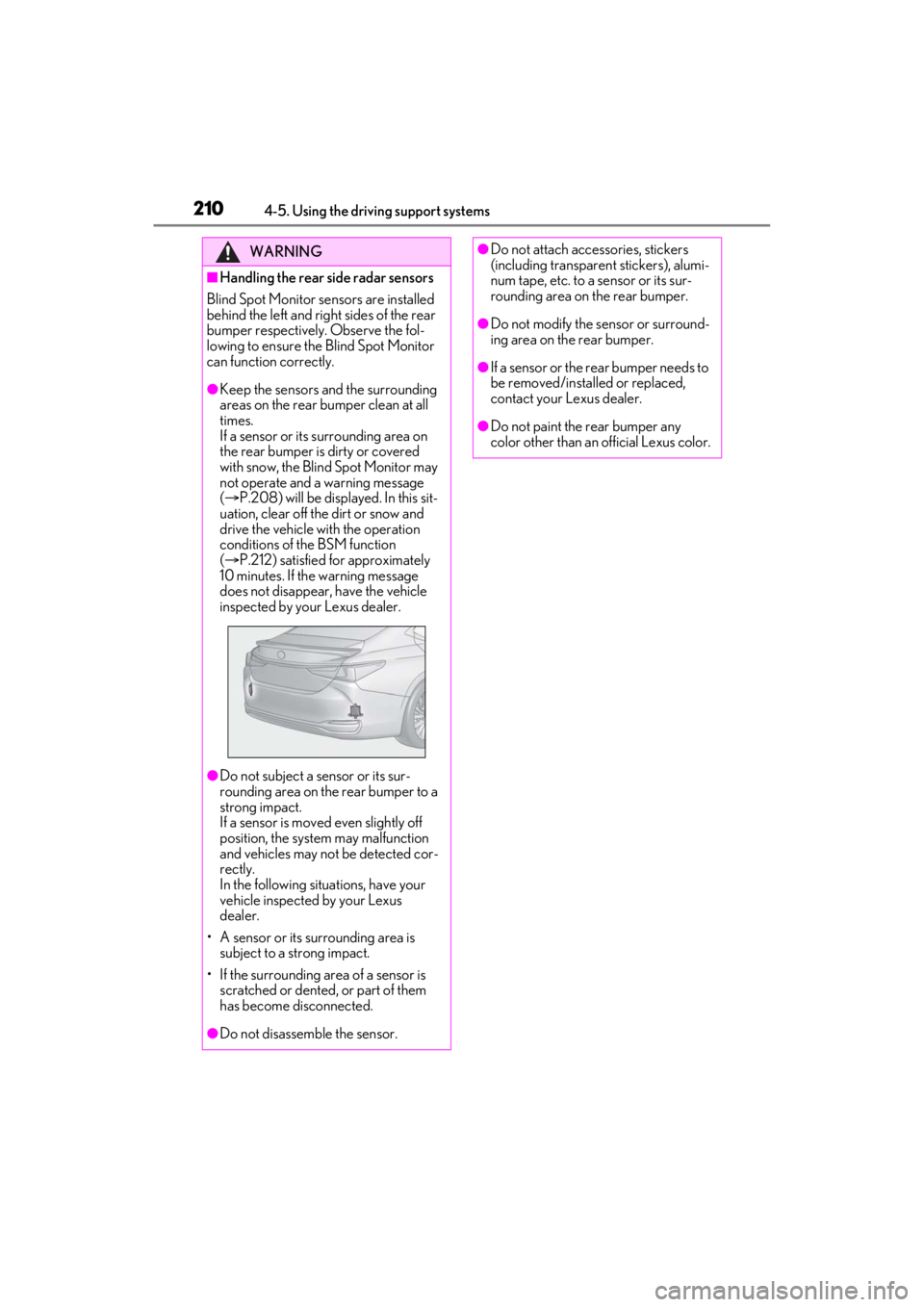
Blind Spot Monitor se nsors are installed
behind the left and right sides of the rear
bumper respectively. Observe the fol-
lowing to ensure the Blind Spot Monitor
can function correctly.
●Keep the sensors and the surrounding
areas on the rear bumper clean at all
times.
If a sensor or its surrounding area on
the rear bumper is dirty or covered
with snow, the Blind Spot Monitor may
not operate and a warning message
( P.208) will be displayed. In this sit-
uation, clear off the dirt or snow and
drive the vehicle with the operation
conditions of the BSM function
( P.212) satisfied for approximately
10 minutes. If the warning message
does not disappear, have the vehicle
inspected by your Lexus dealer.
●Do not subject a sensor or its sur-
rounding area on the rear bumper to a
strong impact.
If a sensor is moved even slightly off
position, the system may malfunction
and vehicles may not be detected cor-
rectly.
In the following situations, have your
vehicle inspected by your Lexus
dealer.
• A sensor or its surrounding area is subject to a strong impact.
• If the surrounding area of a sensor is scratched or dented, or part of them
has become disconnected.
●Do not disassemb le the sensor.
●Do not attach accessories, stickers
(including transparent stickers), alumi-
num tape, etc. to a sensor or its sur-
rounding area on the rear bumper.
●Do not modify the sensor or surround-
ing area on the rear bumper.
●If a sensor or the rear bumper needs to
be removed/installed or replaced,
contact your Lexus dealer.
●Do not paint the rear bumper any
color other than an official Lexus color.
Page 217 of 464
2174-5. Using the driving support systems
4
Driving
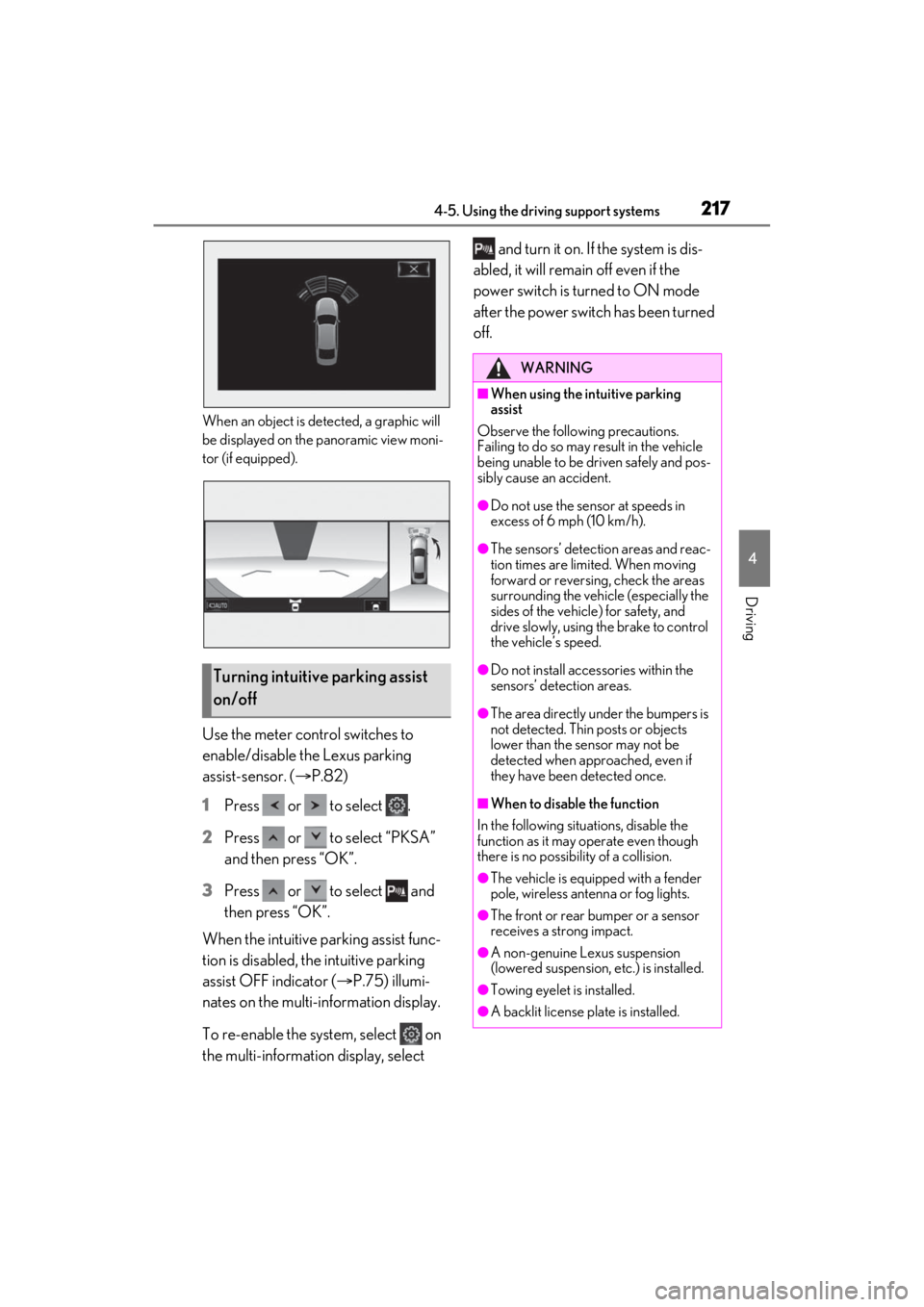
When an object is detected, a graphic will
be displayed on the panoramic view moni-
tor (if equipped).
Use the meter control switches to
enable/disable the Lexus parking
assist-sensor. (P.82)
1 Press or to select .
2 Press or to select “PKSA”
and then press “OK”.
3 Press or to select and
then press “OK”.
When the intuitive parking assist func-
tion is disabled, the intuitive parking
assist OFF indicator ( P.75) illumi-
nates on the multi-information display.
To re-enable the system, select on
the multi-information display, select and turn it on. If the system is dis-
abled, it will remain off even if the
power switch is tu rned to ON mode
after the power switch has been turned
off.
Turning intuitive parking assist
on/off
WARNING
■When using the intuitive parking
assist
Observe the following precautions.
Failing to do so may result in the vehicle
being unable to be driven safely and pos-
sibly cause an accident.
●Do not use the sensor at speeds in
excess of 6 mph (10 km/h).
●The sensors’ detection areas and reac-
tion times are limited. When moving
forward or reversin g, check the areas
surrounding the vehicle (especially the
sides of the vehicl e) for safety, and
drive slowly, using the brake to control
the vehicle’s speed.
●Do not install accessories within the
sensors’ detection areas.
●The area directly under the bumpers is
not detected. Thin posts or objects
lower than the sensor may not be
detected when approached, even if
they have been detected once.
■When to disable the function
In the following situations, disable the
function as it may operate even though
there is no possibility of a collision.
●The vehicle is equipped with a fender
pole, wireless antenna or fog lights.
●The front or rear bumper or a sensor
receives a strong impact.
●A non-genuine Lexus suspension
(lowered suspension, etc.) is installed.
●Towing eyelet is installed.
●A backlit license plate is installed.
Page 223 of 464
2234-5. Using the driving support systems
4
Driving
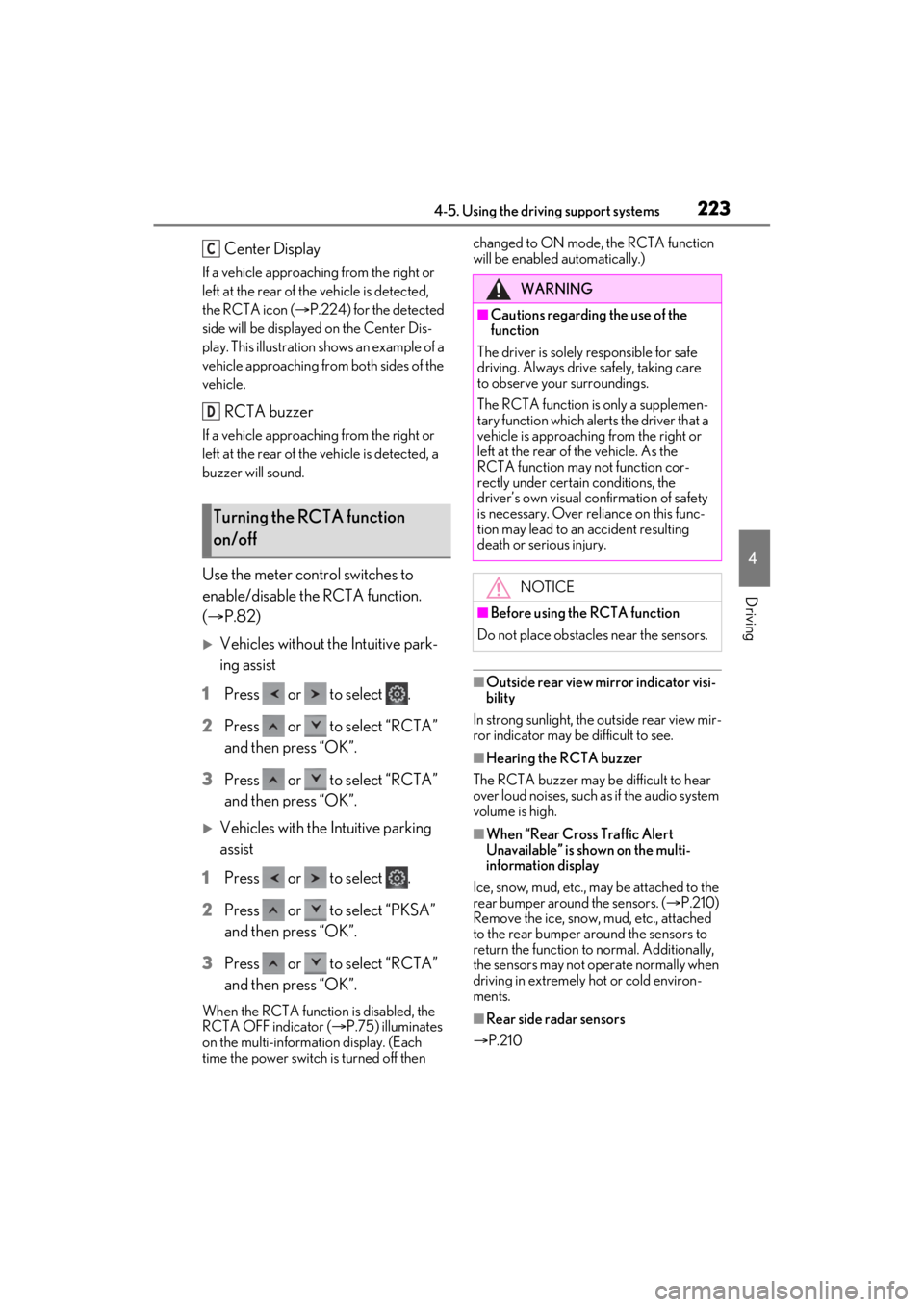
Center Display
If a vehicle approaching from the right or
left at the rear of the vehicle is detected,
the RCTA icon (P.224) for the detected
side will be displayed on the Center Dis-
play. This illustration shows an example of a
vehicle approaching from both sides of the
vehicle.
RCTA buzzer
If a vehicle approaching from the right or
left at the rear of the vehicle is detected, a
buzzer will sound.
Use the meter control switches to
enable/disable the RCTA function.
( P.82)
Vehicles without the Intuitive park-
ing assist
1 Press or to select .
2 Press or to select “RCTA”
and then press “OK”.
3 Press or to select “RCTA”
and then press “OK”.
Vehicles with the Intuitive parking
assist
1 Press or to select .
2 Press or to select “PKSA”
and then press “OK”.
3 Press or to select “RCTA”
and then press “OK”.
When the RCTA function is disabled, the
RCTA OFF indicator ( P.75) illuminates
on the multi-information display. (Each
time the power switch is turned off then changed to ON mode, the RCTA function
will be enabled automatically.)
■Outside rear view mirror indicator visi-
bility
In strong sunlight, the outside rear view mir-
ror indicator may be difficult to see.
■Hearing the RCTA buzzer
The RCTA buzzer may be difficult to hear
over loud noises, such as if the audio system
volume is high.
■When “Rear Cross Traffic Alert
Unavailable” is shown on the multi-
information display
Ice, snow, mud, etc., may be attached to the
rear bumper around the sensors. ( P.210)
Remove the ice, snow, mud, etc., attached
to the rear bumper around the sensors to
return the function to normal. Additionally,
the sensors may not operate normally when
driving in extremely hot or cold environ-
ments.
■Rear side radar sensors
P.210
Turning the RCTA function
on/off
C
D
WARNING
■Cautions regarding the use of the
function
The driver is solely responsible for safe
driving. Always drive safely, taking care
to observe your surroundings.
The RCTA function is only a supplemen-
tary function which alerts the driver that a
vehicle is approaching from the right or
left at the rear of the vehicle. As the
RCTA function may not function cor-
rectly under certai n conditions, the
driver’s own visual confirmation of safety
is necessary. Over re liance on this func-
tion may lead to an accident resulting
death or serious injury.
NOTICE
■Before using the RCTA function
Do not place obstacles near the sensors.
Page 229 of 464
2294-5. Using the driving support systems
4
Driving
crossings or fallen leaves on the road
• Metal covers (gratings), such as those used for drainage ditches
• Objects reflected in a puddle or on a wet road surface
• The roadside or bumps on the road
•Shadows on the road
●In some situations, such as the following,
the rear camera detection function may
operate even though there are no pedes-
trians in the detection area.
• When backing up toward the roadside or a bump on the road
• If the vehicle is significantly tilted, such as
when carrying a heavy load
• When backing up toward an incline/decline
• If the suspension has been modified or tires of a size other than specified are
installed
• If the rear of the vehicle is raised or low- ered due to the carried load
• If an electronic component, such as a
backlit license plate is installed near the
rear camera
• If a bumper protector, such as an addi-
tional trim strip, is installed to the rear
bumper
• If the orientation of the rear camera has
been changed due to a collision or other
impact, or remova l and installation
• If a towing eyelet is installed to the rear of
the vehicle
• When water is flowing over the rear cam- era lens
• When the rear camera is obscured (dirt, snow, ice, etc. are attached) or scratched
• If there is a flashing light in the detection
area, such as the emergency flashers of
another vehicle
●Situations in which the rear camera
detection function may be difficult to
notice
• The buzzer may be diff icult to hear if the
surrounding area is noisy, the volume of
the audio system volume is high, the air
conditioning system is being used, etc.
• If the temperature in the cabin is extremely high or low, the Center Dis-
play may not operate correctly.
*: If equipped
■Parking Support Brake function
(static objects)
Ultrasonic sensors are used to detect
static objects, such as a wall, in the
detection area when driving at a low
speed or backing up. ( P.235)
■Parking Support Brake function
(rear-crossing vehicles) (if
equipped)
Rear radar sensors are used to detect
approaching vehicles in the detection
area behind the vehicle when backing
up. ( P.241)
PKSB (Parking Support
Brake)*
The Parking Support Brake system
consists of the following functions
that operate when driving at a low
speed or backing up, such as when
parking. When the system deter-
mines that the possibility of a colli-
sion with a detected object or
pedestrian is high, a warning oper-
ates to urge the driver to take eva-
sive action. If the system
determines that the possibility of a
collision with a detected object or
pedestrian is extremely high, the
brakes are automatically applied to
help avoid the collision or help
reduce the impact of the collision.
PKSB (Parking Support Brake)
system
Page 249 of 464
2494-5. Using the driving support systems
4
Driving
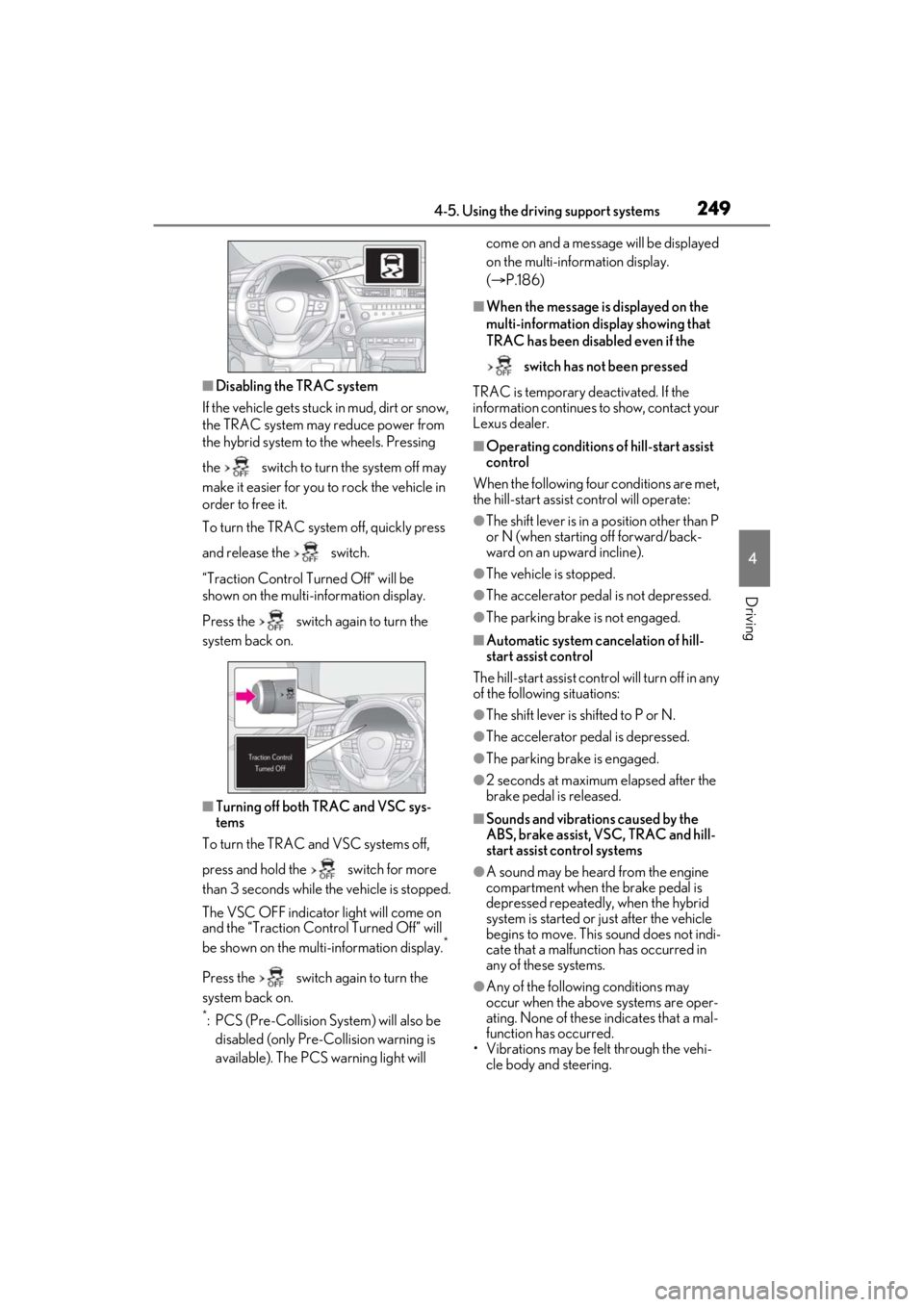
■Disabling the TRAC system
If the vehicle gets stuck in mud, dirt or snow,
the TRAC system may reduce power from
the hybrid system to the wheels. Pressing
the switch to turn the system off may
make it easier for you to rock the vehicle in
order to free it.
To turn the TRAC system off, quickly press
and release the switch.
“Traction Control Turned Off” will be
shown on the multi-information display.
Press the switch again to turn the
system back on.
■Turning off both TRAC and VSC sys-
tems
To turn the TRAC and VSC systems off,
press and hold the switch for more
than 3 seconds while the vehicle is stopped.
The VSC OFF indicator light will come on
and the “Traction Cont rol Turned Off” will
be shown on the multi-information display.
*
Press the switch again to turn the
system back on.
*: PCS (Pre-Collision System) will also be disabled (only Pre-Collision warning is
available). The PCS warning light will come on and a message will be displayed
on the multi-information display.
(
P.186)
■When the message is displayed on the
multi-information display showing that
TRAC has been disabled even if the
switch has not been pressed
TRAC is temporary deactivated. If the
information continues to show, contact your
Lexus dealer.
■Operating conditions of hill-start assist
control
When the following four conditions are met,
the hill-start assist control will operate:
●The shift lever is in a position other than P
or N (when starting off forward/back-
ward on an up ward incline).
●The vehicle is stopped.
●The accelerator pedal is not depressed.
●The parking brake is not engaged.
■Automatic system cancelation of hill-
start assist control
The hill-start assist control will turn off in any
of the following situations:
●The shift lever is shifted to P or N.
●The accelerator pedal is depressed.
●The parking brake is engaged.
●2 seconds at maximum elapsed after the
brake pedal is released.
■Sounds and vibrations caused by the
ABS, brake assist, VSC, TRAC and hill-
start assist control systems
●A sound may be heard from the engine
compartment when the brake pedal is
depressed repeatedly, when the hybrid
system is started or just after the vehicle
begins to move. This sound does not indi-
cate that a malfunction has occurred in
any of these systems.
●Any of the following conditions may
occur when the above systems are oper-
ating. None of these indicates that a mal-
function has occurred.
• Vibrations may be felt through the vehi-
cle body and steering.
Page 251 of 464
2514-5. Using the driving support systems
4
Driving
WARNING
■Stopping distance when the ABS is
operating may exceed that of normal
conditions
The ABS is not designed to shorten the
vehicle’s stopping distance. Always
maintain a safe distance from the vehicle
in front of you, especially in the following
situations:
●When driving on dirt, gravel or snow-
covered roads
●When driving with tire chains
●When driving over bumps in the road
●When driving over roads with pot-
holes or uneven surfaces
■TRAC/VSC may not operate effec-
tively when
Directional control and power may not
be achievable while driving on slippery
road surfaces, even if the TRAC/VSC
system is operating.
Drive the vehicle carefully in conditions
where stability and power may be lost.
■Active Cornering Assist does not
operate effectively when
●Do not overly rely on Active Corner-
ing Assist. Active Cornering Assist
may not operate effectively when
accelerating down slopes or driving on
slippery road surfaces.
●When Active Cornering Assist fre-
quently operates, Active Cornering
Assist may temporarily stop operating
to ensure proper operation of the
brakes, TRAC and VSC.
■Hill- start assist control does not
operate effectively when
●Do not overly rely on hill-start assist
control. Hill-start assist control may
not operate effectively on steep
inclines and roads covered with ice.
●Unlike the parking brake, hill-start
assist control is not intended to hold
the vehicle stationary for an extended
period of time. Do not attempt to use
hill-start assist control to hold the vehi-
cle on an incline, as doing so may lead
to an accident.
■When the TRAC/ABS/VSC is acti-
vated
The slip indicator light flashes. Always
drive carefully. Reckless driving may
cause an accident. Exercise particular
care when the indicator light flashes.
■When the TRAC/VSC systems are
turned off
Be especially careful and drive at a
speed appropriate to the road condi-
tions. As these are the systems to help
ensure vehicle stability and driving force,
do not turn the TRAC/VSC systems off
unless necessary.
■Secondary Collision Brake
Do not rely solely upon the Secondary
Collision Brake. This system is designed
to help reduce the possibility of further
damage due to a secondary collision,
however, that effect changes according
to various conditions. Overly relying on
the system may result in death or serious
injury.
■Replacing tires
Make sure that all ti res are of the speci-
fied size, brand, tread pattern and total
load capacity. In addition, make sure that
the tires are inflated to the recom-
mended tire inflation pressure level.
The ABS, TRAC and VSC systems will
not function correctly if different tires are
installed on the vehicle.
Contact your Lexus dealer for further
information when replacing tires or
wheels.
■Handling of tires and the suspension
Using tires with any kind of problem or
modifying the suspensi on will affect the
driving assist systems, and may cause a
system to malfunction.
Page 270 of 464
2705-3. Using the air conditioning system
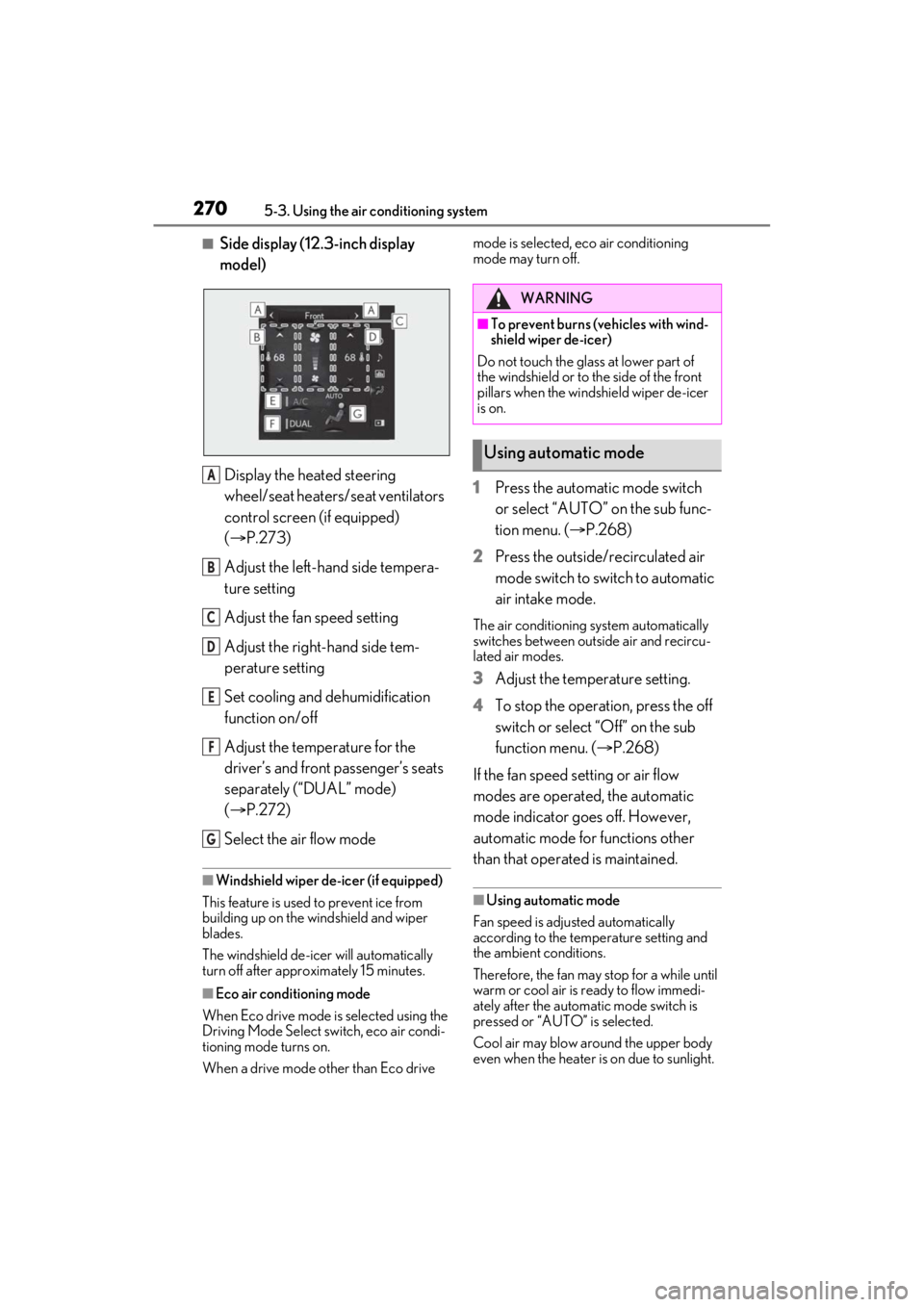
■Side display (12.3-inch display
model)
Display the heated steering
wheel/seat heaters/seat ventilators
control screen (if equipped)
( P.273)
Adjust the left-hand side tempera-
ture setting
Adjust the fan speed setting
Adjust the right-hand side tem-
perature setting
Set cooling and dehumidification
function on/off
Adjust the temperature for the
driver’s and front passenger’s seats
separately (“DUAL” mode)
( P.272)
Select the air flow mode
■Windshield wiper de-icer (if equipped)
This feature is used to prevent ice from
building up on the wi ndshield and wiper
blades.
The windshield de-icer will automatically
turn off after approximately 15 minutes.
■Eco air conditioning mode
When Eco drive mode is selected using the
Driving Mode Select switch, eco air condi-
tioning mode turns on.
When a drive mode other than Eco drive mode is selected, eco air conditioning
mode may turn off.
1
Press the automatic mode switch
or select “AUTO” on the sub func-
tion menu. ( P.268)
2 Press the outside/recirculated air
mode switch to switch to automatic
air intake mode.
The air conditioning system automatically
switches between outside air and recircu-
lated air modes.
3Adjust the temperature setting.
4 To stop the operation, press the off
switch or select “Off” on the sub
function menu. ( P.268)
If the fan speed setting or air flow
modes are operated, the automatic
mode indicator goes off. However,
automatic mode for functions other
than that operated is maintained.
■Using automatic mode
Fan speed is adjusted automatically
according to the temperature setting and
the ambient conditions.
Therefore, the fan may stop for a while until
warm or cool air is ready to flow immedi-
ately after the automatic mode switch is
pressed or “AUTO” is selected.
Cool air may blow around the upper body
even when the heater is on due to sunlight.
A
B
C
D
E
F
G
WARNING
■To prevent burns (vehicles with wind-
shield wiper de-icer)
Do not touch the glass at lower part of
the windshield or to the side of the front
pillars when the windshield wiper de-icer
is on.
Using automatic mode
Page 280 of 464
2805-5. Using the storage features
5-5.Using the storage features
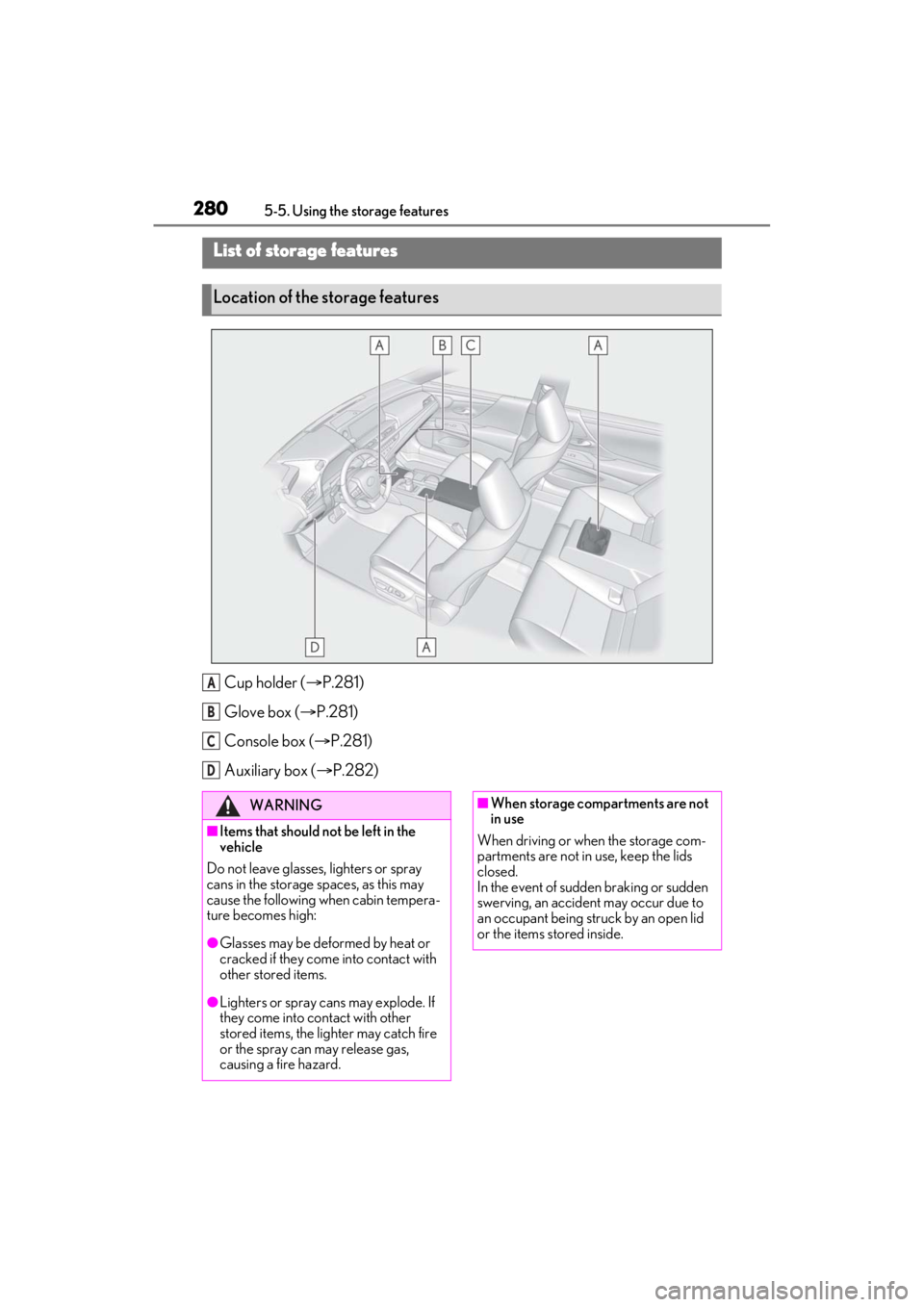
Cup holder (P.281)
Glove box ( P.281)
Console box ( P.281)
Auxiliary box ( P.282)
List of storage features
Location of the storage features
A
B
C
D
WARNING
■Items that should not be left in the
vehicle
Do not leave glasses, lighters or spray
cans in the storage spaces, as this may
cause the following when cabin tempera-
ture becomes high:
●Glasses may be deformed by heat or
cracked if they come into contact with
other stored items.
●Lighters or spray cans may explode. If
they come into contact with other
stored items, the lighter may catch fire
or the spray can may release gas,
causing a fire hazard.
■When storage compartments are not
in use
When driving or when the storage com-
partments are not in use, keep the lids
closed.
In the event of sudden braking or sudden
swerving, an accident may occur due to
an occupant being struck by an open lid
or the items stored inside.