unlock trunk Lexus ES350 2009 User Guide
[x] Cancel search | Manufacturer: LEXUS, Model Year: 2009, Model line: ES350, Model: Lexus ES350 2009Pages: 475, PDF Size: 6.2 MB
Page 39 of 475
37
1
1-2. Opening, closing and locking the doors and trunk
Before driving
ES350_U_(L/O_0808)
Doors
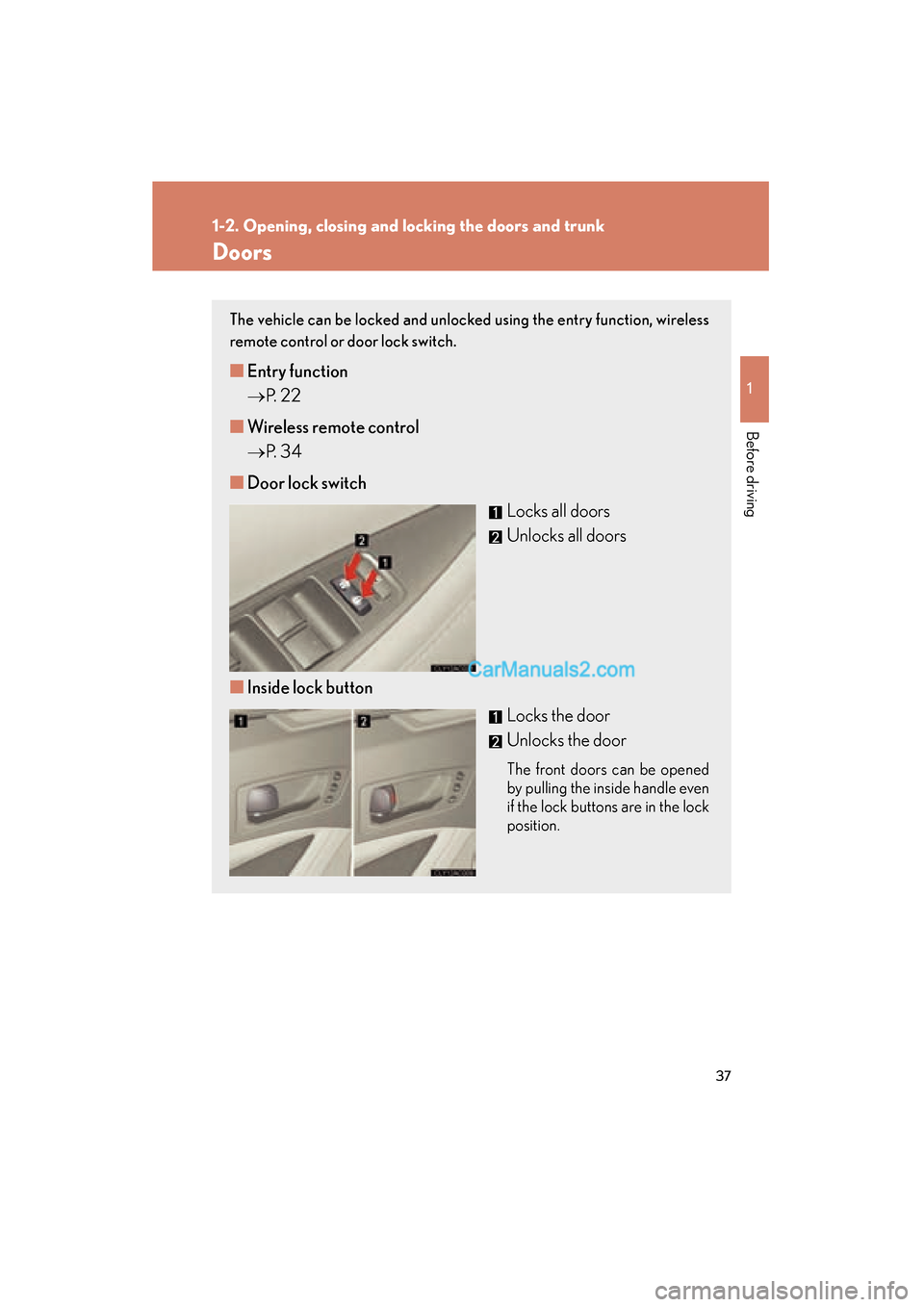
The vehicle can be locked and unlocked using the entry function, wireless
remote control or door lock switch.
■Entry function
→ P. 2 2
■ Wireless remote control
→ P. 3 4
■ Door lock switch
Locks all doors
Unlocks all doors
■ Inside lock button
Locks the door
Unlocks the door
The front doors can be opened
by pulling the inside handle even
if the lock buttons are in the lock
position.
Page 40 of 475
38
1-2. Opening, closing and locking the doors and trunk
ES350_U_(L/O_0808)
Locking the front doors from the outside without a keyThe door cannot be locked if the “ENGINE START STOP” switch is in
ACCESSORY or IGNITION ON mode, or the electronic key is left
inside the vehicle.
Depending on the position of the electronic key, the key may not be detected
correctly and the door may be locked.
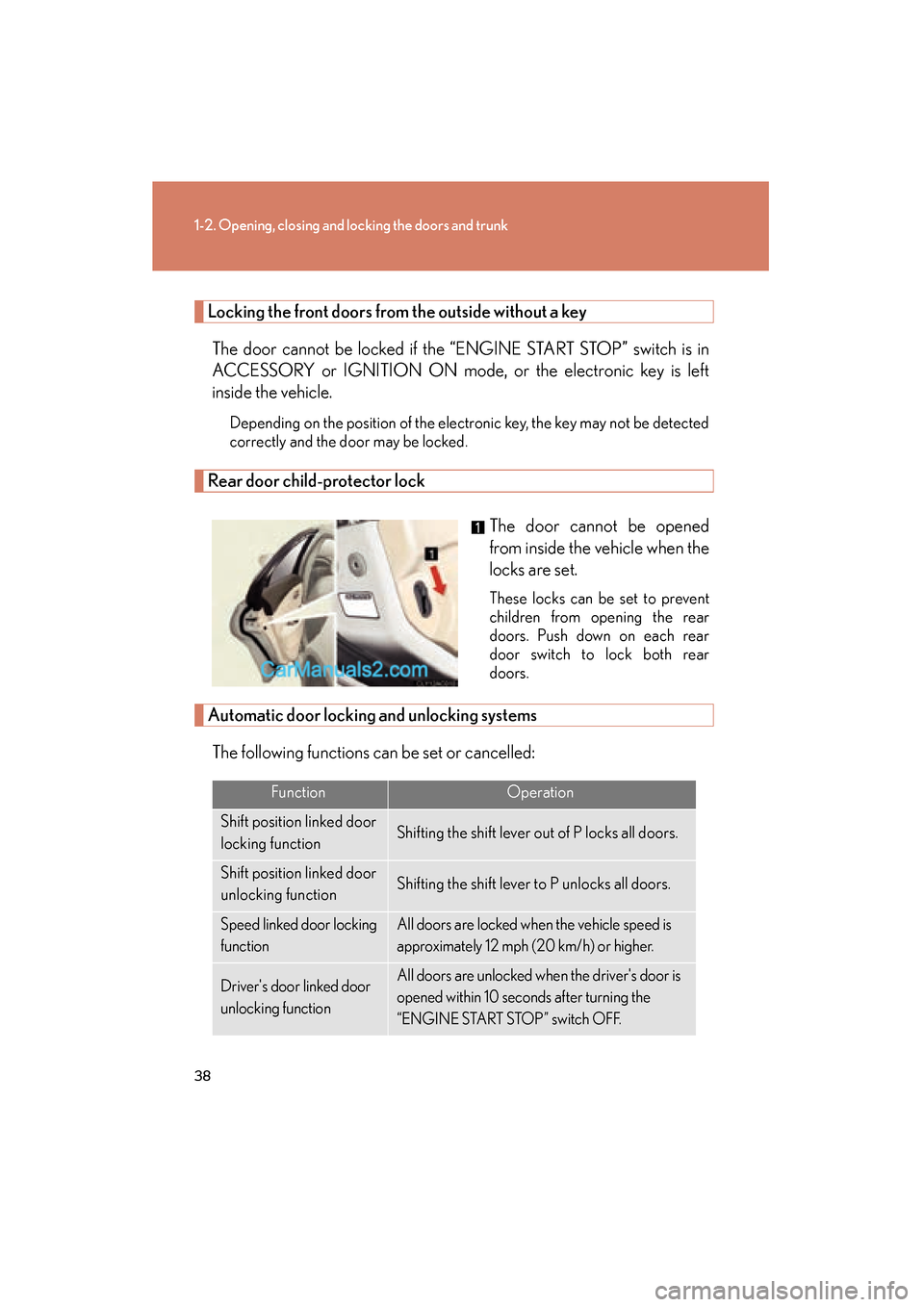
Rear door child-protector lock
The door cannot be opened
from inside the vehicle when the
locks are set.
These locks can be set to prevent
children from opening the rear
doors. Push down on each rear
door switch to lock both rear
doors.
Automatic door locking and unlocking systems
The following functions can be set or cancelled:
FunctionOperation
Shift position linked door
locking functionShifting the shift lever out of P locks all doors.
Shift position linked door
unlocking functionShifting the shift lever to P unlocks all doors.
Speed linked door locking
functionAll doors are locked when the vehicle speed is
approximately 12 mph (20 km/h) or higher.
Driver's door linked door
unlocking functionAll doors are unlocked when the driver's door is
opened within 10 seconds after turning the
“ENGINE START STOP” switch OFF.
Page 41 of 475
39
1-2. Opening, closing and locking the doors and trunk
1
Before driving
ES350_U_(L/O_0808)■
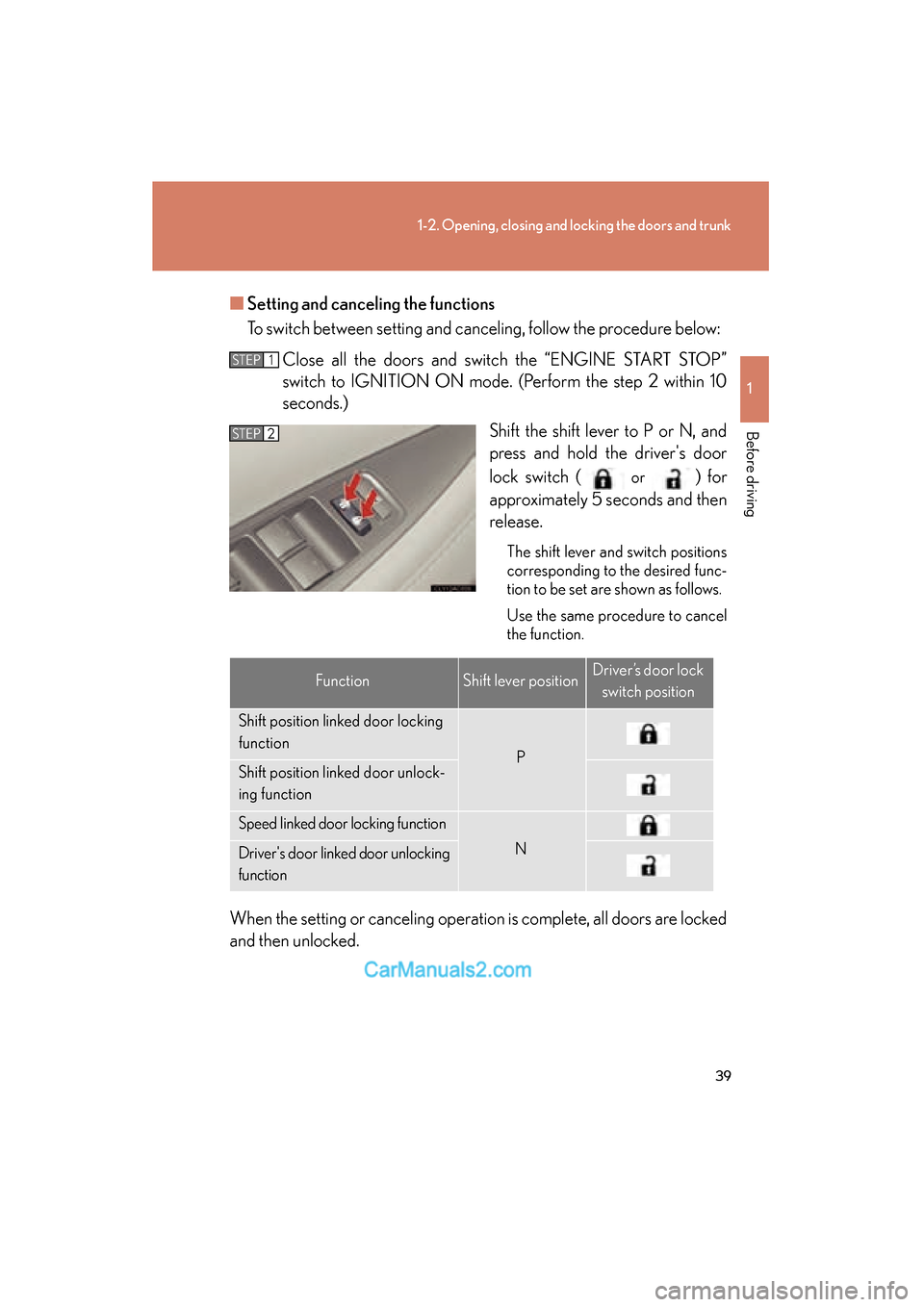
Setting and canceling the functions
To switch between setting and canceling, follow the procedure below:
Close all the doors and switch the “ENGINE START STOP”
switch to IGNITION ON mode. (Perform the step 2 within 10
seconds.) Shift the shift lever to P or N, and
press and hold the driver's door
lock switch (
or ) for
approximately 5 seconds and then
release.
The shift lever and switch positions
corresponding to the desired func-
tion to be set are shown as follows.
Use the same procedure to cancel
the function.
When the setting or canceling operation is complete, all doors are locked
and then unlocked.
STEP1
STEP2
FunctionShift lever positionDriver’s door lock
switch position
Shift position linked door locking
function
PShift position linked door unlock-
ing function
Speed linked door locking function
NDriver's door linked door unlocking
function
Page 42 of 475
40
1-2. Opening, closing and locking the doors and trunk
ES350_U_(L/O_0808)
■Impact detection door lock release system
In the event that the vehicle is subject to a strong impact, all the doors are unlocked.
Depending on the force of the impact or the type of accident, however, the system
may not operate.
■Using the mechanical key
The doors can also be locked and unlocked with the mechanical key. (→P. 411)
■Customization that can be configured at Lexus dealer
Settings (e.g. unlocking function using a key) can be changed. (Customizable fea-
tures →P. 4 4 7 )
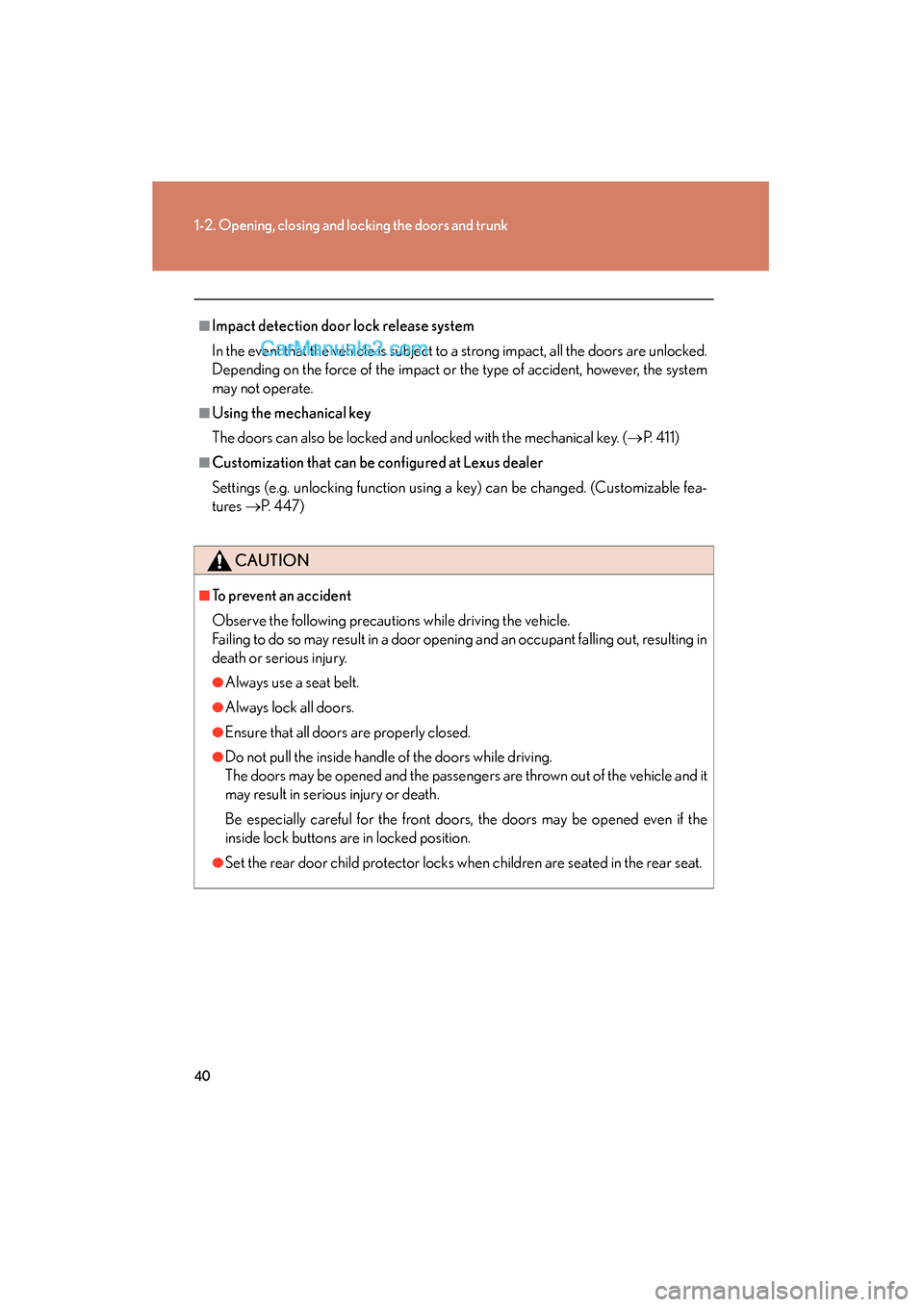
CAUTION
■To prevent an accident
Observe the following precautions while driving the vehicle.
Failing to do so may result in a door opening and an occupant falling out, resulting in
death or serious injury.
●Always use a seat belt.
●Always lock all doors.
●Ensure that all doors are properly closed.
●Do not pull the inside handle of the doors while driving.
The doors may be opened and the passengers are thrown out of the vehicle and it
may result in serious injury or death.
Be especially careful for the front doors, the doors may be opened even if the
inside lock buttons are in locked position.
●Set the rear door child protector locks when children are seated in the rear seat.
Page 74 of 475
72
1-6. Theft deterrent system
ES350_U_(L/O_0808)
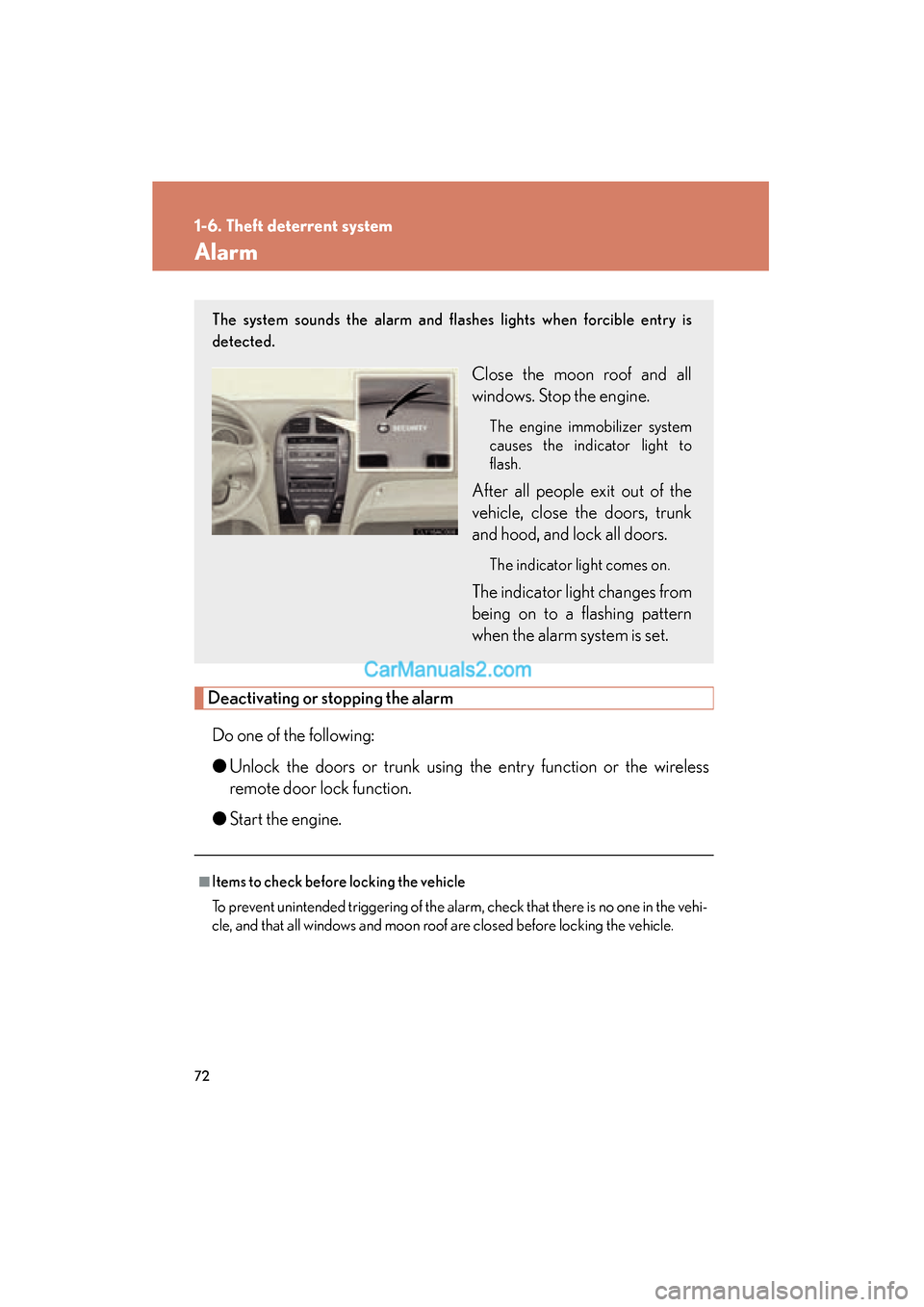
Alarm
Deactivating or stopping the alarmDo one of the following:
● Unlock the doors or trunk using the entry function or the wireless
remote door lock function.
● Start the engine.
■Items to check before locking the vehicle
To prevent unintended triggering of the alarm, check that there is no one in the vehi-
cle, and that all windows and moon roof are closed before locking the vehicle.
The system sounds the alarm and flashes lights when forcible entry is
detected.
Close the moon roof and all
windows. Stop the engine.
The engine immobilizer system
causes the indicator light to
flash.
After all people exit out of the
vehicle, close the doors, trunk
and hood, and lock all doors.
The indicator light comes on.
The indicator light changes from
being on to a flashing pattern
when the alarm system is set.
Page 278 of 475
276
3-6. Other interior features
ES350_U_(L/O_0808)
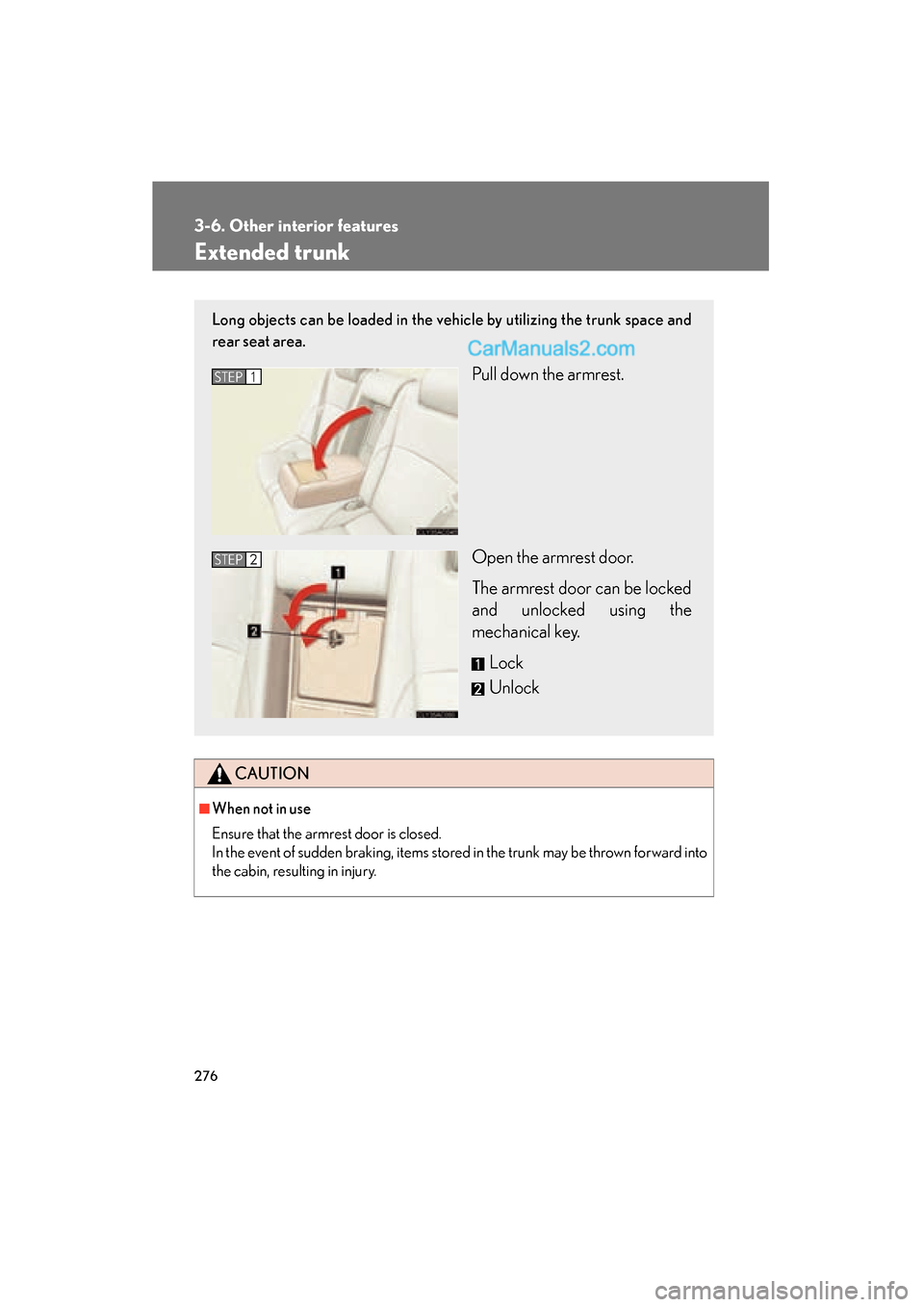
Extended trunk
CAUTION
■When not in use
Ensure that the armrest door is closed.
In the event of sudden braking, items stored in the trunk may be thrown forward into
the cabin, resulting in injury.
Long objects can be loaded in the vehicle by utilizing the trunk space and
rear seat area.
Pull down the armrest.
Open the armrest door.
The armrest door can be locked
and unlocked using the
mechanical key.Lock
UnlockSTEP1
STEP2
Page 450 of 475

448
6-2. Customization
ES350_U_(L/O_0808)
Wireless
remote con-
trol
(
→P. 3 4 )
Wireless remote controlONOFF
Unlocking operation
Driver's door
unlocked in
one step, all
doors
unlocked in
two steps
All doors
unlocked in one step
Automatic door lock
function to be activated if
door is not opened after
being unlocked
ONOFF
Time elapsed before auto-
matic door lock function is
activated if door is not
opened after being
unlocked
60 seconds
30 seconds
120 seconds
Operation signal
(Emergency flashers)ONOFF
Operation signal (Buzzer
volume)Level 8Level 1 to 8
Door lock buzzerONOFF
Trunk unlocking functionONOFF
Trunk unlocking operationPush and holdPush twice
One push
Panic functionONOFF
ItemFunctionDefault settingCustomized
setting