steering wheel Lexus ES350 2009 Owner's Guide
[x] Cancel search | Manufacturer: LEXUS, Model Year: 2009, Model line: ES350, Model: Lexus ES350 2009Pages: 475, PDF Size: 6.2 MB
Page 185 of 475
183
2-5. Driving information
2
When driving
ES350_U_(L/O_0808)●
Avoid sudden braking as you may skid, resulting in jackknifing and loss
of control. This is especially true on wet or slippery surfaces.
● Avoid jerky starts or sudden acceleration.
● Avoid jerky steering and sharp turns, and slow down before making a
turn.
● Note that when making a turn, the trailer wheels will be closer than the
vehicle wheels to the inside of the turn. Compensate by making a
larger than normal turning radius.
● Crosswinds and rough roads will adversely affect handling of your
vehicle and trailer, causing sway. Periodically check the rear to prepare
for being passed by large trucks or buses, which may cause your vehi-
cle and trailer to sway. If swaying occurs, firmly grip the steering wheel,
reduce speed immediately but gradually, and steer straight ahead.
Never increase speed. If you make no extreme correction with the
steering or brakes, your vehicle and trailer will stabilize.
● Take care when passing other vehicles. Passing requires considerable
distance. After passing a vehicle, do not forget the length of your
trailer, and be sure you have plenty of room before changing lanes.
● In order to maintain efficient engine braking and electrical charging
performance, do not use overdrive. Transmission shift range position
must be in 4, in the S mode.
● Due to the added load of the trailer, your vehicle's engine may over-
heat on hot days (at temperatures over 85°F [30°C]) when driving up
a long or steep grade. If the engine coolant temperature gauge indi-
cates overheating, immediately turn off the air conditioning (if in use),
pull your vehicle off the road and stop in a safe spot. See “If you vehicle
overheats”. ( →P. 4 1 6 )
Page 189 of 475
Interior features3
187
ES350_U_(L/O_0808)
3-1. Using the air conditioning system and defogger
Automatic air conditioning system ..................................... 188
Rear window and outside rear view mirror
defoggers ............................... 195
3-2. Using the audio system Audio system type................... 196
Using the radio......................... 198
Using the CD player ............ 205
Playing back MP3 and
WMA discs.............................. 211
Optimal use of the audio system ...................................... 219
Using the AUX adapter ....... 222
Using the steering wheel audio switches ..................... 223
3-3. Using the hands-free phone system
(for cellular phone)
Hands-free phone system features
(for cellular phone) ............. 225
Using the hands-free phone system
(for cellular phone) ............ 228
Making a phone call .............. 236
Setting a cellular phone ....... 240
Security and system setup ... 244
Using the phone book........... 247 3-4. Using the interior lights
Interior lights list .................... 253
• Interior lights ........................ 255
• Personal lights ..................... 255
3-5. Using the storage features List of storage features......... 256
• Glove box .............................. 256
• Console box ......................... 257
• Overhead console.............. 259
• Cup holders .......................... 260
• Auxiliary box ........................ 262
3-6. Other interior features Sun visors ................................. 263
Vanity mirror ........................... 264
Clock ......................................... 265
Ashtray ..................................... 266
Cigarette lighter ..................... 267
Power outlet ............................ 268
Seat heaters ............................ 269
Seat heaters and ventilators ............................... 271
Armrest .................................... 273
Rear sunshade ......................... 274
Extended trunk........................ 276
Floor mat ................................... 277
Trunk features ......................... 278
Garage door opener ............ 280
Compass .................................. 286
Page 198 of 475
196
ES350_U_(L/O_0808)
3-2. Using the audio system
Audio system type
■Using cellular phones
Interference may be heard through the audio system’s speakers if a cellular phone is
being used inside or close to the vehicle while the audio system is operating.
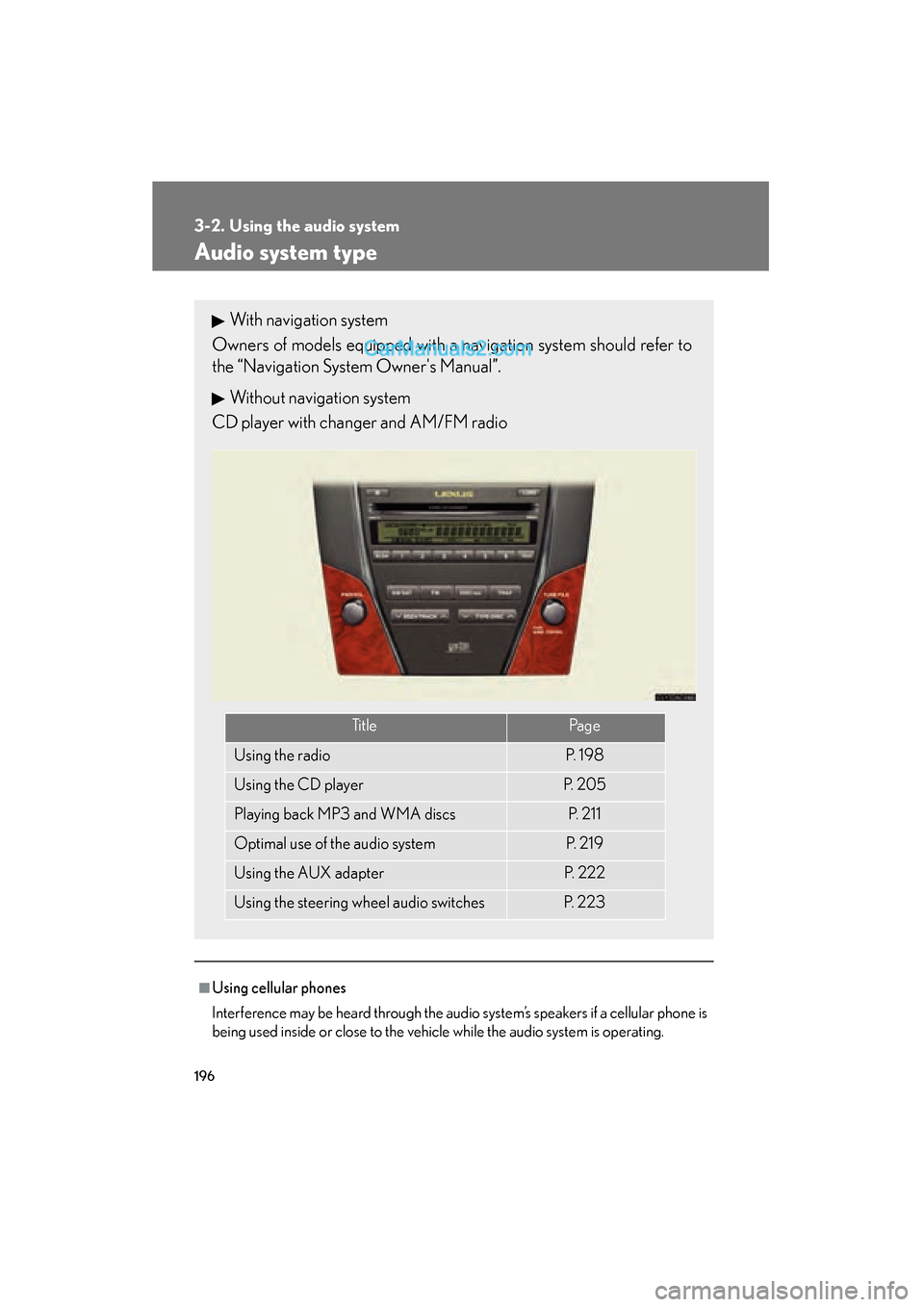
With navigation system
Owners of models equipped with a navigation system should refer to
the “Navigation System Owner's Manual”.
Without navigation system
CD player with changer and AM/FM radio
Ti t l ePa g e
Using the radioP. 1 9 8
Using the CD playerP. 2 0 5
Playing back MP3 and WMA discsP. 2 1 1
Optimal use of the audio systemP. 2 1 9
Using the AUX adapterP. 2 2 2
Using the steering wheel audio switchesP. 223
Page 225 of 475
223
3-2. Using the audio system
3
Interior features
ES350_U_(L/O_0808)
Using the steering wheel audio switches
Turning on the powerPress when the audio system is turned OFF.
The audio system can be turned off by holding the switch down for a few sec-
ond.
Changing the audio source
Press when the audio system is turned ON. The audio source
changes as follows each time the switch is pressed.
FM1 →FM2 →CD changer →AUX →AM →S AT 1 →S AT 2 →S AT 3
Adjusting the volume
Press + on to increase the volume and - to decrease the volume.
Hold down the switch to continue increasing or decreasing the volume.
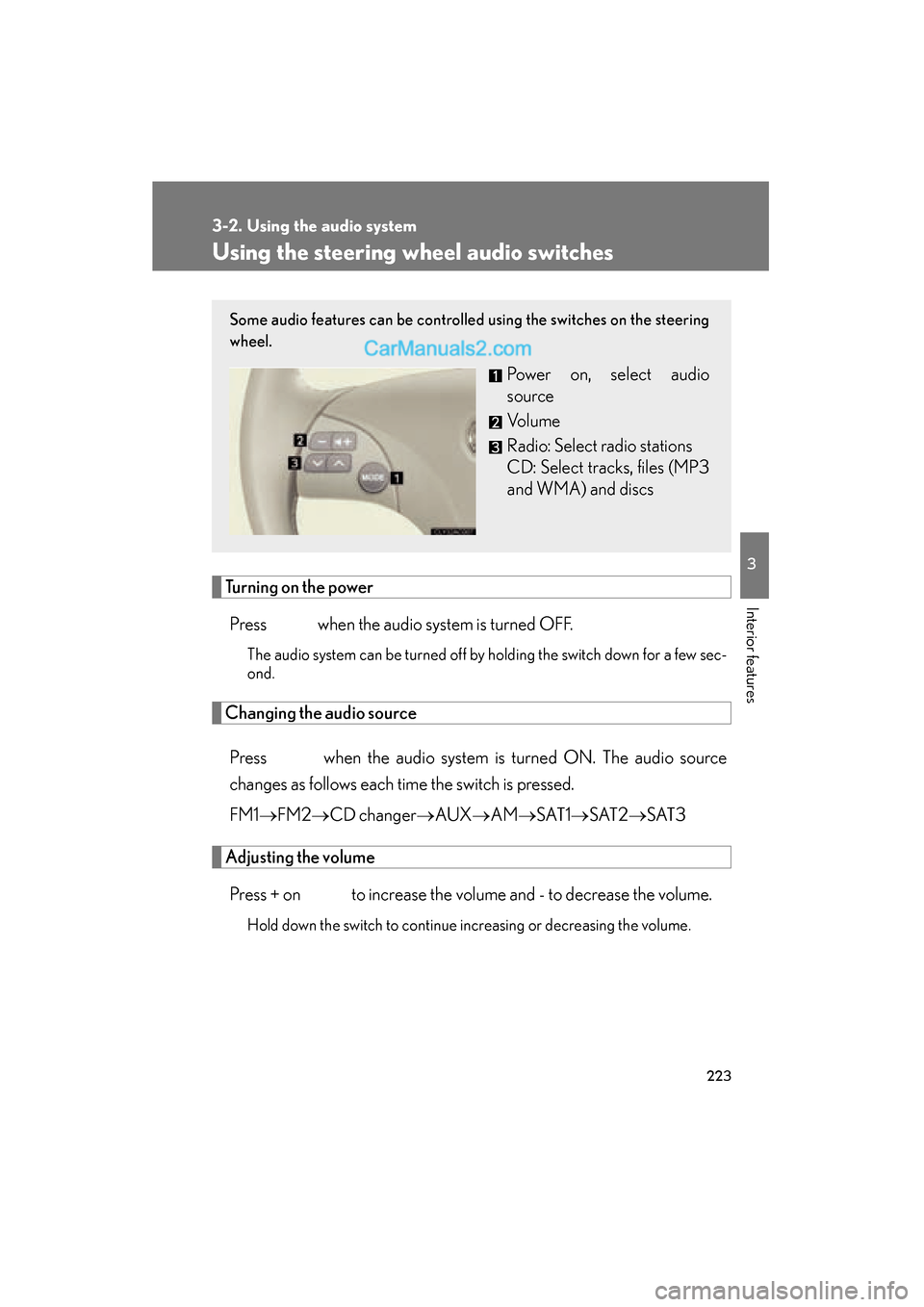
Some audio features can be controlled using the switches on the steering
wheel.
Power on, select audio
source
Vo l u m e
Radio: Select radio stations
CD: Select tracks, files (MP3
and WMA) and discs
Page 226 of 475
224
3-2. Using the audio system
ES350_U_(L/O_0808)
Selecting a radio stationPress to select the radio mode.
Press ∧ or ∨ on the switch to select a radio station.
To seek for receivable stations, press and hold the switch until you hear
a beep.
Selecting a track/file
Press to select the CD mode.
Press ∧ or ∨ on the switch to select the desired track/file.
Selecting a disc in the CD player
Press to select the CD mode.
Press and hold ∧ or ∨ on switch until a beep is heard.
CAUTION
■To reduce the risk of an accident
Exercise care when operating the audio switches on the steering wheel.
STEP1
STEP2
STEP1
STEP2
STEP1
STEP2
Page 231 of 475
229
3-3. Using the hands-free phone system (for cellular phone)
3
Interior features
ES350_U_(L/O_0808)
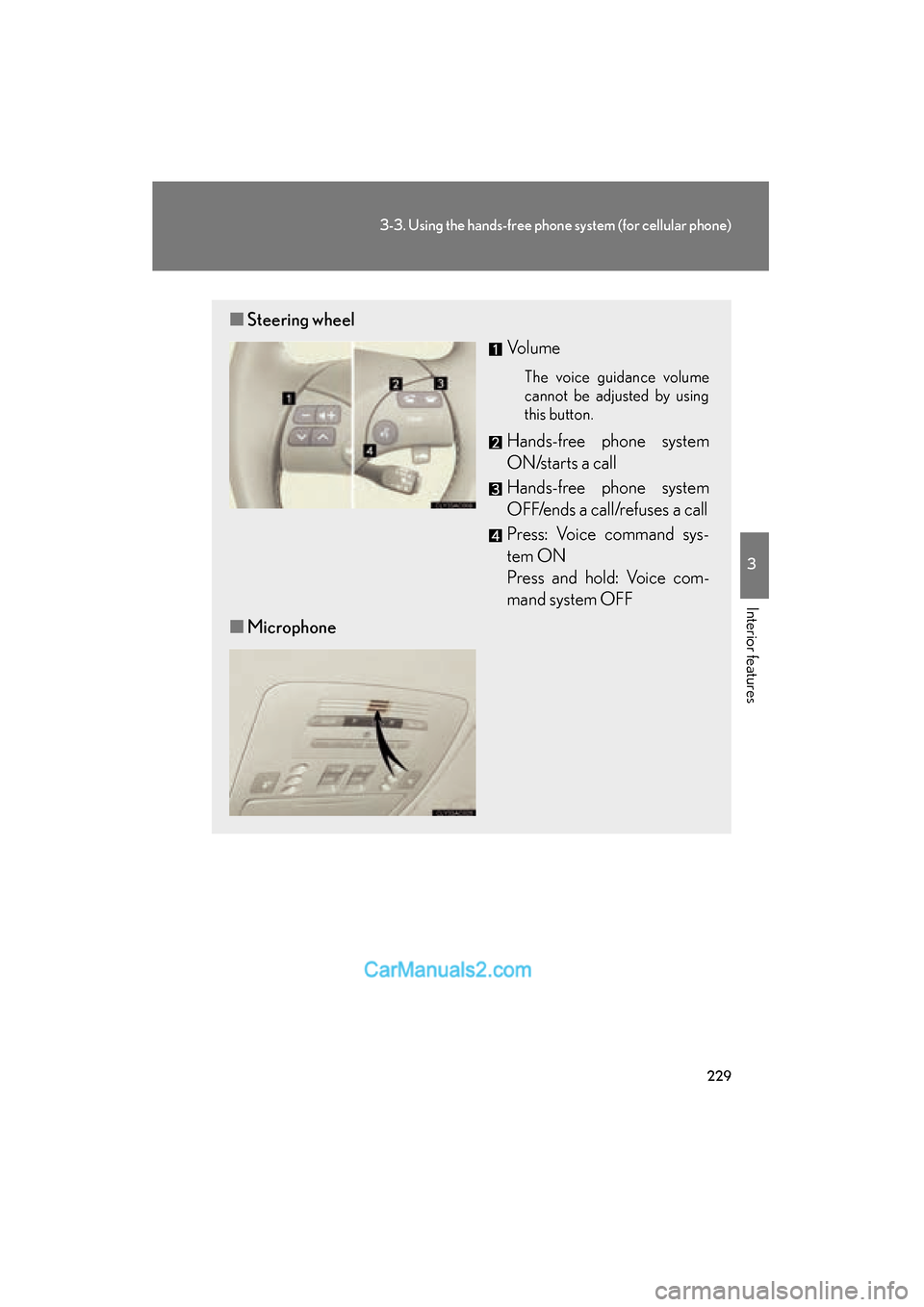
■Steering wheel
Vo l u m e
The voice guidance volume
cannot be adjusted by using
this button.
Hands-free phone system
ON/starts a call
Hands-free phone system
OFF/ends a call/refuses a call
Press: Voice command sys-
tem ON
Press and hold: Voice com-
mand system OFF
■ Microphone
Page 304 of 475
302
4-2. Maintenance
ES350_U_(L/O_0808)
Vehicle exterior
ItemsCheck points
Steering wheel
• Moves smoothly?
• Has correct free play?
• No strange noises?
ItemsCheck points
Door/trunk• Operate smoothly?
Engine hood• The lock system works properly?
Fluid leaks• Is there any leakage after parking?
Ti r e
• Inflation pressure is correct?
• Tire surfaces not worn or dam-aged?
• Tires rotated according to the maintenance schedule?
• Wheel nuts are not loose?
CAUTION
■If the engine is running
Turn the engine off and ensure that there is adequate ventilation before performing
maintenance checks.
Page 367 of 475
5
When trouble arises
365
5-1. Essential information
ES350_U_(L/O_0808)
If your vehicle needs to be towed
Before towingThe following may indicate a problem with your transmission. Contact
your Lexus dealer before towing.
● The engine is running, but the vehicle will not move.
● The vehicle makes an abnormal sound.
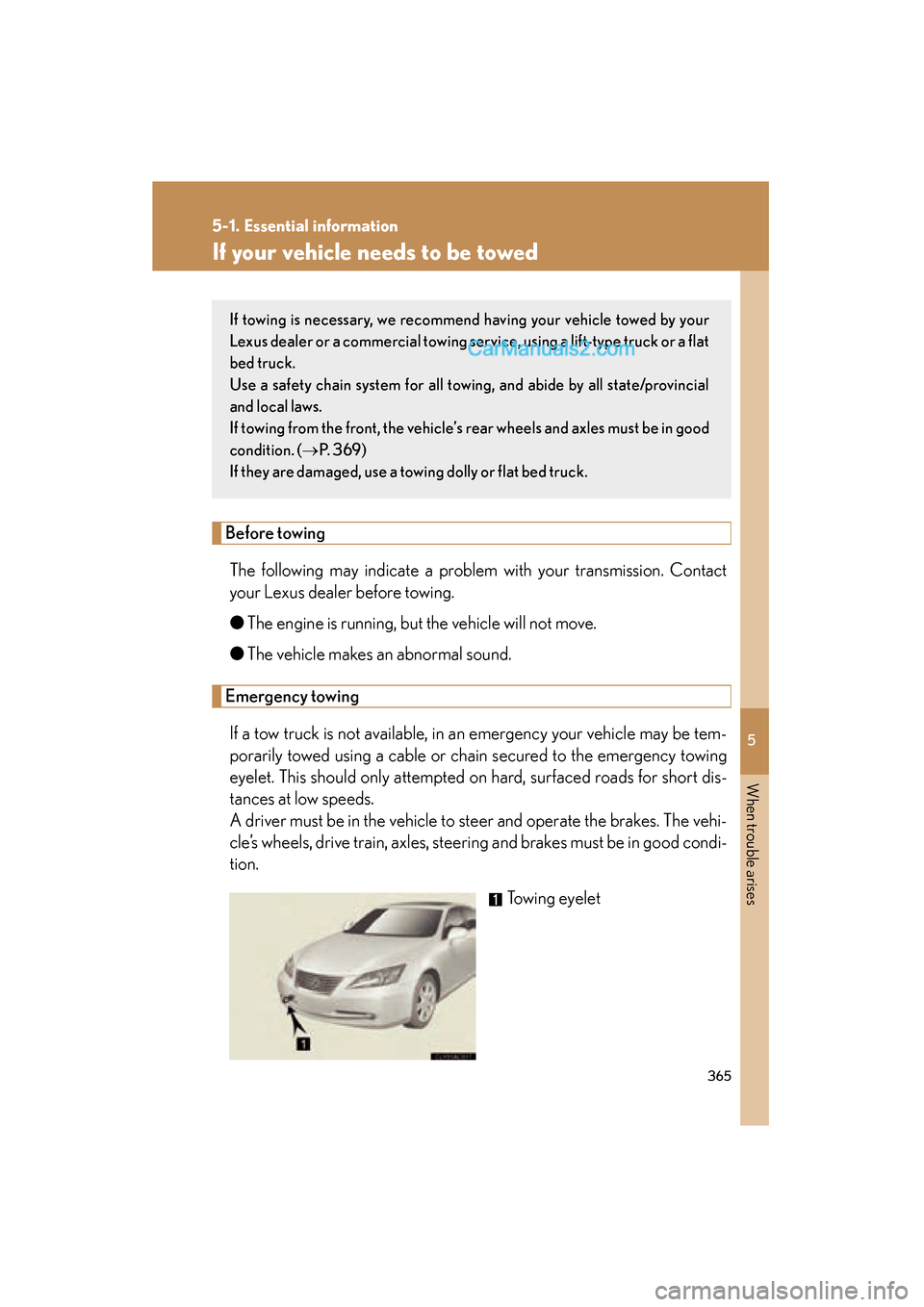
Emergency towing
If a tow truck is not available, in an emergency your vehicle may be tem-
porarily towed using a cable or chain secured to the emergency towing
eyelet. This should only attempted on hard, surfaced roads for short dis-
tances at low speeds.
A driver must be in the vehicle to steer and operate the brakes. The vehi-
cle’s wheels, drive train, axles, steering and brakes must be in good condi-
tion. Towing eyelet
If towing is necessary, we recommend having your vehicle towed by your
Lexus dealer or a commercial towing se rvice, using a lift-type truck or a flat
bed truck.
Use a safety chain system for all towing, and abide by all state/provincial
and local laws.
If towing from the front, the vehicle’s rear wheels and axles must be in good
condition. ( →P. 3 6 9 )
If they are damaged, use a towing dolly or flat bed truck.
Page 368 of 475
366
5-1. Essential information
ES350_U_(L/O_0808)
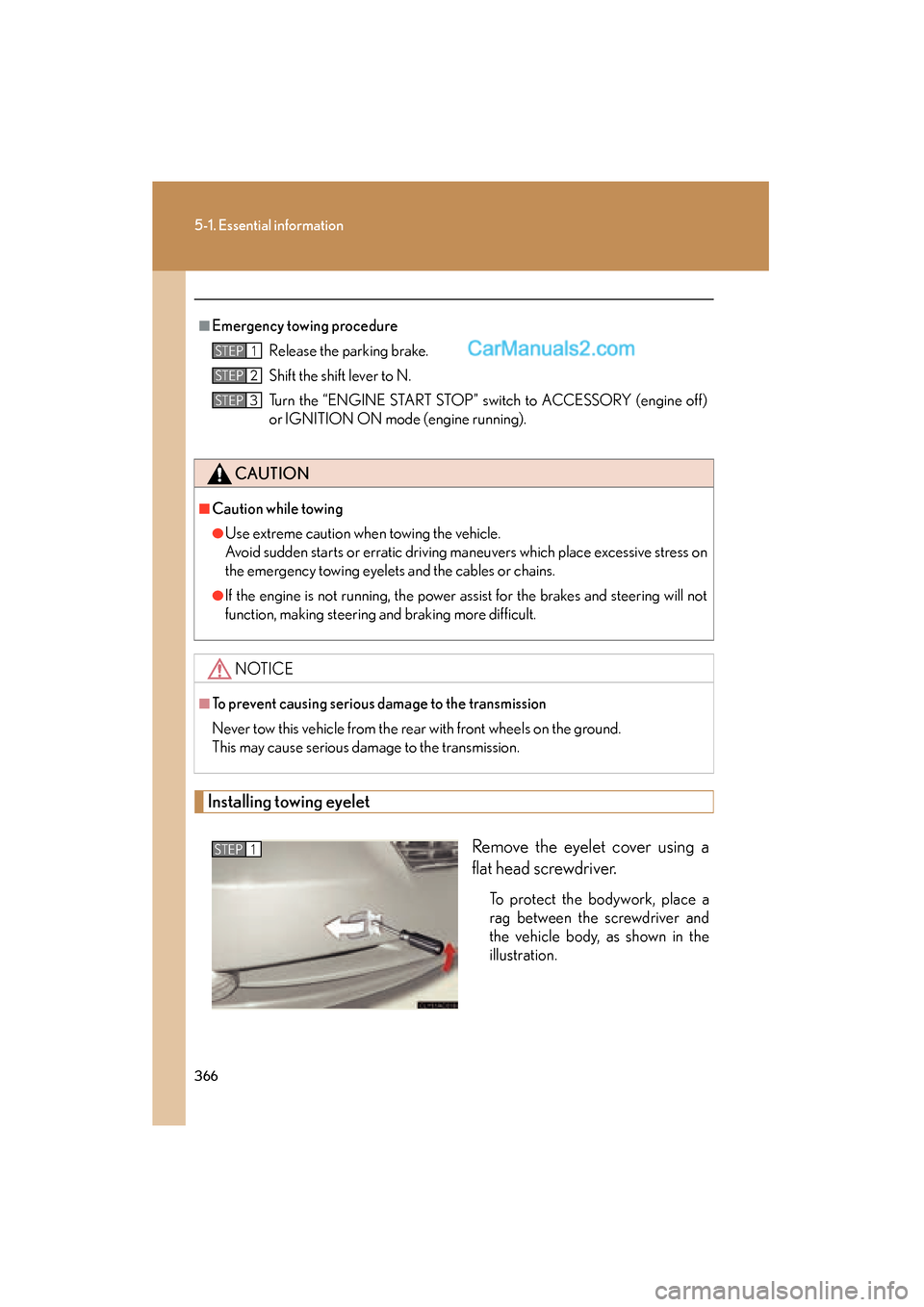
Installing towing eyeletRemove the eyelet cover using a
flat head screwdriver.
To protect the bodywork, place a
rag between the screwdriver and
the vehicle body, as shown in the
illustration.
■Emergency towing procedureRelease the parking brake.
Shift the shift lever to N.
Turn the “ENGINE START STOP” switch to ACCESSORY (engine off)
or IGNITION ON mode (engine running).
CAUTION
■Caution while towing
●Use extreme caution when towing the vehicle.
Avoid sudden starts or erratic driving maneuvers which place excessive stress on
the emergency towing eyelets and the cables or chains.
●If the engine is not running, the power assist for the brakes and steering will not
function, making steering and braking more difficult.
NOTICE
■To prevent causing serious da mage to the transmission
Never tow this vehicle from the rear with front wheels on the ground.
This may cause serious damage to the transmission.
STEP1
STEP2
STEP3
STEP1
Page 385 of 475
5
When trouble arises
383
5-2. Steps to take in an emergency
ES350_U_(L/O_0808)
■If the tire pressure warning light comes on after blinking for 1 minute frequently
If the tire pressure warning light comes on after blinking for 1 minute frequently
when the “ENGINE START STOP” switch is turned to IGNITION ON mode, have
it checked by your Lexus dealer.
■Customization that can be configured at Lexus dealer
The vehicle speed linked seat belt reminder buzzer can be disabled. (Customizable
features →P. 4 4 7 )
CAUTION
■If the tire pressure warning light comes on
Be sure to observe the following precautions. Failure to do so could cause loss of
vehicle control and result in death or serious injury.
●Stop your vehicle in a safe place as soon as possible. Adjust the tire inflation pres-
sure immediately.
●If the tire pressure warning light comes on even after tire inflation pressure adjust-
ment, it is probable that you have a flat tire. Check the tires. If the tire is flat,
change to the spare tire and have the flat tire repaired by the nearest Lexus
dealer.
●Avoid abrupt maneuvering and braking. If the vehicle tires deteriorate, you could
lose control of the steering wheel or the brakes.
■If a blowout or sudden air leakage should occur
The tire pressure warning system may not activate immediately.