remote start Lexus ES350 2010 s User Guide
[x] Cancel search | Manufacturer: LEXUS, Model Year: 2010, Model line: ES350, Model: Lexus ES350 2010Pages: 543, PDF Size: 6.54 MB
Page 82 of 543
80
1-6. Theft deterrent system
ES350_U
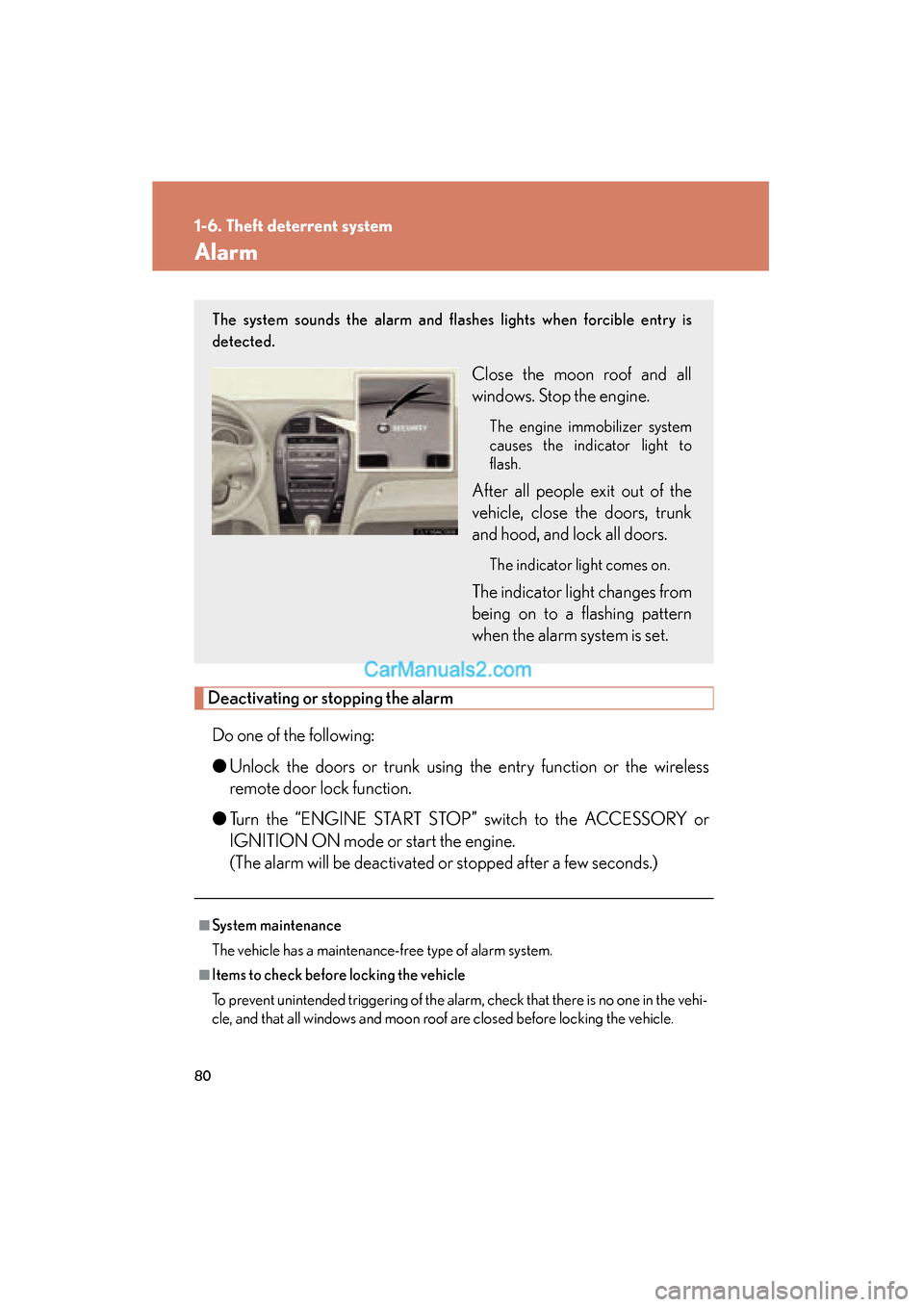
Alarm
Deactivating or stopping the alarmDo one of the following:
● Unlock the doors or trunk using the entry function or the wireless
remote door lock function.
● Turn the “ENGINE START STOP” switch to the ACCESSORY or
IGNITION ON mode or start the engine.
(The alarm will be deactivated or stopped after a few seconds.)
■System maintenance
The vehicle has a maintenance-free type of alarm system.
■Items to check before locking the vehicle
To prevent unintended triggering of the alarm, check that there is no one in the vehi-
cle, and that all windows and moon roof are closed before locking the vehicle.
The system sounds the alarm and flashes lights when forcible entry is
detected.
Close the moon roof and all
windows. Stop the engine.
The engine immobilizer system
causes the indicator light to
flash.
After all people exit out of the
vehicle, close the doors, trunk
and hood, and lock all doors.
The indicator light comes on.
The indicator light changes from
being on to a flashing pattern
when the alarm system is set.
Page 407 of 543
405
4-3. Do-it-yourself maintenance
4
Maintenance and care
ES350_U
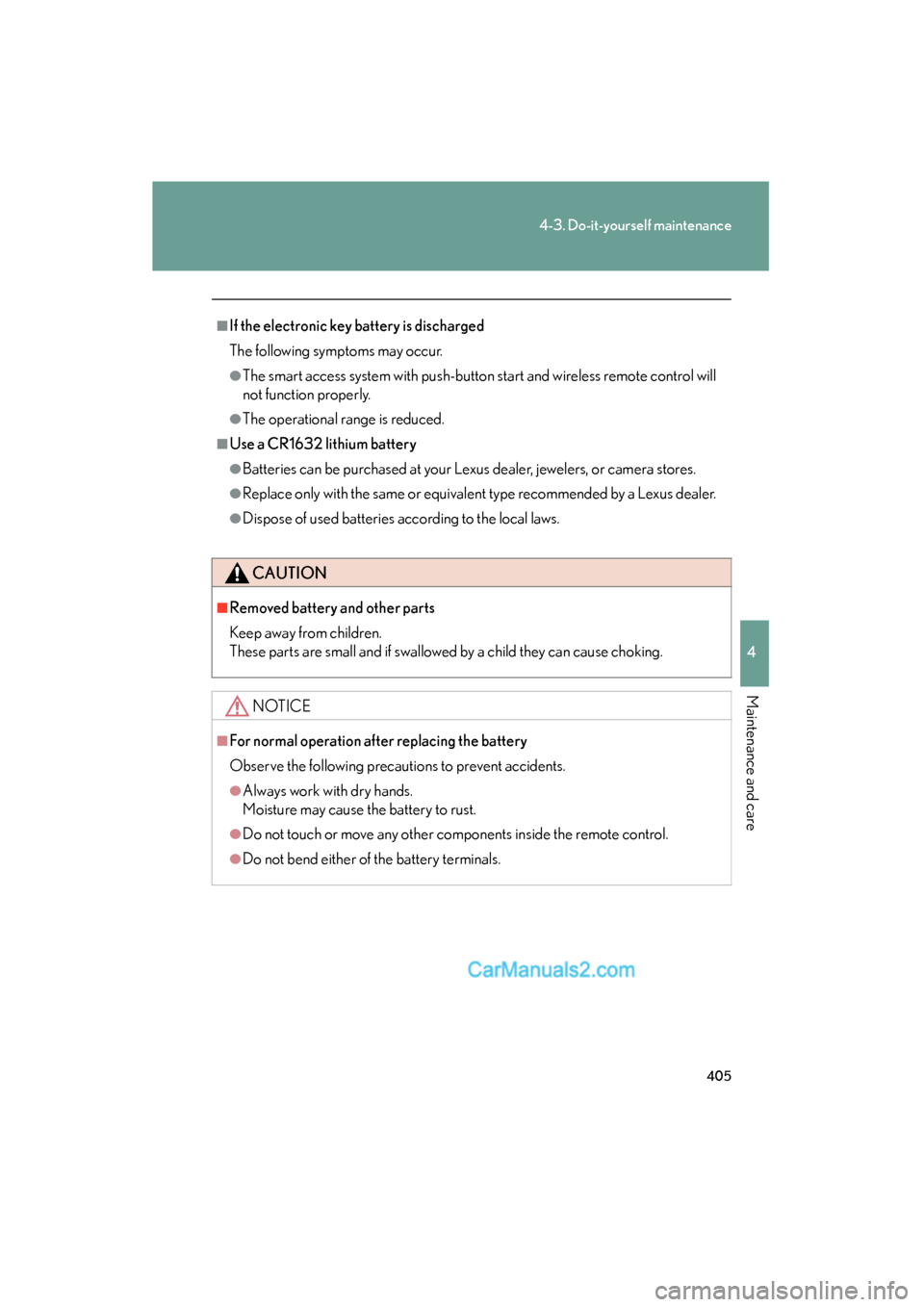
■If the electronic key battery is discharged
The following symptoms may occur.
●The smart access system with push-button start and wireless remote control will
not function properly.
●The operational range is reduced.
■Use a CR1632 lithium battery
●Batteries can be purchased at your Lexus dealer, jewelers, or camera stores.
●Replace only with the same or equivalent type recommended by a Lexus dealer.
●Dispose of used batteries according to the local laws.
CAUTION
■Removed battery and other parts
Keep away from children.
These parts are small and if swallowed by a child they can cause choking.
NOTICE
■For normal operation after replacing the battery
Observe the following precautions to prevent accidents.
●Always work with dry hands.
Moisture may cause the battery to rust.
●Do not touch or move any other components inside the remote control.
●Do not bend either of the battery terminals.
Page 477 of 543
5
When trouble arises
475
5-2. Steps to take in an emergency
ES350_U
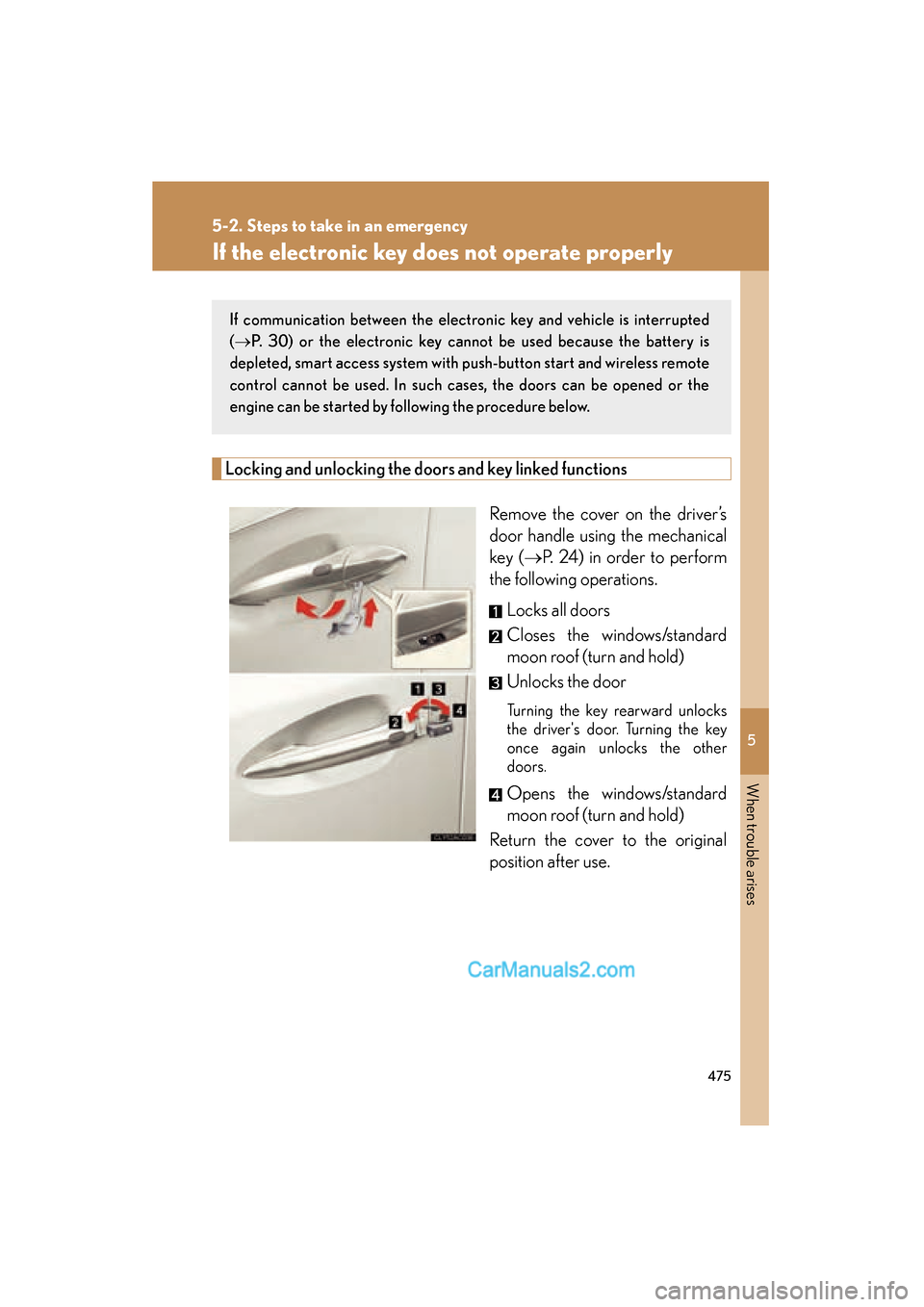
If the electronic key does not operate properly
Locking and unlocking the doors and key linked functions
Remove the cover on the driver’s
door handle using the mechanical
key (oP. 24) in order to perform
the following operations.
Locks all doors
Closes the windows/standard
moon roof (turn and hold)
Unlocks the door
Turning the key rearward unlocks
the driver's door. Turning the key
once again unlocks the other
doors.
Opens the windows/standard
moon roof (turn and hold)
Return the cover to the original
position after use.
If communication between the electronic key and vehicle is interrupted
( o P. 30) or the electronic key cannot be used because the battery is
depleted, smart access system with push-button start and wireless remote
control cannot be used. In such cases, the doors can be opened or the
engine can be started by following the procedure below.
Page 518 of 543
516
6-2. Customization
ES350_U
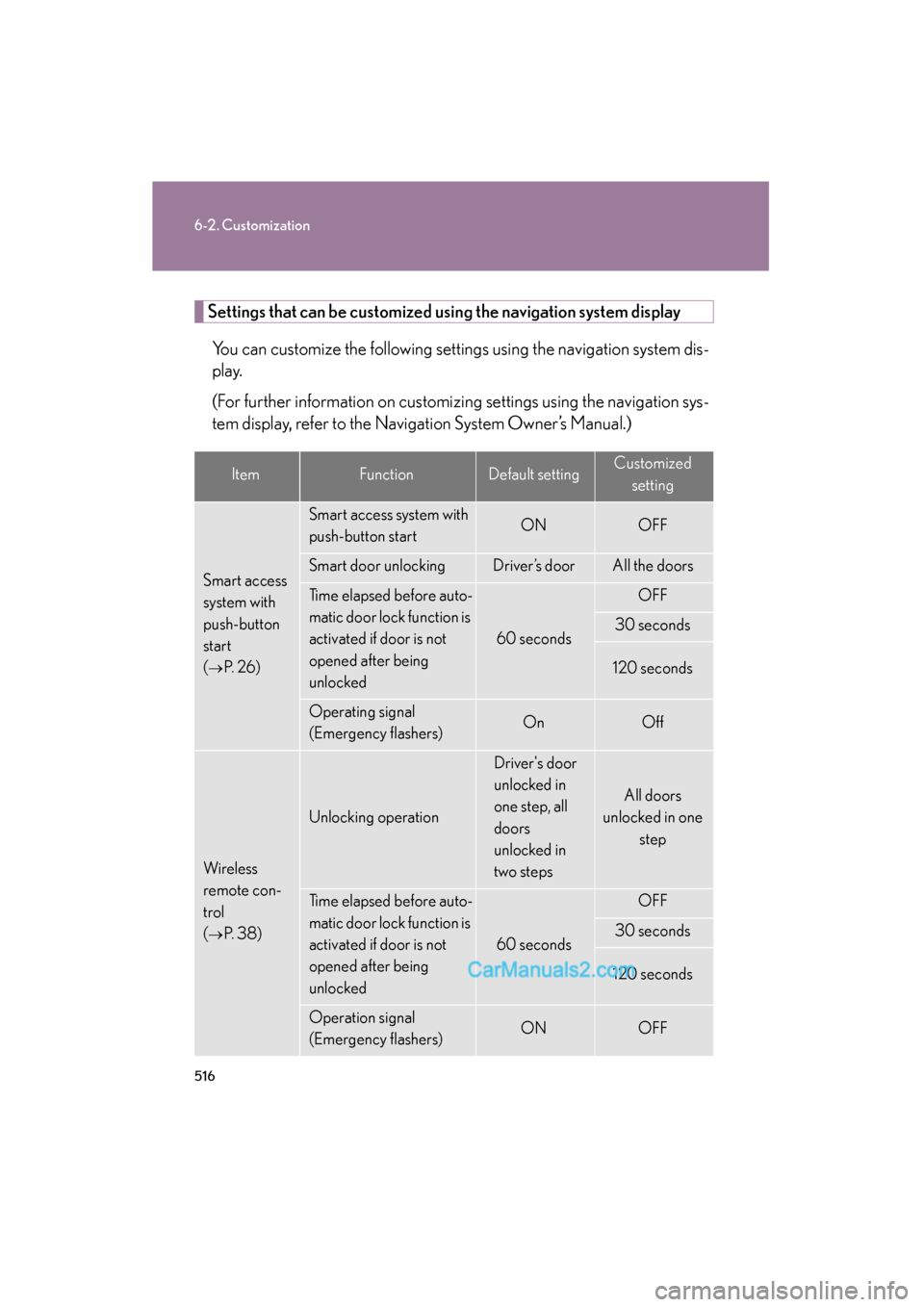
Settings that can be customized using the navigation system displayYou can customize the following settings using the navigation system dis-
play.
(For further information on customizing settings using the navigation sys-
tem display, refer to the Navigation System Owner’s Manual.)
ItemFunctionDefault settingCustomized setting
Smart access
system with
push-button
start
(
oP. 2 6 )
Smart access system with
push-button startONOFF
Smart door unlocking Driver’s doorAll the doors
Time elapsed before auto-
matic door lock function is
activated if door is not
opened after being
unlocked
60 seconds
OFF
30 seconds
120 seconds
Operating signal
(Emergency flashers)OnOff
Wireless
remote con-
trol
(
oP. 3 8 )
Unlocking operation
Driver's door
unlocked in
one step, all
doors
unlocked in
two steps
All doors
unlocked in one
step
Time elapsed before auto-
matic door lock function is
activated if door is not
opened after being
unlocked
60 seconds
OFF
30 seconds
120 seconds
Operation signal
(Emergency flashers)ONOFF
Page 539 of 543
537
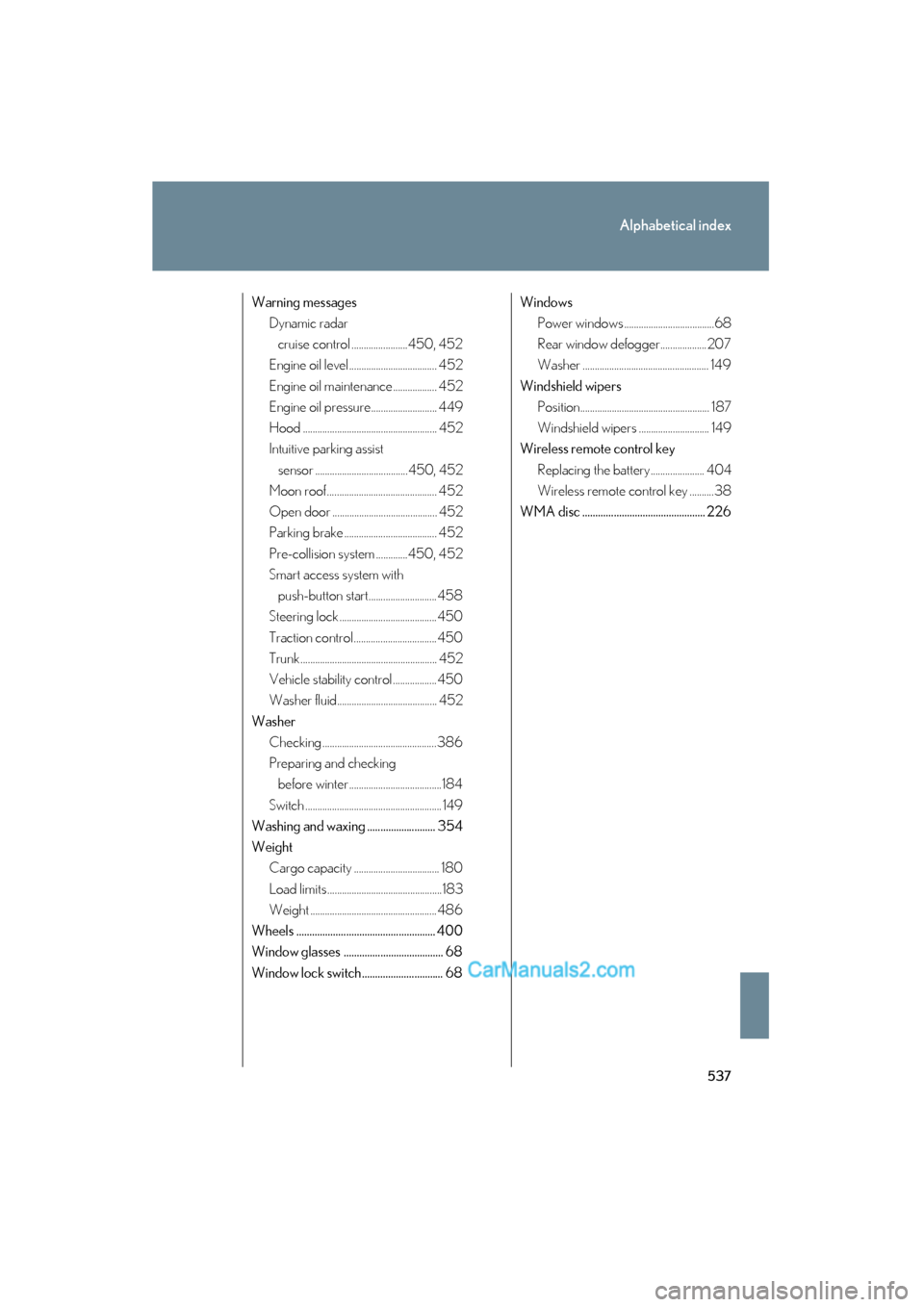
Alphabetical index
ES350_U
Warning messagesDynamic radar
cruise control .......................450, 452
Engine oil level .................................... 452
Engine oil maintenance.................. 452
Engine oil pressure........................... 449
Hood ....................................................... 452
Intuitive parking assist
sensor ......................................450, 452
Moon roof ............................................. 452
Open door ........................................... 452
Parking brake ...................................... 452
Pre-collision system .............450, 452
Smart access system with
push-button start............................ 458
Steering lock ........................................ 450
Traction control.................................. 450
Trunk ........................................................ 452
Vehicle stability control ..................450
Washer fluid......................................... 452
Washer Checking ............................................... 386
Preparing and checking before winter ......................................184
Switch ........................................................ 149
Washing and waxing .......................... 354
Weight Cargo capacity ................................... 180
Load limits ...............................................183
Weight .................................................... 486
Wheels ..................................................... 400
Window glasses ...................................... 68
Window lock switch............................... 68 Windows
Power windows .....................................68
Rear window defogger................... 207
Washer .................................................... 149
Windshield wipers Position..................................................... 187
Windshield wipers ............................. 149
Wireless remote control key
Replacing the battery...................... 404
Wireless remote control key ..........38
WMA disc ............................................... 226