Console Lexus ES350 2010 Owner's Manuals
[x] Cancel search | Manufacturer: LEXUS, Model Year: 2010, Model line: ES350, Model: Lexus ES350 2010Pages: 543, PDF Size: 6.54 MB
Page 6 of 543
TABLE OF CONTENTSIndex
ES350_U
4
3-3. Using the Bluetooth®
audio system
Bluetooth
® audio system ......... 256
Using the Bluetooth
®
audio system................................ 259
Operating a Bluetooth
®
enabled portable player ......... 264
Setting up a Bluetooth
®
enabled portable player ......... 267
Bluetooth
® audio system
setup ............................................... 274
3-4. Using the hands-free system (for mobile phone)
Hands-free system for mobile phones ............................ 275
Using the hands-free system (for mobile phone) .................... 279
Making a phone call .................... 287
Setting a mobile phone .............. 292
Security and system setup ........ 297
Using the phone book................. 301
3-5. Using the interior lights Interior lights list........................... 308
• Interior lights ................................ 310
• Personal lights ............................. 310 3-6. Using the storage features
List of storage features.................. 311
• Glove box ..................................... 312
• Console box ................................. 313
• Overhead console .................... 314
• Cup holders.................................. 315
• Auxiliary box ................................ 317
3-7. Other interior features Sun visors.......................................... 318
Vanity mirror ................................... 319
Clock ................................................ 320
Ashtray .............................................. 321
Cigarette lighter ........................... 322
Power outlet ................................... 323
Seat heaters.................................... 324
Seat heaters and ventilators .... 326
Armrest ........................................... 328
Rear sunshade ............................... 329
Extended trunk............................... 331
Coat hooks ..................................... 332
Floor mat.......................................... 333
Trunk features................................ 334
Garage door opener.................. 336
Compass.......................................... 342
Safety Connect ............................. 346
Page 12 of 543
ES350_U
10
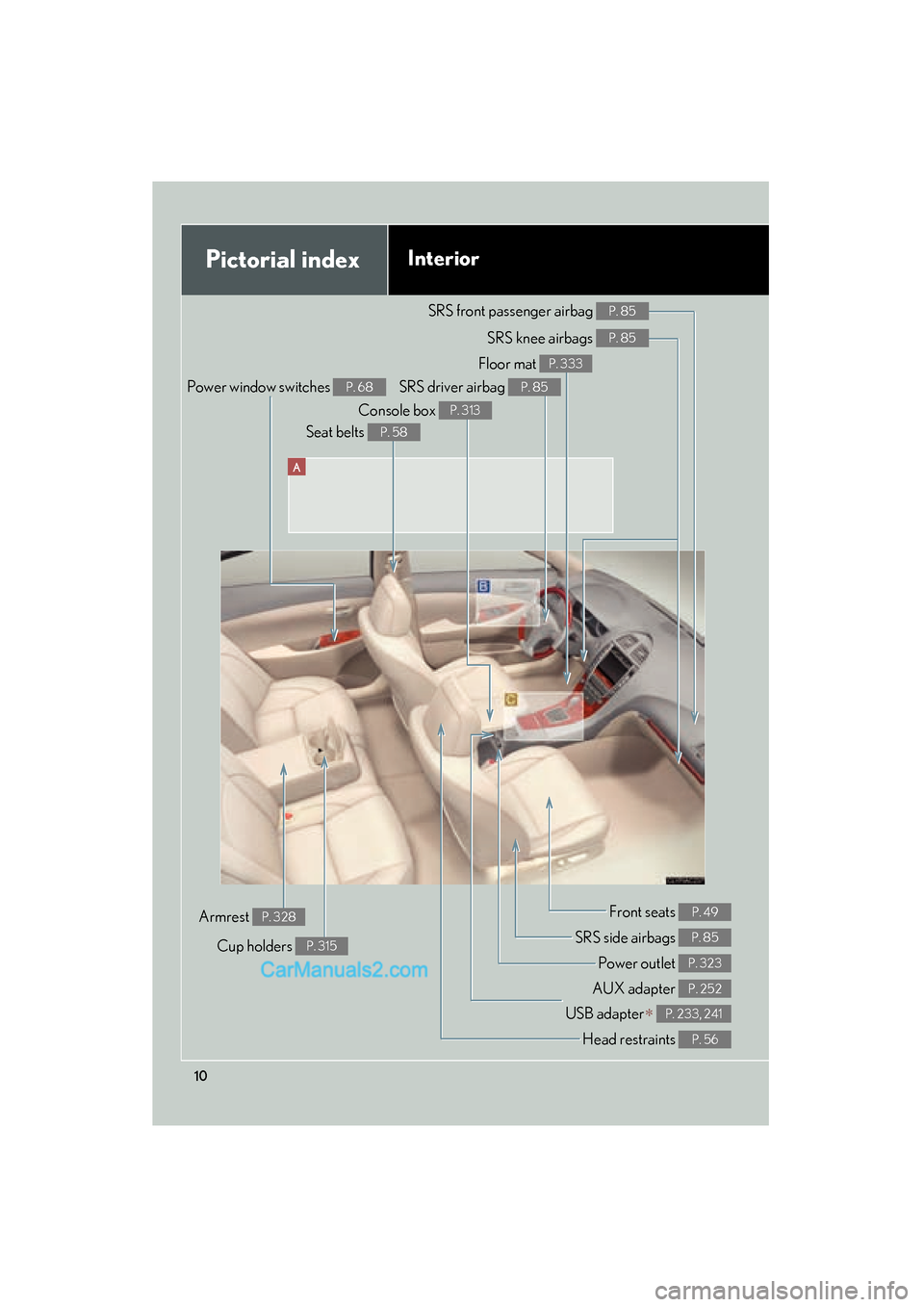
A
Pictorial indexInterior
Power window switches P. 68
SRS front passenger airbag P. 85
SRS knee airbags P. 85
SRS driver airbag P. 85
Floor mat P. 333
Console box P. 313
Seat belts P. 58
Front seats P. 49
SRS side airbags P. 85
Power outlet P. 323
AUX adapter P. 252
USB adapter∗ P. 233, 241
Cup holders P. 315
Armrest P. 328
Head restraints P. 56
Page 13 of 543
ES350_U
11
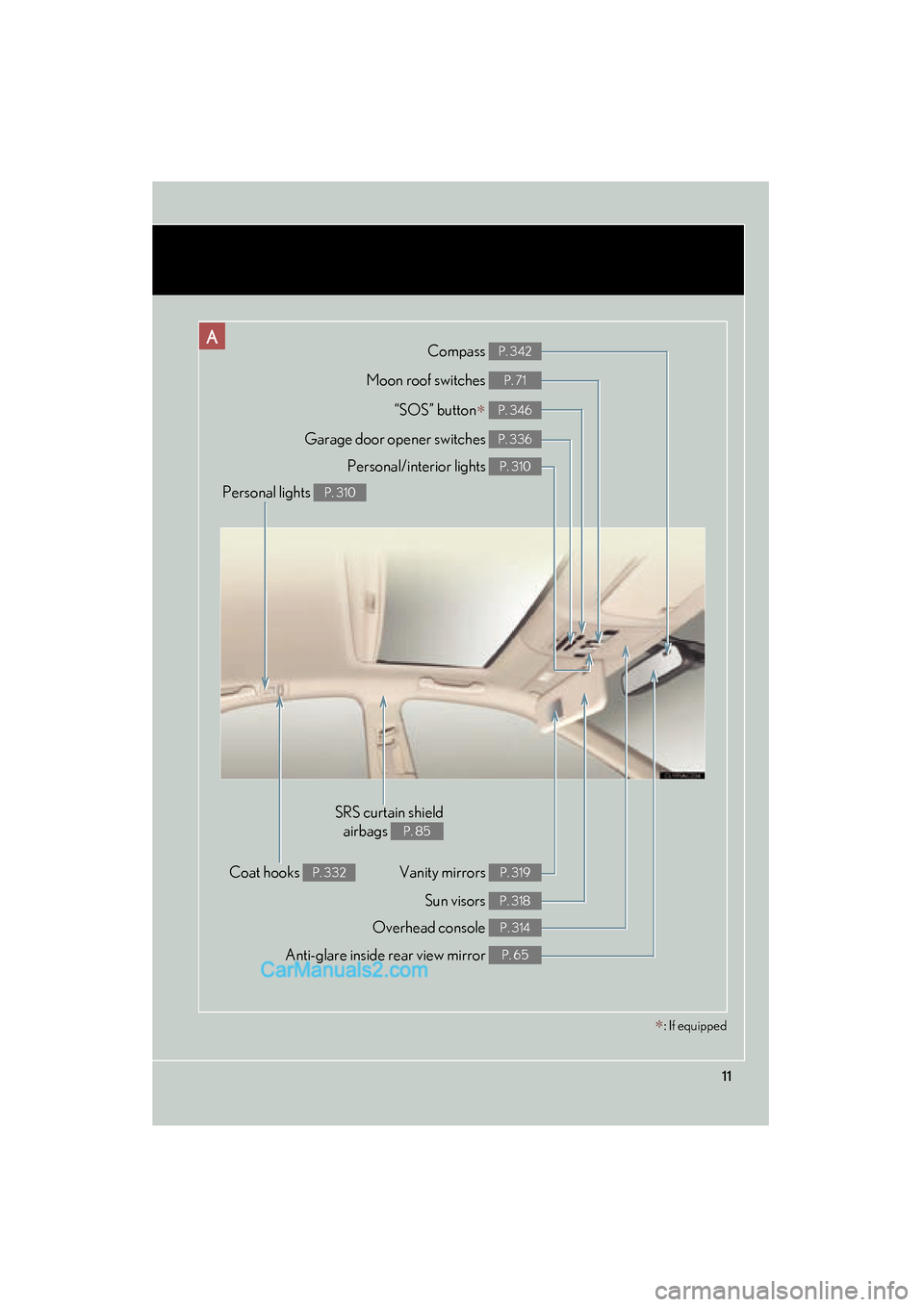
ACompass P. 342
Anti-glare inside rear view mirror P. 65
Moon roof switches P. 71
Personal/interior lights P. 310
Vanity mirrors P. 319
Sun visors P. 318
Personal lights P. 310
SRS curtain shieldairbags
P. 85
Overhead console P. 314
Coat hooks P. 332
Garage door opener switches P. 336
“SOS” button∗ P. 346
∗: If equipped
Page 201 of 543
Interior features3
199
ES350_U
3-3. Using the Bluetooth®
audio system
Bluetooth
® audio system .... 256
Using the Bluetooth
®
audio system ......................... 259
Operating a Bluetooth
®
enabled portable player .... 264
Setting up a Bluetooth
®
enabled portable player .... 267
Bluetooth
® audio system
setup ......................................... 274
3-4. Using the hands-free system
(for mobile phone)
Hands-free system for mobile phones ...................... 275
Using the hands-free system (for mobile phone)............... 279
Making a phone call .............. 287
Setting a mobile phone......... 292
Security and system setup ... 297
Using the phone book............ 301
3-5. Using the interior lights Interior lights list .................... 308
• Interior lights ......................... 310
• Personal lights ....................... 310 3-6. Using the storage features
List of storage features........... 311
• Glove box ............................... 312
• Console box .......................... 313
• Overhead console............... 314
• Cup holders ........................... 315
• Auxiliary box ......................... 317
3-7. Other interior features Sun visors .................................. 318
Vanity mirror ............................ 319
Clock ......................................... 320
Ashtray ...................................... 321
Cigarette lighter .................... 322
Power outlet ............................ 323
Seat heaters ............................ 324
Seat heaters and ventilators ............................. 326
Armrest .................................... 328
Rear sunshade ........................ 329
Extended trunk........................ 331
Coat hooks .............................. 332
Floor mat .................................. 333
Trunk features ......................... 334
Garage door opener ............ 336
Compass .................................. 342
Safety Connect ...................... 346
Page 258 of 543
256
ES350_U
3-3. Using the Bluetooth® audio system
Bluetooth® audio system
■Conditions under which the system will not operate
●If using a portable player that does not support Bluetooth®
●If the portable player is switched off
●If the portable player is not connected
●If the portable player’s battery is low
●If the portable player is behind the seat or in the glove box or console box
●If metal is covering or touching the portable player
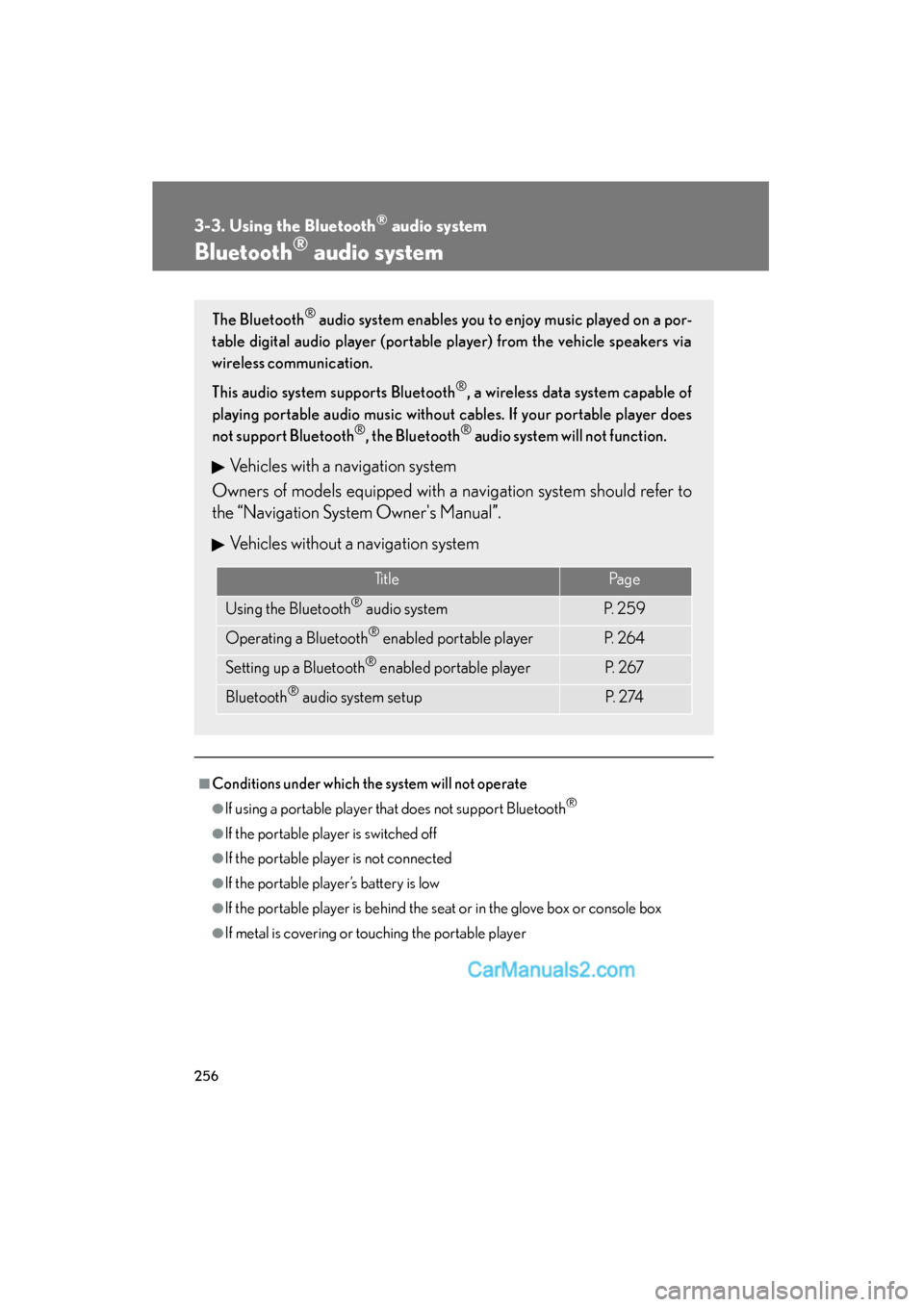
The Bluetooth® audio system enables you to enjoy music played on a por-
table digital audio player (portable player) from the vehicle speakers via
wireless communication.
This audio system supports Bluetooth
®, a wireless data system capable of
playing portable audio music without cables. If your portable player does
not support Bluetooth
®, the Bluetooth® audio system will not function.
Vehicles with a navigation system
Owners of models equipped with a navigation system should refer to
the “Navigation System Owner's Manual”.
Vehicles without a navigation system
TitlePa g e
Using the Bluetooth® audio systemP. 2 5 9
Operating a Bluetooth® enabled portable playerP. 2 6 4
Setting up a Bluetooth® enabled portable playerP. 2 6 7
Bluetooth® audio system setupP. 2 74
Page 278 of 543
276
3-4. Using the hands-free system (for mobile phone)
ES350_U
■Conditions under which the system will not operate
●If using a mobile phone that does not support Bluetooth®
●If the mobile phone is switched off
●If you are outside service range
●If the mobile phone is not connected
●If the mobile phone's battery is low
●If the mobile phone is behind the seat or in the glove box or console box
●If metal is covering or touching the phone
■When using the hands-free system
●The audio system and voice guidance are muted when making a call.
●If both parties speak at the same time, it may be difficult to hear.
●If the incoming call volume is overly loud, an echo may be heard.
●Try to face toward the microphone as much as possible when speaking.
●In the following circumstances, it may be difficult to hear the other party:
• When driving on unpaved roads
• When driving at high speeds
• When a window is open
• When the air conditioning is blowing directly on the microphone
• When the air conditioning is set to high
■When transferring ownership of the vehicle
Be sure to initialize the system to prevent the personal data from being improperly
accessed. (oP. 300)
■About Bluetooth®
Bluetooth is a registered trademark of
Bluetooth SIG. Inc.
Page 313 of 543
311
3
Interior features
ES350_U
3-6. Using the storage features
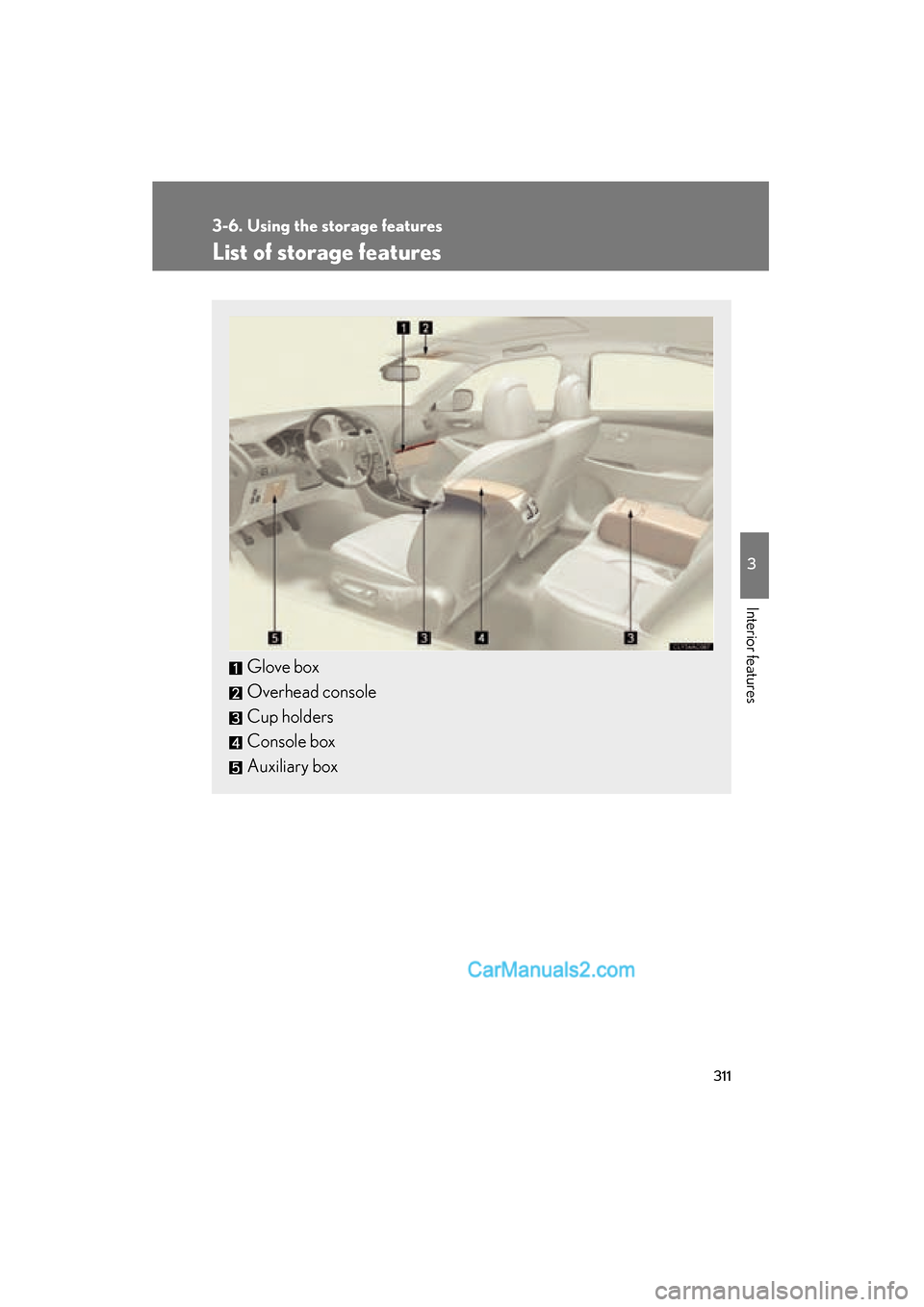
List of storage features
Glove box
Overhead console
Cup holders
Console box
Auxiliary box
Page 315 of 543
313
3-6. Using the storage features
3
Interior features
ES350_U
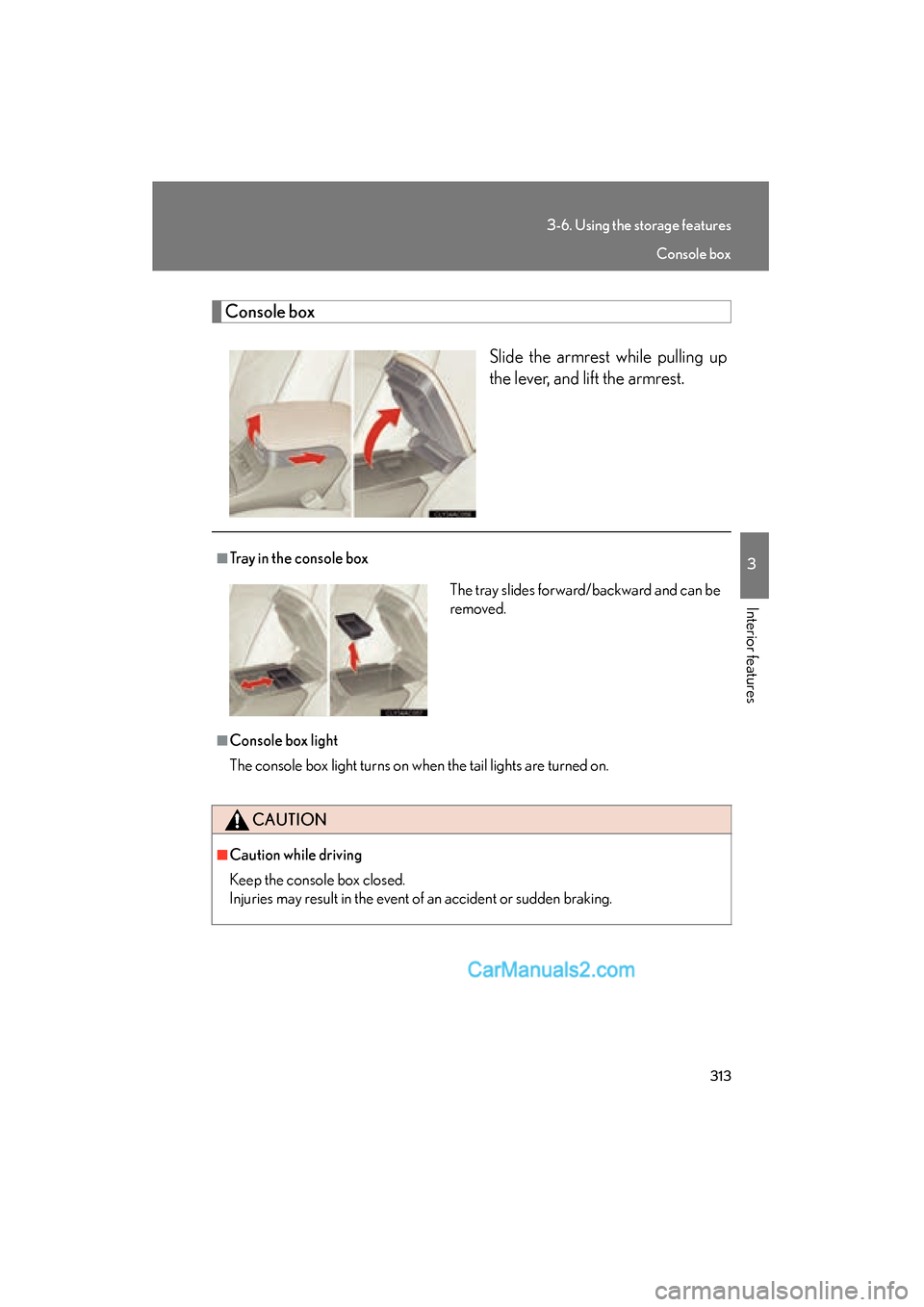
Console boxSlide the armrest while pulling up
the lever, and lift the armrest.
■Tray in the console box
■Console box light
The console box light turns on when the tail lights are turned on.
CAUTION
■Caution while driving
Keep the console box closed.
Injuries may result in the event of an accident or sudden braking.
The tray slides forward/backward and can be
removed.
Console box
Page 316 of 543
314
3-6. Using the storage features
ES350_U
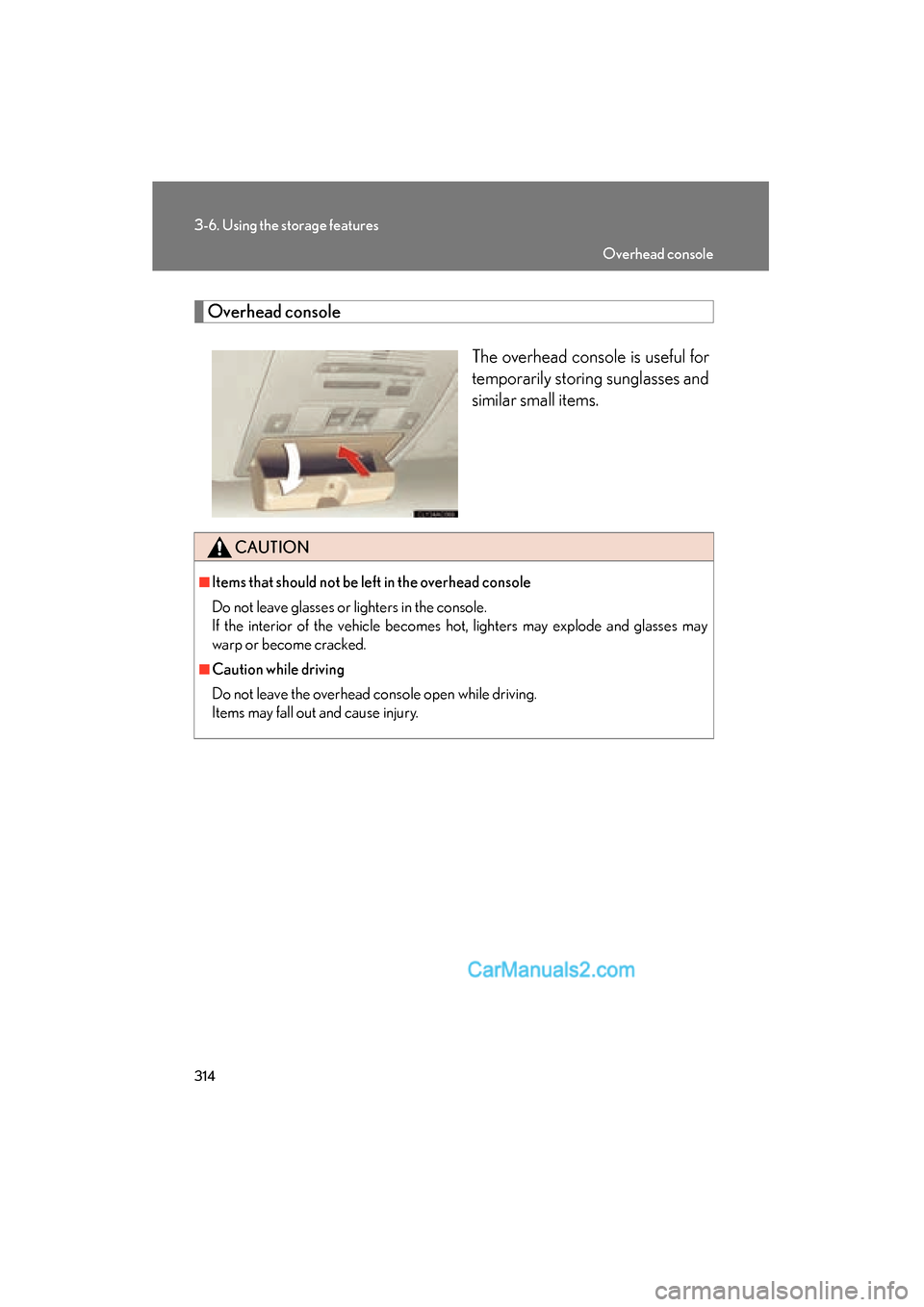
Overhead consoleThe overhead console is useful for
temporarily storing sunglasses and
similar small items.
CAUTION
■Items that should not be left in the overhead console
Do not leave glasses or lighters in the console.
If the interior of the vehicle becomes hot, lighters may explode and glasses may
warp or become cracked.
■Caution while driving
Do not leave the overhead console open while driving.
Items may fall out and cause injury.
Overhead console
Page 531 of 543
529
Alphabetical index
ES350_U
Back-up lightsReplacing light bulbs ......................... 417
Wattage ................................................. 495
Battery
Checking ............................................... 383
If the vehicle has discharged battery...................................................477
Preparing and checking
before winter ......................................184
Bluetooth
®.............................................. 275
Brake Fluid ..........................................................380
Parking brake ........................................ 132
Brake assist ................................................171
Break-in tips ............................................... 117
Care Exterior ................................................... 354
Interior..................................................... 357
Seat belts ...............................................358
Cargo capacity ...................................... 180
Cargo hooks .......................................... 334
CD changer ............................................. 218
CD player.................................................. 218
Chains......................................................... 186
Child restraint system Booster seats, definition.................... 101
Booster seats, installation ............... 108
Convertible seats, definition ........... 101
Convertible seats, installation ...... 108
Front passenger occupant classification system ........................ 96
Infant seats, definition ......................... 101
Infant seats, installation..................... 108 Installing CRS with lower
anchorages......................................... 106
Installing CRS with seat belts ........ 108
Installing CRS with top straps........... 111
Child safety Airbag precautions ................................91
Battery precautions ............. 385, 479
Child restraint system ......................... 101
Child-protectors ................................... 42
How your child should wear
the seat belt ............................................61
Installing child restraints................... 105
Moon roof precautions...................... 74
Power window lock switch ..............68
Power window precautions ............ 70
Removed electronic key
battery precautions ...................... 405
Seat belt comfort guide .....................59
Seat belt extender precautions...... 63
Seat belt precautions ............................61
Seat heater precautions.................. 326
Trunk precautions................................. 47
Child-protectors ...................................... 42
Cigarette lighter.................................... 322
Cleaning Exterior....................................................354
Interior .....................................................357
Seat belts ............................................... 358
Clock .........................................................320
Coat hooks .............................................. 332
Compass .................................................. 342
Condenser ............................................. 380
Console box ............................................ 313
B
C