air conditioning Lexus ES350 2010 Owner's Manuals
[x] Cancel search | Manufacturer: LEXUS, Model Year: 2010, Model line: ES350, Model: Lexus ES350 2010Pages: 543, PDF Size: 6.54 MB
Page 3 of 543
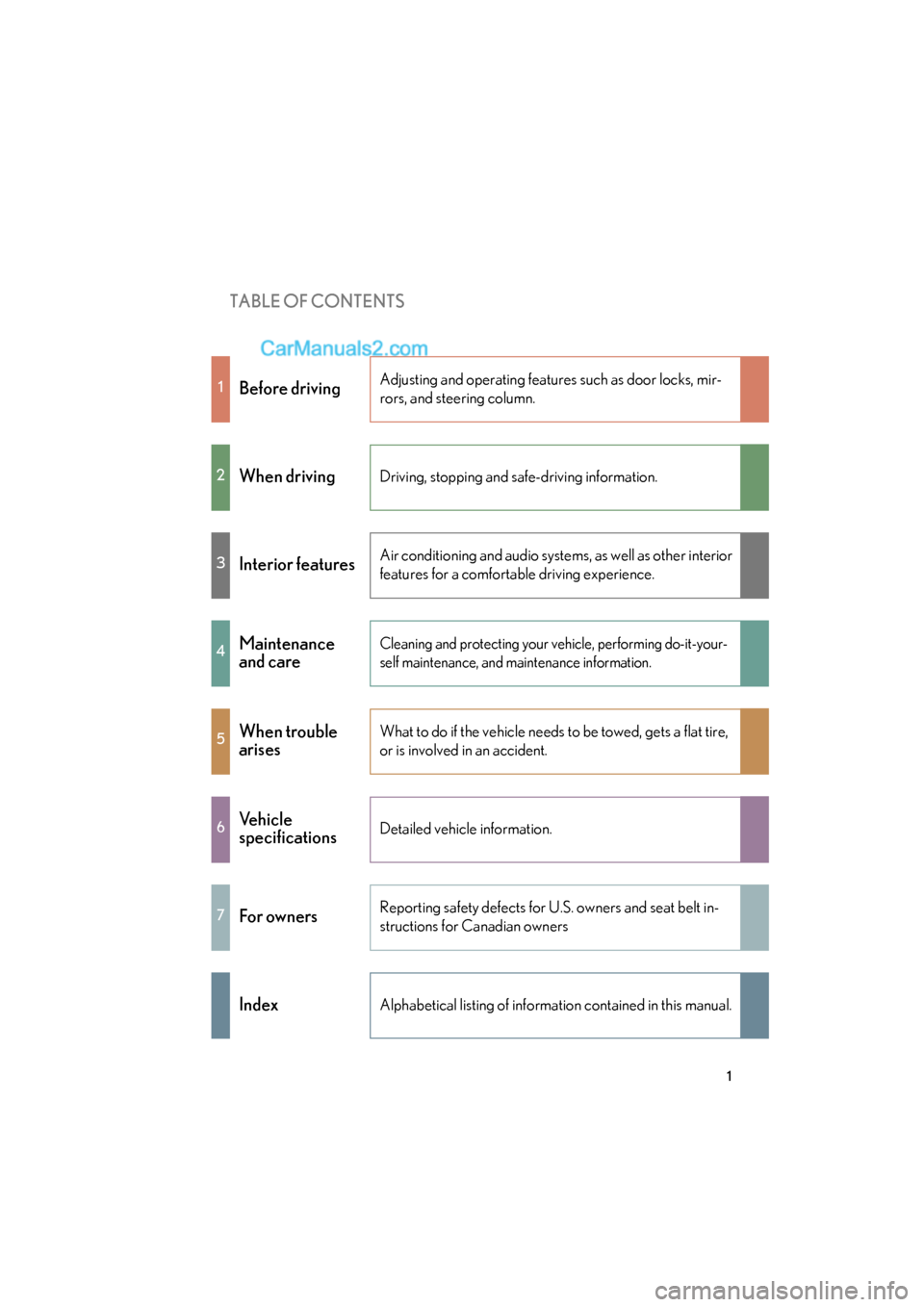
TABLE OF CONTENTS
ES350_U
1
1Before drivingAdjusting and operating features such as door locks, mir-
rors, and steering column.
2When drivingDriving, stopping and safe-driving information.
3Interior featuresAir conditioning and audio systems, as well as other interior
features for a comfortable driving experience.
4Maintenance
and careCleaning and protecting your vehicle, performing do-it-your-
self maintenance, and maintenance information.
5When trouble
arisesWhat to do if the vehicle needs to be towed, gets a flat tire,
or is involved in an accident.
6Vehicle
specificationsDetailed vehicle information.
7For ownersReporting safety defects for U.S. owners and seat belt in-
structions for Canadian owners
IndexAlphabetical listing of information contained in this manual.
Page 5 of 543
1
2
3
4
5
6
7
ES350_U
3
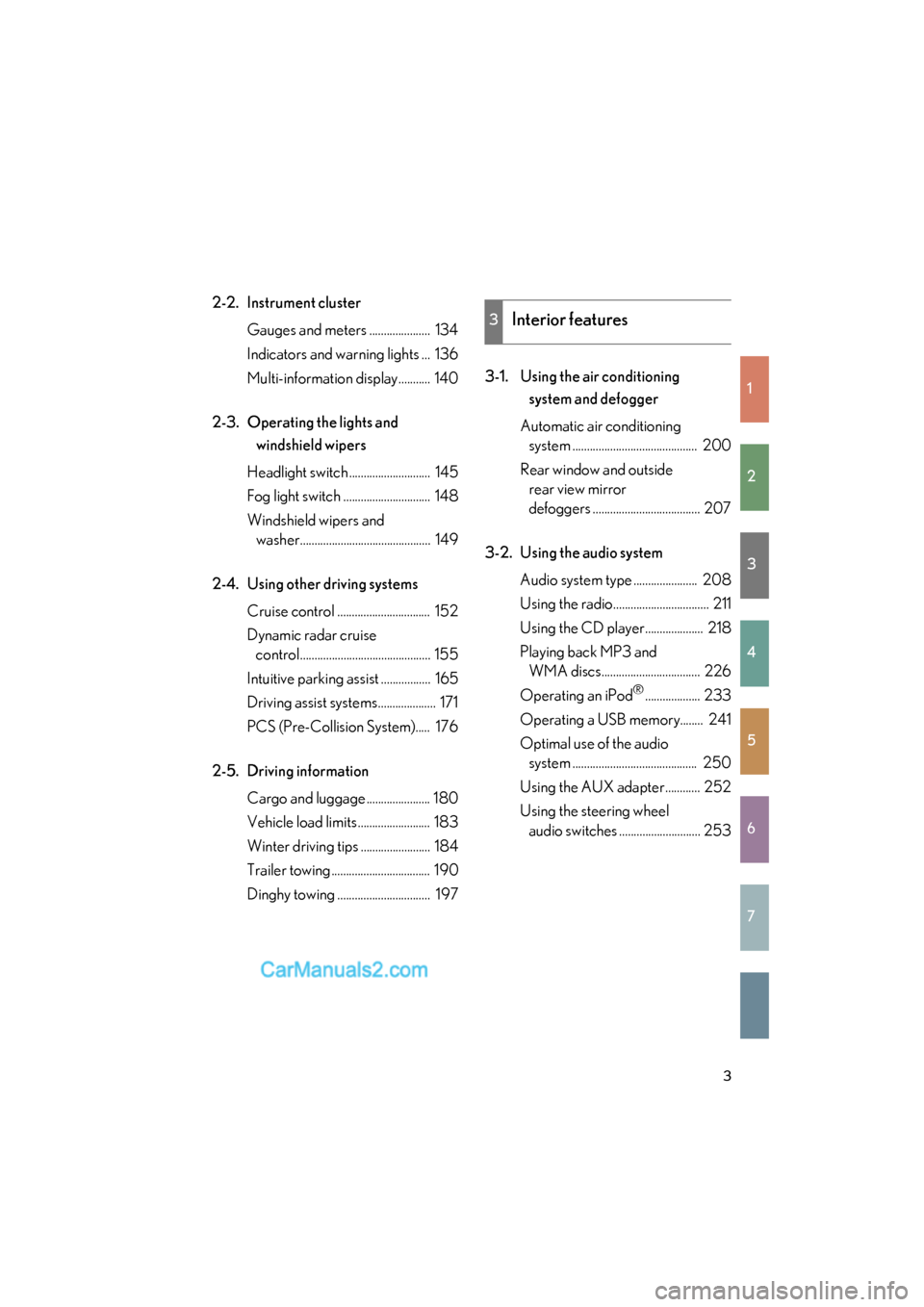
2-2. Instrument clusterGauges and meters ..................... 134
Indicators and warning lights ... 136
Multi-information display........... 140
2-3. Operating the lights and windshield wipers
Headlight switch ............................ 145
Fog light switch .............................. 148
Windshield wipers and washer............................................. 149
2-4. Using other driving systems Cruise control ................................ 152
Dynamic radar cruise control............................................. 155
Intuitive parking assist ................. 165
Driving assist systems.................... 171
PCS (Pre-Collision System)..... 176
2-5. Driving information Cargo and luggage ...................... 180
Vehicle load limits ......................... 183
Winter driving tips ........................ 184
Trailer towing .................................. 190
Dinghy towing ................................ 197 3-1. Using the air conditioning
system and defogger
Automatic air conditioning system ........................................... 200
Rear window and outside rear view mirror
defoggers ..................................... 207
3-2. Using the audio system Audio system type ...................... 208
Using the radio................................. 211
Using the CD player.................... 218
Playing back MP3 and WMA discs.................................. 226
Operating an iPod
®................... 233
Operating a USB memory........ 241
Optimal use of the audio system ........................................... 250
Using the AUX adapter............ 252
Using the steering wheel audio switches ............................ 253
3Interior features
Page 7 of 543
1
2
3
4
5
6
7
ES350_U
5
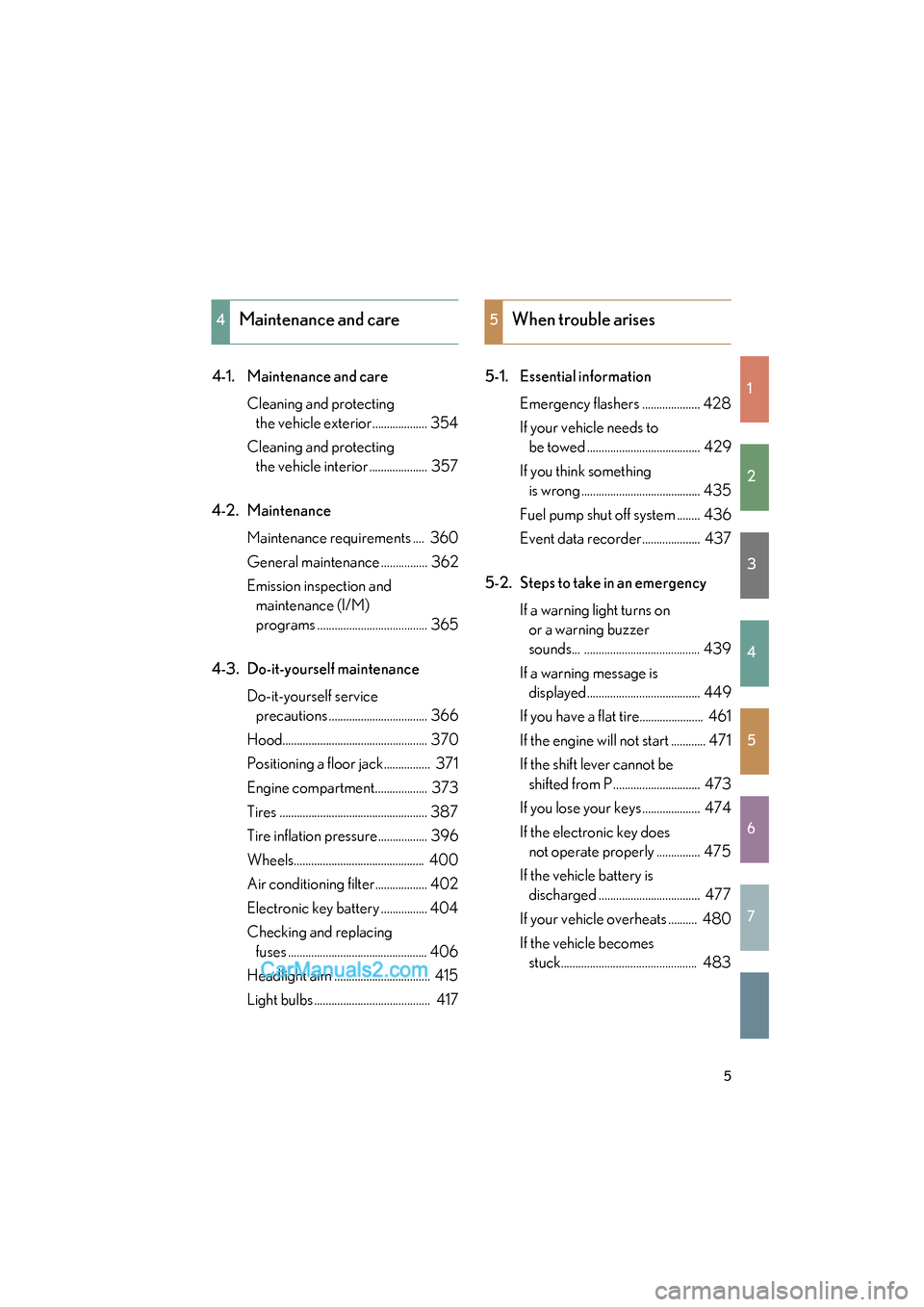
4-1. Maintenance and careCleaning and protecting the vehicle exterior................... 354
Cleaning and protecting the vehicle interior .................... 357
4-2. Maintenance Maintenance requirements .... 360
General maintenance ................ 362
Emission inspection and maintenance (I/M)
programs ...................................... 365
4-3. Do-it-yourself maintenance Do-it-yourself service precautions .................................. 366
Hood.................................................. 370
Positioning a floor jack................ 371
Engine compartment.................. 373
Tires ................................................... 387
Tire inflation pressure................. 396
Wheels............................................. 400
Air conditioning filter.................. 402
Electronic key battery ................ 404
Checking and replacing fuses ................................................ 406
Headlight aim ................................. 415
Light bulbs ........................................ 417 5-1. Essential information
Emergency flashers .................... 428
If your vehicle needs to be towed ....................................... 429
If you think something is wrong ......................................... 435
Fuel pump shut off system ........ 436
Event data recorder.................... 437
5-2. Steps to take in an emergency If a warning light turns on or a warning buzzer
sounds... ........................................ 439
If a warning message is displayed....................................... 449
If you have a flat tire...................... 461
If the engine will not start ............ 471
If the shift lever cannot be shifted from P .............................. 473
If you lose your keys .................... 474
If the electronic key does not operate properly ............... 475
If the vehicle battery is discharged ................................... 477
If your vehicle overheats .......... 480
If the vehicle becomes stuck............................................... 483
4Maintenance and care5When trouble arises
Page 17 of 543
ES350_U
15
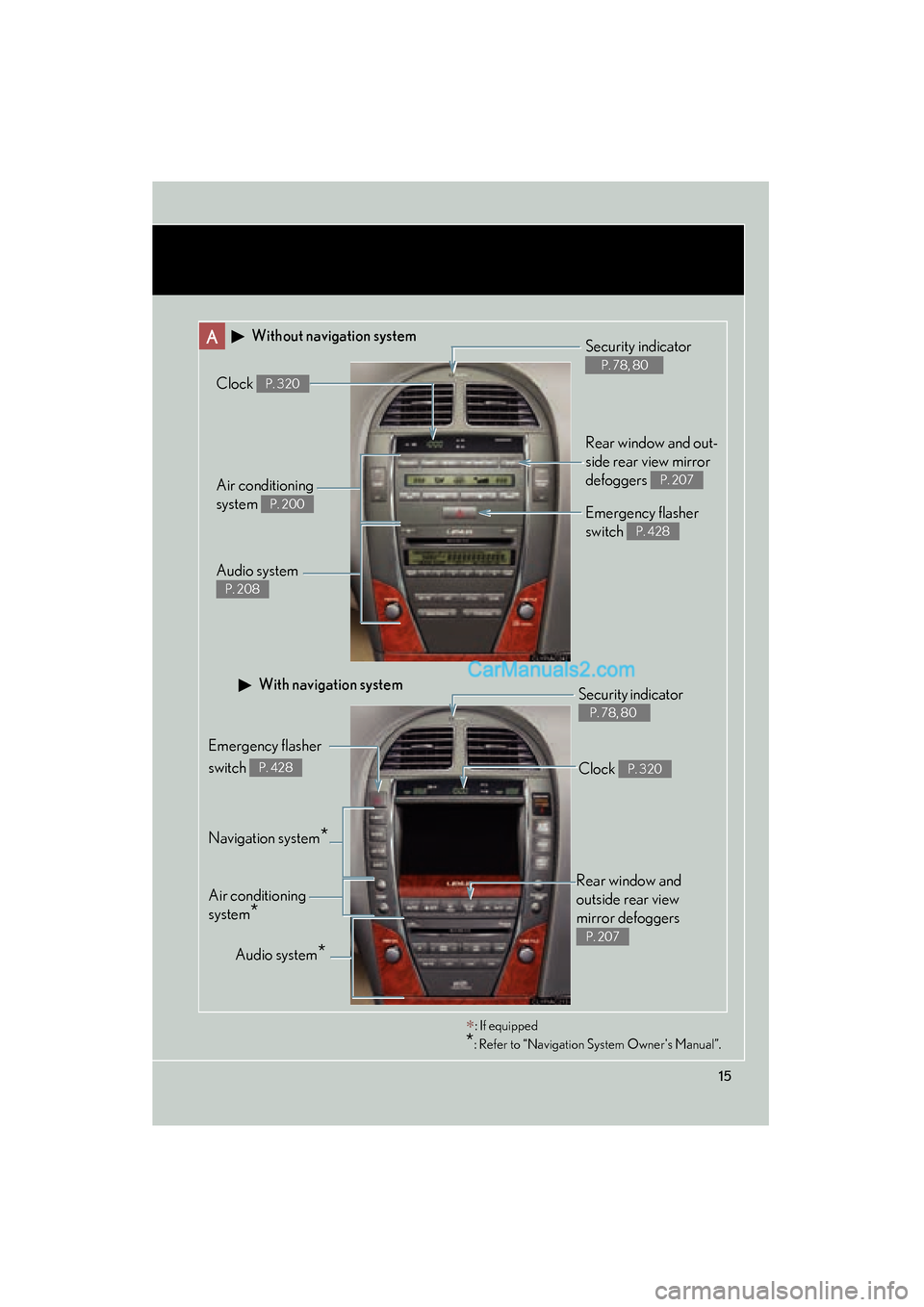
A Without navigation system
Navigation system*
Clock P. 320
Audio system
P. 208
Air conditioning
system
P. 200
Rear window and out-
side rear view mirror
defoggers
P. 207
Security indicator
P. 78, 80
Emergency flasher
switch
P. 428
Audio system*
Security indicator
P. 78, 80
Emergency flasher
switch
P. 428
Air conditioning
system
*
With navigation system
∗: If equipped
*: Refer to “Navigation System Owner's Manual”.
Rear window and
outside rear view
mirror defoggers
P. 207
Clock P. 320
Page 197 of 543
195
2-5. Driving information
2
When driving
ES350_U●
Avoid sudden braking as you may skid, resulting in jackknifing and loss
of control. This is especially true on wet or slippery surfaces.
● Avoid jerky starts or sudden acceleration.
● Avoid jerky steering and sharp turns, and slow down before making a
turn.
● Note that when making a turn, the trailer wheels will be closer than the
vehicle wheels to the inside of the turn. Compensate by making a
larger than normal turning radius.
● Crosswinds and rough roads will adversely affect handling of your
vehicle and trailer, causing sway. Periodically check the rear to prepare
for being passed by large trucks or buses, which may cause your vehi-
cle and trailer to sway. If swaying occurs, firmly grip the steering wheel,
reduce speed immediately but gradually, and steer straight ahead.
Never increase speed. If you make no extreme correction with the
steering or brakes, your vehicle and trailer will stabilize.
● Take care when passing other vehicles. Passing requires considerable
distance. After passing a vehicle, do not forget the length of your
trailer, and be sure you have plenty of room before changing lanes.
● In order to maintain efficient engine braking and electrical charging
performance, do not use overdrive. Transmission shift range position
must be in 4, in the S mode.
● Due to the added load of the trailer, your vehicle's engine may over-
heat on hot days (at temperatures over 85°F [30°C]) when driving up
a long or steep grade. If the engine coolant temperature gauge indi-
cates overheating, immediately turn off the air conditioning (if in use),
pull your vehicle off the road and stop in a safe spot. See “If you vehicle
overheats”. ( oP. 480)
Page 200 of 543
198
ES350_U
3-1. Using the air conditioning system and defogger
Automatic air conditioning system ..................................... 200
Rear window and outside rear view mirror
defoggers .............................. 207
3-2. Using the audio system Audio system type ................. 208
Using the radio ......................... 211
Using the CD player .............. 218
Playing back MP3 and WMA discs ........................... 226
Operating an iPod
®.............. 233
Operating a USB memory................................... 241
Optimal use of the audio system ..................................... 250
Using the AUX adapter....... 252
Using the steering wheel audio switches...................... 253
Page 202 of 543
200
ES350_U
3-1. Using the air conditioning system and defogger
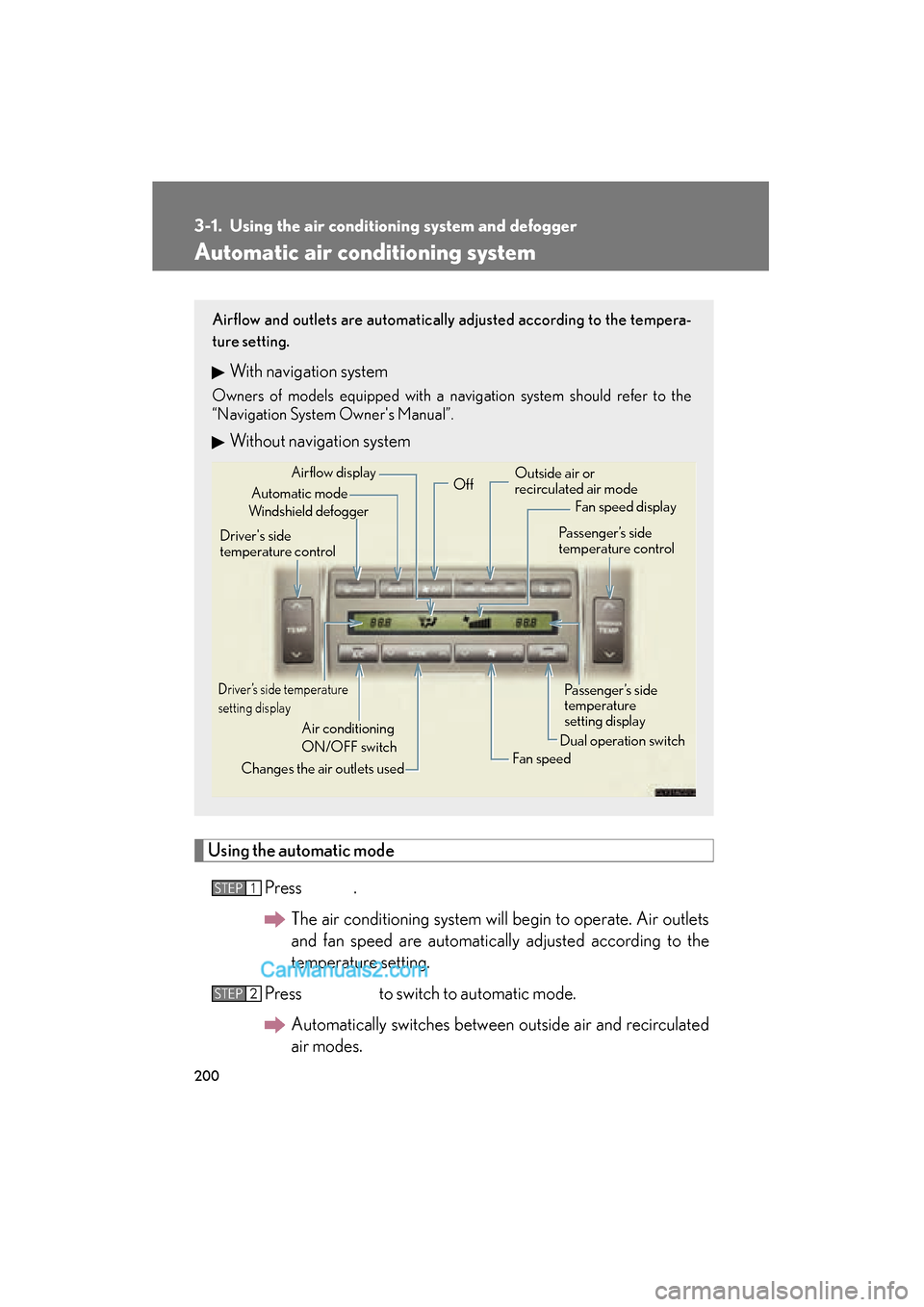
Automatic air conditioning system
Using the automatic modePress .The air conditioning system will begin to operate. Air outlets
and fan speed are automatically adjusted according to the
temperature setting.
Press to switch to automatic mode. Automatically switches between outside air and recirculated
air modes.
Airflow and outlets are automatically adjusted according to the tempera-
ture setting.
With navigation system
Owners of models equipped with a navigation system should refer to the
“Navigation System Owner's Manual”.
Without navigation system
Automatic mode
Driver’s side temperature
setting display
Changes the air outlets used Off
Fan speed
Airflow display
Fan speed display
Passenger’s side
temperature
setting display
Driver's side
temperature control
Air conditioning
ON/OFF switch Outside air or
recirculated air mode
Windshield defogger Passenger’s side
temperature control
Dual operation switch
STEP1
STEP2
Page 203 of 543
201
3-1. Using the air conditioning system and defogger
3
Interior features
ES350_UPress “
Page 204 of 543
202
3-1. Using the air conditioning system and defogger
ES350_U■
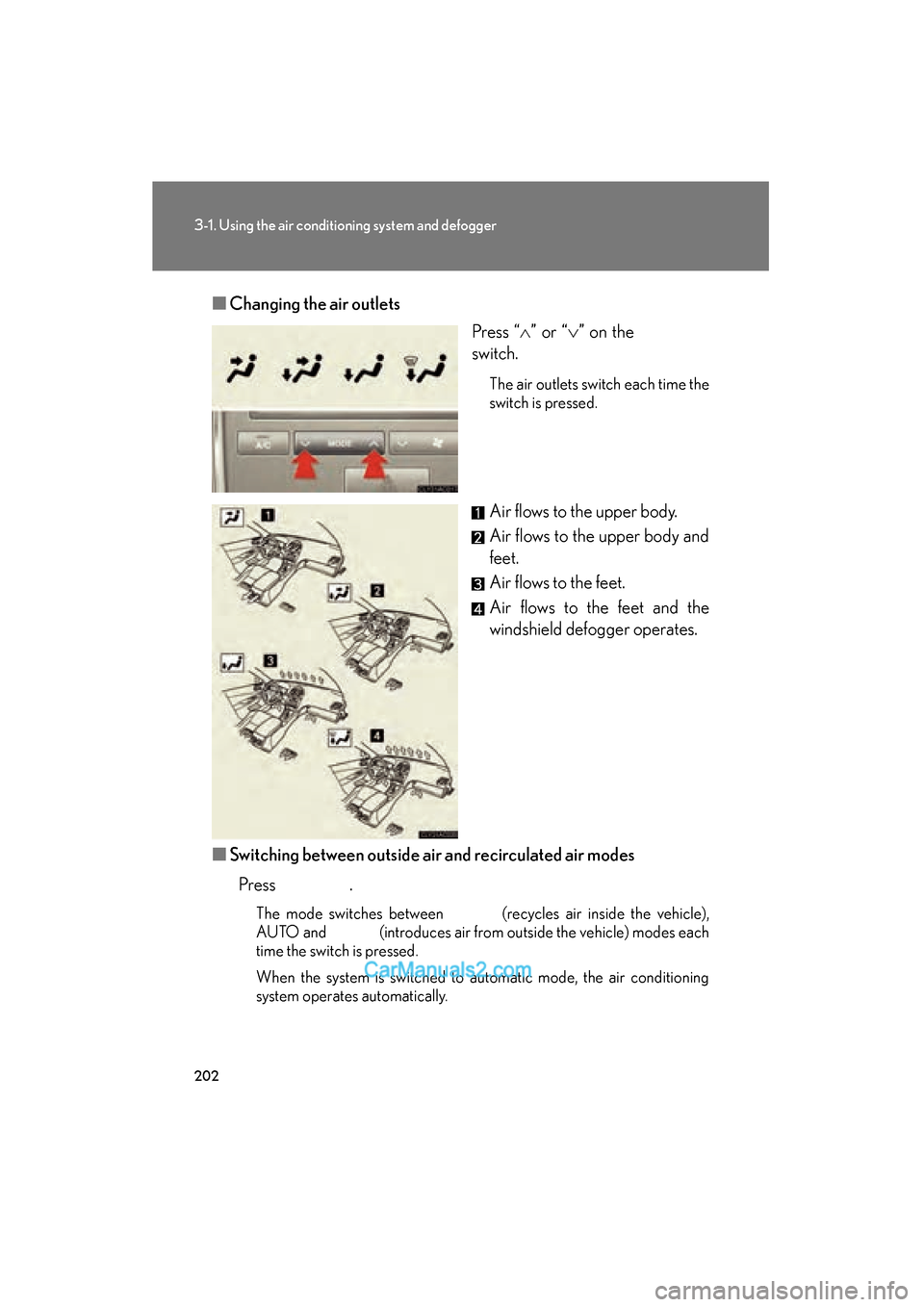
Changing the air outlets
Press “
Page 205 of 543
203
3-1. Using the air conditioning system and defogger
3
Interior features
ES350_U
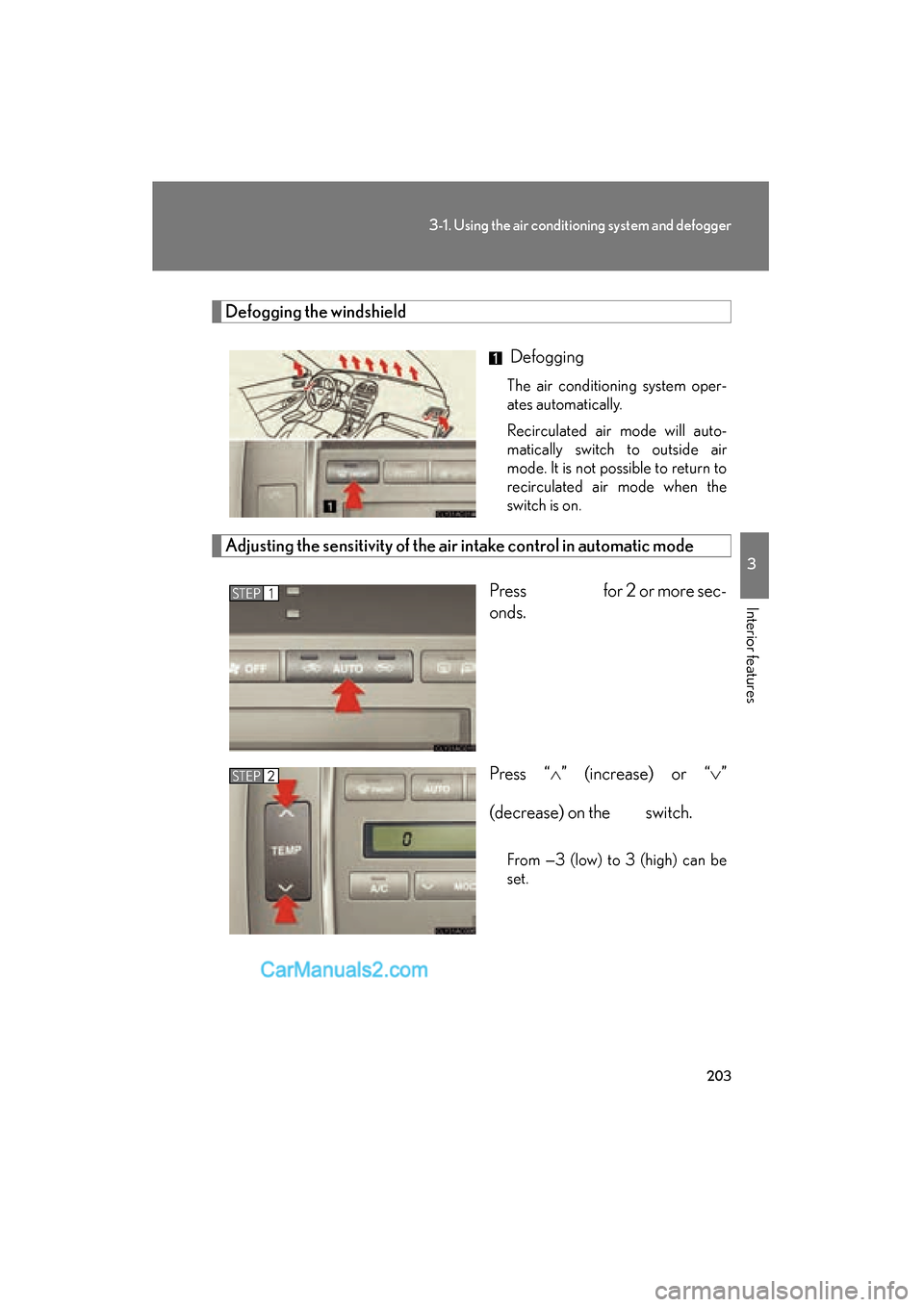
Defogging the windshield
Defogging
The air conditioning system oper-
ates automatically.
Recirculated air mode will auto-
matically switch to outside air
mode. It is not possible to return to
recirculated air mode when the
switch is on.
Adjusting the sensitivity of the air intake control in automatic mode
Press for 2 or more sec-
onds.
Press “