audio controls Lexus ES350 2010 Owner's Manuals
[x] Cancel search | Manufacturer: LEXUS, Model Year: 2010, Model line: ES350, Model: Lexus ES350 2010Pages: 543, PDF Size: 6.54 MB
Page 212 of 543
210
3-2. Using the audio system
ES350_U
CAUTION
■For vehicles sold in USA and Canada
●Part 15 of the FCC Rules
FCC Warning:
Any unauthorized changes or modifications to this equipment will void the user’s
authority to operate this device.
●Laser products
• Do not take this unit apart or attempt to make any changes yourself. This is an intricate unit that uses a laser pickup to retrieve information from the
surface of compact discs. The laser is carefully shielded so that its rays remain
inside the cabinet. Therefore, never try to disassemble the player or alter any
of its parts since you may be exposed to laser rays and dangerous voltages.
• This product utilizes a laser. Use of controls or adjustments or performance of procedures other than
those specified herein may result in hazardous radiation exposure.
NOTICE
■To prevent battery discharge
Do not leave the audio system on longer than necessary with the engine off.
■To avoid damaging the audio system
Take care not to spill drinks or other fluids over the audio system.
Page 242 of 543
240
3-2. Using the audio system
ES350_U
CAUTION
■Caution while driving
Do not connect iPod
® or operate the controls.
NOTICE
■To prevent damage to iPod®
●Do not leave iPod® in the vehicle. The temperature inside the vehicle may
become high, resulting in damage to the player.
●Do not push down on or apply unnecessary pressure to the iPod® while it is con-
nected as this may damage the iPod® or its terminal.
●Do not insert foreign objects into the port as this may damage the iPod® or its
terminal.
Page 250 of 543
248
3-2. Using the audio system
ES350_U
●MP3 and WMA playback
• When a USB memory containing MP3 or WMA files is connected, all files in the USB memory are checked. Once the file check is finished, the first
MP3 or WMA file is played. To make the file check finish more quickly, we
recommend that you do not include any files other than MP3 or WMA files
or create any unnecessary folders.
• When the USB memory is connected and the audio source is changed to USB memory mode, the USB memory will start playing the first file in the
first folder. If the same USB memory is removed and reinserted (and the
contents have not been changed), the USB memory will resume play from
the same point in which it was last used.
●Extensions
If the file extensions .mp3 and .wma are used for files other than MP3 and WMA
files, they will be skipped (not played).
●Playback
• To play MP3 files with steady sound quality, we recommend a fixed bit rate of at least 128 kbps and a sampling frequency of 44.1 kHz.
• There is a wide variety of freeware and other encoding software for MP3 and WMA files on the market, and depending on the status of the encoding
and the file format, poor sound quality or noise at the start of playback may
result. In some cases, playback may not be possible at all.
• Microsoft, Windows, and Windows Media are registered trademarks of Microsoft Corporation in the U.S.A. and other countries.
CAUTION
■Caution while driving
Do not connect
USB memory or operate the controls.
Page 254 of 543
252
3-2. Using the audio system
ES350_U
Using the AUX adapter
■Operating portable audio devices connected to the audio system
The volume can be adjusted using the vehicle's audio controls. All other adjust-
ments must be made on the portable audio device itself.
■When using a portable audio device connected to the power outlet
Noise may occur during playback. Use the power source of the portable audio
device.
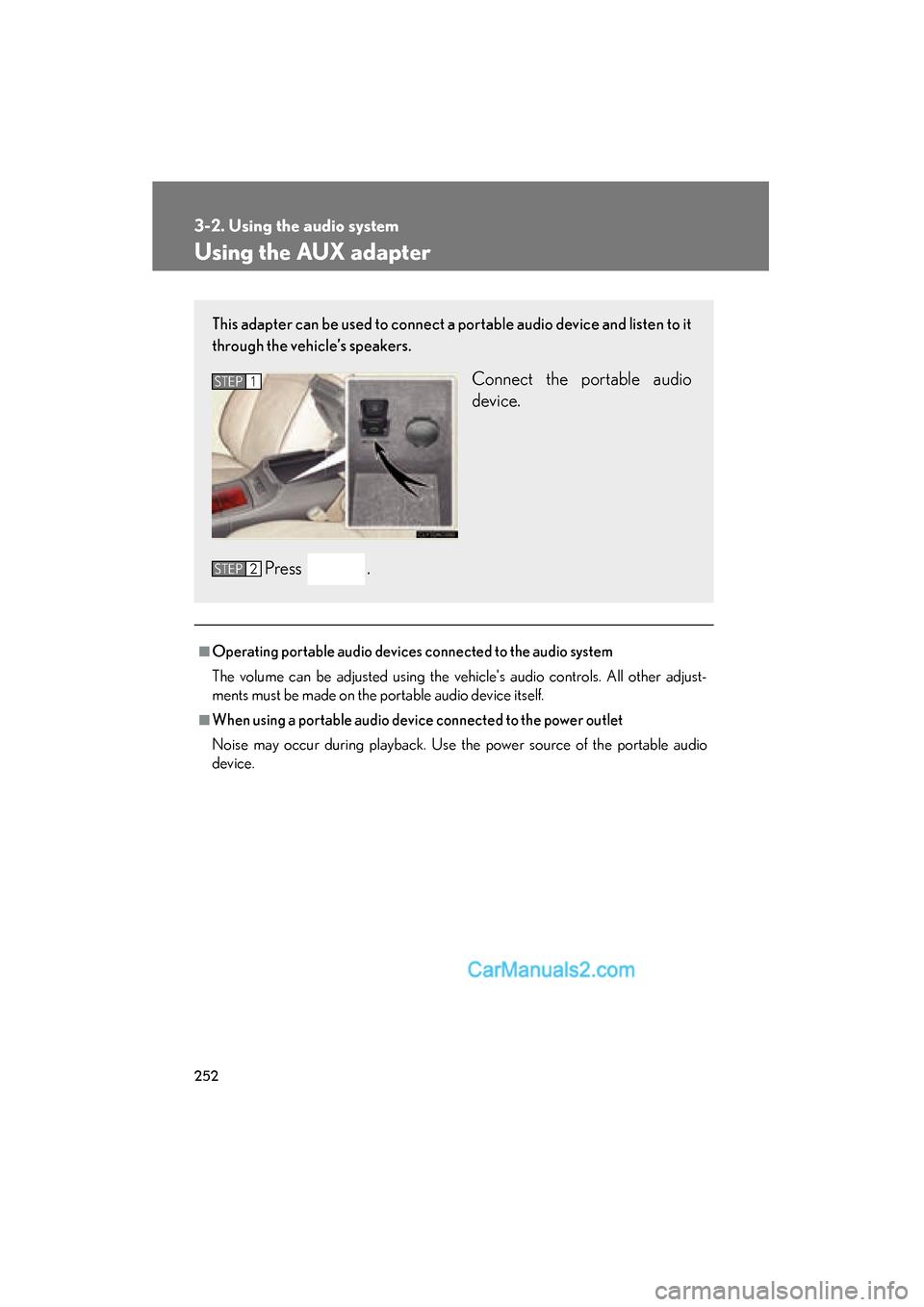
This adapter can be used to connect a portable audio device and listen to it
through the vehicle’s speakers.
Connect the portable audio
device.
Press .STEP1
STEP2
Page 260 of 543
258
3-3. Using the Bluetooth® audio system
ES350_U
CAUTION
■FCC WARNING
Changes or modifications not expressly approved by the party responsible for
compliance could void the user's authority to operate the equipment.
Radio Frequency Radiation Exposure. This equipment complies with FCC radiation
exposure limits set forth for uncontrolled equipment and meets the FCC radio fre-
quency (RF) Exposure Guidelines in Supplement C to OET65. This equipment has
very low levels of RF energy that it deemed to comply without maximum permissive
exposure evaluation (MPE). But it is desirable that it should be installed and oper-
ated with at least 7.9 in. (20 cm) and more between the radiator and person’s body
(excluding extremities: hands, wrists, feet and ankles).
This transmitter must not be co-located or operated in conjunction with any other
antenna or transmitter.
■Caution while driving
Do not connect portable players or operate the controls.
NOTICE
■To prevent damage to portable players
Do not leave portable players in the vehicle. The temperature inside the vehicle
may become high, resulting in damage to the player.