display Lexus ES350 2011 s User Guide
[x] Cancel search | Manufacturer: LEXUS, Model Year: 2011, Model line: ES350, Model: Lexus ES350 2011Pages: 563, PDF Size: 6.72 MB
Page 140 of 563
138
2-2. Instrument cluster
ES350_U
Indicators and warning lights
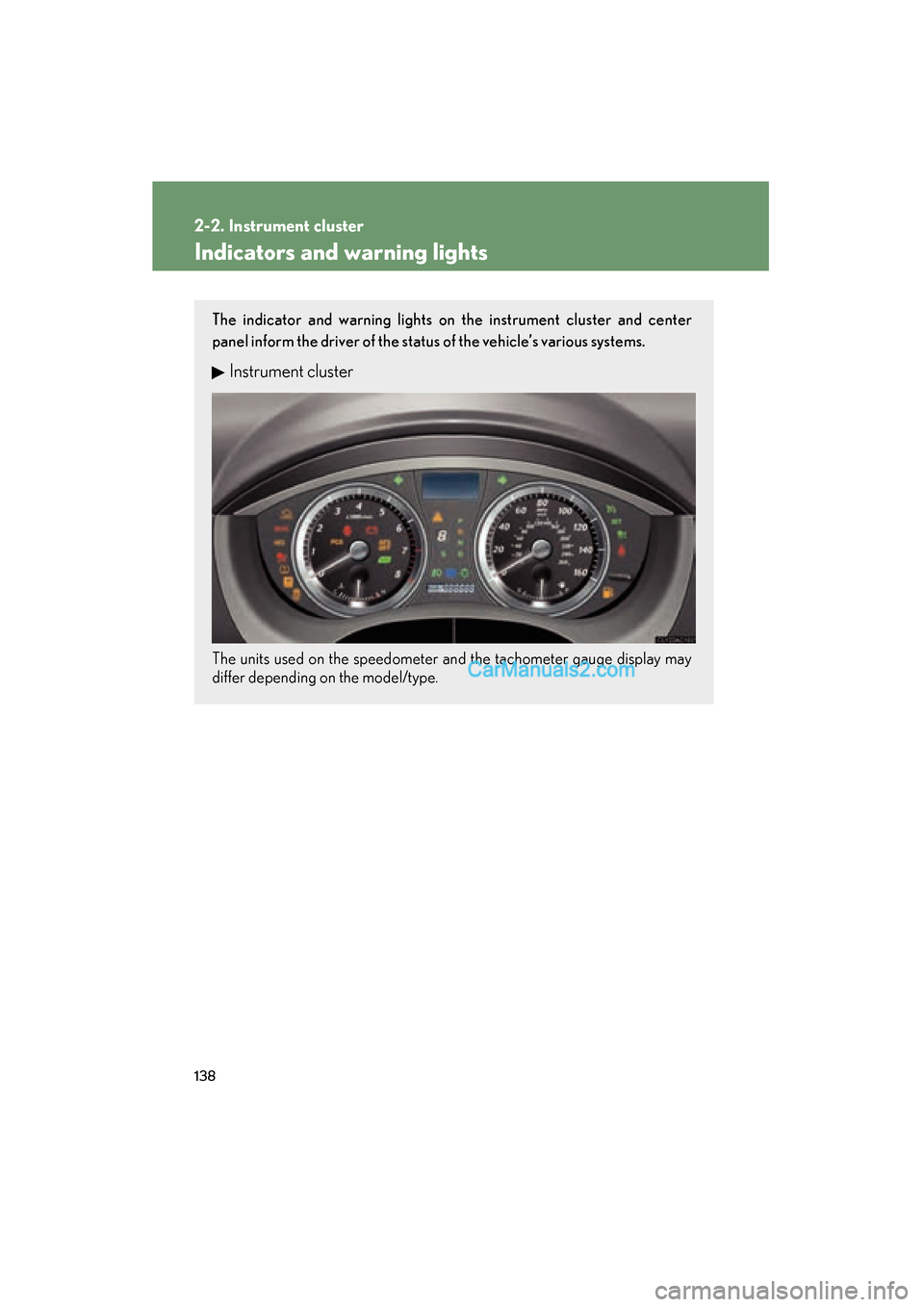
The indicator and warning lights on the instrument cluster and center
panel inform the driver of the status of the vehicle’s various systems.
Instrument cluster
The units used on the speedometer and the tachometer gauge display may
differ depending on the model/type.
Page 144 of 563
142
2-2. Instrument cluster
ES350_U
Multi-information display
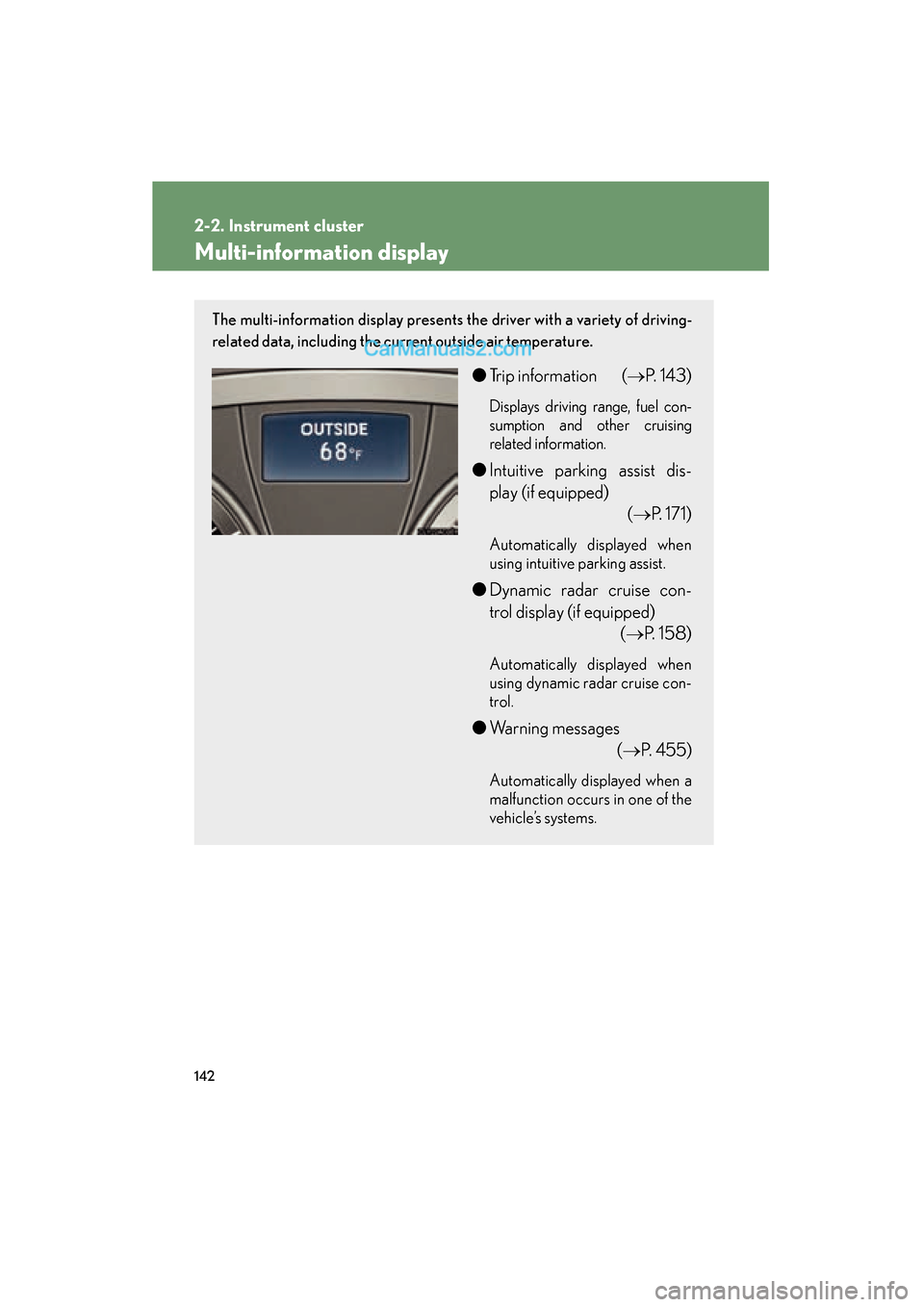
The multi-information display presents the driver with a variety of driving-
related data, including the current outside air temperature.
●Trip information ( →P. 143)
Displays driving range, fuel con-
sumption and other cruising
related information.
●Intuitive parking assist dis-
play (if equipped)
(→P. 171)
Automatically displayed when
using intuitive parking assist.
●Dynamic radar cruise con-
trol display (if equipped)
(→P. 158)
Automatically displayed when
using dynamic radar cruise con-
trol.
●Warning messages
(→P. 4 5 5 )
Automatically displayed when a
malfunction occurs in one of the
vehicle’s systems.
Page 145 of 563

143
2-2. Instrument cluster
2
When driving
ES350_U
Trip informationTy p e A Display items can be switched by
pushing the “DISP” switch.
Ty p e B Display items can be switched by
pushing the “DISP” switch.
Ty p e C Display items can be switched by
pushing the “DISP” switch.
Page 146 of 563
144
2-2. Instrument cluster
ES350_U■
Outside temperature
■ Driving range
■ Average fuel consumption
■ Average fuel consumption after refueling Displays the outside air temperature.
The temperature range that can be displayed in the fol-
lowing range.
USA: from -40 to 122 °F
Canada: from -40 to 50 °C
Displays the estimated maximum distance that can
be driven with the quantity of fuel remaining.
• This distance is computed based on your averagefuel consumption. As a result, the actual distance
that can be driven may differ from that displayed.
• When only a small amount of fuel is added to the tank, the display may not be updated.
Displays the average fuel consumption since the
function was reset.
• The function can be reset by pushing the “DISP”switch for longer than one second when the average
fuel consumption is displayed.
• Use the displayed average fuel consumption as a reference.
Displays the average fuel consumption since the
vehicle was last refueled.
Use the displayed average fuel consumption as a refer-
ence.
Page 147 of 563

145
2-2. Instrument cluster
2
When driving
ES350_U■
Current fuel consumption
■ Eco Driving Indicator Zone Display
→ P. 1 4 6
■ Eco Driving Indicator Light customization
■ Average vehicle speed
■ Elapsed time
Displays the current rate of fuel consumption.
Eco Driving Indicator Light can be deactivated. This
customization can only be performed when the vehi-
cle is stopped.
Eco Driving Indicator Light can be activated or deacti-
vated by pressing the “DISP” switch for longer than 1
second when Eco Driving Indicator Light customization
screen is displayed.
Displays the average vehicle speed since the engine
was started or the function was reset.
Displays the elapsed time since the engine was
started.
■System check display
After switching the “ENGINE START STOP” switch to IGNITION ON mode,
is displayed while system operation is checked. When the system check is
complete, is displayed before returning to the normal screen.
Page 148 of 563

146
2-2. Instrument cluster
ES350_U
■Eco Driving Indicator
■Outside temperature display
In the following situations, the correct outside temperature may not be displayed, or
the display may take longer than normal to change.
●When stopped, or driving at low speeds (less than 12 mph [20 km/h])
●When the outside temperature has changed suddenly (at the entrance/exit of a
garage, tunnel, etc.)
NOTICE
■The multi-information display at low temperatures
Allow the interior of the vehicle to warm up before using the liquid crystal informa-
tion display. At extremely low temperatures, the information display monitor may
respond slowly, and display changes may be delayed.
Eco Driving Indicator Light
During Eco-friendly acceleration (Eco
driving), Eco Driving Indicator Light will
turn on.
Eco Driving Indicator Zone Display
Suggests Zone of Eco driving with current
Eco driving ratio based on acceleration.
Zone of Eco driving
Eco driving ratio based on acceleration
Vehicle to exceed Zone of Eco driving, the
right of Eco Driving Indicator Zone Dis-
play will blink and Eco Driving Indicator
Light will turn off.
Eco Driving Indicator will operate when the
vehicle is being driven with the shift lever in D.
Page 160 of 563
158
2-4. Using other driving systems
ES350_U
Dynamic radar cruise control∗
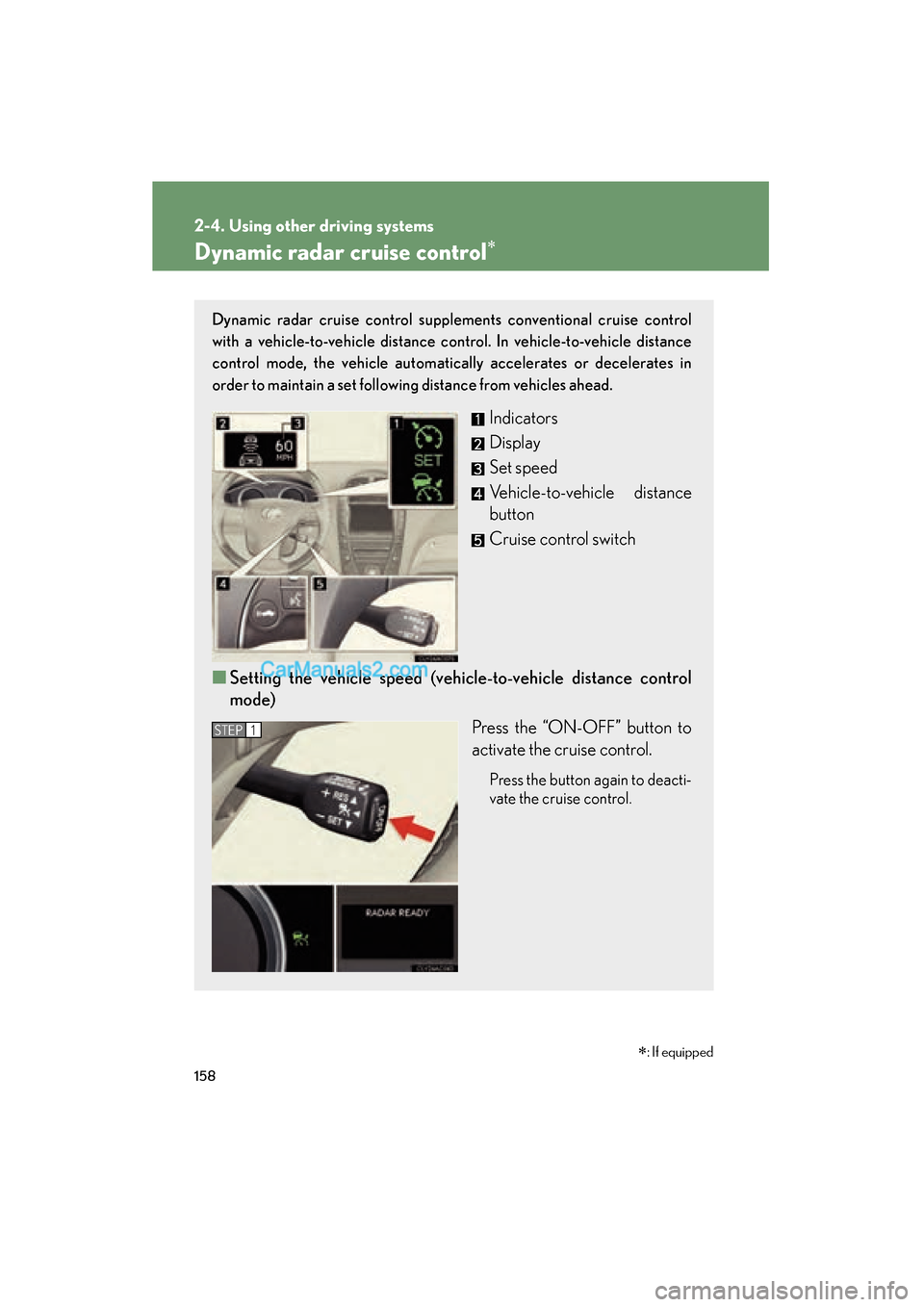
Dynamic radar cruise control supplements conventional cruise control
with a vehicle-to-vehicle distance control. In vehicle-to-vehicle distance
control mode, the vehicle automatically accelerates or decelerates in
order to maintain a set following distance from vehicles ahead.
Indicators
Display
Set speed
Vehicle-to-vehicle distance
button
Cruise control switch
■ Setting the vehicle speed (vehicle-to-vehicle distance control
mode)
Press the “ON-OFF” button to
activate the cruise control.
Press the button again to deacti-
vate the cruise control.
STEP1
∗: If equipped
Page 161 of 563
159
2-4. Using other driving systems
2
When driving
ES350_U
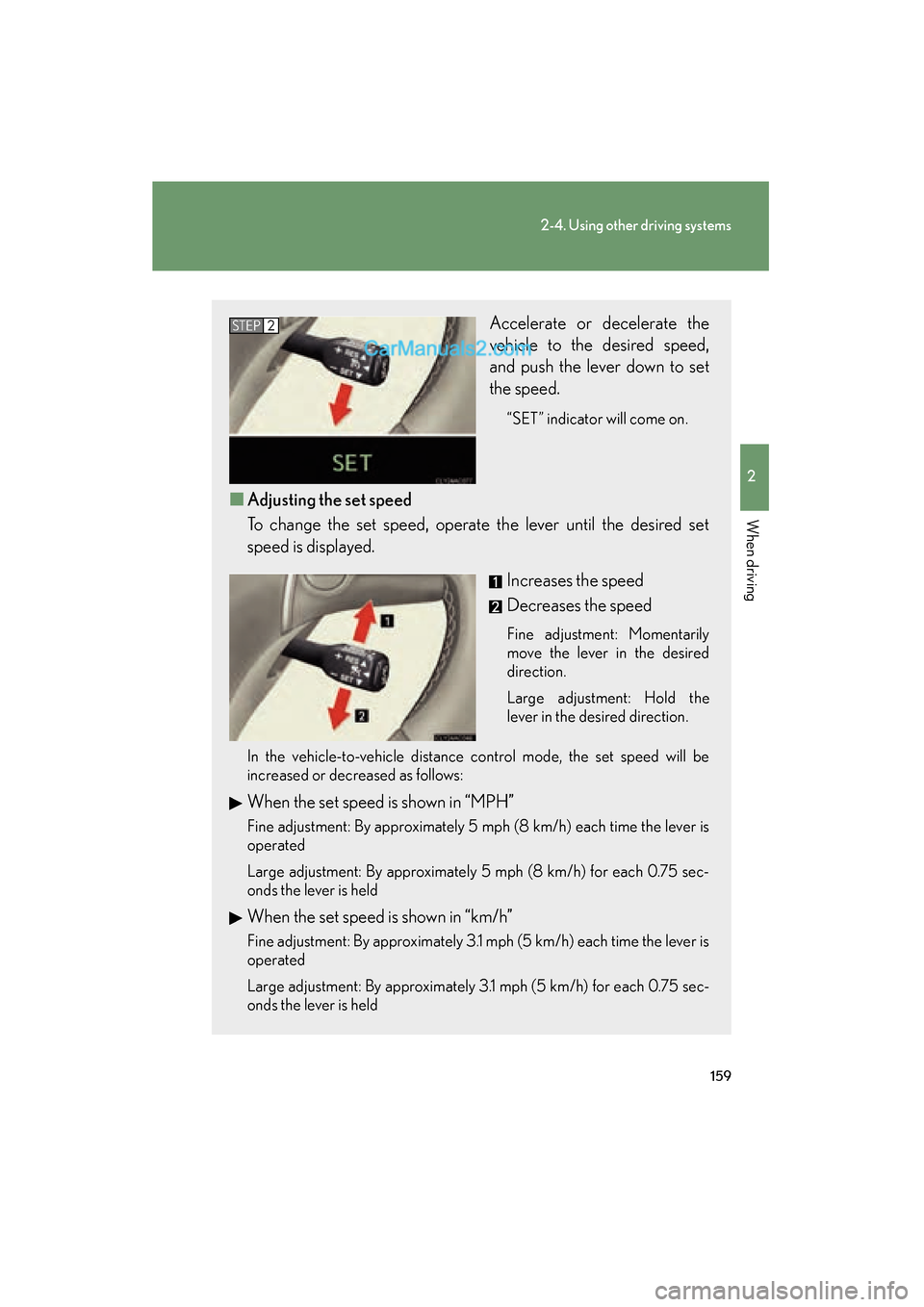
Accelerate or decelerate the
vehicle to the desired speed,
and push the lever down to set
the speed.
“SET” indicator will come on.
■Adjusting the set speed
To change the set speed, operate the lever until the desired set
speed is displayed.
Increases the speed
Decreases the speed
Fine adjustment: Momentarily
move the lever in the desired
direction.
Large adjustment: Hold the
lever in the desired direction.
In the vehicle-to-vehicle distance control mode, the set speed will be
increased or decreased as follows:
When the set speed is shown in “MPH”
Fine adjustment: By approximately 5 mph (8 km/h) each time the lever is
operated
Large adjustment: By approximately 5 mph (8 km/h) for each 0.75 sec-
onds the lever is held
When the set speed is shown in “km/h”
Fine adjustment: By approximately 3.1 mph (5 km/h) each time the lever is
operated
Large adjustment: By approximately 3.1 mph (5 km/h) for each 0.75 sec-
onds the lever is held
STEP2
Page 162 of 563
160
2-4. Using other driving systems
ES350_U
In the constant speed control mode (→P. 164), the set speed will be
increased or decreased as follows:
Fine adjustment: By approximately 1 mph (1.6 km/h) each time the lever is
operated
Large adjustment: The set speed can be increased or decreased continu-
ally until the lever is released.
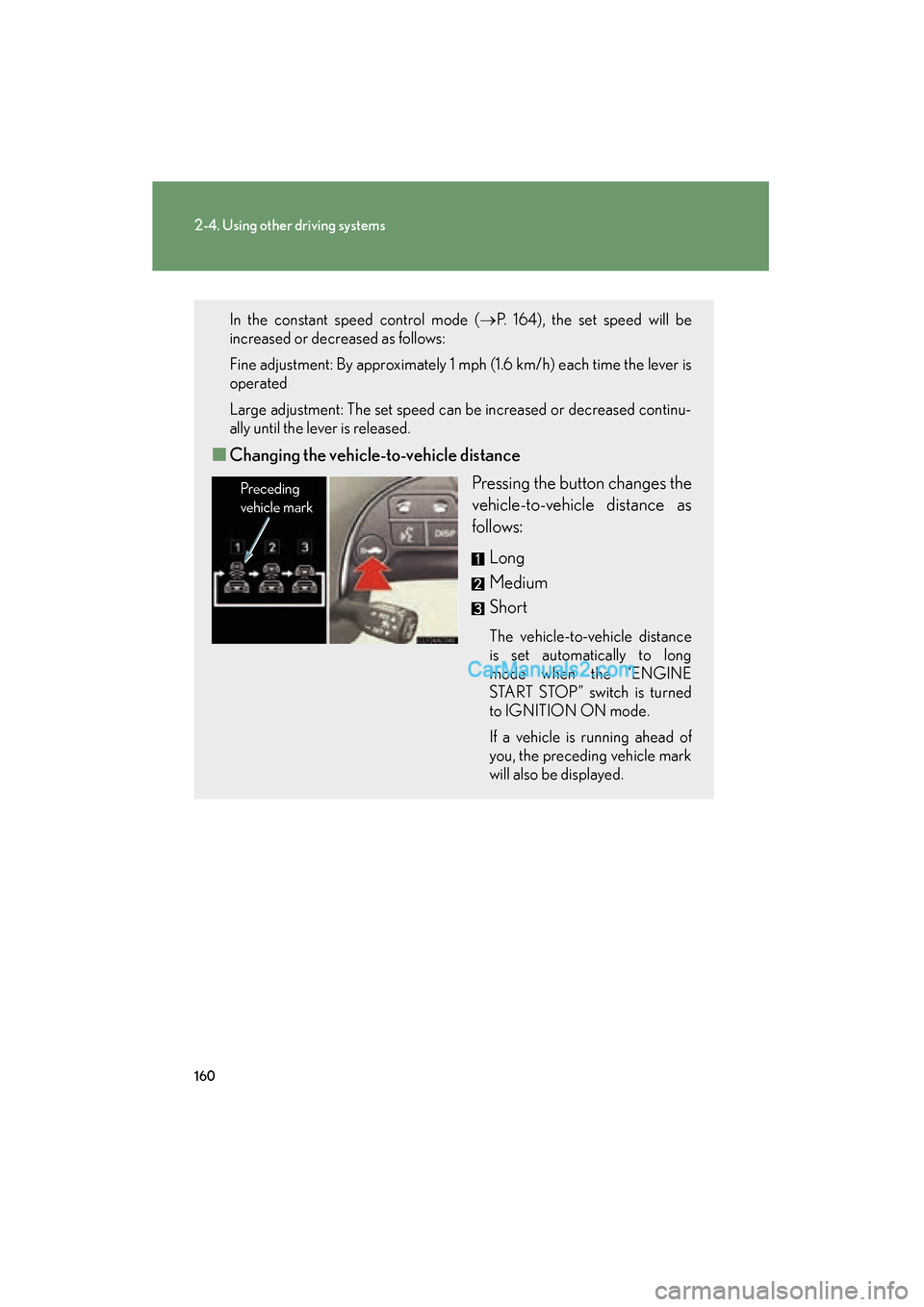
■ Changing the vehicle- to-vehicle distance
Pressing the button changes the
vehicle-to-vehicle distance as
follows:
Long
Medium
Short
The vehicle-to-vehicle distance
is set automatically to long
mode when the “ENGINE
START STOP” switch is turned
to IGNITION ON mode.
If a vehicle is running ahead of
you, the preceding vehicle mark
will also be displayed.
Preceding
vehicle mark
Page 165 of 563
163
2-4. Using other driving systems
2
When driving
ES350_UExample of follow-up cruising
When following a vehicle driving slower than the set speed
The system continues follow-up cruising while adjusting for changes in the
speed of the vehicle ahead in order to maintain the vehicle-to-vehicle dis-
tance set by the driver.
Example of acceleration
When there are no longer any vehicles ahead driving slower than the
set speed
The system accelerates until the set speed is reached. The system then
returns to constant speed cruising.
Approach warning
When your vehicle is too close to a vehicle ahead, and sufficient auto-
matic deceleration via the cruise control is not possible, the display will
flash and the buzzer will sound to alert the driver. An example of this
would be if another driver cuts in front of you while you are following a
vehicle. Apply the brakes to ensure an appropriate vehicle-to-vehicle dis-
tance.