lights Lexus ES350 2011 s Owner's Guide
[x] Cancel search | Manufacturer: LEXUS, Model Year: 2011, Model line: ES350, Model: Lexus ES350 2011Pages: 563, PDF Size: 6.72 MB
Page 152 of 563
150
2-3. Operating the lights and windshield wipers
ES350_U
■Customization that can be configured at Lexus dealer
Settings (e.g. light sensor sensitivity) can be changed.
(Customizable features →P. 5 1 7 )
NOTICE
■To prevent battery discharge
Do not leave the lights on longer than necessary when the engine is not running.
Page 153 of 563
151
2-3. Operating the lights and windshield wipers
2
When driving
ES350_U
Fog light switch
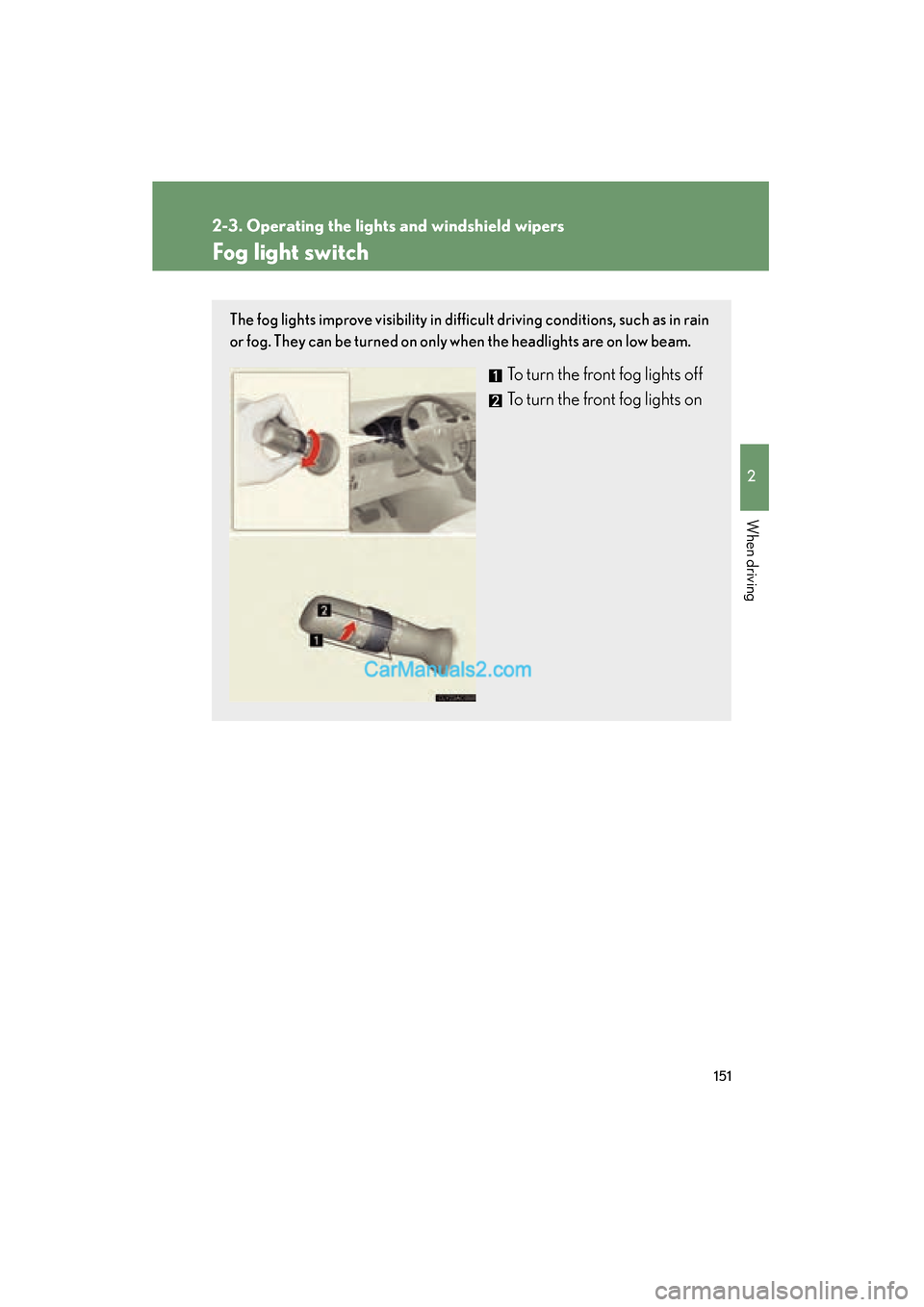
The fog lights improve visibility in difficult driving conditions, such as in rain
or fog. They can be turned on only when the headlights are on low beam.
To turn the front fog lights off
To turn the front fog lights on
Page 154 of 563
152
2-3. Operating the lights and windshield wipers
ES350_U
Windshield wipers and washer
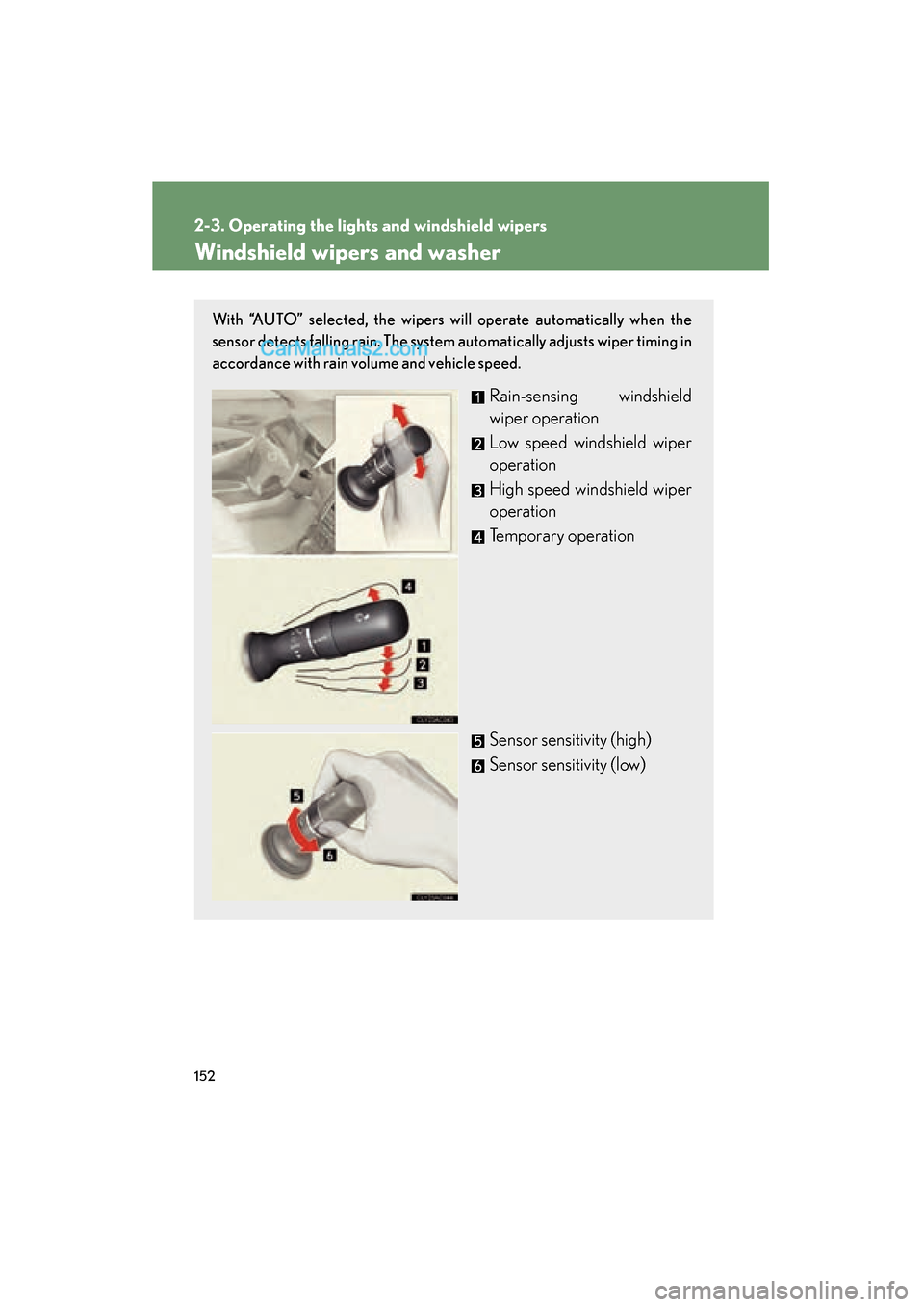
With “AUTO” selected, the wipers will operate automatically when the
sensor detects falling rain. The system automatically adjusts wiper timing in
accordance with rain volume and vehicle speed.
Rain-sensing windshield
wiper operation
Low speed windshield wiper
operation
High speed windshield wiper
operation
Temporary operation
Sensor sensitivity (high)
Sensor sensitivity (low)
Page 155 of 563
153
2-3. Operating the lights and windshield wipers
2
When driving
ES350_U
■The windshield wiper and washer can be operated when
The “ENGINE START STOP” switch is in IGNITION ON mode.
■Raindrop sensor
●If the temperature of the raindrop sensor is 194°F (90 °C) or higher, or 5 °F
( -1 5 °C) or lower, automatic operation may not occur. In this case, operate
the wipers in any mode other than “AUTO”.
■AUTO mode
If the wiper switch is turned to AUTO position while the “ENGINE START STOP”
switch is in IGNITION ON mode, the wiper will operate once to show that AUTO
mode is activated.
■If no windshield washer fluid sprays
Check that the washer nozzles are not blocked if there is washer fluid in the wind-
shield washer fluid reservoir.
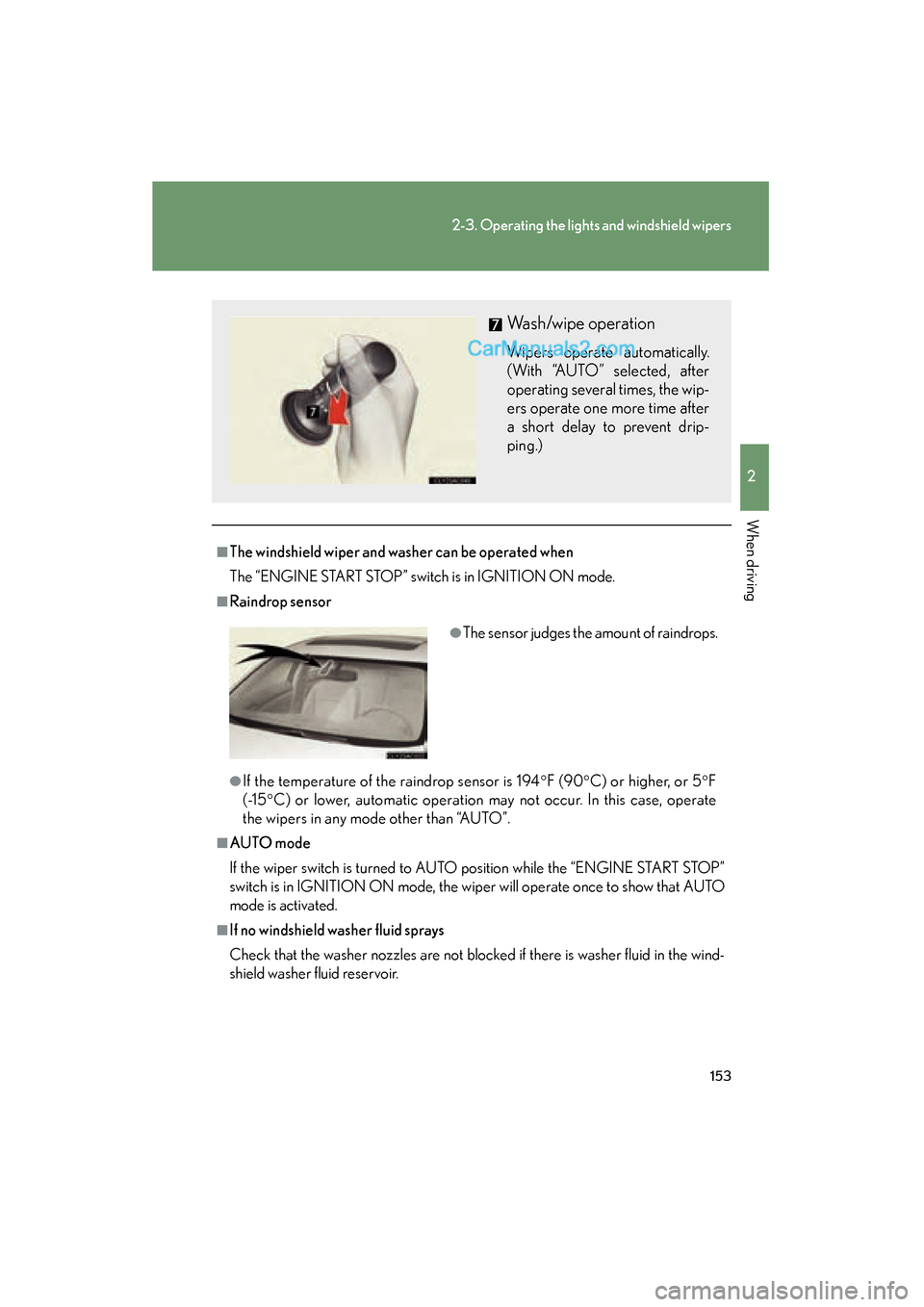
Wash/wipe operation
Wipers operate automatically.
(With “AUTO” selected, after
operating several times, the wip-
ers operate one more time after
a short delay to prevent drip-
ping.)
●The sensor judges the amount of raindrops.
Page 156 of 563
154
2-3. Operating the lights and windshield wipers
ES350_U
CAUTION
■Caution regarding the use of windshield wipers in AUTO mode
The windshield wipers may operate unexpectedly if the sensor is touched or the
windshield is subjected to vibration in AUTO mode. Take care that your fingers or
anything else do not become caught in the windshield wipers.
NOTICE
■When the windshield is dry
Do not use the wipers, as they may damage the windshield.
■When there is no washer fluid spray from the nozzle
Damage to the washer fluid pump may be caused if the lever is pulled toward you
and held continually.
■When a nozzle becomes blocked
In this case, contact your Lexus dealer.
Do not try to clear it with a pin or other object. The nozzle will be damaged.
Page 169 of 563

167
2-4. Using other driving systems
2
When driving
ES350_U
■Warning lights, messages and buzzers for dynamic radar cruise control
Warning lights, messages and buzzers are used to indicate a system malfunction or
to inform the driver of the need for caution while driving. (→P. 455)
■Approach warning
In the following instances, there is a possibility that the warnings will not occur:
●When the speed of the vehicle ahead matches or exceeds your vehicle speed
●When the vehicle ahead is traveling at an extremely slow speed
●Immediately after the cruise control speed was set
●At the instant the accelerator is applied
■Certification
For vehicles sold in U.S.A.
FCC ID: HYQDNMWR005
This device complies with Part 15 of the FCC Rules. Operation is subject to the fol-
lowing two conditions;
(1) This device may not cause harmful interference, and
(2) This device must accept any interference received, including interference that
may cause undesired operation.
FCC WARNING:
Changes or modifications not expressly approved by the party responsible for
compliance could void the user's authority to operate the equipment.
Radio frequency radiation exposure Information:
This equipment complies with FCC radiatio n exposure limits set forth for an uncon-
trolled environment.
This equipment should be installed and operated with minimum distance of 20 cm
between the radiator and your body.
This transmitter must not be co-located or operating in conjunction with any other
antenna or transmitter
For vehicles sold in Canada
Operation is subject to the following two conditions;
(1) This device may not cause interference, and
(2) This device must accept any interference, including interference that may cause
undesired operation of the device.
Page 186 of 563
184
2-4. Using other driving systems
ES350_U
●When climbing a steep hill causes an overhead billboard or other metallic struc-
ture to appear directly in the vehicle's line of travel.
●When an extreme change in vehicle height occurs
●When the axis of the radar is out of adjustment
●When passing through certain toll gates
When the system is activated in the situations described above there is also a possi-
bility that the seat belts will retract quickly and the brakes will be applied with a force
greater than normal. When the seat belt is locked in the retracted position, stop the
vehicle in a safe place, release the seat belt and refasten.
■Situations in which the pre-collision system does not function properly
The system may not function effectively in situations such as the following:
●On roads with sharp bends or uneven surfaces
●On slippery roads such as those covered with ice or snow
●If a vehicle suddenly moves in front of your vehicle, such as at an intersection
●If a vehicle suddenly cuts in front of your vehicle, such as when overtaking
●In inclement weather such as heavy rain, fog, snow or sand storms
■Automatic cancelation of the pre-collision system
When a malfunction occurs due to sensor contamination, etc. that results in the
sensors being unable to detect obstacles, the pre-collision system will be automati-
cally disabled. In this case, the system will not activate even if there is a collision pos-
sibility.
■When there is a malfunction in the system
Warning lights and/or warning messages will turn on or flash. ( →P. 445, 455)
Page 201 of 563
199
2-5. Driving information
2
When driving
ES350_U
■Before towing
●Ensure that your vehicle’s tires are properly inflated. (→P. 4 0 3 )
●Trailer tires should be inflated according to the trailer manufacturer's recom-
mendation.
●All trailer lights work to be legal.
●Confirm all lights work each time you connect them.
●Check that your vehicle remains level when a loaded or unloaded trailer is
hitched. Do not drive if the vehicle is not level, and check for improper tongue
load, overloading, worn suspension, or other possible causes.
●Make sure the trailer cargo is securely loaded.
●Check that your rear view mirrors conform to any federal, state/provincial or
local regulations. If they do not, install rear view mirrors appropriate for towing
purposes.
■Break-in schedule
Lexus recommends that you do not use a new vehicle or a vehicle with any new
power train components (engine, transmission, differential, wheel bearings, etc.) to
tow a trailer for the first 500 miles (800 km) of driving.
■Maintenance
●If you tow a trailer, your vehicle will require more frequent maintenance due to
the additional load. (See “Warranty and Services Guide/Owner's Manual Sup-
plement/ Scheduled Maintenance”.)
●Retighten the fixing bolts of the towing ball and bracket after approximately
600 miles (1000 km) of trailer towing.
CAUTION
■To avoid accident or injury
●The total trailer weight (trailer weight plus the weight of cargo) must not exceed
1000 lb. (450 kg).
●Do not exceed the trailer hitch assembly weight, gross vehicle weight, gross axle
weight and trailer tongue load capacities.
●Never load more weight in the back than in the front of the trailer. About 60% of
the load should be in the front half of the trailer, and the remaining 40% in the
rear.
Page 203 of 563
201
2-5. Driving information
2
When driving
ES350_U
Trailer towing tipsYour vehicle will handle differently when towing a trailer. In order to avoid
accident, death or serious injury, keep the following in mind when towing:
● Before starting out, check the trailer’s lights and the vehicle-trailer
connections. Recheck after driving a short distance.
● Practice turning, stopping and rever sing with the trailer attached in an
area away from traffic until you become accustomed to the feel of the
vehicle.
● Reversing with a trailer attached is difficult and requires practice. Grip
the bottom of the steering wheel and move your hand to the left to
move the trailer to the left. Move your hand to the right to move the
trailer to the right. (This is generally opposite to reversing without a
trailer attached.) Avoid sharp or prolonged turning. Have someone
guide you when reversing to reduce the risk of an accident.
● As stopping distance is increased when towing a trailer, vehicle-to-
vehicle distance should be increased. For each 10 mph (16 km/h) of
speed, allow at least one vehicle and trailer length.
NOTICE
■Safety chain
A safety chain must always be used between the towing vehicle and the trailer.
Leave sufficient slack in the chain for turns. The chain should cross under the trailer
tongue to prevent the tongue from dropping to the ground in the case that it
becomes damaged or separated. For the correct safety chain installation proce-
dure, ask your Lexus dealer.
■Do not directly splice trailer lights
Directly splicing may damage your vehicle's electrical system and cause a malfunc-
tion.
Page 209 of 563
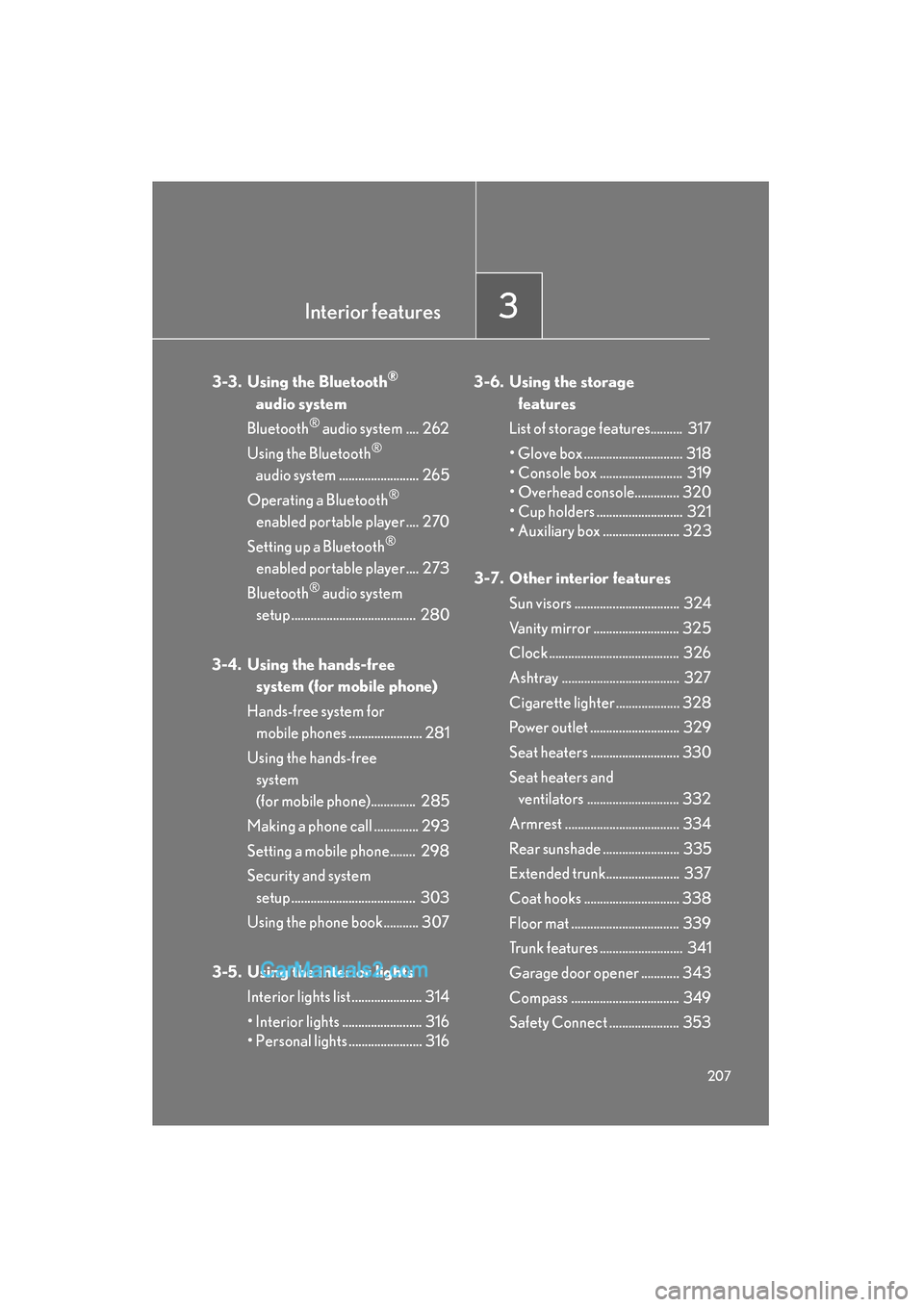
Interior features3
207
ES350_U
3-3. Using the Bluetooth®
audio system
Bluetooth
® audio system .... 262
Using the Bluetooth
®
audio system ......................... 265
Operating a Bluetooth
®
enabled portable player .... 270
Setting up a Bluetooth
®
enabled portable player .... 273
Bluetooth
® audio system
setup ....................................... 280
3-4. Using the hands-free system (for mobile phone)
Hands-free system for mobile phones ....................... 281
Using the hands-free system
(for mobile phone).............. 285
Making a phone call .............. 293
Setting a mobile phone........ 298
Security and system setup ....................................... 303
Using the phone book........... 307
3-5. Using the interior lights Interior lights list ...................... 314
• Interior lights ......................... 316
• Personal lights ....................... 316 3-6. Using the storage
features
List of storage features.......... 317
• Glove box ............................... 318
• Console box .......................... 319
• Overhead console.............. 320
• Cup holders ........................... 321
• Auxiliary box ........................ 323
3-7. Other interior features Sun visors ................................. 324
Vanity mirror ........................... 325
Clock ......................................... 326
Ashtray ..................................... 327
Cigarette lighter .................... 328
Power outlet ............................ 329
Seat heaters ............................ 330
Seat heaters and ventilators ............................. 332
Armrest .................................... 334
Rear sunshade ........................ 335
Extended trunk....................... 337
Coat hooks .............................. 338
Floor mat .................................. 339
Trunk features .......................... 341
Garage door opener ............ 343
Compass .................................. 349
Safety Connect ...................... 353