bluetooth Lexus ES350 2011 s Owner's Guide
[x] Cancel search | Manufacturer: LEXUS, Model Year: 2011, Model line: ES350, Model: Lexus ES350 2011Pages: 563, PDF Size: 6.72 MB
Page 292 of 563
290
3-4. Using the hands-free system (for mobile phone)
ES350_U
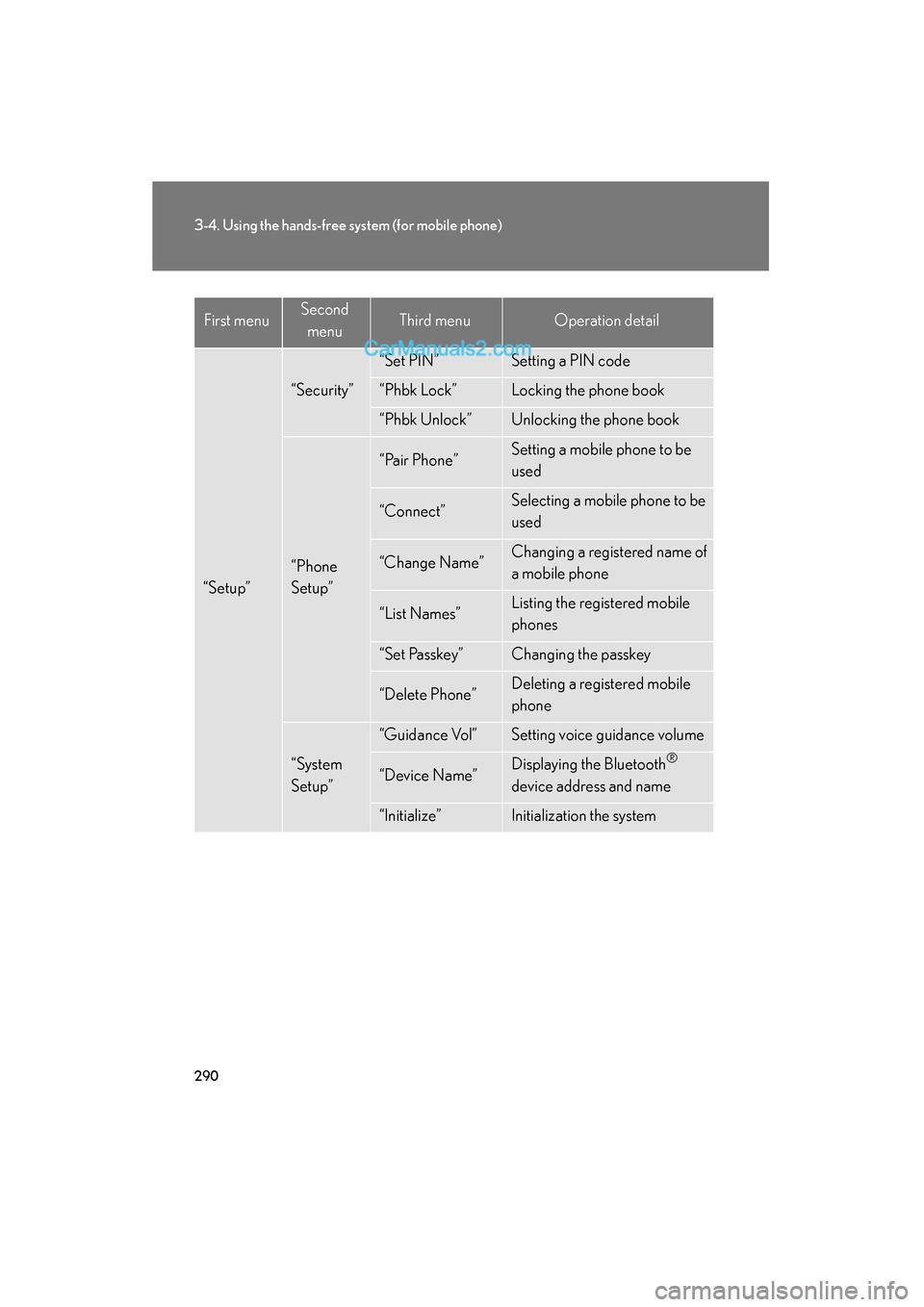
“Setup”
“Security”
“Set PIN”Setting a PIN code
“Phbk Lock”Locking the phone book
“Phbk Unlock”Unlocking the phone book
“Phone
Setup”
“Pair Phone”Setting a mobile phone to be
used
“Connect”Selecting a mobile phone to be
used
“Change Name”Changing a registered name of
a mobile phone
“List Names”Listing the registered mobile
phones
“Set Passkey”Changing the passkey
“Delete Phone”Deleting a registered mobile
phone
“System
Setup”
“Guidance Vol”Setting voice guidance volume
“Device Name”Displaying the Bluetooth®
device address and name
“Initialize”Initialization the system
First menuSecond menuThird menuOperation detail
Page 304 of 563
302
3-4. Using the hands-free system (for mobile phone)
ES350_U
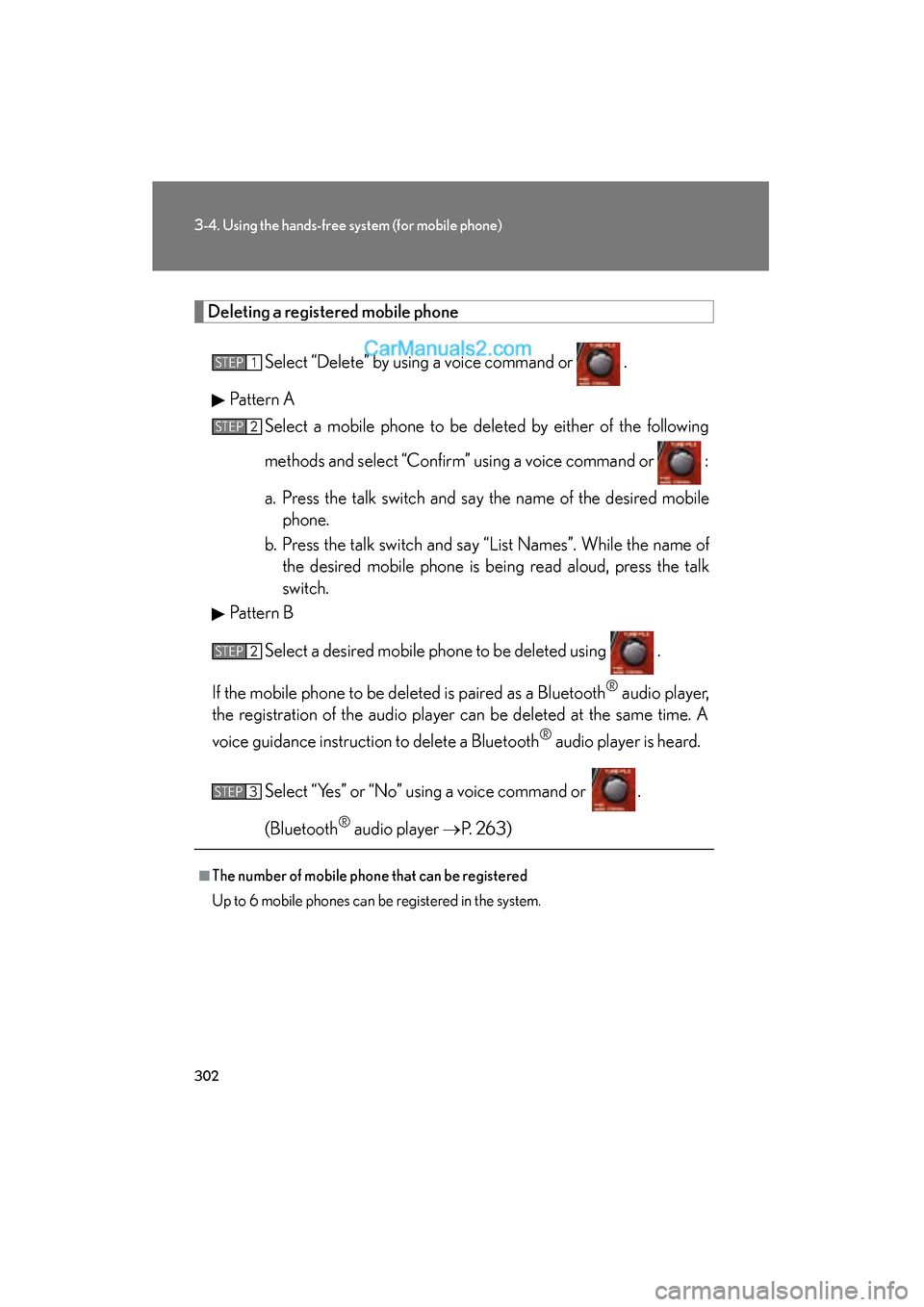
Deleting a registered mobile phone
Select “Delete” by using a voice command or .
Pattern A Select a mobile phone to be deleted by either of the following
methods and select “Confirm” using a voice command or :
a. Press the talk switch and say the name of the desired mobilephone.
b. Press the talk switch and say “List Names”. While the name of the desired mobile phone is being read aloud, press the talk
switch.
Pattern B
Select a desired mobile phone to be deleted using .
If the mobile phone to be de leted is paired as a Bluetooth
® audio player,
the registration of the audio player can be deleted at the same time. A
voice guidance instruction to delete a Bluetooth
® audio player is heard.
Select “Yes” or “No” using a voice command or .
(Bluetooth
® audio player →P. 2 6 3 )
■The number of mobile phone that can be registered
Up to 6 mobile phones can be registered in the system.
STEP1
STEP2
STEP2
STEP3
Page 305 of 563
303
3-4. Using the hands-free system (for mobile phone)
3
Interior features
ES350_U
Security and system setup
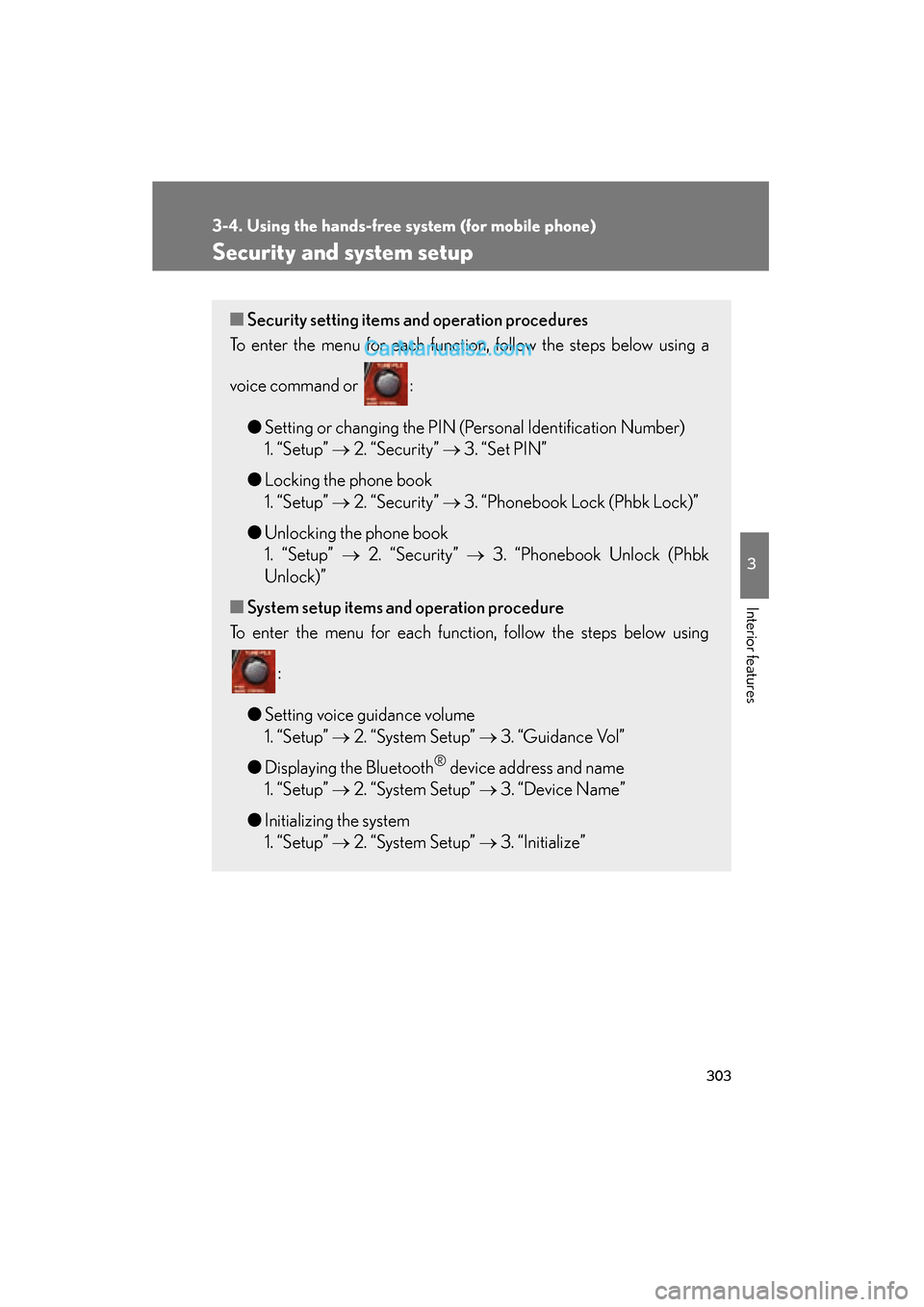
■Security setting items an d operation procedures
To enter the menu for each function, follow the steps below using a
voice command or :
●Setting or changing the PIN (Personal Identification Number)
1. “Setup” → 2. “Security” → 3. “Set PIN”
● Locking the phone book
1. “Setup” → 2. “Security” → 3. “Phonebook Lock (Phbk Lock)”
● Unlocking the phone book
1. “Setup” → 2. “Security” → 3. “Phonebook Unlock (Phbk
Unlock)”
■ System setup items and operation procedure
To enter the menu for each function, follow the steps below using
:
● Setting voice guidance volume
1. “Setup” → 2. “System Setup” → 3. “Guidance Vol”
● Displaying the Bluetooth
® device address and name
1. “Setup” → 2. “System Setup” → 3. “Device Name”
● Initializing the system
1. “Setup” → 2. “System Setup” → 3. “Initialize”
Page 307 of 563
305
3-4. Using the hands-free system (for mobile phone)
3
Interior features
ES350_U
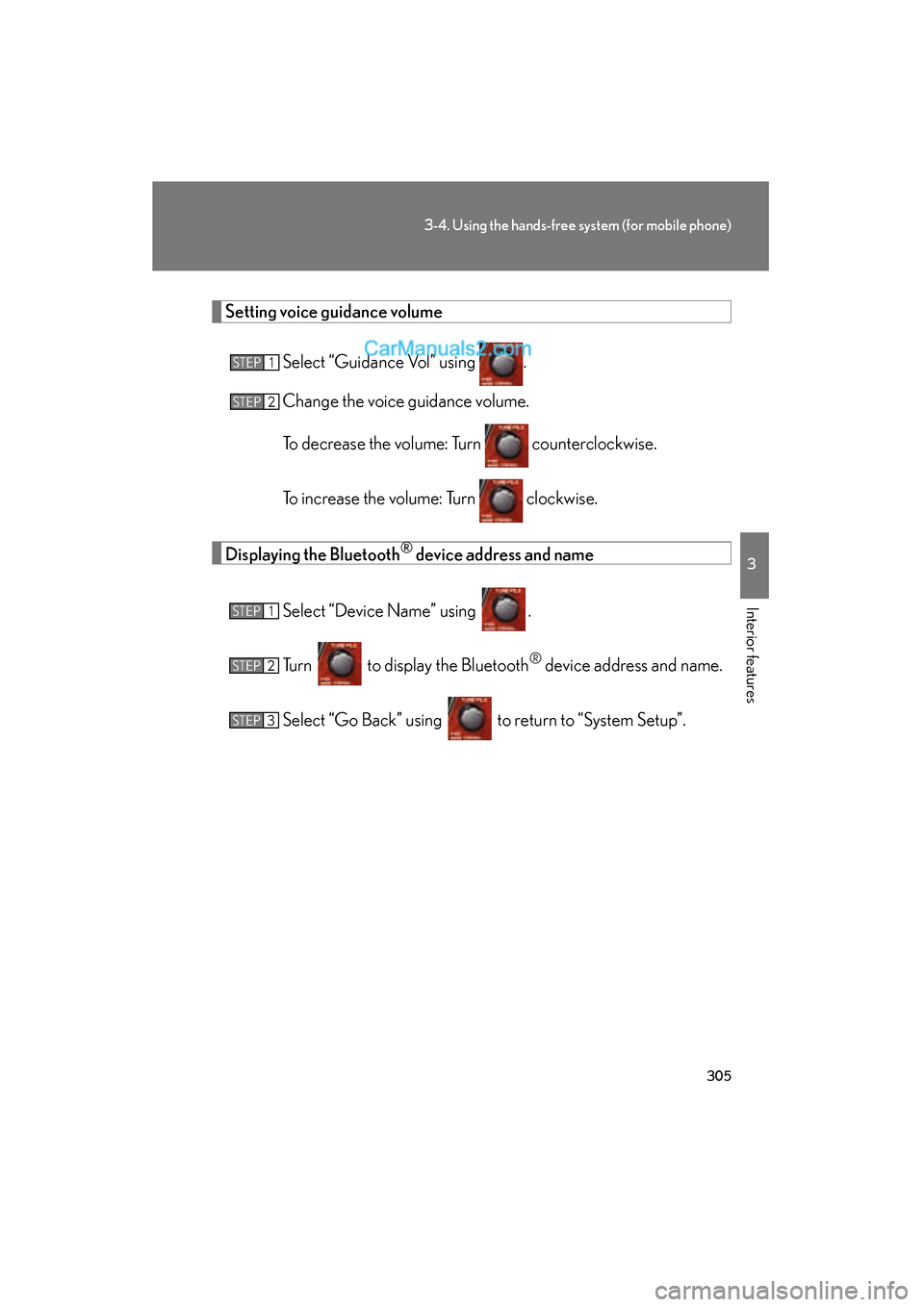
Setting voice guidance volumeSelect “Guidance Vol” using .
Change the voice guidance volume.
To decrease the volume: Turn counterclockwise.
To increase the volume: Turn clockwise.
Displaying the Bluetooth® device address and name
Select “Device Name” using .
Turn to display the Bluetooth
® device address and name.
Select “Go Back” using to return to “System Setup”.
STEP1
STEP2
STEP1
STEP2
STEP3
Page 308 of 563
306
3-4. Using the hands-free system (for mobile phone)
ES350_U
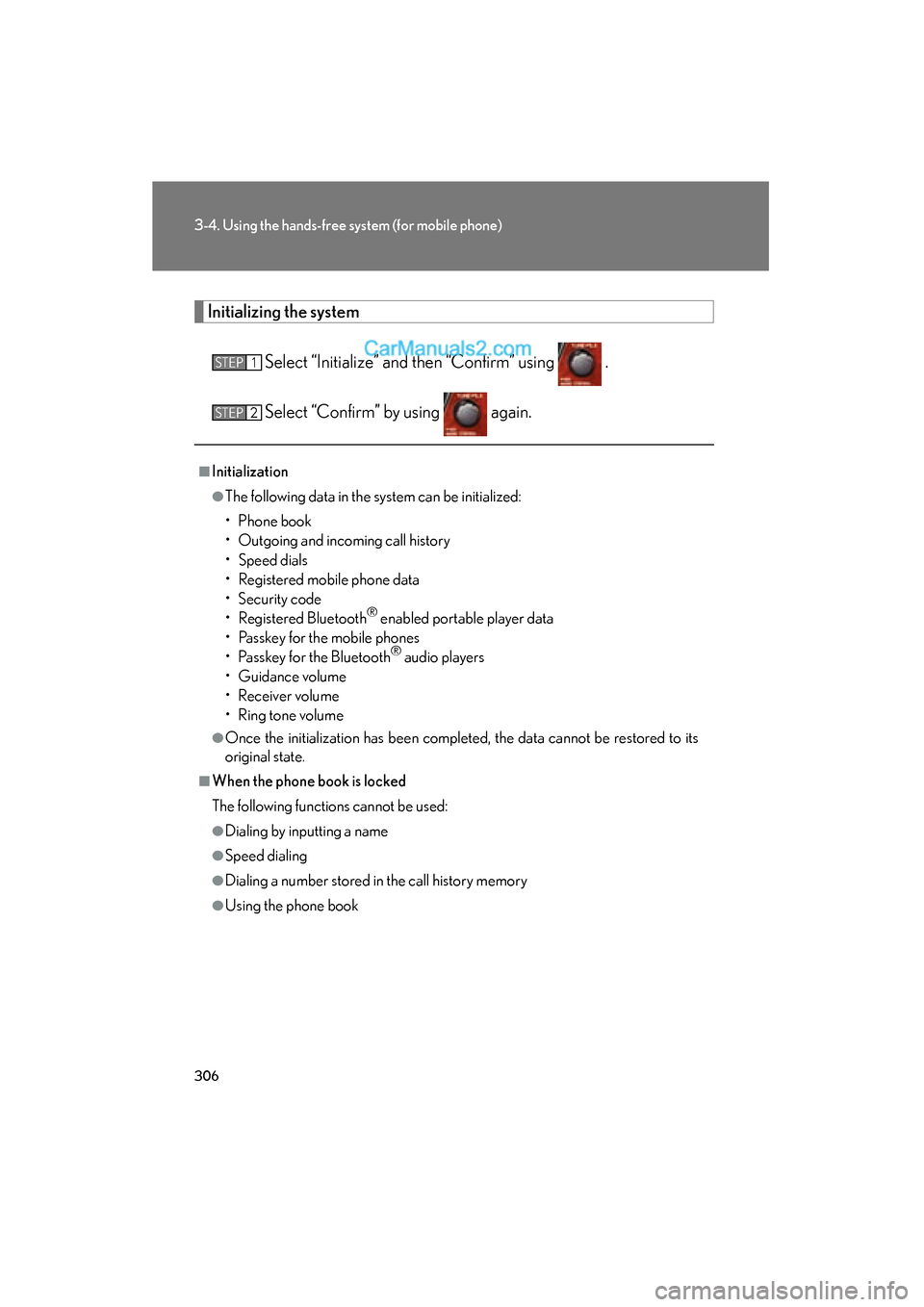
Initializing the system
Select “Initialize” and then “Confirm” using .
Select “Confirm” by using again.
■Initialization
●The following data in the system can be initialized:
• Phone book
• Outgoing and incoming call history
• Speed dials
• Registered mobile phone data
• Security code
• Registered Bluetooth
® enabled portable player data
• Passkey for the mobile phones
• Passkey for the Bluetooth
® audio players
• Guidance volume
• Receiver volume
• Ring tone volume
●Once the initialization has been completed, the data cannot be restored to its
original state.
■When the phone book is locked
The following functions cannot be used:
●Dialing by inputting a name
●Speed dialing
●Dialing a number stored in the call history memory
●Using the phone book
STEP1
STEP2
Page 357 of 563
355
3-7. Other interior features
3
Interior features
ES350_U
■Safety Connect Services Information
●Phone calls using the vehicles Bluetooth® technology will not be possible dur-
ing Safety Connect.
●Safety Connect is available beginning Fall 2009 on select Lexus models. Con-
tact with the Safety Connect response center is dependent upon the telematics
device being in operative condition, cellular connection availability, and GPS
satellite signal reception, which can limit the ability to reach the response center
or receive emergency service support. Enrollment and Telematics Subscription
Service Agreement required. A variety of subscription terms is available;
charges vary by subscription term selected.
●Automatic Collision Notification, Emergency Assistance and Stolen Vehicle
Location will function in the United States, including Hawaii and Alaska, and in
Canada, and Enhanced Roadside Assistance will function in the United States
(except Hawaii) and in Canada. No Safety Connect services will function out-
side of the United States in countries other than Canada.
●Safety Connect services are not subject to section 255 of the Telecommunica-
tions Act and the device is not TTY compatible.
■Languages
The Safety Connect response center will offer support in multiple languages. The
Safety Connect system will offer voice prompts in English and Spanish. Please indi-
cate your language of choice when enrolling.
■When contacting the response center
You may be unable to contact the response center if the network is busy.
Page 547 of 563
545
Alphabetical index
ES350_U
Back-up lightsReplacing light bulbs ........................424
Wattage .................................................. 501
Battery
Checking ................................................. 391
If the vehicle battery is discharged ........................................ 483
Preparing and checking
before winter ........................................191
Bluetooth
® audio..................................262
Bluetooth® phone ................................. 281
Brake
Fluid ..........................................................388
Parking brake ........................................ 134
Brake assist .............................................. 177
Break-in tips .............................................. 119 Care
Exterior....................................................362
Interior .................................................... 365
Seat belts ............................................... 366
Cargo capacity....................................... 187
Cargo hooks............................................ 341
CD changer ............................................ 226
CD player ................................................ 226
Chains ........................................................ 193
Child restraint system Booster seats, definition .................. 102
Booster seats, installation ............... 109
Convertible seats, definition .......... 102
Convertible seats, installation ....... 109
Front passenger occupant classification system ......................... 97
Infant seats, definition ........................ 102
Infant seats, installation ..................... 109
Installing CRS with lower anchorages......................................... 107
Installing CRS with seat belts ........ 109
Installing CRS with top straps......... 112
BC
Page 551 of 563
549
Alphabetical index
ES350_U
FuelCapacity................................................. 494
Fuel gauge .............................................. 136
Fuel pump shut off system .............442
Gas station information .................560
Information............................................ 502
Refueling ....................................................76
Fuel door...................................................... 76
Fuel filler door............................................ 76
Fuel pump shut off system .................442
Fuses............................................................ 413
Garage door opener.......................... 343
Gas station information ..................... 560
Gauges....................................................... 136
Glove box .................................................318
Glove box light........................................318
Grocery bag hooks............................... 341 Hands-free phone system
(for mobile phone)
Bluetooth
®............................................. 281
Hands-free phone system
(for mobile phone) ......................... 281
Hazard lights
Switch.......................................................434
Head restraints
Adjusting ..................................................55
Headlight aim ......................................... 422
Headlights Discharge headlights
precautions........................................ 432
Replacing light bulbs ........................ 424
Switch.........................................................147
Wattage ................................................... 501
Heaters Seat heaters ............................. 330, 332
Side mirror.............................................. 215
Hood .......................................................... 378
Hooks Cargo hooks ......................................... 341
Grocery bag hooks........................... 341
Horn ............................................................ 135
G
H