fog light Lexus ES350 2011 Owner's Manuals
[x] Cancel search | Manufacturer: LEXUS, Model Year: 2011, Model line: ES350, Model: Lexus ES350 2011Pages: 563, PDF Size: 6.72 MB
Page 5 of 563
1
2
3
4
5
6
7
ES350_U
3
2-2. Instrument clusterGauges and meters ..................... 136
Indicators and warning lights................................................. 138
Multi-information display........... 142
2-3. Operating the lights and windshield wipers
Headlight switch ............................ 147
Fog light switch ................................ 151
Windshield wipers and washer............................................. 152
2-4. Using other driving systems Cruise control ................................ 155
Dynamic radar cruise control............................................. 158
Intuitive parking assist ................... 171
Driving assist systems................... 177
PCS (Pre-Collision System) ............ 182
2-5. Driving information Cargo and luggage ...................... 187
Vehicle load limits ......................... 190
Winter driving tips .......................... 191
Trailer towing .................................. 197
Dinghy towing ............................... 204 3-1. Using the air conditioning
system and defogger
Automatic air conditioning system ........................................... 208
Rear window and outside rear view
mirror defoggers ........................ 215
3-2. Using the audio system Audio system type ........................ 216
Using the radio............................... 219
Using the CD player................... 226
Playing back MP3 and WMA discs.................................. 233
Operating an iPod....................... 240
Operating a USB memory....... 247
Optimal use of the audio system ............................................ 256
Using the AUX port .................. 258
Using the steering wheel audio switches ............................ 259
3Interior features
Page 10 of 563
ES350_U
8
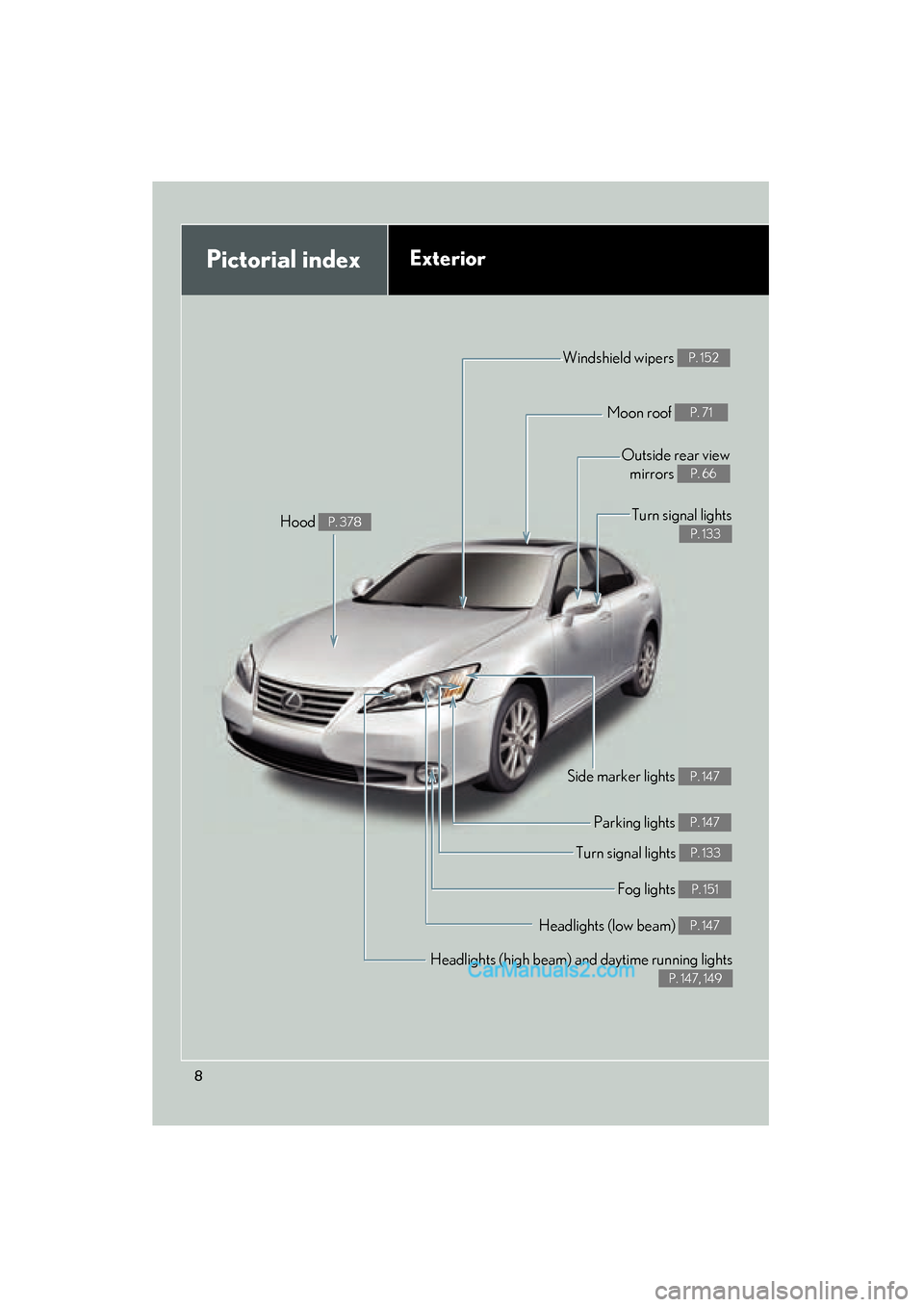
Pictorial indexExterior
Headlights (high beam) and daytime running lights
P. 147, 149
Turn signal lights P. 133
Side marker lights P. 147
Headlights (low beam) P. 147
Hood P. 378
Windshield wipers P. 152
Moon roof P. 71
Outside rear viewmirrors
P. 66
Fog lights P. 151
Parking lights P. 147
Turn signal lights
P. 133
Page 11 of 563
ES350_U
9
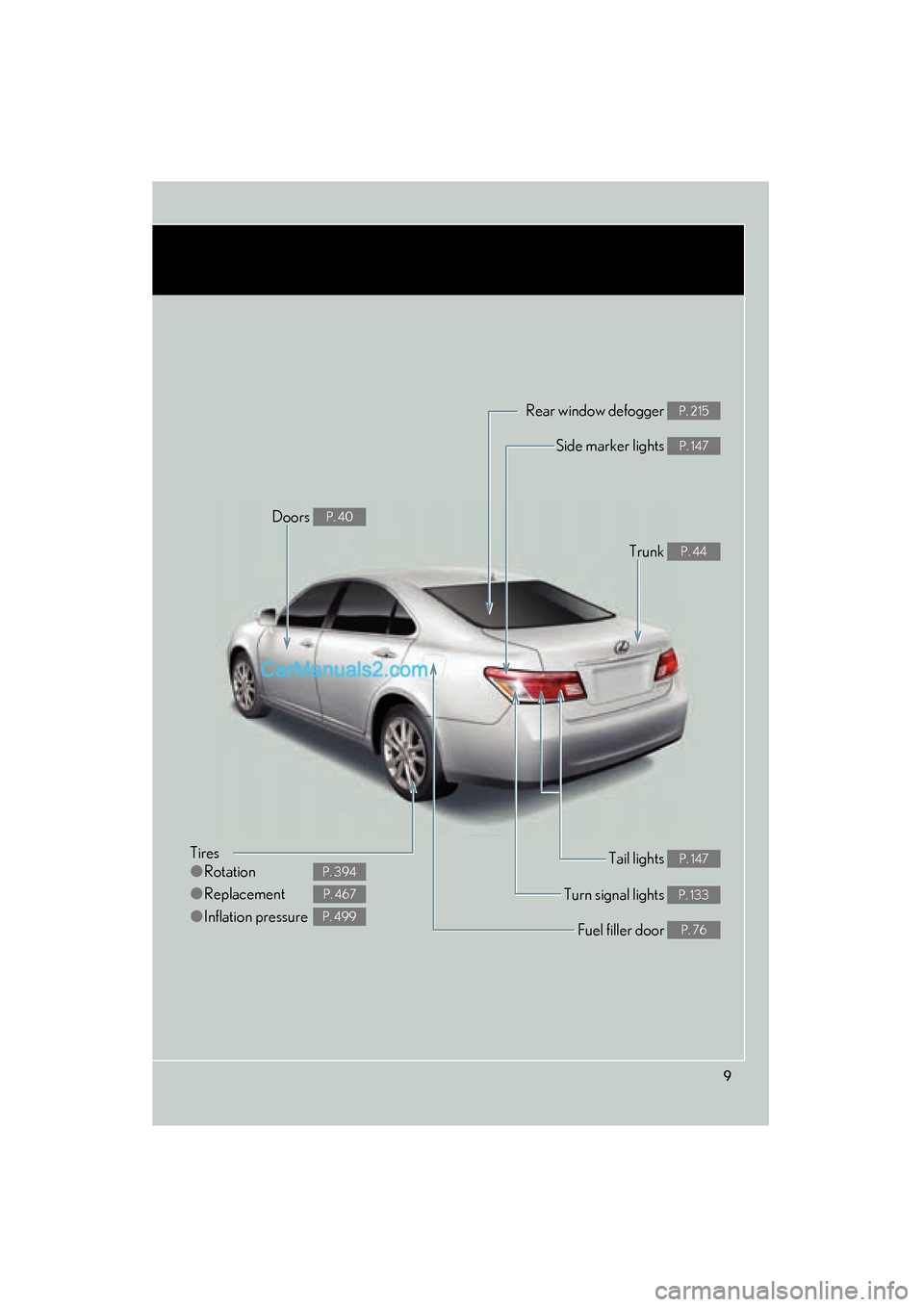
Tires
●Rotation
● Replacement
● Inflation pressure
P. 394
P. 467
P. 499
Tail lights P. 147
Side marker lights P. 147
Trunk P. 44
Rear window defogger P. 215
Doors P. 40
Fuel filler door P. 76
Turn signal lights P. 133
Page 16 of 563
ES350_U
14
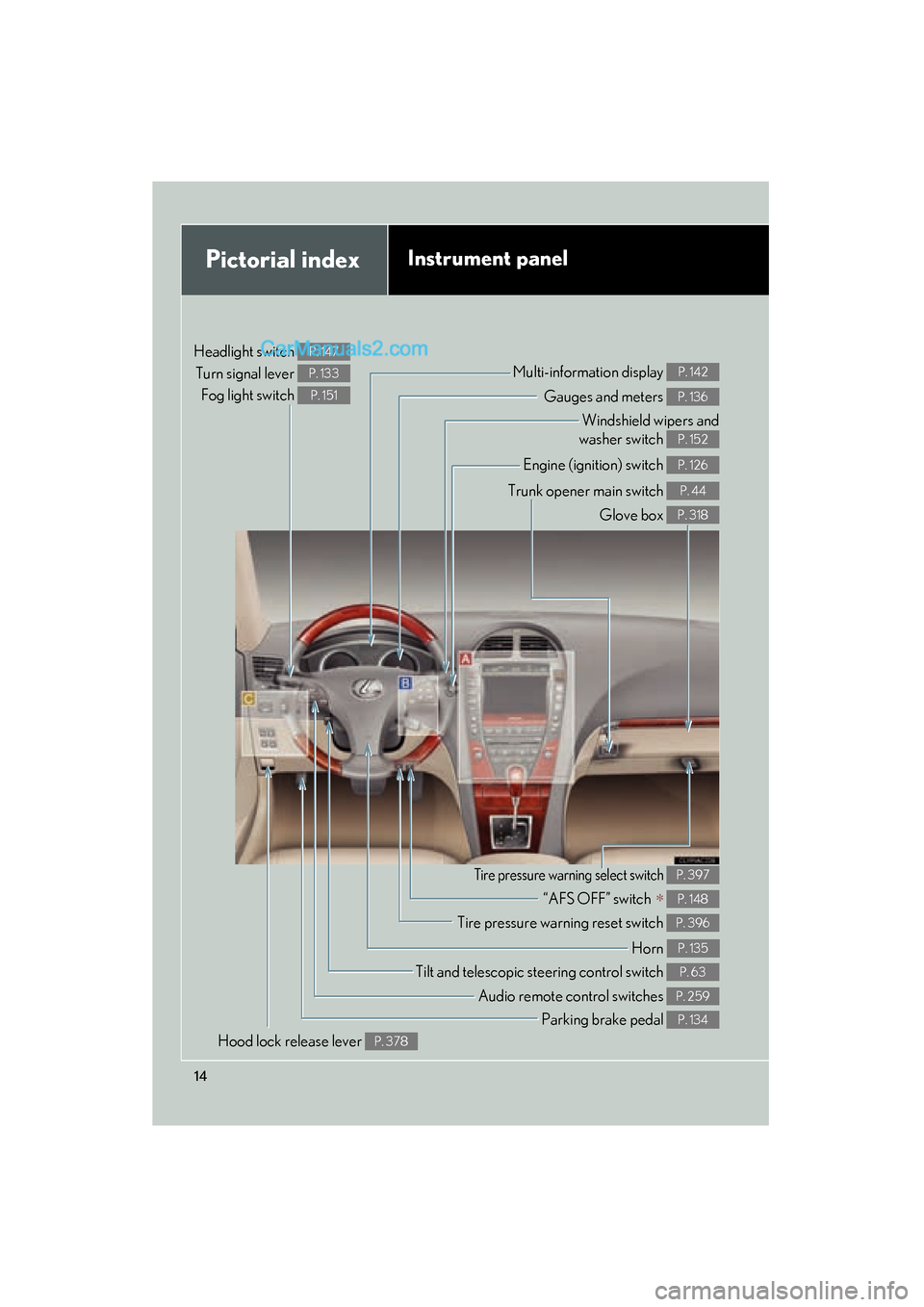
Pictorial indexInstrument panel
Headlight switch Turn signal lever Fog light switch P. 147
P. 133
P. 151Gauges and meters P. 136
Multi-information display P. 142
Windshield wipers and
washer switch
P. 152
Engine (ignition) switch P. 126
Trunk opener main switch P. 44
Glove box P. 318
Tilt and telescopic steering control switch P. 63
Parking brake pedal P. 134
Audio remote control switches P. 259
Hood lock release lever P. 378
Tire pressure warning reset switch P. 396
“AFS OFF” switch ∗ P. 148
Tire pressure warning select switch P. 397
Horn P. 135
Page 69 of 563
67
1-3. Adjustable components (seats, mirrors, steering wheel)
1
Before driving
ES350_U
■Linked mirror function when reversing
The outside rear view mirrors will automatically angle downwards when the vehicle
is reversing in order to give a better view of the ground. However, this function will
not operate when the mirror select switch is in the neutral position (between L and
R).
■Auto anti-glare function
When the anti-glare inside rear view mirror is set to AUTO mode, the outside rear
view mirrors will activate in conjunction with the anti-glare inside rear view mirror to
reduce reflected light. (→P. 6 4 )
CAUTION
■When driving the vehicle
Observe the following precautions while driving.
Failing to do so may result in loss of control of the vehicle and cause an accident,
resulting in death or serious injury.
●Do not adjust the mirrors while driving.
●Do not drive with the mirrors folded back.
●Both the driver and passenger side mirrors must be extended and properly
adjusted before driving.
■When the mirror defoggers are operating
Do not touch the rear view mirror surfaces, as they can become very hot and burn
you.
Page 119 of 563
When driving2
117
ES350_U
2-1. Driving proceduresDriving the vehicle................... 118
Engine (ignition) switch ......... 126
Automatic Transmission ........ 130
Turn signal lever ....................... 133
Parking brake ........................... 134
Horn ............................................ 135
2-2. Instrument cluster Gauges and meters ................ 136
Indicators and warning lights ......................................... 138
Multi-information display ..... 142 2-3. Operating the lights and
windshield wipers
Headlight switch ...................... 147
Fog light switch ......................... 151
Windshield wipers and washer ..................................... 152
2-4. Using other driving systems
Cruise control.......................... 155
Dynamic radar cruise control ..................................... 158
Intuitive parking assist ............. 171
Driving assist systems ............. 177
PCS (Pre-Collision System) ....... 182
2-5. Driving information Cargo and luggage ................ 187
Vehicle load limits ................... 190
Winter driving tips ................... 191
Trailer towing ............................ 197
Dinghy towing......................... 204
Page 142 of 563
140
2-2. Instrument cluster
ES350_U
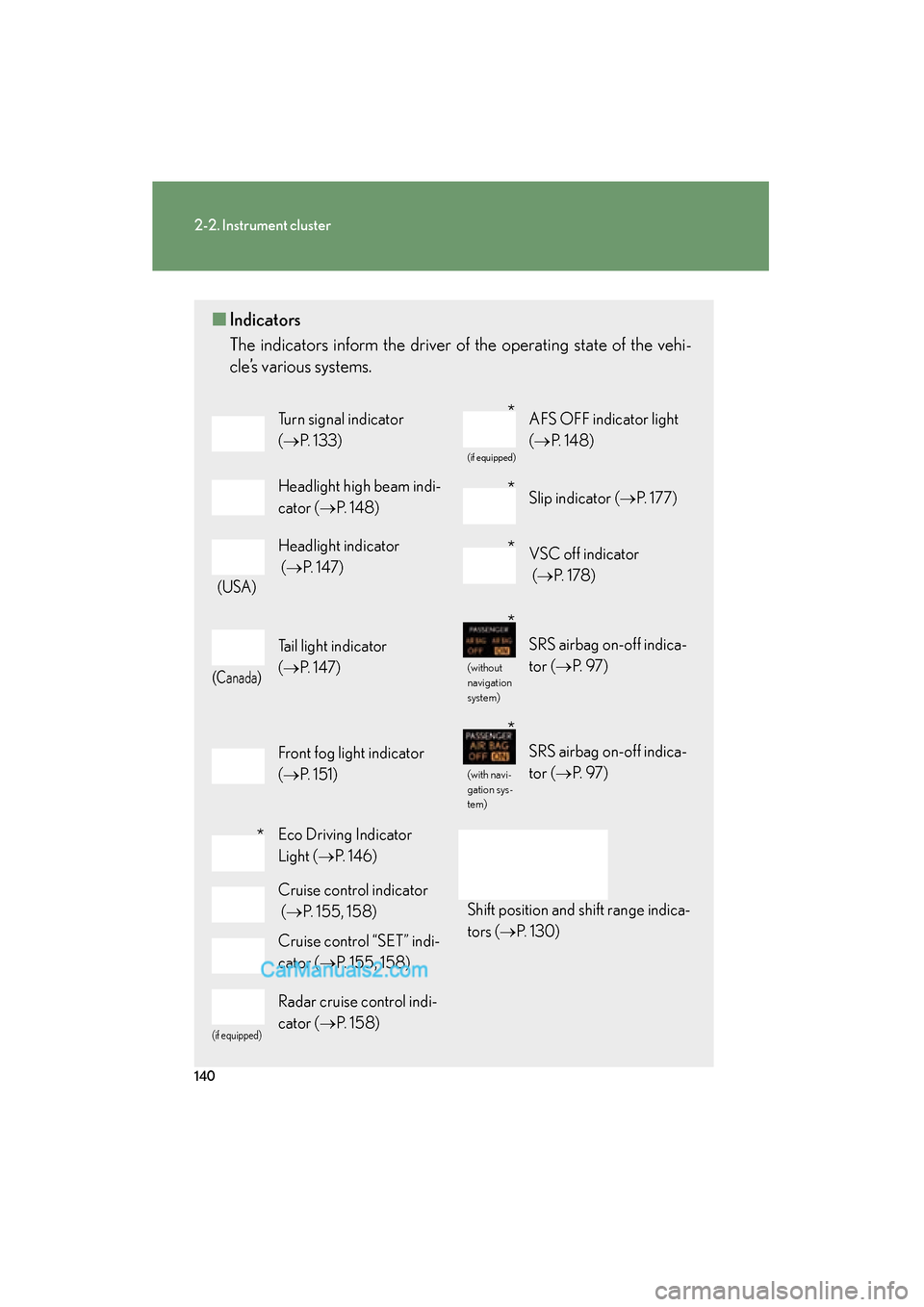
■Indicators
The indicators inform the driver of the operating state of the vehi-
cle’s various systems.
Turn signal indicator
(→ P. 1 3 3 )
(if equipped)
AFS OFF indicator light
(→ P. 1 4 8 )
Headlight high beam indi-
cator ( →P. 1 4 8 )Slip indicator ( →P. 177)
(USA)
Headlight indicator
(→ P. 147)VSC off indicator
(→ P. 1 7 8 )
(Canada)
Tail light indicator
(→ P. 147)
(without
navigation
system)
SRS airbag on-off indica-
tor (→ P. 9 7 )
Front fog light indicator
(→ P. 1 5 1 )
(with navi-
gation sys-
tem)
SRS airbag on-off indica-
tor (→ P. 9 7 )
Eco Driving Indicator
Light (→P. 1 4 6 )
Shift position and shift range indica-
tors ( →P. 1 3 0 )
Cruise control indicator
(→ P. 155, 158)
Cruise control “SET” indi-
cator ( →P. 155, 158)
(if equipped)
Radar cruise control indi-
cator ( →P. 1 5 8 )
*
*
*
*
*
*
Page 153 of 563
151
2-3. Operating the lights and windshield wipers
2
When driving
ES350_U
Fog light switch
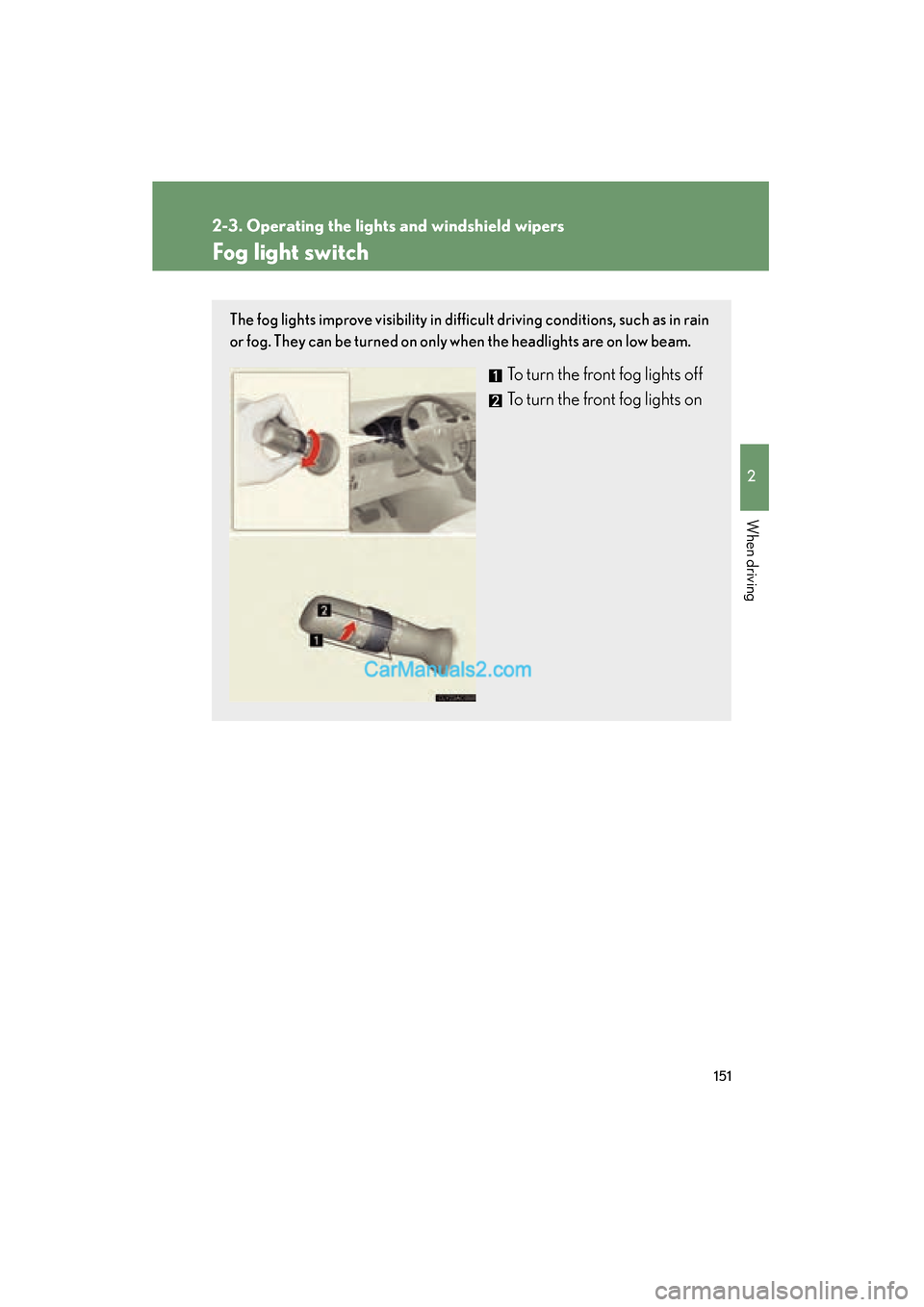
The fog lights improve visibility in difficult driving conditions, such as in rain
or fog. They can be turned on only when the headlights are on low beam.
To turn the front fog lights off
To turn the front fog lights on
Page 186 of 563
184
2-4. Using other driving systems
ES350_U
●When climbing a steep hill causes an overhead billboard or other metallic struc-
ture to appear directly in the vehicle's line of travel.
●When an extreme change in vehicle height occurs
●When the axis of the radar is out of adjustment
●When passing through certain toll gates
When the system is activated in the situations described above there is also a possi-
bility that the seat belts will retract quickly and the brakes will be applied with a force
greater than normal. When the seat belt is locked in the retracted position, stop the
vehicle in a safe place, release the seat belt and refasten.
■Situations in which the pre-collision system does not function properly
The system may not function effectively in situations such as the following:
●On roads with sharp bends or uneven surfaces
●On slippery roads such as those covered with ice or snow
●If a vehicle suddenly moves in front of your vehicle, such as at an intersection
●If a vehicle suddenly cuts in front of your vehicle, such as when overtaking
●In inclement weather such as heavy rain, fog, snow or sand storms
■Automatic cancelation of the pre-collision system
When a malfunction occurs due to sensor contamination, etc. that results in the
sensors being unable to detect obstacles, the pre-collision system will be automati-
cally disabled. In this case, the system will not activate even if there is a collision pos-
sibility.
■When there is a malfunction in the system
Warning lights and/or warning messages will turn on or flash. ( →P. 445, 455)
Page 215 of 563
213
3-1. Using the air conditioning system and defogger
3
Interior features
ES350_U
■Using the automatic mode
Fan speed is adjusted automatically in accordance with the temperature setting and
ambient conditions. As a result, the following may occur.
●Immediately after the switch is pressed, the fan may stop for a while until warm
or cool air is ready to flow.
●Cool air may flow to the area around the upper body when the heater is on.
■Using the system in recirculated air mode
The windows will fog up more easily if the recirculated air mode is used for an
extended period.
■Switching between outside air and recirculated air modes
Recirculated air mode or outside air mode may be automatically switched to in
accordance with the temperature setting and the inside temperature.
■Window defogger feature
Recirculated air mode may automatically switch to
(outside air) mode in sit-
uations where the windows need to be defogged.
■Outside air temperature approaches 32 °F (0 °C).
The air conditioning system may not operate even when
is pressed.
■When the indicator light on flashes
Press
and turn off the air conditioning system before turning it on once
more. There may be a problem in the air conditioning system if the indicator light
continues to flash. Turn the air conditioning system off and have it inspected by your
Lexus dealer.
■Automatic mode for air intake control
In automatic mode, the system detects exhaust gas and other pollutants and auto-
matically switches between outside air and recirculated air modes.