display Lexus ES350 2015 - ES 300h, ES 350 Owner's Guide
[x] Cancel search | Manufacturer: LEXUS, Model Year: 2015, Model line: ES350, Model: Lexus ES350 2015Pages: 787, PDF Size: 8.39 MB
Page 108 of 787
106
ES350_300h_OM_OM33B99U_(U)
2. Instrument cluster
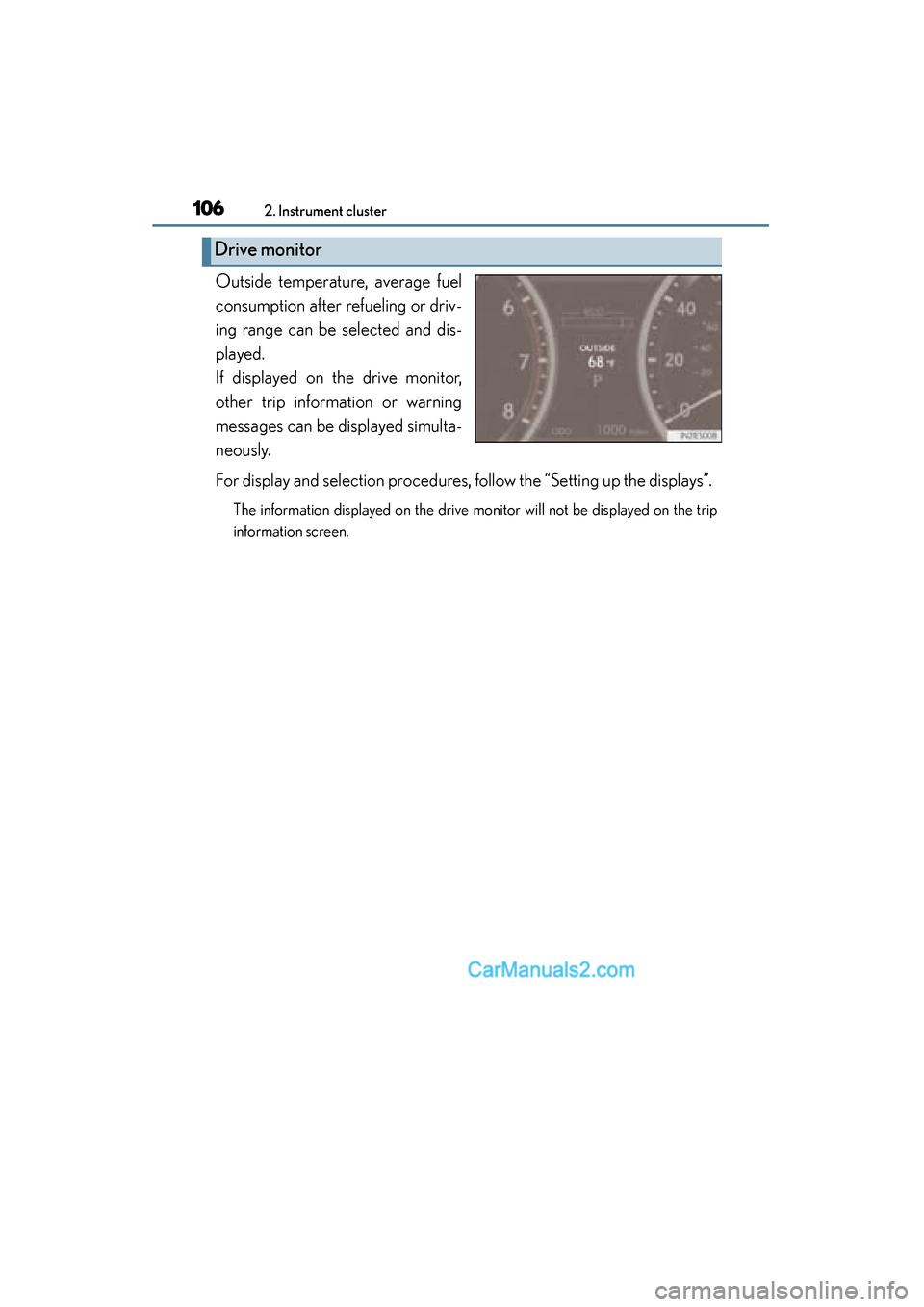
Outside temperature, average fuel
consumption after refueling or driv-
ing range can be selected and dis-
played.
If displayed on the drive monitor,
other trip information or warning
messages can be displayed simulta-
neously.
For display and selection procedures, follow the “Setting up the displays”.
The information displayed on the drive monitor will not be displayed on the trip
information screen.
Drive monitor
Page 109 of 787
ES350_300h_OM_OM33B99U_(U)
1072. Instrument cluster
2
Instrument cluster
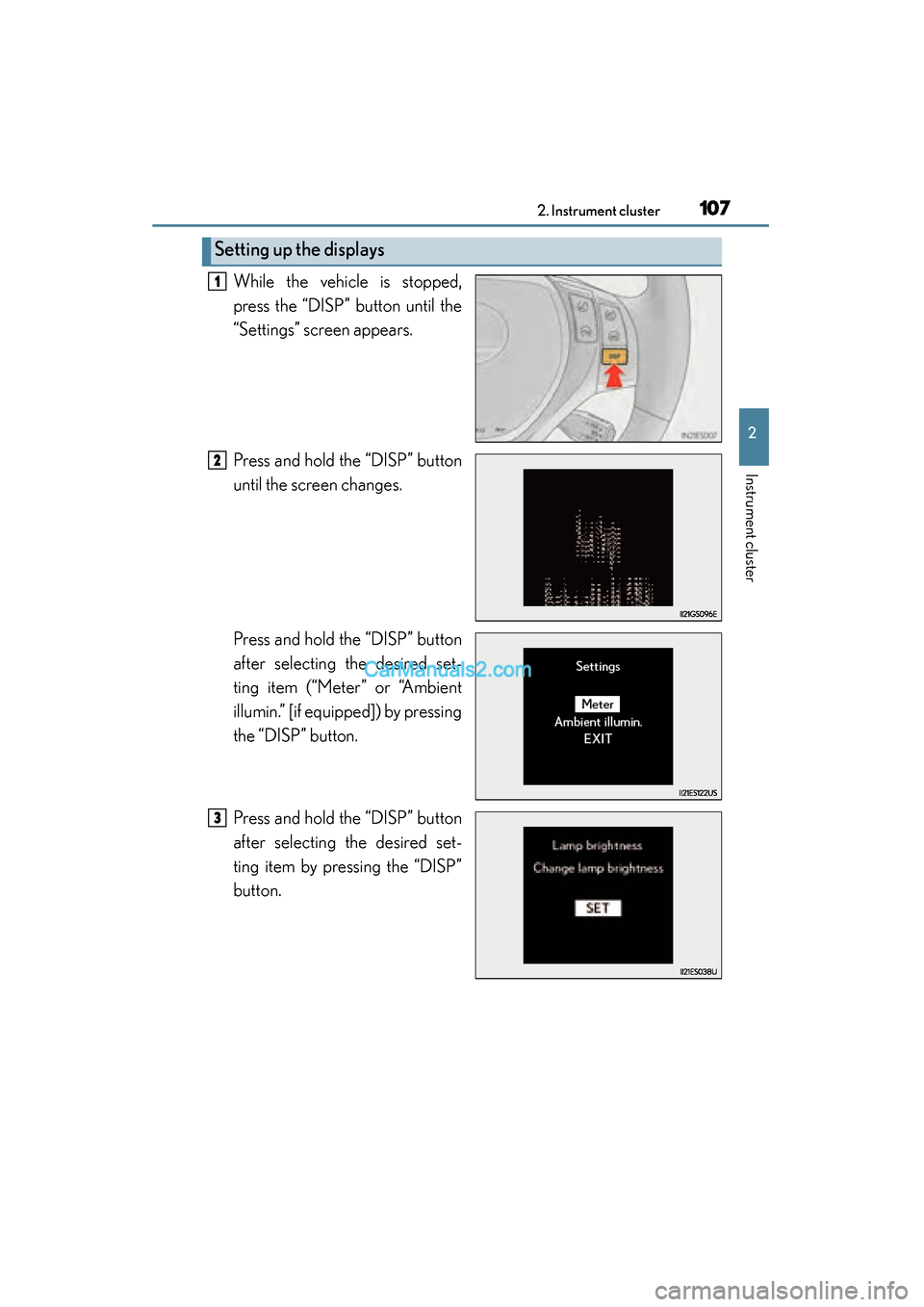
While the vehicle is stopped,
press the “DISP” button until the
“Settings” screen appears.
Press and hold the “DISP” button
until the screen changes.
Press and hold the “DISP” button
after selecting the desired set-
ting item (“Meter” or “Ambient
illumin.” [if equipped]) by pressing
the “DISP” button.
Press and hold the “DISP” button
after selecting the desired set-
ting item by pressing the “DISP”
button.
Setting up the displays
1
2
3
Page 110 of 787
108
ES350_300h_OM_OM33B99U_(U)
2. Instrument cluster
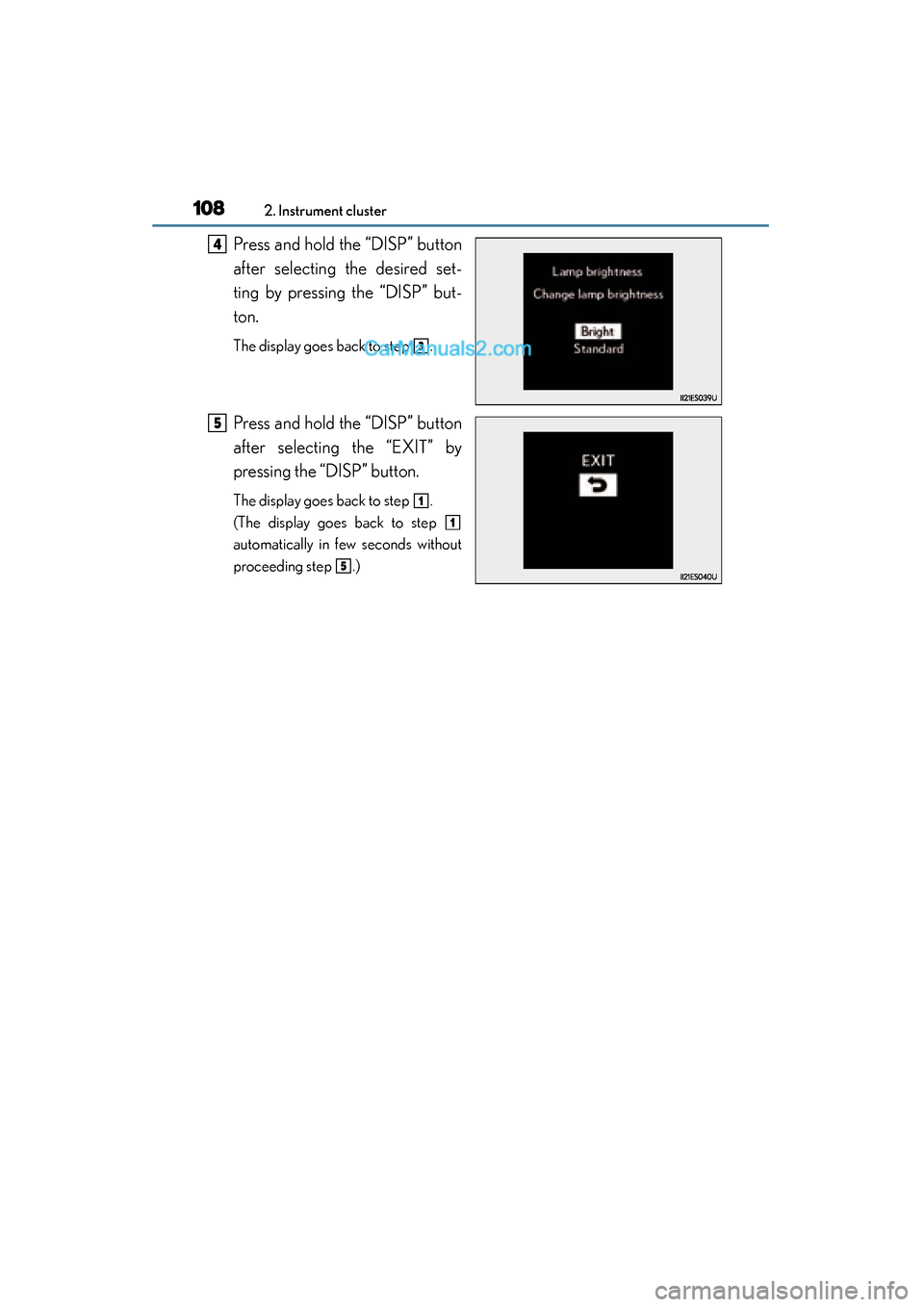
Press and hold the “DISP” button
after selecting the desired set-
ting by pressing the “DISP” but-
ton.
The display goes back to step .
Press and hold the “DISP” button
after selecting the “EXIT” by
pressing the “DISP” button.
The display goes back to step .
(The display goes back to step
automatically in few seconds without
proceeding step .)
4
3
5
1
1
5
Page 111 of 787
ES350_300h_OM_OM33B99U_(U)
1092. Instrument cluster
2
Instrument cluster
■System check display
After turning the “START STOP ENGINE” <“POWER”> switch to IGNITION ON
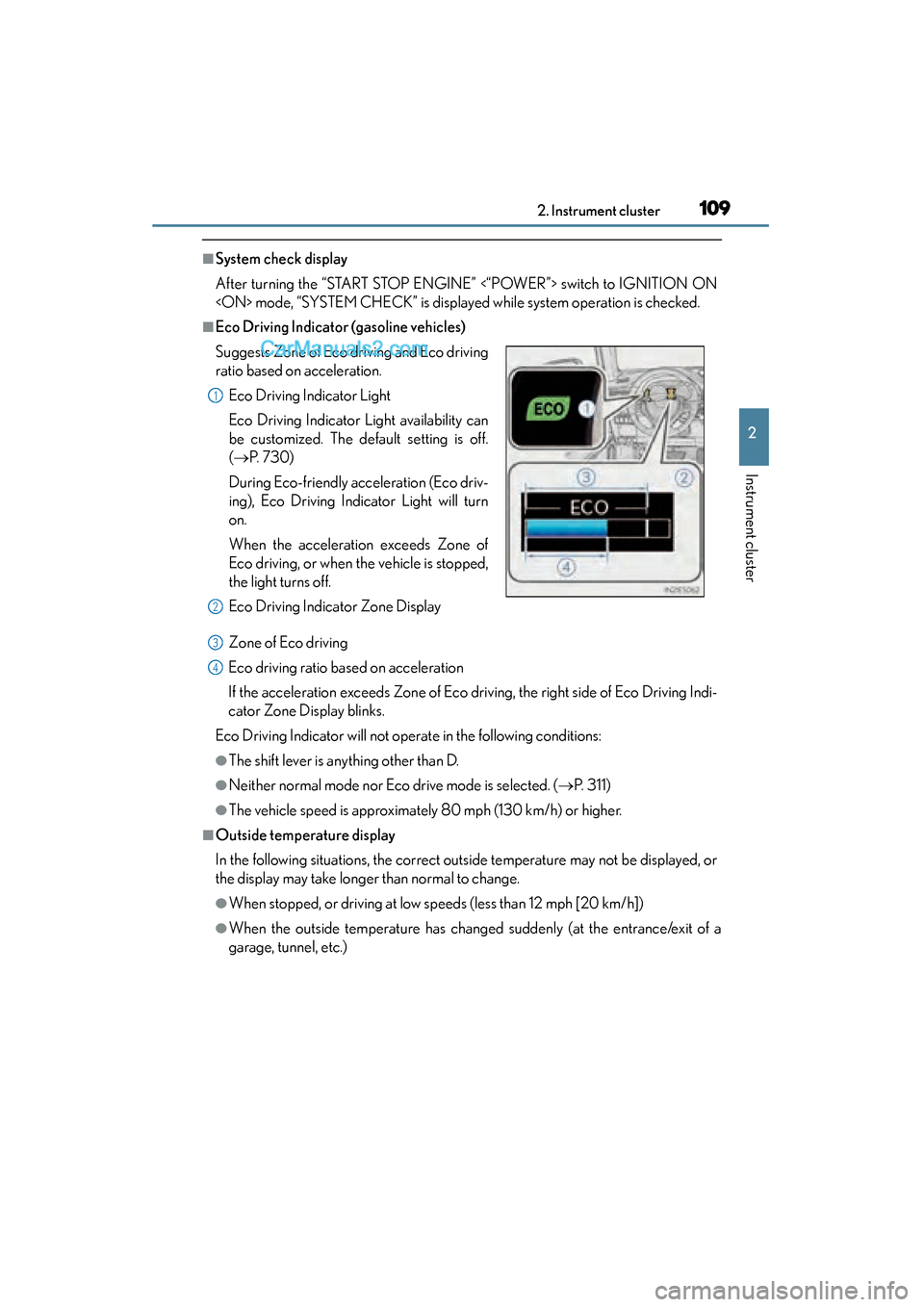
■Eco Driving Indicator (gasoline vehicles)Zone of Eco driving
Eco driving ratio based on acceleration
If the acceleration exceeds Zone of Eco driving, the right side of Eco Driving Indi-
cator Zone Display blinks.
Eco Driving Indicator will not operate in the following conditions:
●The shift lever is anything other than D.
●Neither normal mode nor Eco drive mode is selected. ( →P. 311)
●The vehicle speed is approximately 80 mph (130 km/h) or higher.
■Outside temperature display
In the following situations, the correct outside temperature may not be displayed, or
the display may take longer than normal to change.
●When stopped, or driving at low speeds (less than 12 mph [20 km/h])
●When the outside temperature has changed suddenly (at the entrance/exit of a
garage, tunnel, etc.)
Suggests Zone of Eco driving and Eco driving
ratio based on acceleration.
Eco Driving Indicator Light
Eco Driving Indicator Light availability can
be customized. The default setting is off.
(→ P. 7 3 0 )
During Eco-friendly acceleration (Eco driv-
ing), Eco Driving Indicator Light will turn
on.
When the acceleration exceeds Zone of
Eco driving, or when the vehicle is stopped,
the light turns off.
Eco Driving Indicator Zone Display
1
2
3
4
Page 112 of 787

110
ES350_300h_OM_OM33B99U_(U)
2. Instrument cluster
■Setting display automatic cancelation
In the following situations, setting display in which the settings can be changed
through the “DISP” button will automatically be turned off.
●When a warning message appears while the setting display is displayed
●When the vehicle begins to move while the setting display is displayed
■Tire inflation pressure
●It may take a few minutes to display the tire inflation pressure after the “START
STOP ENGINE” <“POWER”> switch is turned to IGNITION ON
may also take a few minutes to display the tire inflation pressure after inflation pres-
sure has been adjusted.
●“---” may be displayed if the tire position information cannot be determined due to
unfavorable radio wave conditions.
●Tire inflation pressure changes with temperature. The displayed values may also be
different from the values measured using a tire pressure gauge.
■Liquid crystal display
Small spots or light spots may appear on the display. This phenomenon is character-
istic of liquid crystal displays, and there is no problem continuing to use the display.
■Customization
Setting of available languages can be changed. (Customizable features →P. 7 3 0 )
Page 113 of 787
ES350_300h_OM_OM33B99U_(U)
1112. Instrument cluster
2
Instrument cluster
CAUTION
■The multi-information display at low temperatures
Allow the interior of the vehicle to warm up before using the liquid crystal multi-
information display. At extremely low temperatures, the multi-information display
monitor may respond slowly, and display changes may be delayed.
For example, there is a lag between the driver’s shifting and the new gear number
appearing on the display. This lag could cause the driver to downshift again, caus-
ing rapid and excessive engine braking and possibly an accident resulting in death
or injury.
■Cautions during setting up the display
As the engine needs to be running
setting up the display, ensure that the vehicle is parked in a place with adequate
ventilation. In a closed area such as a garage, exhaust gases including harmful car-
bon monoxide (CO) may collect and enter the vehicle. This may lead to death or a
serious health hazard.
NOTICE
■During setting up the display
To prevent 12-volt battery discharge, ensure that the engine is running
Page 114 of 787
112
ES350_300h_OM_OM33B99U_(U)
2. Instrument cluster
Energy monitor/consumption screen
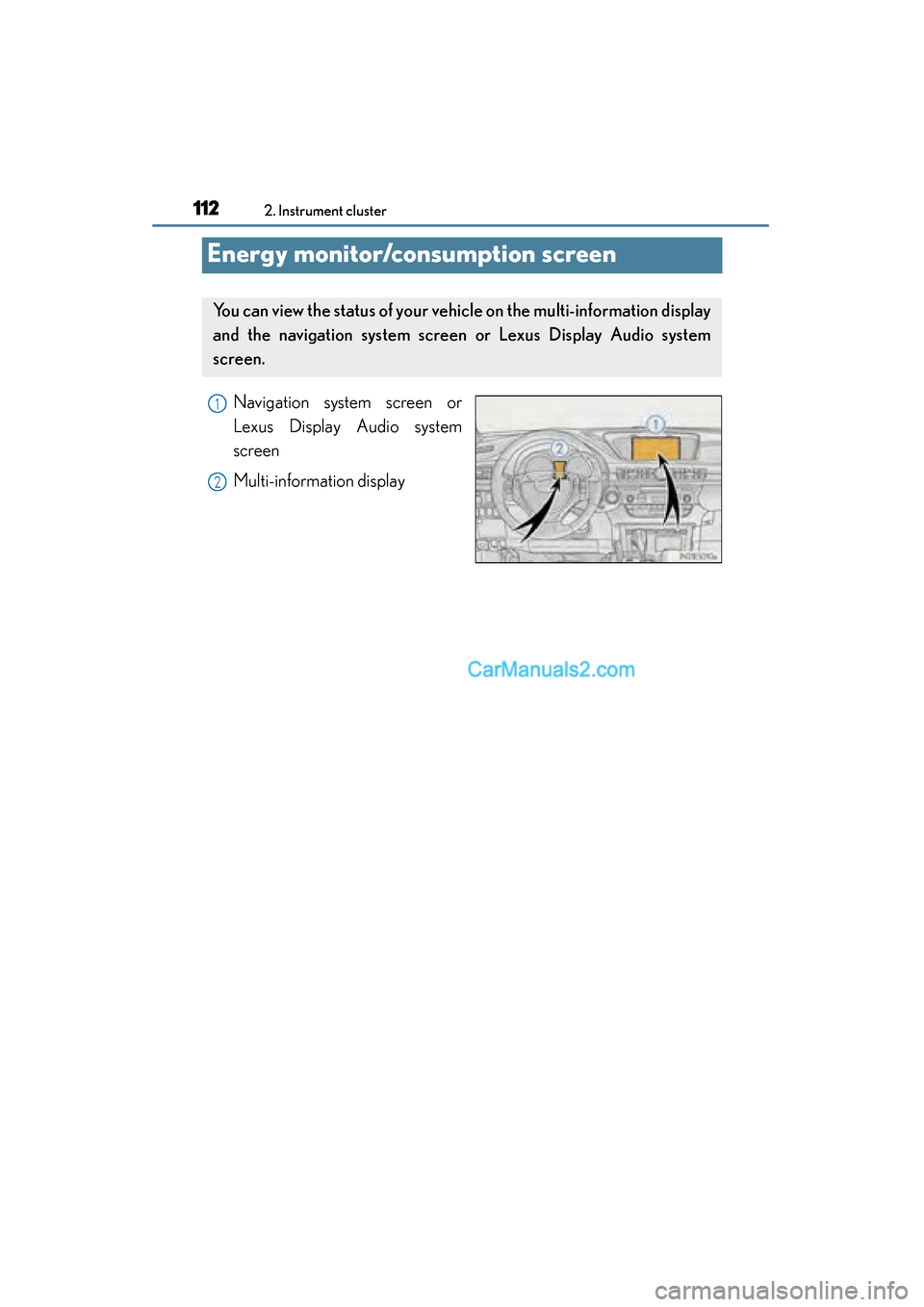
Navigation system screen or
Lexus Display Audio system
screen
Multi-information display
You can view the status of your vehicle on the multi-information display
and the navigation system screen or Lexus Display Audio system
screen.
1
2
Page 115 of 787
ES350_300h_OM_OM33B99U_(U)
1132. Instrument cluster
2
Instrument cluster
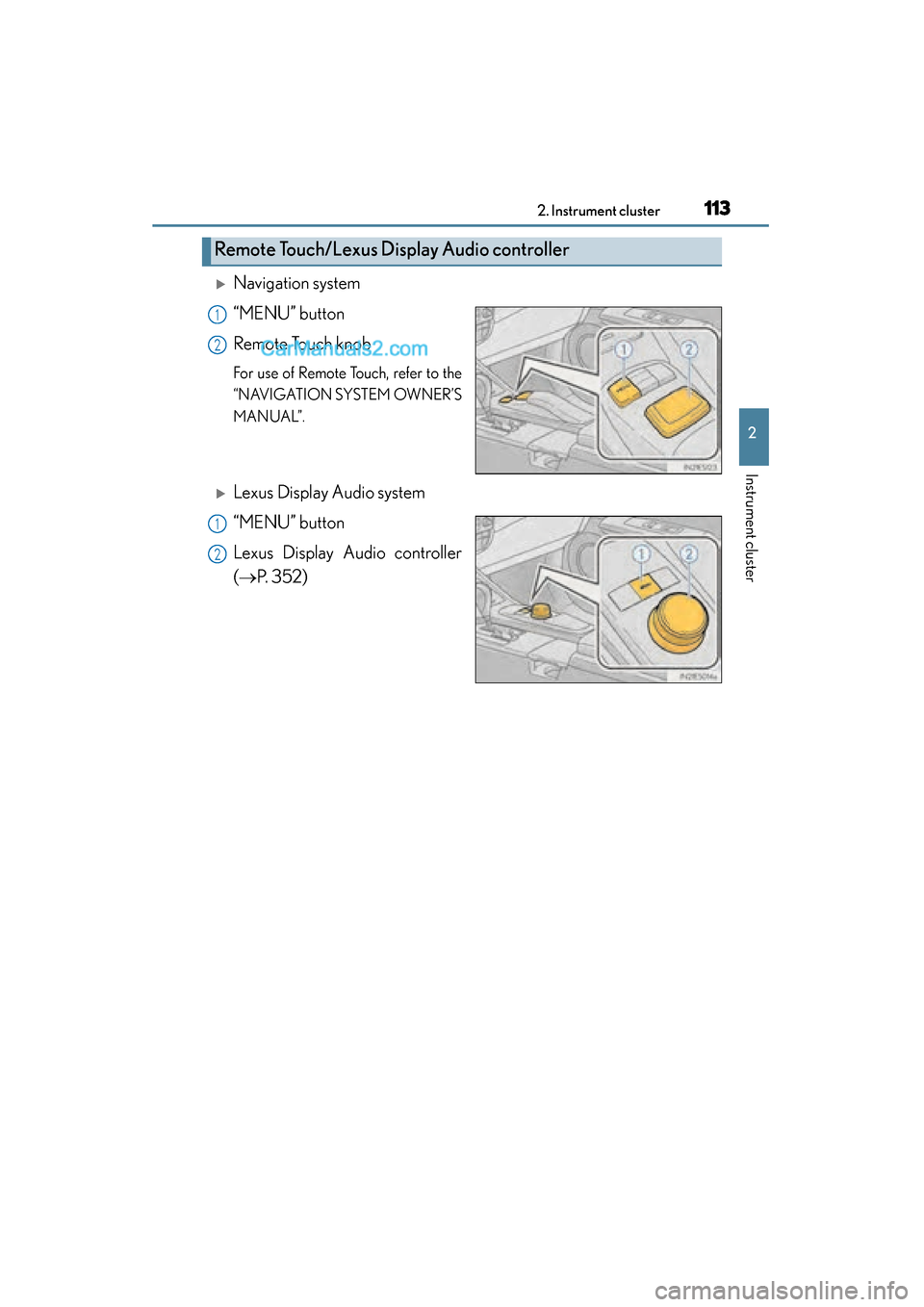
XNavigation system
“MENU” button
Remote Touch knob
For use of Remote Touch, refer to the
“NAVIGATION SYSTEM OWNER’S
MANUAL”.
XLexus Display Audio system
“MENU” button
Lexus Display Audio controller
(→P. 3 5 2 )
Remote Touch/Lexus Display Audio controller
1
2
1
2
Page 116 of 787
114
ES350_300h_OM_OM33B99U_(U)
2. Instrument cluster
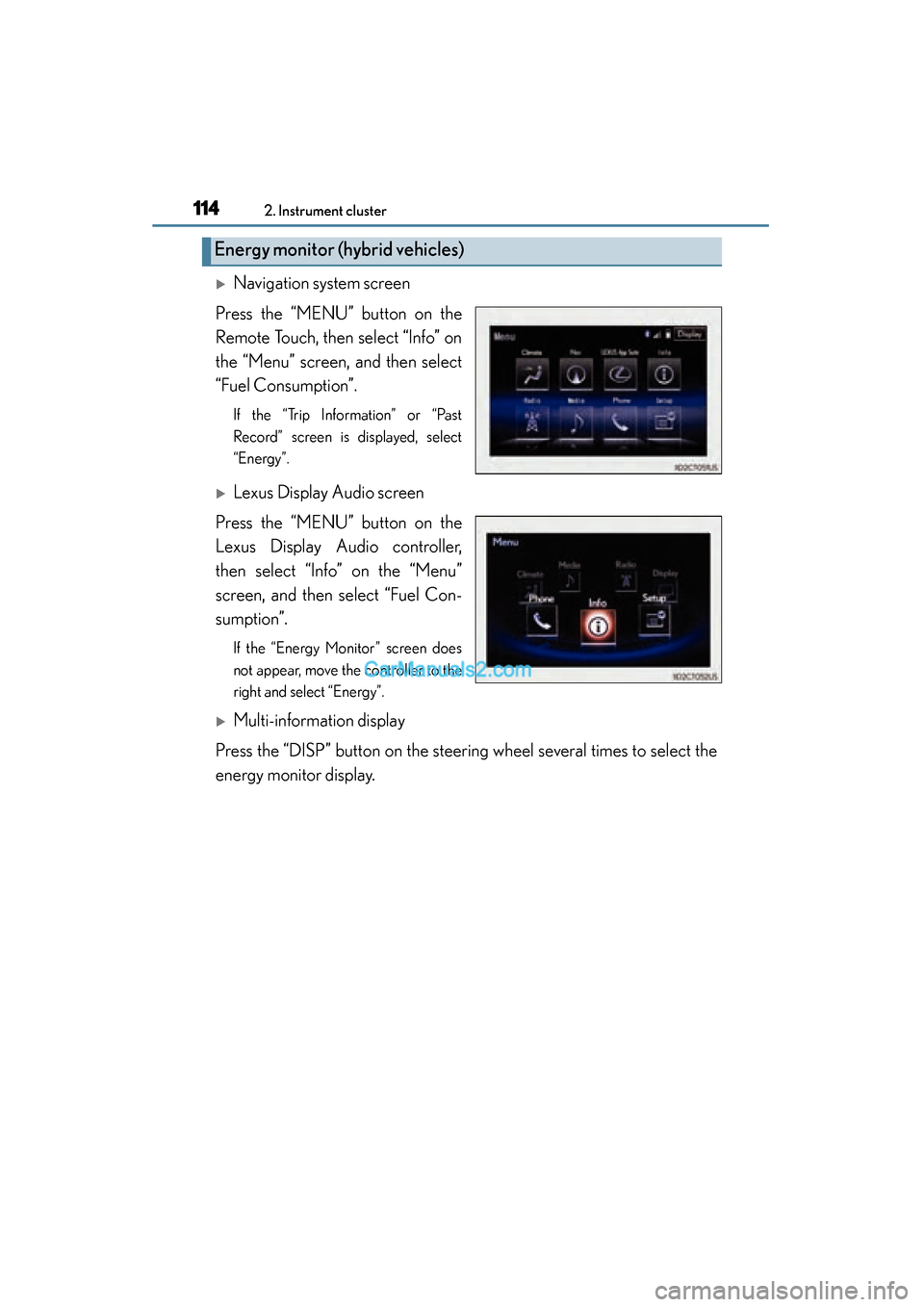
XNavigation system screen
Press the “MENU” button on the
Remote Touch, then select “Info” on
the “Menu” screen, and then select
“Fuel Consumption”.
If the “Trip Information” or “Past
Record” screen is displayed, select
“Energy”.
XLexus Display Audio screen
Press the “MENU” button on the
Lexus Display Audio controller,
then select “Info” on the “Menu”
screen, and then select “Fuel Con-
sumption”.
If the “Energy Monitor” screen does
not appear, move the controller to the
right and select “Energy”.
XMulti-information display
Press the “DISP” button on the steering wheel several times to select the
energy monitor display.
Energy monitor (hybrid vehicles)
Page 117 of 787
ES350_300h_OM_OM33B99U_(U)
1152. Instrument cluster
2
Instrument cluster
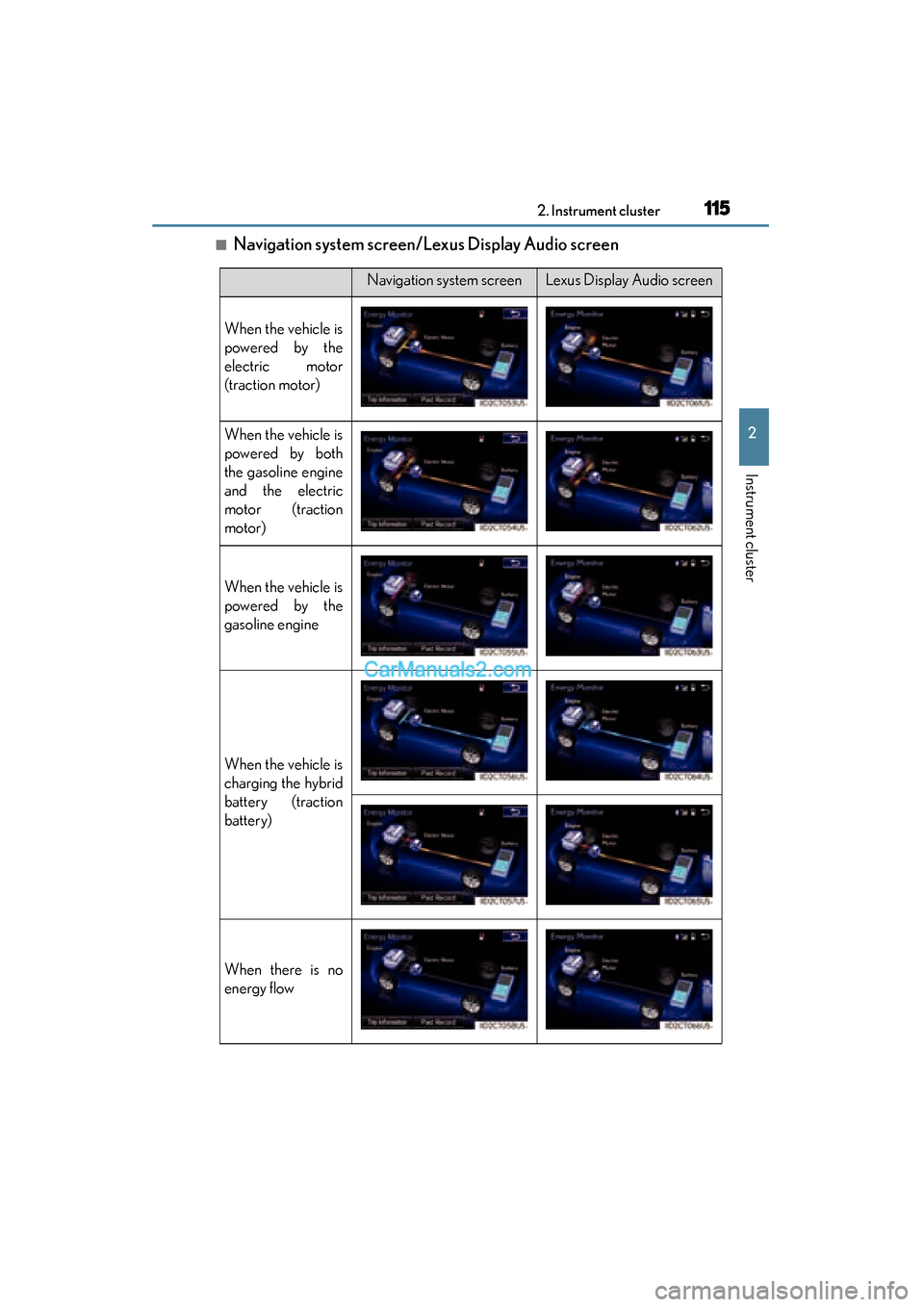
■Navigation system screen/Lexus Display Audio screen
Navigation system screenLexus Display Audio screen
When the vehicle is
powered by the
electric motor
(traction motor)
When the vehicle is
powered by both
the gasoline engine
and the electric
motor (traction
motor)
When the vehicle is
powered by the
gasoline engine
When the vehicle is
charging the hybrid
battery (traction
battery)
When there is no
energy flow