alarm Lexus ES350 2015 User Guide
[x] Cancel search | Manufacturer: LEXUS, Model Year: 2015, Model line: ES350, Model: Lexus ES350 2015Pages: 784, PDF Size: 11.04 MB
Page 141 of 784
141
ES350_300h_OM_OM33B99U_(U)
3-2. Opening, closing and locking the doors and trunk
3
Operation of each component
Wireless remote control
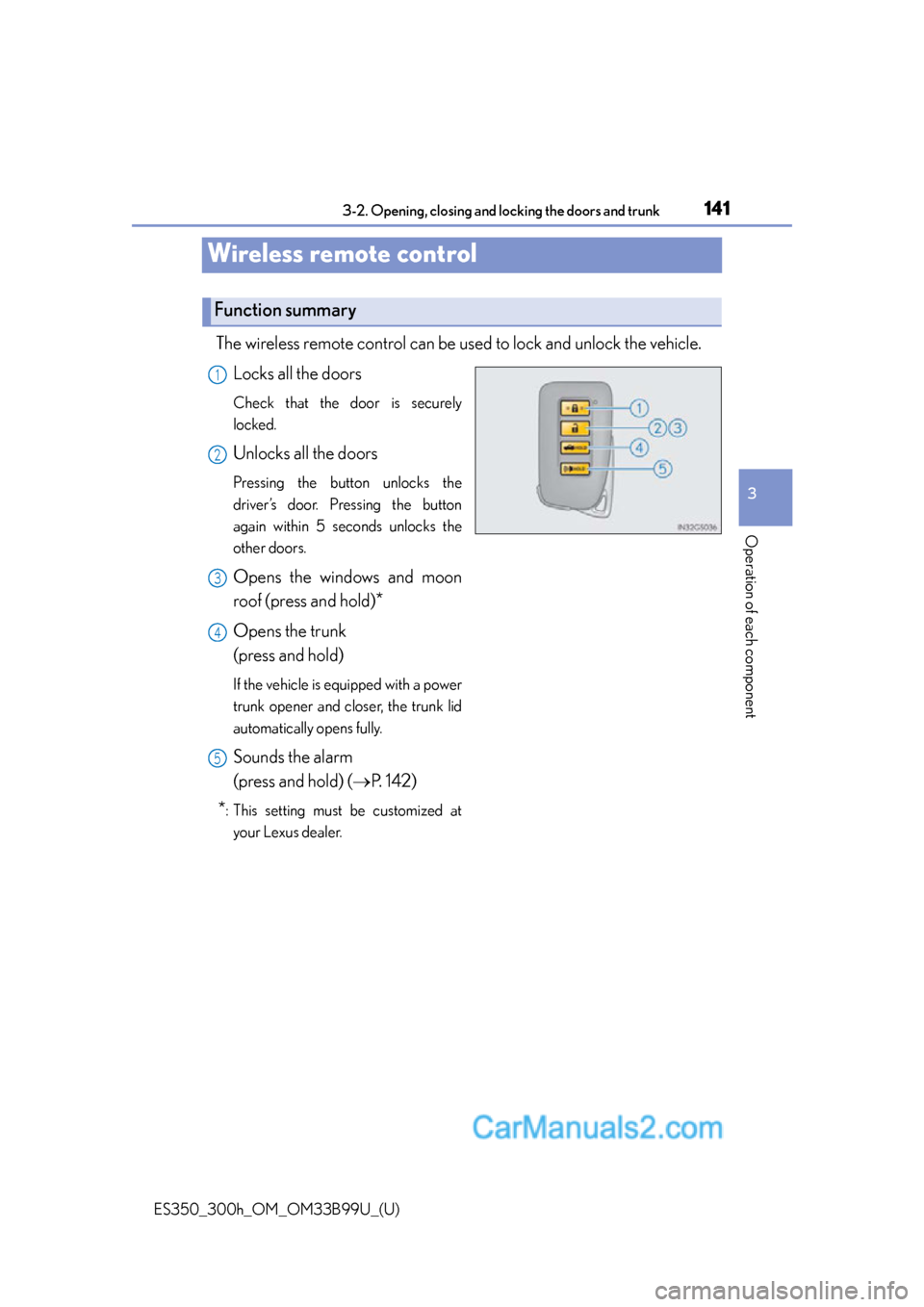
The wireless remote control can be used to lock and unlock the vehicle.
Locks all the doors
Check that the door is securely
locked.
Unlocks all the doors
Pressing the button unlocks the
driver’s door. Pressing the button
again within 5 seconds unlocks the
other doors.
Opens the windows and moon
roof (press and hold)
*
Opens the trunk
(press and hold)
If the vehicle is equipped with a power
trunk opener and closer, the trunk lid
automatically opens fully.
Sounds the alarm
(press and hold) ( P. 1 4 2 )
*: This setting must be customized at
your Lexus dealer.
Function summary
1
2
3
4
5
Page 142 of 784
142
ES350_300h_OM_OM33B99U_(U)
3-2. Opening, closing and locking the doors and trunk
■Operation signals
Doors:
A buzzer sounds and the emergency flashe rs flash to indicate that the doors have
been locked/unlocked. (Locked: once; Unlocked: twice)
Tr u n k :
A buzzer sounds to indicate that the trunk has been opened.
Windows and moon roof:
A buzzer sounds to indicate that the windows and moon roof are operating.
■Welcome light illumination control
P. 1 2 7
■Door lock buzzer
If an attempt to lock the doors is made when a door is not fully closed, a buzzer
sounds continuously for 5 se conds. Fully close the door to stop the buzzer, and lock
the vehicle once more.
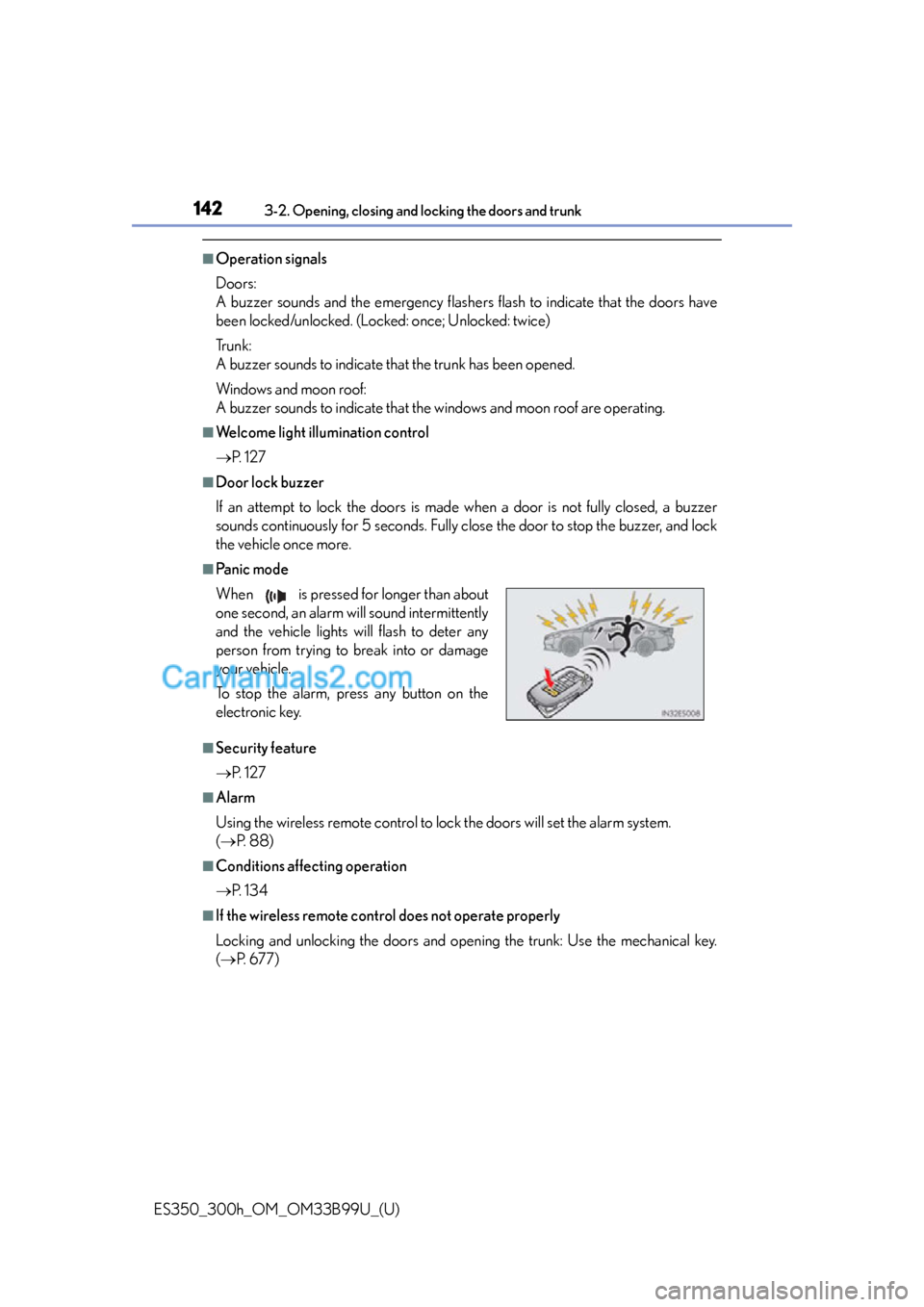
■Pa n i c m o d e
■Security feature
P. 1 2 7
■Alarm
Using the wireless remote control to lo ck the doors will set the alarm system.
( P. 88)
■Conditions affecting operation
P. 1 3 4
■If the wireless remote control does not operate properly
Locking and unlocking the doors and open ing the trunk: Use the mechanical key.
( P. 6 7 7 )
When is pressed for longer than about
one second, an alarm will sound intermittently
and the vehicle lights will flash to deter any
person from trying to break into or damage
your vehicle.
To stop the alarm, press any button on the
electronic key.
Page 151 of 784
ES350_300h_OM_OM33B99U_(U)
1513-2. Opening, closing and locking the doors and trunk
3
Operation of each component
■Tr u n k l i g h t
The trunk light turns on when the trunk is opened.
■Trunk easy closer (vehicles with power trunk opener and closer)
In the event that the trunk lid is left slightly open, the trunk easy closer will automati-
cally close it to the fully closed position.
■Function to prevent the trunk being lo cked with the electronic key inside
●When all doors are being locked, closing the trunk lid with the electronic key left
inside the trunk will sound an alarm.
In this case, the trunk lid can be opened pressing the trunk release button on the
trunk lid.
●Even when the spare electronic key is put in the trunk with all the doors locked, the
key confinement prevention function can be activated so the trunk can be opened.
In order to prevent theft, take all electron ic keys with you when leaving the vehicle.
●Even when the electronic key is put in the trunk with all the doors are locked, the
key may not be detected depending on th e places and the surrounding radio wave
conditions. In this case, the key confinem ent prevention function cannot be acti-
vated, causing the doors to lock when th e trunk is closed. Make sure to check
where the key is before closing the trunk.
●The key confinement prevention function cannot be activated if any one of the
doors is unlocked. In this case, open the trunk using the trunk opener.
■Overload protection function (vehicle s with power trunk opener and closer)
The trunk lid will not operate when excessiv e load is present on the top of the trunk
lid.
■Fall-down protection function (vehicle s with power trunk opener and closer)
While the trunk lid is opening automatically, applying excessive force to it will stop
the opening operation to prevent the trunk lid from rapidly falling down.
■Jam protection function (vehicles with power trunk opener and closer)
While the trunk lid is closing automatically, the trunk lid will stop closing and open if
something gets caught.
Page 327 of 784
ES350_300h_OM_OM33B99U_(U)
3274-5. Using the driving support systems
4
Driving
CAUTION
■Cautions regarding the assist contents of the system
By means of alarms and brake control, the pre-collision system is intended to assist
the driver in avoiding collisions through the process of LOOK-JUDGE-ACT.
There are limits to the degree of assistance the system can provide, so please keep
in mind the following important points.
●Assisting the driver in watching the road
The pre-collision system is only able to detect obstacles directly in front of the
vehicle, and only within a lim ited range. It is not a mechanism that allows careless
or inattentive driving, and it is not a system that can assist the driver in low-visibil-
ity conditions. It is still necessary for the driver to pay close attention to the vehi-
cle’s surroundings.
●Assisting the driver in making correct judgment
When attempting to estimate the possibility of a collision, the only data available
to the pre-collision system is that from ob stacles it has detected directly in front of
the vehicle. Therefore, it is absolutely necessary for the driver to remain vigilant
and to determine whether or not there is a possibility of collision in any given situ-
ation.
●Assisting the driver in taking action
The pre-collision system’s braking assist feature is designed to help reduce the
severity of a collision, and so only acts wh en the system has judged that a collision
is unavoidable. This system by itself is not capable of automatically avoiding a col-
lision or bringing the vehicle to a stop sa fely. For this reason, when encountering a
dangerous situation the driver must take direct and immediate action in order to
ensure the safety of all involved.
Page 682 of 784
6828-2. Steps to take in an emergency
ES350_300h_OM_OM33B99U_(U)
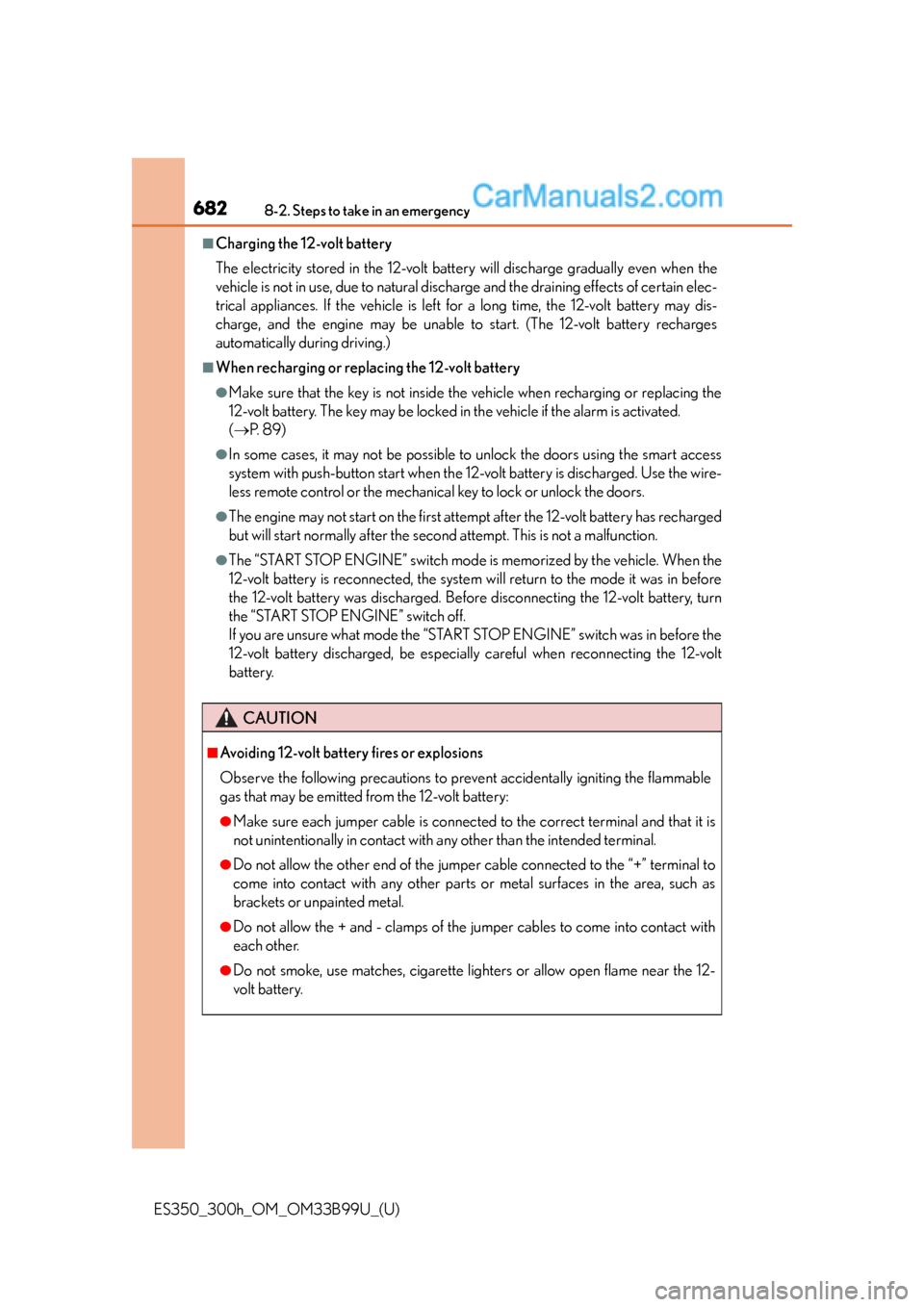
■Charging the 12-volt battery
The electricity stored in the 12-volt battery will discharge gradually even when the
vehicle is not in use, due to natural discharge and the draining effects of certain elec-
trical appliances. If the vehicle is left for a long time, the 12-volt battery may dis-
charge, and the engine may be unable to start. (The 12-volt battery recharges
automatically during driving.)
■When recharging or replacing the 12-volt battery
●Make sure that the key is not inside the vehicle when recharging or replacing the
12-volt battery. The key may be locked in the vehicle if the alarm is activated.
( P. 8 9 )
●In some cases, it may not be possible to unlock the doors using the smart access
system with push-button start when the 12-volt battery is discharged. Use the wire-
less remote control or the mechanical key to lock or unlock the doors.
●The engine may not start on the first atte mpt after the 12-volt battery has recharged
but will start normally after the second attempt. This is not a malfunction.
●The “START STOP ENGINE” switch mode is memorized by the vehicle. When the
12-volt battery is reconnected, the system will return to the mode it was in before
the 12-volt battery was discharged. Before disconnecting the 12-volt battery, turn
the “START STOP ENGINE” switch off.
If you are unsure what mode the “START STOP ENGINE” switch was in before the
12-volt battery discharged, be especially careful when reconnecting the 12-volt
battery.
CAUTION
■Avoiding 12-volt battery fires or explosions
Observe the following precautions to prev ent accidentally igniting the flammable
gas that may be emitted from the 12-volt battery:
●Make sure each jumper cable is connected to the correct terminal and that it is
not unintentionally in contact with any other than the intended terminal.
●Do not allow the other end of the jumper cable connected to the “+” terminal to
come into contact with any other parts or metal surfaces in the area, such as
brackets or unpainted metal.
●Do not allow the + and - clamps of the jumper cables to come into contact with
each other.
●Do not smoke, use matches, cigarette lighters or allow open flame near the 12-
volt battery.
Page 686 of 784
6868-2. Steps to take in an emergency
ES350_300h_OM_OM33B99U_(U)
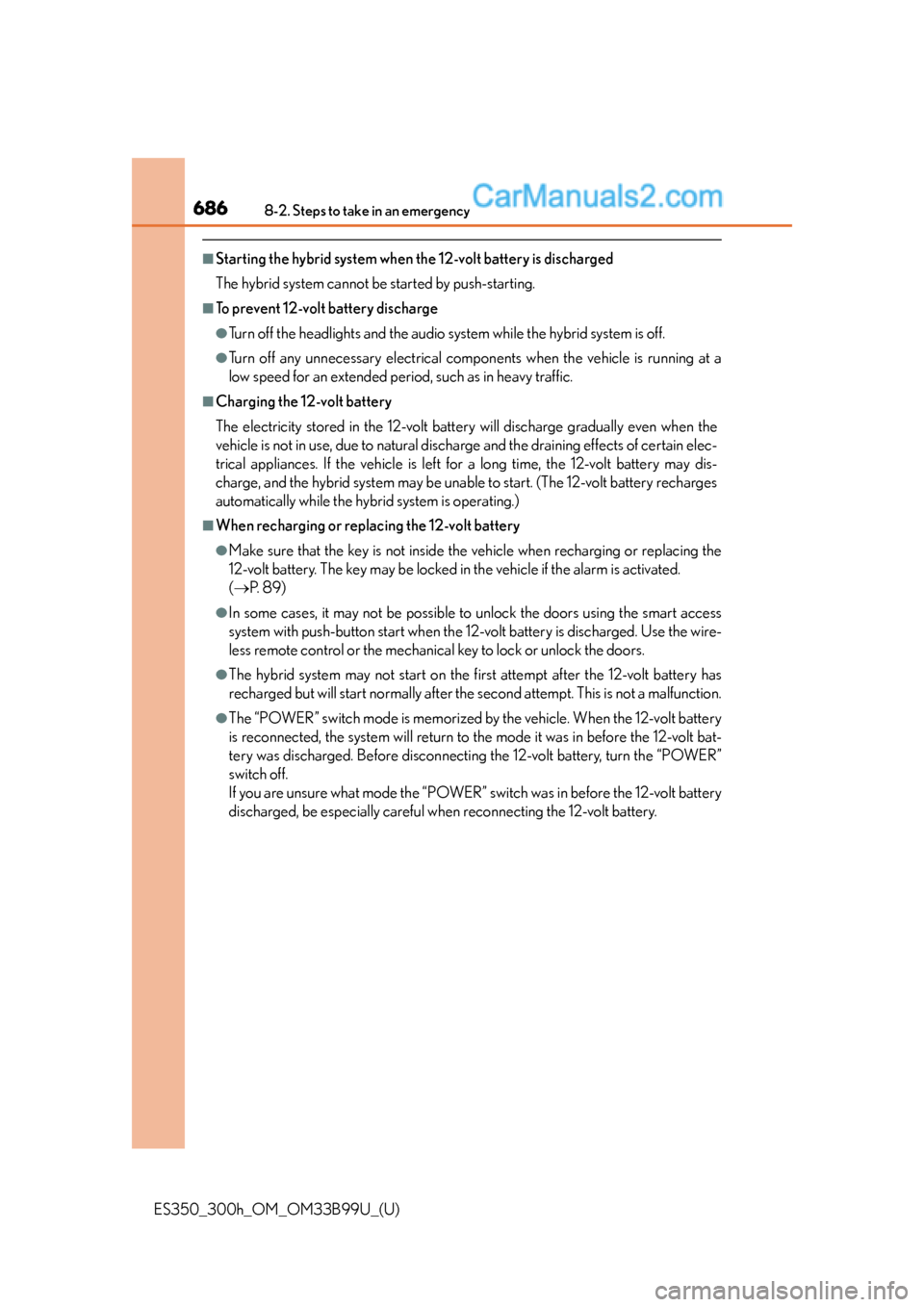
■Starting the hybrid system when the 12-volt battery is discharged
The hybrid system cannot be started by push-starting.
■To prevent 12-volt battery discharge
●Turn off the headlights and the audio system while the hybrid system is off.
●Turn off any unnecessary electrical components when the vehicle is running at a
low speed for an extended period, such as in heavy traffic.
■Charging the 12-volt battery
The electricity stored in the 12-volt battery will discharge gradually even when the
vehicle is not in use, due to natural discharge and the draining effects of certain elec-
trical appliances. If the vehicle is left for a long time, the 12-volt battery may dis-
charge, and the hybrid system may be unable to start. (The 12-volt battery recharges
automatically while the hybrid system is operating.)
■When recharging or replacing the 12-volt battery
●Make sure that the key is not inside the vehicle when recharging or replacing the
12-volt battery. The key may be locked in the vehicle if the alarm is activated.
( P. 8 9 )
●In some cases, it may not be possible to unlock the doors using the smart access
system with push-button start when the 12-volt battery is discharged. Use the wire-
less remote control or the mechanical key to lock or unlock the doors.
●The hybrid system may not start on the fir st attempt after the 12-volt battery has
recharged but will start normally after the second attempt. This is not a malfunction.
●The “POWER” switch mode is memorized by the vehicle. When the 12-volt battery
is reconnected, the system will return to the mode it was in before the 12-volt bat-
tery was discharged. Before disconnectin g the 12-volt battery, turn the “POWER”
switch off.
If you are unsure what mode the “POWER” switch was in before the 12-volt battery
discharged, be especially careful when reconnecting the 12-volt battery.
Page 736 of 784
736
ES350_300h_OM_OM33B99U_(U)
9-2. Customization
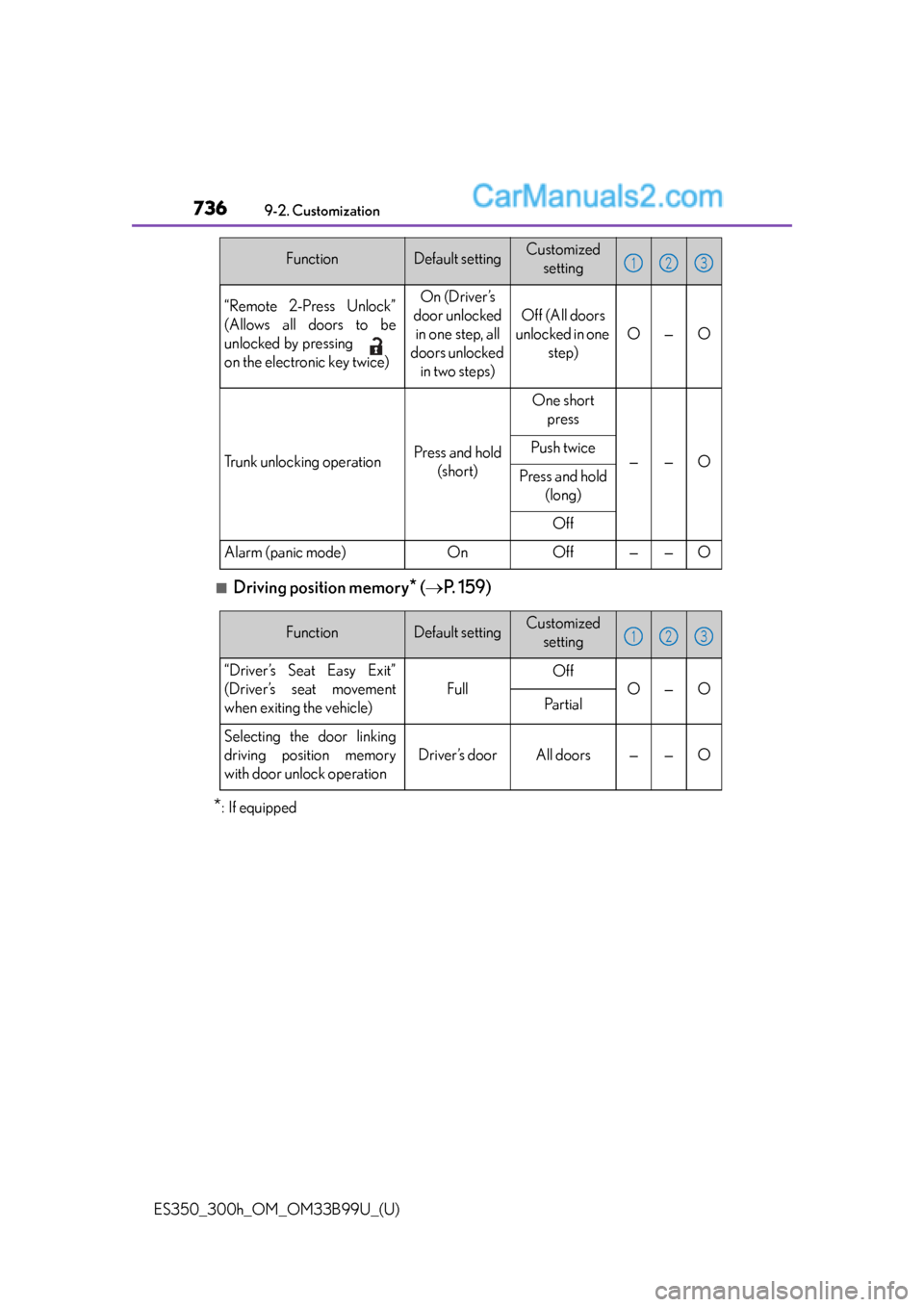
■Driving position memory* ( P. 159)
*:If equipped
“Remote 2-Press Unlock”
(Allows all doors to be
unlocked by pressing
on the electronic key twice)On (Driver’s
door unlocked in one step, all
doors unlocked in two steps)
Off (All doors
unlocked in one step)
O—O
Trunk unlocking operationPress and hold (short)
One short press
——OPush twice
Press and hold (long)
Off
Alarm (panic mode)OnOff——O
FunctionDefault settingCustomized setting123
FunctionDefault settingCustomized setting
“Driver’s Seat Easy Exit”
(Driver’s seat movement
when exiting the vehicle)
Full
Off
O—OPa r t i a l
Selecting the door linking
driving position memory
with door unlock operation
Driver’s doorAll doors——O
123
Page 764 of 784

764What to do if... (Troubleshooting)
ES350_300h_OM_OM33B99U_(U)●
The seat belt remind
er light is flashing
Are the driver and the front passenger wearing the seat belts?
( P. 6 2 9 )
●The parking brake indicator is on
Is the parking brake released? ( P. 231)
Depending on the situation, ot her types of warning buzzer may
also sound. ( P. 626, 636)
●Did anyone inside the vehicle op en a door during setting the
alarm?
The sensor detects it and the alarm sounds. ( P. 8 8 )
To stop the alarm, turn the “START STOP ENGINE” <“POWER”>
switch to IGNITION ON
●Is the electronic key left insid e the vehicle or the moon roof
opened?
Check the message on the multi-information display.
( P. 6 3 6 )
A warning buzzer sounds during driving
An alarm is activated and the horn sounds
A warning buzzer sounds when leaving the vehicle
Page 766 of 784

766Alphabetical index
ES350_300h_OM_OM33B99U_(U)
Alphabetical index
A/CAir conditioning filter....................... 582
Automatic air conditioning system ..................................................464
Humidity sensor ................................. 476
Micro dust and pollen filter ..........................................................471
ABS (Anti-lock Brake System)
Function ................................................... 313
Warning light ....................................... 627
Air conditioning filter .......................... 582
Air conditioning system Air conditioning filter....................... 582
Automatic air conditioning system ..................................................464
Humidity sensor ................................ 476
Micro dust and pollen filter ..........................................................471 Airbags
Airbag operating conditions .......... 46
Airbag precautions for your child ......................................... 41
Airbag warning light ........................ 627
Correct driving posture .................... 30
Curtain shield airbag operating conditions ....................... 46
Curtain shield airbag precautions ............................................ 41
Front passenger occupant classification system......................... 50
General airbag precautions ............. 41
Locations of airbags............................ 38
Modification and disposal of airbags............................................... 45
Side airbag operating conditions ............................................. 46
Side airbag precautions ...................... 41
Side and curtain shield airbags operating conditions ....................... 46
Side and curtain shield airbags precautions ........................... 41
SRS airbags ............................................. 38
Alarm ........................................................... 88 Warning buzzer.....................626, 636
Anchor brackets.......................................62
Antennas (smart access system with push-button start) ..................... 129
Anti-lock Brake System (ABS) Function .................................................... 313
Warning light ....................................... 627
Approach warning (dynamic radar cruise control).........................264
Armrest .....................................................494
A
Page 780 of 784
780Alphabetical index
ES350_300h_OM_OM33B99U_(U)
Rear sunshade switch ..................... 495
Rear window and outside rear view mirror defoggers
switch....................................................470
Seat heater switches.........................478
Seat ventilator switches ..................478
“SOS” button......................................... 513
“START STOP ENGINE” switch................................................... 205
Talk switch
*........................................... 431
Telephone switches
*........................ 431
Tilt and telescopic steering control switch ................. 169
Tire pressure warning reset switch................................................... 568
Trunk closer switch ............................ 150
Trunk opener switch ......................... 149
Trunk opener main switch.............. 150
Vehicle-to-vehicle distance button .................................................... 261
VSC OFF switch ................................ 315
Window lock switch........................... 177
Windshield wipers and washer switch .........................245 Tachometer ................................................ 97
Tail lights
Light switch........................................... 233
Replacing light bulbs ........................ 610
Welcome light illumination control.................................................... 127
Talk switch
*.............................................. 431
Telephone switches
*............................ 431
Theft deterrent system Alarm ..........................................................88
Engine immobilizer system ............. 84
Immobilizer system.............................. 86
Tire inflation pressure Maintenance data................................ 712
Tire inflation pressure display function................................................. 105
Warning light .......................................630
Warning message............................ 650
Tire information ...................................... 718 Glossary................................................. 725
Size ............................................................. 721
Tire identification number ............. 720
Uniform Tire Quality Grading ...............................................723
Tire pressure warning system Function .................................................. 567
Initializing ............................................... 567
Installing tire pressure warning valves and transmitters................ 567
Registering ID codes .......................569
Tire pressure warning reset switch .................................................. 568
Warning light .......................................630
Warning message............................ 650
T