warning light LEXUS ES350 2021 Owner's Manual
[x] Cancel search | Manufacturer: LEXUS, Model Year: 2021, Model line: ES350, Model: LEXUS ES350 2021Pages: 464, PDF Size: 9.61 MB
Page 76 of 464
762-1. Instrument cluster
■Display items
Odometer
Displays the total distance the vehicle has
been driven.
Trip meter A/trip meter B
Displays the distance the vehicle has been
driven since the meter was last reset. Trip
meters A and B can be used to record and
display different distances independently.
Distance until next engine oil change
Displays the distance the vehicle can be
driven until an oil change is necessary.
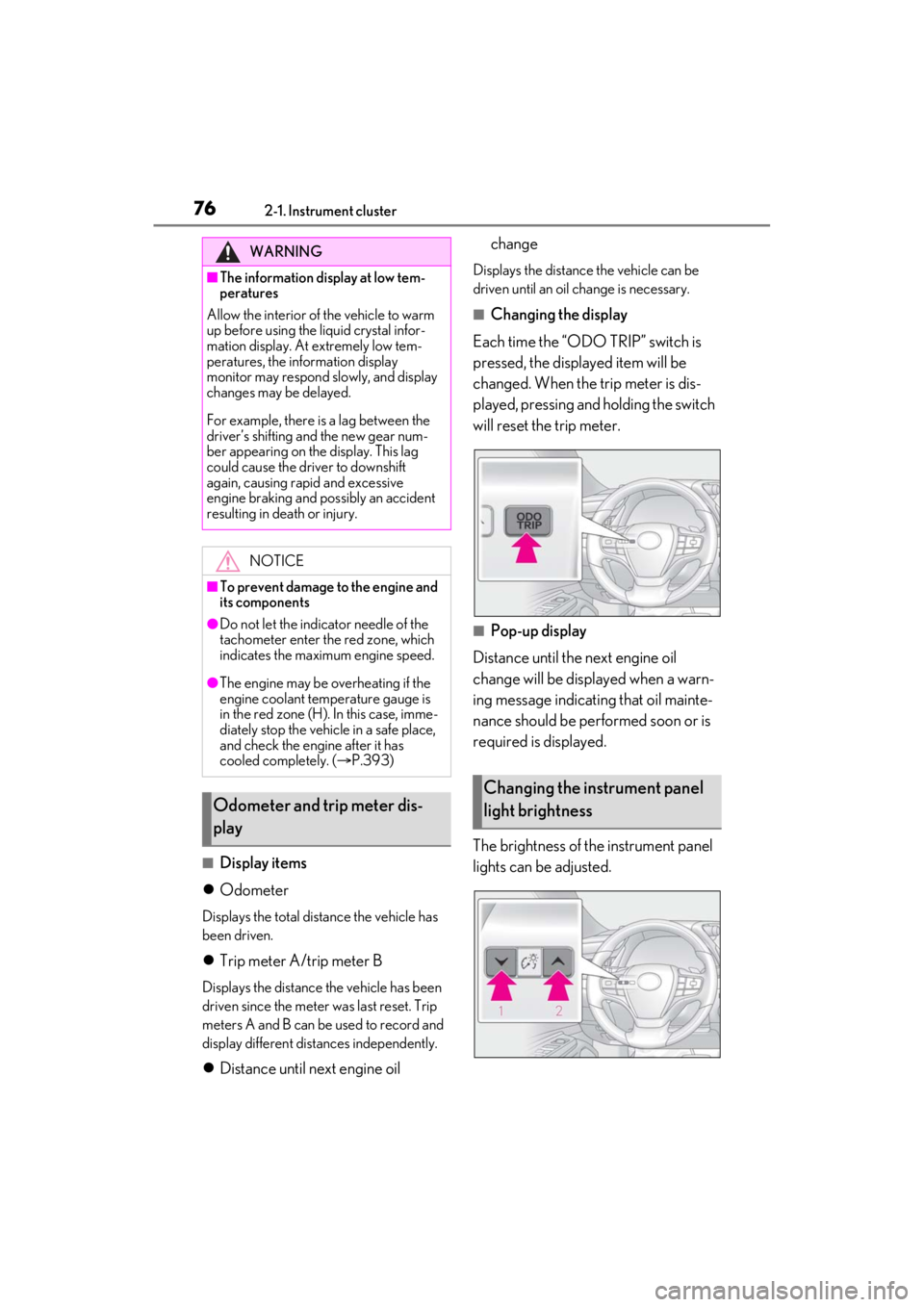
■Changing the display
Each time the “ODO TRIP” switch is
pressed, the displayed item will be
changed. When the trip meter is dis-
played, pressing and holding the switch
will reset the trip meter.
■Pop-up display
Distance until the next engine oil
change will be displayed when a warn-
ing message indicating that oil mainte-
nance should be performed soon or is
required is displayed.
The brightness of the instrument panel
lights can be adjusted.
WARNING
■The information display at low tem-
peratures
Allow the interior of the vehicle to warm
up before using the liquid crystal infor-
mation display. At extremely low tem-
peratures, the in formation display
monitor may respond slowly, and display
changes may be delayed.
For example, there is a lag between the
driver’s shifting and the new gear num-
ber appearing on the display. This lag
could cause the driver to downshift
again, causing rapid and excessive
engine braking and possibly an accident
resulting in death or injury.
NOTICE
■To prevent damage to the engine and
its components
●Do not let the indicator needle of the
tachometer enter the red zone, which
indicates the maximum engine speed.
●The engine may be overheating if the
engine coolant temperature gauge is
in the red zone (H). In this case, imme-
diately stop the vehicle in a safe place,
and check the engine after it has
cooled completely. ( P.393)
Odometer and trip meter dis-
play
Changing the instrument panel
light brightness
Page 77 of 464
772-1. Instrument cluster
2
Vehicle status information and indicators
1Darker
2 Brighter
■Brightness of the mete r lights (day mode
and night mode)
The brightness of the meter lights can be
adjusted individually.
In the following situations, the meters
changes between day mode and night
mode.
●Day mode: When the tail lights are off or
when the tail lights are on but the sur-
rounding area is bright
●Night mode: When the tail lights are on
and the surrounding area is dark
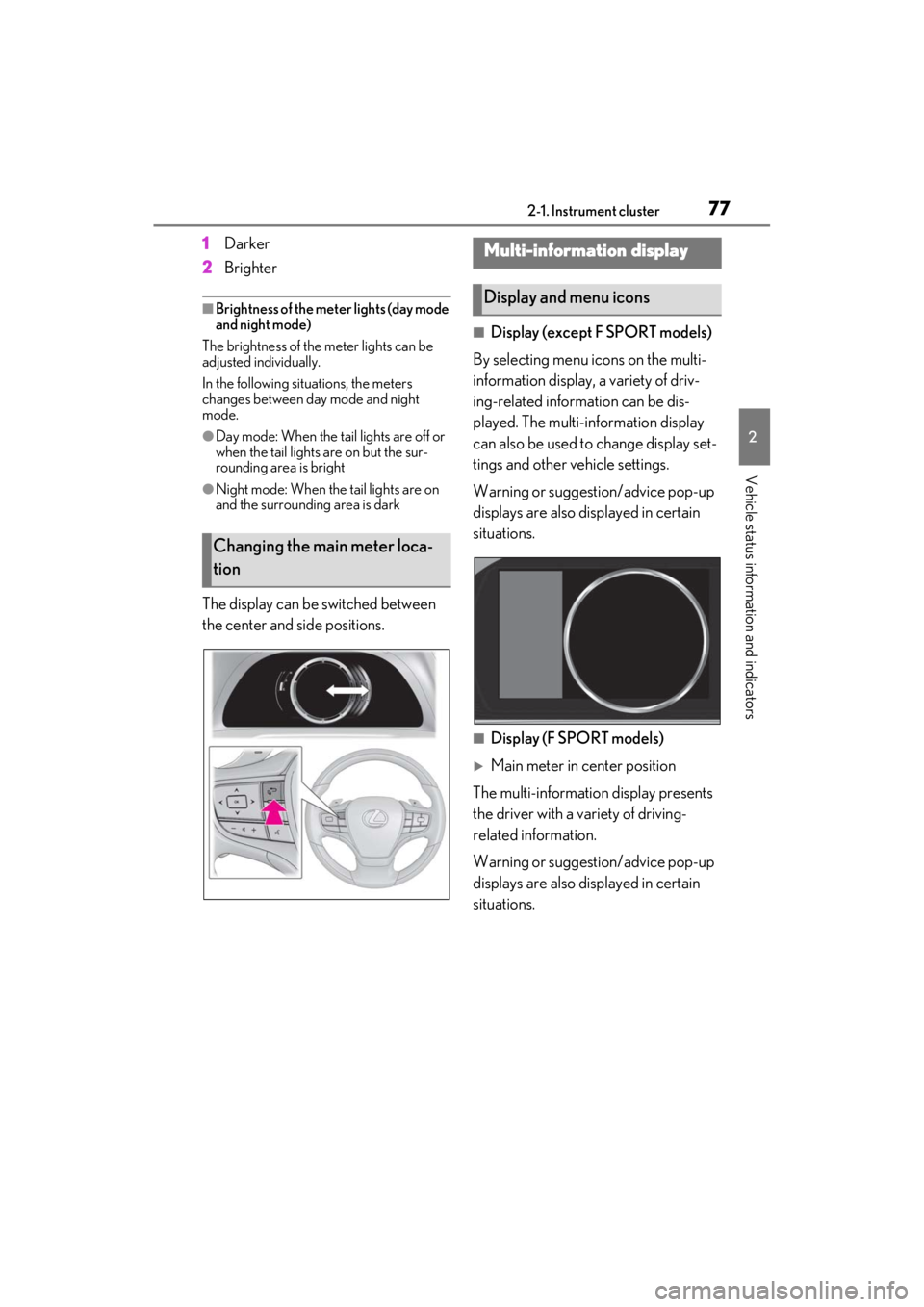
The display can be switched between
the center and side positions.
■Display (except F SPORT models)
By selecting menu icons on the multi-
information display, a variety of driv-
ing-related information can be dis-
played. The multi-information display
can also be used to change display set-
tings and other vehicle settings.
Warning or suggestion/advice pop-up
displays are also displayed in certain
situations.
■Display (F SPORT models)
Main meter in center position
The multi-informatio n display presents
the driver with a variety of driving-
related information.
Warning or suggestion/advice pop-up
displays are also displayed in certain
situations.
Changing the main meter loca-
tion
Multi-information display
Display and menu icons
Page 78 of 464
782-1. Instrument cluster
Main meter moved to the right
By selecting menu icons on the multi-
information display, a variety of driv-
ing-related information can be dis-
played. The multi-information display
can also be used to change display set-
tings and other vehicle settings.
Warning or suggestion/advice pop-up
displays are also displayed in certain
situations.
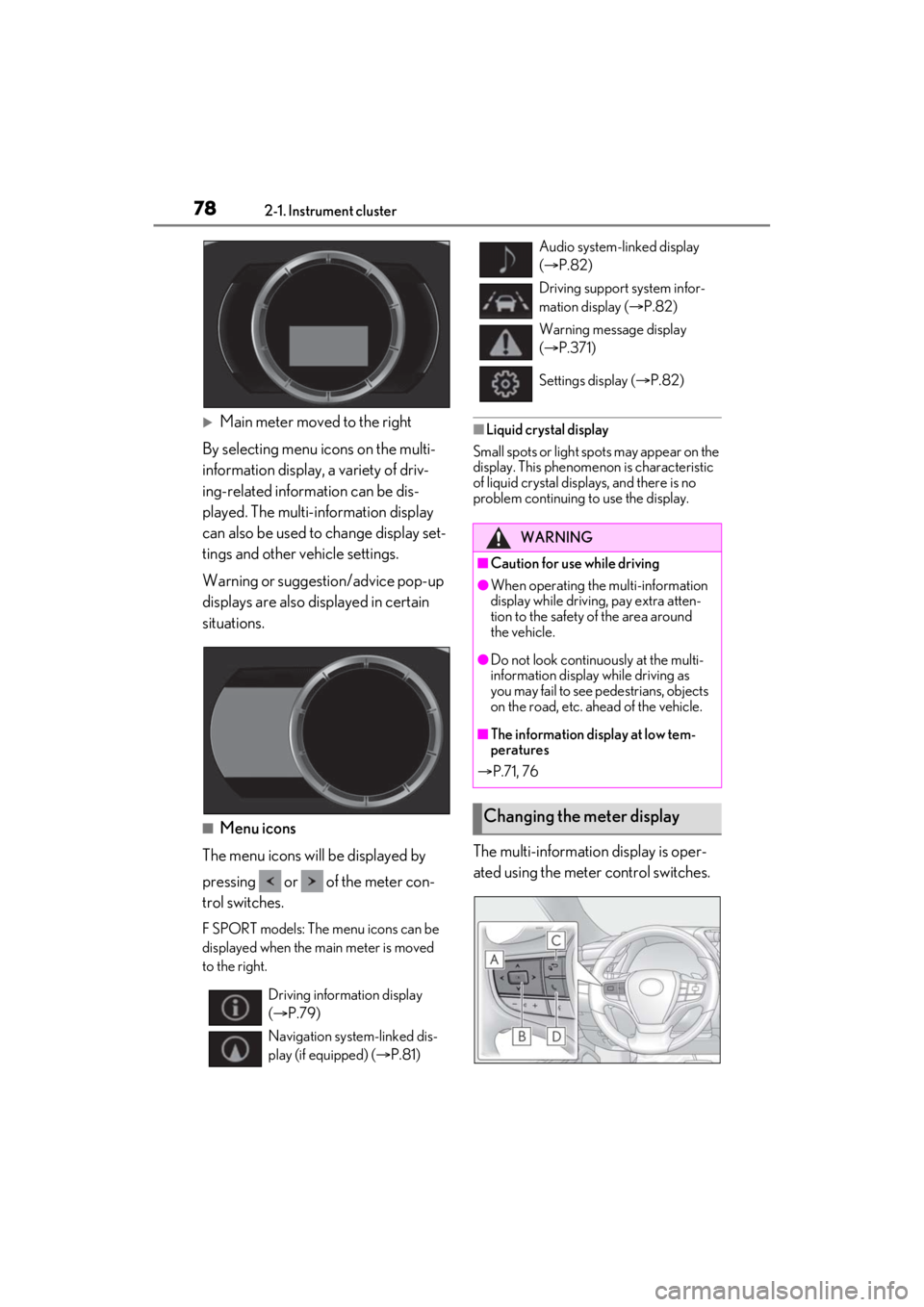
■Menu icons
The menu icons will be displayed by
pressing or of the meter con-
trol switches.
F SPORT models: The menu icons can be
displayed when the ma in meter is moved
to the right.
■Liquid crystal display
Small spots or light sp ots may appear on the
display. This phenomenon is characteristic
of liquid crystal disp lays, and there is no
problem continuing to use the display.
The multi-information display is oper-
ated using the meter control switches.
Driving information display
( P.79)
Navigation system-linked dis-
play (if equipped) ( P.81)
Audio system-linked display
( P.82)
Driving support system infor-
mation display ( P.82)
Warning message display
( P.371)
Settings display ( P.82)
WARNING
■Caution for use while driving
●When operating the multi-information
display while drivin g, pay extra atten-
tion to the safety of the area around
the vehicle.
●Do not look continuously at the multi-
information display while driving as
you may fail to see pedestrians, objects
on the road, etc. ahead of the vehicle.
■The information display at low tem-
peratures
P.71, 76
Changing the meter display
Page 82 of 464
822-1. Instrument cluster
Select to enable selection of an audio
source or track on the meter using the
meter control switches.
Select to display the operational status
of the following systems:
LTA (Lane Tracing Assist)
( P.184)
Dynamic radar cruise control with
full-speed range ( P.195)
RSA (Road Sign Assist) (if
equipped) ( P.193)
■Meter display settings that can be
changed
Language
Select to change th e language displayed.
Units
Select to change the units of measure dis-
played.
Speedometer display (except F
SPORT models)
Select to set the display of the speedome-
ter to digital or analog.
Drive information 1/Drive informa-
tion 2
Select to select up to 2 items ( P.79) that
will be displayed on ea ch Drive information
screen (Drive information 1 screen and
Drive information 2 sc reen) respectively.
Clock
Select to switch between 12-hour display
and 24-hour display.
Pop-up display
Select to enable/disab le some pop-up dis-
plays for each relevant system.
Accent color
Select to change the accent color on the
screen, such as the cursor color.
Rev indicator (F SPORT models)
• Select to enable/disable the rev indica-
tor.
• Select to set the engine speed at which the rev indicator (amber) will begin to be
displayed.
Rev peak (F SPORT models)
Select to enable/disable the rev peak.
Eco Driving Indicator Light
Select to enable/disable the Eco Driving
Indicator Light.
Default setting
Select to reset the meter display settings to
the default setting.
■Vehicle functions and settings that
can be changed
P.419
■Suspension of the settings display
●Some settings cannot be changed while
driving. When changing settings, park
the vehicle in a safe place.
●If a warning message is displayed, opera-
tion of the settings display will be sus-
pended.
Audio system-linked display
Driving support system informa-
tion display
Settings display
Page 83 of 464
832-1. Instrument cluster
2
Vehicle status information and indicators
Displays suggestions to the driver in
the following situations. To select a
response to a displayed suggestion,
use the meter control switches.
■Suggestion to turn off the head-
lights
If the headlights are left on for a certain
amount of time with the headlight
switch in after the engine switch
has been turned off, a suggestion mes-
sage will be displayed asking if you
wish to turn the headlights off.
To turn the headlights off, select “Yes”.
If a front door is op ened after the engine
switch is turned off, this suggestion mes-
sage will not be displayed.
■Customization
Some functions can be customized.
( P.419)
WARNING
■Cautions during setting up the dis-
play
As the engine needs to be running
during setting up the display, ensure that
the vehicle is parked in a place with ade-
quate ventilation. In a closed area such as
a garage, exhaust gases including harm-
ful carbon monoxide (CO) may collect
and enter the vehicle. This may lead to
death or a serious health hazard.
NOTICE
■During setting up the display
To prevent battery discharge, ensure
that the engine is running while setting up
the display features.
Suggestion function
Page 98 of 464
983-2. Opening, closing and locking the doors and trunk
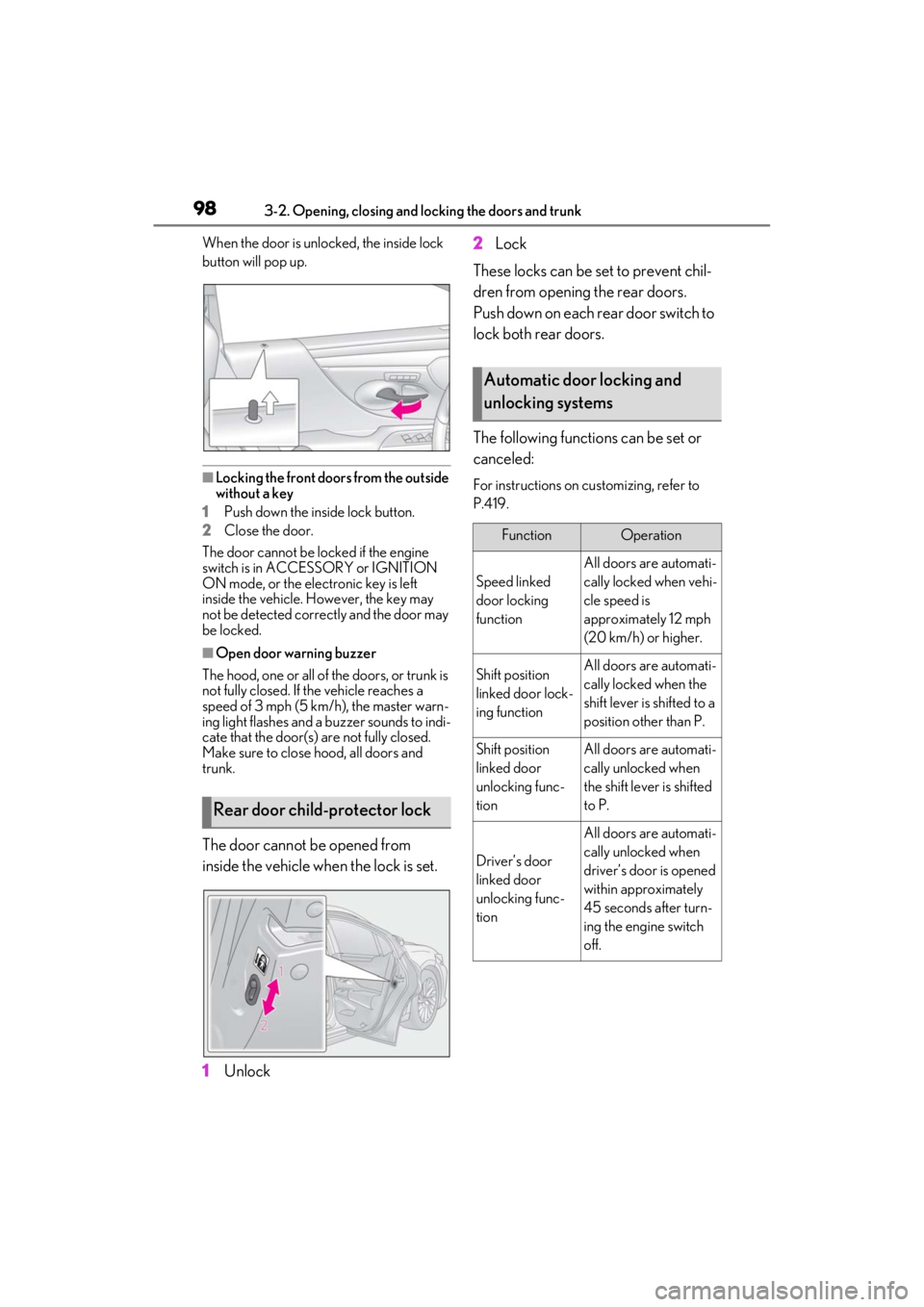
When the door is unlocked, the inside lock
button will pop up.
■Locking the front doors from the outside
without a key
1 Push down the inside lock button.
2 Close the door.
The door cannot be locked if the engine
switch is in ACCESSORY or IGNITION
ON mode, or the electronic key is left
inside the vehicle. However, the key may
not be detected correctly and the door may
be locked.
■Open door warning buzzer
The hood, one or all of the doors, or trunk is
not fully closed. If the vehicle reaches a
speed of 3 mph (5 km/h), the master warn-
ing light flashes and a buzzer sounds to indi-
cate that the door(s) are not fully closed.
Make sure to close hood, all doors and
trunk.
The door cannot be opened from
inside the vehicle when the lock is set.
1 Unlock 2
Lock
These locks can be set to prevent chil-
dren from opening the rear doors.
Push down on each rear door switch to
lock both rear doors.
The following functions can be set or
canceled:
For instructions on customizing, refer to
P.419.
Rear door child-protector lock
Automatic door locking and
unlocking systems
FunctionOperation
Speed linked
door locking
function
All doors are automati-
cally locked when vehi-
cle speed is
approximately 12 mph
(20 km/h) or higher.
Shift position
linked door lock-
ing functionAll doors are automati-
cally locked when the
shift lever is shifted to a
position other than P.
Shift position
linked door
unlocking func-
tionAll doors are automati-
cally unlocked when
the shift leve r is shifted
to P.
Driver’s door
linked door
unlocking func-
tion
All doors are automati-
cally unlocked when
driver’s door is opened
within approximately
45 seconds after turn-
ing the engine switch
off.
Page 100 of 464

1003-2. Opening, closing and locking the doors and trunk
WARNING
●Vehicles without power trunk lid:
When closing the trunk lid, make sure
to press it lightly on its outer surface. If
the trunk grip is used to fully close the
trunk lid, it may result in hands or arms
being caught.
●Do not attach any accessories other
than genuine Lexus parts to the trunk
lid. Such additional weight on the trunk
lid may cause the lid to suddenly shut
again after it is opened.
■Trunk easy closer (vehicles with
power trunk lid)
In the event that the trun k lid is left slightly
open, the trunk easy closer will automati-
cally close it to the fully closed position. It
takes several seconds before the trunk
easy closer begins to operate. Be careful
not to catch fingers or anything else in
the trunk lid, as this may cause bone frac-
tures or other serious injuries.
■Power trunk lid (if equipped)
Observe the following precautions when
operating the power trunk lid.
Failure to do so may cause serious injury.
●Check the safety of the surrounding
area to make sure there are no obsta-
cles or anything that could cause any
of your belongings to get caught.
●If anyone is in the vicinity, make sure
they are safe and let them know that
the trunk is about to open or close.
●If the trunk closer switch is pressed
while the trunk lid is opening during
automatic operation, the trunk lid
stops opening. Take extra care when
on an incline, as the trunk lid may open
or close suddenly.
●On an incline, the trunk lid may sud-
denly shut after it opens automatically.
Make sure the trunk lid is fully open
and secure before using the trunk.
●In the following situations, the power
trunk lid may detect an abnormality
and automatic operation may be
stopped. In this case, the trunk lid has
to be operated manually. Take extra
care in this situat ion, as the stopped
trunk lid may suddenly shut, causing an
accident.
• When the trunk lid contacts an obsta- cle
• When the battery voltage suddenly drops, such as when the engine switch
is turned to IGNITION ON mode or
the engine is started during automatic
operation
●Do not attach any accessories other
than genuine Lexus parts to the trunk
lid. The power trunk lid may not oper-
ate, causing itself to malfunction, or the
trunk lid may suddenly shut again after
it is opened.
■Hands Free Power Trunk Lid (vehi-
cles with power trunk lid)
Observe the following precautions.
Failure to do so may cause serious injury.
●Exhaust gases cause the exhaust pipes
to become quite hot. When operating
the Hands Free Power Trunk Lid, be
careful not to touch the exhaust pipe.
●Do not operate the Hands Free Power
Trunk Lid if there is little space under
the rear bumper.
■Jam protection function (vehicles
with power trunk lid)
Observe the following precautions.
Failure to do so may cause serious injury.
Page 105 of 464
1053-2. Opening, closing and locking the doors and trunk
3
Before driving
sitivity of the Hands Free Power Trunk
Lid, such as a pay parking spot, gas sta-
tion, electrically heated road, or fluores-
cent light
●When the vehicle is near a TV tower,
electric power plant, radio station, large
display, airport or other facility that gen-
erates strong radio waves or electrical
noise
●When the vehicle is parked in a place
where objects such as plants are near the
rear bumper
●If luggage, etc. is set near the rear
bumper
●If accessories or a vehicle cover is
installed/removed near the rear bumper
●When the vehicle is being towed
To prevent unintentional operation, turn the
Hands Free Power Trun k Lid (kick sensor)
operation setting off.
■Open door warning buzzer
P.98
■Customization
Some functions can be customized. (Cus-
tomizable features: P.419)
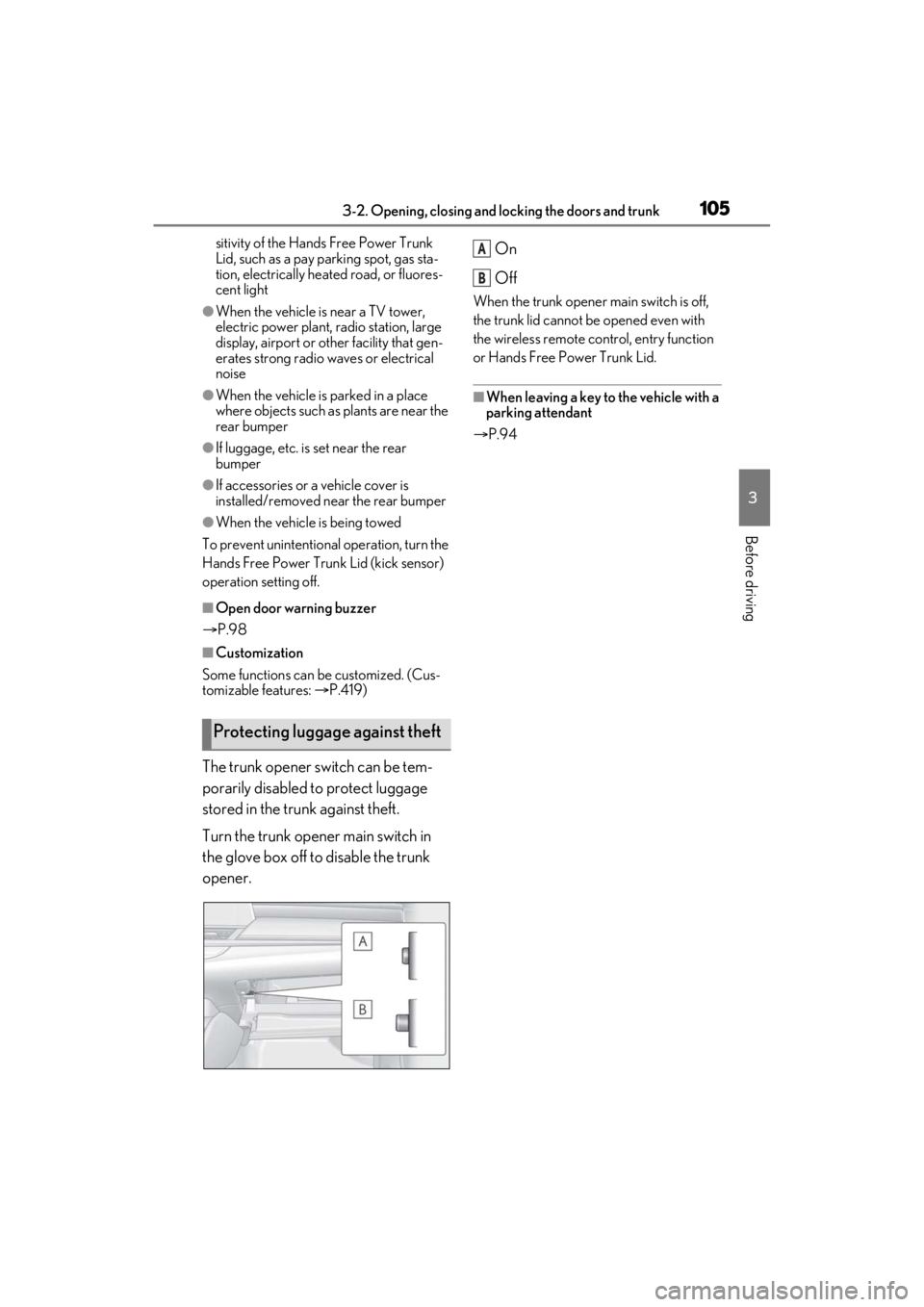
The trunk opener switch can be tem-
porarily disabled to protect luggage
stored in the trunk against theft.
Turn the trunk opener main switch in
the glove box off to disable the trunk
opener. On
Off
When the trunk opener main switch is off,
the trunk lid cannot be opened even with
the wireless remote control, entry function
or Hands Free Power Trunk Lid.
■When leaving a key to the vehicle with a
parking attendant
P.94
Protecting luggage against theft
A
B
Page 115 of 464
1153-3. Adjusting the seats
3
Before driving
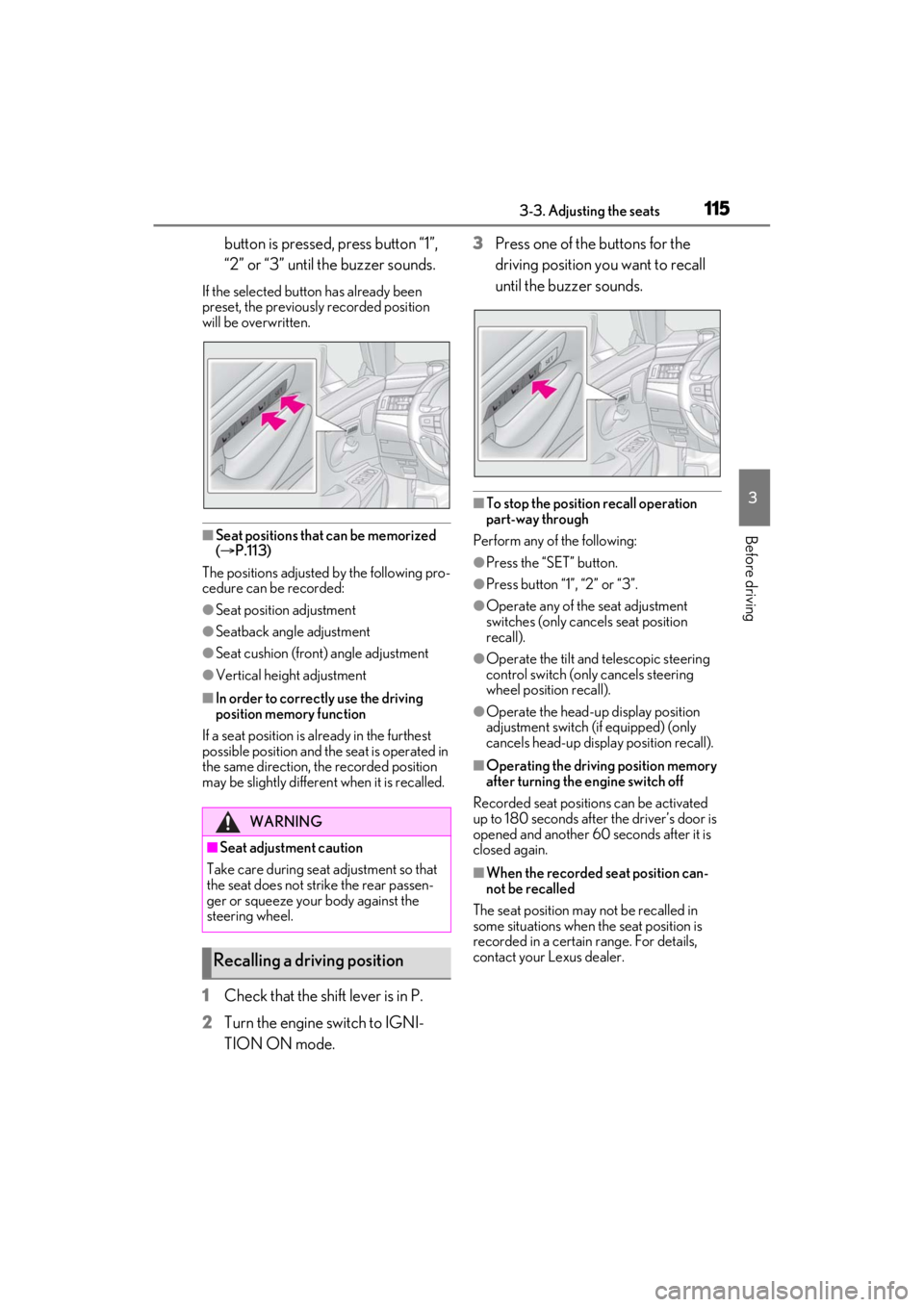
button is pressed, press button “1”,
“2” or “3” until the buzzer sounds.
If the selected button has already been
preset, the previously recorded position
will be overwritten.
■Seat positions that can be memorized
( P.113)
The positions adjusted by the following pro-
cedure can be recorded:
●Seat position adjustment
●Seatback angle adjustment
●Seat cushion (front) angle adjustment
●Vertical height adjustment
■In order to correctly use the driving
position memory function
If a seat position is already in the furthest
possible position and the seat is operated in
the same direction, the recorded position
may be slightly differen t when it is recalled.
1Check that the shift lever is in P.
2 Turn the engine switch to IGNI-
TION ON mode. 3
Press one of the buttons for the
driving position you want to recall
until the buzzer sounds.
■To stop the position recall operation
part-way through
Perform any of the following:
●Press the “SET” button.
●Press button “1”, “2” or “3”.
●Operate any of the seat adjustment
switches (only cancels seat position
recall).
●Operate the tilt and telescopic steering
control switch (onl y cancels steering
wheel position recall).
●Operate the head-up display position
adjustment switch (if equipped) (only
cancels head-up display position recall).
■Operating the driving position memory
after turning the engine switch off
Recorded seat positions can be activated
up to 180 seconds after the driver’s door is
opened and another 60 seconds after it is
closed again.
■When the recorded seat position can-
not be recalled
The seat position may not be recalled in
some situations when the seat position is
recorded in a certain range. For details,
contact your Lexus dealer.
WARNING
■Seat adjustment caution
Take care during seat adjustment so that
the seat does not strike the rear passen-
ger or squeeze your body against the
steering wheel.
Recalling a driving position
Page 120 of 464
1203-4. Adjusting the steering wheel and mirrors
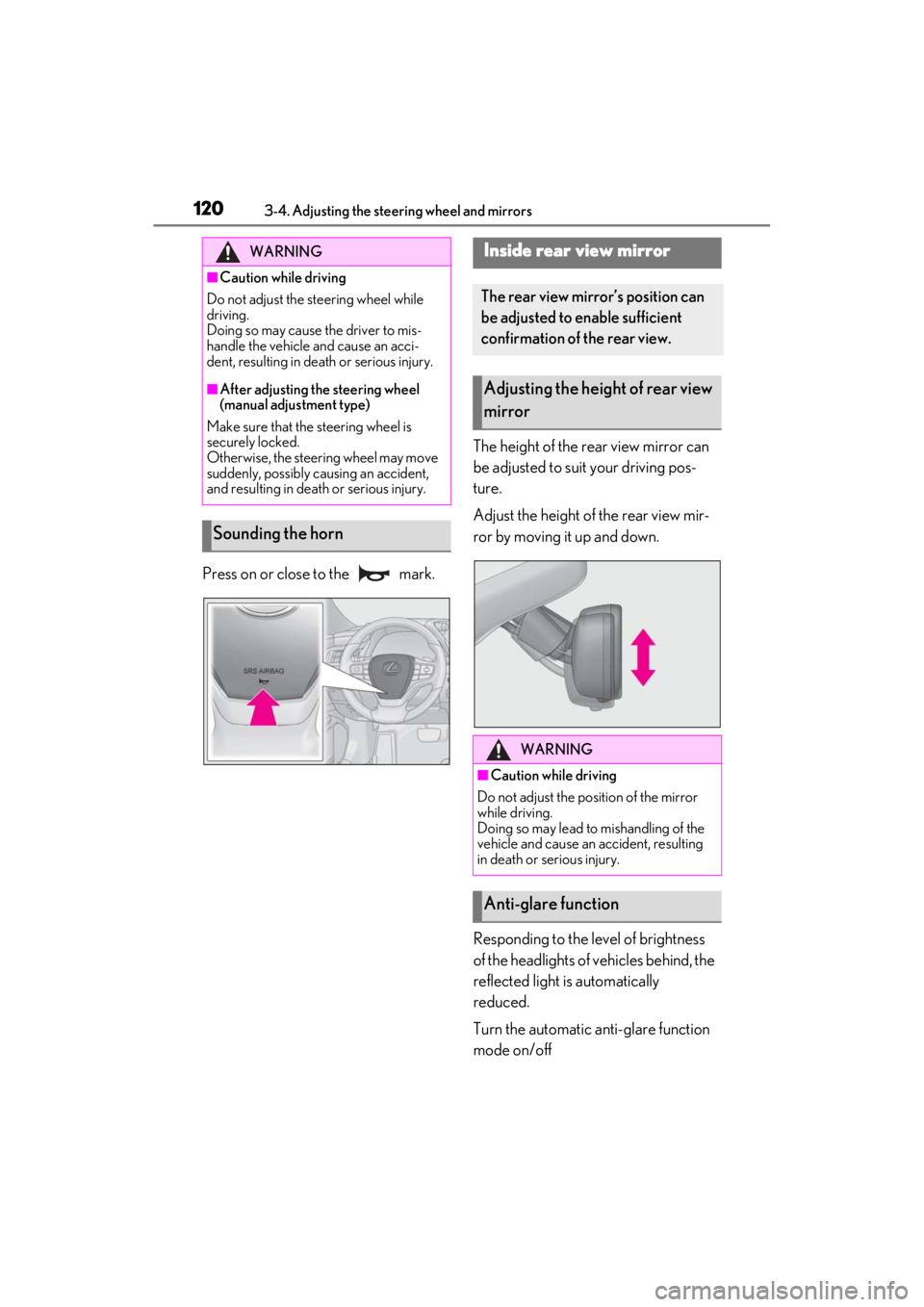
Press on or close to the mark.The height of the rear view mirror can
be adjusted to suit your driving pos-
ture.
Adjust the height of the rear view mir-
ror by moving it up and down.
Responding to the level of brightness
of the headlights of vehicles behind, the
reflected light is automatically
reduced.
Turn the automatic anti-glare function
mode on/off
WARNING
■Caution while driving
Do not adjust the steering wheel while
driving.
Doing so may cause the driver to mis-
handle the vehicle and cause an acci-
dent, resulting in death or serious injury.
■After adjusting the steering wheel
(manual adjustment type)
Make sure that the steering wheel is
securely locked.
Otherwise, the steering wheel may move
suddenly, possibly causing an accident,
and resulting in deat h or serious injury.
Sounding the horn
Inside rear view mirror
The rear view mirror’s position can
be adjusted to enable sufficient
confirmation of the rear view.
Adjusting the height of rear view
mirror
WARNING
■Caution while driving
Do not adjust the position of the mirror
while driving.
Doing so may lead to mishandling of the
vehicle and cause an accident, resulting
in death or serious injury.
Anti-glare function