light LEXUS ES350 2022 Owners Manual
[x] Cancel search | Manufacturer: LEXUS, Model Year: 2022, Model line: ES350, Model: LEXUS ES350 2022Pages: 468, PDF Size: 26.96 MB
Page 211 of 468
2094-5. Using the driving support systems
4
Driving
Outside rear view mirror indicators
When a vehicle is detected in a blind spot
of the outside rear view mirrors or
approaching rapidly from behind into a
blind spot, the outside rear view mirror
indicator on the detected side will illumi-
nate. If the turn signal lever is operated
toward the detected side, the outside rear
view mirror indicator will flash.
BSM indicator
When the Blind Spot Monitor is turned on,
the indicator comes on.
1 Press or of the meter con-
trol switches, select .
2 Press or of the meter con-
trol switches, select “BSM”, and
then press “OK”.
■Outside rear view mirror indicator visi-
bility
In strong sunlight, the outside rear view mir-
ror indicator may be difficult to see.
■When “Blind Spot Monitor Unavailable”
is shown on the multi-information dis-
play
Ice, snow, mud, etc., may be attached to the
rear bumper around the sensors.
( P.209) Remove the ice, snow, mud,
etc., attached to the rear bumper around
the sensors to return the function to normal.
Additionally, the sensors may not operate
normally when driving in extremely hot or
cold environments.
■Customization
Some functions can be customized. (Cus-
tomizable features: P.408)
Turning the Blind Spot Monitor
on/off
B
C
WARNING
■To ensure the system can operate
properly
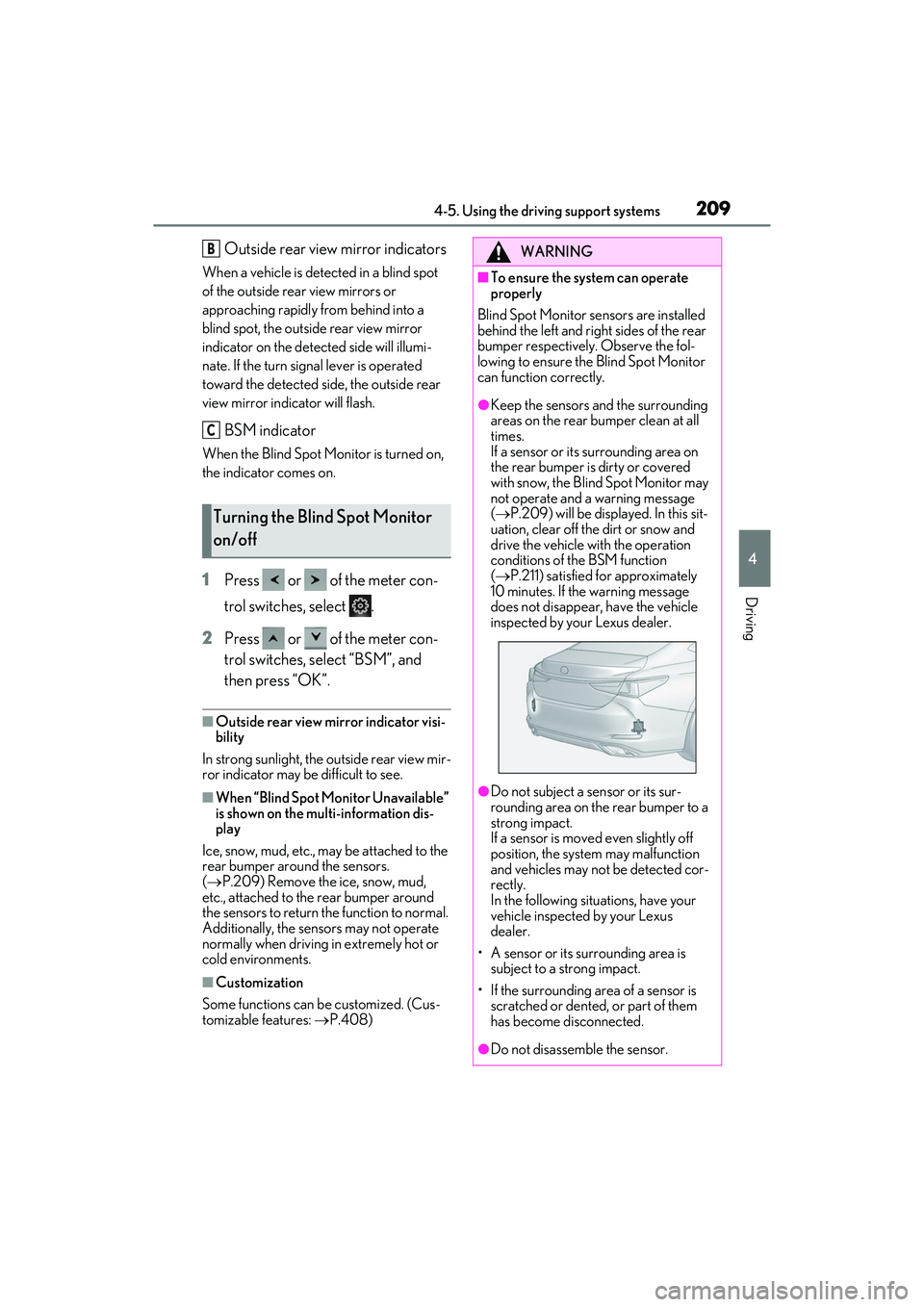
Blind Spot Monitor sensors are installed
behind the left and right sides of the rear
bumper respectively. Observe the fol-
lowing to ensure the Blind Spot Monitor
can function correctly.
●Keep the sensors and the surrounding
areas on the rear bumper clean at all
times.
If a sensor or its surrounding area on
the rear bumper is dirty or covered
with snow, the Blind Spot Monitor may
not operate and a warning message
( P.209) will be displayed. In this sit-
uation, clear off the dirt or snow and
drive the vehicle with the operation
conditions of the BSM function
( P.211) satisfied for approximately
10 minutes. If the warning message
does not disappear, have the vehicle
inspected by your Lexus dealer.
●Do not subject a sensor or its sur-
rounding area on the rear bumper to a
strong impact.
If a sensor is move d even slightly off
position, the system may malfunction
and vehicles may not be detected cor-
rectly.
In the following situations, have your
vehicle inspected by your Lexus
dealer.
• A sensor or its surrounding area is subject to a strong impact.
• If the surrounding area of a sensor is scratched or dented, or part of them
has become disconnected.
●Do not disassemble the sensor.
Page 219 of 468
2174-5. Using the driving support systems
4
Driving
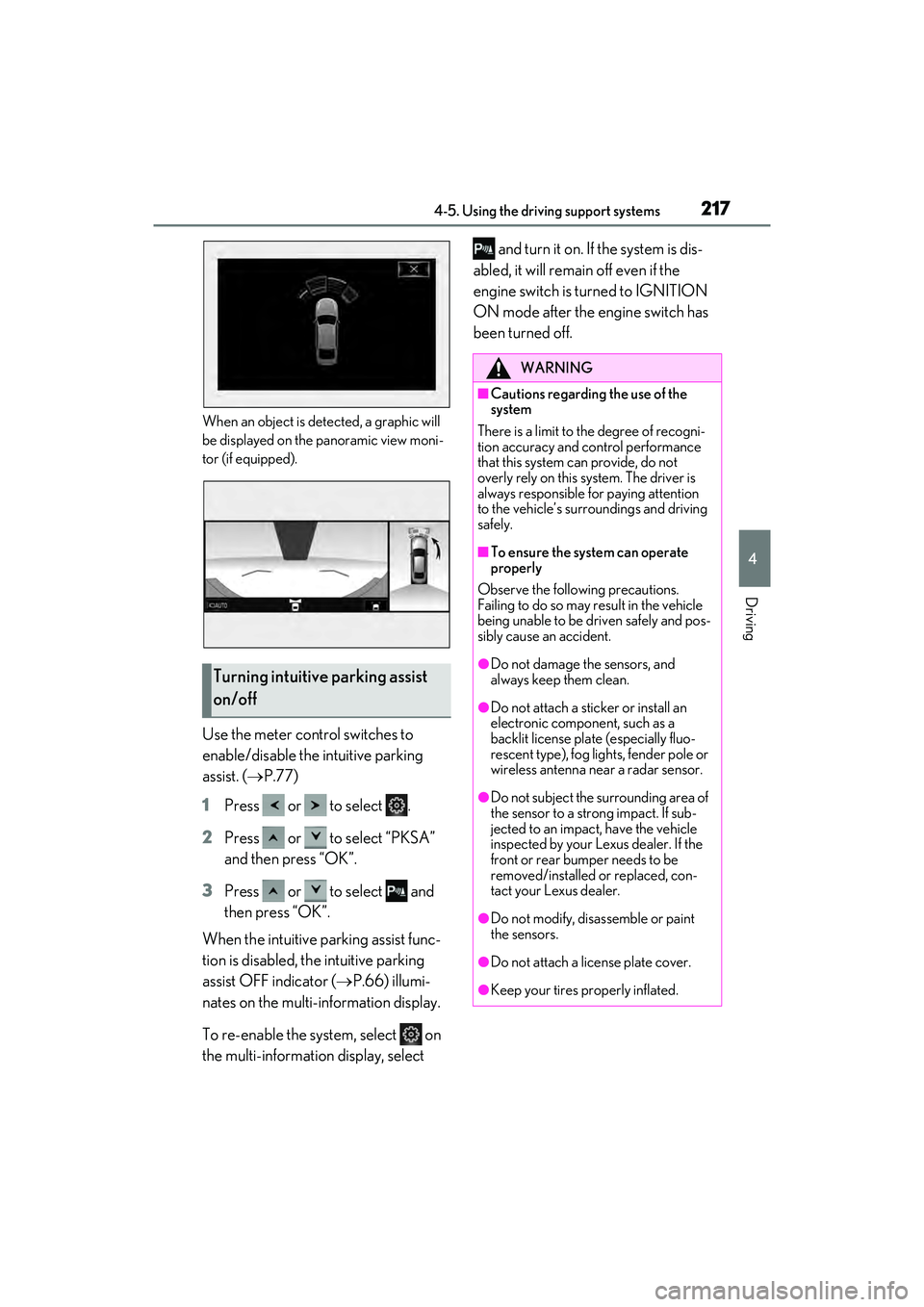
When an object is detected, a graphic will
be displayed on the panoramic view moni-
tor (if equipped).
Use the meter control switches to
enable/disable the intuitive parking
assist. ( P.77)
1 Press or to select .
2 Press or to select “PKSA”
and then press “OK”.
3 Press or to select and
then press “OK”.
When the intuitive parking assist func-
tion is disabled, the intuitive parking
assist OFF indicator ( P.66) illumi-
nates on the multi-information display.
To re-enable the system, select on
the multi-information display, select and turn it on. If the system is dis-
abled, it will remain off even if the
engine switch is turned to IGNITION
ON mode after the engine switch has
been turned off.
Turning intuitive parking assist
on/off
WARNING
■Cautions regarding the use of the
system
There is a limit to the degree of recogni-
tion accuracy and control performance
that this system can provide, do not
overly rely on this system. The driver is
always responsible for paying attention
to the vehicle’s surroundings and driving
safely.
■To ensure the system can operate
properly
Observe the following precautions.
Failing to do so may result in the vehicle
being unable to be driven safely and pos-
sibly cause an accident.
●Do not damage the sensors, and
always keep them clean.
●Do not attach a sticker or install an
electronic component, such as a
backlit license plate (especially fluo-
rescent type), fog lights, fender pole or
wireless antenna near a radar sensor.
●Do not subject the surrounding area of
the sensor to a strong impact. If sub-
jected to an impact, have the vehicle
inspected by your Lexus dealer. If the
front or rear bumper needs to be
removed/installed or replaced, con-
tact your Lexus dealer.
●Do not modify, disassemble or paint
the sensors.
●Do not attach a license plate cover.
●Keep your tires properly inflated.
Page 226 of 468
2244-5. Using the driving support systems
Use the meter control switches to
enable/disable the RCTA function.
( P.77)
Vehicles without the Intuitive park-
ing assist
1 Press or to select .
2 Press or to select “RCTA”
and then press “OK”.
3 Press or to select “RCTA”
and then press “OK”.
Vehicles with the Intuitive parking
assist
1 Press or to select .
2 Press or to select “PKSA”
and then press “OK”.
3 Press or to select “RCTA”
and then press “OK”.
When the RCTA function is disabled, the
RCTA OFF indicator ( P.66) illuminates
on the multi-information display. (Each time the engine switch is turned off then
changed to IGNITION ON mode, the
RCTA function will be enabled automati-
cally.)
■Outside rear view mirror indicator visi-
bility
In strong sunlight, the outside rear view mir-
ror indicator may be difficult to see.
■Hearing the RCTA buzzer
The RCTA buzzer may be difficult to hear
over loud noises, such as if the audio system
volume is high.
■When “Rear Cross Traffic Alert
Unavailable” is shown on the multi-
information display
Ice, snow, mud, etc., may be attached to the
rear bumper around the sensors.
( P.209) Remove the ice, snow, mud,
etc., attached to the rear bumper around
the sensors to return the function to normal.
Additionally, the sensors may not operate
normally when driving in extremely hot or
cold environments.
■Rear side radar sensors
P.209
■Operation of the RCTA function
The RCTA function uses rear side radar sensors to detect vehicles approaching
from the right or left at the rear of the ve hicle and alerts the driver of the presence
of such vehicles by flashing the outside rear view mirror indicators and sounding a
buzzer.
Turning the RCTA function
on/off
NOTICE
■Before using the RCTA function
Do not place obstacles near the sensors.
RCTA function
Page 233 of 468
2314-5. Using the driving support systems
4
Driving
■Situations in which the system may not
operate properly
●Some pedestrians, such as the following,
may not be detected by the rear camera
detection function, preventing the func-
tion from operating properly:
• Pedestrians who are bending forward or squatting
• Pedestrians who are lying down
• Pedestrians who are running
• Pedestrians who suddenly enter the detection area
• People riding a bicycle, skateboard, or other light vehicle
• Pedestrians wearing oversized clothing such as a rain coat, long skirt, etc., making
their silhouette obscure
• Pedestrians whose body is partially hid- den by an object, such as a cart or
umbrella
• Pedestrians which are obscured by dark- ness, such as at night
●In some situations, such as the following,
pedestrians may not be detected by the
rear camera detection function, prevent-
ing the function from operating properly:
• When backing up in inclement weather (rain, snow, fog, etc.)
• When the rear camera is obscured (dirt, snow, ice, etc. are attached) or scratched
• When a very bright light, such as the sun,
or the headlights of another vehicle,
shines directly into the rear camera
• When backing up in a place where the
surrounding brightness changes sud-
denly, such as at the entrance or exit of a
garage or underground parking lot
• When backing up in a dim environment such as during dusk or in an underground
parking lot
• When the camera position and direction are deviated
• When a towing hook is attached
• When water droplets are flowing on the camera lens
• When the vehicle height is extremely
changed (nose up, nose down)
• When tire chains or an emergency tire
puncture repair kit are used
■Situations in which the system may
operate unexpectedly
●Even though there are no pedestrians in the detection area, some objects, such as
the following, may be detected, possibly
causing the rear camera detection func-
tion to operate.
• Three dimensional objects, such as a pole, traffic cone, fence, or parked vehi-
cle
• Moving objects, such as a car or motor- cycle
• Objects moving toward your vehicle when backing up, such as flags or pud-
dles (or airborne matter, such as smoke,
steam, rain, or snow)
• Cobblestone or gravel roads, tram rails, road repairs, white lines, pedestrian
crossings or fallen leaves on the road
• Metal covers (gratings), such as those used for drainage ditches
• Objects reflected in a puddle or on a wet road surface
•Shadows on the road
●In some situations, such as the following,
the rear camera detection function may
operate even though there are no pedes-
trians in the detection area.
• When backing up toward the roadside or
a bump on the road
• When backing up toward an incline/decline
• If the rear of the vehicle is raised or low- ered due to the carried load
• If a bumper protector, such as an addi-
tional trim strip, is installed to the rear
bumper
• If the orientation of the rear camera has
been changed due to a collision or other
impact, or removal and installation
• If a towing eyelet is installed to the rear of
the vehicle
• When water is flowing over the rear cam- era lens
• When the rear camera is obscured (dirt, snow, ice, etc. are attached) or scratched
• If there is a flashing light in the detection
area, such as the emergency flashers of
another vehicle
• When tire chains or an emergency tire puncture repair kit are used.
●Situations in which the rear camera
detection function may be difficult to
notice
• The buzzer may be difficult to hear if the surrounding area is noisy, the volume of
Page 248 of 468
2464-5. Using the driving support systems
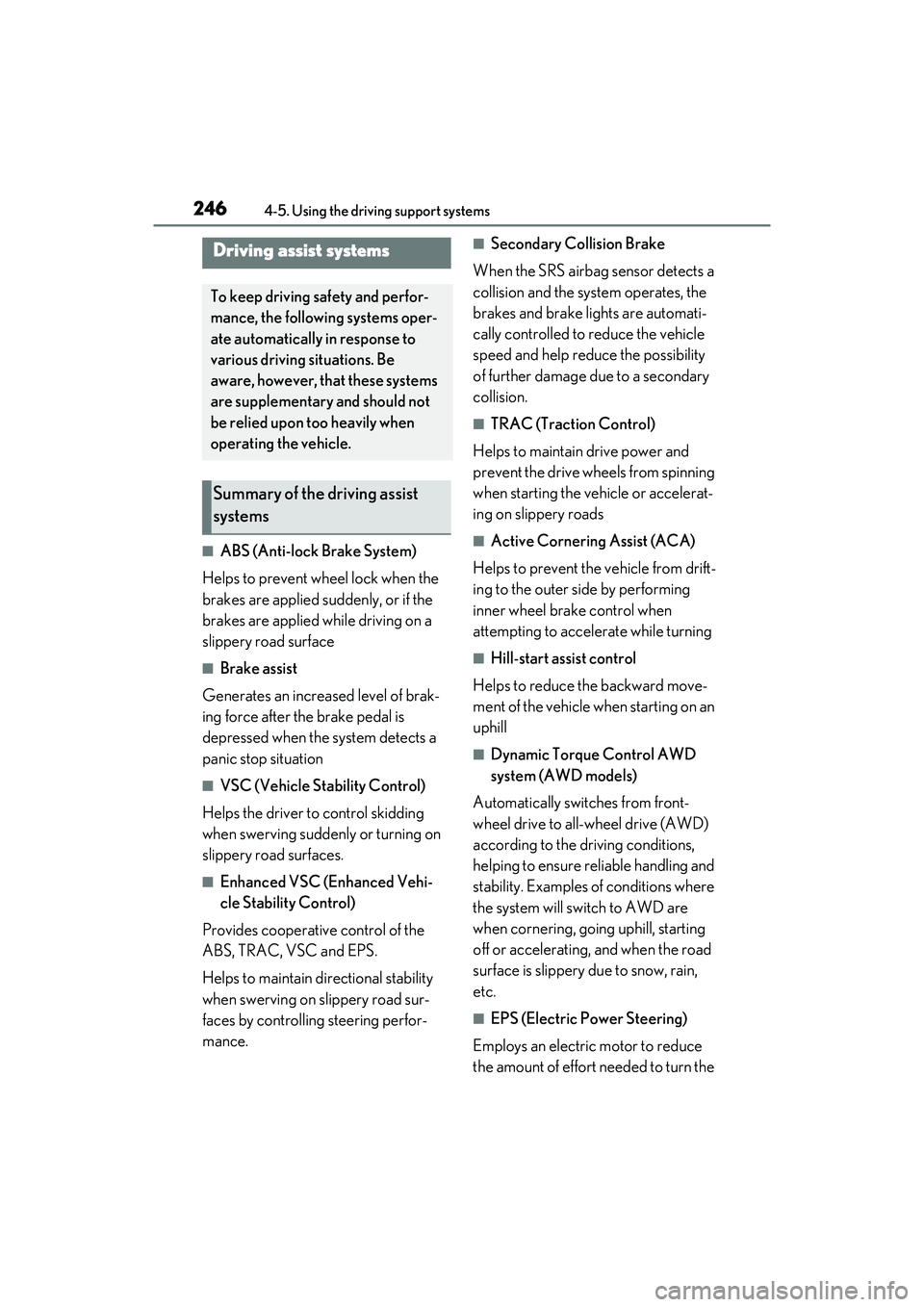
■ABS (Anti-lock Brake System)
Helps to prevent wheel lock when the
brakes are applied suddenly, or if the
brakes are applied while driving on a
slippery road surface
■Brake assist
Generates an increased level of brak-
ing force after the brake pedal is
depressed when the system detects a
panic stop situation
■VSC (Vehicle Stability Control)
Helps the driver to control skidding
when swerving suddenly or turning on
slippery road surfaces.
■Enhanced VSC (Enhanced Vehi-
cle Stability Control)
Provides cooperative control of the
ABS, TRAC, VSC and EPS.
Helps to maintain directional stability
when swerving on slippery road sur-
faces by controlling steering perfor-
mance.
■Secondary Collision Brake
When the SRS airbag sensor detects a
collision and the system operates, the
brakes and brake lights are automati-
cally controlled to reduce the vehicle
speed and help reduce the possibility
of further damage due to a secondary
collision.
■TRAC (Traction Control)
Helps to maintain drive power and
prevent the drive wheels from spinning
when starting the vehicle or accelerat-
ing on slippery roads
■Active Cornering Assist (ACA)
Helps to prevent the vehicle from drift-
ing to the outer side by performing
inner wheel brake control when
attempting to accelerate while turning
■Hill-start assist control
Helps to reduce the backward move-
ment of the vehicle when starting on an
uphill
■Dynamic Torque Control AWD
system (AWD models)
Automatically switches from front-
wheel drive to all-wheel drive (AWD)
according to the driving conditions,
helping to ensure reliable handling and
stability. Examples of conditions where
the system will switch to AWD are
when cornering, going uphill, starting
off or accelerating, and when the road
surface is slippery due to snow, rain,
etc.
■EPS (Electric Power Steering)
Employs an electric motor to reduce
the amount of effort needed to turn the
Driving assist systems
To keep driving safety and perfor-
mance, the following systems oper-
ate automatically in response to
various driving situations. Be
aware, however, that these systems
are supplementary and should not
be relied upon too heavily when
operating the vehicle.
Summary of the driving assist
systems
Page 249 of 468
2474-5. Using the driving support systems
4
Driving
steering wheel
■AVS (Adaptive Variable Suspen-
sion System) (if equipped)
By independently controlling the
damping force of the shock absorbers
for each of the 4 wheels according to
the road and driving conditions, this
system helps riding comfort with supe-
rior vehicle stability, and helps good
vehicle posture.
Also, the damping force changes
depending on the selected driving
mode. ( P.213)
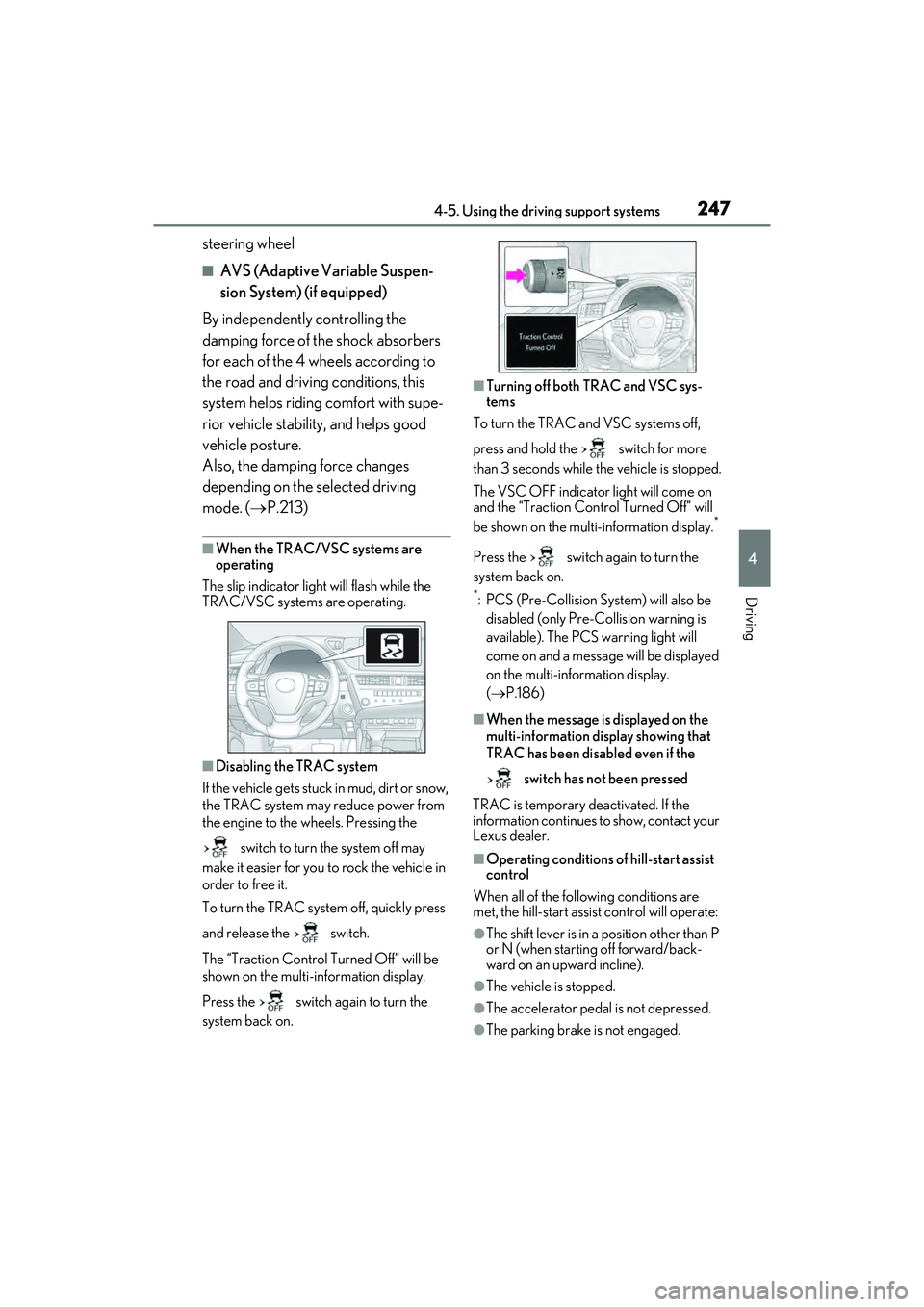
■When the TRAC/VSC systems are
operating
The slip indicator light will flash while the
TRAC/VSC systems are operating.
■Disabling the TRAC system
If the vehicle gets stuck in mud, dirt or snow,
the TRAC system may reduce power from
the engine to the wheels. Pressing the
switch to turn the system off may
make it easier for you to rock the vehicle in
order to free it.
To turn the TRAC system off, quickly press
and release the switch.
The “Traction Control Turned Off” will be
shown on the multi-information display.
Press the switch again to turn the
system back on.
■Turning off both TRAC and VSC sys-
tems
To turn the TRAC and VSC systems off,
press and hold the switch for more
than 3 seconds while the vehicle is stopped.
The VSC OFF indicator light will come on
and the “Traction Control Turned Off” will
be shown on the multi-information display.
*
Press the switch again to turn the
system back on.
*: PCS (Pre-Collision System) will also be disabled (only Pre-Collision warning is
available). The PCS warning light will
come on and a message will be displayed
on the multi-information display.
( P.186)
■When the message is displayed on the
multi-information display showing that
TRAC has been disabled even if the
switch has not been pressed
TRAC is temporary deactivated. If the
information continues to show, contact your
Lexus dealer.
■Operating conditions of hill-start assist
control
When all of the following conditions are
met, the hill-start assist control will operate:
●The shift lever is in a position other than P
or N (when starting off forward/back-
ward on an upward incline).
●The vehicle is stopped.
●The accelerator pedal is not depressed.
●The parking brake is not engaged.
Page 250 of 468
2484-5. Using the driving support systems
■Automatic system cancelation of hill-
start assist control
The hill-start assist control will turn off in any
of the following situations:
●The shift lever is shifted to P or N.
●The accelerator pedal is depressed.
●The parking brake is engaged.
●2 seconds at maximum elapsed after the
brake pedal is released.
■Sounds and vibrations caused by the
ABS, brake assist, VSC, TRAC and hill-
start assist control systems
●A sound may be heard from the engine
compartment when the brake pedal is
depressed repeatedly, when the engine is
started or just after the vehicle begins to
move. This sound does not indicate that a
malfunction has occurred in any of these
systems.
●Any of the following conditions may
occur when the above systems are oper-
ating. None of these indicates that a mal-
function has occurred.
• Vibrations may be felt through the vehi-
cle body and steering.
• A motor sound may be heard also after the vehicle comes to a stop.
• The brake pedal may pulsate slightly after the ABS is activated.
• The brake pedal may move down slightly
after the ABS is activated.
■Active Cornering Assist operation
sounds and vibrations
When the Active Cornering Assist is oper-
ated, operation sounds and vibrations may
be generated from the brake system, but
this is not a malfunction.
■EPS operation sound
When the steering wheel is operated, a
motor sound (whirring sound) may be
heard. This does not indicate a malfunction.
■Automatic reactivation of TRAC and
VSC systems
After turning the TRAC and VSC systems
off, the systems will be automatically re-
enabled in the following situations:
●When the engine switch is turned off
●If only the TRAC system is turned off, the
TRAC will turn on when vehicle speed
increases
If both the TRAC and VSC systems are
turned off, automatic re-enabling will not
occur when vehicle speed increases.
■Secondary Collision Brake operating
conditions
The system operates when the SRS airbag
sensor detects a collision while the vehicle
is in motion.
However, the system does not operate
when the components are damaged.
■Secondary Collision Brake automatic
cancellation
The system is automatically canceled in any
of the following situations.
●The vehicle speed drops to approxi-
mately 6 mph (10 km/h)
●A certain amount of time elapses during
operation
●The accelerator pedal is depressed a
large amount
■Operating conditions of Active Corner-
ing Assist
The system operates when the following
occurs.
●TRAC/VSC can operate
●The driver is attempting to accelerate
while turning
●The system detects that the vehicle is
drifting to the outer side
●The brake pedal is released
■Reduced effectiveness of the EPS sys-
tem
The effectiveness of the EPS system is
reduced to prevent the system from over-
heating when there is frequent steering
input over an extended period of time. The
steering wheel may feel heavy as a result.
Should this occur, refrain from excessive
steering input or stop the vehicle and turn
the engine off. The EPS system should
return to normal within 10 minutes.
Page 252 of 468
2504-5. Using the driving support systems
WARNING
■TRAC/VSC may not operate effec-
tively when
Directional control and power may not
be achievable while driving on slippery
road surfaces, even if the TRAC/VSC
system is operating.
Drive the vehicle carefully in conditions
where stability and power may be lost.
■Active Cornering Assist does not
operate effectively when
●Do not overly rely on Active Corner-
ing Assist. Active Cornering Assist
may not operate effectively when
accelerating down slopes or driving on
slippery road surfaces.
●When Active Cornering Assist fre-
quently operates, Active Cornering
Assist may temporarily stop operating
to ensure proper operation of the
brakes, TRAC and VSC.
■Hill-start assist control does not oper-
ate effectively when
●Do not overly rely on hill-start assist
control. Hill-start assist control may
not operate effectively on steep
inclines and roads covered with ice.
●Unlike the parking brake, hill-start
assist control is not intended to hold
the vehicle stationary for an extended
period of time. Do not attempt to use
hill-start assist control to hold the vehi-
cle on an incline, as doing so may lead
to an accident.
■When the TRAC/VSC is activated
The slip indicator light flashes. Always
drive carefully. Reckless driving may
cause an accident. Exercise particular
care when the indicator light flashes.
■When the TRAC/VSC systems are
turned off
Be especially careful and drive at a
speed appropriate to the road condi-
tions. As these are the systems to help
ensure vehicle stability and driving force,
do not turn the TRAC/VSC systems off
unless necessary.
■Secondary Collision Brake
Do not rely solely upon the Secondary
Collision Brake. This system is designed
to help reduce the possibility of further
damage due to a secondary collision,
however, that effect changes according
to various conditions. Overly relying on
the system may result in death or serious
injury.
■Replacing tires
Make sure that all tires are of the speci-
fied size, brand, tread pattern and total
load capacity. In addition, make sure that
the tires are inflated to the recom-
mended tire inflation pressure level.
The ABS, TRAC and VSC systems will
not function correctly if different tires are
installed on the vehicle.
Contact your Lexus dealer for further
information when replacing tires or
wheels.
■Handling of tires and the suspension
Using tires with any kind of problem or
modifying the suspension will affect the
driving assist systems, and may cause a
system to malfunction.
Page 254 of 468
2524-6. Driving tips
or move a wiper that is frozen. Pour
warm water over the frozen area to
melt the ice. Wipe away the water
immediately to prevent it from
freezing.
To ensure proper operation of the
climate control system fan, remove
any snow that has accumulated on
the air inlet vents in front of the
windshield.
Check for and remove any excess
ice or snow that may have accumu-
lated on the exterior lights, vehicle’s
roof, chassis, around the tires or on
the brakes.
Remove any snow or mud from the
bottom of your shoes before getting
in the vehicle.
■To protect the windshield wipers
P.167
Accelerate the vehicle slowly, keep a
safe distance between you and the
vehicle ahead, and drive at a reduced
speed suitable to road conditions.
Park the vehicle and move the shift
lever to P without setting the park-
ing brake. The parking brake may
freeze up, preventing it from being
released. If the vehicle is parked
without setting the parking brake,
make sure to block the wheels.
Failure to do so may be dangerous
because it may cause the vehicle to move unexpectedly, possibly lead-
ing to an accident.
When the parking brake is in automatic
mode, release the parking brake after shift-
ing the shift lever to P. (
P.154)
If the vehicle is left parked with the
brakes damp in cold temperatures,
there is a possibility of the brakes
freezing.
If the vehicle is parked without set-
ting the parking brake, confirm that
the shift lever cannot be moved out
of P
*.
*: The shift lever will be locked if it is
attempted to be shifted from P to any
other position without depressing the
brake pedal. If the shift lever can be
shifted from P, there may be a problem
with the shift lock system. Have the vehi-
cle inspected by your Lexus dealer
immediately.
Vehicles with 17-inch tires
Use the correct tire chain size when
mounting the tire chains.
Chain size is regulated for each tire
size.
When driving the vehicle
When parking the vehicle
WARNING
■When parking the vehicle
When parking the vehicle without apply-
ing the parking brake, make sure to
chock the wheels. If you do not chock the
wheels, the vehicle may move unexpect-
edly, possibly resulting in an accident.
Selecting tire chains
Page 257 of 468
255
5
5
Interior features
Interior features
5-1. Remote Touch/DisplayRemote Touch ............................ 256
Center Display ........................... 258
5-2. Lexus Climate Concierge
Lexus Climate Concierge ..... 260
5-3. Using the air conditioning system
Automatic air conditioning system ......................................... 262
Heated steering wheel/seat heat- ers/seat ventilators ................ 269
5-4. Using the interior lights
Interior lights list......................... 273
5-5. Using the storage features
List of storage features............ 276
Trunk features............................. 279
5-6. Using the other interior features Other interior features ........... 280
Garage door opener............... 289
Compass....................................... 294