park assist LEXUS ES350 2022 User Guide
[x] Cancel search | Manufacturer: LEXUS, Model Year: 2022, Model line: ES350, Model: LEXUS ES350 2022Pages: 468, PDF Size: 26.96 MB
Page 148 of 468

1464-2. Driving procedures
1Stop the vehicle completely.
2 Set the parking brake ( P.154),
and shift the shift lever to P
( P.150).
3 Press the engine switch.
4 Release the brake pedal and check
that “ACCESSORY” or “IGNI-
TION ON” is not shown on the
meter.
■Automatic engine shut off feature
●The vehicle is equipped with a feature
that automatically shuts off the engine
when the shift lever is in P with the engine
running for an extended period.
●The engine will automatically shut off
after approximately 1 hour if it has been
left running while the shift lever is in P.
●The timer for the automatic engine shut
off feature will reset if the brake pedal is
depressed or if the shift lever is in a posi-
tion other than P.
●After the vehicle is parked, if the door is
locked with the door lock switch
( P.98) from the inside or the mechani-
cal key from the outside, the automatic
engine shut off feature will be disabled.
The timer for the automatic engine shut
off feature will be re-enabled if the
driver’s door is opened.
■Locking the door from outside with the
engine running
1 With the driver’s door open, pull the
driver’s door handle and insert the
mechanical key.
2 Turn the mechanical key counterclock-
wise.
3 Pull out the mechanical key and close
the door.NOTICE
■Symptoms indicating a malfunction
with the engine switch
If the engine switch seems to be operat-
ing somewhat differently than usual, such
as the switch sticking slightly, there may
be a malfunction. Contact your Lexus
dealer immediately.
Stopping the engine
WARNING
■Stopping the engine in an emergency
●If you want to stop the engine in an
emergency while driving the vehicle,
press and hold the engine switch for
more than 2 seconds, or press it briefly
3 times or more in succession.
( P.344)
However, do not touch the engine
switch while driving except in an emer-
gency. Turning the engine off while
driving will not cause loss of steering
or braking control, but the power
assist to these systems will be lost. This
will make it more difficult to steer and
brake, so you should pull over and stop
the vehicle as soon as it is safe to do so.
●If the engine switch is operated while
the vehicle is running, a warning mes-
sage will be shown on the multi-infor-
mation display and a buzzer sounds.
Page 217 of 468
2154-5. Using the driving support systems
4
Driving
*: If equipped
■Intuitive parking assist
Ultrasonic sensors are used to detect
static objects in the detection area
when driving at a low speed or backing
up. ( P.216)
■RCTA (Rear Cross Traffic Alert)
function
Rear side radar sensors are used to
detect approaching vehicles in the
detection areas behind the vehicle
when backing up. ( P.223)
■RCD (Rear Camera Detection)
function (if equipped)
A rear camera sensor is used to detect
pedestrians in the detection area
behind the vehicle when backing up.
( P.229)
■Adjusting the buzzer volume
The buzzer volume can be adjusted on
the multi-information display. The vol-
ume of buzzers for the intuitive parking
assist, RCTA function and RCD func-
tion will be adjusted simultaneously.
Use the meter control switches to
change settings. ( P.77)
1 Press or to select .
2 Press or to select “PKSA”
and then press “OK”.
3 Press or to select and
then press “OK”.
Each time the switch is pressed, the vol-
ume level will change between 1, 2, and 3.
■Muting a buzzer temporarily
A mute button will be displayed on the
multi-information display when an
object or pedestrian is detected. To
mute the buzzer, press “OK”.
The buzzers for the intuitive parking
assist, RCTA function and RCD func-
tion will be muted simultaneously.
Mute will be automatically canceled in
the following situations:
When the shift position is changed.
When there is a malfunction in a
sensor or the syst em is temporarily
unavailable.
When the function is disabled while
it is operating.
When the engine switch is turned
off.
PKSA (Parking Support
Alert)
*
The Parking Support Alert system
consists of the following functions
that operate when driving at a low
speed or backing up, such as when
parking. When the system deter-
mines that the possibility of a colli-
sion with a detected object, such as
a wall, or pedestrian is high, a warn-
ing operates to urge the driver to
take evasive action.
PKSA (Parking Support Alert)
system
Setting the buzzer volume
Page 218 of 468
2164-5. Using the driving support systems
*: If equipped
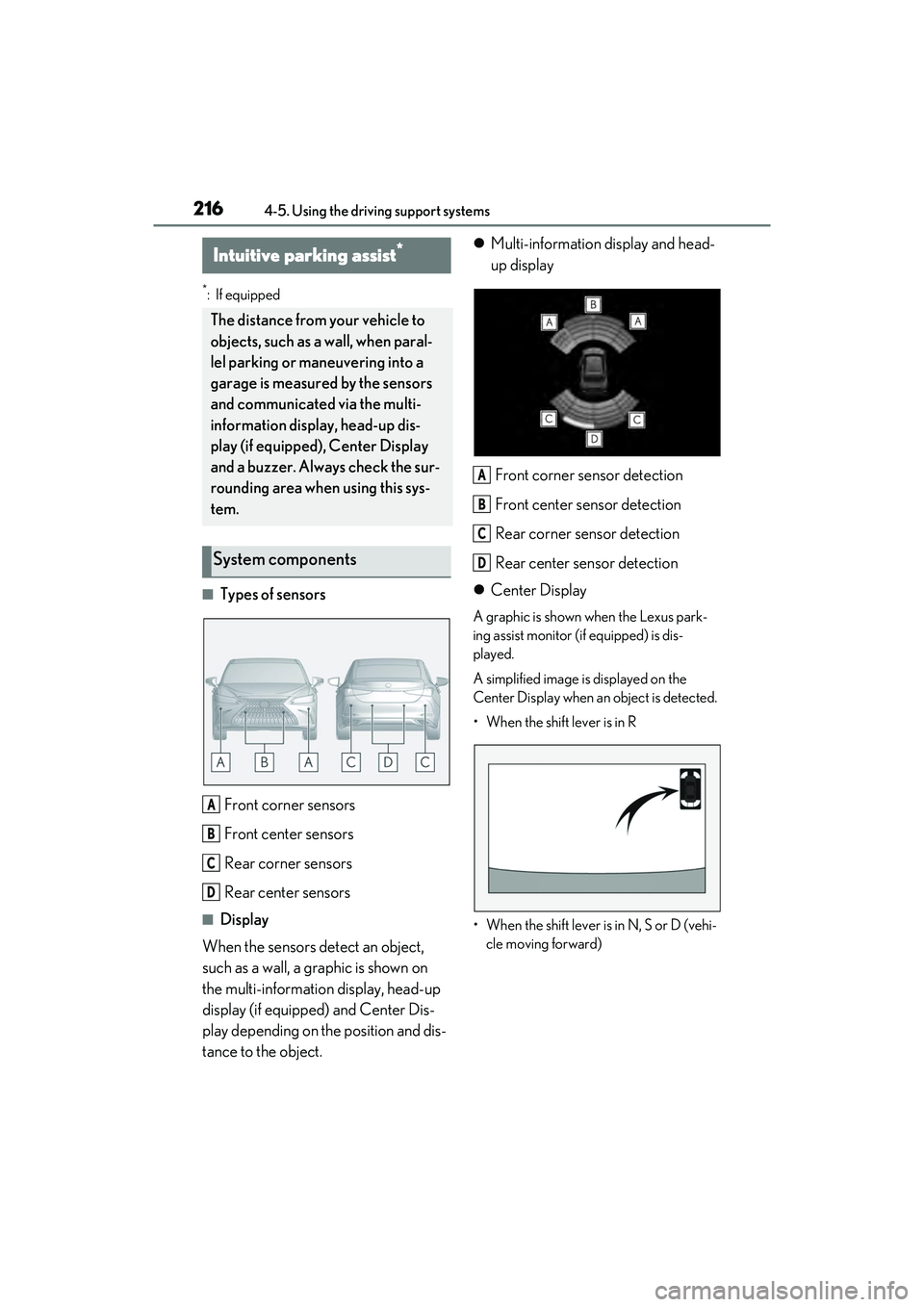
■Types of sensorsFront corner sensors
Front center sensors
Rear corner sensors
Rear center sensors
■Display
When the sensors detect an object,
such as a wall, a graphic is shown on
the multi-information display, head-up
display (if equipped) and Center Dis-
play depending on the position and dis-
tance to the object.
Multi-information display and head-
up display
Front corner sensor detection
Front center sensor detection
Rear corner sensor detection
Rear center sensor detection
Center Display
A graphic is shown when the Lexus park-
ing assist monitor (if equipped) is dis-
played.
A simplified image is displayed on the
Center Display when an object is detected.
• When the shift lever is in R
• When the shift lever is in N, S or D (vehi- cle moving forward)
Intuitive parking assist*
The distance from your vehicle to
objects, such as a wall, when paral-
lel parking or maneuvering into a
garage is measured by the sensors
and communicated via the multi-
information display, head-up dis-
play (if equipped), Center Display
and a buzzer. Always check the sur-
rounding area when using this sys-
tem.
System components
A
B
C
D
A
B
C
D
Page 219 of 468
2174-5. Using the driving support systems
4
Driving
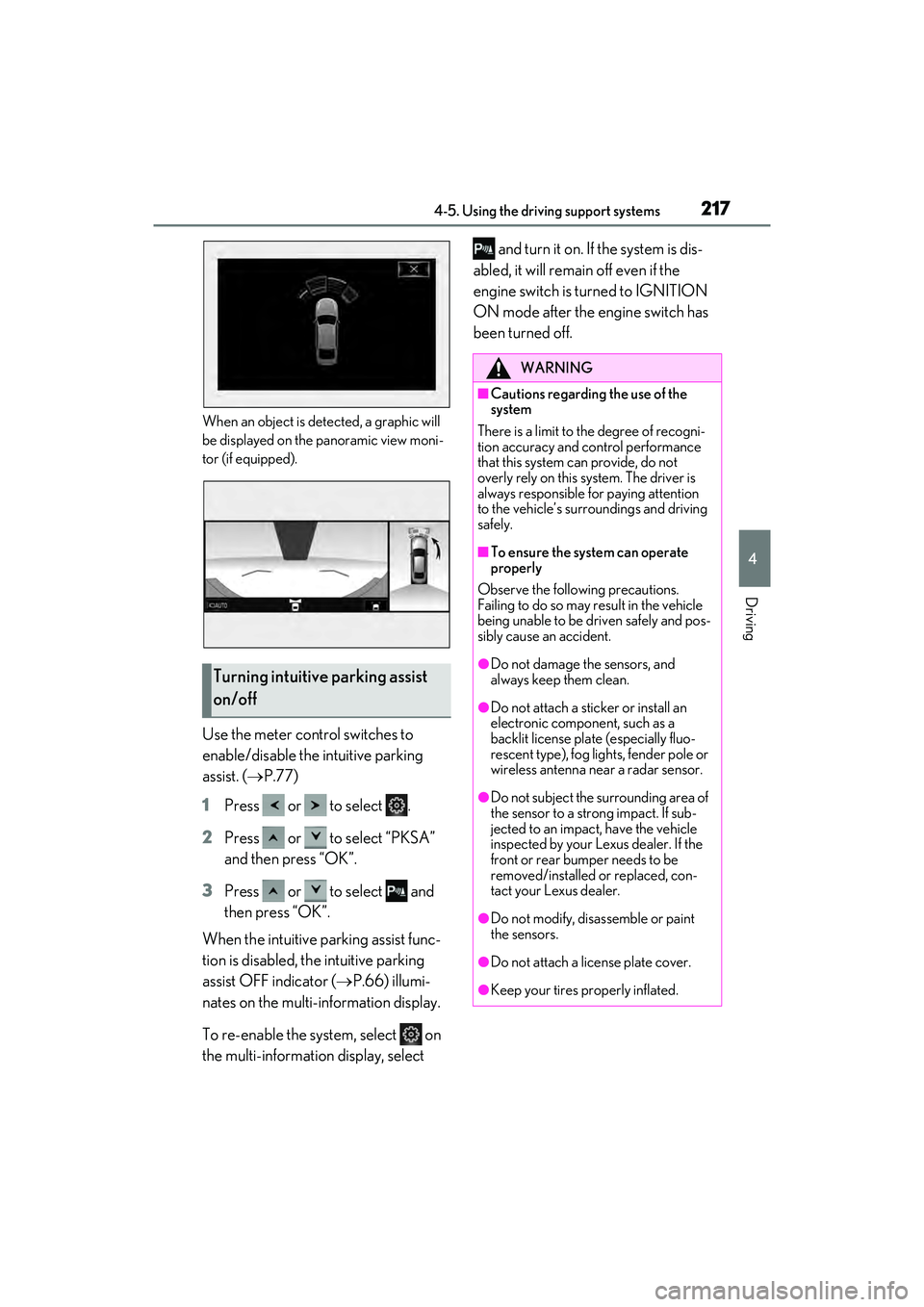
When an object is detected, a graphic will
be displayed on the panoramic view moni-
tor (if equipped).
Use the meter control switches to
enable/disable the intuitive parking
assist. ( P.77)
1 Press or to select .
2 Press or to select “PKSA”
and then press “OK”.
3 Press or to select and
then press “OK”.
When the intuitive parking assist func-
tion is disabled, the intuitive parking
assist OFF indicator ( P.66) illumi-
nates on the multi-information display.
To re-enable the system, select on
the multi-information display, select and turn it on. If the system is dis-
abled, it will remain off even if the
engine switch is turned to IGNITION
ON mode after the engine switch has
been turned off.
Turning intuitive parking assist
on/off
WARNING
■Cautions regarding the use of the
system
There is a limit to the degree of recogni-
tion accuracy and control performance
that this system can provide, do not
overly rely on this system. The driver is
always responsible for paying attention
to the vehicle’s surroundings and driving
safely.
■To ensure the system can operate
properly
Observe the following precautions.
Failing to do so may result in the vehicle
being unable to be driven safely and pos-
sibly cause an accident.
●Do not damage the sensors, and
always keep them clean.
●Do not attach a sticker or install an
electronic component, such as a
backlit license plate (especially fluo-
rescent type), fog lights, fender pole or
wireless antenna near a radar sensor.
●Do not subject the surrounding area of
the sensor to a strong impact. If sub-
jected to an impact, have the vehicle
inspected by your Lexus dealer. If the
front or rear bumper needs to be
removed/installed or replaced, con-
tact your Lexus dealer.
●Do not modify, disassemble or paint
the sensors.
●Do not attach a license plate cover.
●Keep your tires properly inflated.
Page 220 of 468
2184-5. Using the driving support systems
■The system can be operated when
●The engine switch is in IGNITION ON
mode.
●Intuitive parking assist function is on.
●The vehicle speed is less than about 6
mph (10 km/h).
●A shift lever is shifted to a position other
than P.
■Setting the buzzer volume
The buzzer volume can be adjusted on the
multi-information display. ( P.215)
■If “Parking Assist Unavailable Clean
Parking Assist Sensor” is displayed on
the multi-information display
A sensor may be covered with ice, snow,
dirt, etc. Remove the ice, snow, dirt, etc.,
from the sensor to return the system to nor-
mal.
Also, due to ice forming on a sensor at low
temperatures, a warning message may be
displayed or the sensor may not be able to
detect an object. Once the ice melts, the system will return to normal.
■If “Parking Assist Unavailable” is dis-
played on the multi-information display
●Water may be continuously flowing over
the sensor surface, such as in a heavy
rain. When the system determines that it
is normal, the system will return to nor-
mal.
●Initialization may not have been per-
formed after a battery terminal was dis-
connected and reconnected. Initialize the
system. (
P.218)
If this message continues to be displayed
even after initializati on, have the vehicle
inspected by your Lexus dealer.
■If a battery terminal has been discon-
nected and reconnected
The system needs to be initialized. To initial-
ize the system, drive the vehicle straight
ahead for 5 seconds or more at a speed of
approximately 22 mph (35 km/h) or more.
Additionally, for vehicles with the Parking
Support Brake function, turn the steering
wheel fully to the left and right with the vehi-
cle stopped.
■Sensor detection information
●The sensor’s detection areas are limited
to the areas around the vehicle’s front
and rear bumpers.
●The following situations may occur
during use.
• Depending on the shape of the object and other factors, the detection distance
may shorten, or detection may be impos-
sible.
• There will be a short delay between object detection and display. Even at low
speeds, there is a possibility that the
object will come within the sensor’s
detection areas before the display is
shown and the warning beep sounds.
• It might be difficult to hear the buzzer due to the volume of the audio system or air
flow noise of the air conditioning system.
• It may be difficult to hear the buzzer if
buzzers for other systems are sounding.
■Objects which the system may not prop-
erly detect
The shape of the object may prevent the
sensor from detecting it. Pay particular
WARNING
■When to disable the function
In the following situations, disable the
function as it may operate even though
there is no possibility of a collision.
●Failing to observe the warnings above.
●A non-genuine Lexus suspension
(lowered suspension, etc.) is installed.
■Notes when washing the vehicle
Do not apply intensive bursts of water or
steam to the sensor area. Doing so may
result in the sensor malfunctioning.
●When using a high pressure washer to
wash the vehicle, do not spray the sen-
sors directly, as doing so may cause a
sensor to malfunction.
●When using steam to clean the vehi-
cle, do not direct steam too close to
the sensors as doing so may cause a
sensor to malfunction.
Page 226 of 468
2244-5. Using the driving support systems
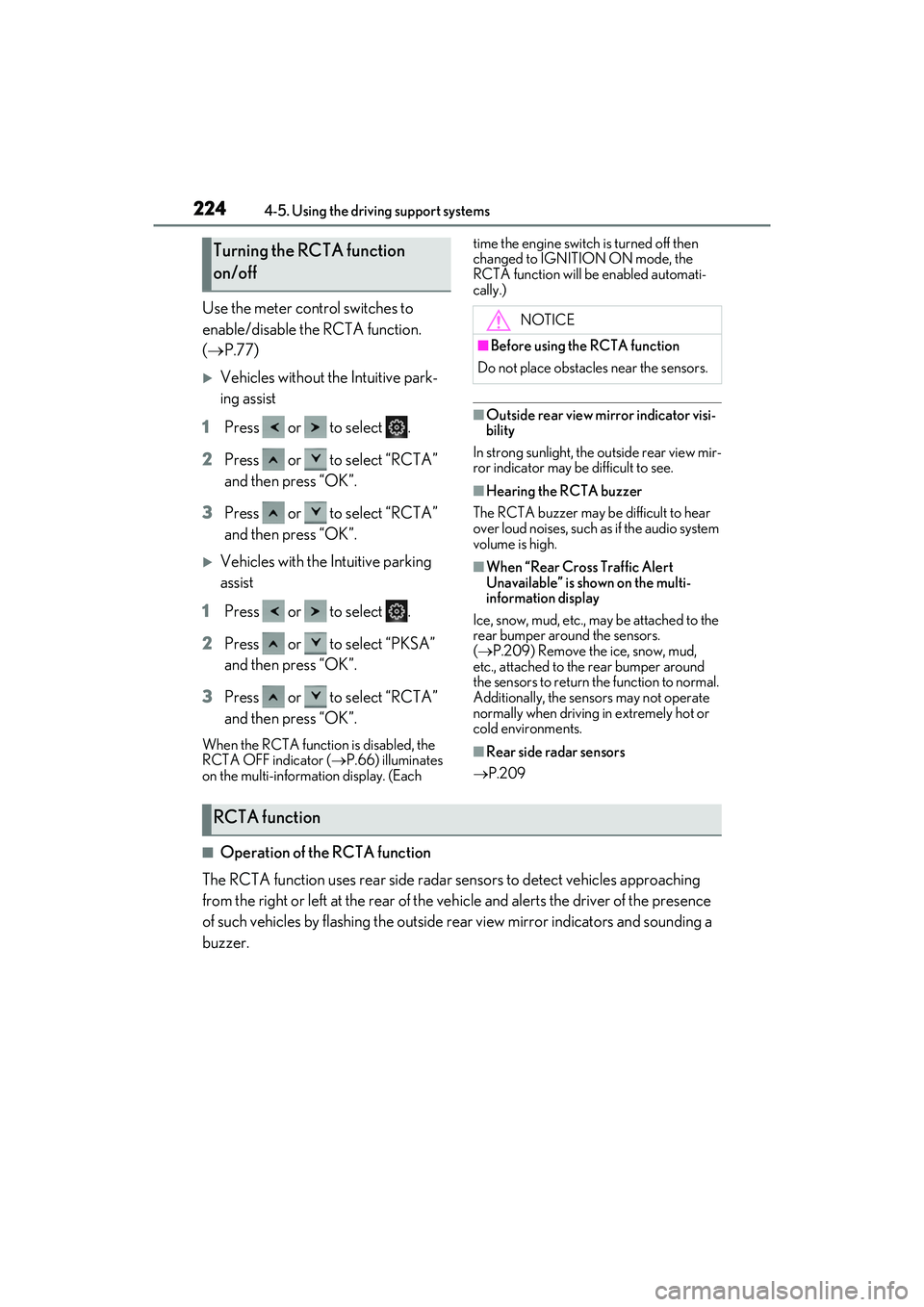
Use the meter control switches to
enable/disable the RCTA function.
( P.77)
Vehicles without the Intuitive park-
ing assist
1 Press or to select .
2 Press or to select “RCTA”
and then press “OK”.
3 Press or to select “RCTA”
and then press “OK”.
Vehicles with the Intuitive parking
assist
1 Press or to select .
2 Press or to select “PKSA”
and then press “OK”.
3 Press or to select “RCTA”
and then press “OK”.
When the RCTA function is disabled, the
RCTA OFF indicator ( P.66) illuminates
on the multi-information display. (Each time the engine switch is turned off then
changed to IGNITION ON mode, the
RCTA function will be enabled automati-
cally.)
■Outside rear view mirror indicator visi-
bility
In strong sunlight, the outside rear view mir-
ror indicator may be difficult to see.
■Hearing the RCTA buzzer
The RCTA buzzer may be difficult to hear
over loud noises, such as if the audio system
volume is high.
■When “Rear Cross Traffic Alert
Unavailable” is shown on the multi-
information display
Ice, snow, mud, etc., may be attached to the
rear bumper around the sensors.
( P.209) Remove the ice, snow, mud,
etc., attached to the rear bumper around
the sensors to return the function to normal.
Additionally, the sensors may not operate
normally when driving in extremely hot or
cold environments.
■Rear side radar sensors
P.209
■Operation of the RCTA function
The RCTA function uses rear side radar sensors to detect vehicles approaching
from the right or left at the rear of the ve hicle and alerts the driver of the presence
of such vehicles by flashing the outside rear view mirror indicators and sounding a
buzzer.
Turning the RCTA function
on/off
NOTICE
■Before using the RCTA function
Do not place obstacles near the sensors.
RCTA function
Page 227 of 468
2254-5. Using the driving support systems
4
Driving
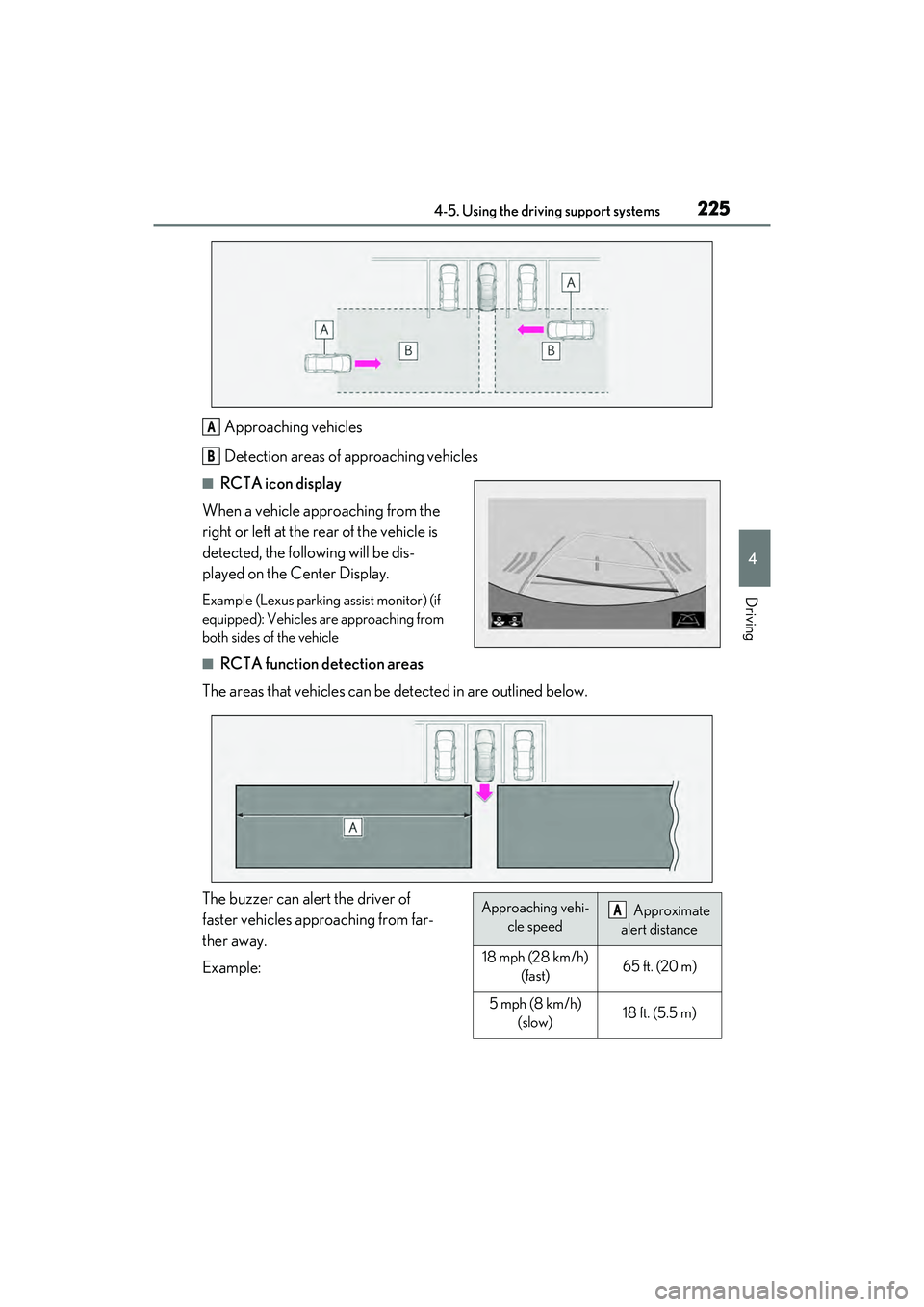
Approaching vehicles
Detection areas of approaching vehicles
■RCTA icon display
When a vehicle approaching from the
right or left at the rear of the vehicle is
detected, the following will be dis-
played on the Center Display.
Example (Lexus parking assist monitor) (if
equipped): Vehicles are approaching from
both sides of the vehicle
■RCTA function detection areas
The areas that vehicles can be detected in are outlined below.
The buzzer can alert the driver of
faster vehicles approaching from far-
ther away.
Example:
A
B
Approaching vehi- cle speed Approximate
alert distance
18 mph (28 km/h) (fast)65 ft. (20 m)
5 mph (8 km/h) (slow)18 ft. (5.5 m)
A
Page 228 of 468
2264-5. Using the driving support systems
■The RCTA function is operational when
The RCTA function operates when all of the
following conditions are met:
●The engine switch is in IGNITION ON
mode.
●The RCTA function is on.
●The shift lever is in R.
●The vehicle speed is less than approxi-
mately 5 mph (8 km/h).
●The approaching vehicle speed is
between approximately 5 mph (8 km/h)
and 18 mph (28 km/h).
■Setting the buzzer volume
The buzzer volume can be adjusted on the
multi-information display.
Use the meter control switches to change
settings. ( P.77)
Vehicles without the Intuitive parking
assist
1 Press or to select .
2 Press or to select “RCTA”,
then press “OK”.
3 Press or to select and then
press “OK”.
Each time the switch is pressed, the volume
level will change between 1, 2 and 3.
Vehicles with the Intuitive parking assist
P.215
■Muting a buzzer temporarily
Vehicles without the Intuitive parking
assist
A mute button will be displayed on the
multi-information display when an object is
detected. To mute the buzzer, press “OK”.
●When the shift lever is changed.
●When the vehicle speed exceeds a cer-
tain speed.
●When the operating function is tempo-
rarily canceled.
●When the operating function is disabled
manually.
●When the engine switch is turned off.
Vehicles with the Intuitive parking assist
P.215
■Conditions under wh ich the system will
not detect a vehicle
The RCTA function is not designed to
detect the following types of vehicles
and/or objects:
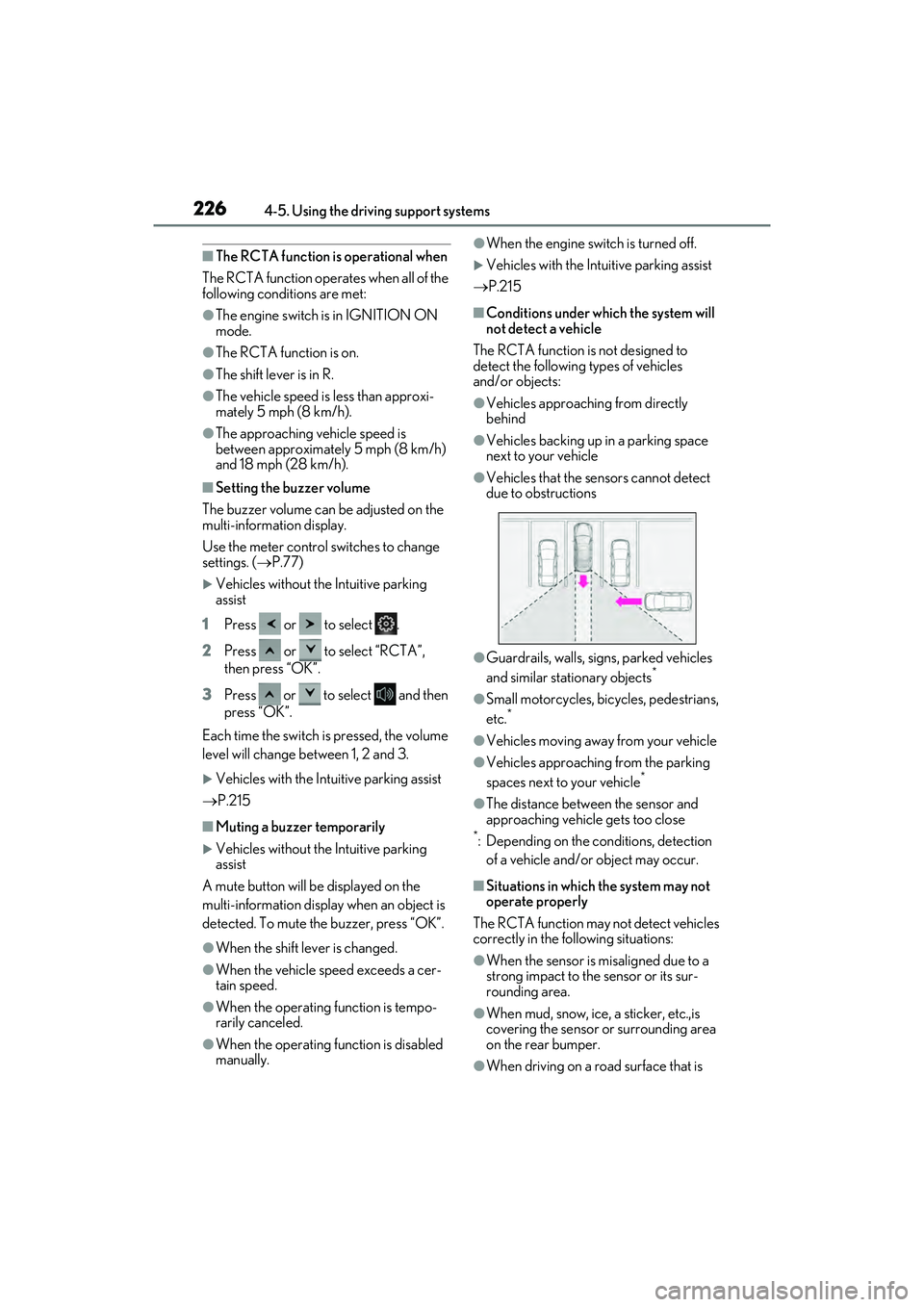
●Vehicles approaching from directly
behind
●Vehicles backing up in a parking space
next to your vehicle
●Vehicles that the sensors cannot detect
due to obstructions
●Guardrails, walls, signs, parked vehicles
and similar stationary objects*
●Small motorcycles, bicycles, pedestrians,
etc.*
●Vehicles moving away from your vehicle
●Vehicles approaching from the parking
spaces next to your vehicle*
●The distance between the sensor and
approaching vehicle gets too close
*: Depending on the conditions, detection of a vehicle and/or object may occur.
■Situations in which the system may not
operate properly
The RCTA function may not detect vehicles
correctly in the following situations:
●When the sensor is misaligned due to a
strong impact to the sensor or its sur-
rounding area.
●When mud, snow, ice, a sticker, etc.,is
covering the sensor or surrounding area
on the rear bumper.
●When driving on a road surface that is
Page 239 of 468
2374-5. Using the driving support systems
4
Driving
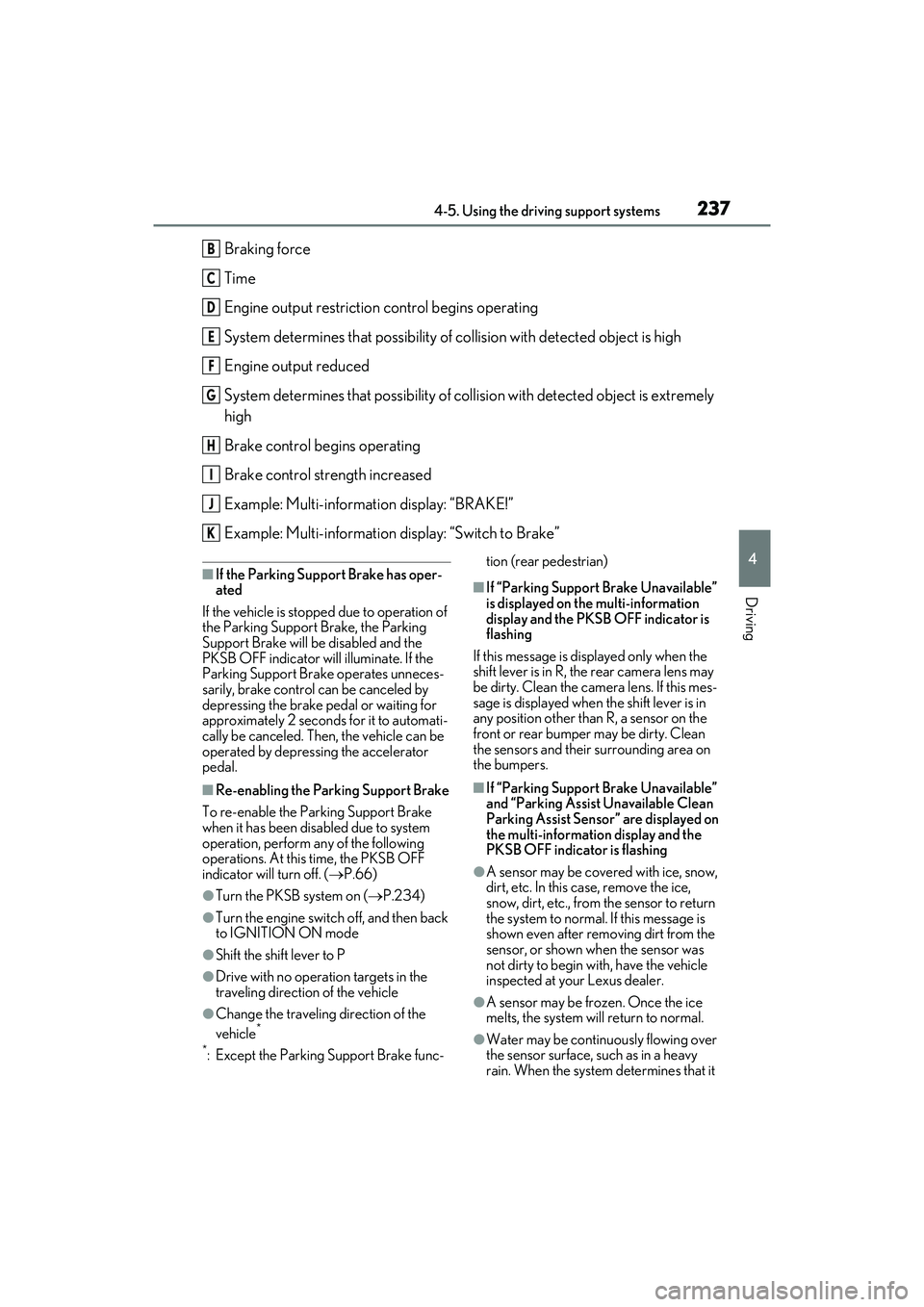
Braking force
Time
Engine output restriction control begins operating
System determines that possibility of collision with detected object is high
Engine output reduced
System determines that possibility of collision with detected object is extremely
high
Brake control begins operating
Brake control strength increased
Example: Multi-information display: “BRAKE!”
Example: Multi-information display: “Switch to Brake”
■If the Parking Support Brake has oper-
ated
If the vehicle is stopped due to operation of
the Parking Support Brake, the Parking
Support Brake will be disabled and the
PKSB OFF indicator will illuminate. If the
Parking Support Brake operates unneces-
sarily, brake control can be canceled by
depressing the brake pedal or waiting for
approximately 2 seconds for it to automati-
cally be canceled. Then, the vehicle can be
operated by depressing the accelerator
pedal.
■Re-enabling the Parking Support Brake
To re-enable the Parking Support Brake
when it has been disabled due to system
operation, perform any of the following
operations. At this time, the PKSB OFF
indicator will turn off. ( P.66)
●Turn the PKSB system on ( P.234)
●Turn the engine switch off, and then back
to IGNITION ON mode
●Shift the shift lever to P
●Drive with no operation targets in the
traveling direction of the vehicle
●Change the traveling direction of the
vehicle*
*
: Except the Parking Support Brake func- tion (rear pedestrian)
■If “Parking Support Brake Unavailable”
is displayed on the multi-information
display and the PKSB OFF indicator is
flashing
If this message is displayed only when the
shift lever is in R, the rear camera lens may
be dirty. Clean the camera lens. If this mes-
sage is displayed when the shift lever is in
any position other than R, a sensor on the
front or rear bumper may be dirty. Clean
the sensors and their surrounding area on
the bumpers.
■If “Parking Support Brake Unavailable”
and “Parking Assist Unavailable Clean
Parking Assist Sensor” are displayed on
the multi-information display and the
PKSB OFF indicator is flashing
●A sensor may be covered with ice, snow,
dirt, etc. In this case, remove the ice,
snow, dirt, etc., from the sensor to return
the system to normal. If this message is
shown even after removing dirt from the
sensor, or shown when the sensor was
not dirty to begin with, have the vehicle
inspected at your Lexus dealer.
●A sensor may be frozen. Once the ice
melts, the system will return to normal.
●Water may be continuously flowing over
the sensor surface, such as in a heavy
rain. When the system determines that it
B
C
D
E
F
G
H
I
J
K
Page 243 of 468
2414-5. Using the driving support systems
4
Driving
( P.65, 66) and all of the following condi-
tions are met:
●Engine output restriction control
• The Parking Support Brake is enabled.
• The vehicle speed is approximately 9
mph (15 km/h) or less.
• There is a static ob ject in the traveling
direction of the vehicle and approxi-
mately 6 to 13 ft. (2 to 4 m) away.
• The Parking Support Brake determines that a stronger-than-normal brake oper-
ation is necessary to avoid a collision.
●Brake control
• Engine output restriction control is oper- ating.
• The Parking Support Brake determines
that an immediate brake operation is
necessary to avoid a collision.
■The Parking Support Brake function
(static objects) will stop operating when
The function will stop operating if any of the
following conditions are met:
●Engine output restriction control
• The Parking Support Brake is disabled.
• The system determines that the collision has become avoidable with normal brake
operation.
• The static object is no longer approxi- mately 6 to 13 ft. (2 to 4 m) away from the
vehicle or in the trav eling direction of the
vehicle.
●Brake control
• The Parking Support Brake is disabled.
• Approximately 2 seconds have elapsed since the vehicle was stopped by brake
control.
• The brake pedal is depressed after the vehicle is stopped by brake control.
• The static object is no longer approxi- mately 6 to 13 ft. (2 to 4 m) away from the
vehicle or in the trav eling direction of the
vehicle.
■Detection range of the Parking Support
Brake function (static objects)
The detection range of the Parking Support
Brake function (static objects) differs from
the detection range of the intuitive parking
assist. ( P.220) Therefore, even if the
intuitive parking assist detects an object and
provides a warning, the Parking Support
Brake function (static objects) may not start operating.
■Situations in which
the Parking Support
Brake function (static objects) may not
operate
When the shift lever is in N.
■Situations in which the system may not
operate properly
P.219
■Situations in which the system may
operate even if there is no possibility of a
collision
P.219