steering LEXUS ES350 2022 Repair Manual
[x] Cancel search | Manufacturer: LEXUS, Model Year: 2022, Model line: ES350, Model: LEXUS ES350 2022Pages: 468, PDF Size: 26.96 MB
Page 271 of 468
2695-3. Using the air conditioning system
5
Interior features
*: If equipped
WARNING
■To prevent the windshield defogger
from operating improperly
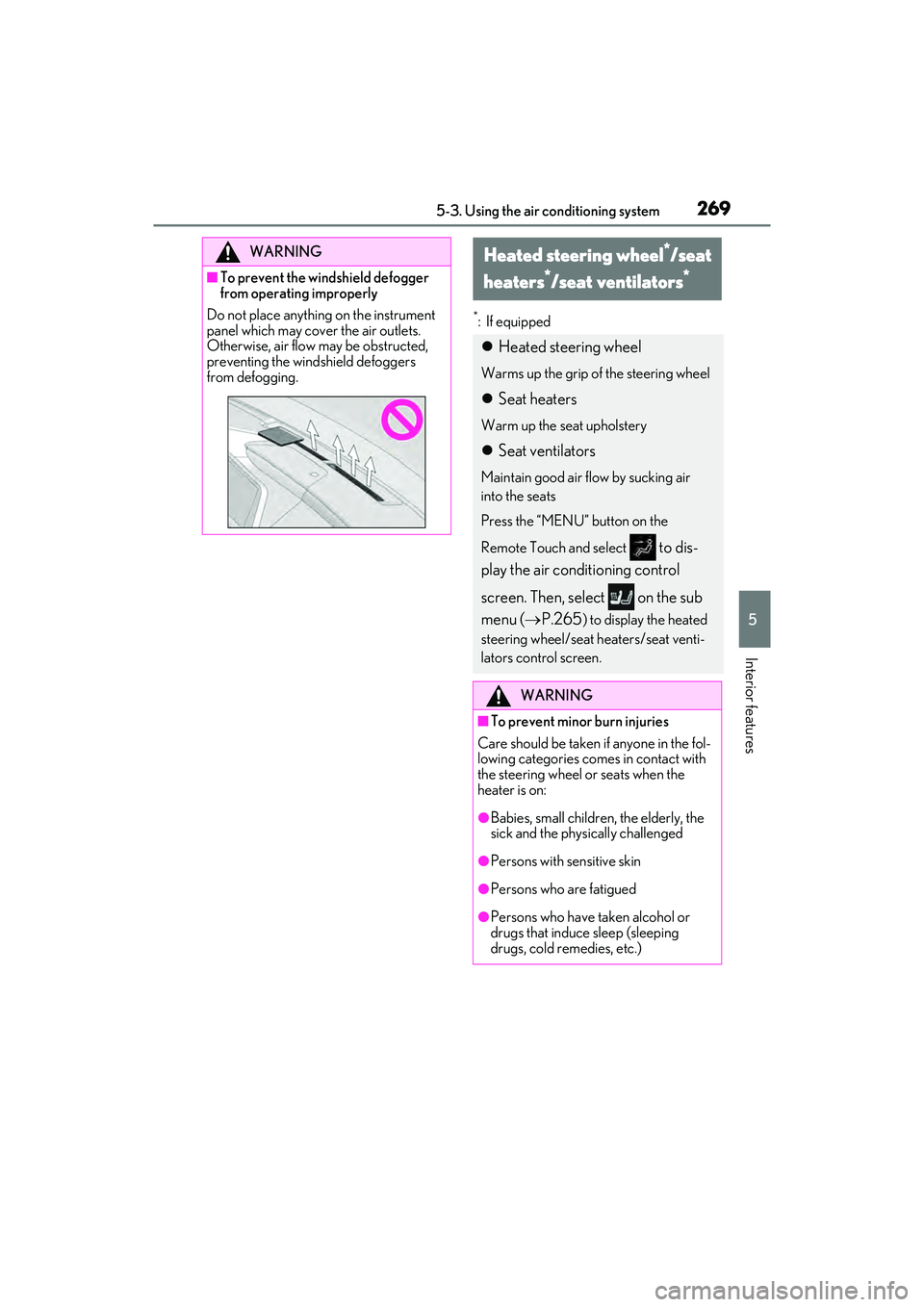
Do not place anything on the instrument
panel which may cover the air outlets.
Otherwise, air flow may be obstructed,
preventing the windshield defoggers
from defogging.
Heated steering wheel*/seat
heaters
*/seat ventilators*
Heated steering wheel
Warms up the grip of the steering wheel
Seat heaters
Warm up the seat upholstery
Seat ventilators
Maintain good air flow by sucking air
into the seats
Press the “MENU” button on the
Remote Touch and select
to dis-
play the air conditioning control
screen. Then, select on the sub
menu ( P.265
) to display the heated
steering wheel/seat heaters/seat venti-
lators control screen.
WARNING
■To prevent minor burn injuries
Care should be taken if anyone in the fol-
lowing categories comes in contact with
the steering wheel or seats when the
heater is on:
●Babies, small children, the elderly, the
sick and the physically challenged
●Persons with sensitive skin
●Persons who are fatigued
●Persons who have taken alcohol or
drugs that induce sleep (sleeping
drugs, cold remedies, etc.)
Page 272 of 468
2705-3. Using the air conditioning system
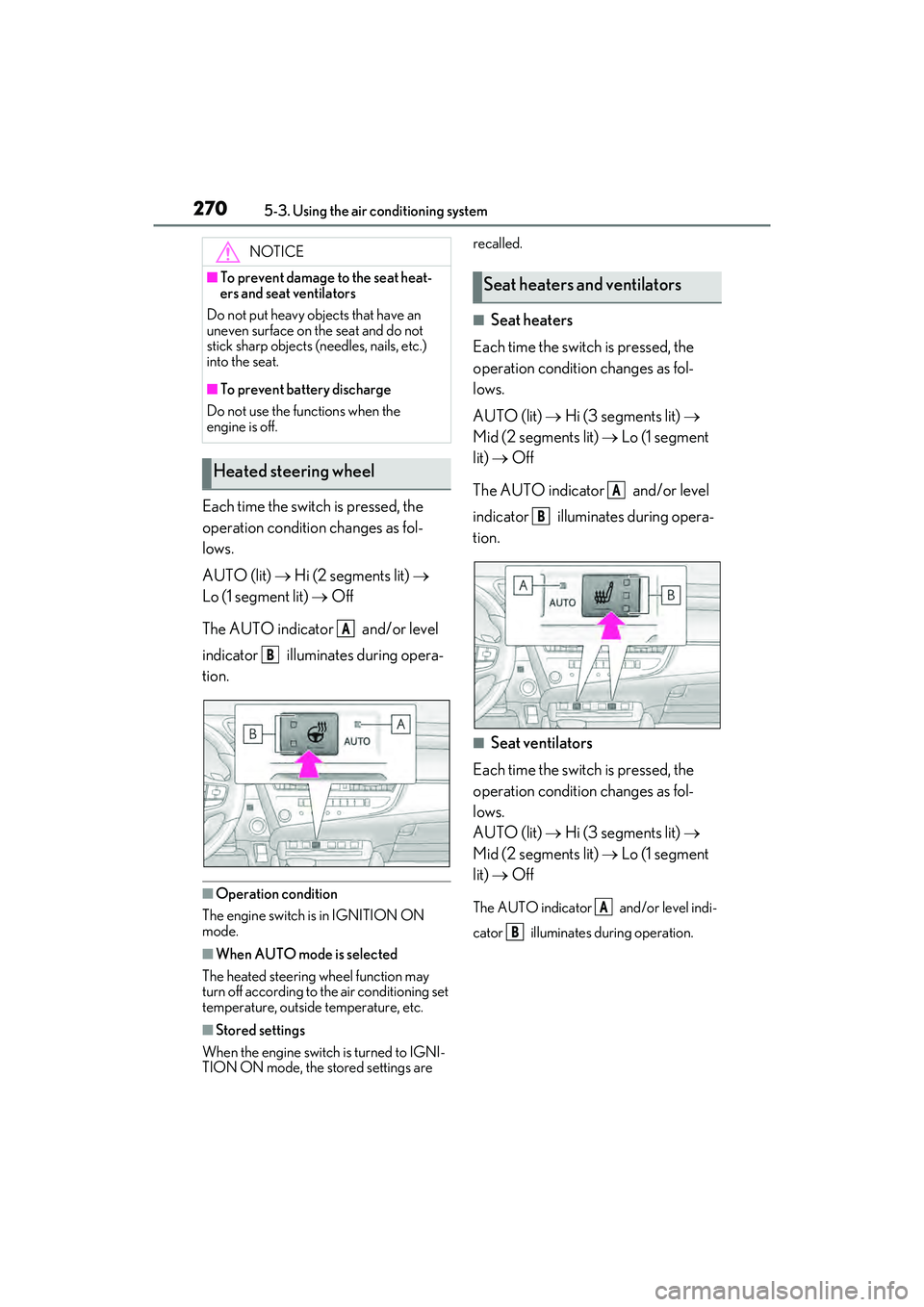
Each time the switch is pressed, the
operation condition changes as fol-
lows.
AUTO (lit) Hi (2 segments lit)
Lo (1 segment lit) Off
The AUTO indicator and/or level
indicator illuminates during opera-
tion.
■Operation condition
The engine switch is in IGNITION ON
mode.
■When AUTO mode is selected
The heated steering wheel function may
turn off according to the air conditioning set
temperature, outside temperature, etc.
■Stored settings
When the engine switch is turned to IGNI-
TION ON mode, the stored settings are recalled.
■Seat heaters
Each time the switch is pressed, the
operation condition changes as fol-
lows.
AUTO (lit) Hi (3 segments lit)
Mid (2 segments lit) Lo (1 segment
lit) Off
The AUTO indicator and/or level
indicator illuminates during opera-
tion.
■Seat ventilators
Each time the switch is pressed, the
operation condition changes as fol-
lows.
AUTO (lit) Hi (3 segments lit)
Mid (2 segments lit) Lo (1 segment
lit) Off
The AUTO indicator and/or level indi-
cator illuminates during operation.
NOTICE
■To prevent damage to the seat heat-
ers and seat ventilators
Do not put heavy objects that have an
uneven surface on the seat and do not
stick sharp objects (needles, nails, etc.)
into the seat.
■To prevent battery discharge
Do not use the functions when the
engine is off.
Heated steering wheel
A
B
Seat heaters and ventilators
A
B
A
B
Page 273 of 468
2715-3. Using the air conditioning system
5
Interior features
■Operation condition
The engine switch is in IGNITION ON
mode.
■Air conditioning system-linked control
mode
When the seat ventilator fan speed level is
Hi (when “AUTO” is selected), the seat
ventilator fan speed may become higher
according to the fan speed of the air condi-
tioning system.
■When AUTO mode is selected
The following functions may turn off
according to the air conditioning set tem-
perature, outside temperature, etc.
●Seat heaters
●Seat ventilators
■Stored settings
When the engine switch is turned to IGNI-
TION ON mode, the stored settings of the
following functions are recalled.
●Seat heaters
●Seat ventilators
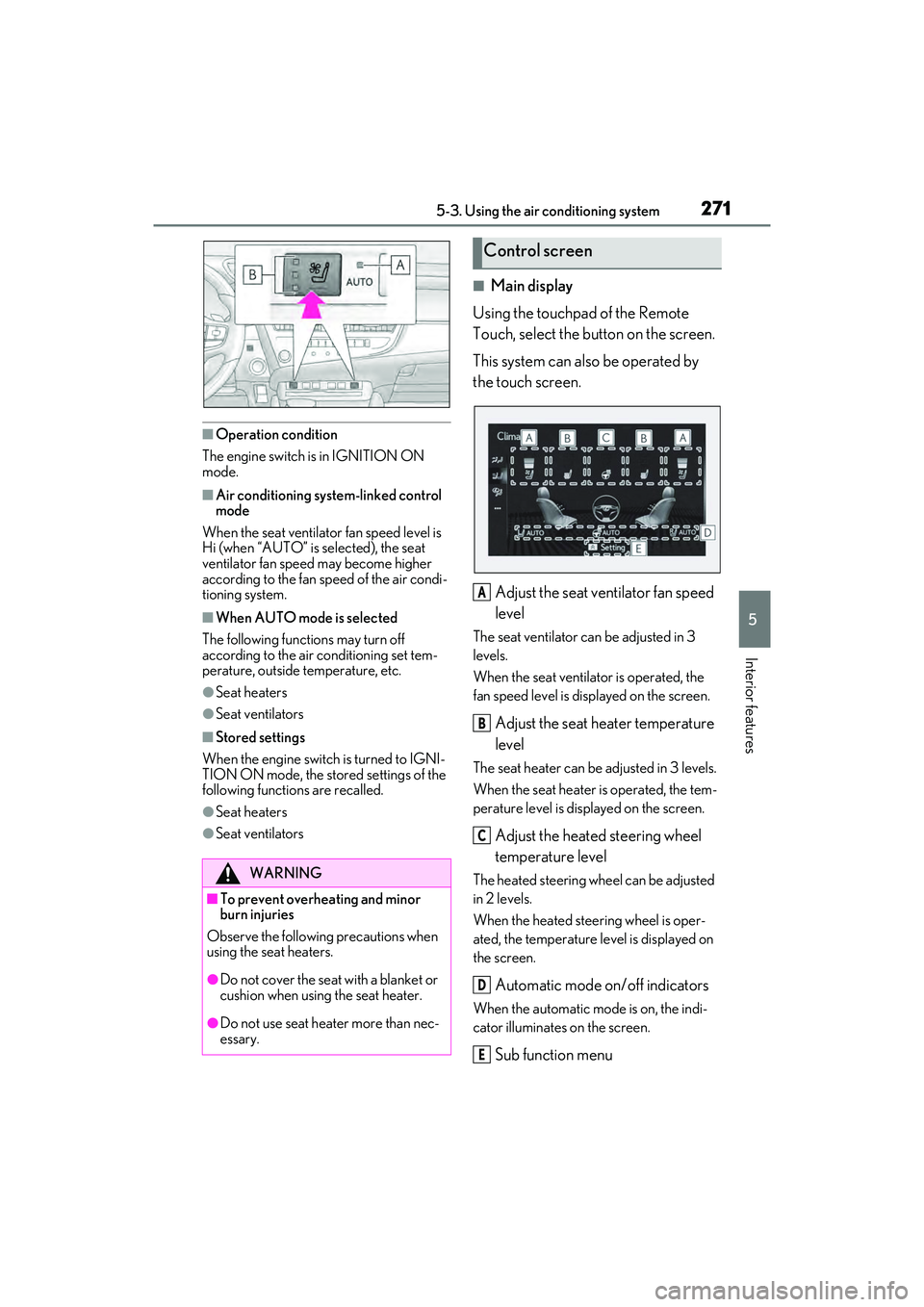
■Main display
Using the touchpad of the Remote
Touch, select the button on the screen.
This system can also be operated by
the touch screen.
Adjust the seat ventilator fan speed
level
The seat ventilator can be adjusted in 3
levels.
When the seat ventilator is operated, the
fan speed level is displayed on the screen.
Adjust the seat heater temperature
level
The seat heater can be adjusted in 3 levels.
When the seat heater is operated, the tem-
perature level is displayed on the screen.
Adjust the heated steering wheel
temperature level
The heated steering wheel can be adjusted
in 2 levels.
When the heated steering wheel is oper-
ated, the temperature level is displayed on
the screen.
Automatic mode on/off indicators
When the automatic mode is on, the indi-
cator illuminates on the screen.
Sub function menu
WARNING
■To prevent overheating and minor
burn injuries
Observe the following precautions when
using the seat heaters.
●Do not cover the seat with a blanket or
cushion when using the seat heater.
●Do not use seat heater more than nec-
essary.
Control screen
A
B
C
D
E
Page 274 of 468
2725-3. Using the air conditioning system
When the sub function button on the
Remote Touch is pressed, the following
functions can be set to automatic mode.: Left-hand side seat heater/seat
ventilator
: Heated steering wheel
: Right-hand side seat heater/seat
ventilator
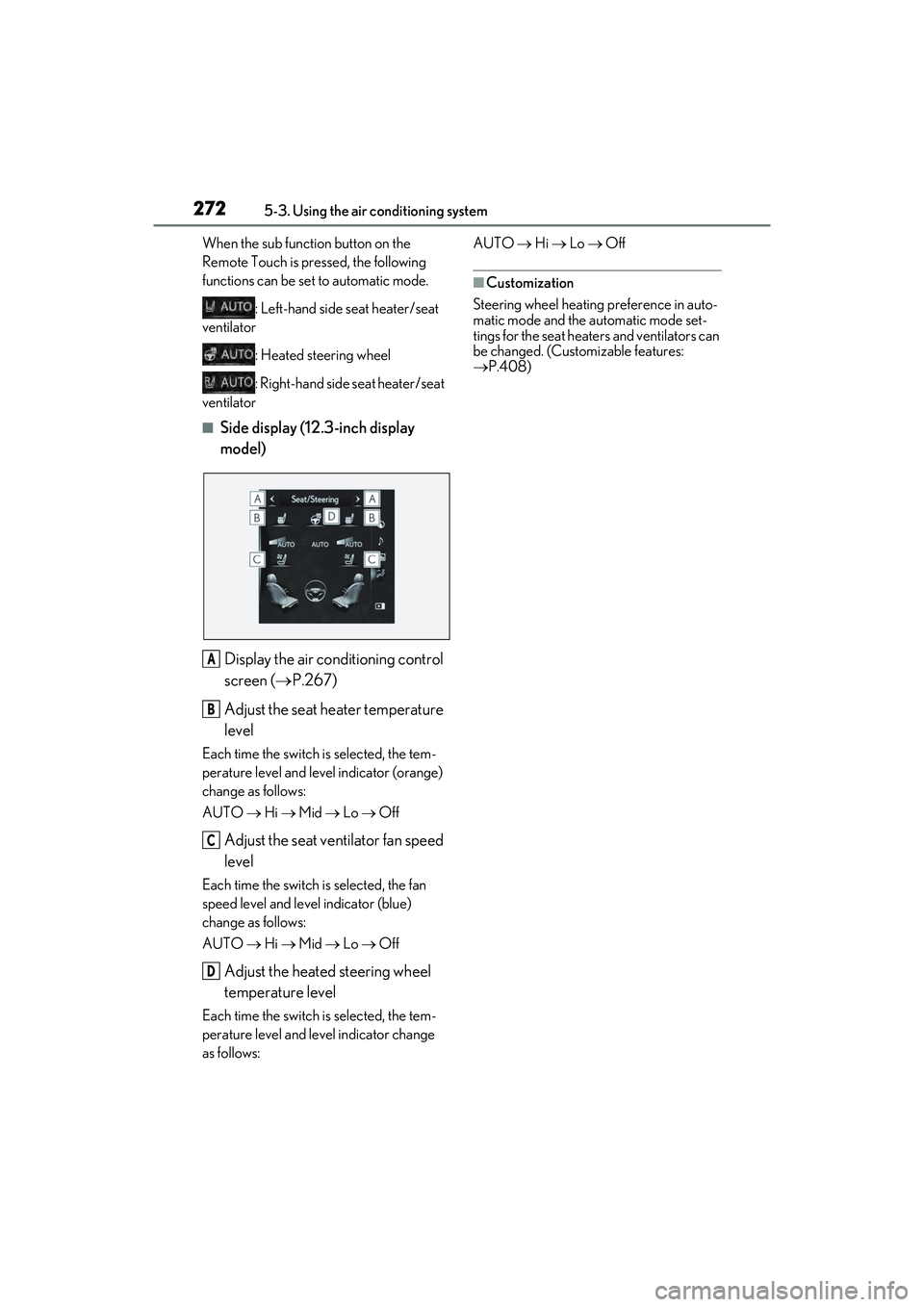
■Side display (12.3-inch display
model)
Display the air conditioning control
screen ( P.267)
Adjust the seat heater temperature
level
Each time the switch is selected, the tem-
perature level and level indicator (orange)
change as follows:
AUTO Hi Mid Lo Off
Adjust the seat ventilator fan speed
level
Each time the switch is selected, the fan
speed level and level indicator (blue)
change as follows:
AUTO Hi Mid Lo Off
Adjust the heated steering wheel
temperature level
Each time the switch is selected, the tem-
perature level and level indicator change
as follows: AUTO
Hi Lo Off
■Customization
Steering wheel heating preference in auto-
matic mode and the automatic mode set-
tings for the seat heaters and ventilators can
be changed. (Customizable features:
P.408)
A
B
C
D
Page 302 of 468
3006-1. Maintenance and care
WARNING
■Precaution regarding the rear
bumper with Blind Spot Monitor
If the paint of the rear bumper is chipped
or scratched, the system may malfunc-
tion. If this occurs, consult your Lexus
dealer.
NOTICE
■To prevent paint deterioration and
corrosion on the body and compo-
nents (aluminum wheels etc.)
●Wash the vehicle immediately in the
following cases:
• After driving near the sea coast
• After driving on salted roads
• If coal tar, pollen or tree sap is present on the paint surface
• If dead insects, insect droppings or bird droppings are present on the
paint surface
• After driving in an area contaminated with soot, oily smoke, mine dust, iron
powder or chemical substances
• If the vehicle becomes heavily soiled with dust or mud
• If liquids such as benzene and gasoline are spilled on the paint surface
●If the paint is chipped or scratched,
have it repaired immediately.
●To prevent the wheels from corroding,
remove any dirt and store in a place
with low humidity when storing the
wheels.
■Cleaning the exterior lights
●Wash carefully. Do not use organic
substances or scrub with a hard brush.
This may damage the surfaces of the
lights.
●Do not apply wax to the surfaces of the
lights.
Wax may cause damage to the lenses.
■When using an automatic car wash
(vehicles with rain-s ensing windshield
wipers)
Set the wiper switch to the off position.
If the wiper switch is in “AUTO”, the wip-
ers may operate and the wiper blades
may be damaged.
■When using a high pressure car wash
●When washing the vehicle, do not
spray the camera or its surrounding
area directly with a high pressure
washer. Shock applied from high pres-
sure water may cause the device to not
operate normally.
●Do not spray water directly on the
radar which is equipped behind the
emblem. Otherwise it may cause the
device to be damaged.
●Do not bring the nozzle tip close to
boots (rubber or resin manufactured
cover), connectors or the following
parts. The parts may be damaged if
they come into contact with high-pres-
sure water.
• Traction related parts
•Steering parts
• Suspension parts
• Brake parts
●Keep the cleaning nozzle at least 11.9
in. (30 cm) away from the vehicle
body. Otherwise resin section, such as
moldings and bumpers, may be
deformed and damaged. Also, do not
continuously hold the nozzle in the
same place.
●Do not spray the lower part of the
windshield continuously.
If water enters the air conditioning sys-
tem intake located near the lower part
of the windshield, the air conditioning
system may not operate correctly.
●Do not wash the underside of the vehi-
cle using a high pressure car washer.
Page 308 of 468
3066-2. Maintenance
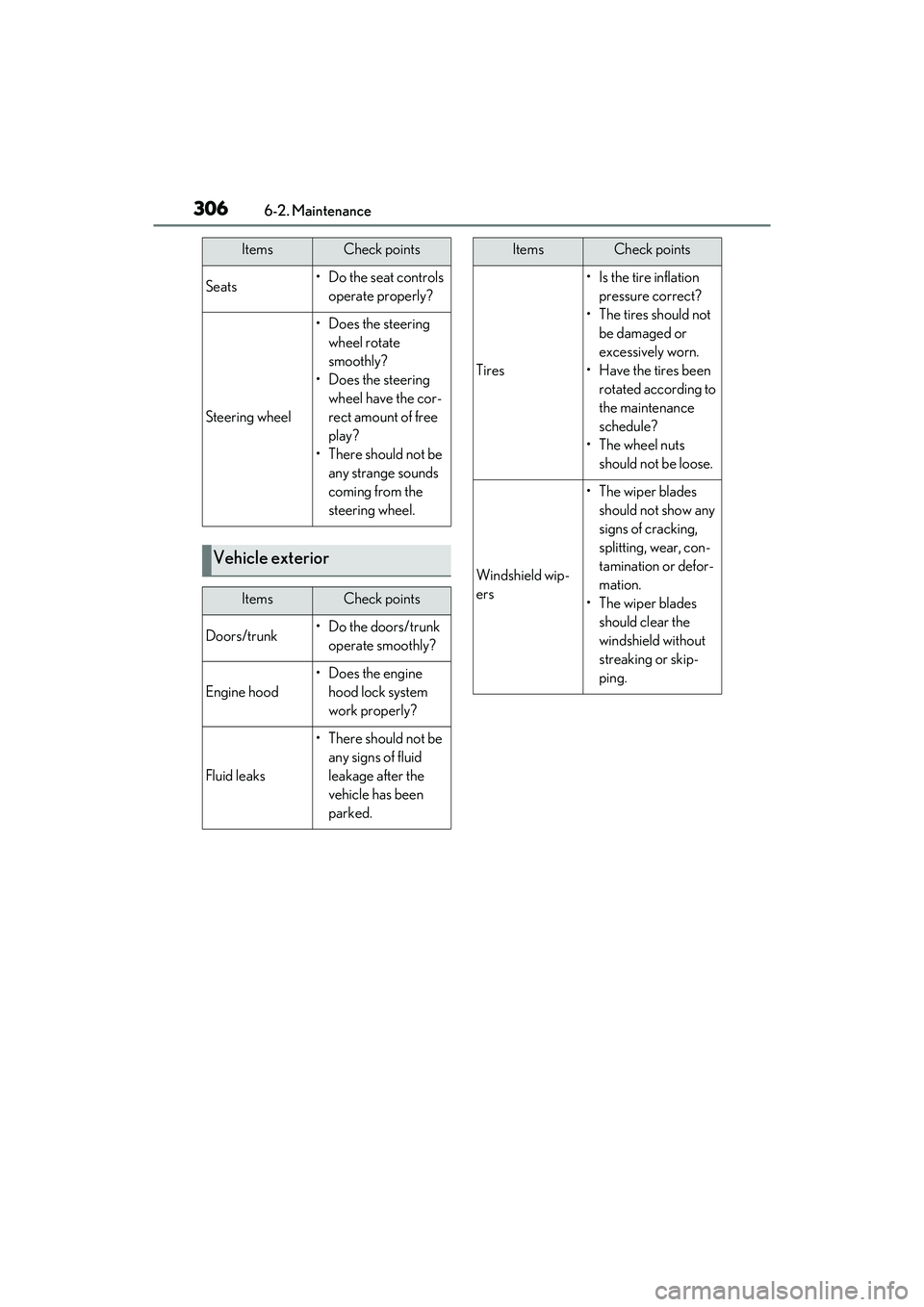
Seats• Do the seat controls operate properly?
Steering wheel
• Does the steering wheel rotate
smoothly?
• Does the steering wheel have the cor-
rect amount of free
play?
•There should not be any strange sounds
coming from the
steering wheel.
Vehicle exterior
ItemsCheck points
Doors/trunk• Do the doors/trunk operate smoothly?
Engine hood
• Does the engine hood lock system
work properly?
Fluid leaks
•There should not be any signs of fluid
leakage after the
vehicle has been
parked.
ItemsCheck points
Tires
•Is the tire inflation pressure correct?
• The tires should not be damaged or
excessively worn.
• Have the tires been rotated according to
the maintenance
schedule?
• The wheel nuts should not be loose.
Windshield wip-
ers
• The wiper blades should not show any
signs of cracking,
splitting, wear, con-
tamination or defor-
mation.
• The wiper blades should clear the
windshield without
streaking or skip-
ping.
ItemsCheck points
Page 341 of 468
3396-3. Do-it-yourself maintenance
6
Maintenance and care
Cornering lights
Side turn signal lights
Outer foot lights
Tail lights
Stop lights
Rear turn signal lights
Rear side marker lights
Back-up lights
High mounted stoplight
License plate lights
■LED lights
The lights other than the front turn signal
lights (vehicles with single-beam head-
lights) and front side marker lights (vehicles
with single-beam headlights) each consist
of a number of LEDs. If any of the LEDs
burn out, take your vehicle to your Lexus
dealer to have the light replaced.
■Condensation build-up on the inside of
the lens
Temporary condensation build-up on the
inside of the headlight lens does not indi-
cate a malfunction. Contact your Lexus
dealer for more information in the following
situations:
●Large drops of water have built up on the
inside of the lens.
●Water has built up inside the headlight.
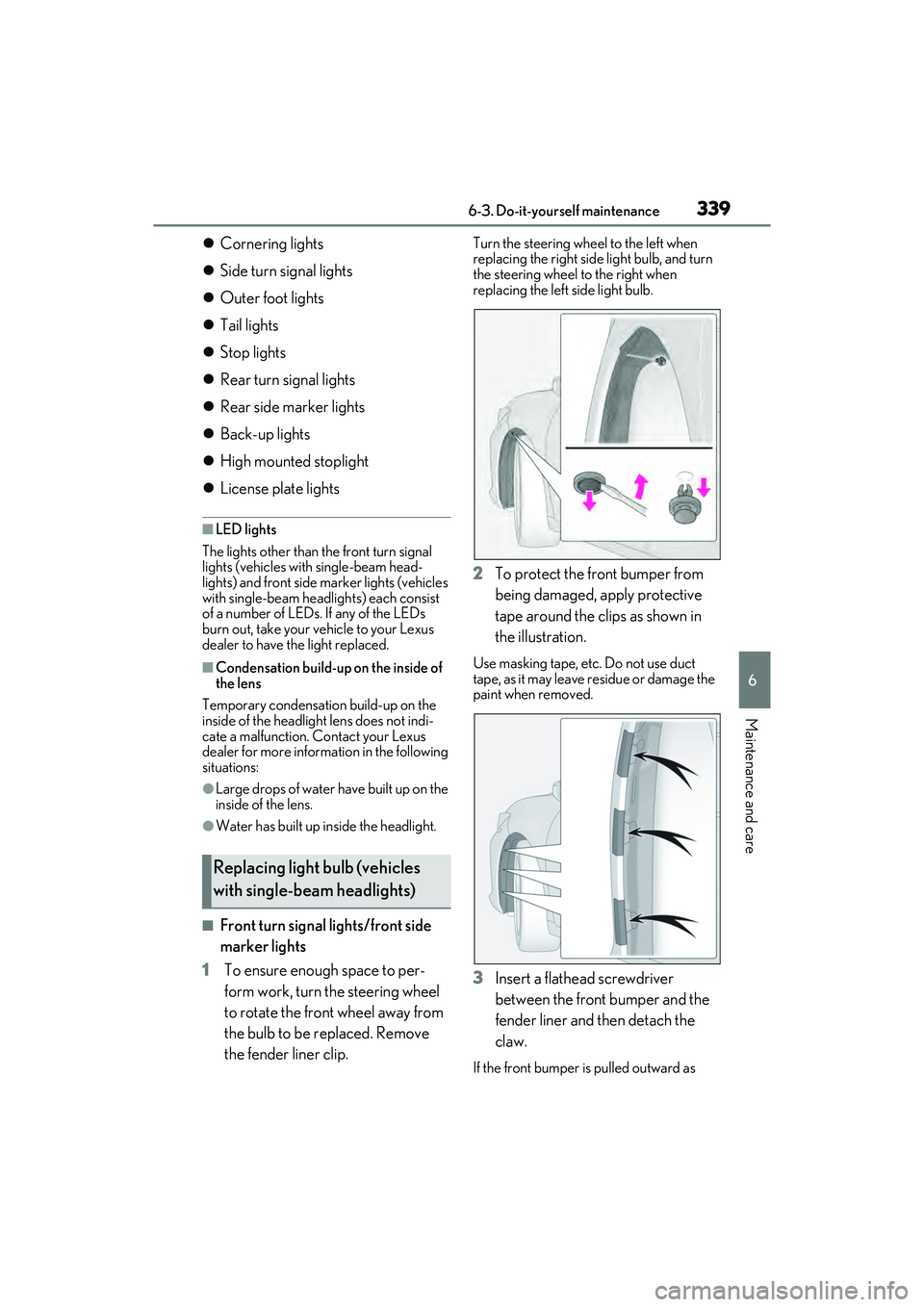
■Front turn signal lights/front side
marker lights
1 To ensure enough space to per-
form work, turn the steering wheel
to rotate the front wheel away from
the bulb to be replaced. Remove
the fender liner clip.
Turn the steering wheel to the left when
replacing the right side light bulb, and turn
the steering wheel to the right when
replacing the left side light bulb.
2To protect the front bumper from
being damaged, apply protective
tape around the clips as shown in
the illustration.
Use masking tape, etc. Do not use duct
tape, as it may leave residue or damage the
paint when removed.
3Insert a flathead screwdriver
between the front bumper and the
fender liner and then detach the
claw.
If the front bumper is pulled outward as
Replacing light bulb (vehicles
with single-beam headlights)
Page 347 of 468
3457-1. Essential information
7
When trouble arises
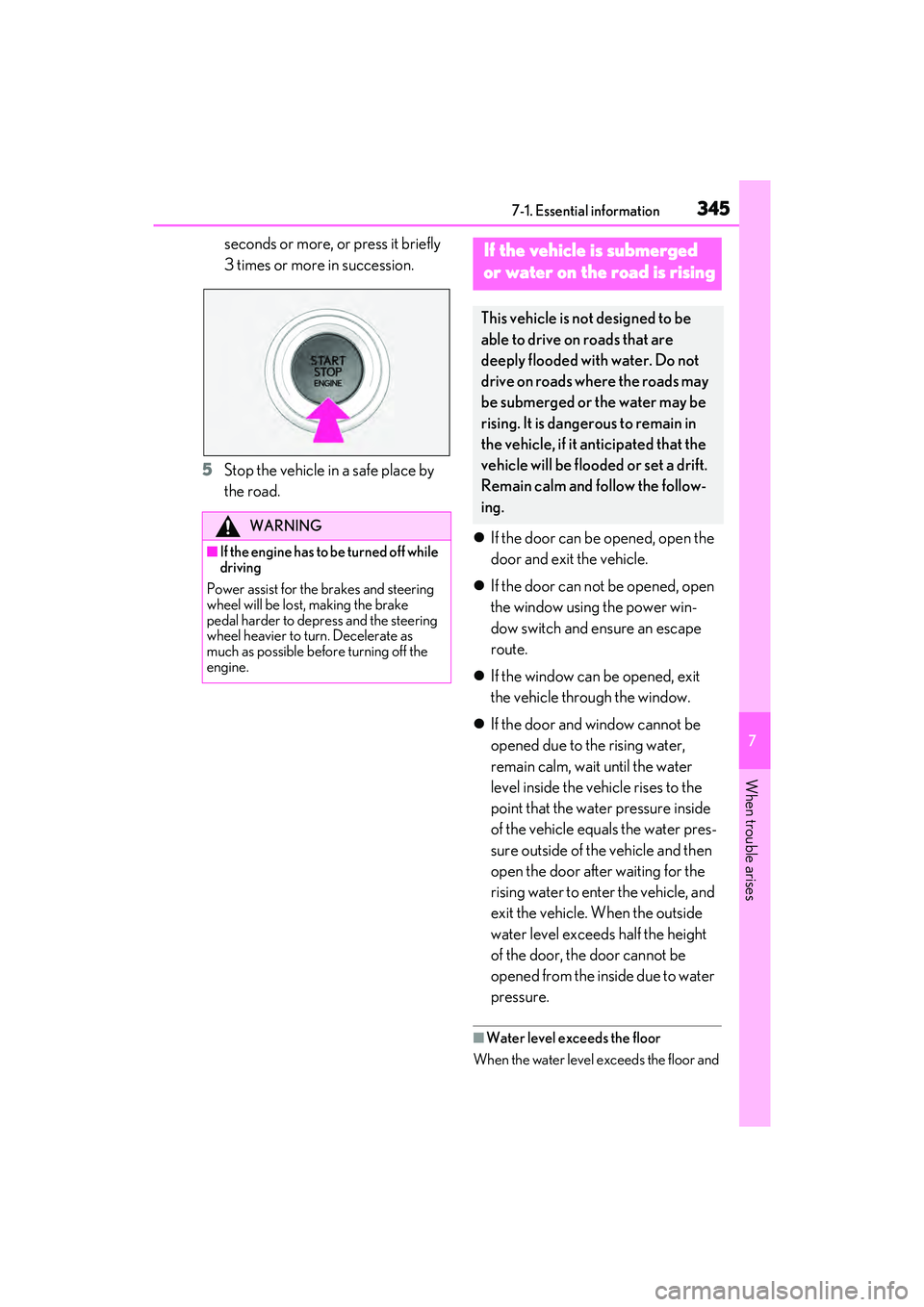
seconds or more, or press it briefly
3 times or more in succession.
5 Stop the vehicle in a safe place by
the road.
If the door can be opened, open the
door and exit the vehicle.
If the door can not be opened, open
the window using the power win-
dow switch and ensure an escape
route.
If the window can be opened, exit
the vehicle through the window.
If the door and window cannot be
opened due to the rising water,
remain calm, wait until the water
level inside the vehicle rises to the
point that the water pressure inside
of the vehicle equals the water pres-
sure outside of the vehicle and then
open the door after waiting for the
rising water to enter the vehicle, and
exit the vehicle. When the outside
water level exceeds half the height
of the door, the door cannot be
opened from the inside due to water
pressure.
■Water level exceeds the floor
When the water level exceeds the floor and
WARNING
■If the engine has to be turned off while
driving
Power assist for the brakes and steering
wheel will be lost, making the brake
pedal harder to depress and the steering
wheel heavier to turn. Decelerate as
much as possible before turning off the
engine.
If the vehicle is submerged
or water on the road is rising
This vehicle is not designed to be
able to drive on roads that are
deeply flooded with water. Do not
drive on roads where the roads may
be submerged or the water may be
rising. It is dangerous to remain in
the vehicle, if it anticipated that the
vehicle will be flooded or set a drift.
Remain calm and follow the follow-
ing.
Page 350 of 468
3487-2. Steps to take in an emergency
When using a flat-bed truck to trans-
port the vehicle, use tire strapping
belts. Refer to the owner’s manual of
the flat-bed truck for the tire strapping
method.
In order to suppress vehicle movement
during transportation, set the parking
brake and turn the engine switch off.
WARNING
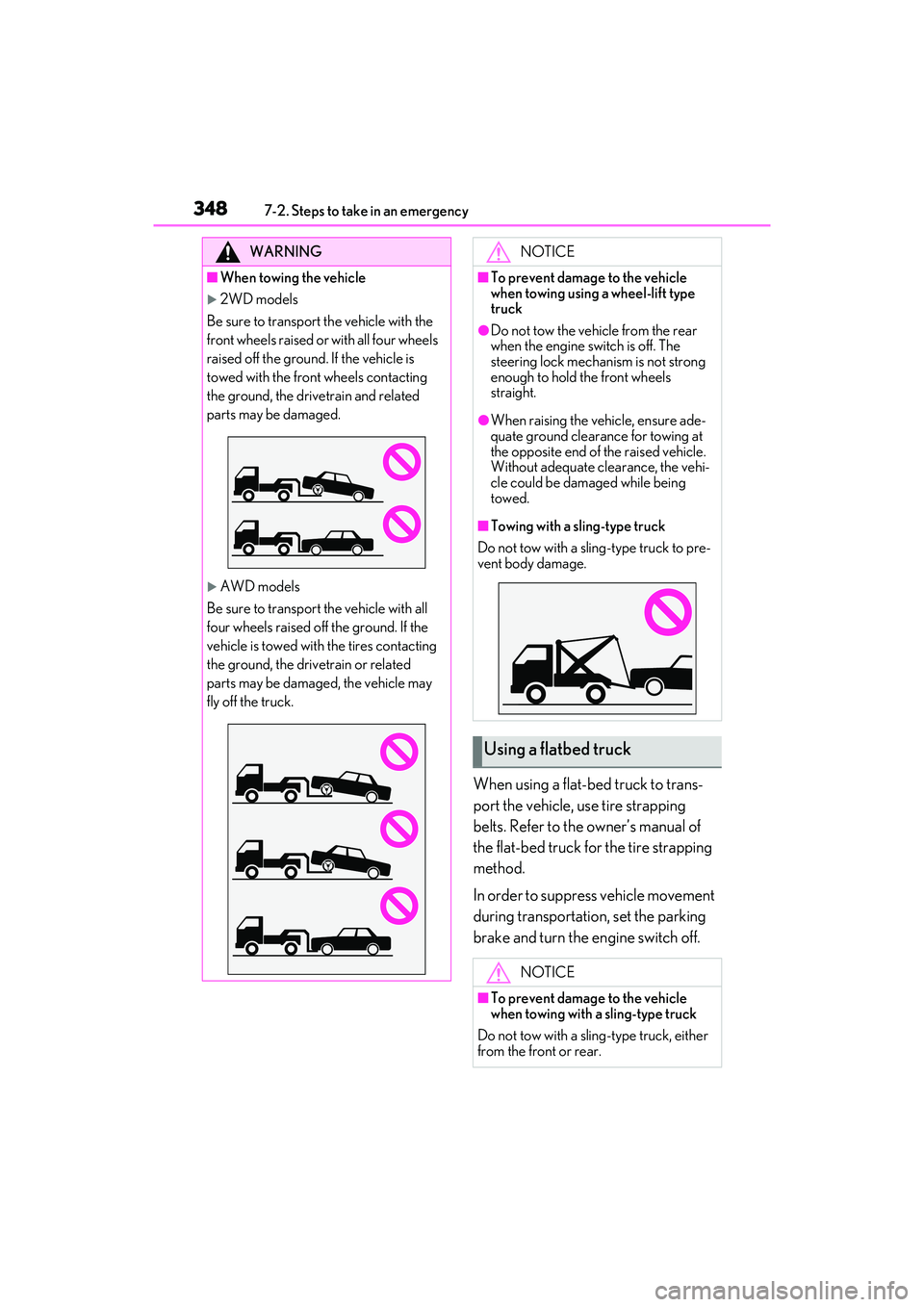
■When towing the vehicle
2WD models
Be sure to transport the vehicle with the
front wheels raised or with all four wheels
raised off the ground. If the vehicle is
towed with the front wheels contacting
the ground, the drivetrain and related
parts may be damaged.
AWD models
Be sure to transport the vehicle with all
four wheels raised off the ground. If the
vehicle is towed with the tires contacting
the ground, the drivetrain or related
parts may be damaged, the vehicle may
fly off the truck.
NOTICE
■To prevent damage to the vehicle
when towing using a wheel-lift type
truck
●Do not tow the vehicle from the rear
when the engine switch is off. The
steering lock mechan ism is not strong
enough to hold the front wheels
straight.
●When raising the vehicle, ensure ade-
quate ground clearance for towing at
the opposite end of the raised vehicle.
Without adequate clearance, the vehi-
cle could be damaged while being
towed.
■Towing with a sling-type truck
Do not tow with a sling-type truck to pre-
vent body damage.
Using a flatbed truck
NOTICE
■To prevent damage to the vehicle
when towing with a sling-type truck
Do not tow with a sling-type truck, either
from the front or rear.
Page 355 of 468
3537-2. Steps to take in an emergency
7
When trouble arises
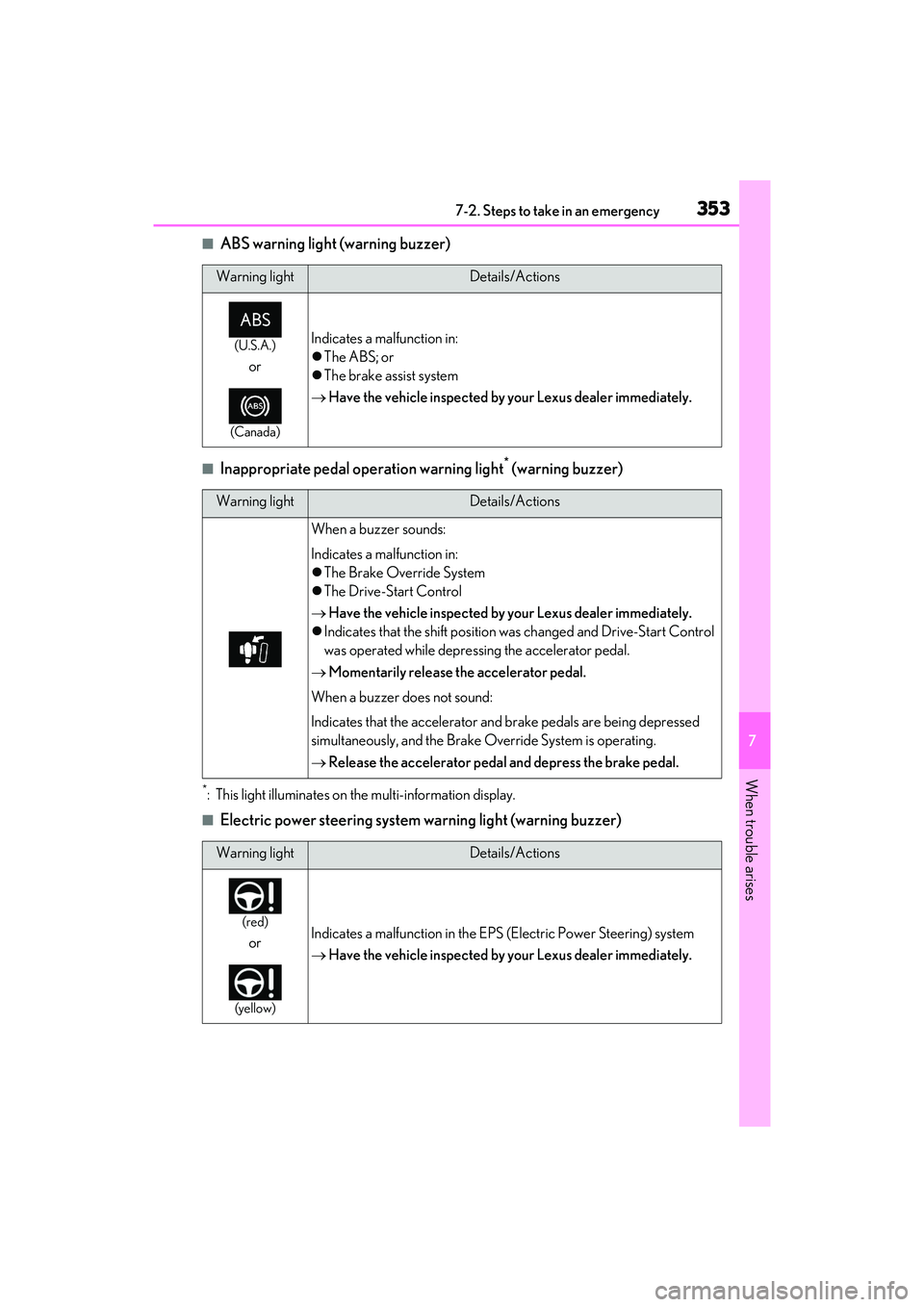
■ABS warning light (warning buzzer)
■Inappropriate pedal operation warning light* (warning buzzer)
*: This light illuminates on the multi-information display.
■Electric power steering system warning light (warning buzzer)
Warning lightDetails/Actions
(U.S.A.)
or
(Canada)
Indicates a malfunction in:
The ABS; or
The brake assist system
Have the vehicle inspected by your Lexus dealer immediately.
Warning lightDetails/Actions
When a buzzer sounds:
Indicates a malfunction in:
The Brake Override System
The Drive-Start Control
Have the vehicle inspected by your Lexus dealer immediately.
Indicates that the shift position was changed and Drive-Start Control
was operated while depressing the accelerator pedal.
Momentarily release the accelerator pedal.
When a buzzer does not sound:
Indicates that the accelerator and brake pedals are being depressed
simultaneously, and the Brake Override System is operating.
Release the accelerator pedal and depress the brake pedal.
Warning lightDetails/Actions
(red)
or
(yellow)
Indicates a malfunction in the EPS (Electric Power Steering) system
Have the vehicle inspected by your Lexus dealer immediately.