instrument cluster Lexus GS F 2017 Owner's Guide
[x] Cancel search | Manufacturer: LEXUS, Model Year: 2017, Model line: GS F, Model: Lexus GS F 2017Pages: 676, PDF Size: 67.73 MB
Page 126 of 676
1262. Instrument cluster
GS350_200t_GS F_OM_OM30F83E_(EE)
■
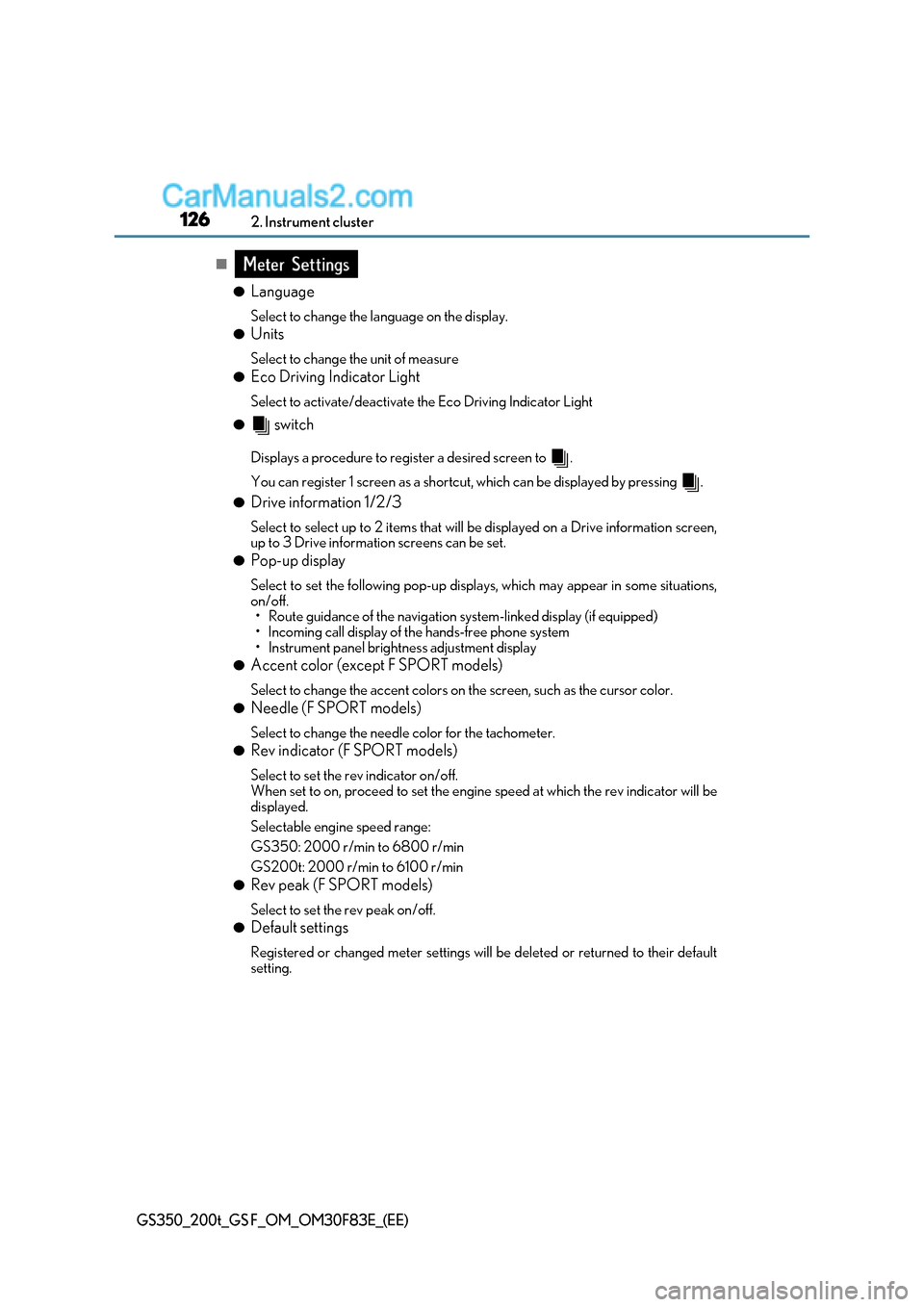
●Language
Select to change the language on the display.
● Units
Select to change the unit of measure
● Eco Driving Indicator Light
Select to activate/deactivate the Eco Driving Indicator Light
● switch
Displays a procedure to register a desired screen to .
You can register 1 screen as a shortcut, which can be displayed by pressing .
● Drive information 1/2/3
Select to select up to 2 items that will be displayed on a Drive information screen,
up to 3 Drive information screens can be set.
● Pop-up display
Select to set the following pop-up displa ys, which may appear in some situations,
on/off.
Page 127 of 676
127
2. Instrument cluster
2
Instrument cluster
GS350_200t_GS F_OM_OM30F83E_(EE)
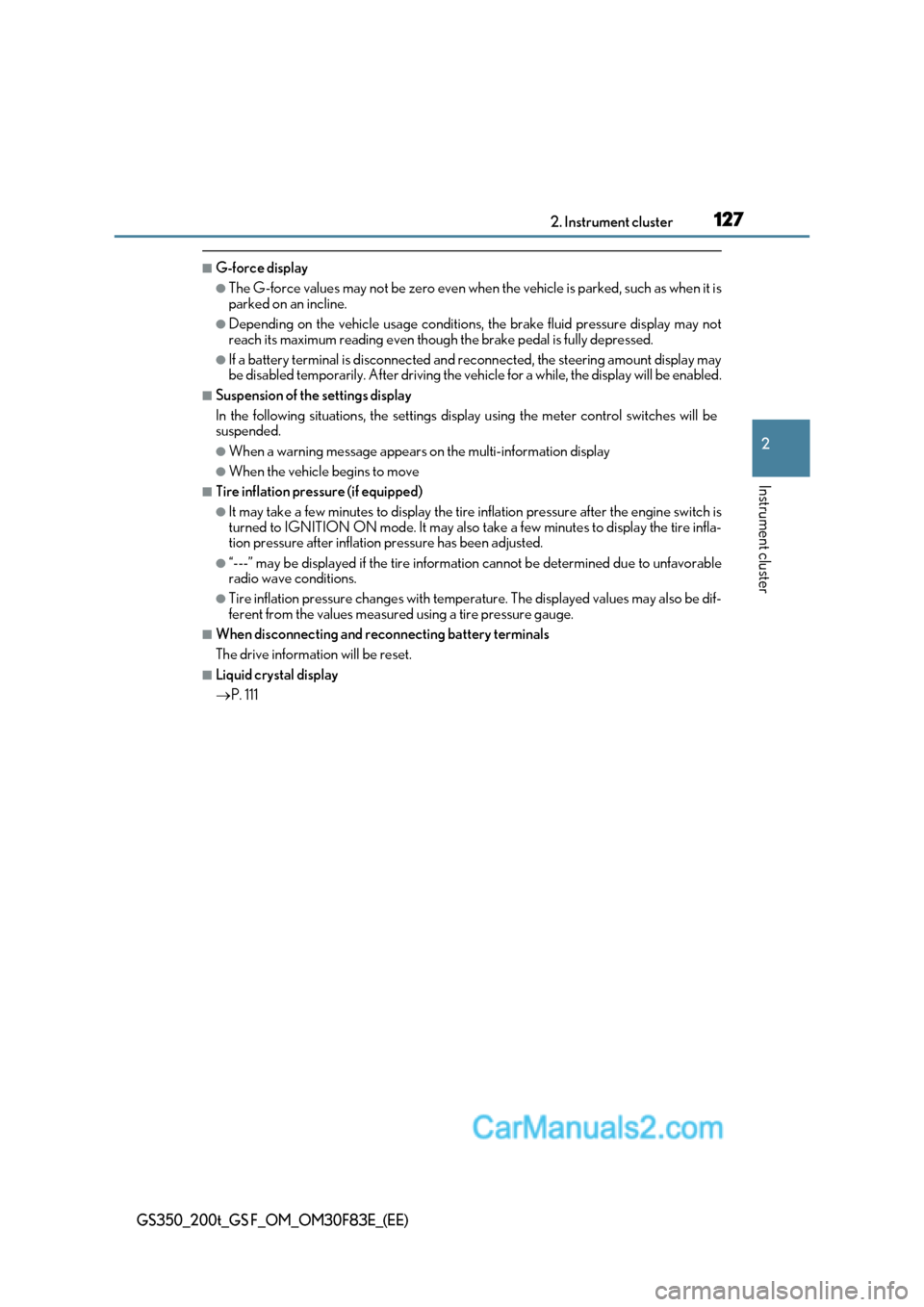
■G-force display
●The G-force values may not be zero even when the vehicle is parked, such as when it is
parked on an incline.
●Depending on the vehicle usage conditions, the brake fluid pressure display may not
reach its maximum reading even though the brake pedal is fully depressed.
●If a battery terminal is disconnected and reconnected, the steering amount display may
be disabled temporarily. After driving the ve hicle for a while, the display will be enabled.
■Suspension of the settings display
In the following situations, the settings disp lay using the meter control switches will be
suspended.
●When a warning message appears on the multi-information display
●When the vehicle begins to move
■Tire inflation pressure (if equipped)
●It may take a few minutes to display the tire inflation pressure afte r the engine switch is
turned to IGNITION ON mode. It may also take a few minutes to display the tire infla-
tion pressure after inflation pressure has been adjusted.
●“---” may be displayed if the tire information cannot be determined due to unfavorable
radio wave conditions.
●Tire inflation pressure changes with temperature. The displayed values may also be dif-
ferent from the values measured using a tire pressure gauge.
■When disconnecting and reconnecting battery terminals
The drive information will be reset.
■Liquid crystal display P. 111
Page 128 of 676

1282. Instrument cluster
GS350_200t_GS F_OM_OM30F83E_(EE)
WARNING
■Caution for use while driving
●When operating the multi-info rmation display while driving, pay extra attention to the
safety of the area around the vehicle.
●Do not look continuously at the multi-info rmation display while driving as you may fail
to see pedestrians, objects on the road, etc. ahead of the vehicle.
■Cautions during setting up the display
As the engine needs to be operating during se tting up the display, ensure that the vehi-
cle is parked in a place with adequate ventilation. In a closed area such as a garage,
exhaust gases including harmful carbon monoxide (CO) may collect and enter the
vehicle. This may lead to death or a serious health hazard.
NOTICE
■During setting up the display
To prevent battery discharge, ensure that the engine is operating while setting up the
display features.
Page 129 of 676
129
2
2. Instrument cluster
Instrument cluster
GS350_200t_GS F_OM_OM30F83E_(EE)
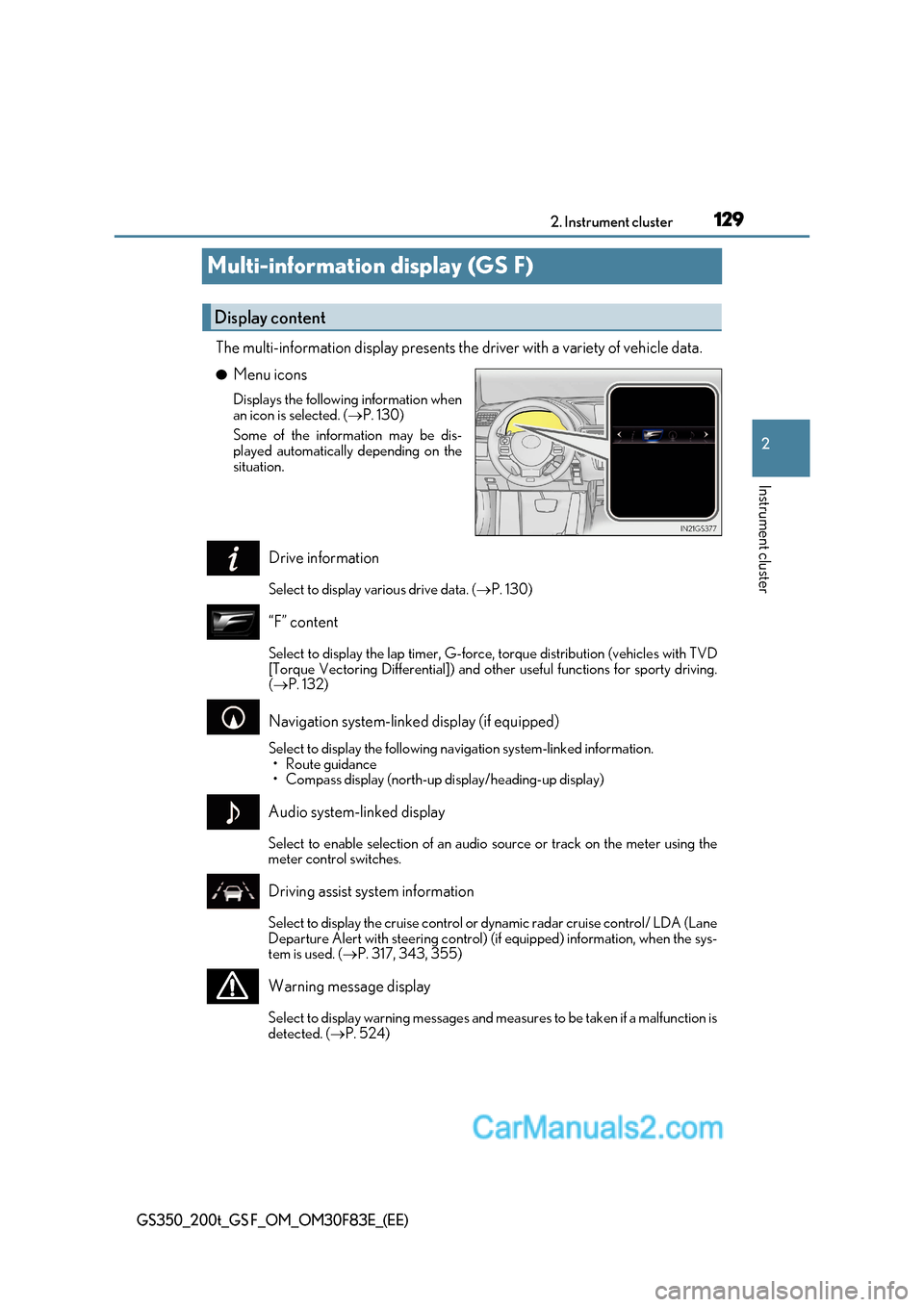
Multi-information display (GS F)
The multi-information display presents the driver with a variety of vehicle data. ●Menu icons
Displays the following information when
an icon is selected. ( P. 130)
Some of the information may be dis-
played automatically depending on the
situation.
Drive information
Select to display various drive data. ( P. 130)
“F” content
Select to display the lap timer, G-force, torque distribution (vehicles with TVD
[Torque Vectoring Differential]) and othe r useful functions for sporty driving.
( P. 132)
Navigation system-linked display (if equipped)
Select to display the following na vigation system-linked information.
Page 130 of 676
1302. Instrument cluster
GS350_200t_GS F_OM_OM30F83E_(EE)
Settings display
Select to change the meter display settings. ( P. 637)
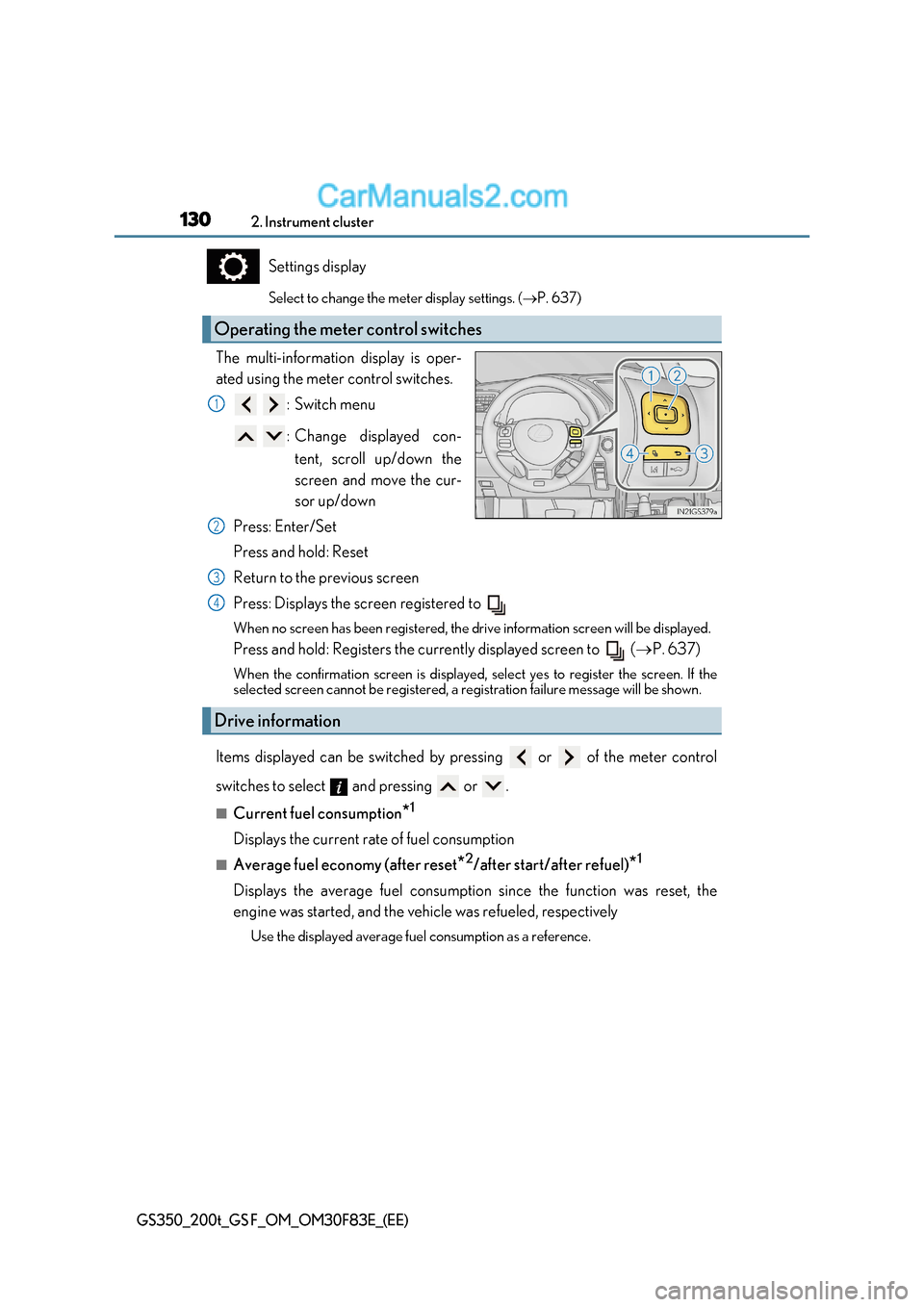
The multi-information display is oper-
ated using the meter control switches. :Switch menu
: Change displayed con-tent, scroll up/down the
screen and move the cur-
sor up/down
Press: Enter/Set
Press and hold: Reset
Return to the previous screen
Press: Displays the screen registered to
When no screen has been registered, the drive information screen will be displayed.
Press and hold: Registers the currently displayed screen to ( P. 637)
When the confirmation screen is displayed, select yes to register the screen. If the
selected screen cannot be re gistered, a registration failure message will be shown.
Items displayed can be switched by pressing or of the meter control
switches to select and pressing or .
■Current fuel consumption *1
Displays the current rate of fuel consumption
■Average fuel economy (after reset *2
/after start/after refuel) *1
Displays the average fuel consumption since the function was reset, the
engine was started, and the vehicle was refueled, respectively Use the displayed average fuel consumption as a reference.
Operating the meter control switches
1
2
Drive information
3
4
Page 131 of 676

131
2. Instrument cluster
2
Instrument cluster
GS350_200t_GS F_OM_OM30F83E_(EE)
■Average speed (after reset *2
/after start) *1
Displays the average vehicle speed since the function was reset and the
engine was started, respectively
■Elapsed time (after reset *2
/after start) *1
Displays the elapsed time since the function was reset and the engine was
started, respectively
■Distance (range/after start) *1
Displays the estimated maximum distance that can be driven with the quantity
of fuel remaining and the distance driv en after the engine was started respec-
tively.
Page 132 of 676

1322. Instrument cluster
GS350_200t_GS F_OM_OM30F83E_(EE)
■Lap timer
Measures and displays current la p time and previous lap times
● Reading the display
Measured lap times since the timer was last reset are displayed as follows:
Page 133 of 676

133
2. Instrument cluster
2
Instrument cluster
GS350_200t_GS F_OM_OM30F83E_(EE)
■History (Lap timer)
Displays the saved lap times ● Reading the display
Page 134 of 676

1342. Instrument cluster
GS350_200t_GS F_OM_OM30F83E_(EE)
■Torque distribution (if equipped)
Displays the distribution of driving torque between the left and right rear
wheels ●Reading the display
Page 135 of 676
135
2. Instrument cluster
2
Instrument cluster
GS350_200t_GS F_OM_OM30F83E_(EE)
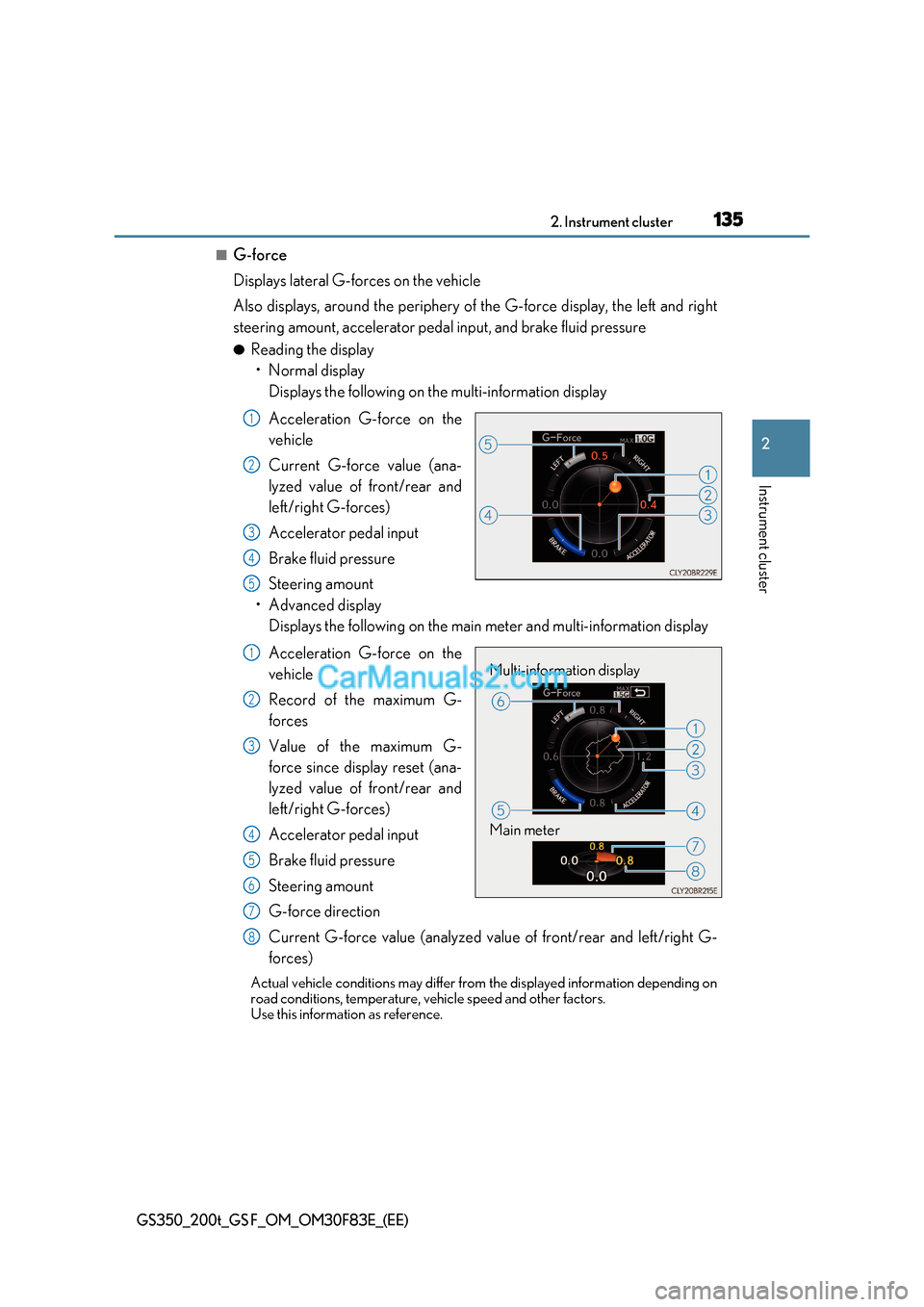
■G-force
Displays lateral G-forces on the vehicle
Also displays, around the periphery of the G-force display, the left and right
steering amount, accelerator pedal input, and brake fluid pressure ● Reading the display