warning Lexus GS F 2017 Service Manual
[x] Cancel search | Manufacturer: LEXUS, Model Year: 2017, Model line: GS F, Model: Lexus GS F 2017Pages: 676, PDF Size: 67.73 MB
Page 128 of 676

1282. Instrument cluster
GS350_200t_GS F_OM_OM30F83E_(EE)
WARNING
■Caution for use while driving
●When operating the multi-info rmation display while driving, pay extra attention to the
safety of the area around the vehicle.
●Do not look continuously at the multi-info rmation display while driving as you may fail
to see pedestrians, objects on the road, etc. ahead of the vehicle.
■Cautions during setting up the display
As the engine needs to be operating during se tting up the display, ensure that the vehi-
cle is parked in a place with adequate ventilation. In a closed area such as a garage,
exhaust gases including harmful carbon monoxide (CO) may collect and enter the
vehicle. This may lead to death or a serious health hazard.
NOTICE
■During setting up the display
To prevent battery discharge, ensure that the engine is operating while setting up the
display features.
Page 137 of 676

137
2. Instrument cluster
2
Instrument cluster
GS350_200t_GS F_OM_OM30F83E_(EE)
The settings of the following items can be changed, refer to P. 634
For functions that can be enabled or disabled, the function switches between on and
off each time is pressed.
■(Lane Departure Alert with st eering control) (if equipped)
( P. 317)
■(Pre-Crash Safety system) (if equipped) ( P. 295)
■
Select to turn the speed warning on and off, or to change the speed at which
the speed warning is displayed.
■(Road Sign Assist) (if equipped) ( P. 326)
■(Blind Spot Monitor) (if equipped) ( P. 363)
■
Page 139 of 676
139
2. Instrument cluster
2
Instrument cluster
GS350_200t_GS F_OM_OM30F83E_(EE)
■Start-up display
When the engine is started, the name of the vehicle is displayed on the multi-information
display.
While the start-up display is being displayed, the meter display cannot be changed even
if the drive mode is changed. When the start-up display is finished, the meter display for
the currently selected mode will be displayed.
■Torque distribution display (if equipped)
Torque distribution may not be displayed correctly in some cases, such as when the vehi-
cle passes over road expansion joints.
■G-force display
●The G-force values may not be zero even when the vehicle is parked, such as when it is
parked on an incline.
●The steering amount, accelerator pedal input, and brake fluid pressure displays are dis-
abled until the engine has warmed up (the variable red zone of the tachometer has
retracted to 7300 r/min).
After the engine has warmed up, these displays will be enabled.
●Depending on the vehicle usage conditions, the brake fluid pressure display may not
reach its maximum reading even though the brake pedal is fully depressed.
●If a battery terminal is disconnected and reconnected, the steering amount display may
be disabled temporarily. After driving the ve hicle for a while, the display will be enabled.
■Suspension of the settings display
In the following situations, operation of th e settings display will be temporarily sus-
pended.
●When a warning message appears on the multi-information display
●When the vehicle begins to move
■Tire inflation pressure
●It may take a few minutes to display the tire inflation pressure afte r the engine switch is
turned to IGNITION ON mode. It may also take a few minutes to display the tire infla-
tion pressure after inflation pressure has been adjusted.
●“---” may be displayed if the tire positi on information cannot be determined due to
unfavorable radio wave conditions.
●Tire inflation pressure changes with temperature. The displayed values may also be dif-
ferent from the values measured using a tire pressure gauge.
■When disconnecting and reconnecting battery terminals
The following information data will be reset:
●Lap timer: Measured lap times, history
●G-force: Record of the maximum G-forces
■Using the lap timer
If the engine is stopped while a lap is being timed, the lap timer will stop and the lap time
up to that point will be recorded.
■Liquid crystal display P. 119
Page 140 of 676

1402. Instrument cluster
GS350_200t_GS F_OM_OM30F83E_(EE)
WARNING
■Caution for use while driving
●When operating the multi-info rmation display while driving, pay extra attention to the
safety of the area around the vehicle.
●Do not look continuously at the multi-info rmation display while driving as you may fail
to see pedestrians, objects on the road, etc. ahead of the vehicle.
■Cautions during setting up the display
As the engine needs to be running during setting up the display, ensure that the vehicle
is parked in a place with adequate ventilation. In a closed area such as a garage,
exhaust gases including harmful carbon monoxide (CO) may collect and enter the
vehicle. This may lead to death or a serious health hazard.
NOTICE
■During setting up the display
To prevent battery discharge, ensure that the engine is running while setting up the dis-
play features.
Page 142 of 676
1422. Instrument cluster
GS350_200t_GS F_OM_OM30F83E_(EE)
●Vehicle speed
● Tachometer
● Shift position and shift range
Displays the selected shift posi tion or selected shift range ( P. 246)
● Eco Driving Indicator (GS350/GS200t) ( P. 145)
● Road signs recognized by the RSA (Road Sign Assist)
(if equipped) ( P. 326)
● Head-up rev indicator (GS F) ( P. 145)
● Audio display *
Displays audio information for approximat ely 3 seconds when the audio system is
operated
● Route guidance display (vehicles with navigation system) ( P. 146)
When approaching an intersection while the navigation system is giving route guid-
ance, an arrow will automatically be displa yed to indicate the direction of travel.
● Lane departure warning display (L DA [Lane Departure Alert with
steering control], LKA [Lane-Keeping Assist]) (if equipped) ( P. 525)
● Approach warning display (dynamic radar cruise control, dynamic
radar cruise control with full-speed range) (if equipped) ( P. 525)
● Pre-crash warning message (PCS [Pre-Crash Safety system])
(if equipped) ( P. 525)
* : The default setting is off
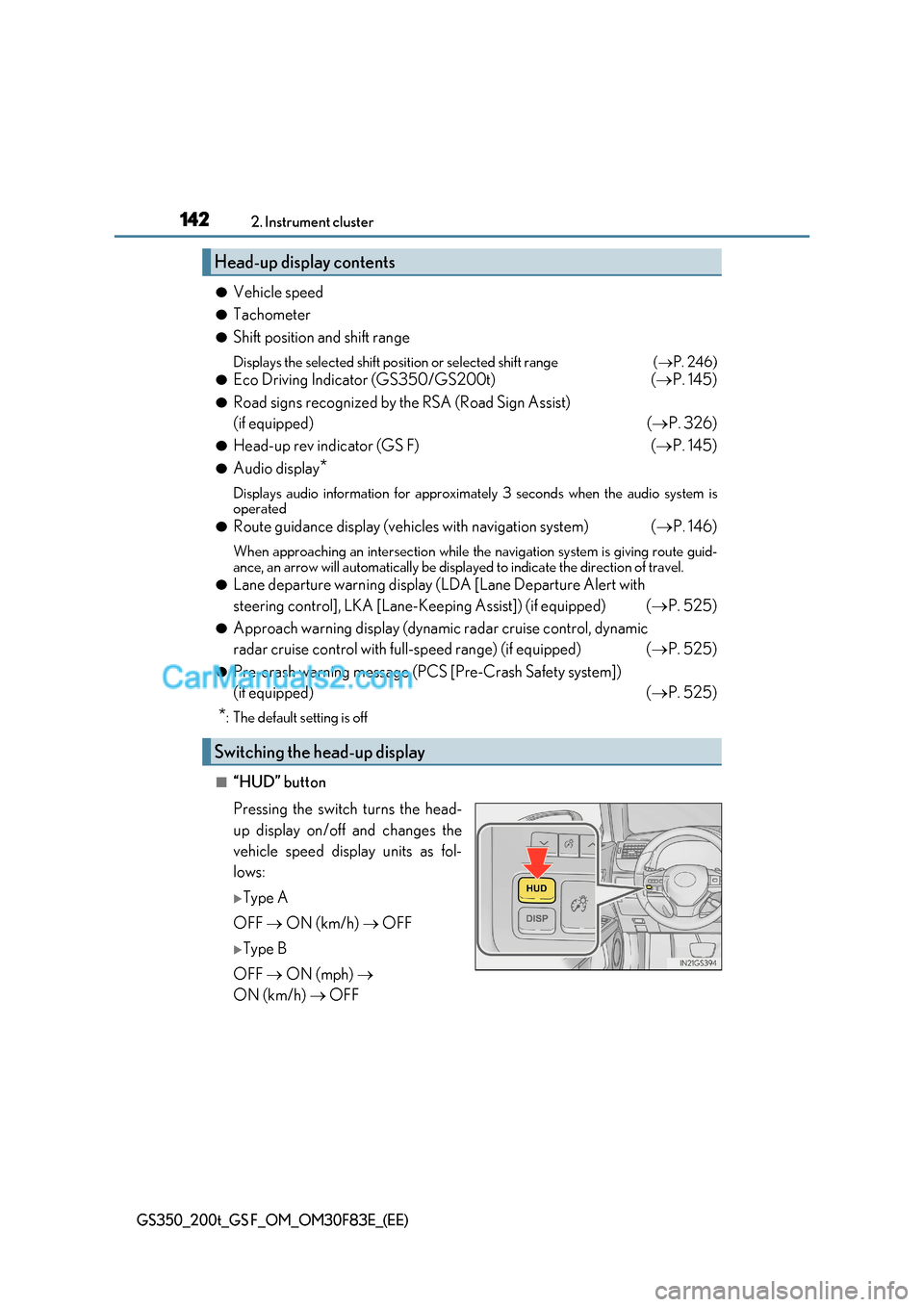
■“HUD” button
Pressing the switch turns the head-
up display on/off and changes the
vehicle speed display units as fol-
lows:
Type A
OFF ON (km/h) OFF
Type B
OFF ON (mph)
ON (km/h) OFF
Head-up display contents
Switching the head-up display
Page 143 of 676
143
2. Instrument cluster
2
Instrument cluster
GS350_200t_GS F_OM_OM30F83E_(EE)
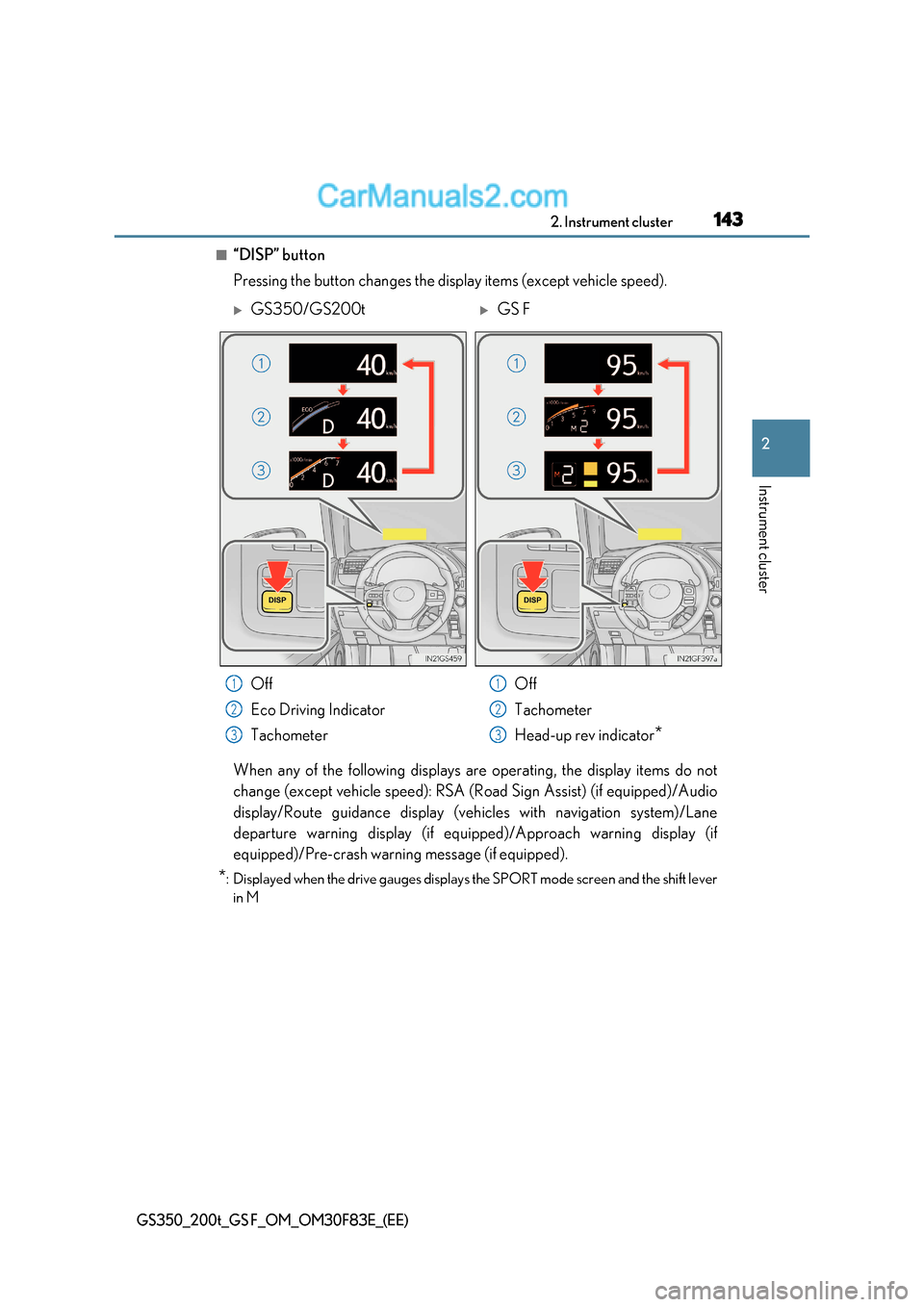
■“DISP” button
Pressing the button changes the display items (except vehicle speed).
When any of the following displays are operating, the display items do not
change (except vehicle speed): RSA (Road Sign Assist) (if equipped)/Audio
display/Route guidance display (vehicles with navigation system)/Lane
departure warning display (if equipp ed)/Approach warning display (if
equipped)/Pre-crash warning message (if equipped).
* : Displayed when the drive gauges displays the SPORT mode screen and the shift lever
in M
GS350/GS200tGS F
Off
Eco Driving Indicator
Tachometer Off
Tachometer
Head-up rev indicator
*
1
2
3
1
2
3
Page 147 of 676
147
2. Instrument cluster
2
Instrument cluster
GS350_200t_GS F_OM_OM30F83E_(EE)
■Head-up display
●The head-up display may seem dark and hard to see when viewed through sunglasses,
especially polarized sunglasses.
Adjust the brightness of the head-up display or remove your sunglasses.
●When the head-up display is turned off, it will remain off even if the engine switch is
turned to IGNITION ON mode after the engine switch has been turned off.
●The startup image will be disp layed on the head-up display after the engine switch has
been turned to IGNITION ON mode while the head-up display switch is set to on.
■Head-up rev indicator
●The head-up display is linked to the rev indicator in the meter.
●Whether or not to display the rev indicator in the head-up display, as well as display tim-
ing, can be changed through the settings for the rev indicator in the meter. ( P. 138)
■When the battery is disconnected
The customize settings of the head-up display will be reset.
■Head-up display automatic position adjustment
If the display position is recorded into me mory, the head-up display will be automatically
adjusted to the desired position. ( P. 199)
WARNING
■Before using the head-up display
Check that the position and brightness of the head-up display image does not interfere
with safe driving. Incorrect adjustment of the image’s position or brightness may
obstruct the driver’s view and lead to an accident, resulting in death or serious injury.
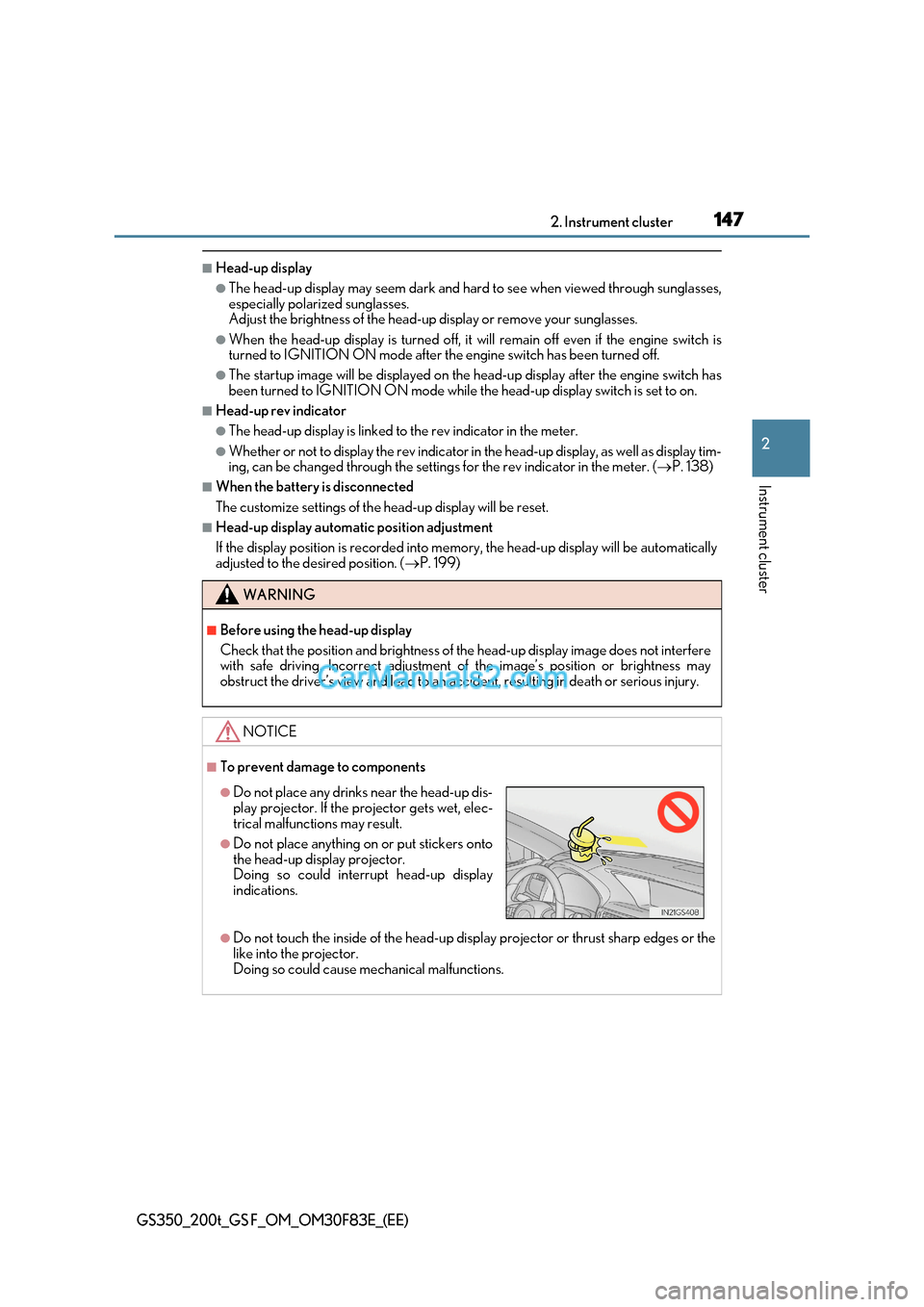
NOTICE
■To prevent damage to components
●Do not touch the inside of the head-up display projector or thrust sharp edges or the
like into the projector.
Doing so could cause mechanical malfunctions.
●Do not place any drinks near the head-up dis-
play projector. If the projector gets wet, elec-
trical malfunctions may result.
●Do not place anything on or put stickers onto
the head-up display projector.
Doing so could interrupt head-up display
indications.
Page 161 of 676
161
3-2. Opening, closing and locking the doors and trunk
3
Operation of each component
GS350_200t_GS F_OM_OM30F83E_(EE)
WARNING
Observe the following precautions.
Failing to do so may result in death or serious injury.
■When using the wireless remote control and operating the power windows or moon
roof (if equipped)
Operate the power window or moon roof afte r checking to make sure that there is no
possibility of any passenger having any of their body parts caught in the window or
moon roof. Also, do not allow children to oper ate the wireless remote control. It is pos-
sible for children and other passengers to get caught in the power window or moon roof.
■Jam protection function
●Never try jamming any part of your body to activate the jam protection function
intentionally.
●The jam protection function may not work if something gets caught just before the
window or moon roof fully closes.
Page 165 of 676

165
3-2. Opening, closing and locking the doors and trunk
3
Operation of each component
GS350_200t_GS F_OM_OM30F83E_(EE)
WARNING
■To prevent an accident
Observe the following precautions while driving the vehicle.
Failure to do so may result in a door openin g and an occupant throwing out of the vehi-
cle, resulting in death or serious injury.
●Ensure that all doors are properly closed.
●Do not pull the inside handle of the doors while driving.
Be especially careful for the front doors, as the doors may be opened even if the
inside lock buttons are in locked position.
●Set the rear door child-protector locks when children are seated in the rear seats.
Page 169 of 676
169
3-2. Opening, closing and locking the doors and trunk
3
Operation of each component
GS350_200t_GS F_OM_OM30F83E_(EE)
■Jam protection function (vehicles with power trunk lid)
While the trunk lid is closing automatically, the trunk lid will stop closing and open if
something gets caught.
■If the smart entry & start system or wireless remote control does not operate properly
●Use the mechanical key to open the trunk. ( P. 594)
●Replace the key battery with a new one if it is depleted. (P. 491)
■When leaving a key to the vehicle with a parking attendant P. 156
■Customization
The trunk unlocking operation can be changed.
(Customizable features: P. 641)
WARNING
Observe the following precautions.
Failure to do so may result in death or serious injury.
■Before driving
●Make sure that the trunk lid is fully closed. If the trunk lid is not fully closed, it may
open unexpectedly while driv ing and hit near-by objects or luggage in the trunk may
be thrown out, causing an accident.
●Do not allow children to play in the trunk.
If a child is accidentally locked in the trunk, they could suffer from heat exhaustion,
suffocation or other injuries.
●Do not allow a child to open or close the trunk lid.
Doing so may cause the trunk lid to open unexpectedly, or cause the child’s hands,
head, or neck to be caught by the closing trunk lid.
■Important points while driving
Never let anyone sit in the trunk. In the event of sudden braking or a collision, they a re
susceptible to death or serious injury.