display Lexus GS F 2019 s Service Manual
[x] Cancel search | Manufacturer: LEXUS, Model Year: 2019, Model line: GS F, Model: Lexus GS F 2019Pages: 600, PDF Size: 13.04 MB
Page 119 of 600
GS F_OM_OM30G90U_(U)
1192. Instrument cluster
2
Instrument cluster
WARNING
■Caution for use while driving
●When operating the multi-information display while driving, pay extra attention to the
safety of the area around the vehicle.
●Do not look continuously at the multi-information display while driving as you may fail
to see pedestrians, objects on the road, etc. ahead of the vehicle.
■Cautions during setting up the display
As the engine needs to be running during sett ing up the display, ensure that the vehicle
is parked in a place with adequate ventilation. In a closed area such as a garage,
exhaust gases including harmful carbon mo noxide (CO) may collect and enter the
vehicle. This may lead to death or a serious health hazard.
NOTICE
■During setting up the display
To prevent battery discharge, ensure that the engine is running while setting up the dis-
play features.
Page 120 of 600
120
GS F_OM_OM30G90U_(U)2. Instrument cluster
Head-up display
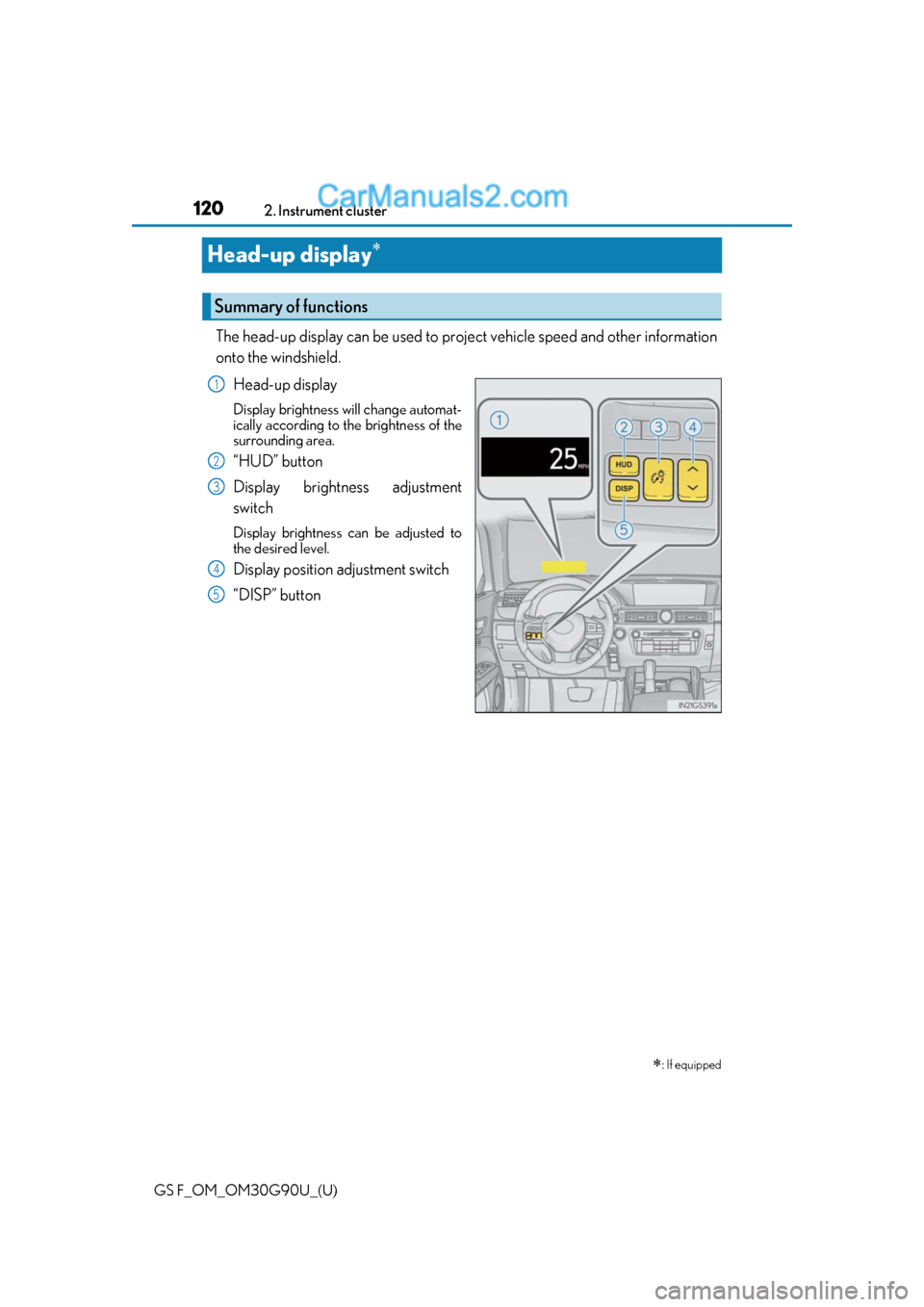
The head-up display can be used to proj
ect vehicle speed and other information
onto the windshield.
Head-up display
Display brightness will change automat-
ically according to the brightness of the
surrounding area.
“HUD” button
Display brightness adjustment
switch
Display brightness can be adjusted to
the desired level.
Display position adjustment switch
“DISP” button
: If equipped
Summary of functions
1
2
3
4
5
Page 121 of 600
GS F_OM_OM30G90U_(U)
1212. Instrument cluster
2
Instrument cluster
●Vehicle speed
●Tachometer
●Shift position and shift range
Displays the selected shift position or selected shift range ( P. 202)
●Eco Driving Indicator (GS350/GS300) ( P. 124)
●Head-up rev indicator (GS F) ( P. 124)
●Audio display*
Displays audio information for approximat ely 3 seconds when the audio system is
operated
●Route guidance display (vehicles with navigation system) ( P. 124)
When approaching an intersec tion while the navigation system is giving route guid-
ance, an arrow will automatically be displa yed to indicate the direction of travel.
●Lexus Enform (if equipped)
Displays “LEXUS Enform” for approximat ely 3 seconds when LEXUS App Suite is
operated
●Lane departure warning display (LKA [Lane-Keeping Assist]) (if equipped)
( P. 442)
●Approach warning display (dynamic radar cruise control with full-speed
range) (if equipped) ( P. 442)
●Pre-collision warning message (PCS [Pre-Collision System])
(if equipped) ( P. 442)
●Speed limit display (vehicles with navigation system) ( P. 125)
*: The default setting is off
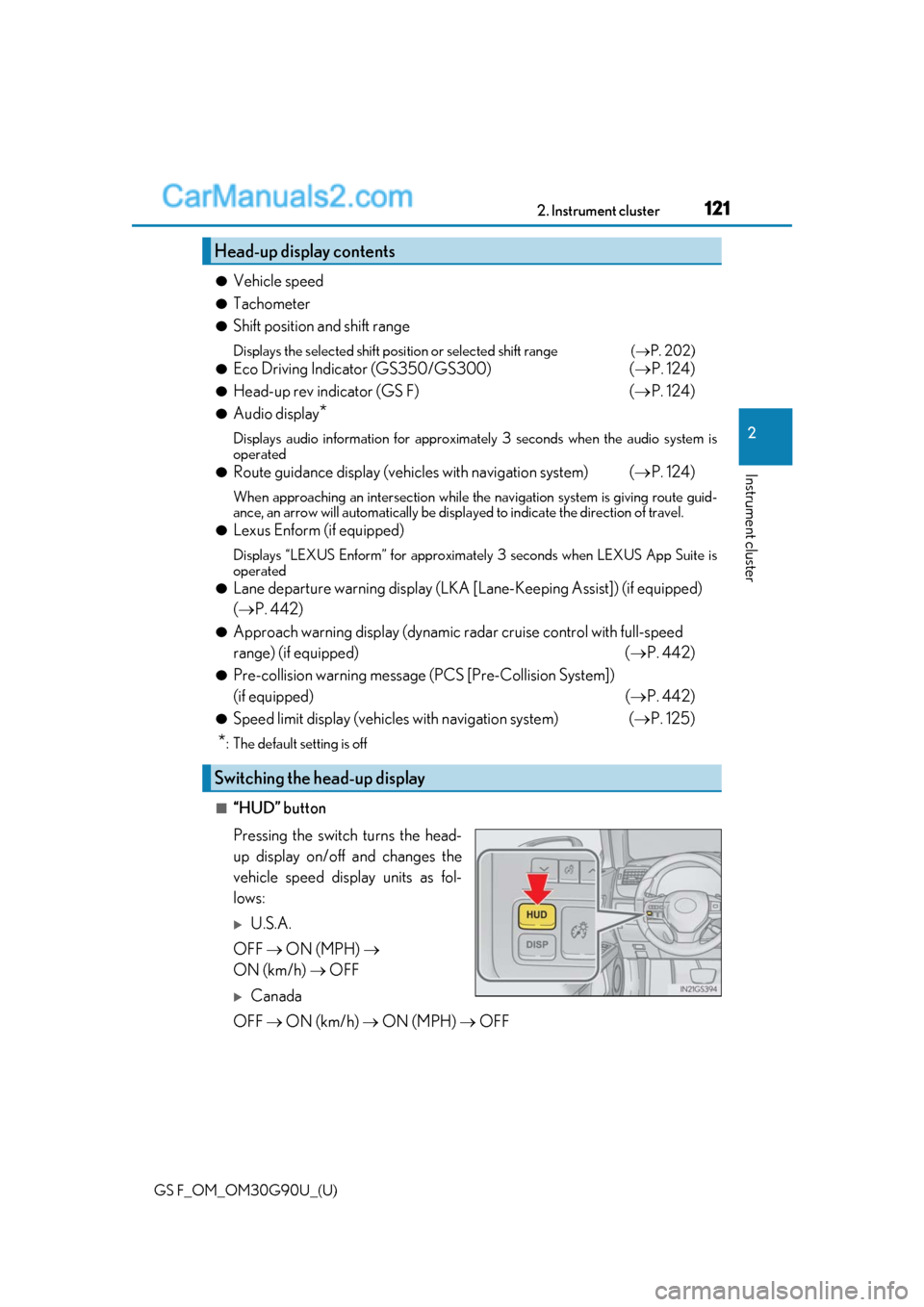
■“HUD” button
Pressing the switch turns the head-
up display on/off and changes the
vehicle speed display units as fol-
lows:
U.S.A.
OFF ON (MPH)
ON (km/h) OFF
Canada
OFF ON (km/h) ON (MPH) OFF
Head-up display contents
Switching the head-up display
Page 122 of 600
122
GS F_OM_OM30G90U_(U)2. Instrument cluster
■“DISP” button
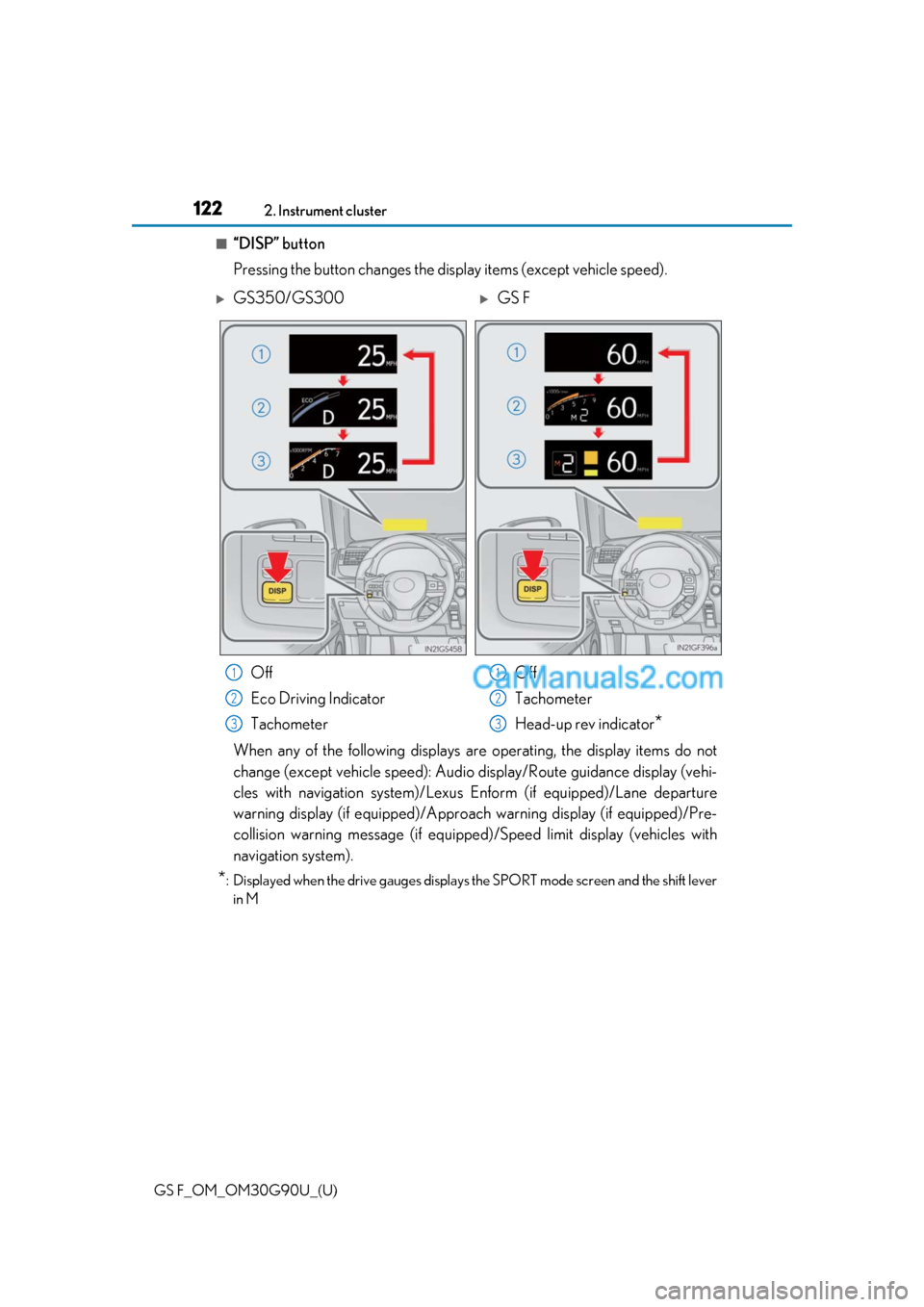
Pressing the button changes the display items (except vehicle speed).
When any of the following displays ar
e operating, the display items do not
change (except vehicle speed): Audio display/Route guidance display (vehi-
cles with navigation system)/Lexus Enform (if equipped)/Lane departure
warning display (if equipped)/Approach warning display (if equipped)/Pre-
collision warning message (if equipped )/Speed limit display (vehicles with
navigation system).
*: Displayed when the drive gauges displays the SPORT mode screen and the shift lever in M
GS350/GS300GS F
Off
Eco Driving Indicator
Tachometer Off
Tachometer
Head-up rev indicator
*
1
2
3
1
2
3
Page 123 of 600
GS F_OM_OM30G90U_(U)
1232. Instrument cluster
2
Instrument cluster
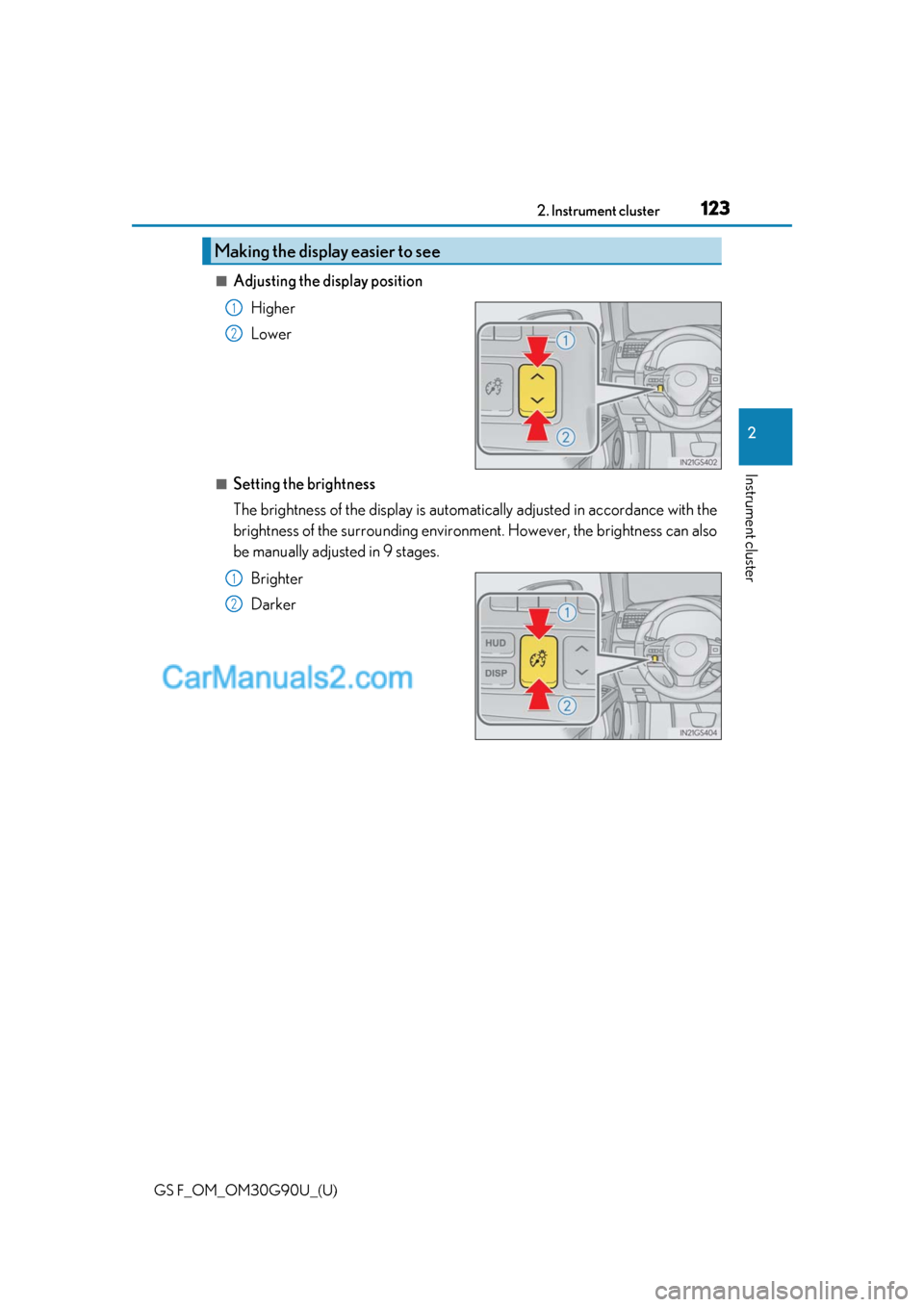
■Adjusting the display positionHigher
Lower
■Setting the brightness
The brightness of the displa y is automatically adjusted in accordance with the
brightness of the surrounding environm ent. However, the brightness can also
be manually adjusted in 9 stages.
Brighter
Darker
Making the display easier to see
1
2
1
2
Page 124 of 600
124
GS F_OM_OM30G90U_(U)2. Instrument cluster
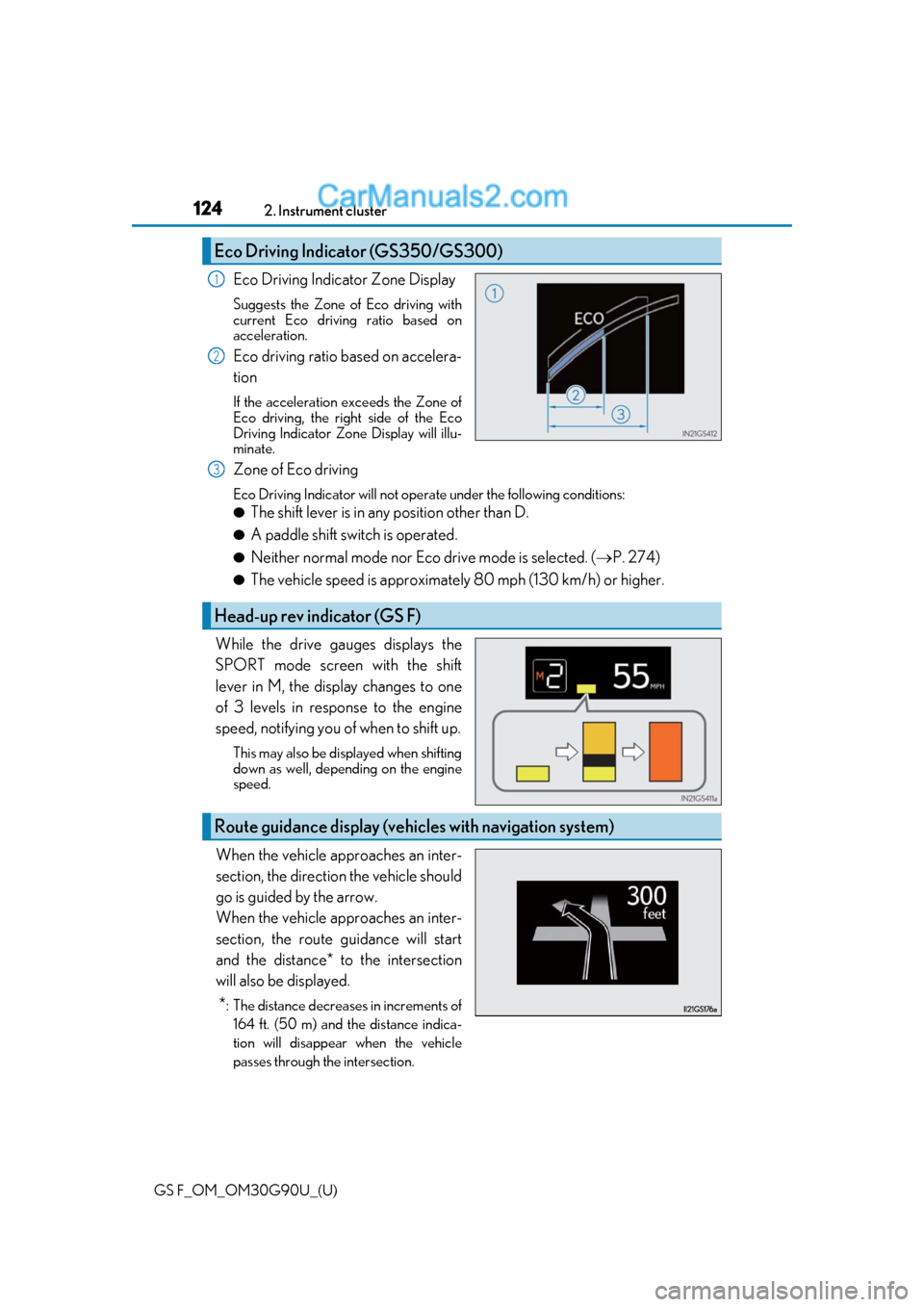
Eco Driving Indicator Zone Display
Suggests the Zone of Eco driving with
current Eco driving ratio based on
acceleration.
Eco driving ratio based on accelera-
tion
If the acceleration exceeds the Zone of
Eco driving, the right side of the Eco
Driving Indicator Zone
Display will illu-
minate.
Zone of Eco driving
Eco Driving Indicator will not oper ate under the following conditions:
●The shift lever is in any position other than D.
●A paddle shift switch is operated.
●Neither normal mode nor Eco drive mode is selected. ( P. 274)
●The vehicle speed is approximately 80 mph (130 km/h) or higher.
While the drive gauges displays the
SPORT mode screen with the shift
lever in M, the display changes to one
of 3 levels in resp onse to the engine
speed, notifying you of when to shift up.
This may also be displayed when shifting
down as well, depending on the engine
speed.
When the vehicle approaches an inter-
section, the direction the vehicle should
go is guided by the arrow.
When the vehicle approaches an inter-
section, the route guidance will start
and the distance* to the intersection
will also be displayed.
*: The distance decreases in increments of 164 ft. (50 m) and the distance indica-
tion will disappear when the vehicle
passes through the intersection.
Eco Driving Indicator (GS350/GS300)
1
2
Head-up rev indicator (GS F)
3
Route guidance display (vehicles with navigation system)
Page 125 of 600
GS F_OM_OM30G90U_(U)
1252. Instrument cluster
2
Instrument cluster
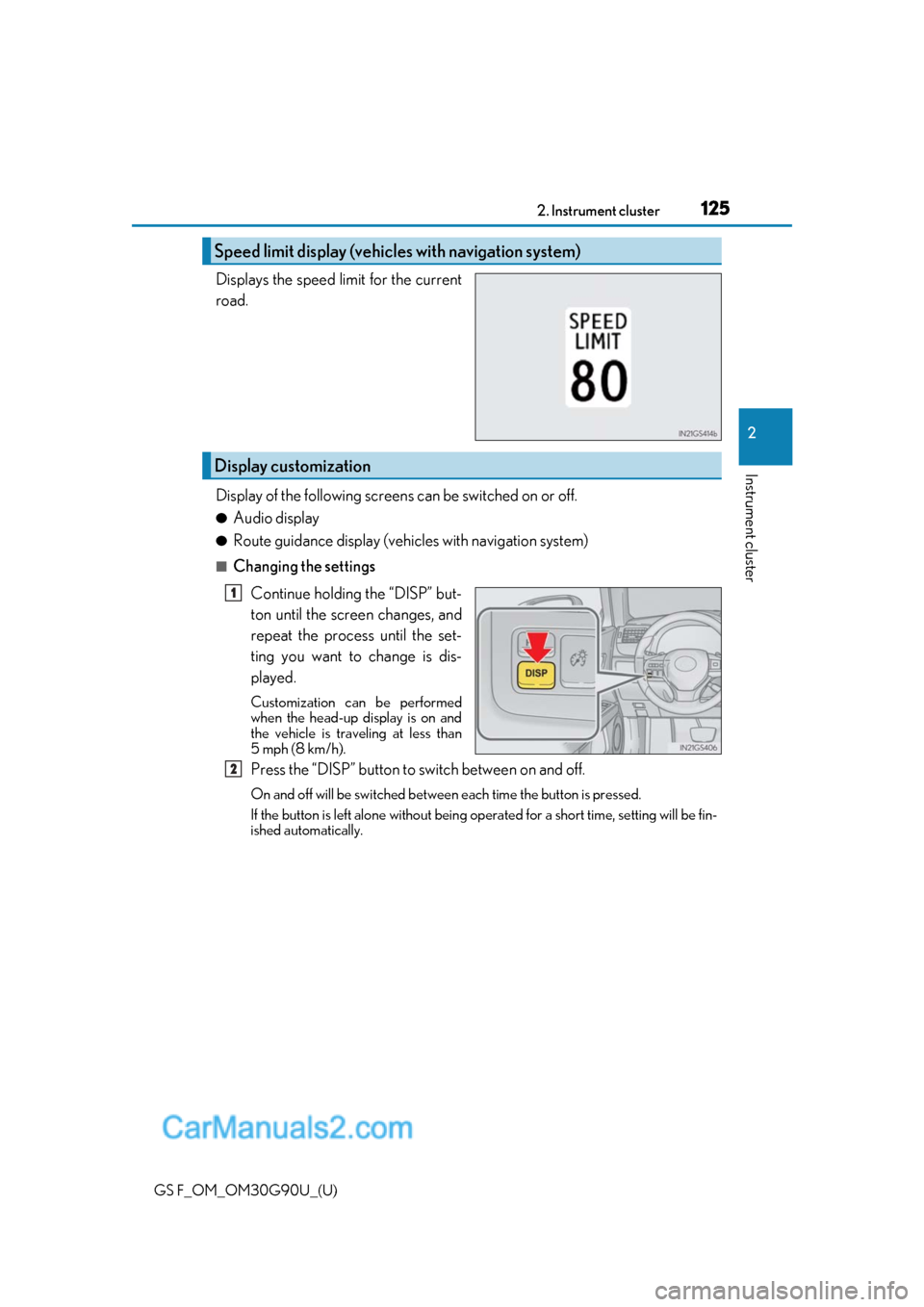
Displays the speed limit for the current
road.
Display of the following screens can be switched on or off.
●Audio display
●Route guidance display (vehicles with navigation system)
■Changing the settings
Continue holding the “DISP” but-
ton until the screen changes, and
repeat the process until the set-
ting you want to change is dis-
played.
Customization can be performed
when the head-up display is on and
the vehicle is trav eling at less than
5 mph (8 km/h).
Press the “DISP” button to switch between on and off.
On and off will be swit ched between each time the button is pressed.
If the button is left alone without being op erated for a short time, setting will be fin-
ished automatically.
Speed limit display (vehicles with navigation system)
Display customization
1
2
Page 126 of 600
126
GS F_OM_OM30G90U_(U)2. Instrument cluster
■Head-up display
●The head-up display may seem dark and hard
to see when viewed through sunglasses,
especially polarized sunglasses.
Adjust the brightness of the head-up display or remove your sunglasses.
●When the head-up display is turned off, it will remain off even if the engine switch is
turned to IGNITION ON mode after th e engine switch has been turned off.
●The startup image will be displayed on the he ad-up display after the engine switch has
been turned to IGNITION ON mode while the head-up display switch is set to on.
■Head-up rev indicator
●The head-up display is linked to the rev indicator in the meter.
●Whether or not to display the rev indicator in the head-up display, as well as display tim-
ing, can be changed through the settings for the rev indicator in the meter. (P. 117)
■When the battery is disconnected
The customize settings of the head-up display will be reset.
■Head-up display automatic position adjustment
If the display position is recorded into memory, the head-up display will be automatically
adjusted to the desired position. ( P. 160)
WARNING
■Before using the head-up display
Check that the position and brightness of th e head-up display image does not interfere
with safe driving. Incorrect adjustment of the image’s position or brightness may
obstruct the driver’s view and lead to an a ccident, resulting in death or serious injury.
NOTICE
■To prevent damage to components
●Do not touch the inside of the head-up disp lay projector or thrust sharp edges or the
like into the projector.
Doing so could cause mechanical malfunctions.
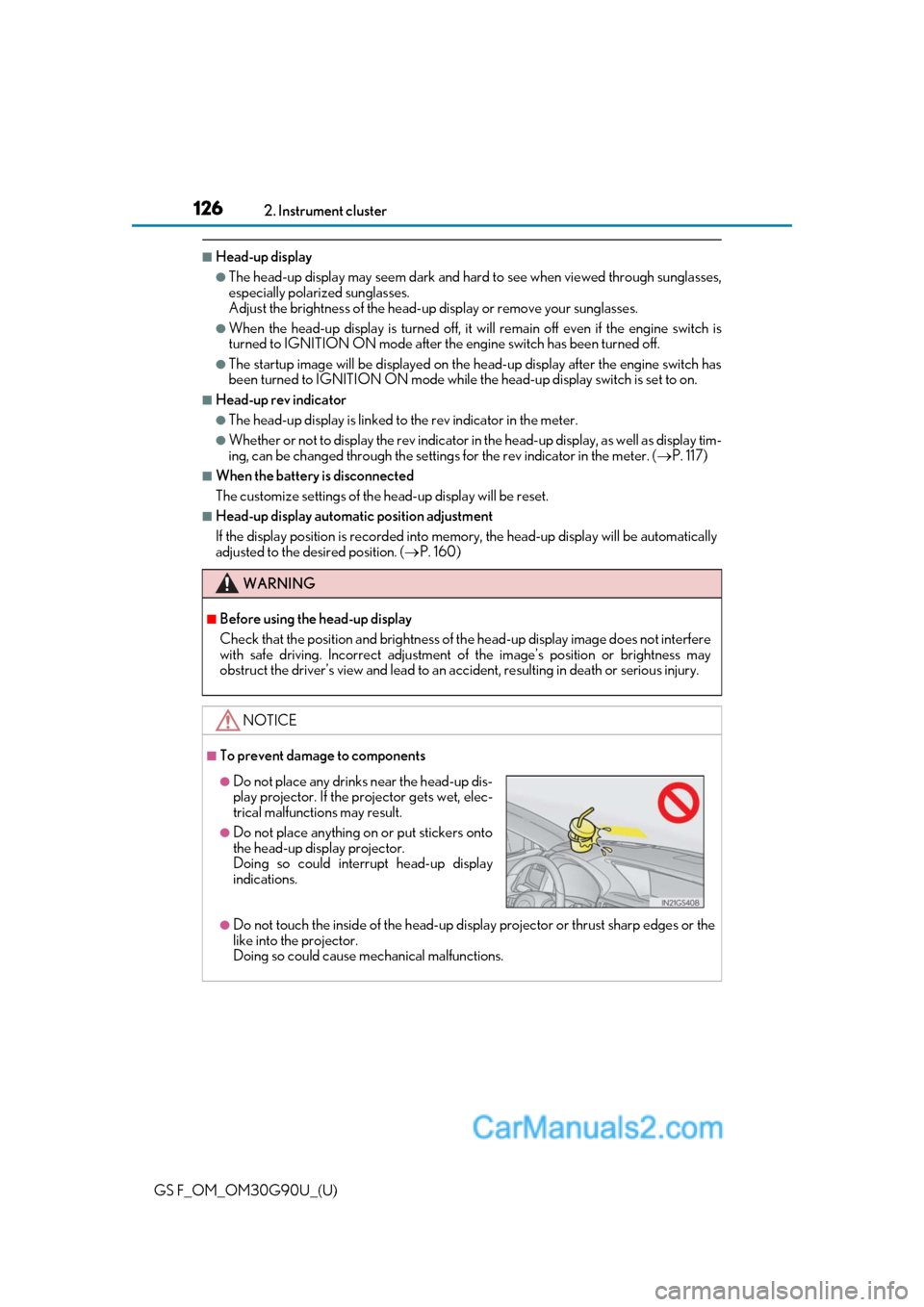
●Do not place any drinks near the head-up dis-
play projector. If the projector gets wet, elec-
trical malfunctions may result.
●Do not place anything on or put stickers onto
the head-up display projector.
Doing so could interrupt head-up display
indications.
Page 127 of 600
127
GS F_OM_OM30G90U_(U)2. Instrument cluster
2
Instrument cluster
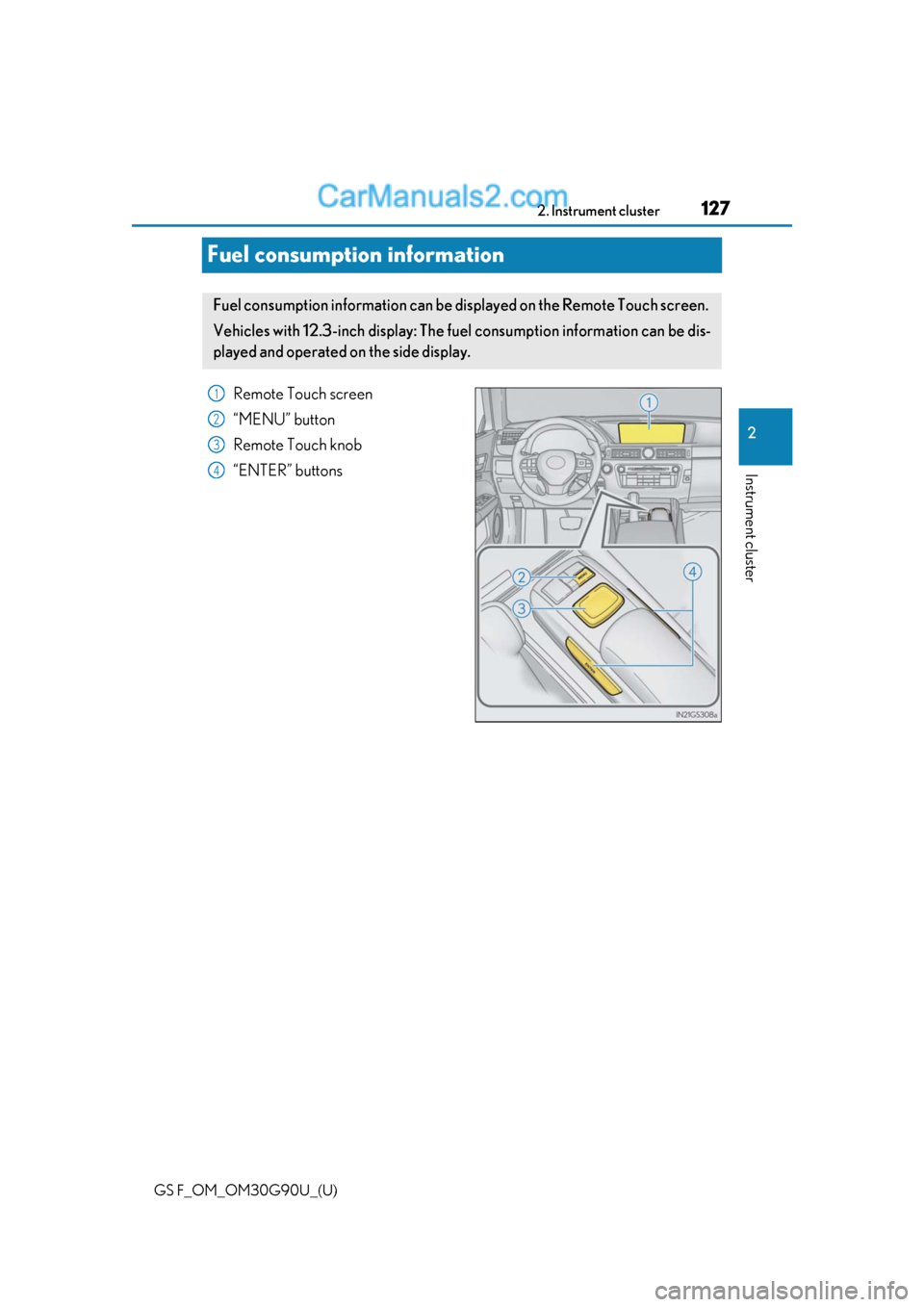
Fuel consumption information
Remote Touch screen
“MENU” button
Remote Touch knob
“ENTER” buttons
Fuel consumption information can be di
splayed on the Remote Touch screen.
Vehicles with 12.3-inch display: The fu el consumption information can be dis-
played and operated on the side display.
1
2
3
4
Page 128 of 600

128
GS F_OM_OM30G90U_(U)2. Instrument cluster
Press the “MENU” button on the Remote
Touch, then select on the “Menu”
screen, and then select “Fuel Consumption”.
■Trip information
If the “Past Record” screen is displayed, select “Trip Information”.
Resetting the consumption data
Fuel consumption in the past 15
minutes
Current fuel consumption
Average vehicle speed since the
engine was started.
Elapsed time since the engine
was started.
Cruising range ( P. 129)
Average fuel consumption for the past 15 minutes is divided by color into past
averages and averages attained since the engine switch was last turned to IGNI-
TION ON mode. Use the displayed average fuel consumption as a reference.
The image is an example only, and may va ry slightly from actual conditions.
Fuel consumption
1
2
3
4
5
6