instrument cluster Lexus GS F 2020 s Workshop Manual
[x] Cancel search | Manufacturer: LEXUS, Model Year: 2020, Model line: GS F, Model: Lexus GS F 2020Pages: 600, PDF Size: 13.38 MB
Page 131 of 600
GS350_GS F_OM_OM30J07U_(U)
1312. Instrument cluster
2
Instrument cluster
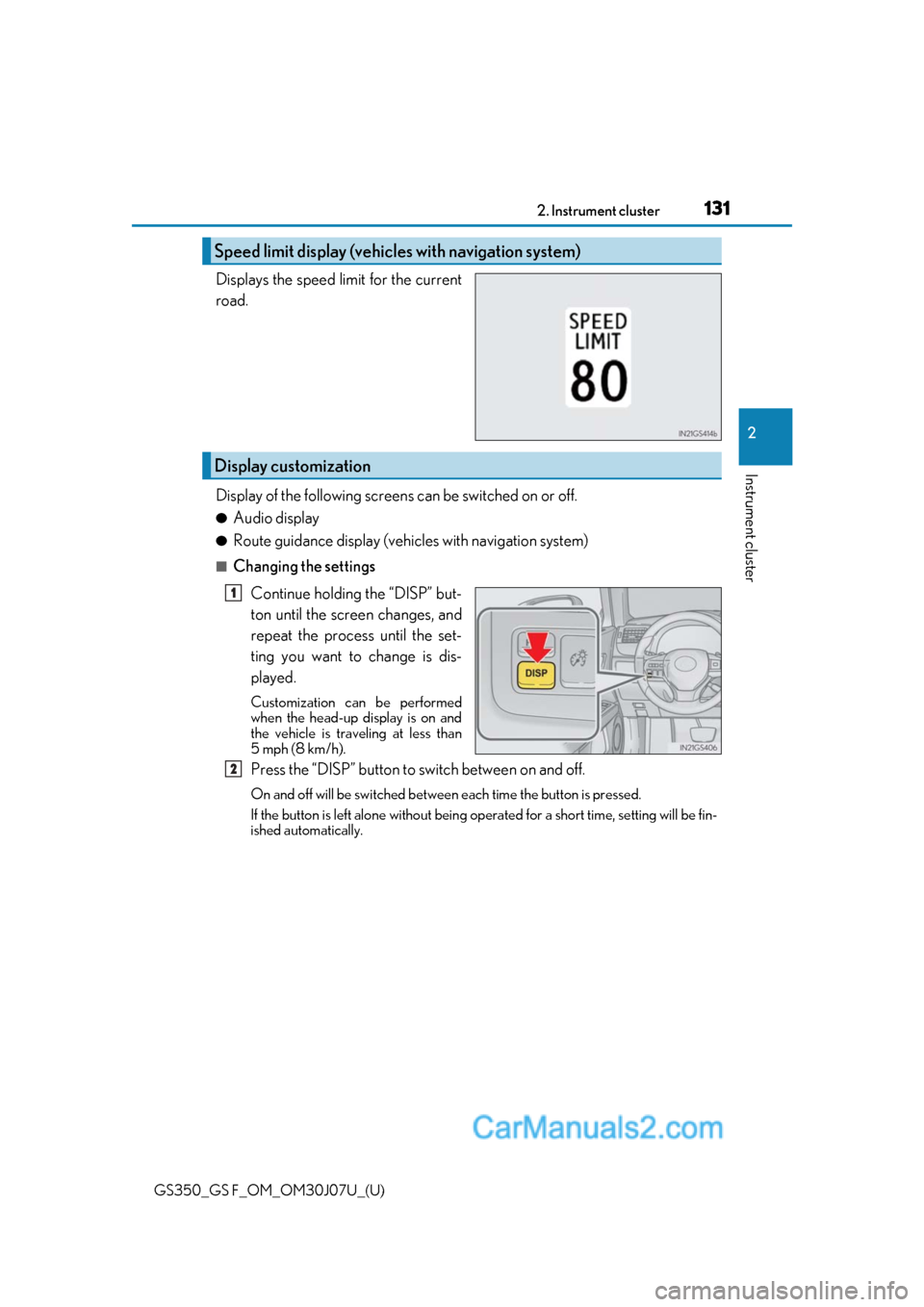
Displays the speed limit for the current
road.
Display of the following screens can be switched on or off.
●Audio display
●Route guidance display (vehicles with navigation system)
■Changing the settings
Continue holding the “DISP” but-
ton until the screen changes, and
repeat the process until the set-
ting you want to change is dis-
played.
Customization can be performed
when the head-up display is on and
the vehicle is trav eling at less than
5 mph (8 km/h).
Press the “DISP” button to switch between on and off.
On and off will be swit ched between each time the button is pressed.
If the button is left alone without being op erated for a short time, setting will be fin-
ished automatically.
Speed limit display (vehicles with navigation system)
Display customization
1
2
Page 132 of 600
132
GS350_GS F_OM_OM30J07U_(U)2. Instrument cluster
■Head-up display
●The head-up display may seem dark and hard
to see when viewed through sunglasses,
especially polarized sunglasses.
Adjust the brightness of the head-up display or remove your sunglasses.
●When the head-up display is turned off, it will remain off even if the engine switch is
turned to IGNITION ON mode after th e engine switch has been turned off.
●The startup image will be displayed on the head-up display after the engine switch has
been turned to IGNITION ON mode while the head-up display switch is set to on.
■Head-up rev indicator
●The head-up display is linked to the rev indicator in the meter.
●Whether or not to display the rev indicator in the head-up display, as well as display tim-
ing, can be changed through the settings for the rev indicator in the meter. ( P. 123)
■When the battery is disconnected
The customize settings of the head-up display will be reset.
■Head-up display automatic position adjustment
If the display position is recorded into memory, the head-up display will be automatically
adjusted to the desired position. ( P. 166)
WARNING
■Before using the head-up display
Check that the position and brightness of the head-up display image does not interfere
with safe driving. Incorrect adjustment of the image’s position or brightness may
obstruct the driver’s view and lead to an accident, resulting in death or serious injury.
NOTICE
■To prevent damage to components
●Do not touch the inside of the head-up disp lay projector or thrust sharp edges or the
like into the projector.
Doing so could cause mechanical malfunctions.
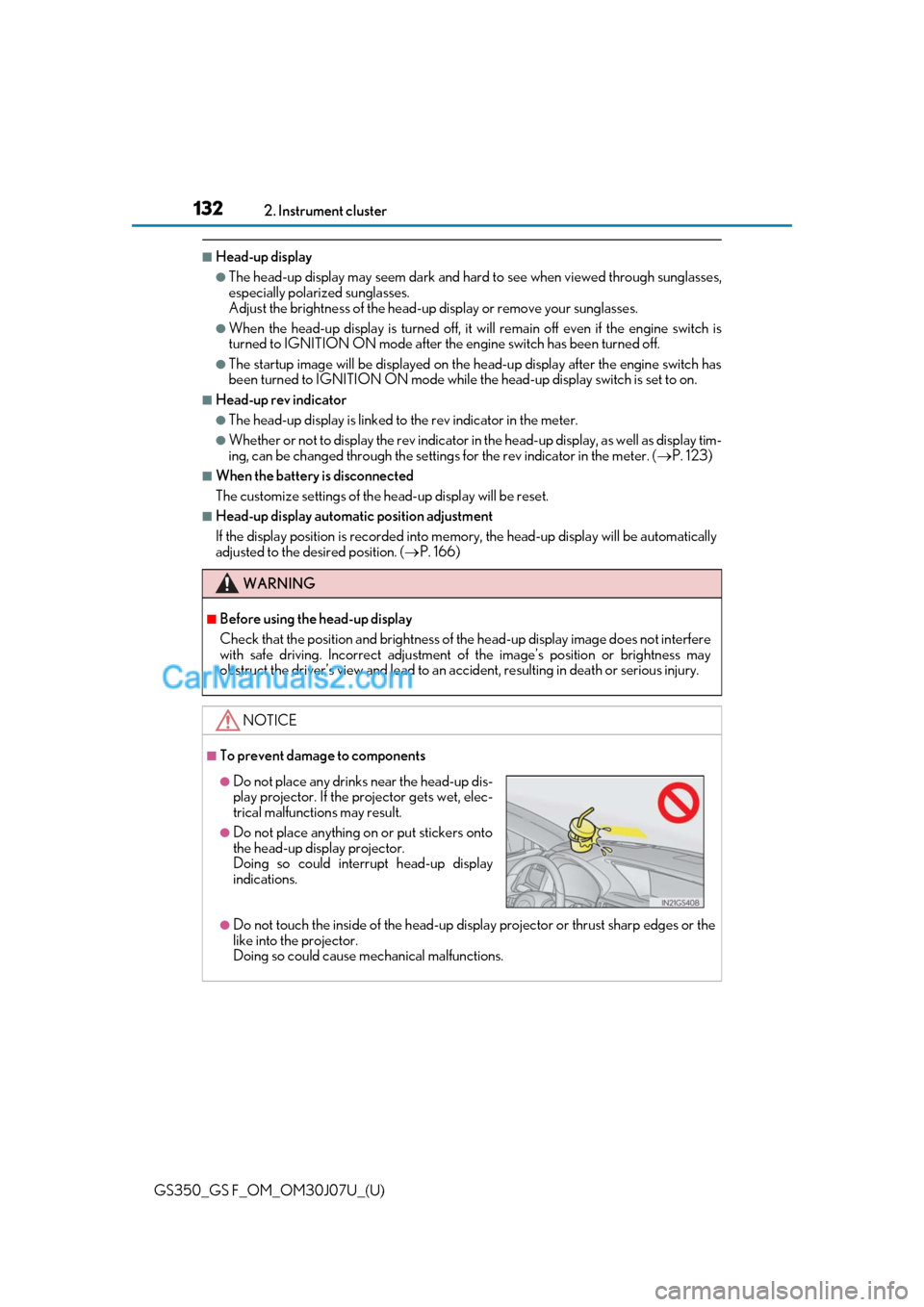
●Do not place any drinks near the head-up dis-play projector. If the projector gets wet, elec-
trical malfunctions may result.
●Do not place anything on or put stickers onto
the head-up display projector.
Doing so could interrupt head-up display
indications.
Page 133 of 600
133
GS350_GS F_OM_OM30J07U_(U)2. Instrument cluster
2
Instrument cluster
Fuel consumption information
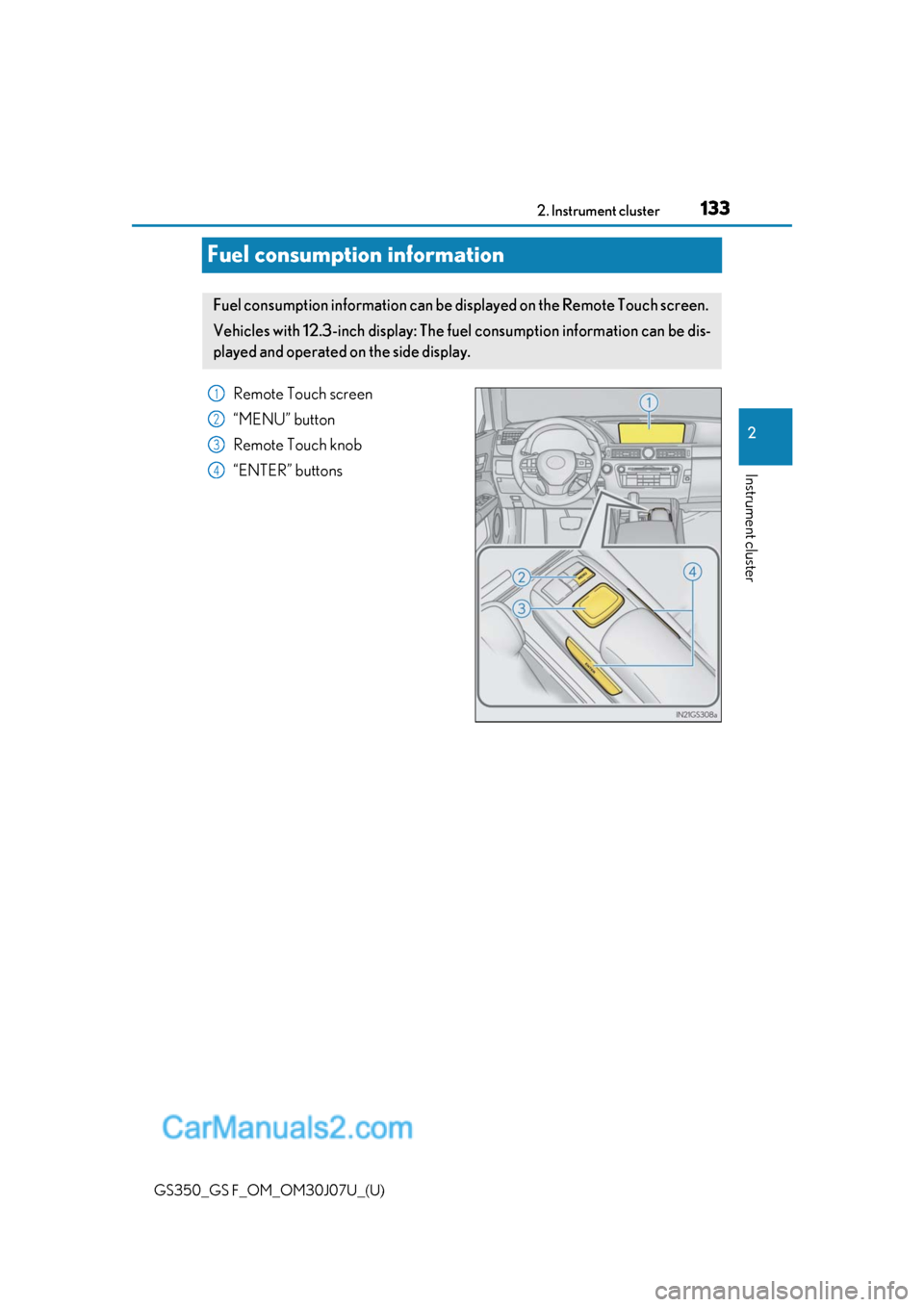
Remote Touch screen
“MENU” button
Remote Touch knob
“ENTER” buttons
Fuel consumption information can be di
splayed on the Remote Touch screen.
Vehicles with 12.3-inch display: The fu el consumption information can be dis-
played and operated on the side display.
1
2
3
4
Page 134 of 600
134
GS350_GS F_OM_OM30J07U_(U)2. Instrument cluster
Press the “MENU” button on the Remote
Touch, then select on the “Menu”
screen, and then select “Fuel Consumption”.
■Trip information
If the “Past Record” screen is displayed, select “Trip Information”.
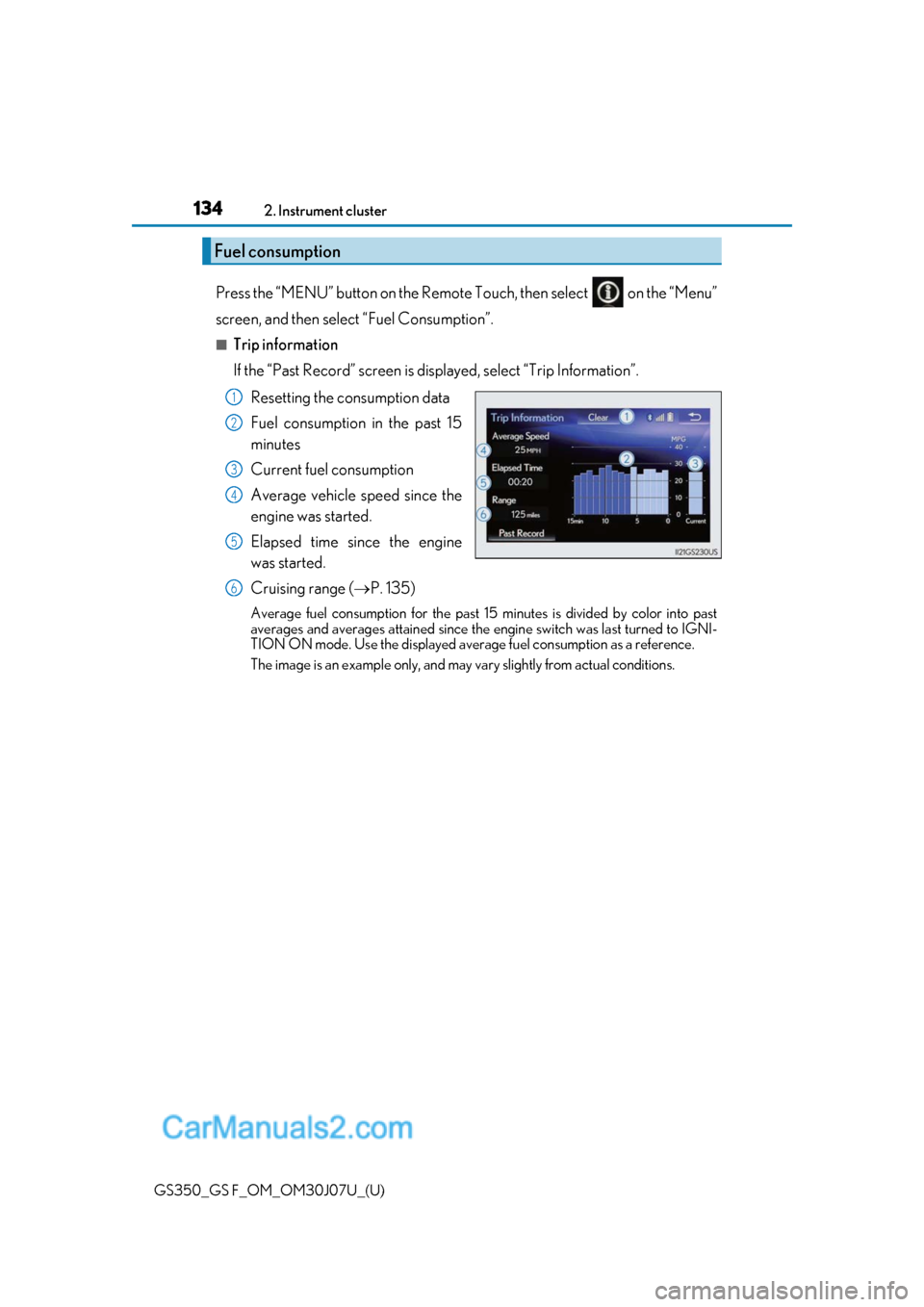
Resetting the consumption data
Fuel consumption in the past 15
minutes
Current fuel consumption
Average vehicle speed since the
engine was started.
Elapsed time since the engine
was started.
Cruising range ( P. 135)
Average fuel consumption for the past 15 minutes is divided by color into past
averages and averages attained since the engine switch was last turned to IGNI-
TION ON mode. Use the displayed average fuel consumption as a reference.
The image is an example only, and may va ry slightly from actual conditions.
Fuel consumption
1
2
3
4
5
6
Page 135 of 600
GS350_GS F_OM_OM30J07U_(U)
1352. Instrument cluster
2
Instrument cluster
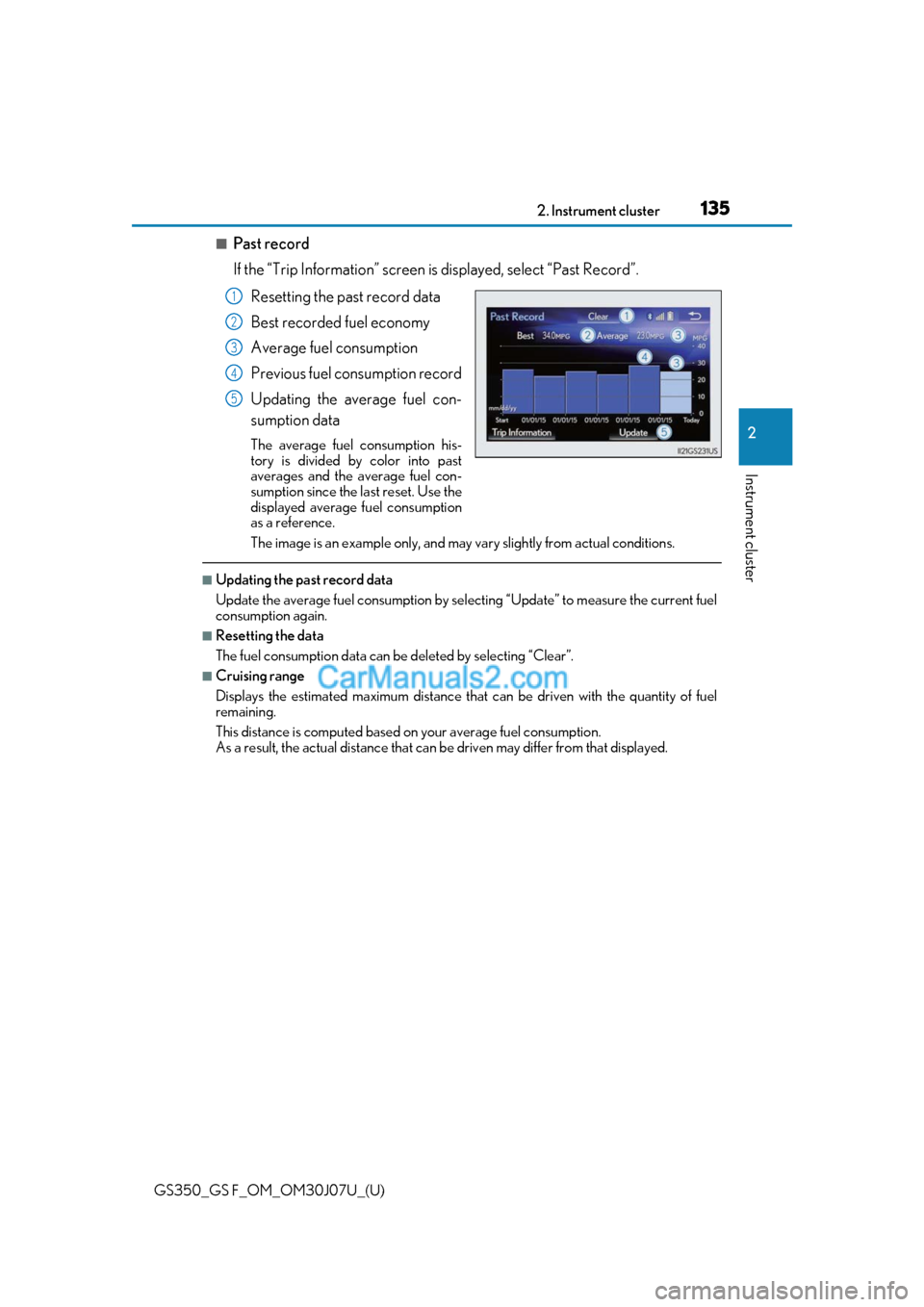
■Past record
If the “Trip Information” screen is displayed, select “Past Record”.
Resetting the past record data
Best recorded fuel economy
Average fuel consumption
Previous fuel consumption record
Updating the average fuel con-
sumption data
The average fuel consumption his-
tory is divided by color into past
averages and the average fuel con-
sumption since the last reset. Use the
displayed average fuel consumption
as a reference.
The image is an example only, and may va ry slightly from actual conditions.
■Updating the past record data
Update the average fuel consumption by selecting “Update” to measure the current fuel
consumption again.
■Resetting the data
The fuel consumption data can be deleted by selecting “Clear”.
■Cruising range
Displays the estimated maximum distance that can be driven with the quantity of fuel
remaining.
This distance is computed based on your average fuel consumption.
As a result, the actual distance that can be driven may differ from that displayed.
1
2
3
4
5
Page 136 of 600
136
GS350_GS F_OM_OM30J07U_(U)2. Instrument cluster
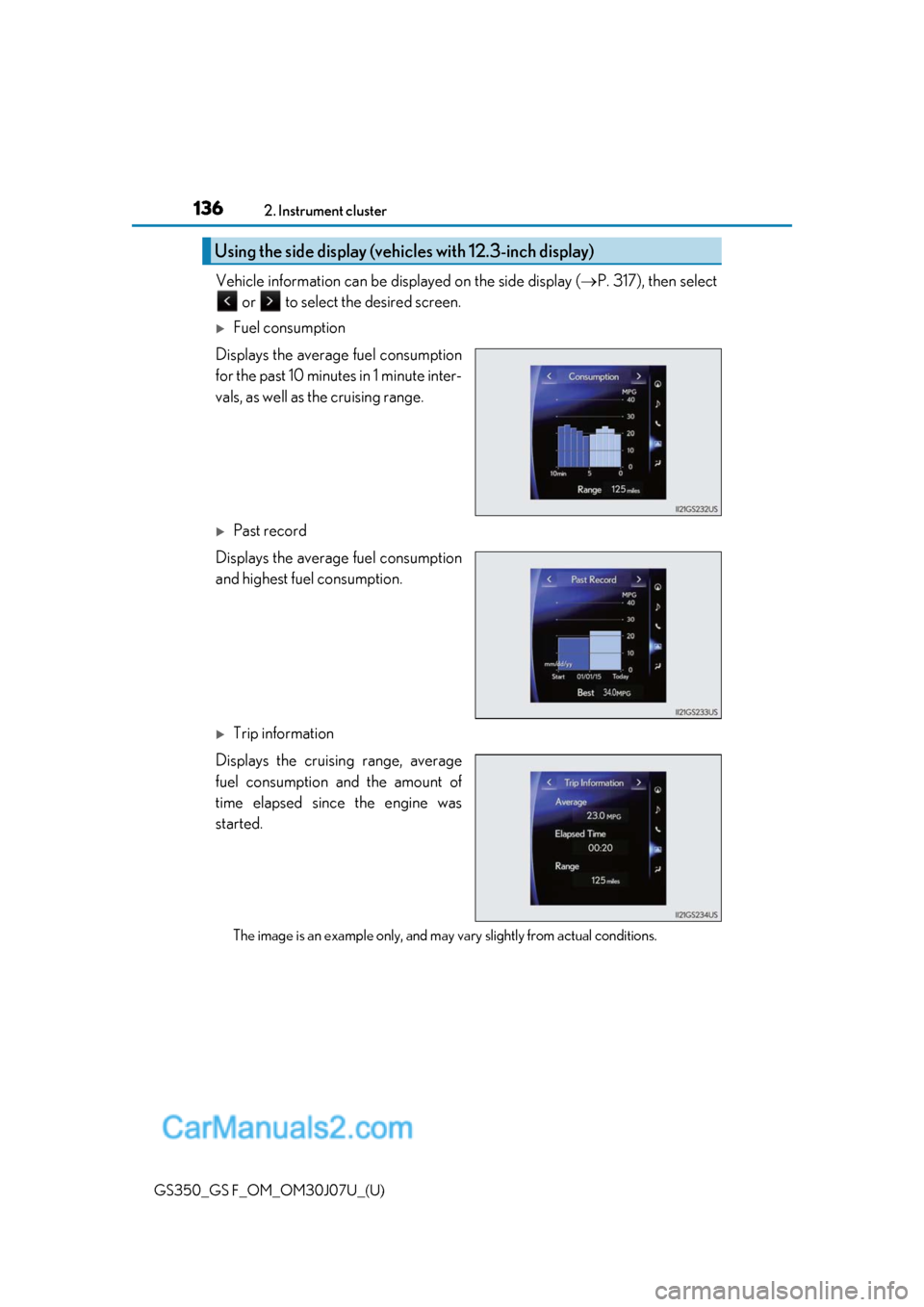
Vehicle information can be disp
layed on the side display (P. 317), then select
or to select the desired screen.
Fuel consumption
Displays the average fuel consumption
for the past 10 minutes in 1 minute inter-
vals, as well as the cruising range.
Past record
Displays the average fuel consumption
and highest fuel consumption.
Trip information
Displays the cruising range, average
fuel consumption and the amount of
time elapsed since the engine was
started.
The image is an example only, and may va ry slightly from actual conditions.
Using the side display (vehicles with 12.3-inch display)