lock Lexus GS200t 2016 s Owner's Guide
[x] Cancel search | Manufacturer: LEXUS, Model Year: 2016, Model line: GS200t, Model: Lexus GS200t 2016Pages: 668, PDF Size: 177.56 MB
Page 77 of 668
771-1. For safe use
1
For safety and security
GS350_200t_GS F_OM_OM30E87E_(EE)
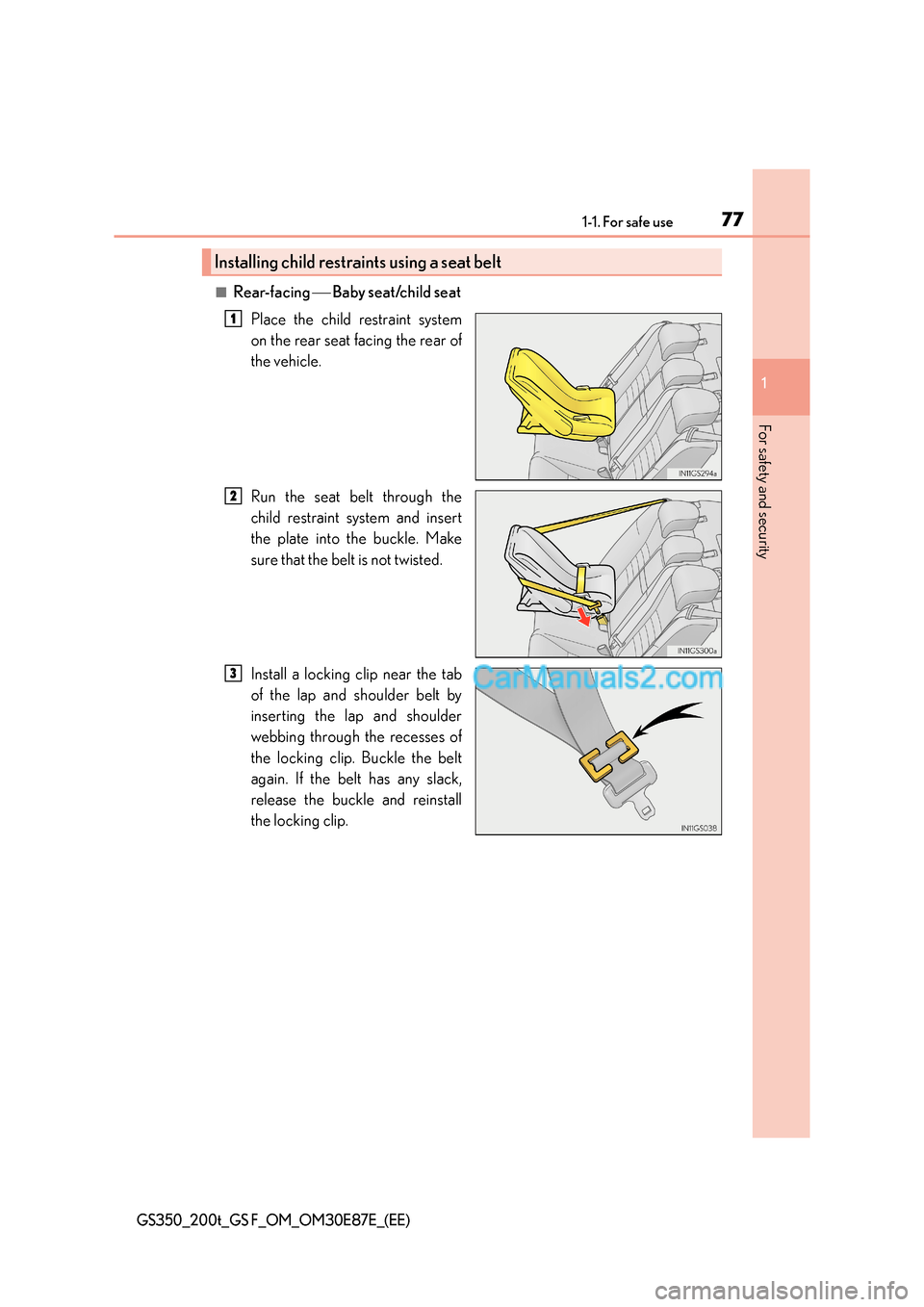
■Rear-facing Baby seat/child seat
Place the child restraint system
on the rear seat facing the rear of
the vehicle.
Run the seat belt through the
child restraint system and insert
the plate into the buckle. Make
sure that the belt is not twisted.
Install a locking clip near the tab
of the lap and shoulder belt by
inserting the lap and shoulder
webbing through the recesses of
the locking clip. Buckle the belt
again. If the belt has any slack,
release the buckle and reinstall
the locking clip.
Installing child restraints using a seat belt
1
2
3
Page 78 of 668
781-1. For safe use
GS350_200t_GS F_OM_OM30E87E_(EE)
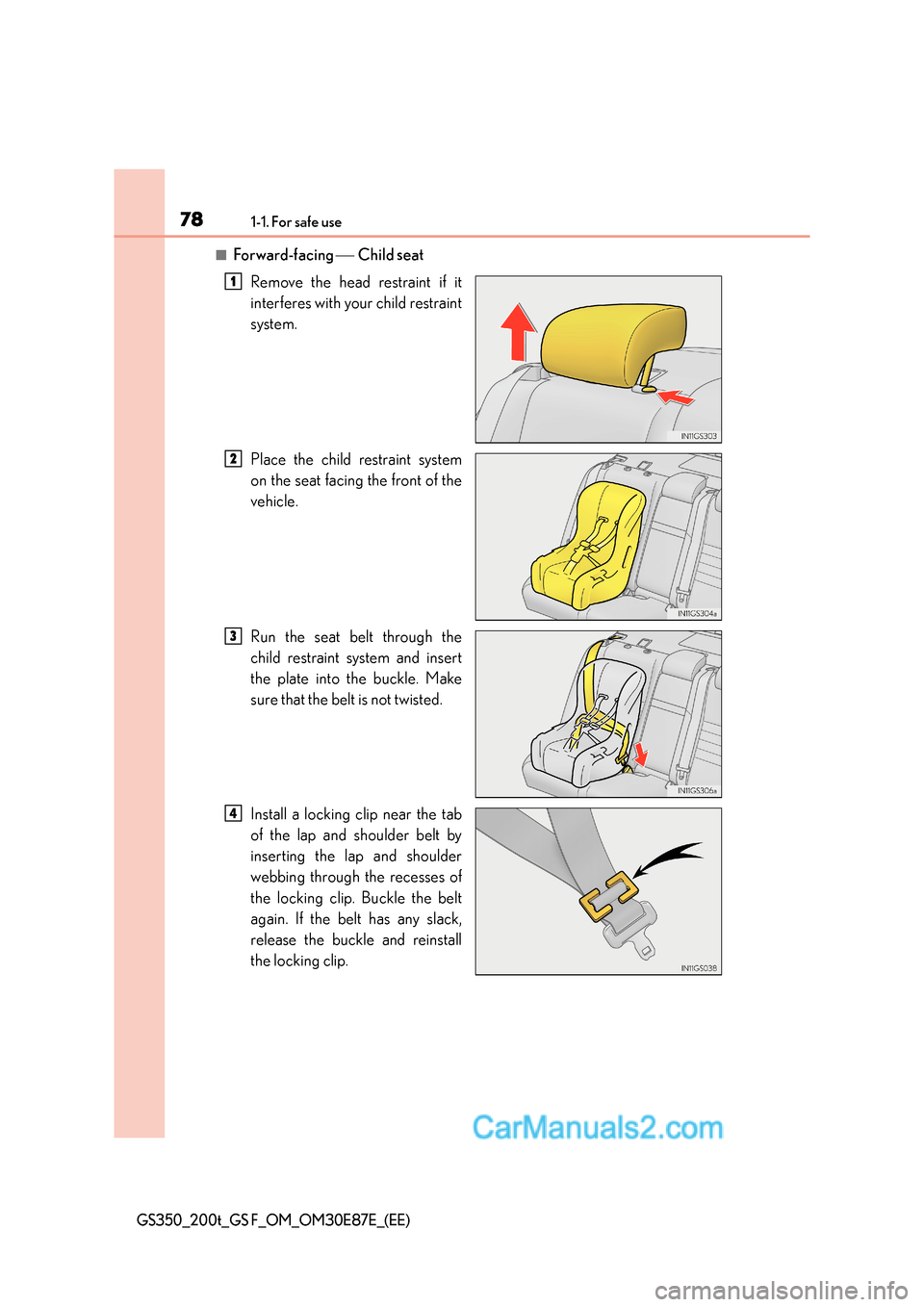
■Forward-facing Child seat
Remove the head restraint if it
interferes with your child restraint
system.
Place the child restraint system
on the seat facing the front of the
vehicle.
Run the seat belt through the
child restraint system and insert
the plate into the buckle. Make
sure that the belt is not twisted.
Install a locking clip near the tab
of the lap and shoulder belt by
inserting the lap and shoulder
webbing through the recesses of
the locking clip. Buckle the belt
again. If the belt has any slack,
release the buckle and reinstall
the locking clip.
1
2
3
4
Page 81 of 668
811-1. For safe use
1
For safety and security
GS350_200t_GS F_OM_OM30E87E_(EE)
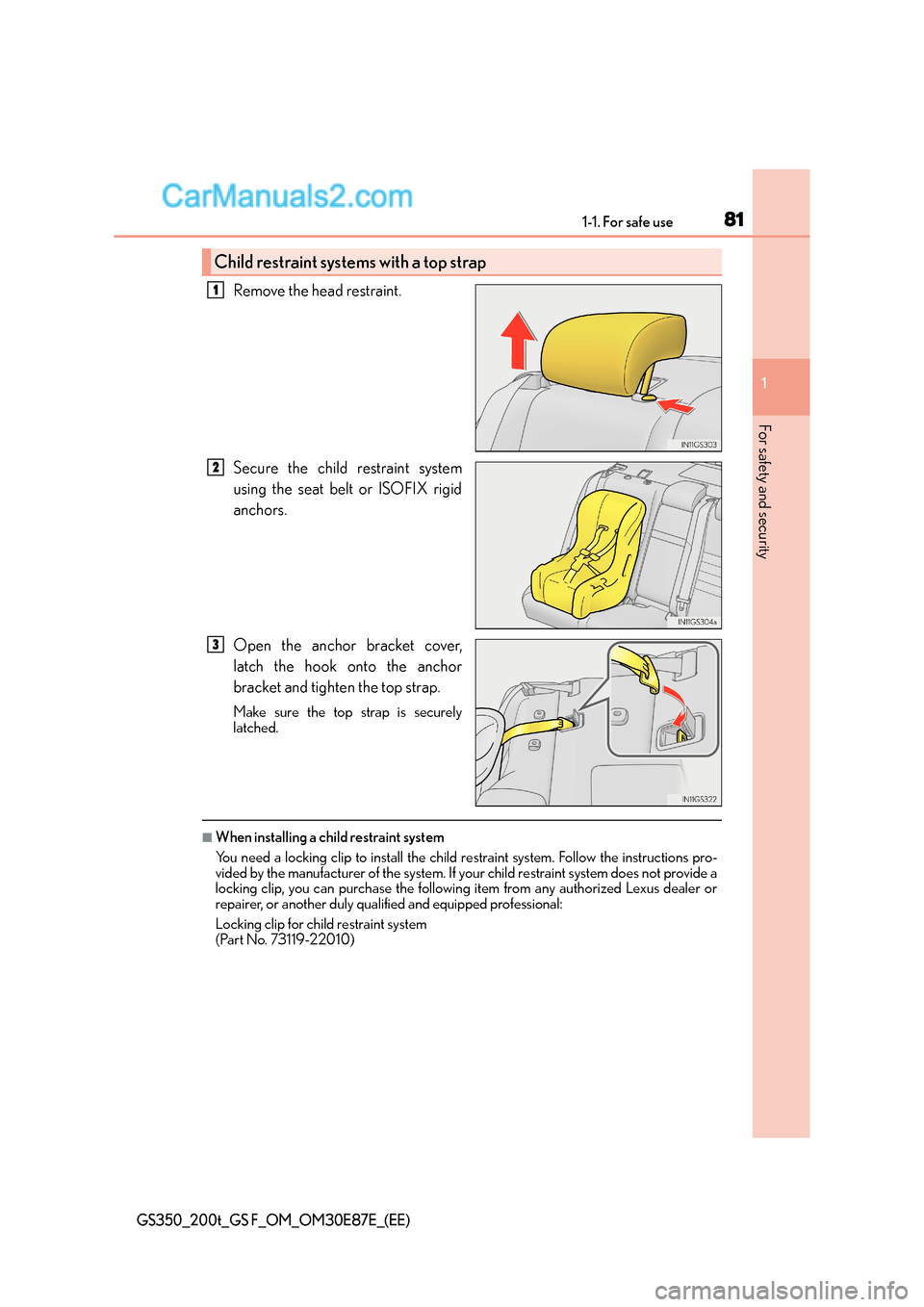
Remove the head restraint.
Secure the child restraint system
using the seat belt or ISOFIX rigid
anchors.
Open the anchor bracket cover,
latch the hook onto the anchor
bracket and tighten the top strap.
Make sure the top strap is securely
latched.
■When installing a child restraint system
You need a locking clip to install the child restraint system. Follow the instructions pro-
vided by the manufacturer of the system. If yo ur child restraint system does not provide a
locking clip, you can purchase the following item from any authorized Lexus dealer or
repairer, or another duly qualified and equipped professional:
Locking clip for child restraint system
(Part No. 73119-22010)
Child restraint systems with a top strap
1
2
3
Page 84 of 668
841-1. For safe use
GS350_200t_GS F_OM_OM30E87E_(EE)
WA R N I N G
■When installing a child restraint system
●If child restraint system regulations exist in the country where you reside, please con-
tact any authorized Lexus dealer or repair er, or another duly qualified and equipped
professional for the child restraint system installation.
●When a junior seat is installed, always en sure that the shoulder belt is positioned
across the center of the child’s shoulder. The belt should be kept away from the child’s
neck, but not so that it could fall off the child’s shoulder. Failing to do so may result in
death or serious injury in the event of su dden braking, sudden swerving or an acci-
dent.
●Ensure that the belt and plate are securely locked and the seat belt is not twisted.
●Shake the child restraint system left and right, and forward and backward to ensure
that it has been securely installed.
●After securing a child restraint system, never adjust the seat.
●Follow all installation instructions provided by the child restraint system manufacturer.
■To correctly attach a child restraint system to the anchors
When using the lower anchors, be sure that there are no foreign objects around the
anchors and that the seat belt is not caught behind the child restraint system. Make sure
the child restraint system is securely attached, or it may cause death or serious injury to
the child or other passengers in the event of sudden braking, sudden swerving or an
accident.
Page 91 of 668

91
1
1-2. Theft deterrent system
GS350_200t_GS F_OM_OM30E87E_(EE)
For safety and security
Double locking system
Vehicles employing this system have
labels on the window glass of both front
doors.
Turn the engine switch off, have all the passengers exit the vehicle and ensure
that all the doors are closed.
Using the entry function:
Touch the sensor area on the outside
door handle twice within 5 seconds.
Using the wireless remote control:
Press twice within 5 seconds.
Using the entry function: Hold the outside door handle.
Using the wireless remote control: Press .
Unauthorized access to the vehicle is prevented by disabling the door unlock-
ing function from both the interior and exterior of the vehicle.
Setting the double locking system
Canceling the double locking system
WA R N I N G
■Double locking system precaution
Never activate the double locking system when there are people in the vehicle
because all the doors cannot be opened from inside the vehicle.
Page 92 of 668
921-2. Theft deterrent system
GS350_200t_GS F_OM_OM30E87E_(EE)
Alarm∗
The alarm uses light and sound to give an alert when an intrusion is detected.
The alarm is triggered in the following situations when the alarm is set:
●A locked door is unlocked or opened in any way other than using the entry
function or wireless remote control. (The door will lock again automatically.)
●A trunk is opened in any way other than using the entry function, wireless
remote control or mechanical key.
●The hood is opened.
●The tilt sensor detects a change of vehicle inclination. (If equipped)
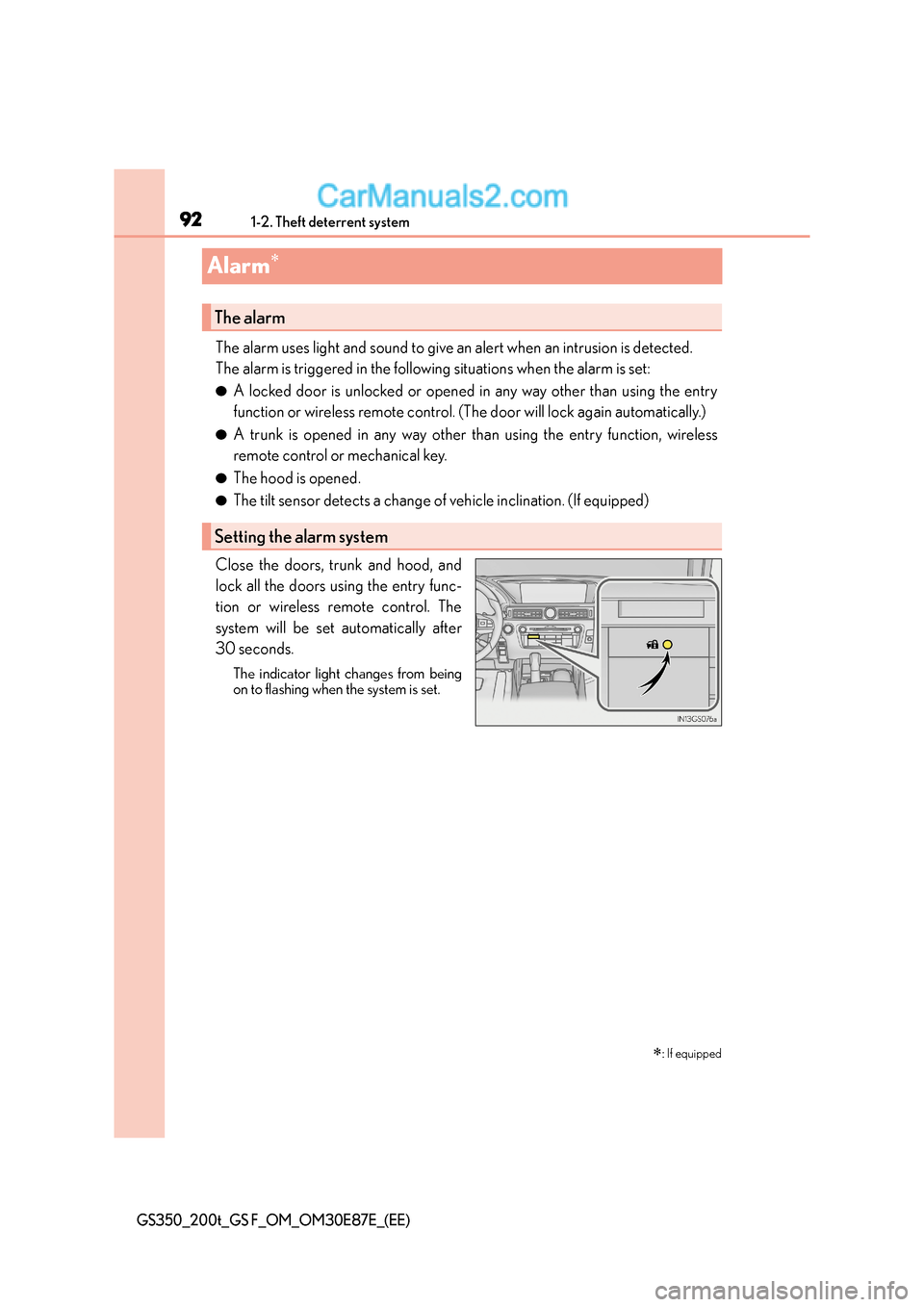
Close the doors, trunk and hood, and
lock all the doors using the entry func-
tion or wireless remote control. The
system will be set automatically after
30 seconds.
The indicator light changes from being
on to flashing when the system is set.
∗: If equipped
The alarm
Setting the alarm system
Page 93 of 668
931-2. Theft deterrent system
1
GS350_200t_GS F_OM_OM30E87E_(EE)
For safety and security
Do one of the following to deactivate or stop the alarm:
●Unlock the doors or open the trunk using the entry function or wireless
remote control.
●Turn the engine switch to ACCESSORY or IGNITION ON mode, or start
the engine. (The alarm will be deactivated or stopped after a few seconds.)
■System maintenance
The vehicle has a maintenance-free type alarm system.
■Items to check before locking the vehicle
To prevent unexpected triggering of the alarm and vehicle theft, make sure of the follow-
ing:
●Nobody is in the vehicle.
●The windows and moon roof (if equipped) are closed before the alarm is set.
●No valuables or other personal items are left in the vehicle.
Deactivating or stopping the alarm
Page 94 of 668
941-2. Theft deterrent system
GS350_200t_GS F_OM_OM30E87E_(EE)
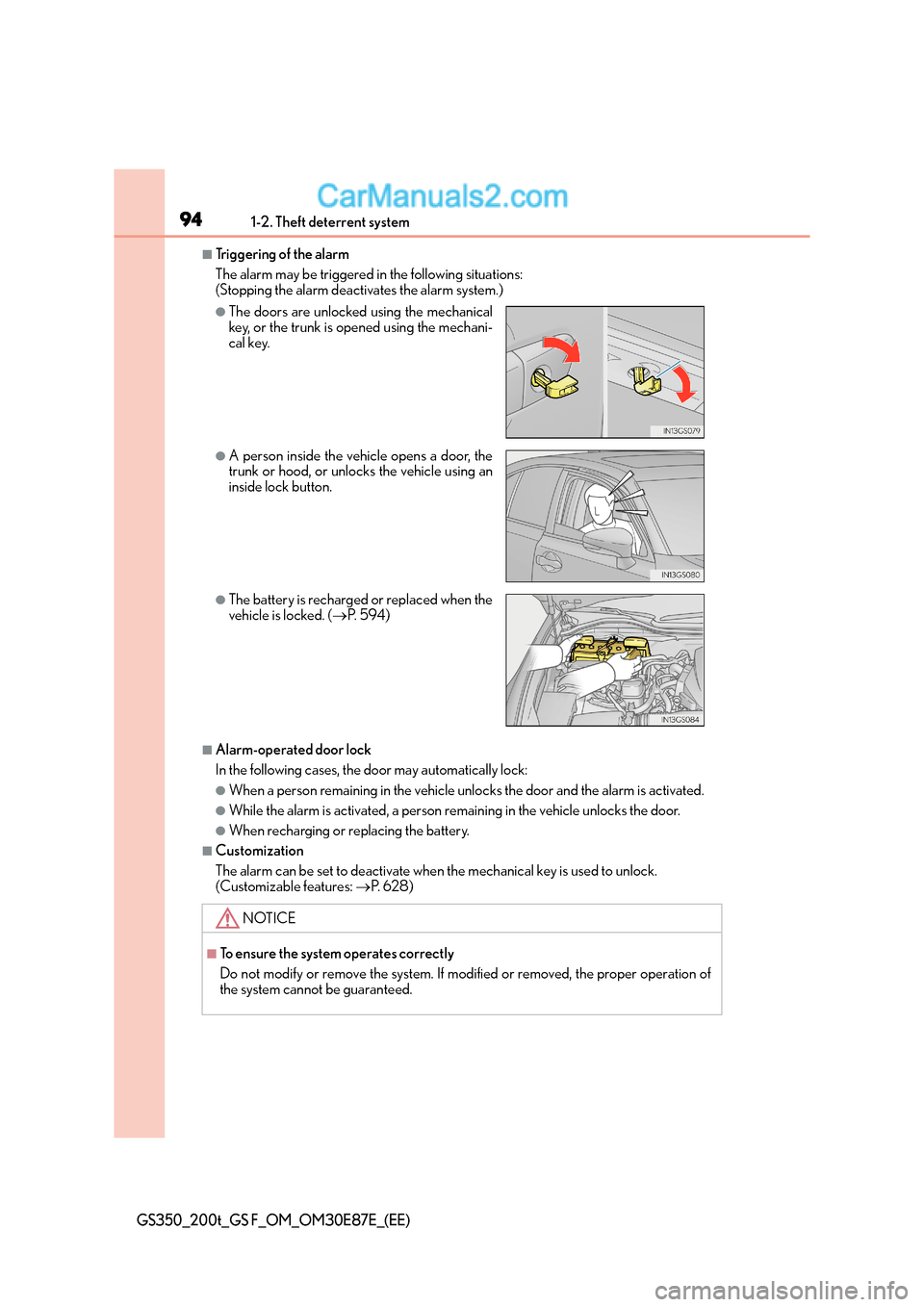
■Triggering of the alarm
The alarm may be triggered in the following situations:
(Stopping the alarm deactivates the alarm system.)
■Alarm-operated door lock
In the following cases, the door may automatically lock:
●When a person remaining in the vehicle unlocks the door and the alarm is activated.
●While the alarm is activated, a person remaining in the vehicle unlocks the door.
●When recharging or replacing the battery.
■Customization
The alarm can be set to deactivate when the mechanical key is used to unlock.
(Customizable features: →P. 6 2 8 )
●The doors are unlocked using the mechanical
key, or the trunk is opened using the mechani-
cal key.
●A person inside the vehicle opens a door, the
trunk or hood, or unlocks the vehicle using an
inside lock button.
●The battery is recharged or replaced when the
vehicle is locked. ( →P. 5 9 4 )
NOTICE
■To ensure the system operates correctly
Do not modify or remove the system. If modified or removed, the proper operation of
the system cannot be guaranteed.
Page 96 of 668
961-2. Theft deterrent system
GS350_200t_GS F_OM_OM30E87E_(EE)
■Canceling and automatic re-enabling of the intrusion sensor and tilt sensor
●The alarm will still be set even when the intr usion sensor and tilt sensor are canceled.
●After the intrusion sensor and tilt sensor are canceled, pressing the engine switch or
unlocking the doors using the entry functi on, wireless remote control or mechanical
key will re-enable the intrusion sensor and tilt sensor.
●The intrusion sensor and tilt sensor will au tomatically be re-enabled when the alarm
system is deactivated.
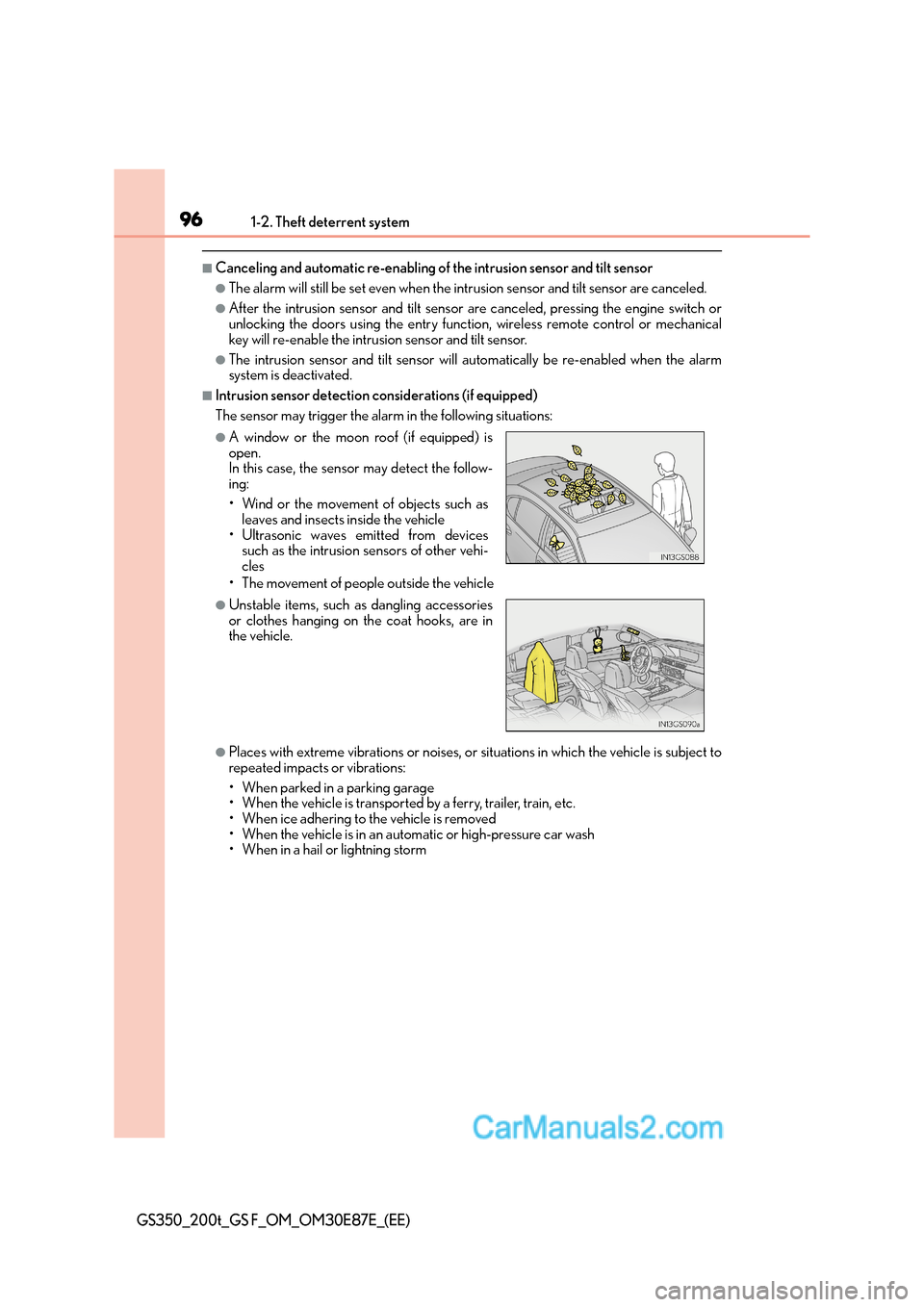
■Intrusion sensor detection considerations (if equipped)
The sensor may trigger the alarm in the following situations:
• The movement of people outside the vehicle
●Places with extreme vibrations or noises, or situations in which the vehicle is subject to
repeated impacts or vibrations:
• When parked in a parking garage
• When the vehicle is transported by a ferry, trailer, train, etc.
• When ice adhering to the vehicle is removed
• When the vehicle is in an automatic or high-pressure car wash
• When in a hail or lightning storm
●A window or the moon roof (if equipped) is
open.
In this case, the sensor may detect the follow-
ing:
• Wind or the movement of objects such asleaves and insects inside the vehicle
• Ultrasonic waves emitted from devices such as the intrusion sensors of other vehi-
cles
●Unstable items, such as dangling accessories
or clothes hanging on the coat hooks, are in
the vehicle.
Page 109 of 668
1092. Instrument cluster
2
Instrument cluster
GS350_200t_GS F_OM_OM30E87E_(EE)
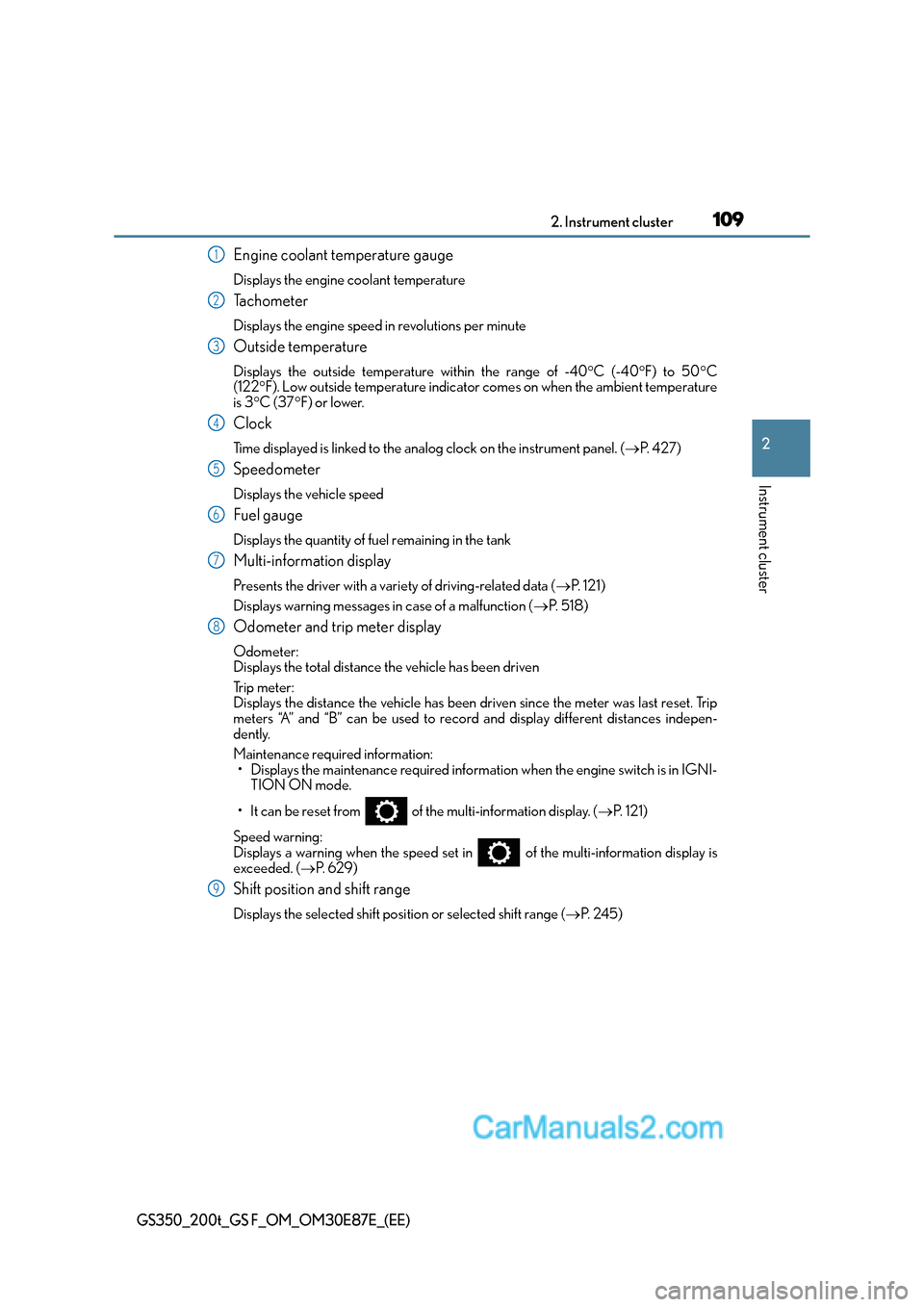
Engine coolant temperature gauge
Displays the engine coolant temperature
Tachometer
Displays the engine speed in revolutions per minute
Outside temperature
Displays the outside temperature within the range of -40°C (-40 °F) to 50 °C
(122 °F). Low outside temperature indicator comes on when the ambient temperature
is 3 °C (37 °F) or lower.
Clock
Time displayed is linked to the analog clock on the instrument panel. (→P. 4 2 7 )
Speedometer
Displays the vehicle speed
Fuel gauge
Displays the quantity of fuel remaining in the tank
Multi-information display
Presents the driver with a variety of driving-related data ( →P. 1 2 1 )
Displays warning messages in case of a malfunction ( →P. 5 1 8 )
Odometer and trip meter display
Odometer:
Displays the total distance the vehicle has been driven
Tr i p m e t e r :
Displays the distance the vehicle has been driven since the meter was last reset. Trip
meters “A” and “B” can be used to record and display different distances indepen-
dently.
Maintenance required information: • Displays the maintenance required informat ion when the engine switch is in IGNI-
TION ON mode.
• It can be reset from of the multi-information display. ( →P. 1 2 1 )
Speed warning:
Displays a warning when the speed set in of the multi-information display is
exceeded. ( →P. 6 2 9 )
Shift position and shift range
Displays the selected shift posi tion or selected shift range (→P. 2 4 5 )
1
2
3
4
5
6
7
8
9