wheel Lexus GS200t 2016 s Owner's Guide
[x] Cancel search | Manufacturer: LEXUS, Model Year: 2016, Model line: GS200t, Model: Lexus GS200t 2016Pages: 668, PDF Size: 177.56 MB
Page 236 of 668
2364-1. Before driving
GS350_200t_GS F_OM_OM30E87E_(EE)
Your vehicle will handle differently when towing a trailer. In order to avoid acci-
dent, death or serious injury, keep the following in mind when towing:
■Checking connections between trailer and lights
Stop the vehicle and check the operation of the connection between the
trailer and lights after driving for a brief period as well as before starting off.
■Practicing driving with a coupled trailer
●Get the feel for turning, stopping and reversing with the trailer coupled by
practicing in an area with no or light traffic.
●When reversing with a coupled trailer, hold the section of the steering
wheel nearest to you and rotate clockwise to turn the trailer left or counter-
clockwise to turn it right. Always rotate a little at a time to prevent steering
error. Have someone guide you when reversing to lessen the risk of an
accident.
■Increasing vehicle-to-vehicle distance
At a speed of 10 km/h (6 mph), the distance to the vehicle running ahead of
you should be equivalent to or greater than the combined length of your vehi-
cle and trailer. Avoid sudden braking th at may cause skidding. Otherwise, the
vehicle may spin out of control. This is especially true when driving on wet or
slippery road surfaces.
■Sudden acceleration/steering input/cornering
Executing sharp turns when towing may result in the trailer colliding with your
vehicle. Decelerate well in advance when approaching turns and take them
slowly and carefully to avoid sudden braking.
■Important points regarding turning
The wheels of the trailer will travel closer to the inside of the curve than the
wheels of the vehicle. To make allowance for this, take the turns wider than you
would normally do.
■Important points regarding stability
Vehicle movement resulting from uneven road surfaces and strong cross-
winds will affect handling. The vehicle may also be rocked by passing buses or
large trucks. Frequently check behind when moving alongside such vehicles.
As soon as such vehicle movement occurs, immediately start to decelerate
smoothly by slowly applying the brakes. Always steer the vehicle straight
ahead while braking.
Guidance
Page 237 of 668
2374-1. Before driving
4
Driving
GS350_200t_GS F_OM_OM30E87E_(EE)
■Passing other vehicles
Consider the total combined length of your vehicle and trailer and ensure that
the vehicle-to-vehicle distance is sufficient before executing lane changes.
■Transmission information
To maintain engine braking efficiency, when using engine braking, when driv-
ing on a long steep downgrad e, do not use the transmission in D. If in the M
mode, the transmission shift range position must be in 4 or lower. ( →P. 2 4 8 )
■If the engine overheats
Towing a loaded trailer up a long, steep incline in temperatures exceeding
30 °C (85 °F) may result in the engine overheating. If the engine coolant tem-
perature gauge indicates that the engine is overheating, turn the air condition-
ing off immediately, leave the road and stop the vehicle in a safe place.
( → P. 5 9 6 )
■When parking the vehicle
Always place wheel chocks under the whee ls of both the vehicle and trailer.
Firmly set the parking brake and shift the shift lever to P.
WA R N I N G
Follow all the instructions described in this section. Failure to do so could cause an acci-
dent resulting in death or serious injury.
■Trailer towing precautions
When towing, make sure that none of the weight limits are exceeded. ( →P. 233)
■To avoid accident or injury
●Do not tow a trailer when the compact spare tire is installed on your vehicle.
●Do not tow a trailer when the tire installed is repaired with the emergency tire punc-
ture repair kit.
●Do not use cruise control (if equipped), dynamic radar cruise control (if equipped) or
dynamic radar cruise control with full-speed range (if equipped) when trailer towing.
■Vehicle speed in towing
Observe the legal maximum speeds for trailer towing.
■Before descending hills or long declines
Reduce speed and downshift. However, never downshift suddenly while descending
steep or long downhill grades.
■Operation of the brake pedal
Do not hold the brake pedal depressed often or for long periods of time.
Doing so may result in the brake overheating or reduce braking effects.
Page 241 of 668
2414-2. Driving procedures
4
Driving
GS350_200t_GS F_OM_OM30E87E_(EE)
If the engine is stopped with the shift lever in a position other than P, the engine
switch will not be turned off but instead be turned to ACCESSORY mode. Per-
form the following procedure to turn the switch off:
Check that the parking brake is set.
Shift the shift lever to P.
Check that “Turn Off Vehicle” is displayed on the multi-information display
and then press the engine switch once.
Check that “Turn Off Vehicle” on the multi-information display is off.
■Auto power off function
If the vehicle is left in ACCESSORY mode for more than 20 minutes or IGNITION ON
mode (the engine is not running) for more than an hour with the shift lever in P, the engine
switch will automatically turn off. However, this function cannot entirely prevent battery
discharge. Do not leave the vehicle with the engine switch in ACCESSORY or IGNI-
TION ON mode for long periods of time when the engine is not running.
■Electronic key battery depletion
→P. 1 5 6
■Conditions affecting operation
→P. 1 7 5
■Notes for the push-start function
→P. 1 7 7
■If the engine does not start
●The engine immobilizer system may not have been deactivated. ( →P. 8 6 )
Contact any authorized Lexus dealer or repairer, or another duly qualified and
equipped professional.
●Check that the shift lever is securely set in P. The engine may not start if the shift lever is
displaced out of P. “Shift to P position to Start” will be displayed on the multi-information
display.
■Steering lock
After turning the engine switch off and opening and closing the doors, the steering wheel
will be locked due to the steering lock functi on. Operating the engine switch again auto-
matically cancels the steering lock.
When stopping the engine with the shift lever in a position other than P
1
2
3
4
Page 242 of 668
2424-2. Driving procedures
GS350_200t_GS F_OM_OM30E87E_(EE)
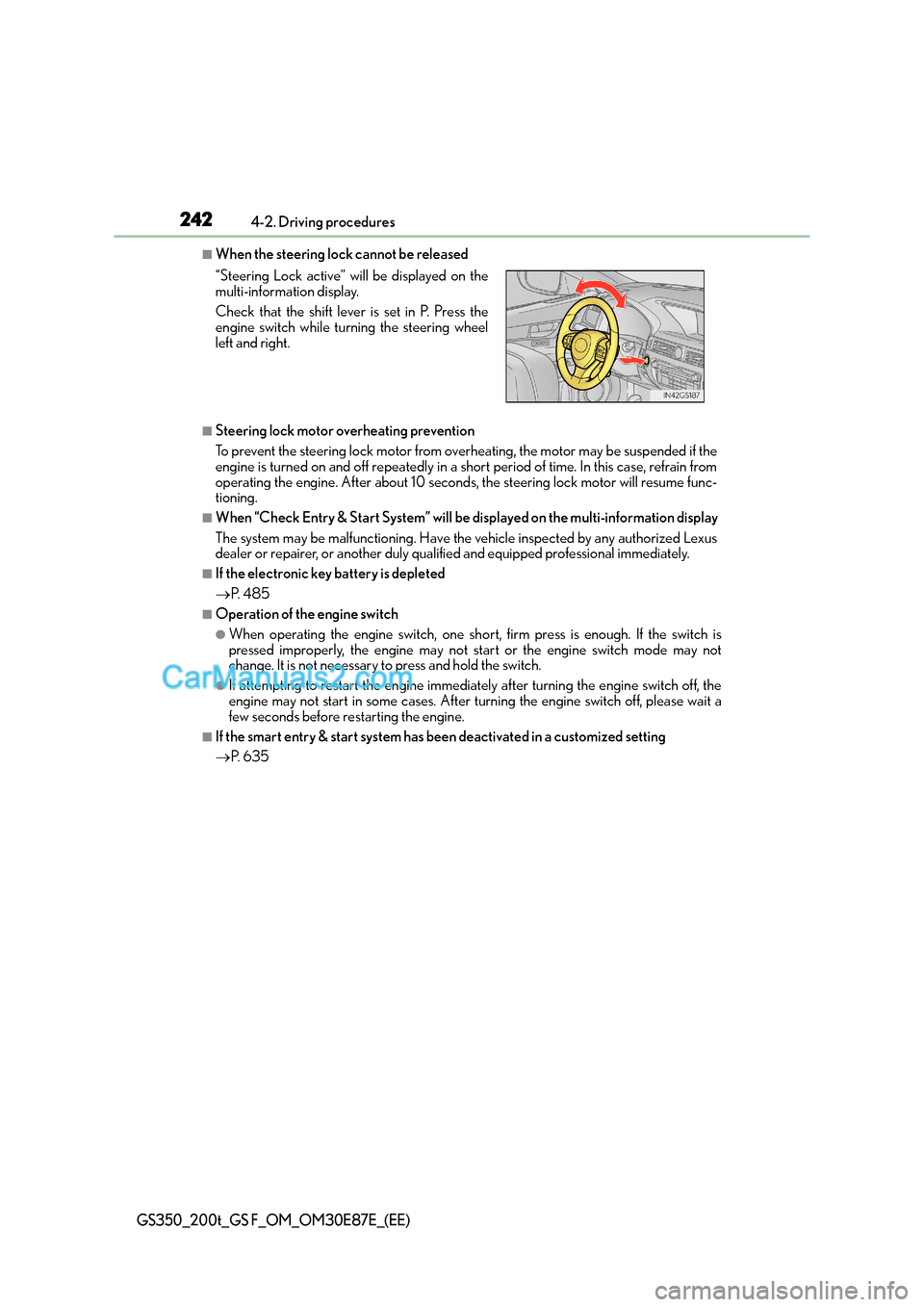
■When the steering lock cannot be released
■Steering lock motor overheating prevention
To prevent the steering lock motor from overheating, the motor may be suspended if the
engine is turned on and off repeatedly in a short period of time. In this case, refrain from
operating the engine. After about 10 seconds, the steering lock motor will resume func-
tioning.
■When “Check Entry & Start System” will be displayed on the multi-information display
The system may be malfunctioning. Have the vehicle inspected by any authorized Lexus
dealer or repairer, or another duly qualified and equipped professional immediately.
■If the electronic key battery is depleted
→ P. 4 8 5
■Operation of the engine switch
●When operating the engine switch, one short, firm press is enough. If the switch is
pressed improperly, the engine may not start or the engine switch mode may not
change. It is not necessary to press and hold the switch.
●If attempting to restart the engine immediately after turning the engine switch off, the
engine may not start in some cases. After turning the engine switch off, please wait a
few seconds before restarting the engine.
■If the smart entry & start system has been deactivated in a customized setting
→P. 6 3 5
“Steering Lock active” w
ill be displayed on the
multi-information display.
Check that the shift lever is set in P. Press the
engine switch while tu rning the steering wheel
left and right.
Page 255 of 668
2554-2. Driving procedures
4
Driving
GS350_200t_GS F_OM_OM30E87E_(EE)
■Parking brake operation
●When the engine switch is not in IGNITION ON mode, the parking brake cannot be
released using the parking brake switch.
●When the engine switch is not in IGNITION ON mode, automatic mode (automatic
brake setting and releasing) is not available.
●If the parking brake is operated repeatedly over a short period of time, the system may
restrict operation to prevent overheating. If this happens, refrain from operating the
parking brake. Normal operation will return after about 1 minute.
●Vehicles with towing package: In situations such as when parking while towing a trailer,
the maximum amount of braking force can be used by pressing the parking brake
switch with the parking brake already set.
●Vehicles without towing package: In situations such as when parking on a steep slope*,
the maximum amount of braking force can be used by pressing the parking brake
switch with the parking brake already set.
*: Use wheel chocks when parking on a steep slope.
■Parking brake operation sound
When the parking brake operates, a motor sound (whirring sound) may be heard. This
does not indicate a malfunction.
■Parking brake indicator light
●Depending on the engine switch mode, the parking brake indicator light will come on
and stay on as described below:
IGNITION ON mode: Comes on until the parking brake is released.
Not in IGNITION ON mode: Stays on for approximately 15 seconds.
●When the engine switch is turned off with the parking brake set, the parking brake indi-
cator light will stay on for about 15 seco nds. This does not indicate a malfunction.
■When there is a malfunction in the system
Warning lights and/or warning message will turn on or flash. (→P. 514, 518)
Depending on the condition, the park ing brake indicator light may flash.
■Parking brake engaged warning buzzer
→P. 5 2 2
■Usage in winter time
→P. 3 8 2
Page 266 of 668

2664-3. Operating the lights and wipers
GS350_200t_GS F_OM_OM30E87E_(EE)
■Conditions in which the light distribution control of the headlights changes automati-
cally
●When all of the following conditions are met, the high beams will be turned on automat-
ically and the system will operate:
• The vehicle speed is approximately 60 km/h (37 mph) or more.*
*: The area in the direction that the vehicle is turning will be illuminated more brightly
than other areas while driving on a curve.
●When all of the following conditions are met, the variable high beams will turn on and
the distance that the low beams are projecte d will be adjusted automatically, depending
on the location of vehicles ahead:
• The vehicle speed is approximately 60 km/h (37 mph) or more.
• The area ahead of the vehicle is dark.
• There are vehicles ahead with headlights or tail lights turned on.
●If any of the following conditions is met, the high beams or variable high beams will be
changed to the low beams automatically:
• The vehicle speed is below approximately 60 km/h (37 mph).
• The area ahead of the vehicle is not dark.
• There are many vehicles ahead.
• Vehicles ahead are moving quickly and the high beams may blind the drivers of the other vehicles.
■Camera sensor detection information
●The high beams may not be automatically ch anged to the variable high beams in the
following situations:
• When vehicles ahead suddenly appear from a curve
• When the vehicle is cut in front of by another vehicle
• When vehicles ahead are hidden from sight due to repeated curves, road dividers or
roadside trees
• When vehicles ahead appear from the faraway lane on wide road
• When vehicles ahead have no lights
●The high beams may be changed to the variab le high beams if a vehicle ahead that is
using fog lights without its headlights turned on is detected.
●House lights, street lights, traffic signals, and illuminated billboards or signs may cause
the high beams to change to the variable high beams, cause the high beams not to
change to the variable high beams, or change the area that is not illuminated.
●The following factors may affect the amount of time taken to turn the high beam on or
off, or the speed by which the areas not illuminated change:
• The brightness of headlights, fog lights, and tail lights of vehicles ahead
• The movement and direction of vehicles ahead
• When a vehicle ahead only has operational lights on one side
• When a vehicle ahead is a two-wheeled vehicle
• The condition of the road (gradient, curve, condition of the road surface etc.)
• The number of passengers and amount of luggage
●The light distribution control of th e headlights may change unexpectedly.
●Bicycles or similar objects may not be detected.
Page 271 of 668
2714-3. Operating the lights and wipers
4
Driving
GS350_200t_GS F_OM_OM30E87E_(EE)
■High beam automatic turning on or off conditions
●When all of the following conditions are fulfilled, the high beam will be automatically
turned on (after approximately 1 second):
• Vehicle speed is above approximately 40 km/h (25 mph).
• The area ahead of the vehicle is dark.
• There are no vehicles ahead with headlights or tail lights turned on.
• There are few streetlights on the road ahead.
●If any of the following conditions are fulfilled, the high beam will be automatically turned
off:
• Vehicle speed drops below approximately 30 km/h (19 mph).
• The area ahead of the vehicle is not dark.
• Vehicles ahead have headlight s or tail lights turned on.
• There are many streetlights on the road ahead.
■Camera sensor detection information
●The high beam may not be automatically turned off in the following situations:
• When oncoming vehicles suddenly appear from a curve
• When the vehicle is cut in front of by another vehicle
• When vehicles ahead are hidden from sight due to repeated curves, road dividers or roadside trees
• When vehicles ahead appear from the faraway lane on wide road
• When vehicles ahead have no lights
●The high beam may be turned off if a vehicl e ahead that is using fog lights without using
the headlights is detected.
●House lights, street lights, traffic signals, and illuminated billboards or signs may cause
the high beam to switch to the low beams, or the low beams to remain on.
●The following factors may affect the amount of time taken to turn the high beam on or
off:
• The brightness of headlights, fog li ghts, and tail lights of vehicles ahead
• The movement and direction of vehicles ahead
• When vehicle ahead only has operational lights on one side
• When vehicle ahead is a two-wheeled vehicle
• The condition of the road (gradient, curve, condition of the road surface etc.)
• The number of passengers and amount of luggage
●The high beam may be turned on or off when the driver does not expect it.
●Bicycles or similar objects may not be detected.
●In the situations shown below, the system may not be able to accurately detect sur-
rounding brightness levels. This may cause the low beams to remain on or the high
beams to cause problems for pedestrians, vehicles ahead or other parties. In these
cases, manually switch between the high and low beams.
• In bad weather (rain, snow, fog, sandstorms etc.)
• The windshield is obscured by fog, mist, ice, dirt etc.
• The windshield is cracked or damaged.
• The inside rear view mirror or camera sensor is deformed or dirty.
• The camera sensor temperature is extremely high.
• Surrounding brightness levels are equal to th ose of headlights, tail lights or fog lights.
• Vehicles ahead have headlights that are either switched off, dirty, are changing color, or have are not aimed properly.
Page 295 of 668
2954-5. Using the driving support systems
4
Driving
GS350_200t_GS F_OM_OM30E87E_(EE)
WA R N I N G
■Pre-crash braking*3
●The pre-crash braking function may not operate if certain operations are performed
by the driver. If the accelerator pedal is being depressed strongly or the steering
wheel is being turned, the system may determine that the driver is taking evasive
action and possibly prevent the pre-crash braking function from operating.
●In some situations, while the pre-crash braking function is operating, operation of the
function may be canceled if the accelerator pedal is depressed strongly or the steer-
ing wheel is turned and the system determines that the driver is taking evasive action.
●A large amount of braking force is applied while the pre-crash braking function is
operating. As the pre-crash braking function will be canceled after the vehicle has
been stopped for approximately 2 seconds, the driver should depress the brake
pedal as necessary.
●If the brake pedal is being depressed, the system may determine that the driver is tak-
ing evasive action and possibly delay the operation timing of the pre-crash braking
function.
*3: Depending on the region in which the vehicle was sold, the pre-crash braking func-
tion may not be available.
■When to disable the pre-crash safety system
In the following situations, disable the system, as it may not operate properly, possibly
leading to an accident resulting in death or serious injury:
●When the vehicle is being towed
●When your vehicle is towing another vehicle
●When transporting the vehicle via truck, boat, train or similar means of transportation
●When the vehicle is raised on a lift with the engine running and the tires are allowed to
rotate freely
●When inspecting the vehicle using a drum tester such as a chassis dynamometer or
speedometer tester, or when using an on vehicle wheel balancer
●When a strong impact is applied to the front bumper or front grille, due to an accident
or other reasons
●If the vehicle cannot be driven in a stable manner, such as when the vehicle has been
in an accident or is malfunctioning
●When the vehicle is driven in a sporty manner or off-road
●When the tires are not properly inflated
●When the tires are very worn
●When tires of a size other than specified are installed
●When tire chains are installed
●GS350/GS200t: When a compact spare tire or an emergency tire puncture repair
kit is used
●GS F: When a spare tire or an emergency tire puncture repair kit is used
Page 299 of 668
2994-5. Using the driving support systems
4
Driving
GS350_200t_GS F_OM_OM30E87E_(EE)
■Pedestrian detection function*4
*4: Depending on the region in which the vehicle was sold, the pedestrian detection func-tion may not be available.
■Cancelation of the pre-crash braking*3
●If either of the following occur while the pre- crash braking function is operating, it will
be canceled:
• The accelerator pedal is depressed strongly.
• The steering wheel is turned sharply or abruptly.
●If the vehicle is stopped by the operation of the pre-crash braking function, the opera-
tion of the pre-crash braking function will be canceled after the vehicle has been
stopped for approximately 2 seconds.
*3: Depending on the region in which the vehicle was sold, the pre-crash braking function
may not be available.
■Conditions under which the syst em may operate even if there is no possibility of a colli-
sion
●In some situations such as the following, the system may determine that there is a possi-
bility of a frontal collision and operate.
• When passing a vehicle or pedestrian
*4
• When changing lanes while overtaking a preceding vehicle
• When overtaking a preceding vehicle that is changing lanes
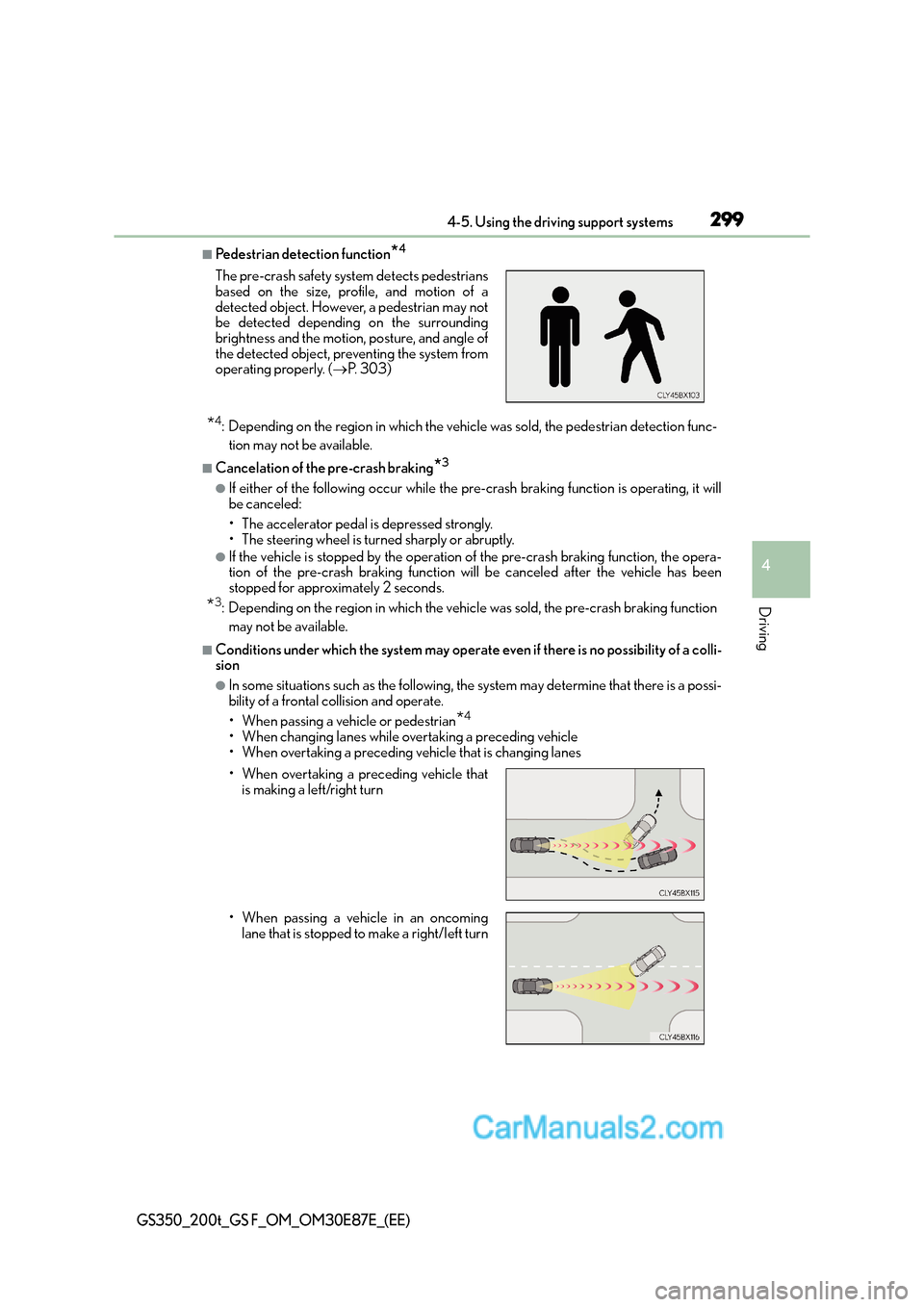
The pre-crash safety system detects pedestrians
based on the size, profile, and motion of a
detected object. However, a pedestrian may not
be detected depending on the surrounding
brightness and the motion, posture, and angle of
the detected object, preventing the system from
operating properly. (
→P. 303)
• When overtaking a preceding vehicle that is making a left/right turn
• When passing a vehicle in an oncoming lane that is stopped to make a right/left turn
Page 303 of 668
3034-5. Using the driving support systems
4
Driving
GS350_200t_GS F_OM_OM30E87E_(EE)
• After the engine has started the vehicle has not been driven for a certain amount oftime
• While making a left/right turn and for a few seconds after making a left/right turn
• While driving on a curve and for a few seconds after driving on a curve
• If your vehicle is skidding
• If the front of the vehicle is raised or lowered
• If the wheels are misaligned
• If a wiper blade is blocking the camera sensor
• The vehicle is wobbling.
• The vehicle is being driven at extremely high speeds.
• When driving on a hill
• If the radar sensor or camera sensor is misaligned
●In some situations such as the following, su fficient braking force may not be obtained,
preventing the system from performing properly:
• If the braking functions cannot operate to their full extent, such as when the brake parts are extremely cold, extremely hot, or wet
• If the vehicle is not properly maintained (brakes or tires are excessively worn,
improper tire inflation pressure, etc.)
• When the vehicle is being driven on a gravel road or other slippery surface
●Some pedestrians such as the following may not be detected by the radar sensor and
camera sensor, preventing the system from operating properly
*4:
• Pedestrians shorter than approximately 1 m (3.2 ft.) or taller than approximately 2 m (6.5 ft.)
• Pedestrians wearing oversized clothing (a rain coat, long skirt, etc.), making their sil- houette obscure
• Pedestrians who are carrying large baggage, holding an umbrella, etc., hiding part
of their body
• Pedestrians who are bending forward or squatting
• Pedestrians who are pushing a stroller, wheelchair, bicycle or other vehicle
• Groups of pedestrians which are close together
• Pedestrians who are wearing white and look extremely bright
• Pedestrians in the dark, such as at night or while in a tunnel
• Pedestrians whose clothing appears to be nearly the same color or brightness as their surroundings
• Pedestrians near walls, fences, guardrails, or large objects
• Pedestrians who are on a metal object (manhole cover, steel plate, etc.) on the road
• Pedestrians who are walking fast
• Pedestrians who are changing speed abruptly
• Pedestrians running out from behind a vehicle or a large object
• Pedestrians who are extremely close to th e side of the vehicle (outside rear view
mirror, etc.)
*4: Depending on the region in which the vehicle was sold, the pedestrian detection
function may not be available.