buttons Lexus GS250 2012 User Guide
[x] Cancel search | Manufacturer: LEXUS, Model Year: 2012, Model line: GS250, Model: Lexus GS250 2012Pages: 914, PDF Size: 53.04 MB
Page 398 of 914
3885-1. Remote Touch screen
GS350/250_EE (OM30C36E)
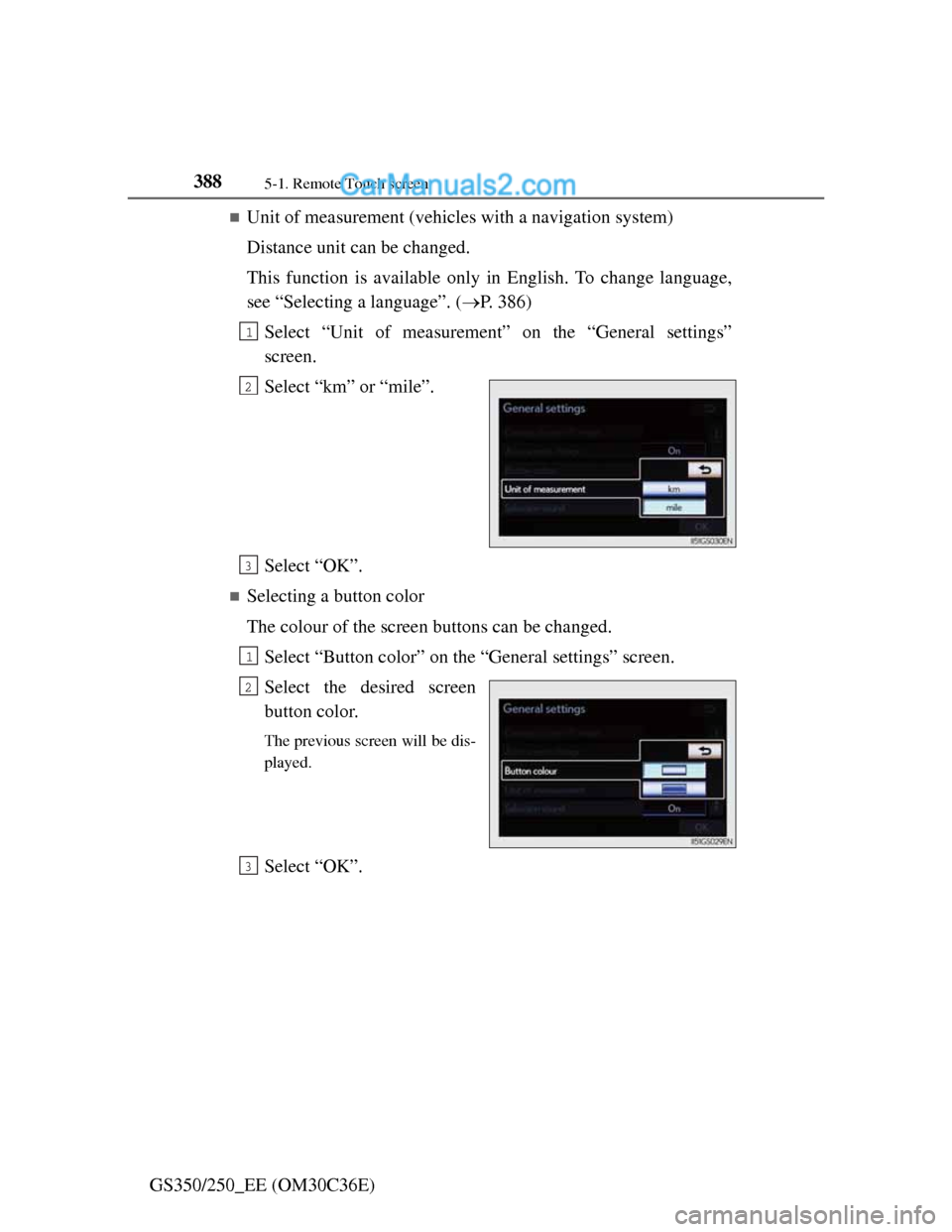
Unit of measurement (vehicles with a navigation system)
Distance unit can be changed.
This function is available only in English. To change language,
see “Selecting a language”. (P. 386)
Select “Unit of measurement” on the “General settings”
screen.
Select “km” or “mile”.
Select “OK”.
Selecting a button color
The colour of the screen buttons can be changed.
Select “Button color” on the “General settings” screen.
Select the desired screen
button color.
The previous screen will be dis-
played.
Select “OK”.
1
2
3
1
2
3
Page 440 of 914
4295-2. Using the air conditioning system and defogger
5
Interior features
GS350/250_EE (OM30C36E)
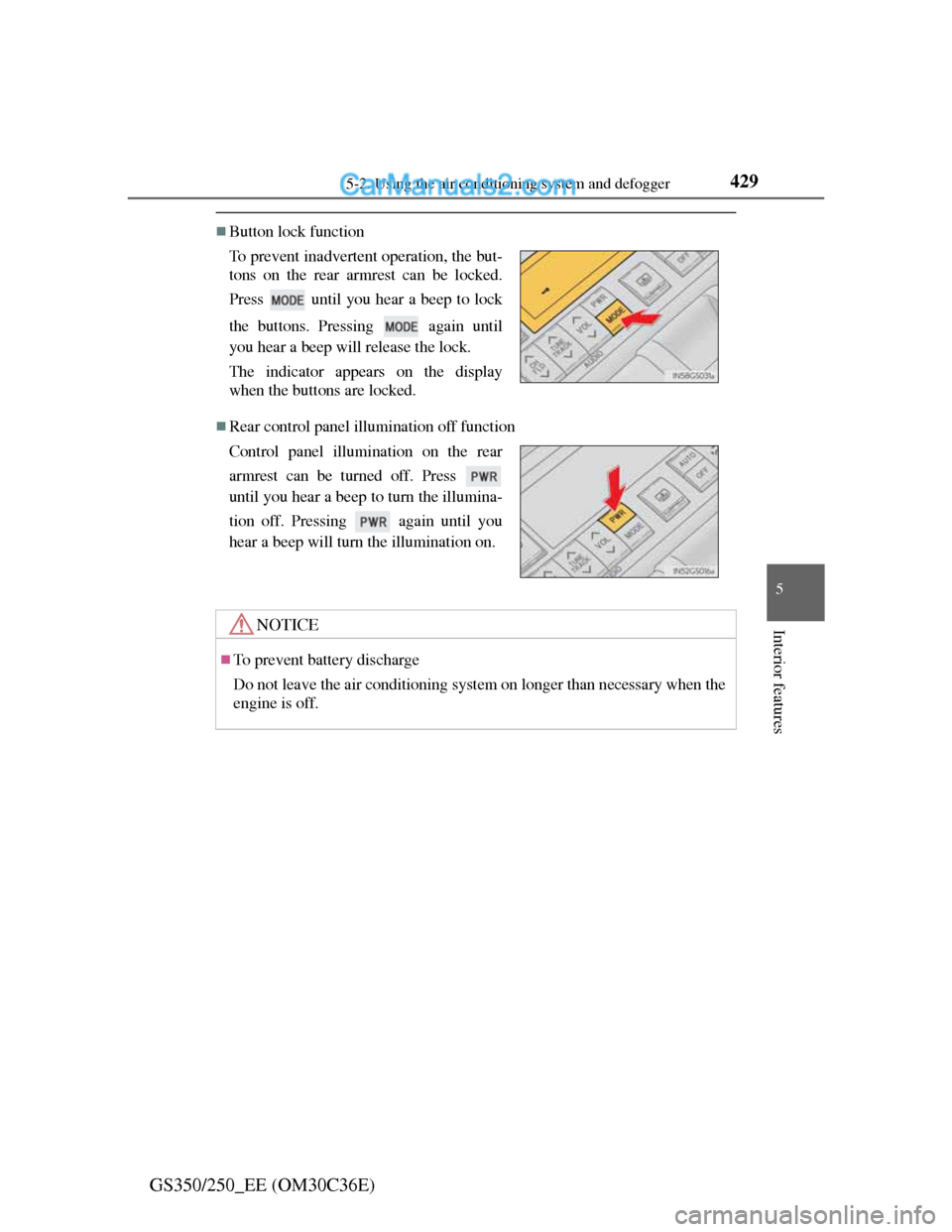
Button lock function
Rear control panel illumination off function To prevent inadvertent operation, the but-
tons on the rear armrest can be locked.
Press until you hear a beep to lock
the buttons. Pressing again until
you hear a beep will release the lock.
The indicator appears on the display
when the buttons are locked.
Control panel illumination on the rear
armrest can be turned off. Press
until you hear a beep to turn the illumina-
tion off. Pressing again until you
hear a beep will turn the illumination on.
NOTICE
To prevent battery discharge
Do not leave the air conditioning system on longer than necessary when the
engine is off.
Page 446 of 914
4355-3. Using the audio system
5
Interior features
GS350/250_EE (OM30C36E)
Using cellular phones
Interference may be heard through the audio system’s speakers if a cellular
phone is being used inside or close to the vehicle while the audio system is
operating.
When using the Remote Touch screen
Dimmed screen buttons cannot be operated.
Ta b
Select or , located either side of the screen tabs, to display tabs from
the previous or next page.
About Dolby
Manufactured under license from Dolby Laboratories. Dolby and the double-
D symbol are trademarks of Dolby Laboratories.
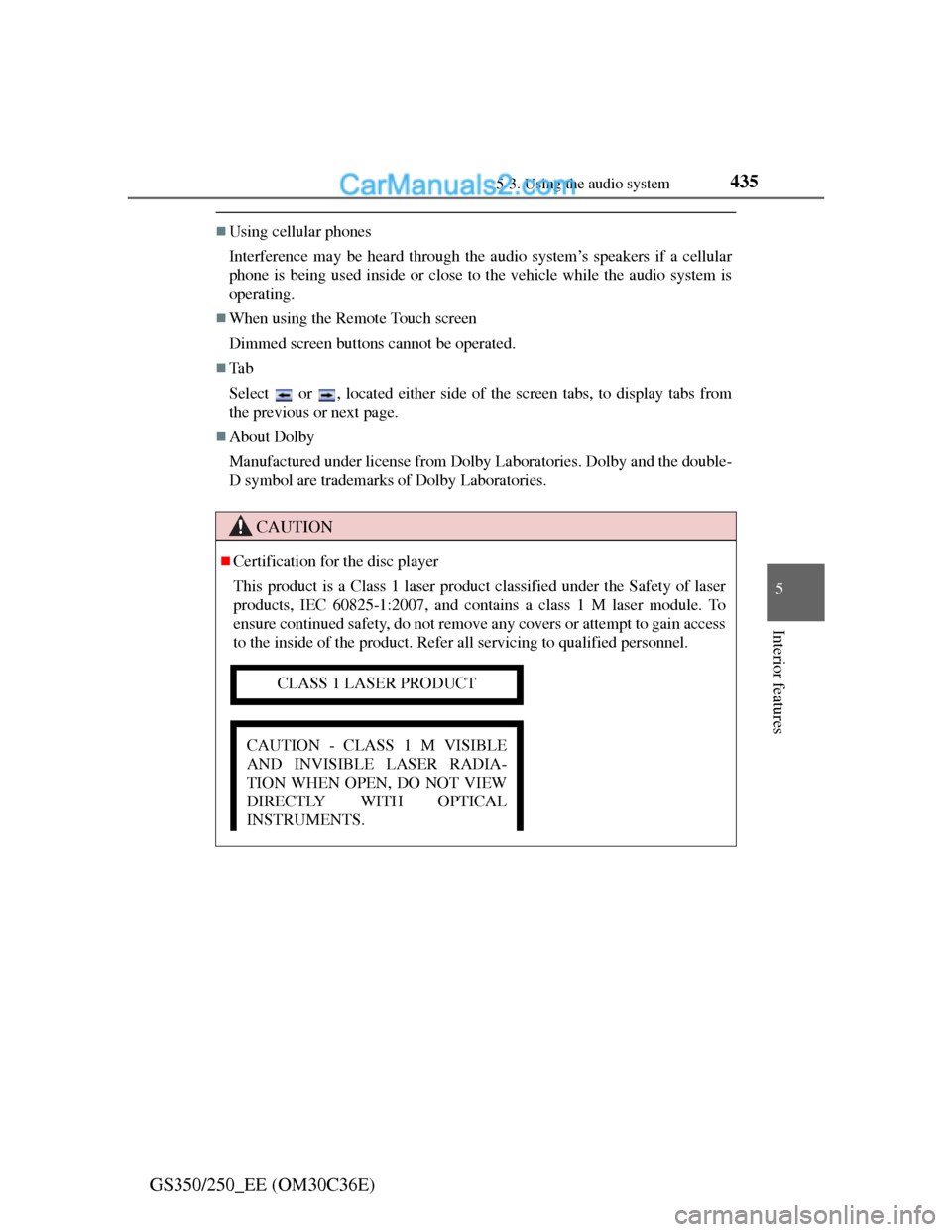
CAUTION
Certification for the disc player
This product is a Class 1 laser product classified under the Safety of laser
products, IEC 60825-1:2007, and contains a class 1 M laser module. To
ensure continued safety, do not remove any covers or attempt to gain access
to the inside of the product. Refer all servicing to qualified personnel.
CLASS 1 LASER PRODUCT
CAUTION - CLASS 1 M VISIBLE
AND INVISIBLE LASER RADIA-
TION WHEN OPEN, DO NOT VIEW
DIRECTLY WITH OPTICAL
INSTRUMENTS.
Page 525 of 914

5145-3. Using the audio system
GS350/250_EE (OM30C36E)Select the folder/album name
on the screen.
Select the desired tab and
select the desired folder, artist
or album.
Character screen buttons, “ABC”,
“DEF” etc., allow a direct jump to
list entries that begin with the same
letter as the character button.
Each time the same character
screen button is selected, the list
starting with the subsequent char-
acter is displayed.
, , : Select this screen
button to change between Latin,
Cyrillic and Greek characters.
, : Select to move the list up or
down by 5 folder/artist/album
groups.
“TUNE/SCROLL” knob: Turn the
knob clockwise or counterclock-
wise to quickly scroll up or down
the folder/artist/album list.
, : If appears to the right of
an item name, the complete name
is too long for the screen. Select
to scroll to the end of the name.
Selecting a folder, artist or album
1
2
Page 553 of 914
5425-3. Using the audio system
GS350/250_EE (OM30C36E)
Fast forwarding or rewinding a chapter or file
Press and hold “” or “” on .
Button lock function
To prevent inadvertent operation, some buttons on the rear armrest can be
locked. (P. 429)
Rear control panel illumination off function
Control panel illumination on the rear armrest can be turned off. (P. 429)
When “ERROR”, “WAIT” or “NO MUSIC” is shown on the display
Refer to the following and take the appropriate measures. If the problem is
not rectified, take the vehicle inspected by any authorized Lexus dealer or
repairer, or another duly qualified and equipped professional.
“ERROR”:This indicates a trouble either in the disc or inside the player. The
disc may be dirty, damaged, or inserted up-side down.
“WAIT”:Operation is stopped due to a high temperature inside the player.
Eject the disc and allow the player to cool down.
“NO MUSIC”:This indicates that an MP3/WMA file is not included in the
disc.
Page 595 of 914
5805-4. Using the hands-free phone system (for cellular phone)
GS350/250_EE (OM30C36E)
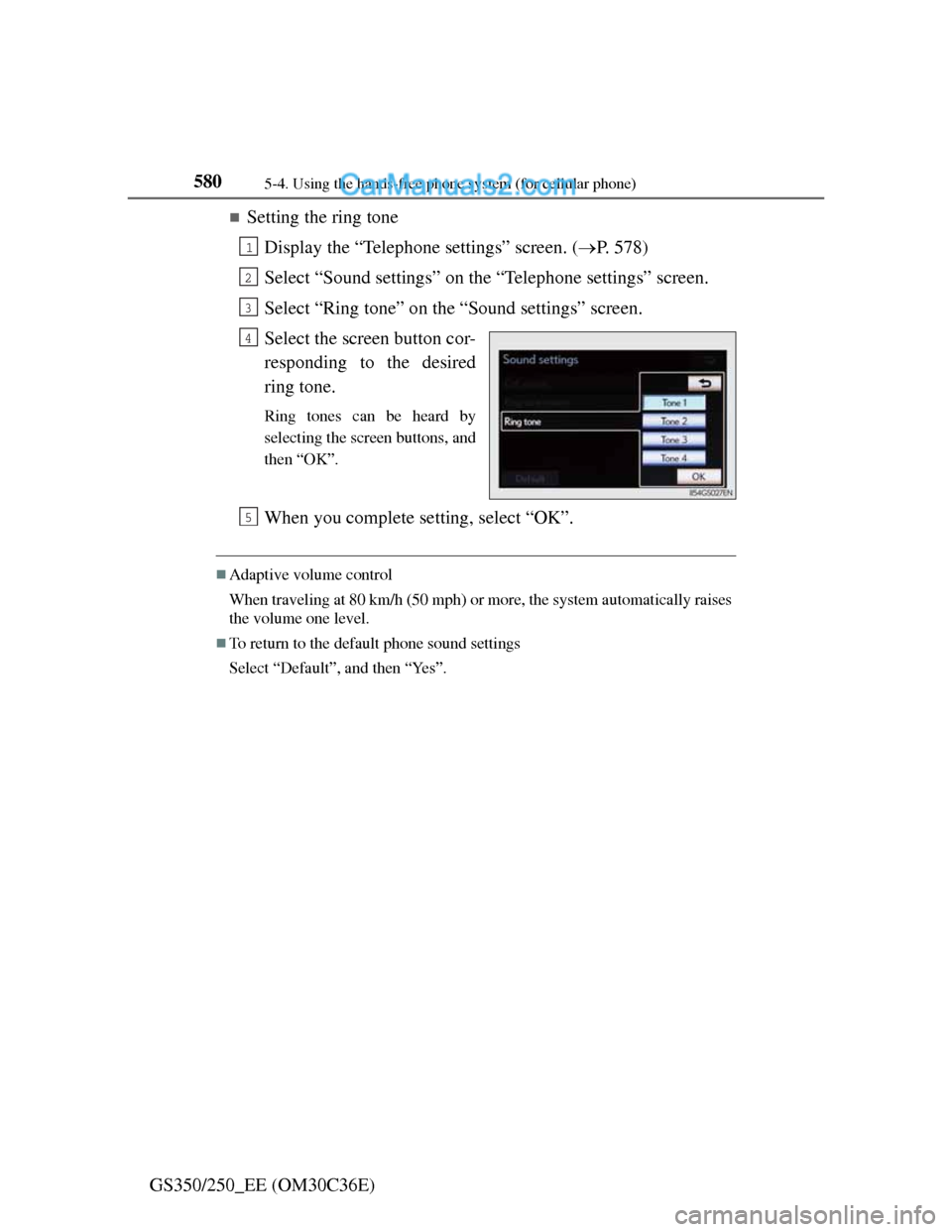
Setting the ring tone
Display the “Telephone settings” screen. (P. 578)
Select “Sound settings” on the “Telephone settings” screen.
Select “Ring tone” on the “Sound settings” screen.
Select the screen button cor-
responding to the desired
ring tone.
Ring tones can be heard by
selecting the screen buttons, and
then “OK”.
When you complete setting, select “OK”.
Adaptive volume control
When traveling at 80 km/h (50 mph) or more, the system automatically raises
the volume one level.
To return to the default phone sound settings
Select “Default”, and then “Yes”.
1
2
3
4
5
Page 610 of 914
5955-4. Using the hands-free phone system (for cellular phone)
5
Interior features
GS350/250_EE (OM30C36E)
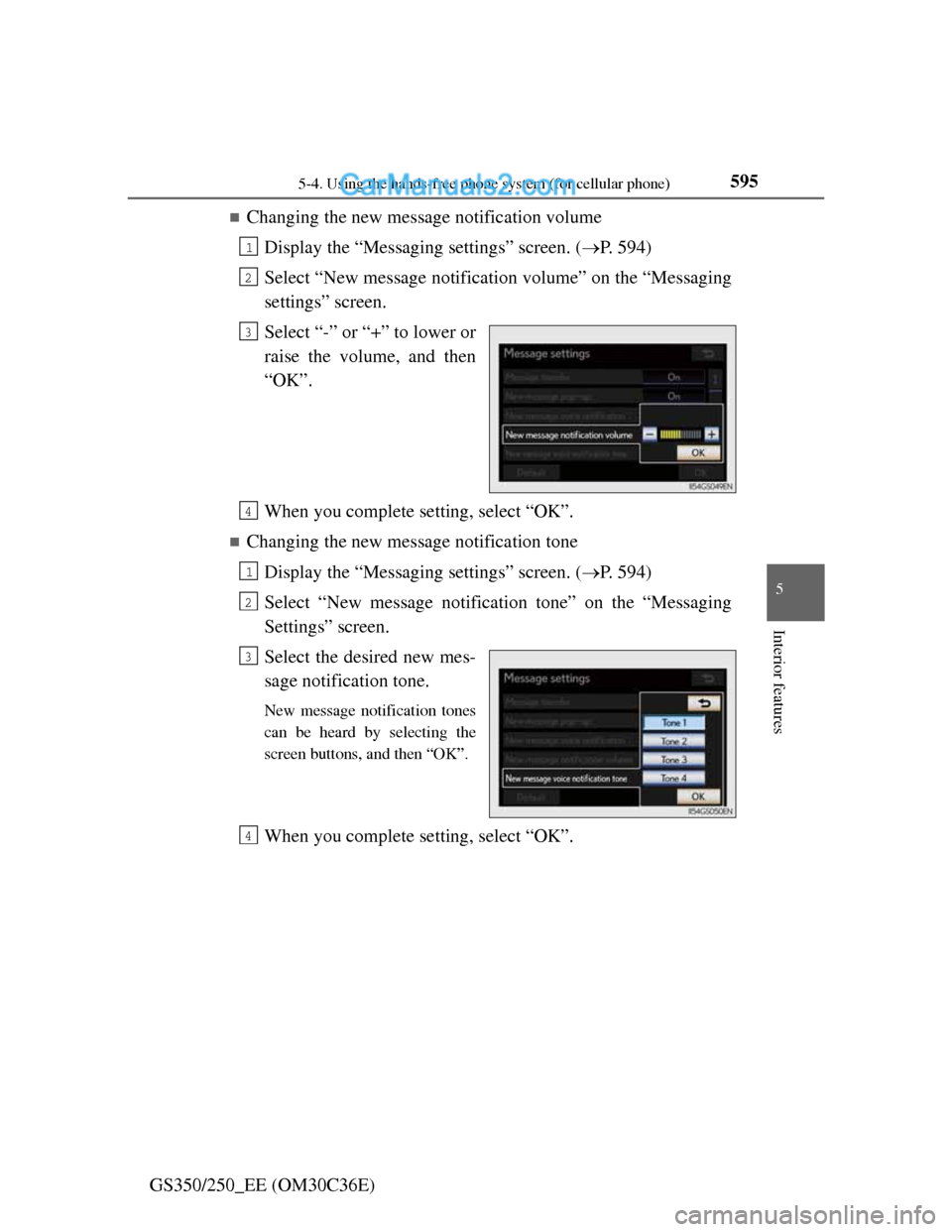
Changing the new message notification volume
Display the “Messaging settings” screen. (P. 594)
Select “New message notification volume” on the “Messaging
settings” screen.
Select “-” or “+” to lower or
raise the volume, and then
“OK”.
When you complete setting, select “OK”.
Changing the new message notification tone
Display the “Messaging settings” screen. (P. 594)
Select “New message notification tone” on the “Messaging
Settings” screen.
Select the desired new mes-
sage notification tone.
New message notification tones
can be heard by selecting the
screen buttons, and then “OK”.
When you complete setting, select “OK”.
1
2
3
4
1
2
3
4
Page 643 of 914
625
5 5-7. Other interior features
Interior features
GS350/250_EE (OM30C36E)
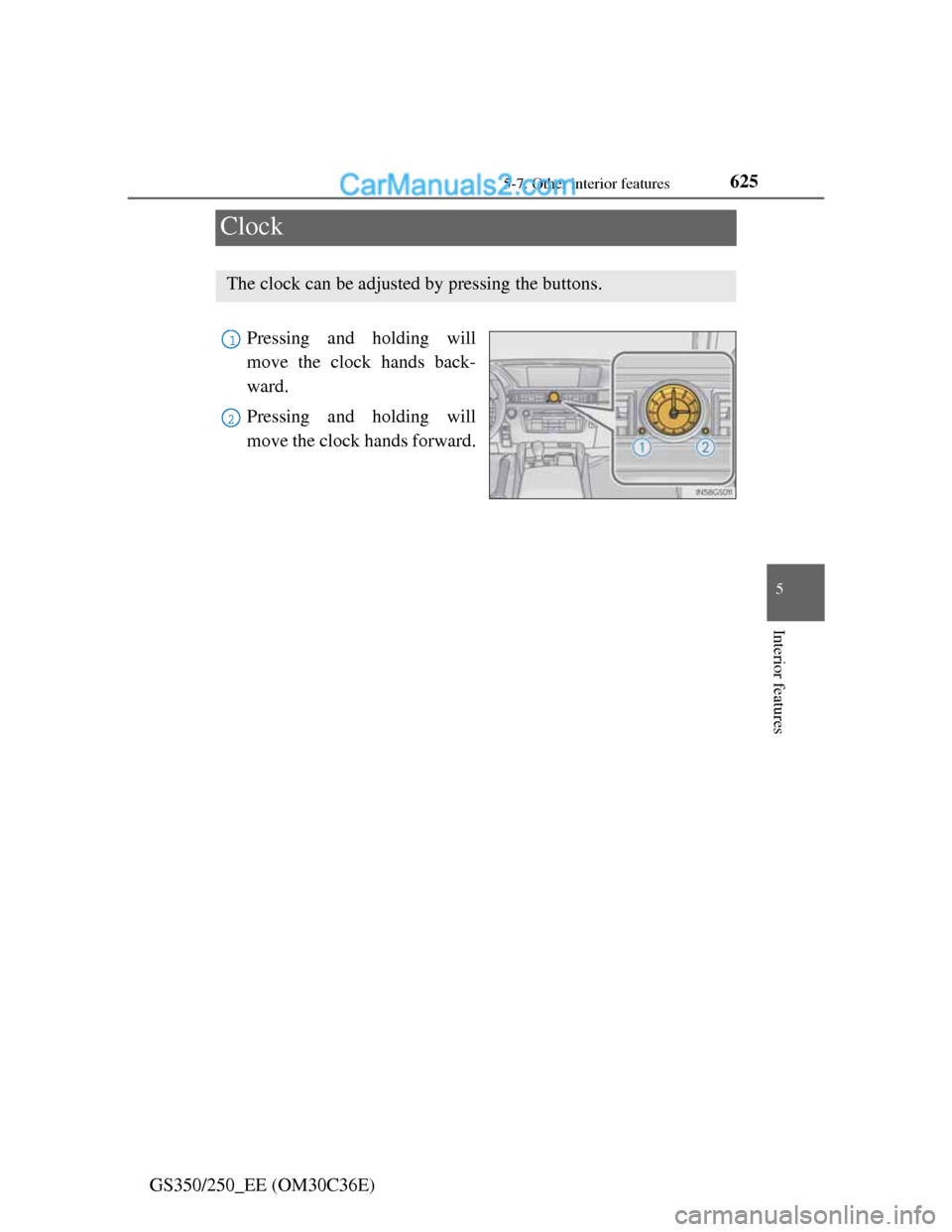
Clock
Pressing and holding will
move the clock hands back-
ward.
Pressing and holding will
move the clock hands forward.
The clock can be adjusted by pressing the buttons.
1
2
Page 651 of 914
6335-7. Other interior features
5
Interior features
GS350/250_EE (OM30C36E)
The seat heaters/seat ventilators can be used when
The engine switch is in IGNITION ON mode.
The seat heater timer control
The seat heater automatically switches from HiMidLoOff. The
switching timing differs depending on the temperature inside the cabin etc.
when the seat heater was operated.
Automatic operation of the seat heater during Eco drive mode
If the driving mode select switch is switched to Eco drive mode in cold tem-
peratures, the seat heater may be automatically operated to assist heating per-
formance.
Button lock function (vehicles with rear control panel)
To prevent inadvertent operation, some buttons on the rear armrest can be
locked. (P. 429)
Rear control panel illumination off function (vehicles with rear control panel)
Control panel illumination on the rear armrest can be turned off. (P. 429)
CAUTION
Burns (vehicles with seat heaters)
Use caution when seating the following persons in a seat with the seat
heater on to avoid the possibility of burns:
• Babies, small children, the elderly, the sick and the physically chal-
lenged
• Persons with sensitive skin
• Persons who are fatigued
• Persons who have taken alcohol or drugs that induce sleep (sleeping
drugs, cold remedies, etc.)
Do not cover the seat with anything when using the seat heater.
Using the seat heater with a blanket or cushion increases the temperature
of the seat and may lead to overheating.
Do not use seat heater more than necessary. Doing so may cause minor
burns or overheating.
Page 656 of 914
6385-7. Other interior features
GS350/250_EE (OM30C36E)
Button lock function (vehicles with rear control panel)
To prevent inadvertent operation, some buttons on the rear armrest can be
locked.
(P. 429)
Rear control panel illumination off function (vehicles with rear control panel)
Control panel illumination on the rear armrest can be turned off. (P. 429)
Customization
Time elapsed before the reverse operation feature activates can be changed.
(Customizable features: P. 855)
CAUTION
When the rear sunshade is being operated
Do not place fingers or other objects in the fastener section or in the open-
ing.
They may get caught, causing injury.
NOTICE
To prevent battery discharge
Do not operate the rear sunshade when the engine is off.
To ensure normal operation of the rear sunshade and rear door sunshades
Observe the following precautions.
Do not place excessive load on the motor or other components of the rear
sunshade.
Do not place objects where they may hinder opening and closing opera-
tions.
Do not attach items to the rear sunshade and rear door sunshades.
Keep the opening clean and clear of obstructions.
Do not operate the rear sunshade continuously for long periods of time.