Disp Lexus GS250 2012 Owner's Manual
[x] Cancel search | Manufacturer: LEXUS, Model Year: 2012, Model line: GS250, Model: Lexus GS250 2012Pages: 914, PDF Size: 53.04 MB
Page 844 of 914

8237-2. Steps to take in an emergency
7
When trouble arises
GS350/250_EE (OM30C36E)
Trunk
Turn the mechanical key
clockwise to open.
Ensure that the shift lever is in P and depress the brake pedal.
Touch the Lexus emblem side
of the electronic key to the
engine switch.
The engine switch will turn to
IGNITION ON mode.
When the smart entry & start sys-
tem is deactivated in customization
setting, the engine switch will turn
to ACCESSORY mode.
Firmly depress the brake pedal and check that is shown on
the multi-information display.
Press the engine switch.
In the event that the engine still cannot be started, contact any
authorized Lexus dealer or repairer, or another duly qualified and
equipped professional.
Starting the engine
1
2
3
4
Page 859 of 914
8388-1. Specifications
GS350/250_EE (OM30C36E)
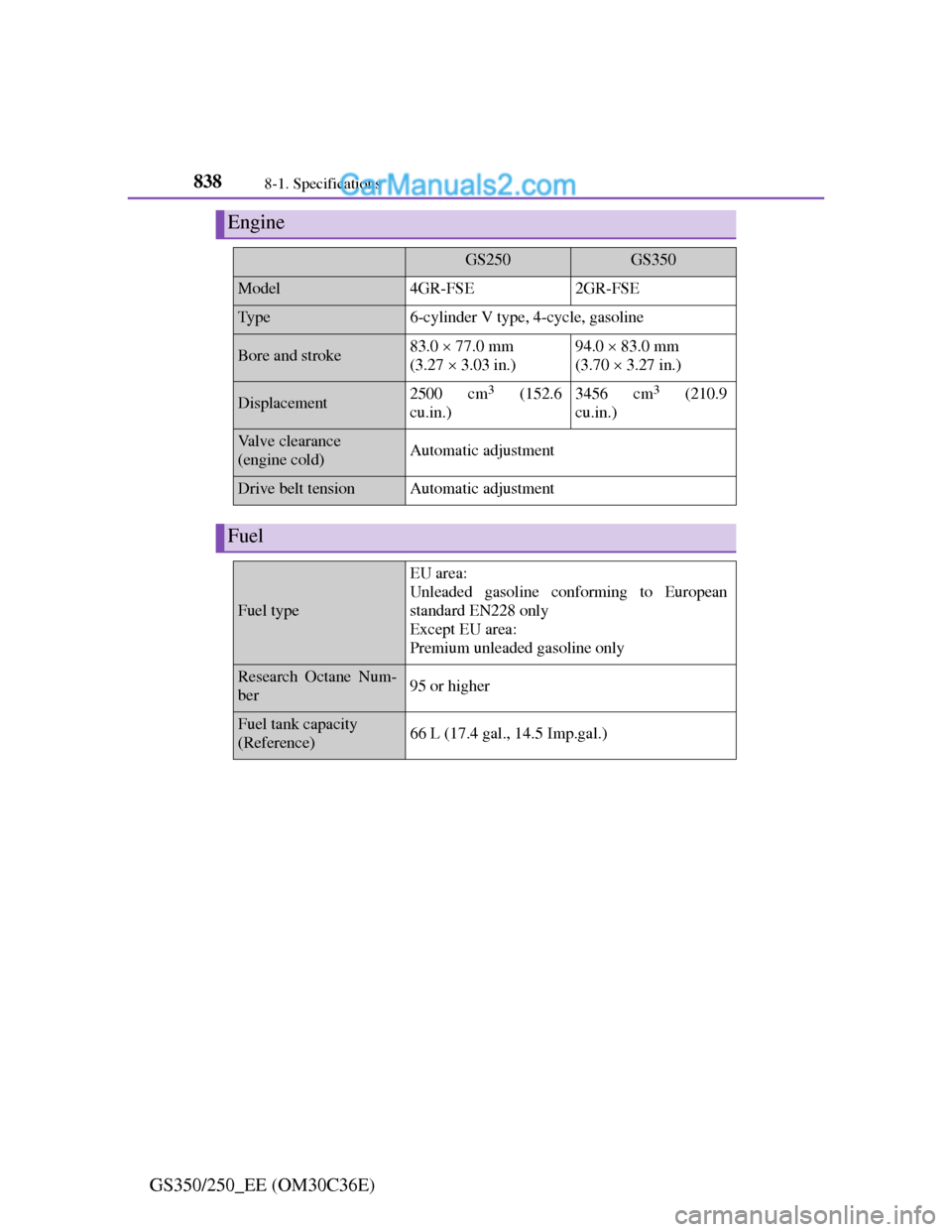
Engine
GS250GS350
Model4GR-FSE2GR-FSE
Ty p e6-cylinder V type, 4-cycle, gasoline
Bore and stroke83.0 77.0 mm
(3.27 3.03 in.)94.0 83.0 mm
(3.70 3.27 in.)
Displacement2500 cm3 (152.6
cu.in.)3456 cm3 (210.9
cu.in.)
Valve clearance
(engine cold)Automatic adjustment
Drive belt tensionAutomatic adjustment
Fuel
Fuel type
EU area:
Unleaded gasoline conforming to European
standard EN228 only
Except EU area:
Premium unleaded gasoline only
Research Octane Num-
ber95 or higher
Fuel tank capacity
(Reference)66 L (17.4 gal., 14.5 Imp.gal.)
Page 862 of 914
841
8 8-1. Specifications
Vehicle specifications
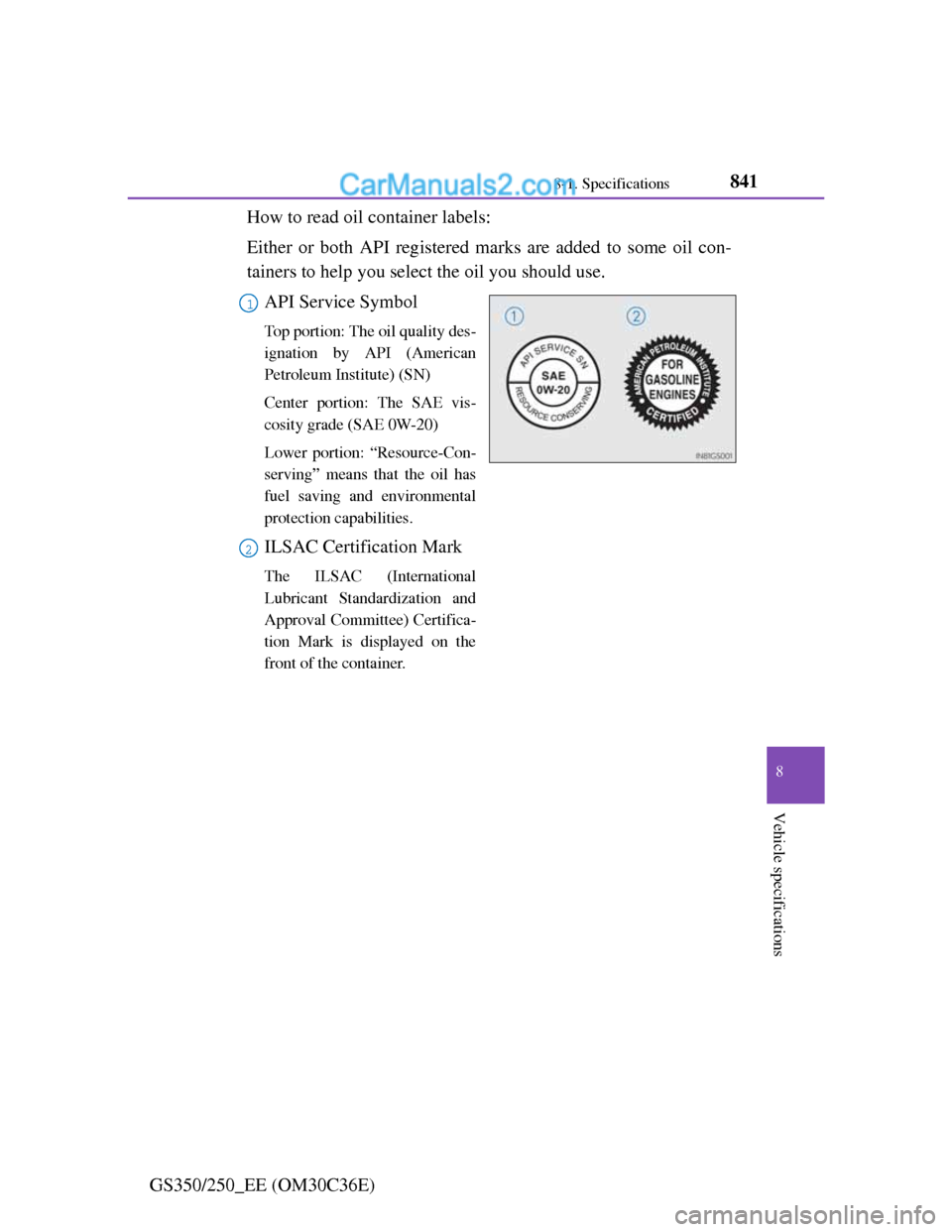
GS350/250_EE (OM30C36E)How to read oil container labels:
Either or both API registered marks are added to some oil con-
tainers to help you select the oil you should use.
API Service Symbol
Top portion: The oil quality des-
ignation by API (American
Petroleum Institute) (SN)
Center portion: The SAE vis-
cosity grade (SAE 0W-20)
Lower portion: “Resource-Con-
serving” means that the oil has
fuel saving and environmental
protection capabilities.
ILSAC Certification Mark
The ILSAC (International
Lubricant Standardization and
Approval Committee) Certifica-
tion Mark is displayed on the
front of the container.
1
2
Page 864 of 914
843
8 8-1. Specifications
Vehicle specifications
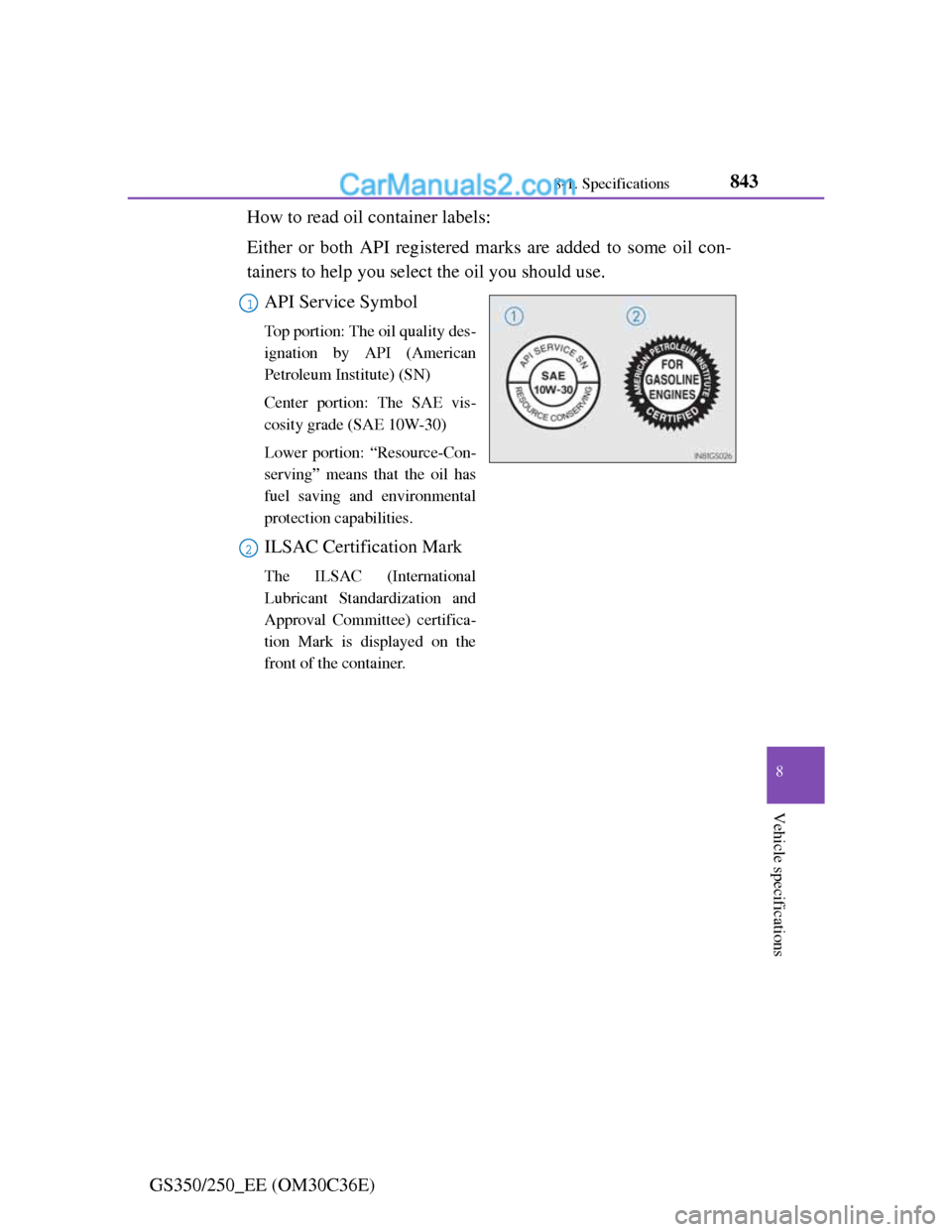
GS350/250_EE (OM30C36E)How to read oil container labels:
Either or both API registered marks are added to some oil con-
tainers to help you select the oil you should use.
API Service Symbol
Top portion: The oil quality des-
ignation by API (American
Petroleum Institute) (SN)
Center portion: The SAE vis-
cosity grade (SAE 10W-30)
Lower portion: “Resource-Con-
serving” means that the oil has
fuel saving and environmental
protection capabilities.
ILSAC Certification Mark
The ILSAC (International
Lubricant Standardization and
Approval Committee) certifica-
tion Mark is displayed on the
front of the container.
1
2
Page 867 of 914
8468-1. Specifications
GS350/250_EE (OM30C36E)Oil viscosity (0W-20 is explained here as an example):
• The 0W in 0W-20 indicates the characteristic of the oil which
allows cold startability. Oils with a lower value before the W
allow for easier starting of the engine in cold weather.
• The 20 in 0W-20 indicates the viscosity characteristic of the
oil when the oil is at high temperature. An oil with a higher
viscosity (one with a higher value) may be better suited if the
vehicle is operated at high speeds, or under extreme load con-
ditions.
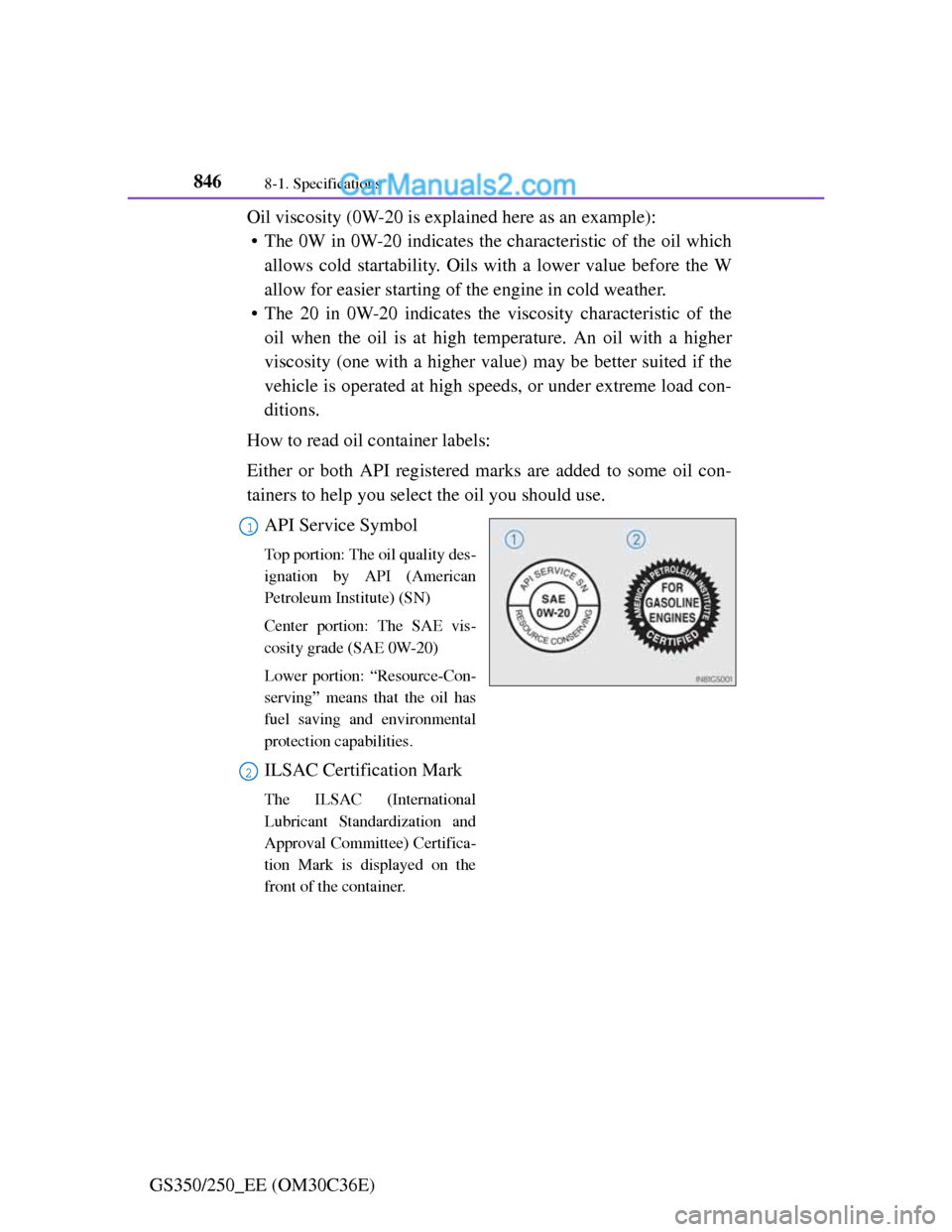
How to read oil container labels:
Either or both API registered marks are added to some oil con-
tainers to help you select the oil you should use.
API Service Symbol
Top portion: The oil quality des-
ignation by API (American
Petroleum Institute) (SN)
Center portion: The SAE vis-
cosity grade (SAE 0W-20)
Lower portion: “Resource-Con-
serving” means that the oil has
fuel saving and environmental
protection capabilities.
ILSAC Certification Mark
The ILSAC (International
Lubricant Standardization and
Approval Committee) Certifica-
tion Mark is displayed on the
front of the container.
1
2
Page 877 of 914

855
8 8-2. Customization
Vehicle specifications
GS350/250_EE (OM30C36E)
Customizable features
Changing by using the Remote Touch
Vehicles without a navigation system:
“Vehicle settings” screen displayed on the Remote Touch
screen. (P. 382)
Select “Vehicle customiza-
tion” on the “Vehicle set-
tings” screen.
“Vehicle customization” screen
will appear.
Choose a category displayed on the screen to display the set-
tings.
Select the setting to be changed. Change each setting.
For items that can be enabled/disabled, and for items with an operating
time that can be changed, select “On” or “Off”, or select the desired
operating time.
For items with sensor sensitivity that can be changed, select “+” or “-”
to choose the desired level, then select “OK”.
A message indicating that the settings are being saved will
appear. Do not perform any other operations while this mes-
sage is displayed.
Your vehicle includes a variety of electronic features that can be
personalized to your preferences. These preferences can be
changed by using the “DISP” button, by using the Remote Touch,
or at any authorized Lexus dealer or repairer, or another duly qual-
ified and equipped professional.
Customizing vehicle features
1
2
3
4
5
Page 878 of 914

8568-2. Customization
GS350/250_EE (OM30C36E)
Vehicles with a navigation system:
Refer to “Navigation System Owner’s Manual”.
Changing by using the “DISP” button
P. 107
Some function settings are changed simultaneously with other
functions being customized. Contact any authorized Lexus dealer
or repairer, or another duly qualified and equipped professional.
Settings that can be changed using the Remote Touch
Settings that can be changed using the “DISP” button
Settings that can be changed by any authorized Lexus dealer or
repairer, or another duly qualified and equipped professional
Definition of symbols: O = Available, —=Not available
Customizable features
1
2
3
ItemFunctionDefault
settingCustom-
ized set-
ting
Alarm*1
(P. 8 6 )
Sensitivity adjustment of
the intrusion sensor
when the window is
open
StandardLow——O
Deactivates the alarm
when the doors are
unlocked using the
mechanical key
OffOn——O
123
Page 879 of 914
857
8 8-2. Customization
Vehicle specifications
GS350/250_EE (OM30C36E)
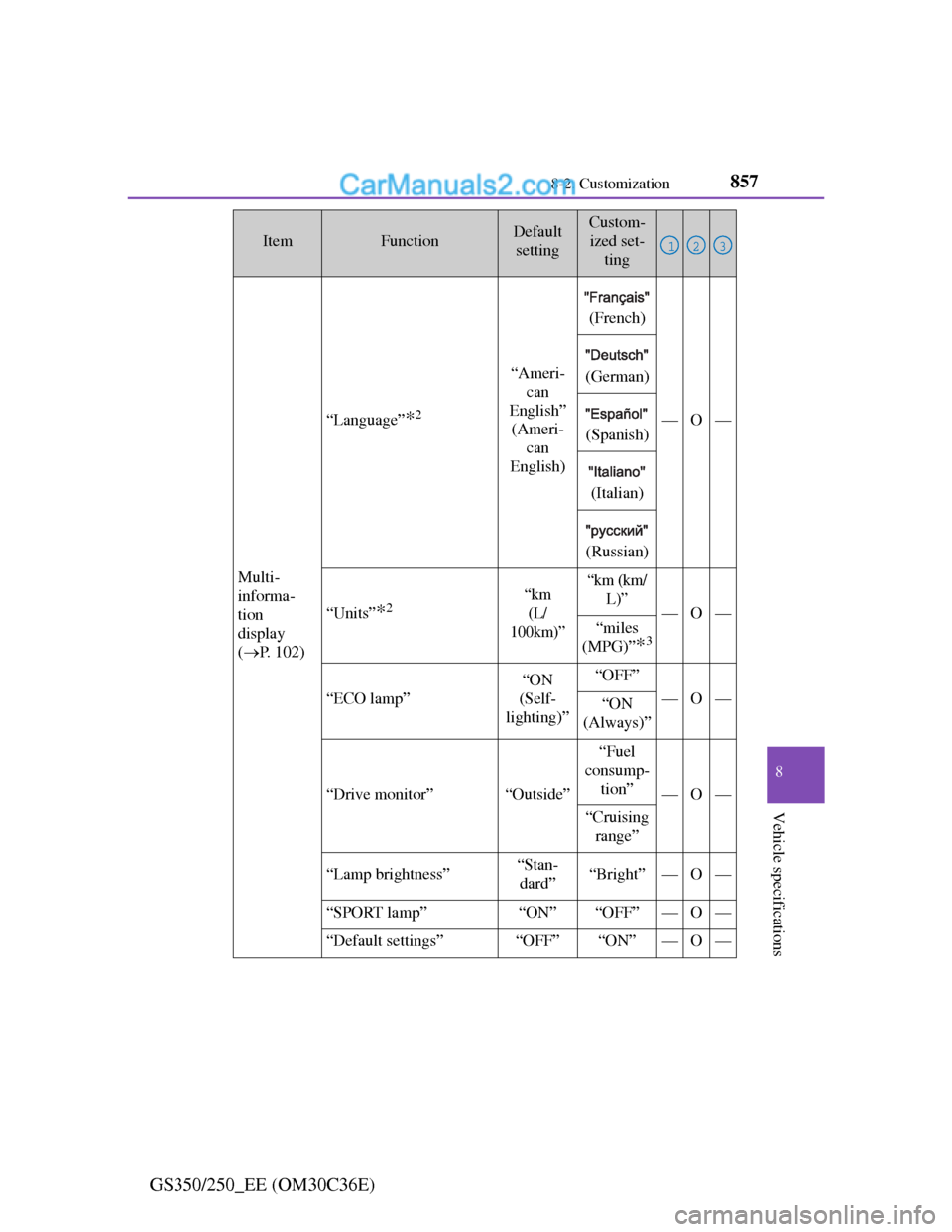
Multi-
informa-
tion
display
(P. 102)
“Language”*2
“Ameri-
can
English”
(Ameri-
can
English)
(French)
—O—
(German)
(Spanish)
(Italian)
(Russian)
“Units”*2“km
(L/
100km)”“km (km/
L)”
—O—“miles
(MPG)”
*3
“ECO lamp”
“ON
(Self-
lighting)”“OFF”
—O—“ON
(Always)”
“Drive monitor”“Outside”
“Fuel
consump-
tion”
—O—
“Cruising
range”
“Lamp brightness”“Stan-
dard”“Bright”—O—
“SPORT lamp”“ON”“OFF”—O—
“Default settings”“OFF”“ON”—O—
ItemFunctionDefault
settingCustom-
ized set-
ting
123
Page 884 of 914

8628-2. Customization
GS350/250_EE (OM30C36E)
Automatic
light con-
trol system
(P. 228)
“Light sensor sensitiv-
ity” (Adjust the sensitiv-
ity of the ambient light
sensor)
Standard-2 to 2O—O
“Follow me home”
(Time elapsed before
headlights automati-
cally turn off)
30
seconds
60
seconds
——O90
seconds
120
seconds
Welcome light illumina-
tion controlOnOff——O
Lexus
parking
assist-sen-
sor
*1
(P. 284)
“Distance (Front)”
(Detection distance of
the front center sensor)
FarNearO—O
“Distance (Rear)”
(Detection distance of
the rear center sensor)
FarNearO—O
“Alert volume” (Alert
volume can be adjusted)31 to 5O—O
“Display” (when Lexus
parking assist-sensor is
operating)All sen-
sors dis-
playedDisplay
offO—O
ItemFunctionDefault
settingCustom-
ized set-
ting
123
Page 895 of 914
873What to do if... (Troubleshooting)
GS350/250_EE (OM30C36E)
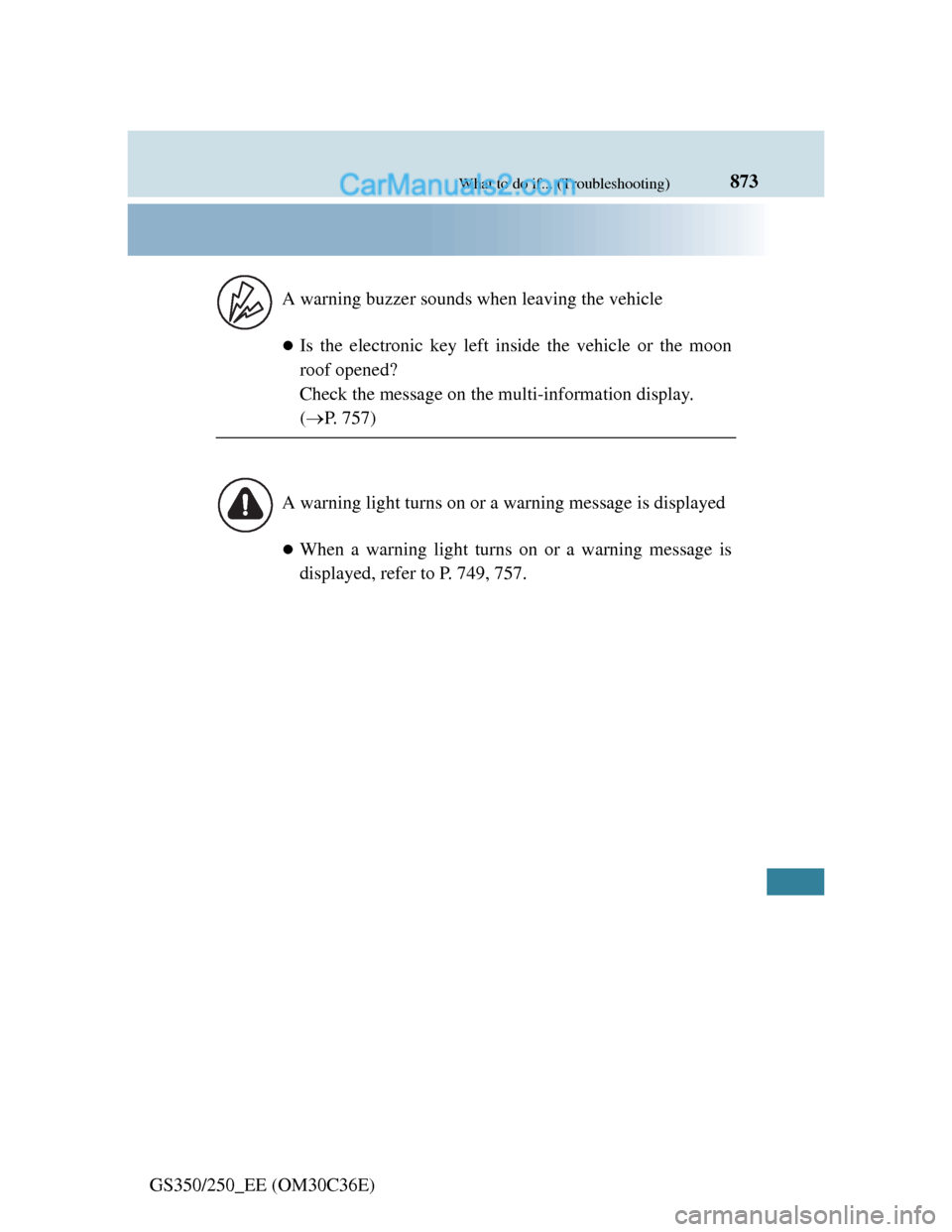
Is the electronic key left inside the vehicle or the moon
roof opened?
Check the message on the multi-information display.
(P. 757)
When a warning light turns on or a warning message is
displayed, refer to P. 749, 757. A warning buzzer sounds when leaving the vehicle
A warning light turns on or a warning message is displayed