service Lexus GS250 2012 Owner's Guide
[x] Cancel search | Manufacturer: LEXUS, Model Year: 2012, Model line: GS250, Model: Lexus GS250 2012Pages: 914, PDF Size: 53.04 MB
Page 555 of 914
5445-3. Using the audio system
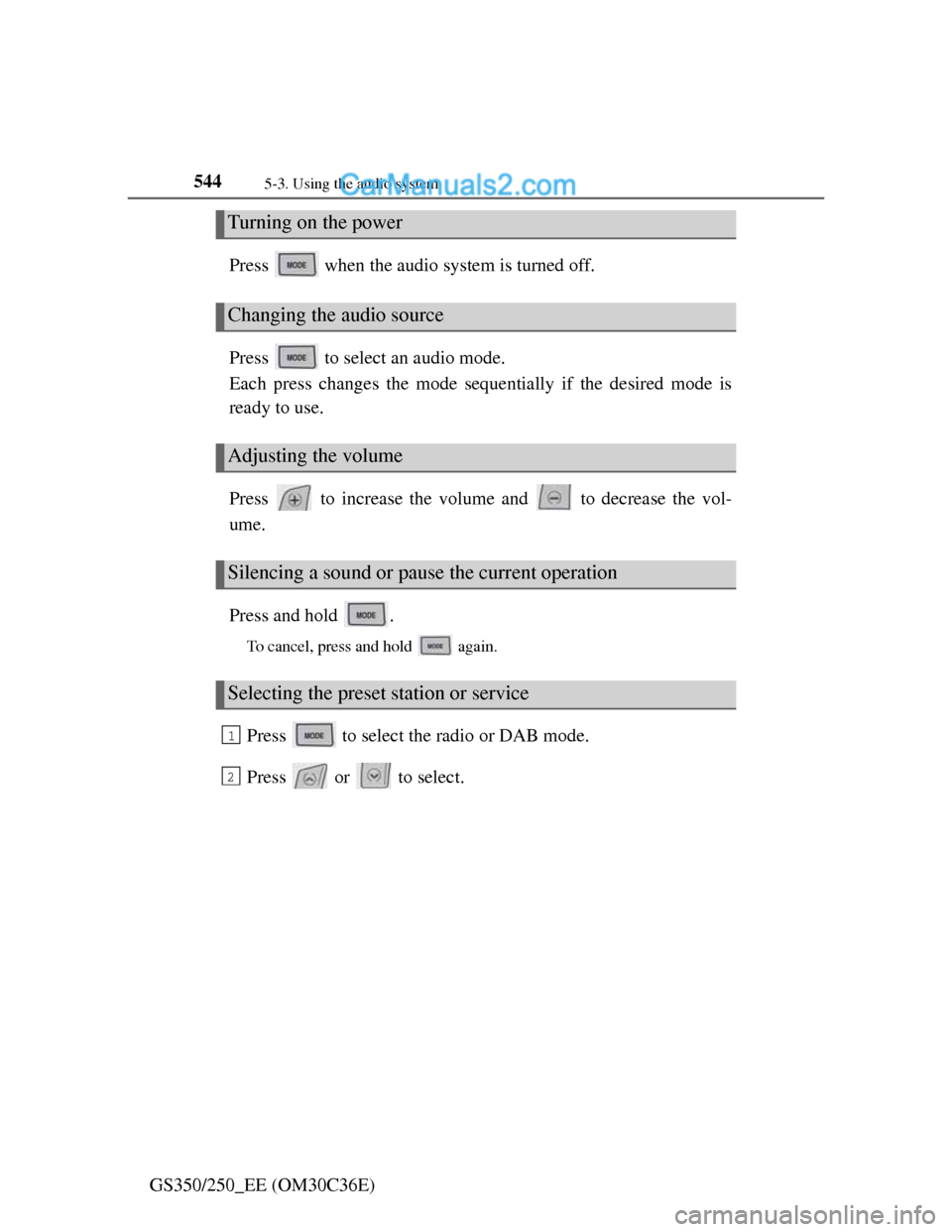
GS350/250_EE (OM30C36E)Press when the audio system is turned off.
Press to select an audio mode.
Each press changes the mode sequentially if the desired mode is
ready to use.
Press to increase the volume and to decrease the vol-
ume.
Press and hold .
To cancel, press and hold again.
Press to select the radio or DAB mode.
Press or to select.
Turning on the power
Changing the audio source
Adjusting the volume
Silencing a sound or pause the current operation
Selecting the preset station or service
1
2
Page 561 of 914
5465-4. Using the hands-free phone system (for cellular phone)
GS350/250_EE (OM30C36E)
When using the hands-free system
The audio system is muted when making a call.
If both parties speak at the same time, it may be difficult to hear.
If the incoming call volume is overly loud, an echo may be heard.
Try to face toward the microphone as much as possible when speaking.
In the following circumstances, it may be difficult to hear the other party:
• When driving on unpaved roads
• When driving at high speeds
• If a window is open
• If the air conditioning is blowing directly on the microphone
• If the air conditioning is set to high
• There is an effect from the network of the cellular phone
Conditions under which the system will not operate
If using a cellular phone that does not support Bluetooth®
If the cellular phone is turned off
If you are outside service range
If the cellular phone is not connected
If the cellular phone’s battery is low
When the cellular phone is not connected, “No connect” is displayed.
Bluetooth® antenna
The antenna is built into the instrument panel. If the cellular phone is behind
the seat or in the console box, or touching or covered by metal objects, con-
nection status may deteriorate.
Battery charge/Signal status
This display may not correspond exactly with the cellular phone itself.
When the cellular phone is out of the service area or in a place inaccessible
by radio waves, “No service” is displayed.
When using Bluetooth® audio and hands-free system at the same time
The following problems may occur.
The Bluetooth® connection may be cut.
Noise may be heard on the Bluetooth® audio playback.
Page 563 of 914
5485-4. Using the hands-free phone system (for cellular phone)
GS350/250_EE (OM30C36E)
Compatible models
This system supports the following service.
Bluetooth® Specification Ver. 1.1 or higher (Recommended: Ver. 2.1+EDR
or higher)
Profiles
• HFP (Hands Free Profile) Ver. 1.0 or higher (Recommended: Ver. 1.5 or
higher)
• OPP (Object Push Profile) Ver. 1.1 or higher
• PBAP (Phone Book Access Profile) Ver. 1.0 or higher
• MAP (Message Access Profile) Ver. 1.0 or higher
• DUN (Dial-Up Networking Profile) Ver.1.1 or higher
*
*
: This profile is necessary when using connected services. For details,
refer to the “Navigation System Owner’s Manual”
If your cellular phone does not support HFP, you cannot enter the Bluetooth
®
phone, and take OPP, PBAP, MAP or DUN service individually.
If the connected Bluetooth
® phone version is older than recommended or
incompatible, this function may not be used.
Page 583 of 914
5685-4. Using the hands-free phone system (for cellular phone)
GS350/250_EE (OM30C36E)
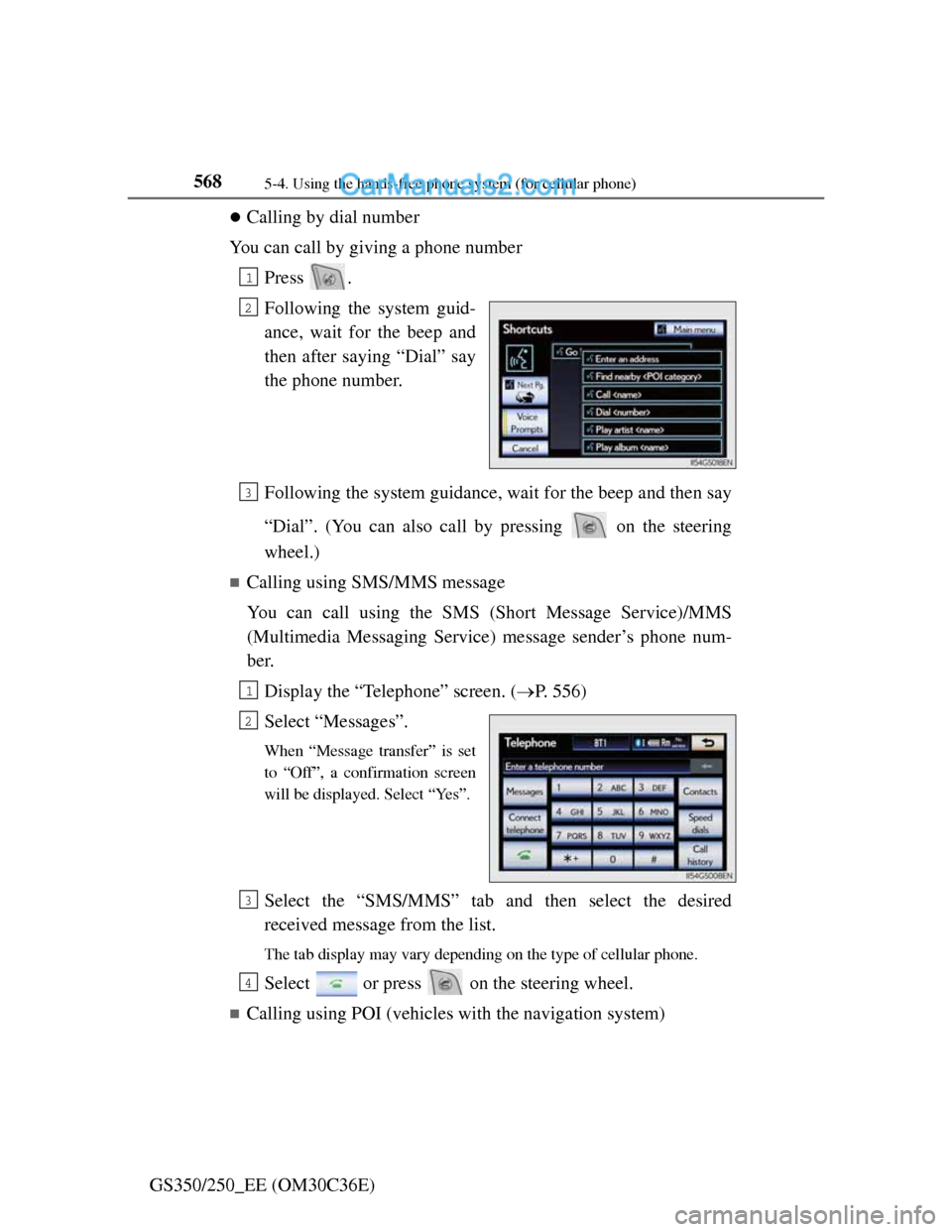
Calling by dial number
You can call by giving a phone number
Press .
Following the system guid-
ance, wait for the beep and
then after saying “Dial” say
the phone number.
Following the system guidance, wait for the beep and then say
“Dial”. (You can also call by pressing on the steering
wheel.)
Calling using SMS/MMS message
You can call using the SMS (Short Message Service)/MMS
(Multimedia Messaging Service) message sender’s phone num-
ber.
Display the “Telephone” screen. (P. 556)
Select “Messages”.
When “Message transfer” is set
to “Off”, a confirmation screen
will be displayed. Select “Yes”.
Select the “SMS/MMS” tab and then select the desired
received message from the list.
The tab display may vary depending on the type of cellular phone.
Select or press on the steering wheel.
Calling using POI (vehicles with the navigation system)
1
2
3
1
2
3
4
Page 589 of 914
5745-4. Using the hands-free phone system (for cellular phone)
GS350/250_EE (OM30C36E)
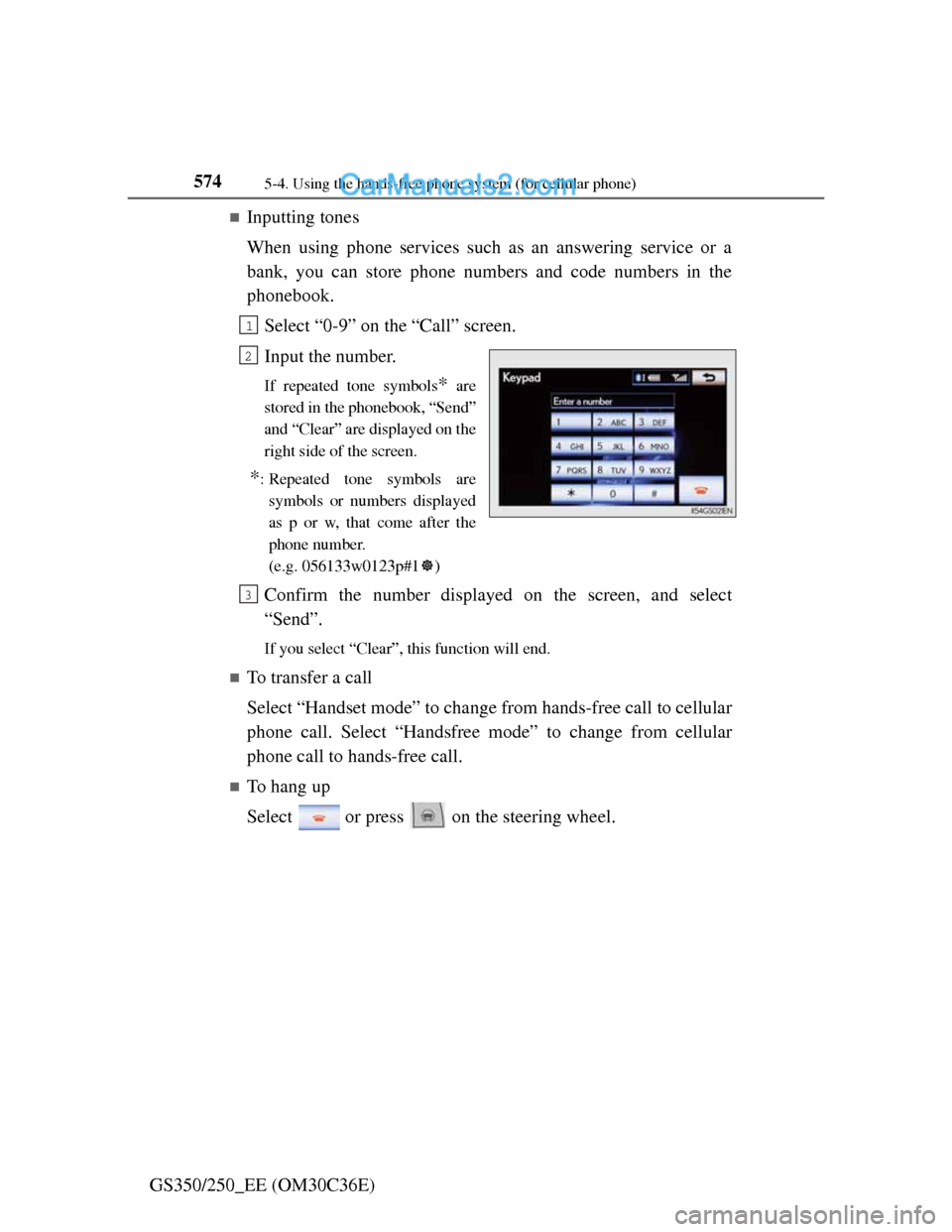
Inputting tones
When using phone services such as an answering service or a
bank, you can store phone numbers and code numbers in the
phonebook.
Select “0-9” on the “Call” screen.
Input the number.
If repeated tone symbols* are
stored in the phonebook, “Send”
and “Clear” are displayed on the
right side of the screen.
*: Repeated tone symbols are
symbols or numbers displayed
as p or w, that come after the
phone number.
(e.g. 056133w0123p#1)
Confirm the number displayed on the screen, and select
“Send”.
If you select “Clear”, this function will end.
To transfer a call
Select “Handset mode” to change from hands-free call to cellular
phone call. Select “Handsfree mode” to change from cellular
phone call to hands-free call.
To hang up
Select or press on the steering wheel.
1
2
3
Page 592 of 914
5775-4. Using the hands-free phone system (for cellular phone)
5
Interior features
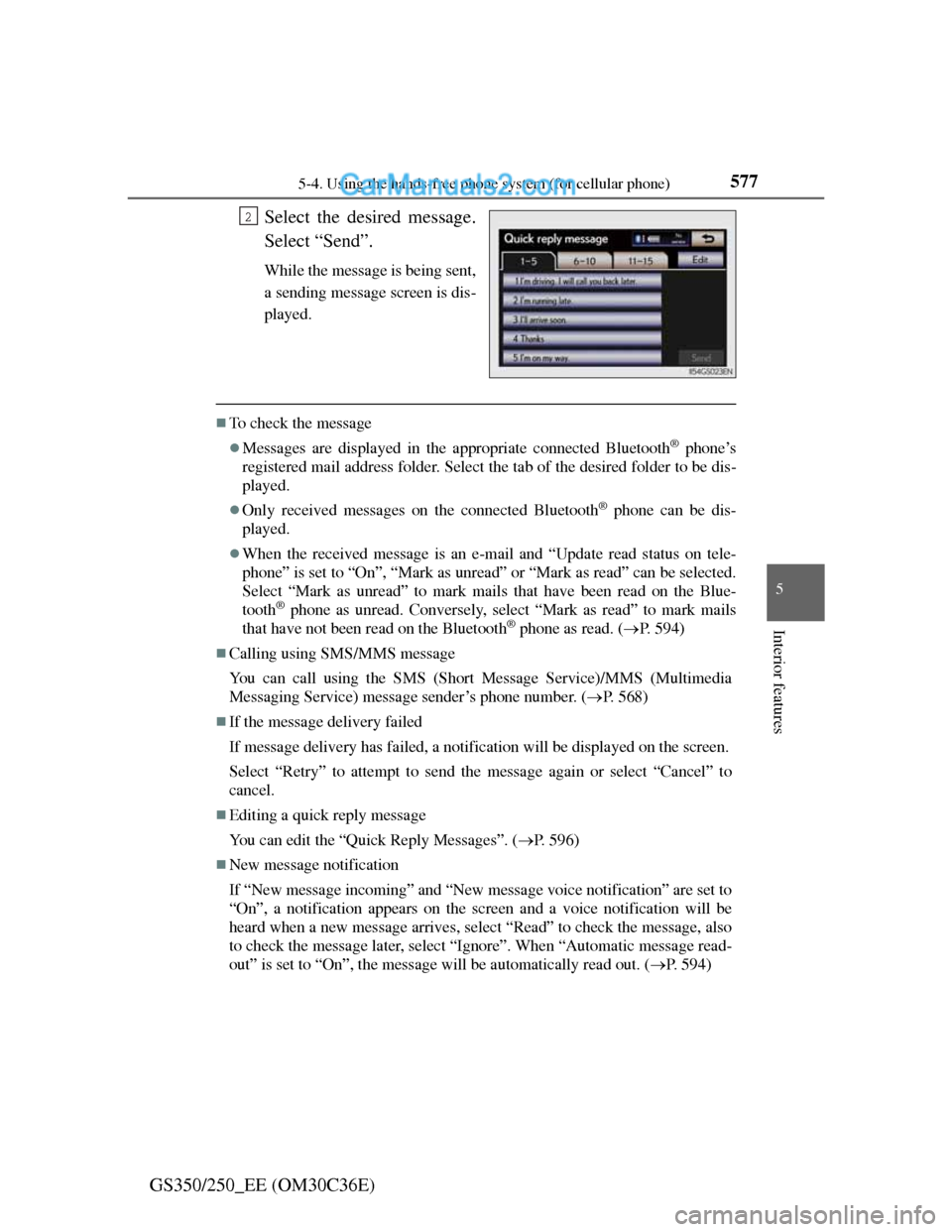
GS350/250_EE (OM30C36E)Select the desired message.
Select “Send”.
While the message is being sent,
a sending message screen is dis-
played.
To check the message
Messages are displayed in the appropriate connected Bluetooth® phone’s
registered mail address folder. Select the tab of the desired folder to be dis-
played.
Only received messages on the connected Bluetooth® phone can be dis-
played.
When the received message is an e-mail and “Update read status on tele-
phone” is set to “On”, “Mark as unread” or “Mark as read” can be selected.
Select “Mark as unread” to mark mails that have been read on the Blue-
tooth
® phone as unread. Conversely, select “Mark as read” to mark mails
that have not been read on the Bluetooth® phone as read. (P. 594)
Calling using SMS/MMS message
You can call using the SMS (Short Message Service)/MMS (Multimedia
Messaging Service) message sender’s phone number. (P. 568)
If the message delivery failed
If message delivery has failed, a notification will be displayed on the screen.
Select “Retry” to attempt to send the message again or select “Cancel” to
cancel.
Editing a quick reply message
You can edit the “Quick Reply Messages”. (P. 596)
New message notification
If “New message incoming” and “New message voice notification” are set to
“On”, a notification appears on the screen and a voice notification will be
heard when a new message arrives, select “Read” to check the message, also
to check the message later, select “Ignore”. When “Automatic message read-
out” is set to “On”, the message will be automatically read out. (P. 594)
2
Page 661 of 914
643
6Maintenance and care
GS350/250_EE (OM30C36E)
6-1. Maintenance and care
Cleaning and protecting
the vehicle exterior ......... 644
Cleaning and protecting
the vehicle interior .......... 648
6-2. Maintenance
Maintenance
requirements ................... 651
6-3. Do-it-yourself maintenance
Do-it-yourself service
precautions...................... 654
Hood ................................. 657
Positioning a floor jack ..... 658
Engine compartment ......... 660
Tires .................................. 672
Tire inflation pressure ....... 689
Wheels .............................. 691
Air conditioning filter ....... 693
Electronic key battery ....... 695
Checking and replacing
fuses ................................ 698
Light bulbs ........................ 720
Page 669 of 914
651
6 6-2. Maintenance
Maintenance and care
GS350/250_EE (OM30C36E)
Maintenance requirements
Scheduled maintenance should be performed at specified intervals
according to the maintenance schedule.
For details about maintenance items and schedules, refer to the “Lexus
Service Booklet” or “Lexus Warranty Booklet”.
What about do-it-yourself maintenance?
Many of the maintenance items are easy to do yourself if you have a little
mechanical ability and a few basic automotive tools.
Note, however, that some maintenance tasks require special tools and
skills. These are best performed by qualified technicians. Even if you’re
an experienced do-it-yourself mechanic, we recommend that repairs and
maintenance be conducted by any authorized Lexus dealer or repairer, or
another duly qualified and equipped professional. Any authorized Lexus
dealer or repairer will keep a record of maintenance, which could be use-
ful should you ever require Warranty Service. Should you choose to select
a qualified and equipped professional other than an authorized Lexus
repairer to service or maintain your vehicle, we recommend that you
request that a record of maintenance be kept.
To ensure safe and economical driving, day-to-day care and regu-
lar maintenance are essential. Lexus recommends performing the
following maintenance:
Scheduled maintenance
Do-it-yourself maintenance
Page 670 of 914
6526-2. Maintenance
GS350/250_EE (OM30C36E)
Where to go for service?
In order to maintain your vehicle in the best possible condition, Lexus rec-
ommends that all repairs and service operations be carried out by authorized
Lexus dealers or repairers or other duly qualified and equipped professionals.
For repairs and services covered by your warranty, please visit an authorized
Lexus dealer or repairer, who will use genuine Lexus parts in repairing any
difficulties you may encounter. There can also be advantages in utilizing
authorized Lexus dealers or repairers for non-warranty repairs and services,
as members of the Lexus network will be able to expertly assist you with any
difficulties you may encounter.
Your Lexus dealer or repairer, or another duly qualified and equipped profes-
sional will perform all of the scheduled maintenance on your vehicle reliably
and economically due to their experience with Lexus vehicles.
Does your vehicle need repairs?
Be on the alert for changes in performance and sounds, and visual tip-offs
that indicate service is needed. Some important clues are:
Engine missing, stumbling or pinging
Appreciable loss of power
Strange engine noises
A fluid leak under the vehicle (However, water dripping from the air condi-
tioning system after use is normal.)
Change in exhaust sound (This may indicate a dangerous carbon monoxide
leak. Drive with the windows open and have the exhaust system checked
immediately.)
Flat-looking tires, excessive tire squeal when cornering, uneven tire wear
Vehicle pulls to one side when driven straight on a level road
Strange noises related to suspension movement
Loss of brake effectiveness, spongy feeling brake pedal, pedal almost
touches the floor, vehicle pulls to one side when braking
Engine coolant temperature continually higher than normal (P. 9 9 )
If you notice any of these clues, take your vehicle to any authorized Lexus
dealer or repairer, or another duly qualified and equipped professional as
soon as possible. Your vehicle may need adjustment or repair.
Page 672 of 914
6546-3. Do-it-yourself maintenance
GS350/250_EE (OM30C36E)
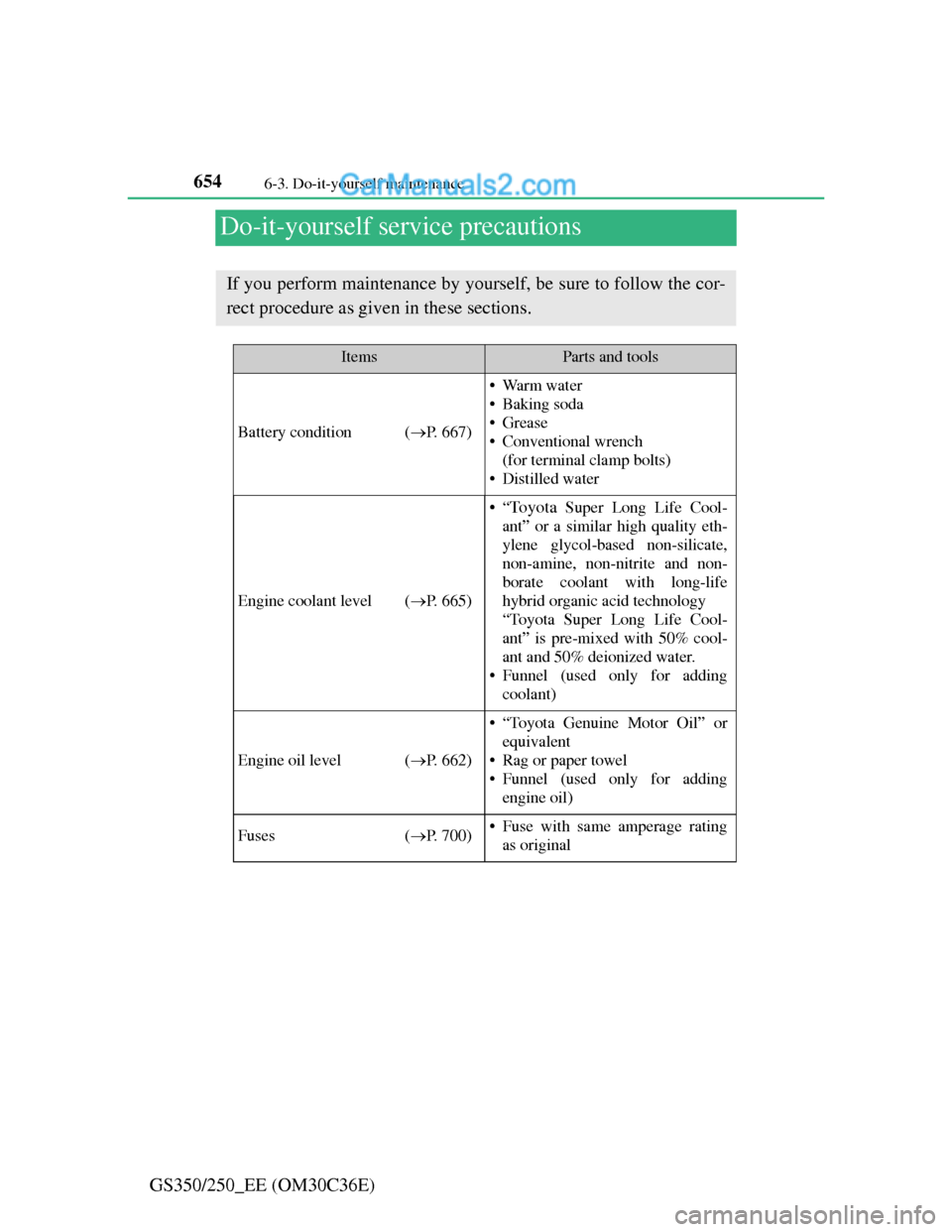
Do-it-yourself service precautions
If you perform maintenance by yourself, be sure to follow the cor-
rect procedure as given in these sections.
ItemsParts and tools
Battery condition (P. 667)
•Warm water
• Baking soda
•Grease
• Conventional wrench
(for terminal clamp bolts)
• Distilled water
Engine coolant level (P. 665)
•“To y o t a Super Long Life Cool-
ant” or a similar high quality eth-
ylene glycol-based non-silicate,
non-amine, non-nitrite and non-
borate coolant with long-life
hybrid organic acid technology
“Toyota Super Long Life Cool-
ant” is pre-mixed with 50% cool-
ant and 50% deionized water.
• Funnel (used only for adding
coolant)
Engine oil level (P. 662)
• “Toyota Genuine Motor Oil” or
equivalent
• Rag or paper towel
• Funnel (used only for adding
engine oil)
Fuses (P. 700)• Fuse with same amperage rating
as original