stop Lexus GS250 2012 Repair Manual
[x] Cancel search | Manufacturer: LEXUS, Model Year: 2012, Model line: GS250, Model: Lexus GS250 2012Pages: 914, PDF Size: 53.04 MB
Page 330 of 914

3234-5. Using the driving support
4
Driving
GS350/250_EE (OM30C36E)
Guide lines are not dis-
playedThe trunk lid is open.
Close the trunk lid.
If this does not resolve
the symptom, have the
vehicle inspected by
any authorized Lexus
dealer or repairer, or
another duly qualified
and equipped profes-
sional.
“System is initializ-
ing.” is displayed
• The battery has been
reinstalled.
• The steering wheel
has been moved
while the battery was
being reinstalled.
• Battery power is low.
• The steering sensor
has been reinstalled.
• There is a malfunc-
tion in the signals
being output by the
steering sensor.
Stop the vehicle, and
turn the steering wheel
as far as it will go to
the left and right.
If this does not resolve
the symptom, have the
vehicle inspected by
any authorized Lexus
dealer or repairer, or
another duly qualified
and equipped profes-
sional.
• On the system initial-
ization screen, select
the “?” button to dis-
play the operating
procedure.
SymptomLikely causeSolution
Page 331 of 914
3244-5. Using the driving support
GS350/250_EE (OM30C36E)
CAUTION
When using the Lexus parking assist monitor system
When backing up, be sure to check visually behind and all around the vehi-
cle before proceeding.
Observe the following precautions to avoid an accident that could result in
death or serious injuries.
The parking assist monitor is a supplemental device intended to assist the
driver when backing up. Never depend on the parking assist monitor
entirely when backing up. Always make sure your intended path is clear.
Use caution, just as you would when backing up any vehicle.
Never back up while looking only at the screen.
The image shown on the screen may differ from the actual state, and you
could collide with another vehicle or obstacles if backing up looking only
at the screen, possibly causing an accident. When backing up, be sure to
check in front of and behind the vehicle, both directly and with mirrors.
Be sure to back up slowly, depressing the brake pedal to control vehicle
speed.
If you seem likely to hit nearby vehicles, obstacles, people or mount the
shoulder, depress the brake pedal to stop the vehicle, then disable the
assist system by select on the screen to cancel the system.
The instructions given are only guidelines.
When and how much to turn the steering wheel will vary according to
traffic conditions, road surface conditions, vehicle condition, etc. when
parking. It is necessary to be fully aware of this before using the parking
assist system.
When parking, be sure to check that the parking space will accommodate
your vehicle before maneuvering into it.
Do not use system in the following cases:
• On icy or slick road surfaces, or in snow
• When using tire chains or emergency tires
• When the trunk lid is not closed completely
• On roads that are not flat or straight, such as curves or slopes.
Page 332 of 914
3254-5. Using the driving support
4
Driving
GS350/250_EE (OM30C36E)
CAUTION
In low temperatures, the screen may darken or the image may become
faint. The image could distort when the vehicle is moving, or you may
become unable to see the image on the screen. Be sure to check direct
visually and with mirror all around the vehicle before proceeding.
If the tire sizes are changed, the position of the guide lines displayed on
the screen may change.
The camera uses a special lens. The distances between objects and pedes-
trians that appear in the image displayed on the screen will differ from the
actual distances. (P. 316)
When using the perpendicular parking assist screen
The position of the guide lines displayed on the screen may change in
accordance with the number of passengers, the amount of cargo etc. Be
sure to check behind and all around the vehicle direct visually and with
mirror before proceeding.
Estimated course line display mode: If the steering wheel is straight and
the vehicle width extension guide lines and the estimated course lines are
not in alignment, have the vehicle inspected by any authorized Lexus
dealer or repairer, or another duly qualified and equipped professional.
The vehicle width extension guide lines are wider than the actual width of
the vehicle. When backing up, be sure to check behind and all around the
vehicle direct visually and with mirror before proceeding.
When using the parallel parking assist screen
Do not use the system if the display is incorrect due to an uneven (curvy/
hilly) road or a non-straight road.
Make sure to operate the steering wheel only when the vehicle is stopped.
Be sure to check that there are no obstacles inside the blue outline.
If there are any obstacles inside the blue outline, do not use the parallel
parking assist.
When positioning the blue outline over the parking space, be sure to posi-
tion it so that the extended blue line may not cross the tire of the vehicle
parked in front of the empty space.
Page 340 of 914
3334-5. Using the driving support
4
Driving
GS350/250_EE (OM30C36E)
Driving assist systems
ABS (Anti-lock Brake System)
Helps to prevent wheel lock when the brakes are applied sud-
denly, or if the brakes are applied while driving on a slippery
road surface
Brake assist
Generates an increased level of braking force after the brake
pedal is depressed when the system detects a panic stop situation
VSC (Vehicle Stability Control)
Helps the driver to control skidding when swerving suddenly or
turning on slippery road surfaces
VSC+ (Vehicle Stability Control+)
Provides cooperative control of the ABS, TRC, VSC and EPS.
Helps to maintain directional stability when swerving on slippery
road surfaces by controlling steering performance.
TRC (Traction Control)
Helps to maintain drive power and prevent the drive wheels from
spinning when starting the vehicle or accelerating on slippery
roads
Hill-start assist control
P. 341
To help enhance driving safety and performance, the following
systems operate automatically in response to various driving situa-
tions. Be aware, however, that these systems are supplementary
and should not be relied upon too heavily when operating the vehi-
cle.
Page 341 of 914
3344-5. Using the driving support
GS350/250_EE (OM30C36E)
EPS (Electric Power Steering)
Employs an electric motor to reduce the amount of effort needed
to turn the steering wheel
AVS (Adaptive Variable Suspension system) (if equipped)
By independently controlling the damping force of the shock
absorbers for each of the 4 wheels according to the road and driv-
ing conditions, this system combines riding comfort with supe-
rior steering stability, and ensures good vehicle posture. (P.
328)
VDIM (Vehicle Dynamics Integrated Management)
Provides integrated control of the ABS, brake assist, TRC, VSC,
hill-start assist control and EPS systems
Helps to maintain vehicle stability when swerving on slippery
road surfaces by controlling the brakes, engine output, steering
assist, and steering ratio
PCS (Pre-Crash Safety system) (if equipped)
P. 343
Emergency brake signal
When the brakes are applied suddenly, the stop lights automati-
cally flash to alert the vehicle behind.
Page 343 of 914
3364-5. Using the driving support
GS350/250_EE (OM30C36E)
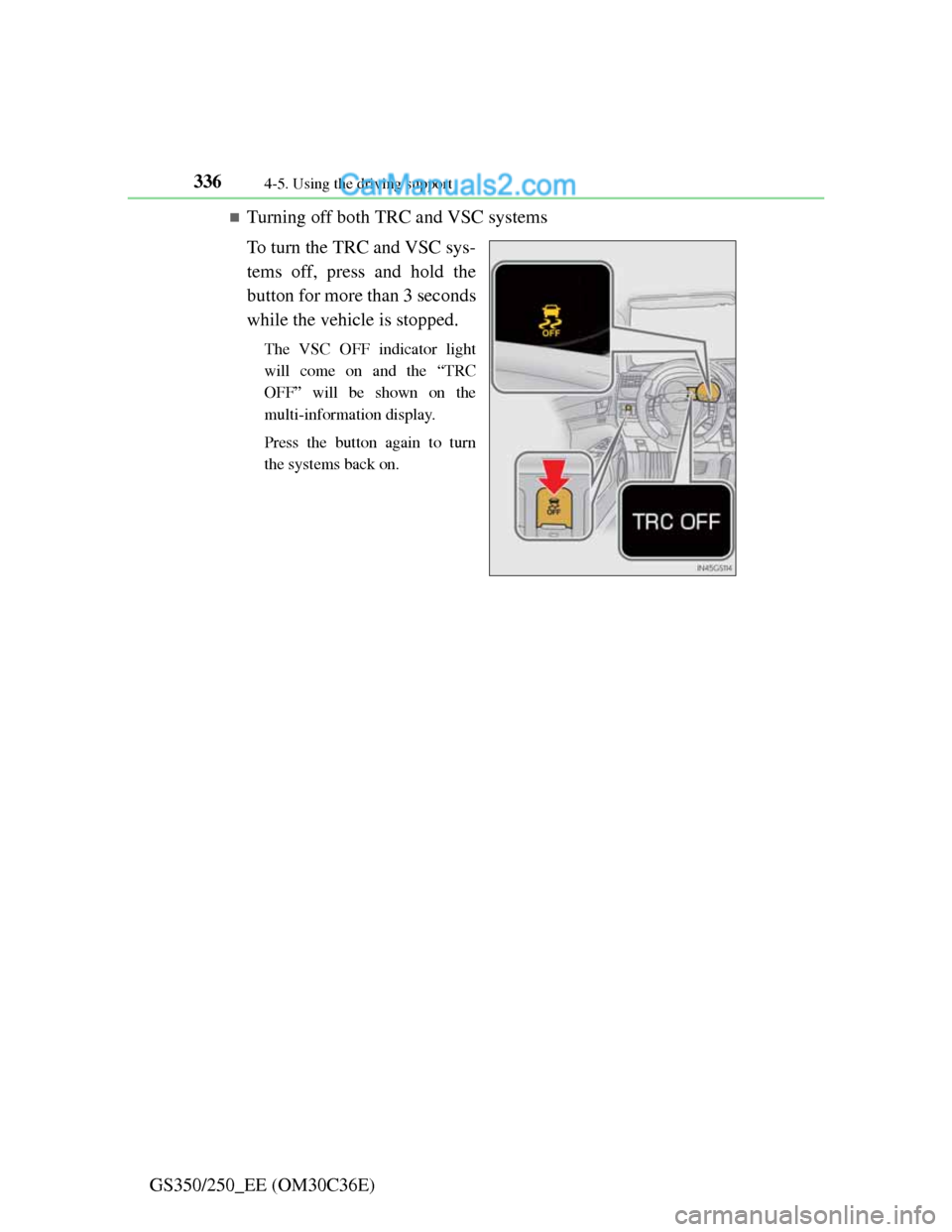
Turning off both TRC and VSC systems
To turn the TRC and VSC sys-
tems off, press and hold the
button for more than 3 seconds
while the vehicle is stopped.
The VSC OFF indicator light
will come on and the “TRC
OFF” will be shown on the
multi-information display.
Press the button again to turn
the systems back on.
Page 344 of 914
3374-5. Using the driving support
4
Driving
GS350/250_EE (OM30C36E)
When the message is displayed on the multi-information display showing that
TRC has been disabled even if the VSC OFF switch has not been pressed
TRC cannot be operated. Contact any authorized Lexus dealer or repairer, or
another duly qualified and equipped professional.
Sounds and vibrations caused by the ABS, brake assist, VSC and TRC sys-
tems
A sound may be heard from the engine compartment when the engine is
started or just after the vehicle begins to move. This sound does not indicate
that a malfunction has occurred in any of these systems.
Any of the following conditions may occur when the above systems are
operating. None of these indicates that a malfunction has occurred.
• Vibrations may be felt through the vehicle body and steering.
• A motor sound may be heard after the vehicle comes to a stop.
• The brake pedal may pulsate slightly after the ABS is activated.
• The brake pedal may move down slightly after the ABS is activated.
EPS operation sound
When the steering wheel is operated, a motor sound (whirring sound) may be
heard. This does not indicate a malfunction.
Reactivation of the TRC/VSC systems
Even after the TRC/VSC systems have been turned off, turning the engine
off and then on again will automatically reactivate the TRC/VSC systems.
Page 345 of 914
3384-5. Using the driving support
GS350/250_EE (OM30C36E)
Reactivation of the TRC system linked to vehicle speed
When only the TRC system is turned off, the TRC system will turn on when
vehicle speed increases. However, when both TRC and VSC systems are
turned off, the systems will not turn on even when vehicle speed increases.
Reduced effectiveness of the EPS system
The effectiveness of the EPS system is reduced to prevent the system from
overheating when there is frequent steering input over an extended period of
time. The steering wheel may feel heavy as a result.
* Should this occur,
refrain from excessive steering input or stop the vehicle and turn the engine
off. The effectiveness will improve after a short while.
*: If the LKA (Lane-Keeping Assist) system cannot operate in this case, a
warning message will be shown on the multi-information display.
Operating conditions of emergency brake signal
When the following three conditions are met, the emergency brake signal
will operate:
The emergency flashers are off.
Actual vehicle speed is over 55 km/h (35 mph).
The brake pedal is depressed in a manner that cause the system to judge
from the vehicle deceleration that this is a sudden braking operation.
Automatic system cancelation of emergency brake signal
The emergency brake signal will turn off in any of the following situations:
The emergency flashers are turned on.
The brake pedal is released.
The system judges from the vehicle deceleration that is not a sudden brak-
ing operation.
Page 346 of 914
339
4 4-5. Using the driving support
Driving
GS350/250_EE (OM30C36E)
CAUTION
The ABS does not operate effectively when
Tires with inadequate gripping ability are used (such as excessively worn
tires on a snow covered road).
The vehicle hydroplanes while driving at high speed on wet or slick roads.
Stopping distance when the ABS is operating may exceed that of normal
conditions
The ABS is not designed to shorten the vehicle’s stopping distance. Always
maintain a safe distance from the vehicle in front of you in the following
situations:
When driving on dirt, gravel or snow-covered roads
When driving with tire chains
When driving over bumps in the road
When driving over roads with potholes or uneven surfaces
TRC may not operate effectively when
Directional control and power may not be achievable while driving on slip-
pery road surfaces, even if the TRC system is operating.
Do not drive the vehicle in conditions where stability and power may be
lost.
When the VSC is activated
The slip indicator light flashes. Always drive carefully. Reckless driving
may cause an accident. Exercise particular care when the indicator light
flashes.
When the TRC/VSC systems are turned off
Be especially careful and drive at a speed appropriate to the road condi-
tions. As these are the systems to ensure vehicle stability and driving force,
do not turn the TRC/VSC systems off unless necessary.
Page 348 of 914
341
4 4-5. Using the driving support
Driving
GS350/250_EE (OM30C36E)
Hill-start assist control
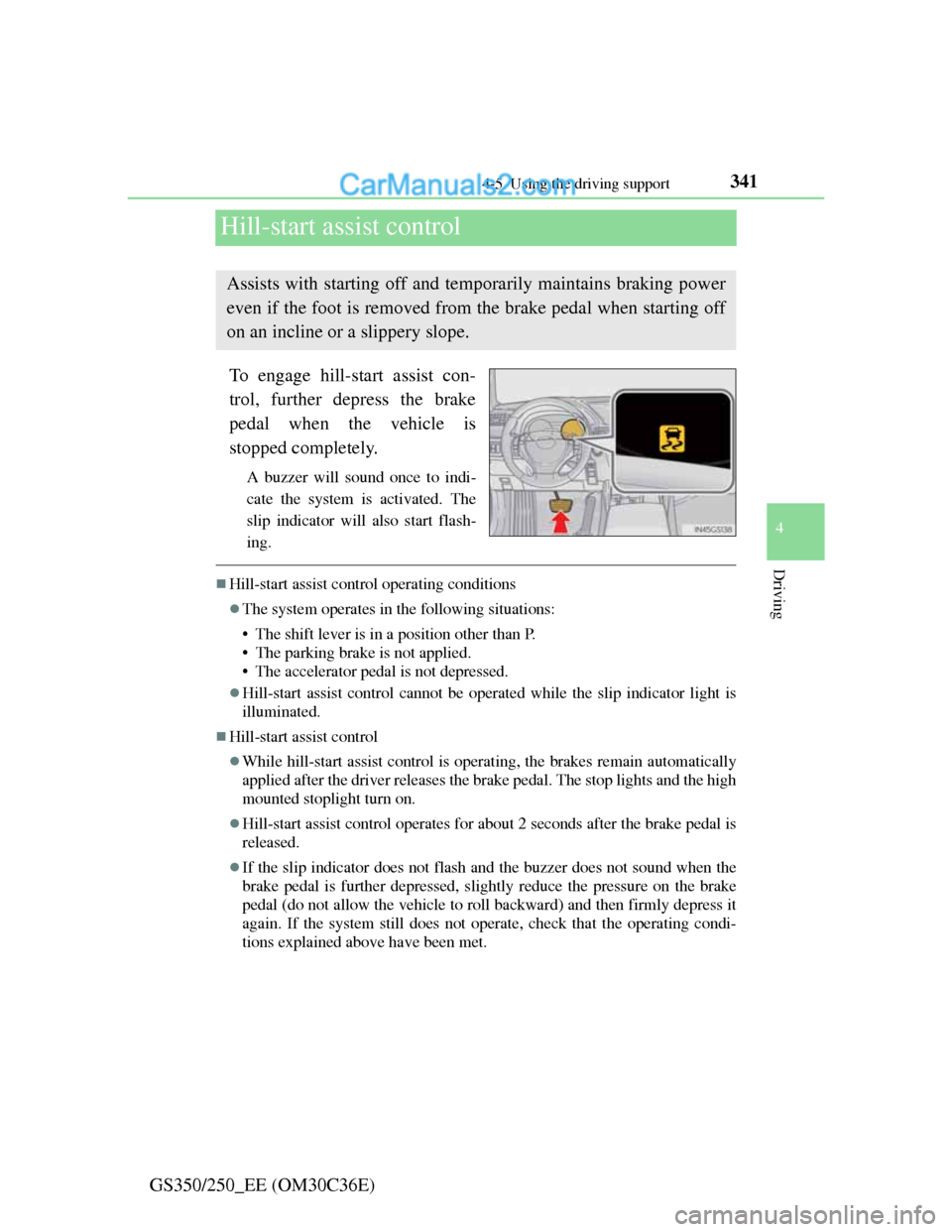
To engage hill-start assist con-
trol, further depress the brake
pedal when the vehicle is
stopped completely.
A buzzer will sound once to indi-
cate the system is activated. The
slip indicator will also start flash-
ing.
Hill-start assist control operating conditions
The system operates in the following situations:
• The shift lever is in a position other than P.
• The parking brake is not applied.
• The accelerator pedal is not depressed.
Hill-start assist control cannot be operated while the slip indicator light is
illuminated.
Hill-start assist control
While hill-start assist control is operating, the brakes remain automatically
applied after the driver releases the brake pedal. The stop lights and the high
mounted stoplight turn on.
Hill-start assist control operates for about 2 seconds after the brake pedal is
released.
If the slip indicator does not flash and the buzzer does not sound when the
brake pedal is further depressed, slightly reduce the pressure on the brake
pedal (do not allow the vehicle to roll backward) and then firmly depress it
again. If the system still does not operate, check that the operating condi-
tions explained above have been met.
Assists with starting off and temporarily maintains braking power
even if the foot is removed from the brake pedal when starting off
on an incline or a slippery slope.