park assist Lexus GS250 2014 Owner's Manual
[x] Cancel search | Manufacturer: LEXUS, Model Year: 2014, Model line: GS250, Model: Lexus GS250 2014Pages: 688, PDF Size: 152.64 MB
Page 3 of 688
3
1
8 7
6
5
4
3
2
GS350_250_OM_OM30E16E_(EE)
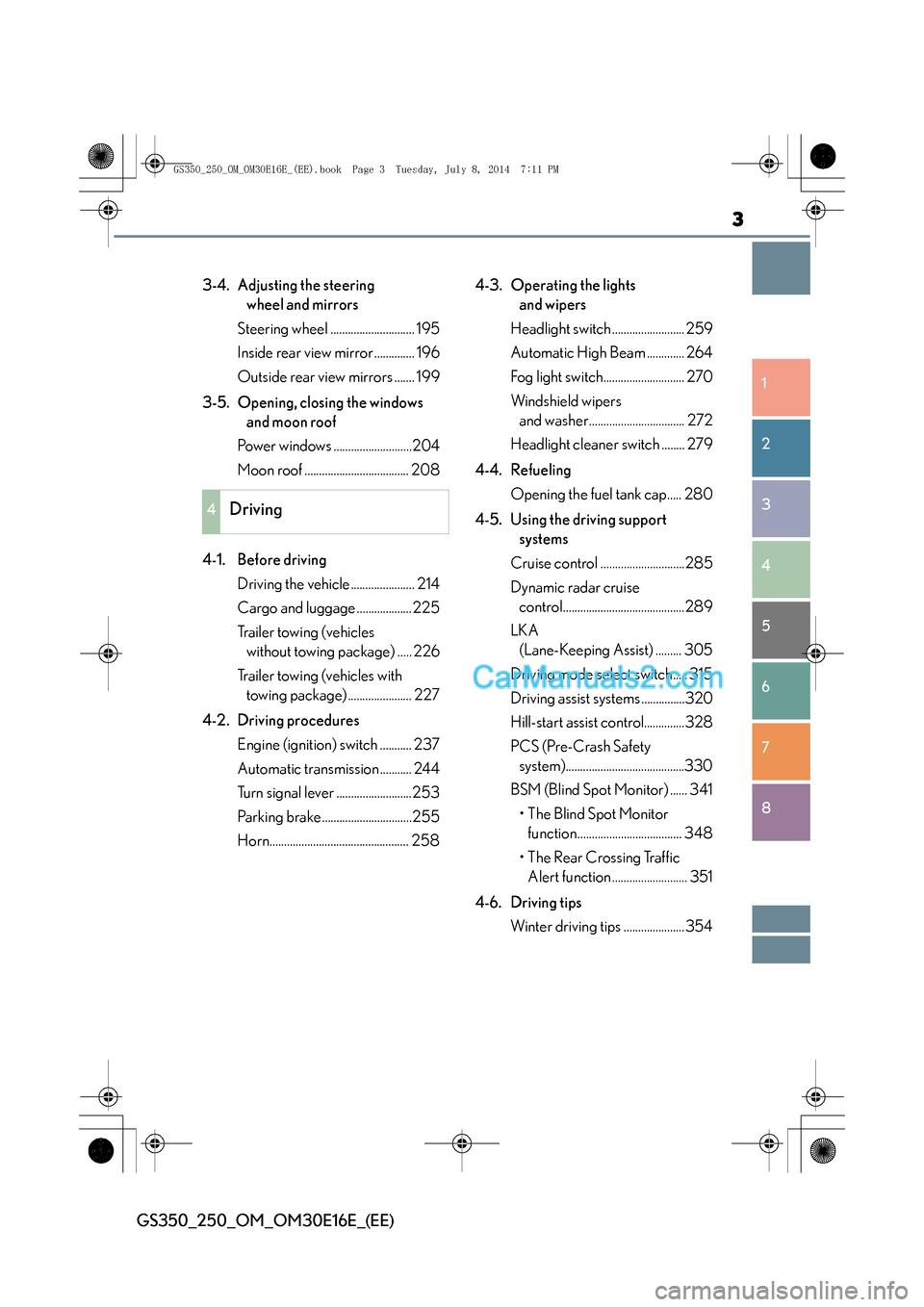
3-4. Adjusting the steering wheel and mirrors
Steering wheel ............................. 195
Inside rear view mirror .............. 196
Outside rear view mirrors ....... 199
3-5. Opening, closing the windows and moon roof
Power windows ...........................204
Moon roof .................................... 208
4-1. Before driving Driving the vehicle ...................... 214
Cargo and luggage ...................225
Trailer towing (vehicles without towing package) ..... 226
Trailer towing (vehicles with towing package) ...................... 227
4-2. Driving procedures Engine (ignition) switch ........... 237
Automatic transmission ........... 244
Turn signal lever ..........................253
Parking brake ...............................255
Horn................................................ 258 4-3. Operating the lights
and wipers
Headlight switch ......................... 259
Automatic High Beam ............. 264
Fog light switch............................ 270
Windshield wipers and washer................................. 272
Headlight cleaner switch ........ 279
4-4. Refueling Opening the fuel tank cap..... 280
4-5. Using the driving support systems
Cruise control .............................285
Dynamic radar cruise control..........................................289
LKA (Lane-Keeping Assist) ......... 305
Driving mode select switch..... 315
Driving assist systems ...............320
Hill-start assist control..............328
PCS (Pre-Crash Safety system).........................................330
BSM (Blind Spot Monitor) ...... 341 •The Blind Spot Monitor function.................................... 348
• The Rear Crossing Traffic Alert function .......................... 351
4-6. Driving tips Winter driving tips .....................354
4Driving
GS350_250_OM_OM30E16E_(EE).book Page 3 Tuesday, July 8, 2014 7:11 PM
Page 6 of 688
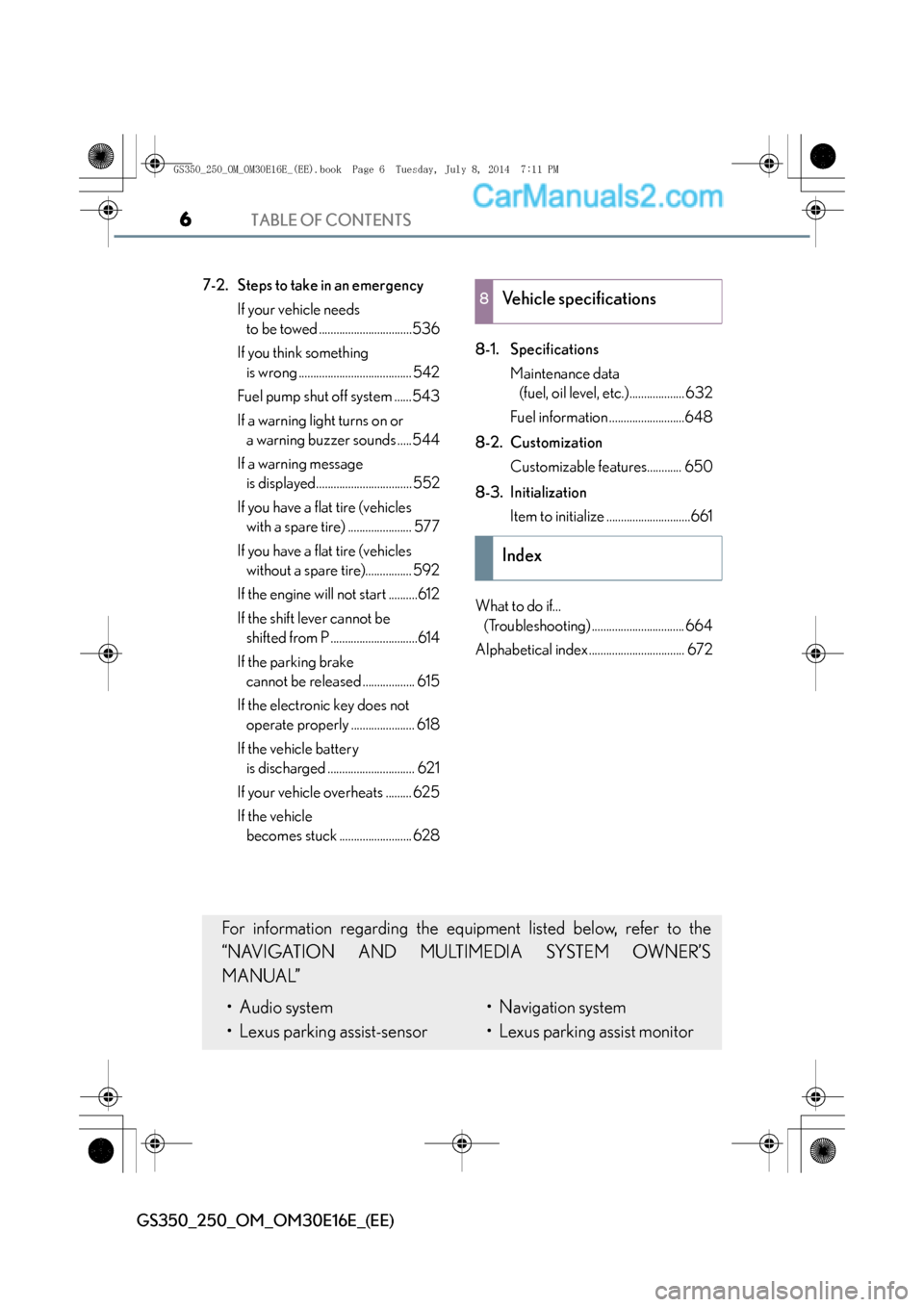
TABLE OF CONTENTS6
GS350_250_OM_OM30E16E_(EE)
7-2. Steps to take in an emergencyIf your vehicle needs to be towed ................................536
If you think something is wrong ....................................... 542
Fuel pump shut off system ......543
If a warning light turns on or a warning buzzer sounds .....544
If a warning message is displayed................................. 552
If you have a flat tire (vehicles with a spare tire) ...................... 577
If you have a flat tire (vehicles without a spare tire)................ 592
If the engine will not start ..........612
If the shift lever cannot be shifted from P ..............................614
If the parking brake cannot be released .................. 615
If the electronic key does not operate properly ...................... 618
If the vehicle battery is discharged .............................. 621
If your vehicle overheats ......... 625
If the vehicle becomes stuck ......................... 628 8-1. Specifications
Maintenance data (fuel, oil level, etc.)................... 632
Fuel information ..........................648
8-2. Customization Customizable features............ 650
8-3. Initialization Item to initialize .............................661
What to do if... (Troubleshooting) ................................ 664
Alphabetical index ................................. 6728Vehicle specifications
Index
For information regarding the equipment listed below, refer to the
“NAVIGATION AND MULTIMEDIA SYSTEM OWNER’S
MANUAL”
• Audio system
• Lexus parking assist-sensor• Navigation system
• Lexus parking assist monitor
GS350_250_OM_OM30E16E_(EE).book Page 6 Tuesday, July 8, 2014 7:11 PM
Page 21 of 688
21Pictorial index
GS350_250_OM_OM30E16E_(EE)
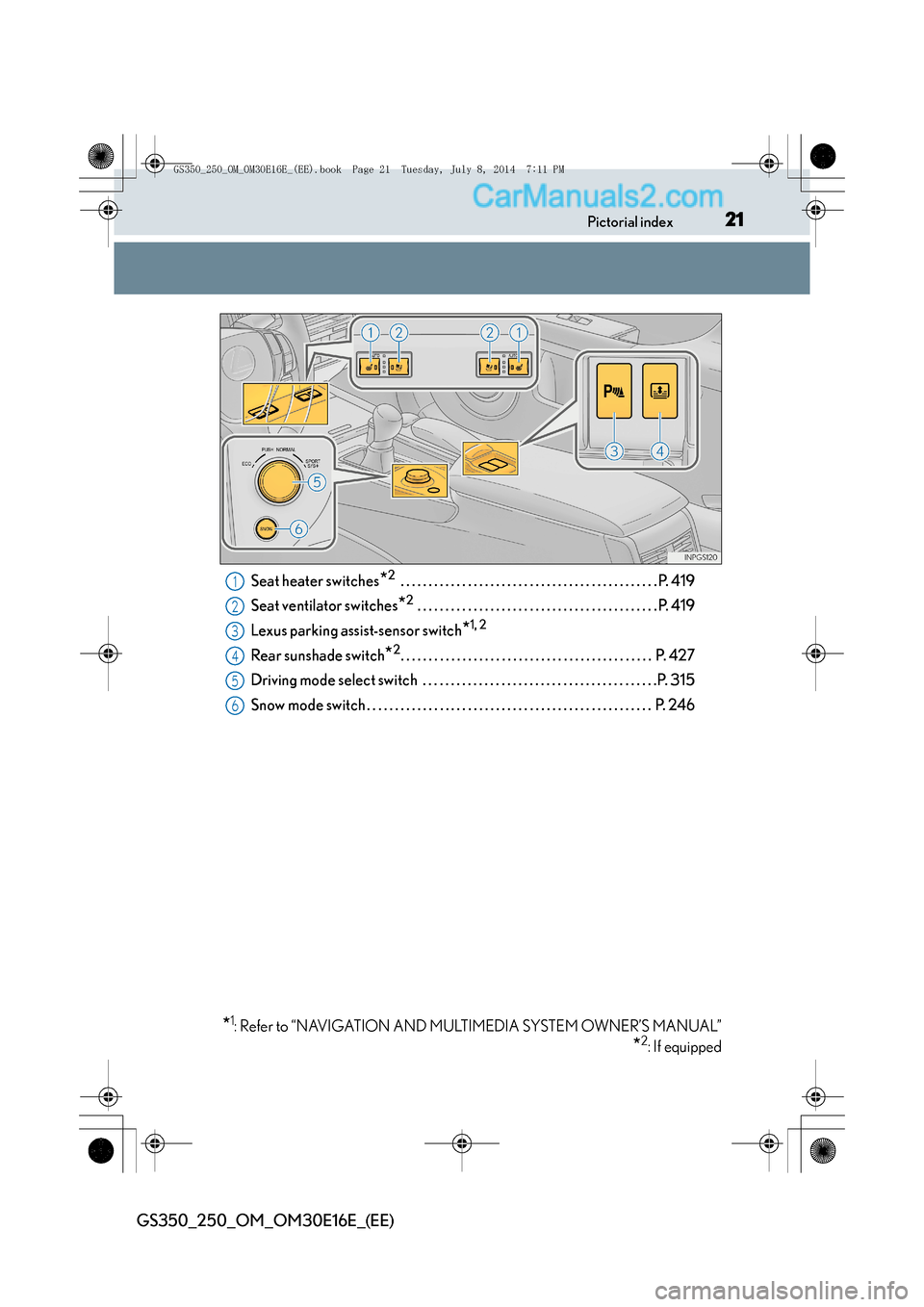
Seat heater switches*2 . . . . . . . . . . . . . . . . . . . . . . . . . . . . . . . . . . . . . . . . . . . . . . P. 419
Seat ventilator switches
*2 . . . . . . . . . . . . . . . . . . . . . . . . . . . . . . . . . . . . . . . . . . . P. 419
Lexus parking assist-sensor switch
*1, 2
Rear sunshade switch*2. . . . . . . . . . . . . . . . . . . . . . . . . . . . . . . . . . . . . . . . . . . . . P. 427
Driving mode select switch . . . . . . . . . . . . . . . . . . . . . . . . . . . . . . . . . . . . . . . . . .P. 315
Snow mode switch . . . . . . . . . . . . . . . . . . . . . . . . . . . . . . . . . . . . . . . . . . . . . . . . . . . P. 246
*1: Refer to “NAVIGATION AND MULTIMEDIA SYSTEM OWNER’S MANUAL”
*2: If equipped
1
2
3
4
5
6
GS350_250_OM_OM30E16E_(EE).book Page 21 Tuesday, July 8, 2014 7:11 PM
Page 29 of 688
29Pictorial index
GS350_250_OM_OM30E16E_(EE)
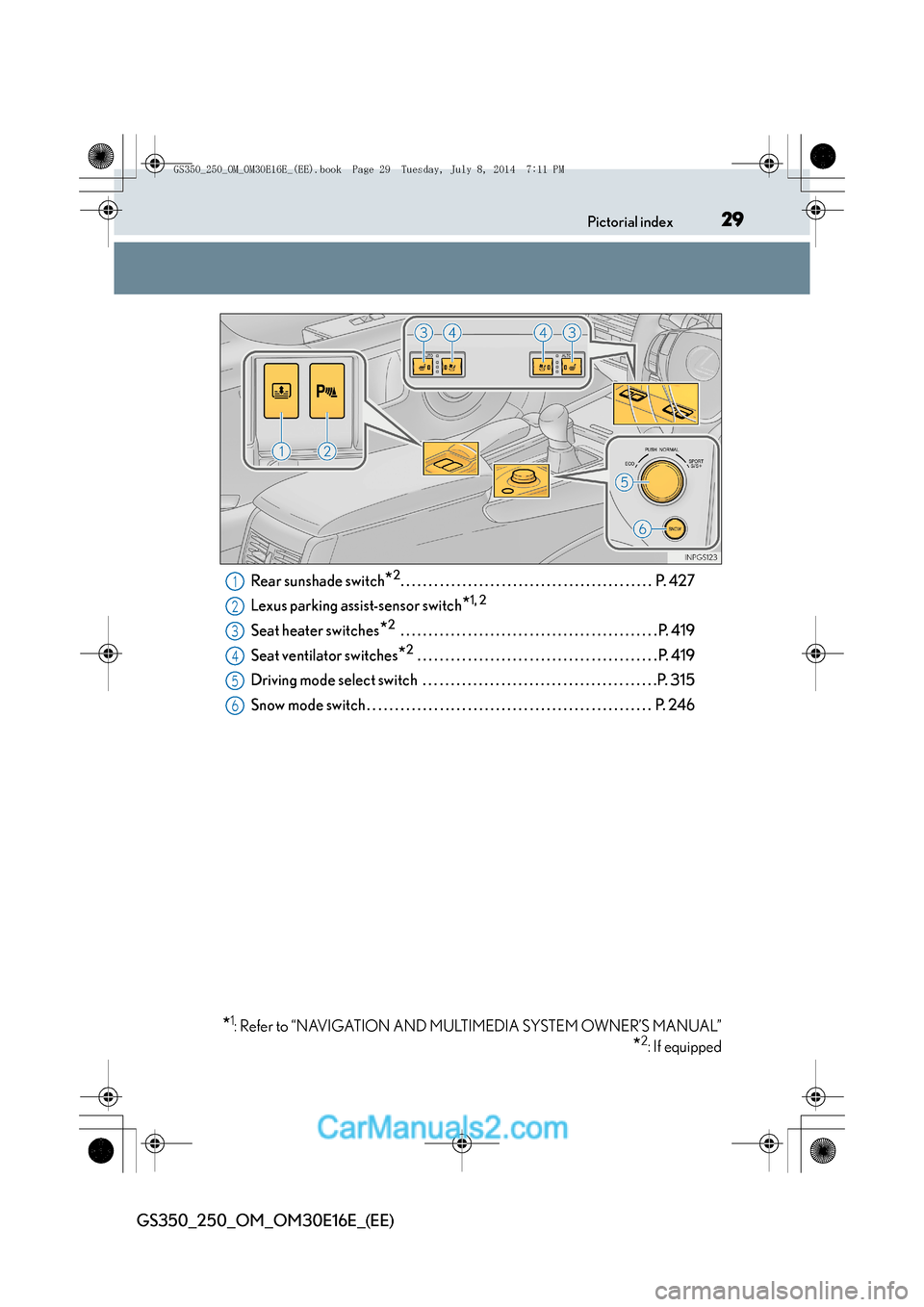
Rear sunshade switch*2. . . . . . . . . . . . . . . . . . . . . . . . . . . . . . . . . . . . . . . . . . . . . P. 427
Lexus parking assist-sensor switch
*1, 2
Seat heater switches*2 . . . . . . . . . . . . . . . . . . . . . . . . . . . . . . . . . . . . . . . . . . . . . . P. 419
Seat ventilator switches
*2 . . . . . . . . . . . . . . . . . . . . . . . . . . . . . . . . . . . . . . . . . . . P. 419
Driving mode select switch . . . . . . . . . . . . . . . . . . . . . . . . . . . . . . . . . . . . . . . . . .P. 315
Snow mode switch . . . . . . . . . . . . . . . . . . . . . . . . . . . . . . . . . . . . . . . . . . . . . . . . . . . P. 246
*1: Refer to “NAVIGATION AND MULTIMEDIA SYSTEM OWNER’S MANUAL”
*2: If equipped
1
2
3
4
5
6
GS350_250_OM_OM30E16E_(EE).book Page 29 Tuesday, July 8, 2014 7:11 PM
Page 97 of 688
972. Instrument cluster
2
Instrument cluster
GS350_250_OM_OM30E16E_(EE)
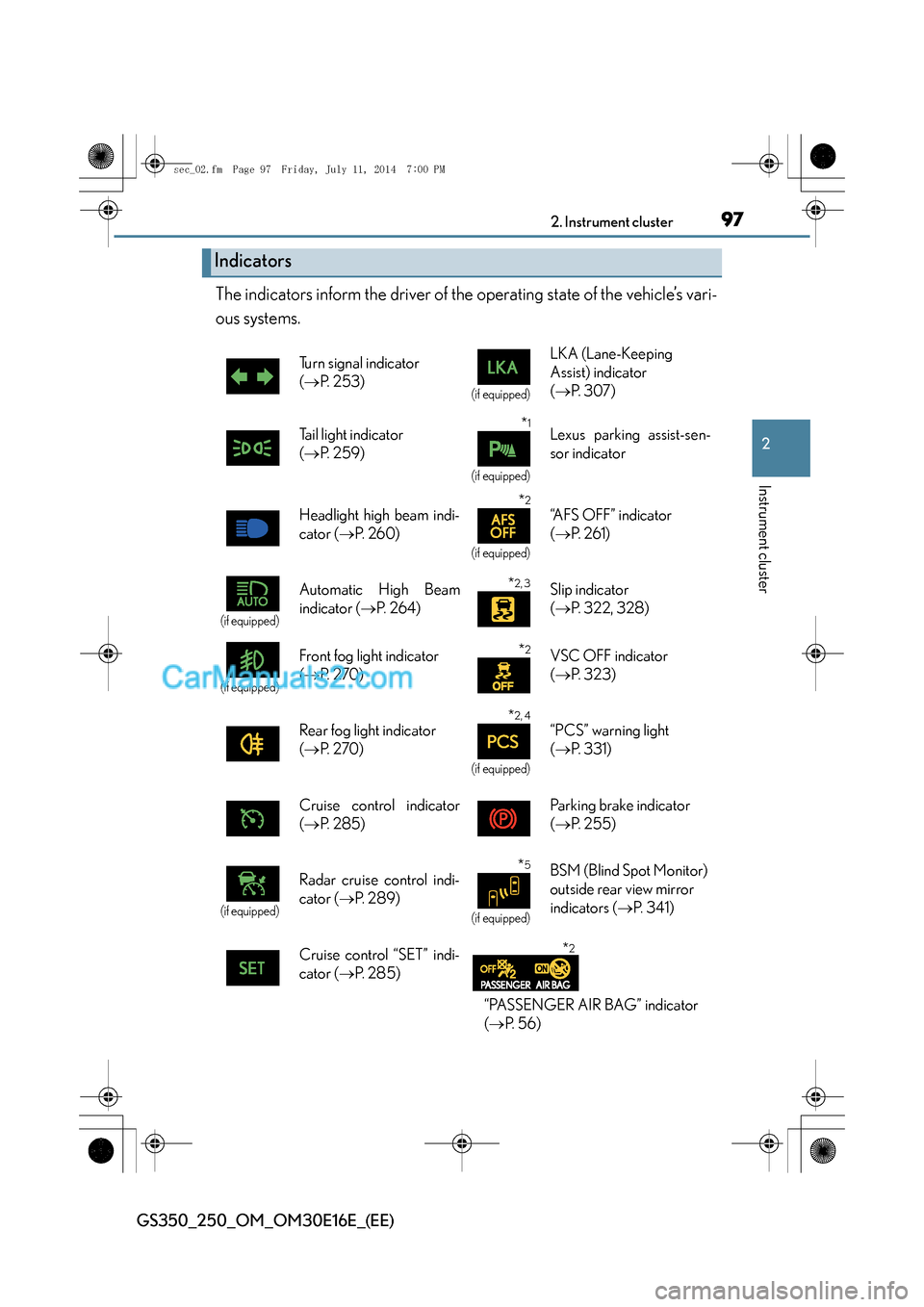
The indicators inform the driver of the operating state of the vehicle’s vari-
ous systems.
Indicators
Turn signal indicator
(→ P. 2 5 3 )
(if equipped)
LKA (Lane-Keeping
Assist) indicator
(→ P. 3 0 7 )
Tail light indicator
( → P. 259)
*1
(if equipped)
Lexus parking assist-sen-
sor indicator
Headlight high beam indi-
cator ( →P. 260)
*2
(if equipped)
“A F S O F F ” i n d i c a t o r
(→ P. 2 6 1 )
(if equipped)
Automatic High Beam
indicator ( →P. 2 6 4 )*2, 3Slip indicator
(→ P. 322, 328)
(if equipped)
Front fog light indicator
(→ P. 2 7 0 )*2VSC OFF indicator
(→ P. 3 2 3 )
Rear fog light indicator
( → P. 2 7 0 )
*2, 4
(if equipped)
“PCS” warning light
(→ P. 331)
Cruise control indicator
( → P. 2 8 5 ) Parking brake indicator
(
→ P. 2 5 5 )
(if equipped)
Radar cruise control indi-
cator ( →P. 2 8 9 )*5
(if equipped)
BSM (Blind Spot Monitor)
outside rear view mirror
indicators ( →P. 3 4 1 )
Cruise control “SET” indi-
cator ( →P. 2 8 5 )
*2
“PASSENGER AIR BAG” indicator
(→ P. 5 6 )
sec_02.fm Page 97 Friday, July 11, 2014 7:00 PM
Page 102 of 688
1022. Instrument cluster
GS350_250_OM_OM30E16E_(EE)
Multi-information display
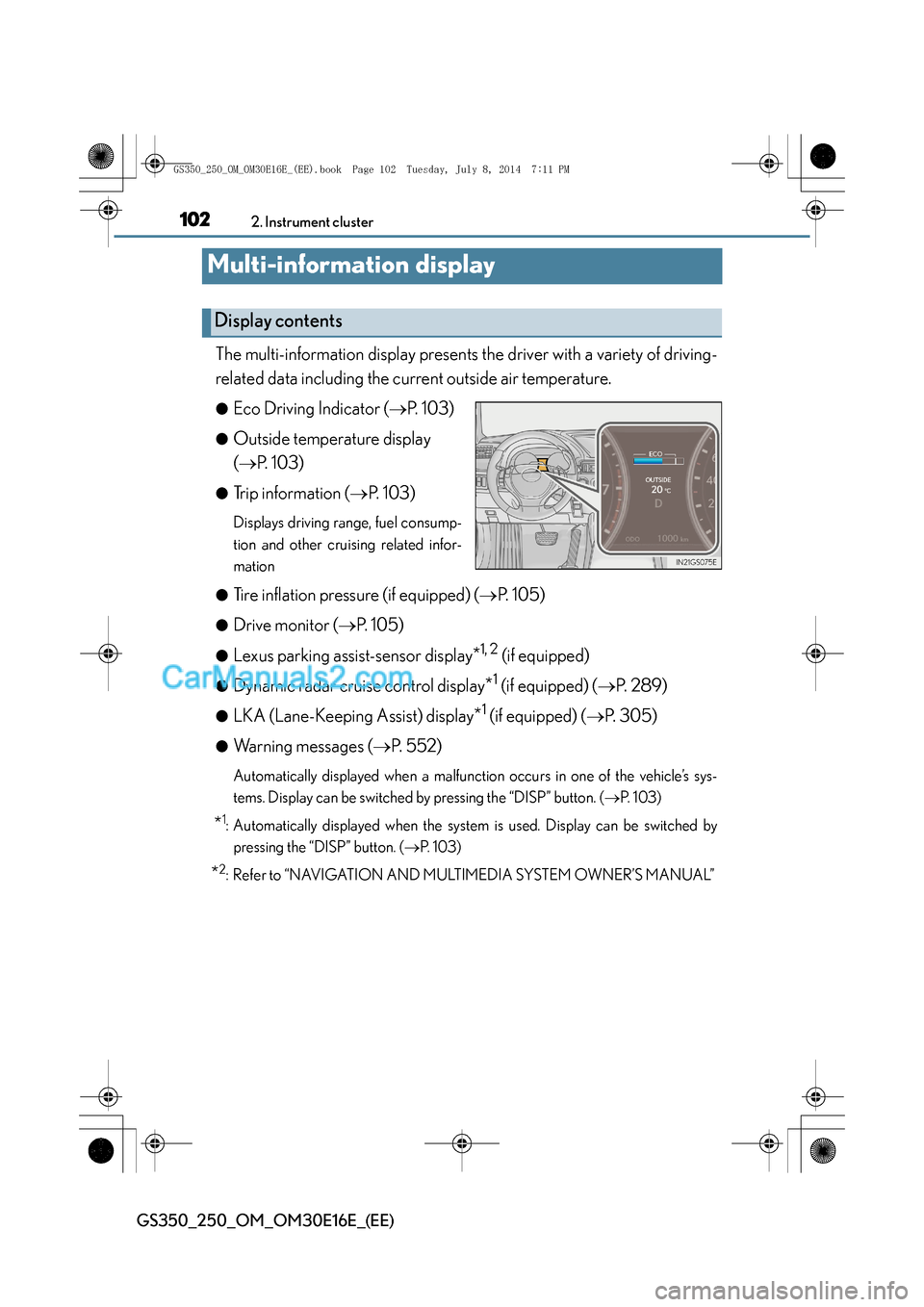
The multi-information display presents the driver with a variety of driving-
related data including the current outside air temperature.
●Eco Driving Indicator (→P. 103)
●Outside temperature display
(→ P. 103)
●Trip information ( →P. 103)
Displays driving range, fuel consump-
tion and other cruising related infor-
mation
●
Tire inflation pressure (if equipped) ( →P. 105)
●Drive monitor ( →P. 105)
●Lexus parking assist-sensor display*1, 2 (if equipped)
●Dynamic radar cruise control display*1 (if equipped) ( →P. 2 8 9 )
●LKA (Lane-Keeping Assist) display*1 (if equipped) ( →P. 305)
●Warning messages ( →P. 5 5 2 )
Automatically displayed when a malfunction occurs in one of the vehicle’s sys-
tems. Display can be switched by pressing the “DISP” button. ( →P. 1 0 3 )
*1: Automatically displayed when the system is used. Display can be switched by
pressing the “DISP” button. ( →P. 1 0 3 )
*2: Refer to “NAVIGATION AND MULTIMEDIA SYSTEM OWNER’S MANUAL”
Display contents
GS350_250_OM_OM30E16E_(EE).book Page 102 Tuesday, July 8, 201 4 7:11 PM
Page 213 of 688
213
4Driving
GS350_250_OM_OM30E16E_(EE)
4-1. Before drivingDriving the vehicle ...................... 214
Cargo and luggage ................... 225
Trailer towing (vehicles without towing package) ..... 226
Trailer towing (vehicles with towing package)...................... 227
4-2. Driving procedures Engine (ignition) switch ........... 237
Automatic transmission ........... 244
Turn signal lever ..........................253
Parking brake...............................255
Horn................................................ 258
4-3. Operating the lights and wipers
Headlight switch ......................... 259
Automatic High Beam ............. 264
Fog light switch............................ 270
Windshield w ipers and washer................................. 272
Headlight cleaner switch ........ 279 4-4. Refueling
Opening the fuel tank cap .....280
4-5. Using the driving support systems
Cruise control ............................. 285
Dynamic radar cruise control ......................................... 289
LKA (Lane-Keeping Assist) ..........305
Driving mode select switch .... 315
Driving assist systems...............320
Hill-start assist control ............. 328
PCS (Pre-Crash Safety system) ........................................330
BSM (Blind Spot Monitor) ...... 341 •The Blind Spot Monitor function ....................................348
• The Rear Crossing Traffic Alert function...........................351
4-6. Driving tips Winter driving tips ..................... 354
GS350_250_OM_OM30E16E_(EE).book Page 213 Tuesday, July 8, 201 4 7:11 PM
Page 215 of 688
2154-1. Before driving
4
Driving
GS350_250_OM_OM30E16E_(EE)
Make sure that the parking brake is set and shift the shift lever to D.
Gently depress the accelerator pedal.
Release the parking brake.
■When starting off on a uphill
The hill-start assist control is available. (→P. 3 2 8 )
■Driving in the rain
●Drive carefully when it is raining, because visibility will be reduced, the windows
may become fogged-up, and the road will be slippery.
●Drive carefully when it starts to rain, because the road surface will be especially
slippery.
●Refrain from high speeds when driving on an expressway in the rain, because there
may be a layer of water between the tires and the road surface, preventing the
steering and brakes from operating properly.
■Engine speed while driving
In the following conditions, the engine speed may become high while driving. This is
due to automatic up-shifting control or down-shifting implementation to meet driv-
ing conditions. It does not indicate sudden acceleration.
●The vehicle is judged to be driving uphill or downhill
●When the accelerator pedal is released
●When the brake pedal is depressed while sport mode is selected ( →P. 3 1 5 )
Starting off on a steep uphill
1
2
3
GS350_250_OM_OM30E16E_(EE).book Page 215 Tuesday, July 8, 201 4 7:11 PM
Page 222 of 688
2224-1. Before driving
GS350_250_OM_OM30E16E_(EE)
CAUTION
■When taking a nap in the vehicle
Always turn the engine off. Otherwise, if you accidentally move the shift lever or
depress the accelerator pedal, this could cause an accident or fire due to engine
overheating. Additionally, if the vehicle is parked in a poorly ventilated area,
exhaust gases may collect and enter the vehicle, leading to death or a serious
health hazard.
■When braking
●When the brakes are wet, drive more cautiously.
Braking distance increases when the brakes are wet, and this may cause one side
of the vehicle to brake differently than the other side. Also, the parking brake may
not securely hold the vehicle.
●If the power brake assist function does not operate, do not follow other vehicles
closely and avoid hills or sharp turns that require braking.
In this case, braking is still possible, but the brake pedal should be depressed
more firmly than usual. Also, the braking distance will increase. Have your brakes
fixed immediately.
●The brake system consists of 2 individual hydraulic systems; if one of the systems
fails, the other will still operate. In this case, the brake pedal should be depressed
more firmly than usual and the braking distance will increase. Have your brakes
fixed immediately.
■If the vehicle becomes stuck (AWD models)
Do not spin the wheels excessively when any of the tires is up in the air, or the vehi-
cle is stuck in sand, mud, etc. This may damage the driveline components or propel
the vehicle forward or backward, causing an accident.
GS350_250_OM_OM30E16E_(EE).book Page 222 Tuesday, July 8, 201 4 7:11 PM
Page 311 of 688
3114-5. Using the driving support systems
4
Driving
GS350_250_OM_OM30E16E_(EE)
■After the vehicle has been parked in the sun
The LKA system functions may not be available and a warning message (→P. 5 6 3 )
will be displayed for a while after driving has started. In such cases, turn the LKA sys-
tem off and turn it on again after normal temperature returns. When the temperature
in the cabin decreases and the temperature around the camera sensor ( →P. 3 0 5 )
becomes suitable for its operation, the functions will begin to operate.
■If there are lane markers on only one side of the vehicle
The lane keeping assist function will not operate. Also, the lane departure warning
will not operate for the side on which lane markers could not be recognized.
■Conditions in which the function may not operate correctly
In the following conditions, the LKA system functions may not operate, or it may not
be possible to ensure adequate performance. Also, the camera sensor may be
unable to recognize lane lines causing the lane departure warning function to oper-
ate incorrectly, or the lane keeping assist function may not operate properly. How-
ever, this does not indicate a malfunction.
●When driving through an area with no lane markers, such as a tollbooth, a crossing
or before a ticket checkpoint
●When driving on a sharp curve
●When lanes are extremely narrow or extremely wide
●When the vehicle leans to one side an unusual amount due to a heavy load or
improper tire inflation pressure
●When the following distance between your vehicle and the vehicle ahead is
extremely short
●When the lane markers are yellow (These may be more difficult for the system to
recognize compared to white markers.)
●When the lane markers are broken, “Raised pavement marker” or stones
●When lane markers are obscured or partially obscured by sand, dirt, etc.
●When there are shadows on the road running parallel with lane markers, or if a
shadow covers the lane markers
●When driving on a particularly bright road surface, such as concrete
●When driving on a road surface that is bright due to reflected light
●When driving in a location where the light level changes rapidly, such as the
entrance to or exit from a tunnel
●When sunlight or the headlights of oncoming vehicles are shining directly into the
camera lens
●When driving on roads that are branching or merging
GS350_250_OM_OM30E16E_(EE).book Page 311 Tuesday, July 8, 201 4 7:11 PM