rear view mirror Lexus GS300 2018 s Owner's Guide
[x] Cancel search | Manufacturer: LEXUS, Model Year: 2018, Model line: GS300, Model: Lexus GS300 2018Pages: 602, PDF Size: 13.37 MB
Page 281 of 602
GS350_300_GS F_OM_OM30G34U_(U)
2794-5. Using the driving support systems
4
Driving
■The outside rear view mirror indicators visibility
When under strong sunlight, the outside rear view mirror indicator may be difficult to
see.
■Rear Cross Traffic Alert buzzer hearing
Rear Cross Traffic Alert function may be diffic ult to hear over loud noises such as high
audio volume.
■When there is a malfunction in the Blind Spot Monitor
If a system malfunctio n is detected due to any of th e following reasons, warning mes-
sages will be displayed: ( →P. 441)
●There is a malfunction with the sensors
●The sensors have become dirty
●The outside temperature is extremely high or low
●The sensor voltage has become abnormal
■Switching the Blind Spot Monitor function and Rear Cross Traffic Alert function on and
off
Settings can be changed from on the multi-information display (→P. 100, 108).
Press or on the meter control switch and select “BSM”.
Each time on the meter control switch is pressed, the function switches between
“On” and “Off”.
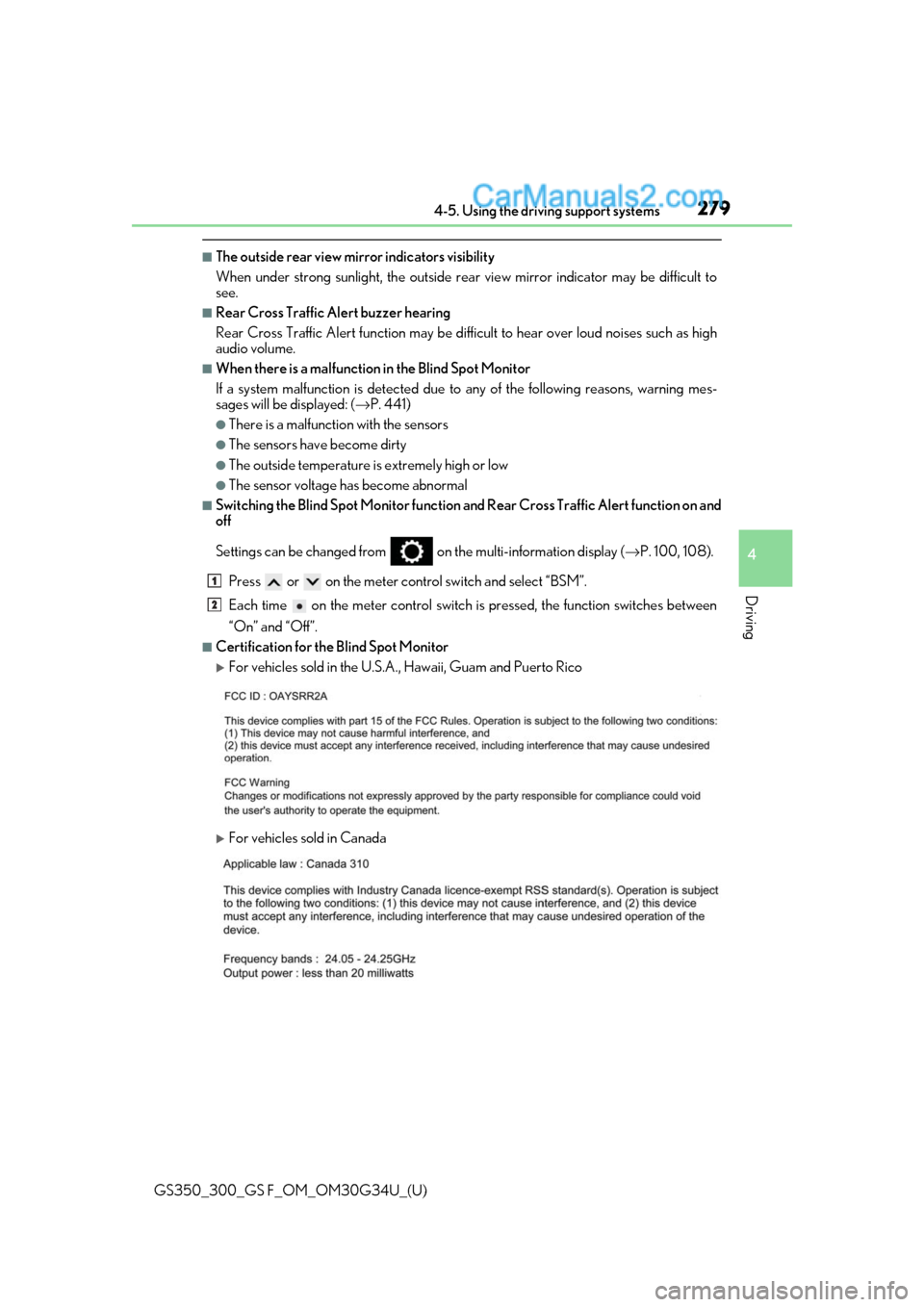
■Certification for the Blind Spot Monitor
For vehicles sold in the U.S.A., Hawaii, Guam and Puerto Rico
For vehicles sold in Canada
1
2
Page 283 of 602
GS350_300_GS F_OM_OM30G34U_(U)
2814-5. Using the driving support systems
4
Driving
The Blind Spot Monitor function uses radar sensors to detect vehicles that are
traveling in an adjacent lane in the area that is not reflected in the outside rear
view mirror (the blind spot), and advises the driver of the vehicle’s existence via
the outside rear view mirror indicator.
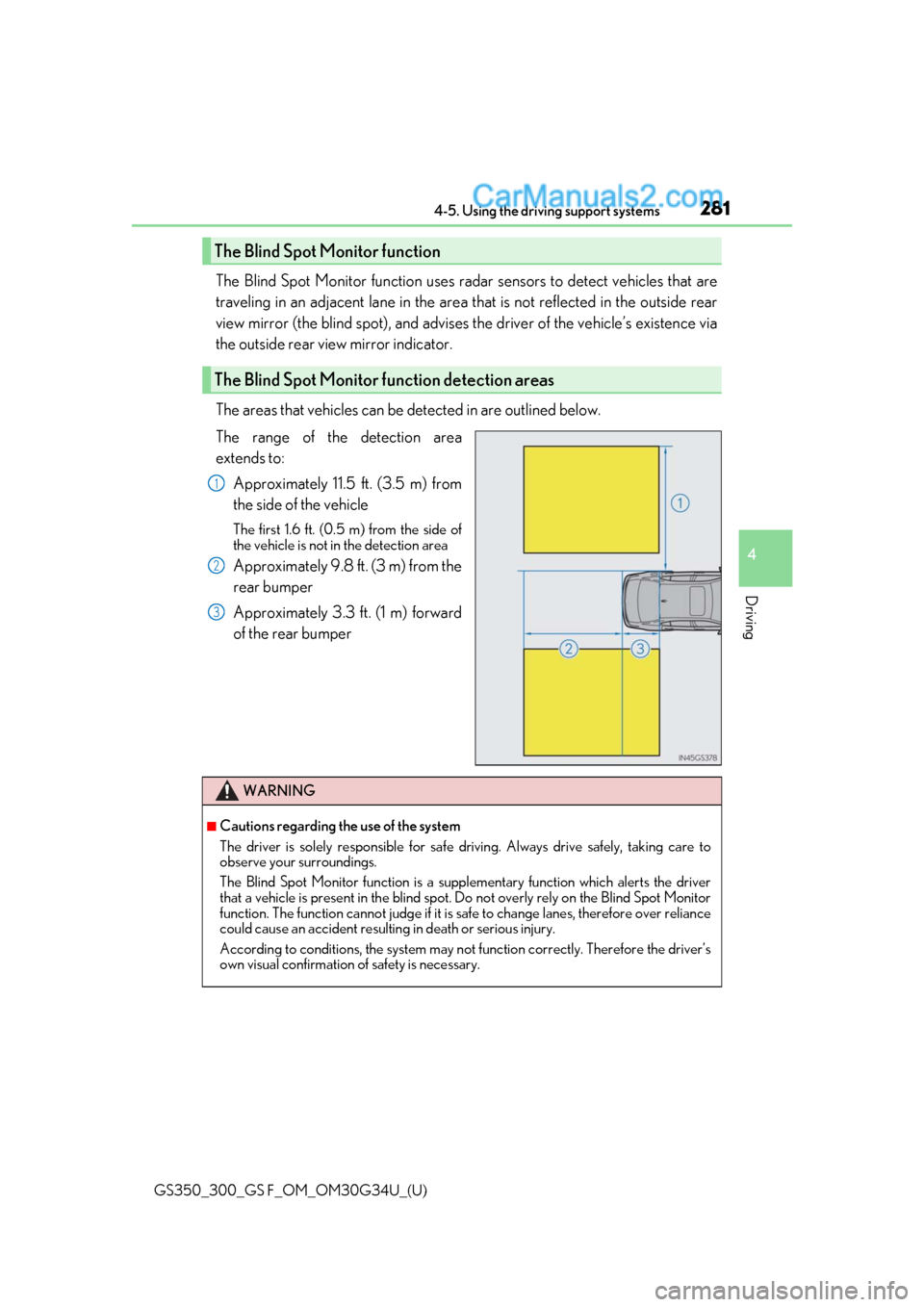
The areas that vehicles can be detected in are outlined below.
The range of the detection area
extends to:
Approximately 11.5 ft. (3.5 m) from
the side of the vehicle
The first 1.6 ft. (0.5 m) from the side of
the vehicle is not in the detection area
Approximately 9.8 ft. (3 m) from the
rear bumper
Approximately 3.3 ft. (1 m) forward
of the rear bumper
The Blind Spot Monitor function
The Blind Spot Monitor function detection areas
1
2
3
WARNING
■Cautions regarding the use of the system
The driver is solely responsible for safe driving. Always drive safely, taking care to
observe your surroundings.
The Blind Spot Monitor function is a supp lementary function which alerts the driver
that a vehicle is present in the blind spot. Do not overly rely on the Blind Spot Monitor
function. The function cannot judg e if it is safe to change lanes, therefore over reliance
could cause an accident resultin g in death or serious injury.
According to conditio ns, the system may not function correctly. Therefore the driver’s
own visual confirmation of safety is necessary.
Page 285 of 602
GS350_300_GS F_OM_OM30G34U_(U)
2834-5. Using the driving support systems
4
Driving
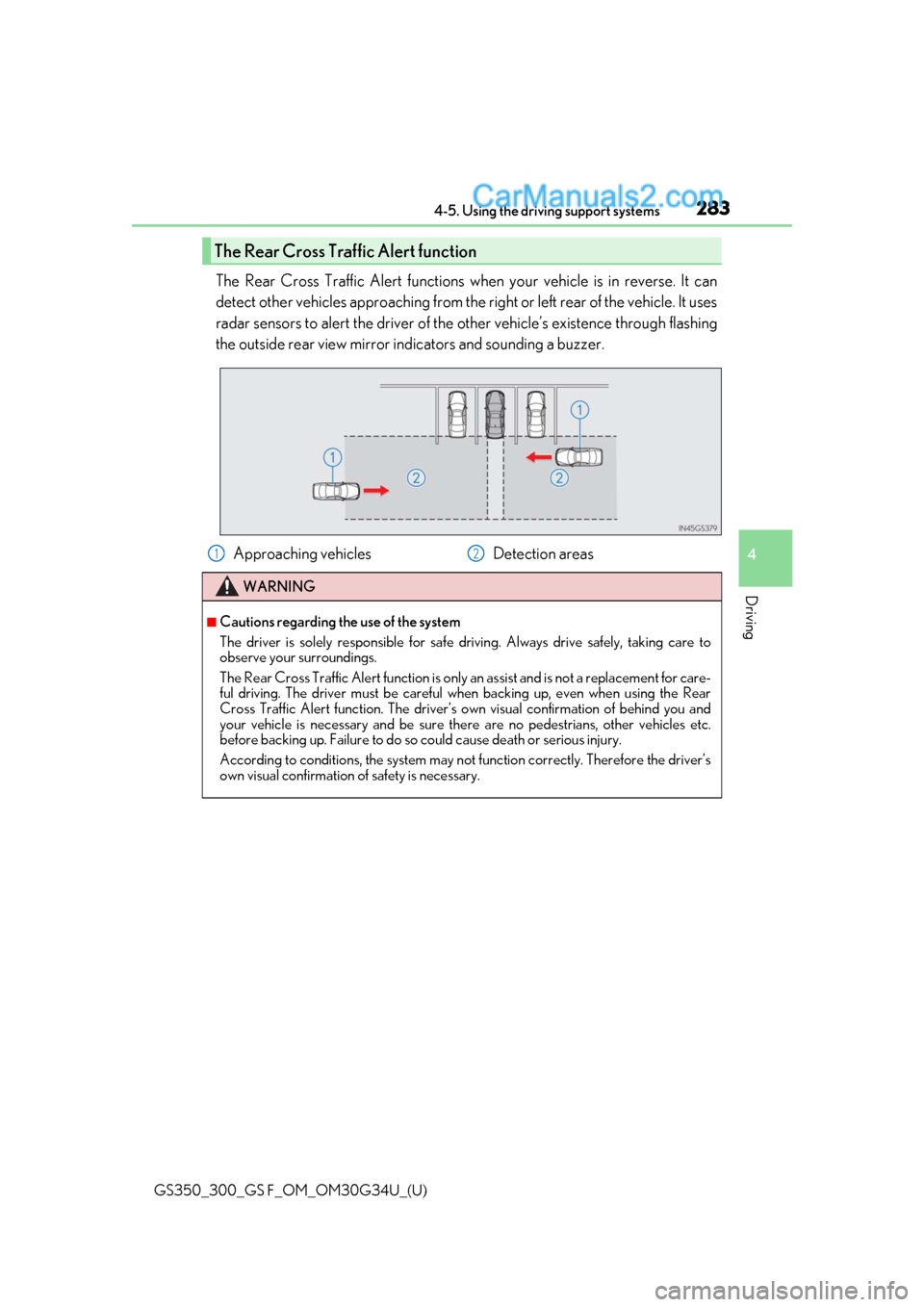
The Rear Cross Traffic Alert functions when your vehicle is in reverse. It can
detect other vehicles approaching from the right or left rear of the vehicle. It uses
radar sensors to alert the driver of the other vehicle’s existence through flashing
the outside rear view mirror indicators and sounding a buzzer.
The Rear Cross Traffic Alert function
Approaching vehicles Detection areas
WARNING
■Cautions regarding the use of the system
The driver is solely responsible for safe driving. Always drive safely, taking care to
observe your surroundings.
The Rear Cross Traffic Alert function is only an assist and is not a replacement for care-
ful driving. The driver must be careful when backing up, even when using the Rear
Cross Traffic Alert function. The driver’s ow n visual confirmation of behind you and
your vehicle is necessary and be sure ther e are no pedestrians, other vehicles etc.
before backing up. Failure to do so could cause death or serious injury.
According to conditio ns, the system may not function correctly. Therefore the driver’s
own visual confirmation of safety is necessary.
12
Page 311 of 602
GS350_300_GS F_OM_OM30G34U_(U)
3095-2. Using the air conditioning system and defogger
5
Interior features
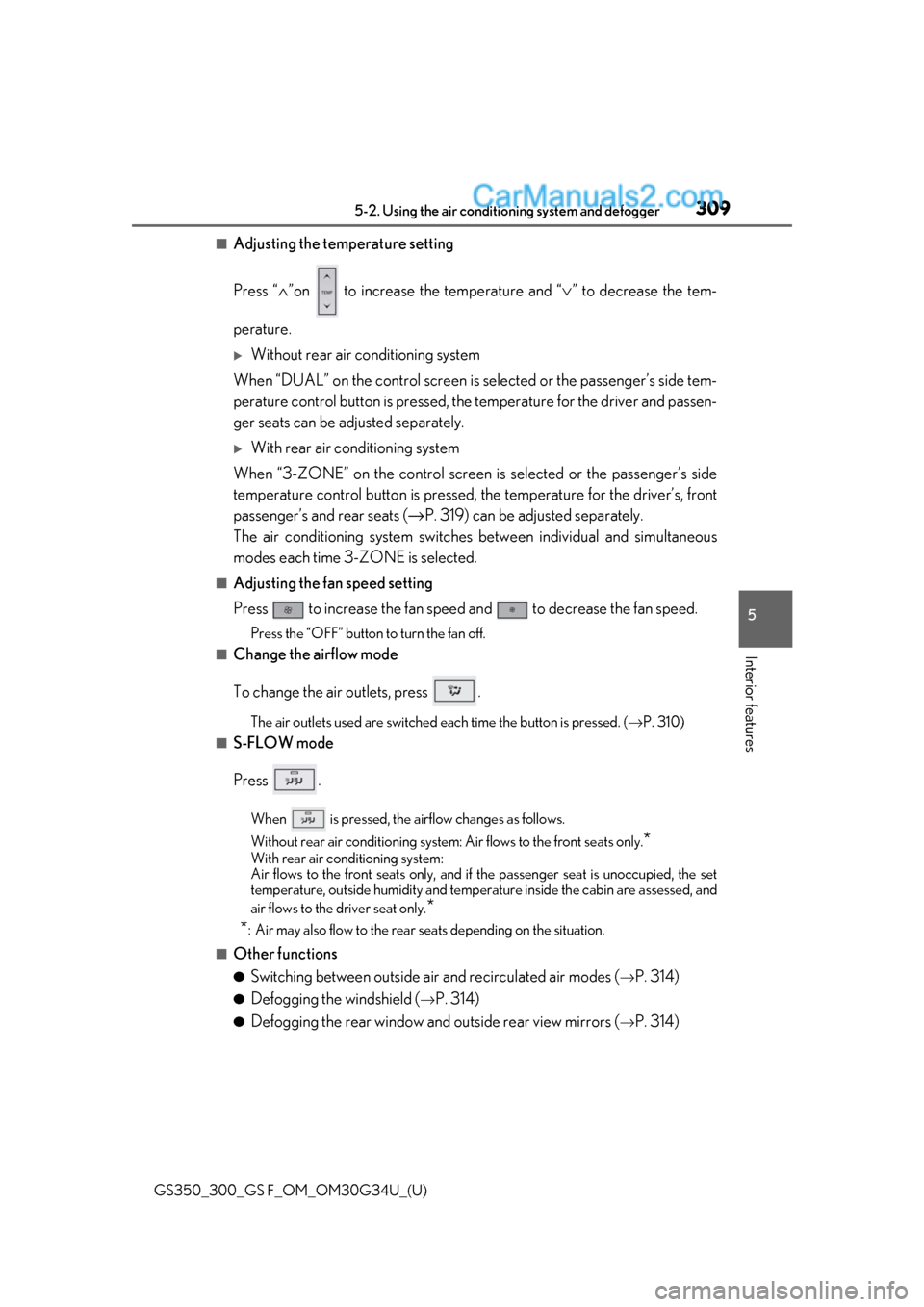
■Adjusting the temperature setting
Press “∧”on to increase the temperature and “ ∨” to decrease the tem-
perature.
Without rear air conditioning system
When “DUAL” on the control screen is selected or the passenger’s side tem-
perature control button is pressed, th e temperature for the driver and passen-
ger seats can be adjusted separately.
With rear air conditioning system
When “3-ZONE” on the control screen is selected or the passenger’s side
temperature control button is pressed, the temperature for the driver’s, front
passenger’s and rear seats ( →P. 319) can be adjusted separately.
The air conditioning system switches between individual and simultaneous
modes each time 3-ZONE is selected.
■Adjusting the fan speed setting
Press to increase the fan speed and to decrease the fan speed.
Press the “OFF” button to turn the fan off.
■Change the airflow mode
To change the air outlets, press .
The air outlets used are switched each time the button is pressed. ( →P. 310)
■S-FLOW mode
Press .
When is pressed, the airflow changes as follows.
Without rear air conditioning system : Air flows to the front seats only.
*
With rear air conditioning system:
Air flows to the front seats only, and if the passenger seat is unoccupied, the set
temperature, outside humidity and temper ature inside the cabin are assessed, and
air flows to the driver seat only.
*
*
: Air may also flow to the rear seats depending on the situation.
■Other functions
●Switching between outside air and recirculated air modes (→P. 314)
●Defogging the windshield (→P. 314)
●Defogging the rear window and outside rear view mirrors (→P. 314)
Page 316 of 602
314
GS350_300_GS F_OM_OM30G34U_(U)5-2. Using the air conditio
ning system and defogger
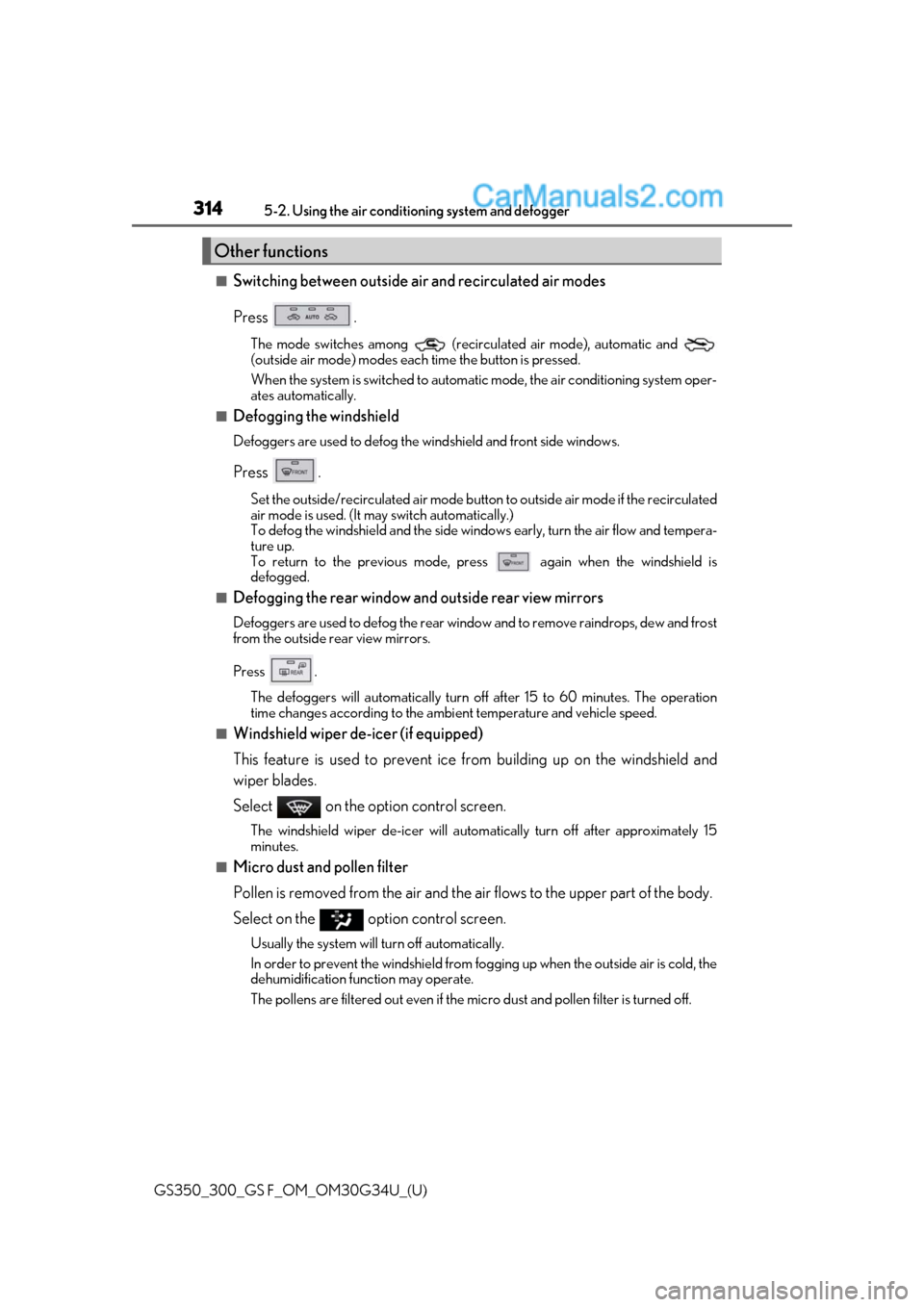
■Switching between outside air and recirculated air modes
Press .
The mode switches among (recirculated air mode), automatic and
(outside air mode) modes each time the button is pressed.
When the system is switched to automatic mode, the air conditioning system oper-
ates automatically.
■Defogging the windshield
Defoggers are used to defog the wi ndshield and front side windows.
Press .
Set the outside/recirculated air mode button to outside air mode if the recirculated
air mode is used. (It may switch automatically.)
To defog the windshield and the side wind ows early, turn the air flow and tempera-
ture up.
To return to the previous mode, press
again when the windshield is
defogged.
■Defogging the rear window and outside rear view mirrors
Defoggers are used to defog the rear window and to remove raindrops, dew and frost
from the outside rear view mirrors.
Press .
The defoggers will automatically turn off af ter 15 to 60 minutes. The operation
time changes according to the ambi ent temperature and vehicle speed.
■Windshield wiper de-icer (if equipped)
This feature is used to prevent ice fr om building up on the windshield and
wiper blades.
Select on the option control screen.
The windshield wiper de-icer will automa tically turn off after approximately 15
minutes.
■Micro dust and pollen filter
Pollen is removed from the air and the air flows to the upper part of the body.
Select on the option control screen.
Usually the system will turn off automatically.
In order to prevent the windshield from fo gging up when the outside air is cold, the
dehumidification function may operate.
The pollens are filtered out even if the micro dust and pollen filter is turned off.
Other functions
Page 320 of 602
318
GS350_300_GS F_OM_OM30G34U_(U)5-2. Using the air conditio
ning system and defogger
■Air conditioning filter
→P. 408
■Customization
Settings (e.g. exhaust gas sensor sensitivity) can be changed.
(Customizable features: →P. 545)
WARNING
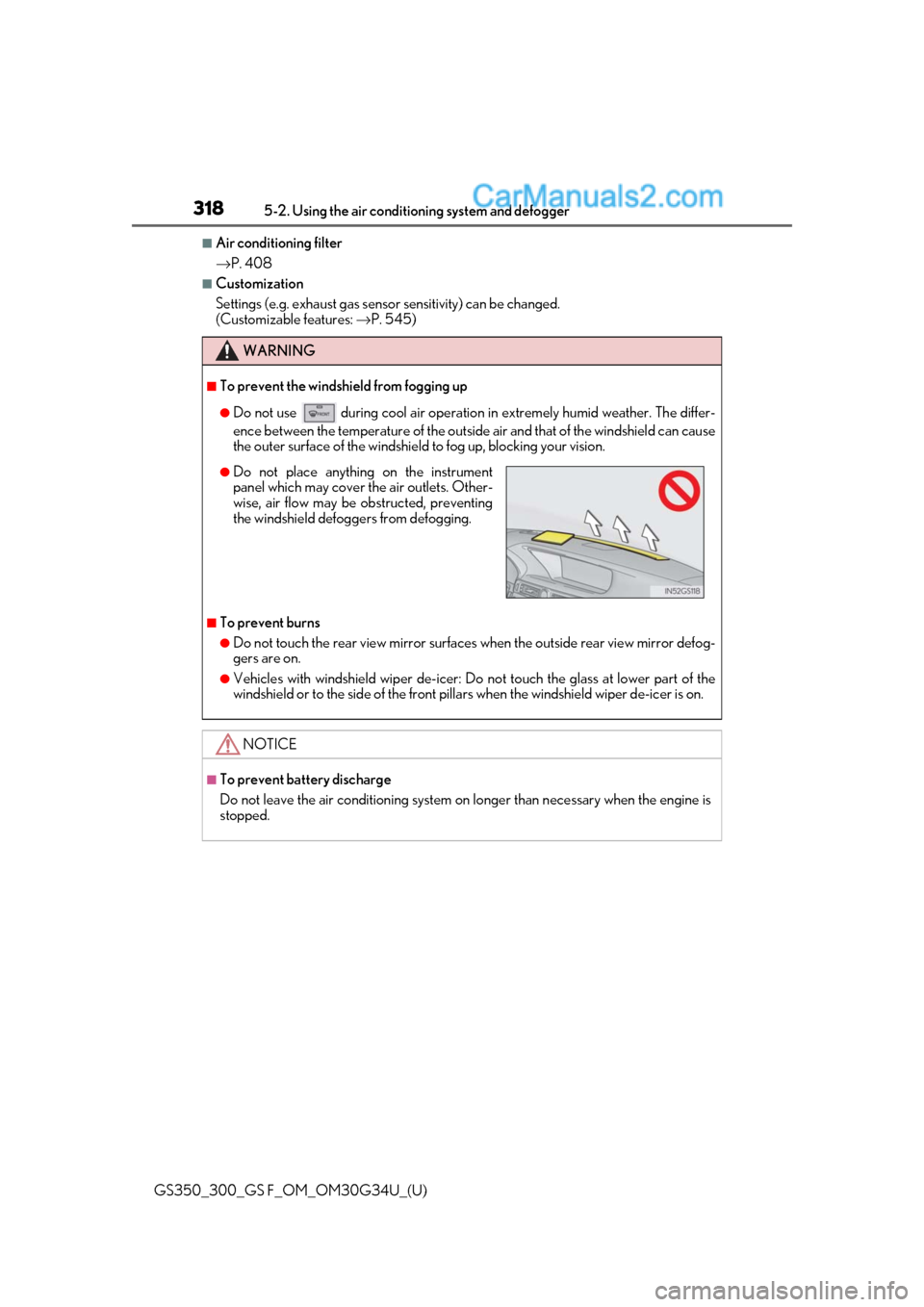
■To prevent the windshield from fogging up
●Do not use during cool air operation in extremely humid weather. The differ-
ence between the temperature of the outside air and that of the windshield can cause
the outer surface of the windshield to fog up, blocking your vision.
■To prevent burns
●Do not touch the rear view mirror surfaces when the outside rear view mirror defog-
gers are on.
●Vehicles with windshield wiper de-icer: Do not touch the glass at lower part of the
windshield or to the side of the front pill ars when the windshield wiper de-icer is on.
NOTICE
■To prevent battery discharge
Do not leave the air conditioning system on longer than necessary when the engine is
stopped.
●Do not place anything on the instrument
panel which may cover th e air outlets. Other-
wise, air flow may be obstructed, preventing
the windshield defoggers from defogging.
Page 348 of 602
346
GS350_300_GS F_OM_OM30G34U_(U)5-5. Using the other interior features
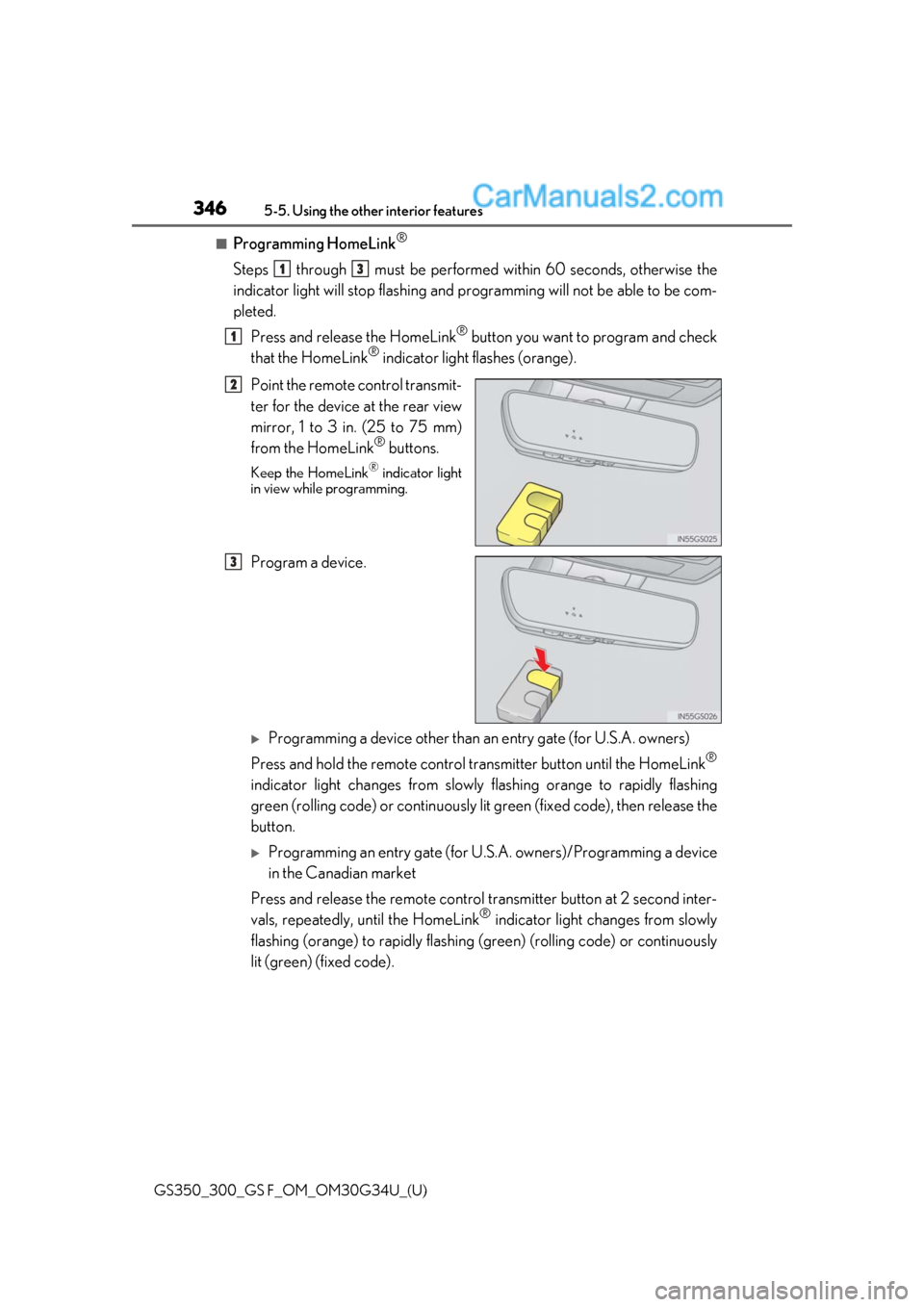
■Programming HomeLink®
Steps through must be performed
within 60 seconds, otherwise the
indicator light will stop flashing and pr ogramming will not be able to be com-
pleted.
Press and release the HomeLink
® button you want to program and check
that the HomeLink® indicator light flashes (orange).
Point the remote control transmit-
ter for the device at the rear view
mirror, 1 to 3 in. (25 to 75 mm)
from the HomeLink
® buttons.
Keep the HomeLink® indicator light
in view while programming.
Program a device.
Programming a device other than an entry gate (for U.S.A. owners)
Press and hold the remote control transmitter button until the HomeLink
®
indicator light changes from slowly flashing orange to rapidly flashing
green (rolling code) or cont inuously lit green (fixed code), then release the
button.
Programming an entry gate (for U. S.A. owners)/Programming a device
in the Canadian market
Press and release the remote control transm itter button at 2 second inter-
vals, repeatedly, until the HomeLink
® indicator light changes from slowly
flashing (orange) to rapidly flashing (green) (rolling code) or continuously
lit (green) (fixed code).
13
1
2
3
Page 555 of 602
GS350_300_GS F_OM_OM30G34U_(U)
5538-2. Customization
8
Vehicle specifications
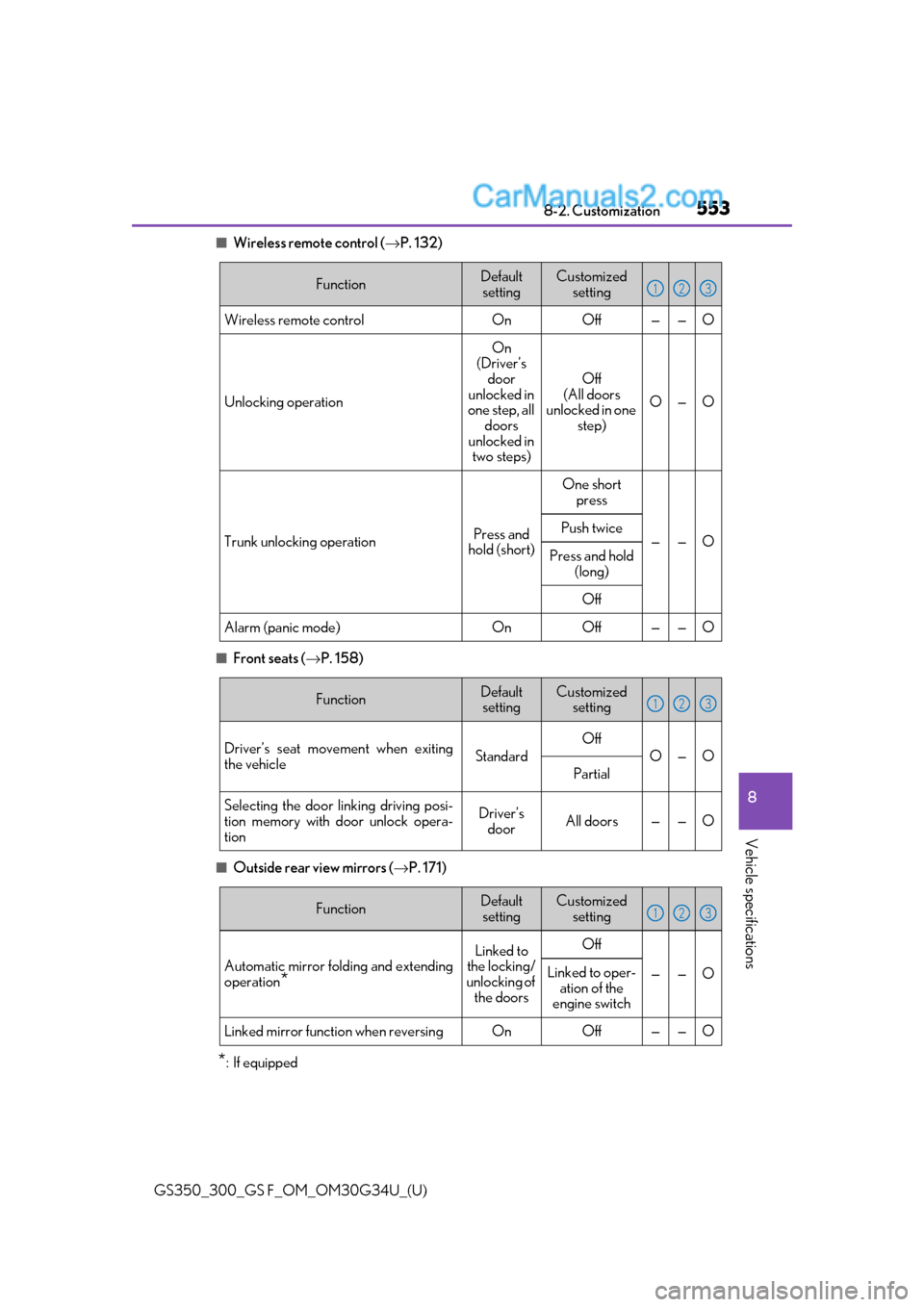
■Wireless remote control (→P. 132)
■Front seats ( →P. 158)
■Outside rear view mirrors ( →P. 171)
*: If equipped
FunctionDefault
settingCustomized setting
Wireless remote controlOnOff——O
Unlocking operation
On
(Driver’s door
unlocked in
one step, all doors
unlocked in two steps)
Off
(All doors
unlocked in one step)
O—O
Trunk unlocking operationPress and
hold (short)
One short press
——OPush twice
Press and hold
(long)
Off
Alarm (panic mode)OnOff——O
123
FunctionDefaultsettingCustomized setting
Driver’s seat movement when exiting
the vehicleStandard
Off
O—O
Partial
Selecting the door linking driving posi-
tion memory with door unlock opera-
tionDriver’s doorAll doors——O
123
FunctionDefault
settingCustomized setting
Automatic mirror fold ing and extending
operation
*
Linked to
the locking/
unlocking of the doorsOff
——OLinked to oper- ation of the
engine switch
Linked mirror function when reversingOnOff——O
123
Page 584 of 602
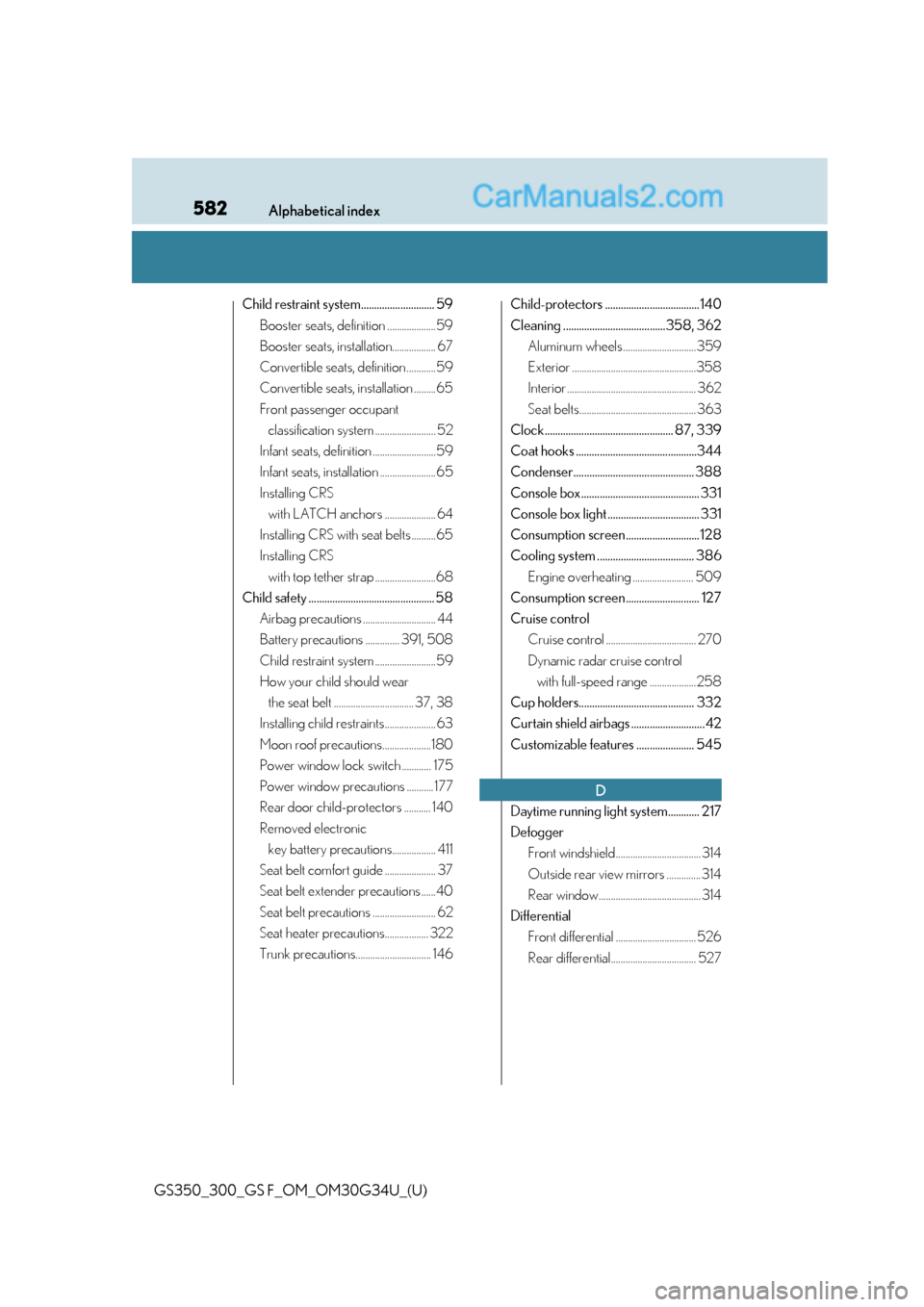
582Alphabetical index
GS350_300_GS F_OM_OM30G34U_(U)
Child restraint system............................ 59Booster seats, definition ....................59
Booster seats, installation.................. 67
Convertible seats, definition ............59
Convertible seats, installation .........65
Front passenger occupant classification system ......................... 52
Infant seats, definition ..........................59
Infant seats, installation .......................65
Installing CRS with LATCH anchors ..................... 64
Installing CRS with seat belts ..........65
Installing CRS with top tether strap .........................68
Child safety ................................................ 58 Airbag precautions .............................. 44
Battery precautions .............. 391, 508
Child restraint system .........................59
How your child should wear the seat belt ................................. 37, 38
Installing child restraints..................... 63
Moon roof precautions....................180
Power window lock switch ............ 175
Power window precautions ........... 177
Rear door child-protectors ........... 140
Removed electronic key battery precautions.................. 411
Seat belt comfort guide ..................... 37
Seat belt extender precautions ......40
Seat belt precautions .......................... 62
Seat heater precautions.................. 322
Trunk precautions............................... 146 Child-protectors .................................... 140
Cleaning .......................................358, 362
Aluminum wheels ..............................359
Exterior ...................................................358
Interior ..................................................... 362
Seat belts................................................ 363
Clock................................................. 87, 339
Coat hooks ..............................................344
Condenser.............................................. 388
Console box ............................................. 331
Console box light ................................... 331
Consumption screen ............................ 128
Cooling system ..................................... 386 Engine overheating ......................... 509
Consumption screen ............................ 127
Cruise control Cruise control ..................................... 270
Dynamic radar cruise control with full-speed range ...................258
Cup holders............................................ 332
Curtain shield airbags ............................ 42
Customizable features ...................... 545
Daytime running light system............ 217
Defogger Front windshield................................... 314
Outside rear view mirrors .............. 314
Rear window.......................................... 314
Differential Front differential ................................. 526
Rear differential................................... 527
D
Page 585 of 602
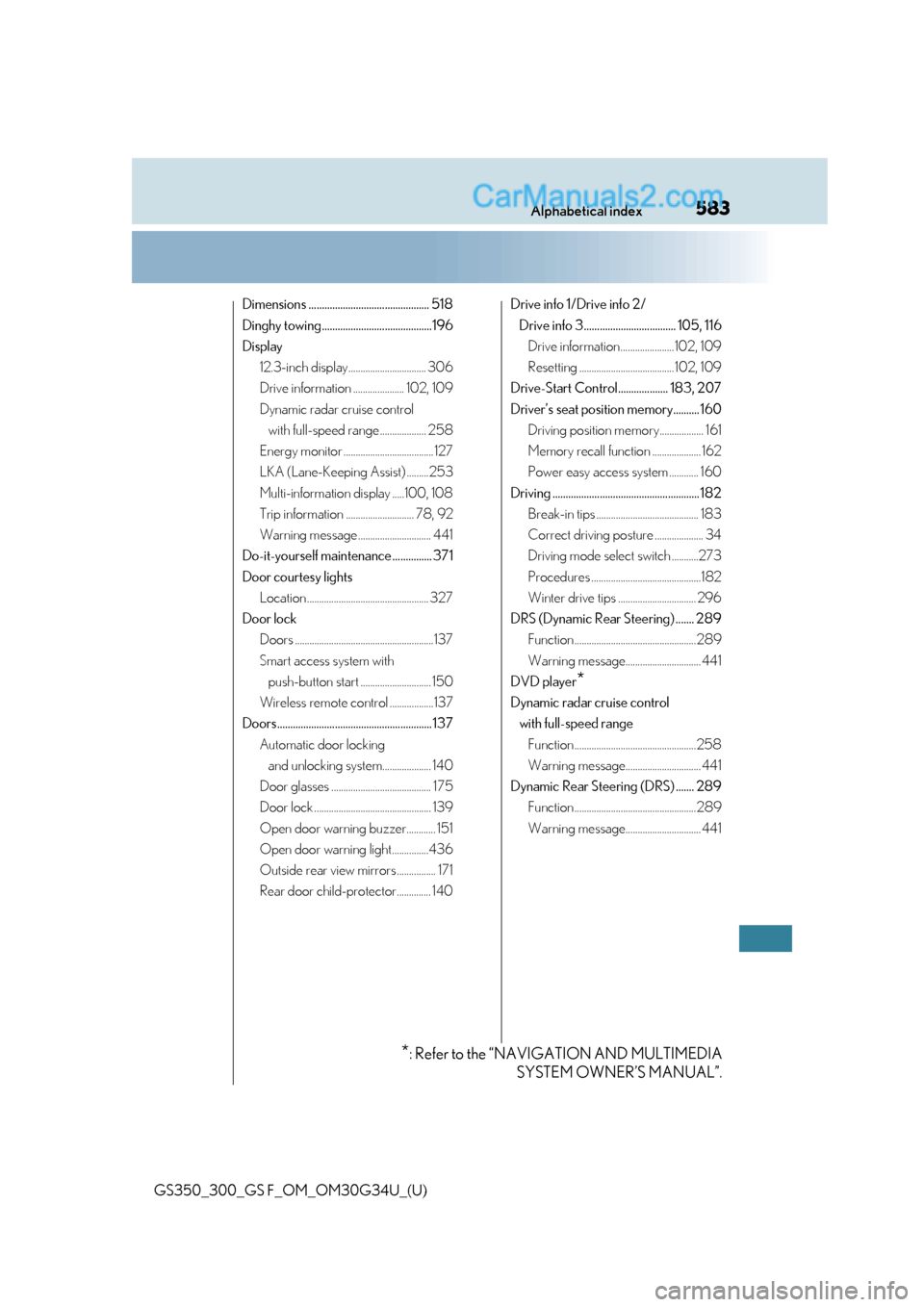
583Alphabetical index
GS350_300_GS F_OM_OM30G34U_(U)
Dimensions .............................................. 518
Dinghy towing..........................................196
Display12.3-inch display................................ 306
Drive information ..................... 102, 109
Dynamic radar cruise control with full-speed range ................... 258
Energy monitor ..................................... 127
LKA (Lane-Keeping Assist) .........253
Multi-information display .....100, 108
Trip information ............................ 78, 92
Warning message .............................. 441
Do-it-yourself maintenance ............... 371
Door courtesy lights Location .................................................. 327
Door lock Doors .........................................................137
Smart access system with push-button start ............................. 150
Wireless remote control ..................137
Doors........................................................... 137 Automatic door locking and unlocking system.................... 140
Door glasses ......................................... 175
Door lock ................................................ 139
Open door warning buzzer............ 151
Open door warning light...............436
Outside rear view mirrors ................ 171
Rear door child-protector.............. 140 Drive info 1/Drive info 2/
Drive info 3................................... 105, 116 Drive information...................... 102, 109
Resetting ....................................... 102, 109
Drive-Start Control................... 183, 207
Driver’s seat position memory.......... 160 Driving position memory.................. 161
Memory recall function .................... 162
Power easy access system ............ 160
Driving ........................................................ 182 Break-in tips .......................................... 183
Correct driving posture .................... 34
Driving mode select switch ...........273
Procedures .............................................182
Winter drive tips ................................ 296
DRS (Dynamic Rear Steering) ....... 289 Function .................................................. 289
Warning message............................... 441
DVD player
*
Dynamic radar cruise control with full-speed range Function ..................................................258
Warning message............................... 441
Dynamic Rear Steering (DRS) ....... 289 Function .................................................. 289
Warning message............................... 441
*: Refer to the “NAVIGATION AND MULTIMEDIA SYSTEM OWNER’S MANUAL”.