lock Lexus GS300h 2013 Owner's Manual
[x] Cancel search | Manufacturer: LEXUS, Model Year: 2013, Model line: GS300h, Model: Lexus GS300h 2013Pages: 1014
Page 452 of 1014
4354-6. Driving tips
4
Driving
GS450h_300h_OM_OM30D53E_(EE)
Perform the following according to the driving conditions:
Do not try to forcibly open a window or move a wiper that is fro-
zen. Pour warm water over the frozen area to melt the ice. Wipe
away the water immediately to prevent it from freezing.
To ensure proper operation of the climate control system fan,
remove any snow that has accumulated on the air inlet vents in
front of the windshield.
Check for and remove any excess ice or snow that may have
accumulated on the exterior lights, vehicle’s roof, chassis, around
the tires or on the brakes.
Remove any snow or mud from the bottom of your shoes before
getting in the vehicle.
Accelerate the vehicle slowly, keep a safe distance between you
and the vehicle ahead, and drive at a reduced speed suitable to road
conditions.
Park the vehicle and move the shift lever to P without setting the
parking brake. The parking brake may freeze up, preventing it from
being released. If necessary, block the wheels to prevent inadver-
tent sliding or creeping.
Before driving the vehicle
When driving the vehicle
When parking the vehicle
Page 458 of 1014
441
5Interior features
GS450h_300h_OM_OM30D53E_(EE)5-4. Using the hands-free phone
system (for cellular phone)
Hands-free system
(for cellular phone) ......... 611
Using a Bluetooth
®
phone............................... 625
Setting the hands-free system
(for cellular phone) ......... 645
Setting the Bluetooth
®...... 671
5-5. Using the interior lights
Interior lights list ............... 684
• Interior light .................. 685
• Personal lights............... 685
5-6. Using the storage features
List of storage features ...... 687
• Glove box ..................... 689
• Console box .................. 690
• Cup holders ................... 691
• Auxiliary boxes............. 693
Trunk features ................... 6945-7. Other interior features
Sun visors and
vanity mirrors ................. 697
Clock................................. 698
Ashtrays ............................ 699
Power outlets .................... 700
Heated steering wheel....... 702
Seat heaters/
seat ventilators ................ 704
Armrest ..............................711
Rear sunshade/
rear door sunshades ........ 712
Coat hooks ........................ 715
Assist grips ....................... 716
Utility hook ....................... 717
Page 506 of 1014
4885-2. Using the air conditioning system and defogger
GS450h_300h_OM_OM30D53E_(EE)
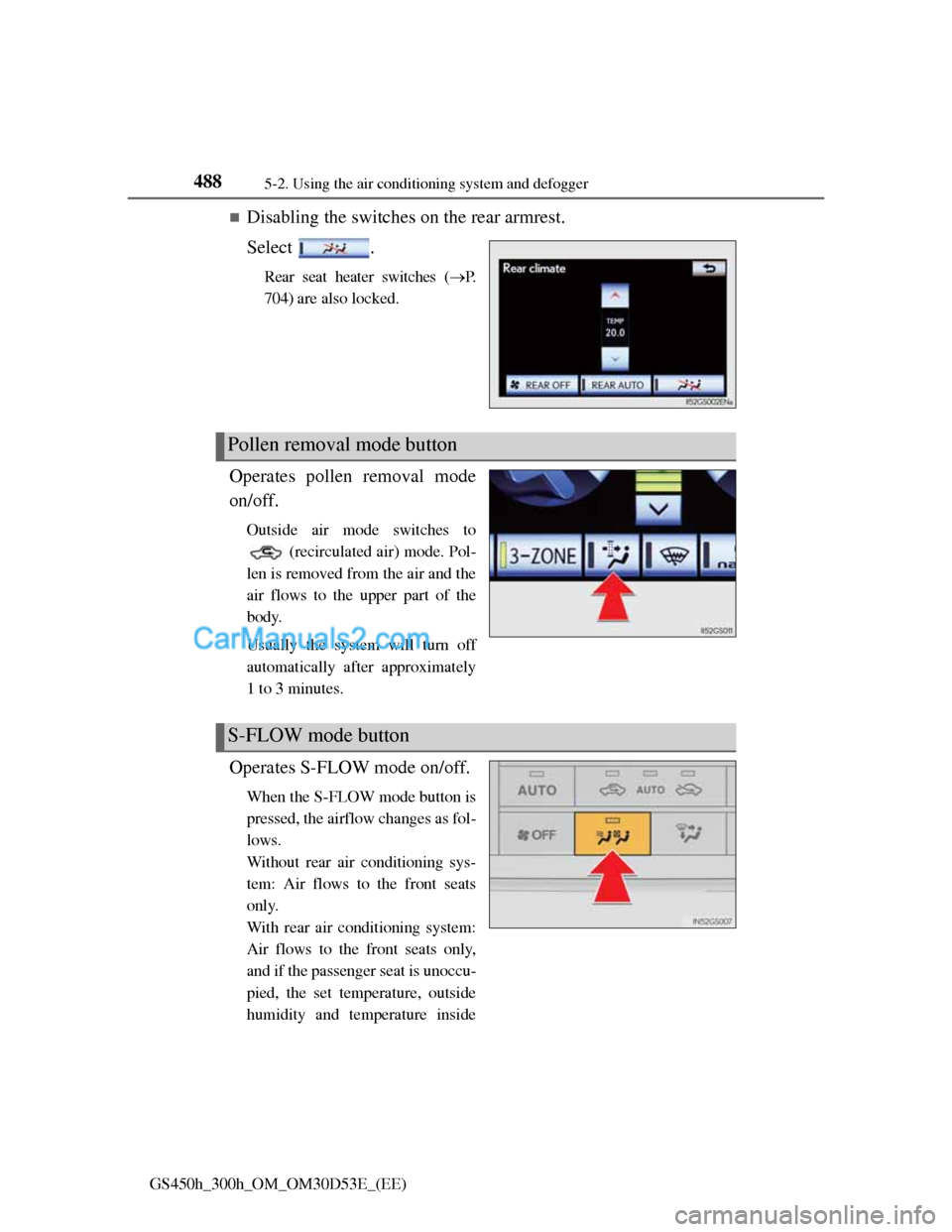
Disabling the switches on the rear armrest.
Select .
Rear seat heater switches (P.
704) are also locked.
Operates pollen removal mode
on/off.
Outside air mode switches to
(recirculated air) mode. Pol-
len is removed from the air and the
air flows to the upper part of the
body.
Usually the system will turn off
automatically after approximately
1 to 3 minutes.
Operates S-FLOW mode on/off.
When the S-FLOW mode button is
pressed, the airflow changes as fol-
lows.
Without rear air conditioning sys-
tem: Air flows to the front seats
only.
With rear air conditioning system:
Air flows to the front seats only,
and if the passenger seat is unoccu-
pied, the set temperature, outside
humidity and temperature inside
Pollen removal mode button
S-FLOW mode button
Page 509 of 1014
4915-2. Using the air conditioning system and defogger
5
Interior features
GS450h_300h_OM_OM30D53E_(EE)
Registering air conditioning settings to electronic keys
Unlocking the vehicle using an electronic key and turning the power switch
to ON mode will recall that key’s registered air conditioning settings.
When the power switch is turned off, the current air conditioning settings
will automatically be registered to the electronic key that was used to
unlock the vehicle.
The system may not operate correctly if more than one electronic key is in
the vicinity or if the smart entry & start system is used to unlock a passenger
door.
Settings for the electronic key and the corresponding door can be changed.
Contact any authorized Lexus dealer or repairer, or another duly qualified
and equipped professional.
Using automatic mode
Fan speed is adjusted automatically according to the temperature setting and
the ambient conditions.
Therefore, the fan may stop for a while until warm or cool air is ready to flow
immediately after is pressed.
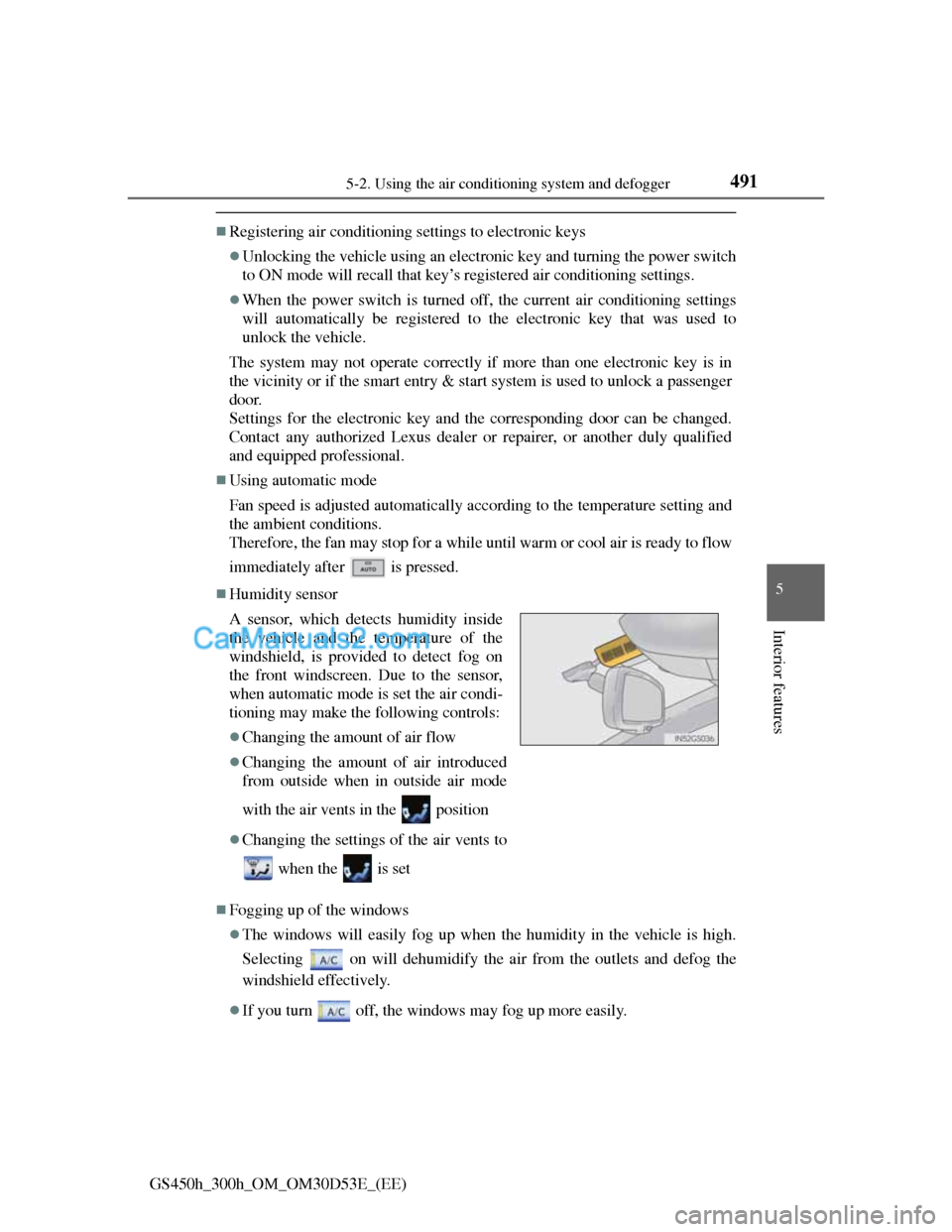
Humidity sensor
Fogging up of the windows
The windows will easily fog up when the humidity in the vehicle is high.
Selecting on will dehumidify the air from the outlets and defog the
windshield effectively.
If you turn off, the windows may fog up more easily. A sensor, which detects humidity inside
the vehicle and the temperature of the
windshield, is provided to detect fog on
the front windscreen. Due to the sensor,
when automatic mode is set the air condi-
tioning may make the following controls:
Changing the amount of air flow
Changing the amount of air introduced
from outside when in outside air mode
with the air vents in the position
Changing the settings of the air vents to
when the is set
Page 513 of 1014
4955-2. Using the air conditioning system and defogger
5
Interior features
GS450h_300h_OM_OM30D53E_(EE)
CAUTION
To prevent the windshield from fogging up
Do not use
during cool air operation in extremely humid weather.
The difference between the temperature of the outside air and that of the
windshield can cause the outer surface of the windshield to fog up, block-
ing your vision.
nanoe generator
Do not disassemble or repair the generator because it contains high voltage
parts. Contact any authorized Lexus dealer or repairer, or another duly
qualified and equipped professional if the generator needs repair.
NOTICE
To prevent 12-volt battery discharge
Do not leave the air conditioning system on longer than necessary when the
hybrid system is off.
Humidity sensor
Follow these points to avoid damaging the sensor:
Do not disassemble the sensor
Do not spray the glass cleaner on the sensor or subject it to strong impacts
Do not stick anything on the sensor
To prevent damage to the nanoe
Do not insert anything into the driver’s side vent, attach anything to it, or
use sprays around the driver’s side vent. These things may cause the gener-
ator not to work properly.
Page 514 of 1014
4965-2. Using the air conditioning system and defogger
GS450h_300h_OM_OM30D53E_(EE)
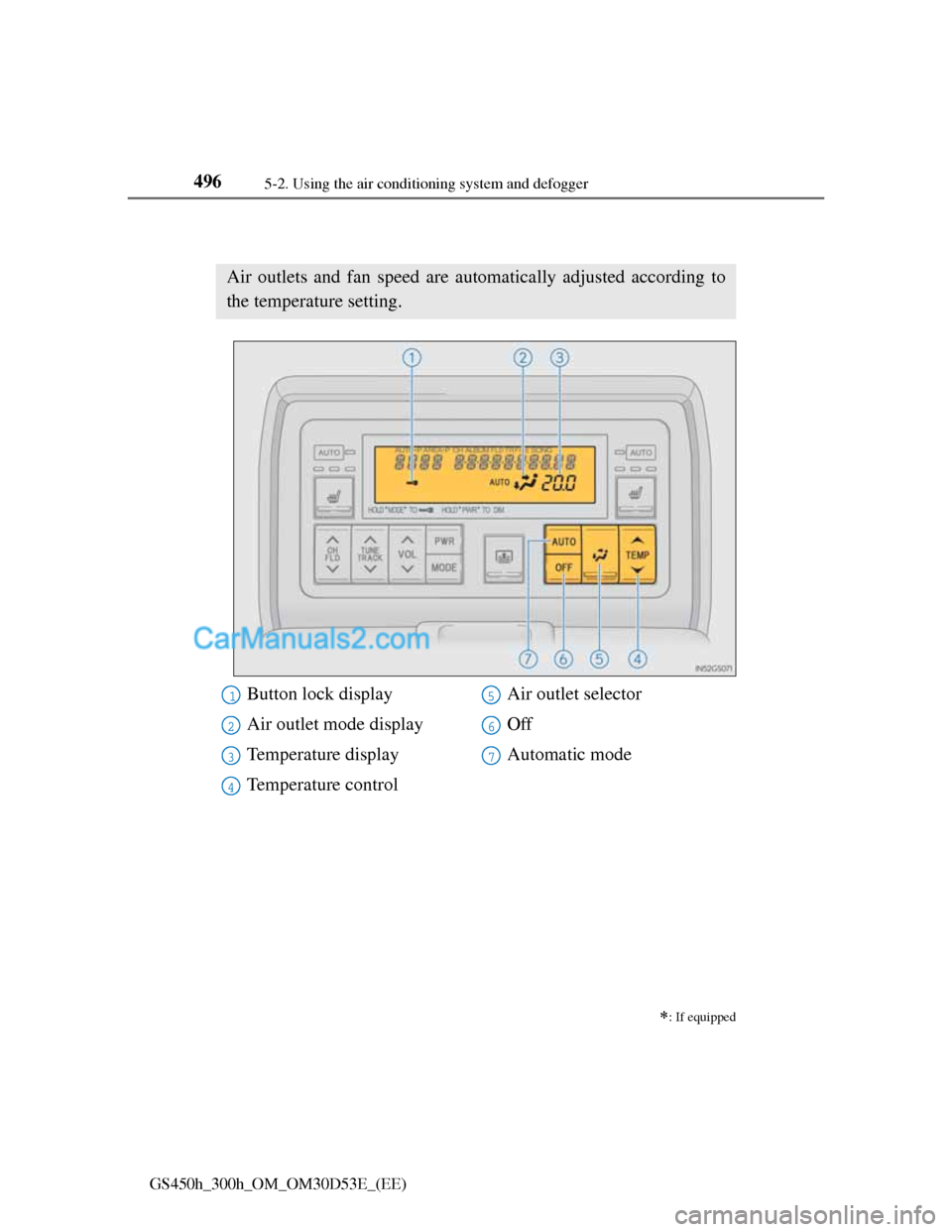
Rear air conditioning system
: If equipped
Air outlets and fan speed are automatically adjusted according to
the temperature setting.
Button lock display
Air outlet mode display
Temperature display
Temperature controlAir outlet selector
Off
Automatic mode1
2
3
4
5
6
7
Page 518 of 1014
5005-2. Using the air conditioning system and defogger
GS450h_300h_OM_OM30D53E_(EE)
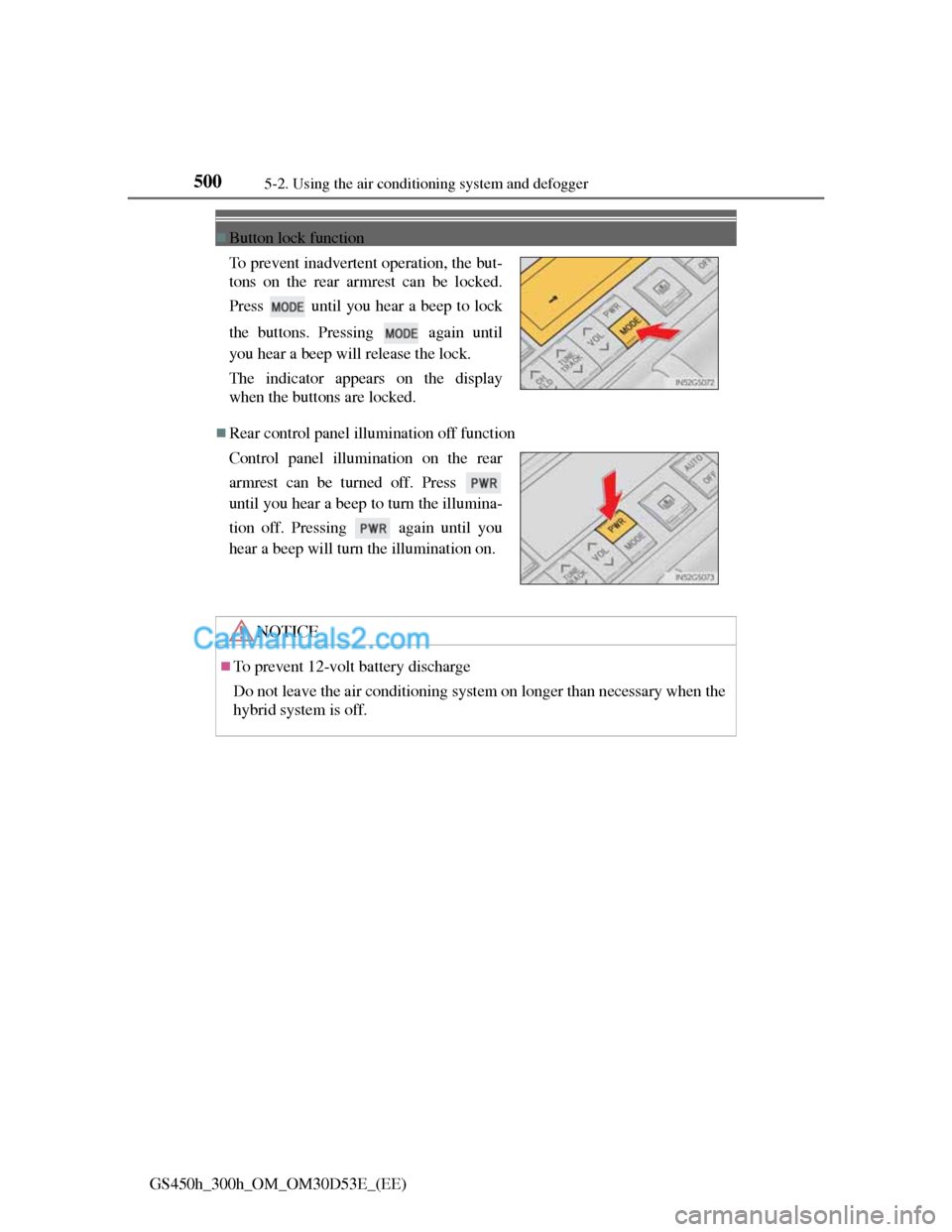
Button lock function
Rear control panel illumination off function To prevent inadvertent operation, the but-
tons on the rear armrest can be locked.
Press until you hear a beep to lock
the buttons. Pressing again until
you hear a beep will release the lock.
The indicator appears on the display
when the buttons are locked.
Control panel illumination on the rear
armrest can be turned off. Press
until you hear a beep to turn the illumina-
tion off. Pressing again until you
hear a beep will turn the illumination on.
NOTICE
To prevent 12-volt battery discharge
Do not leave the air conditioning system on longer than necessary when the
hybrid system is off.
Page 559 of 1014
5395-3. Using the audio system
5
Interior features
GS450h_300h_OM_OM30D53E_(EE)
Selecting a track
Select “<” or “>” on the screen to select the next/previous track.
Press “<” or “>” on the “CH•TRACK” button or turn the
“TUNE/SCROLL” knob to select the desired track number.
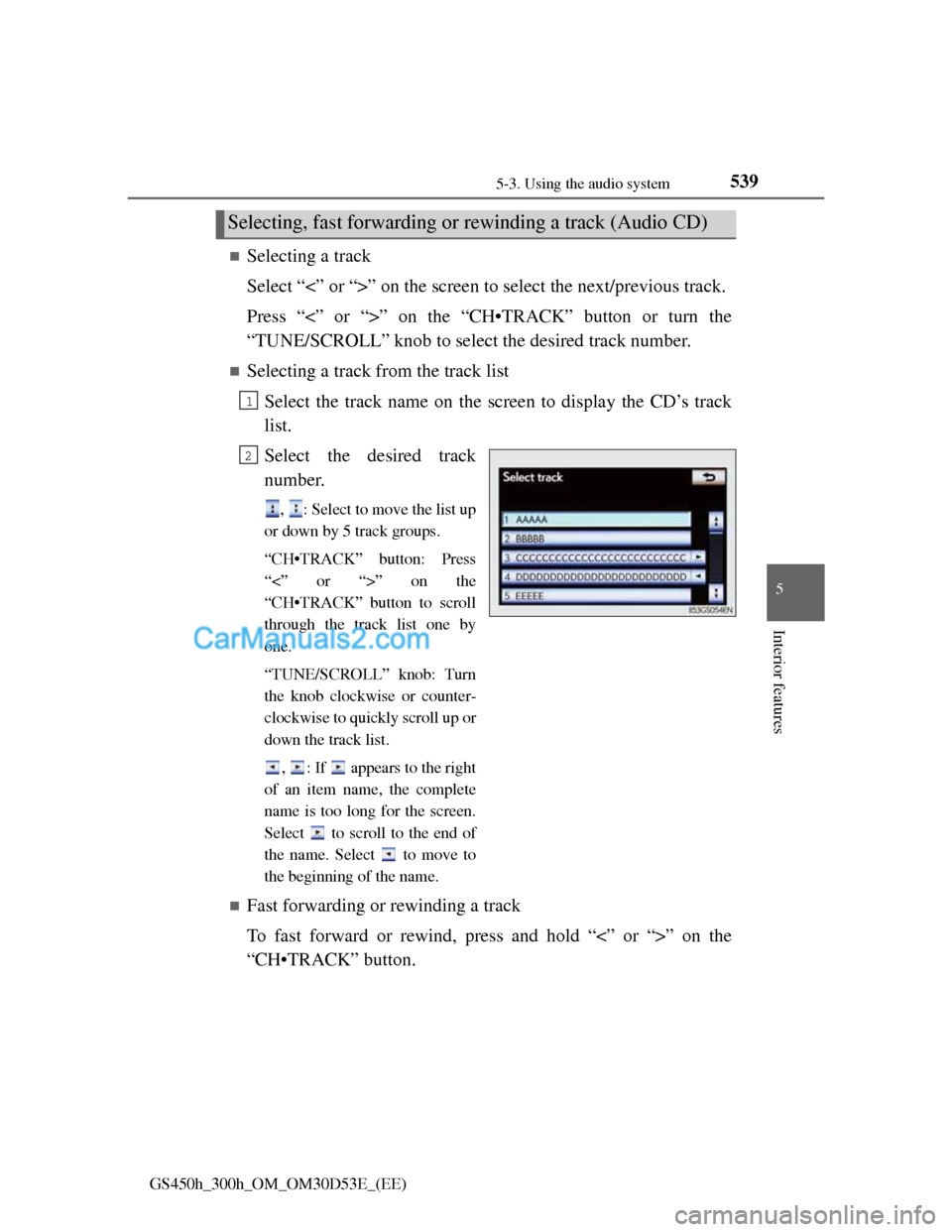
Selecting a track from the track list
Select the track name on the screen to display the CD’s track
list.
Select the desired track
number.
, : Select to move the list up
or down by 5 track groups.
“CH•TRACK” button: Press
“<” or “>” on the
“CH•TRACK” button to scroll
through the track list one by
one.
“TUNE/SCROLL” knob: Turn
the knob clockwise or counter-
clockwise to quickly scroll up or
down the track list.
, : If appears to the right
of an item name, the complete
name is too long for the screen.
Select to scroll to the end of
the name. Select to move to
the beginning of the name.
Fast forwarding or rewinding a track
To fast forward or rewind, press and hold “<” or “>” on the
“CH•TRACK” button.
Selecting, fast forwarding or rewinding a track (Audio CD)
1
2
Page 560 of 1014
5405-3. Using the audio system
GS450h_300h_OM_OM30D53E_(EE)
Selecting a folder
Select “<” or “>” on the screen to select the next/previous folder.
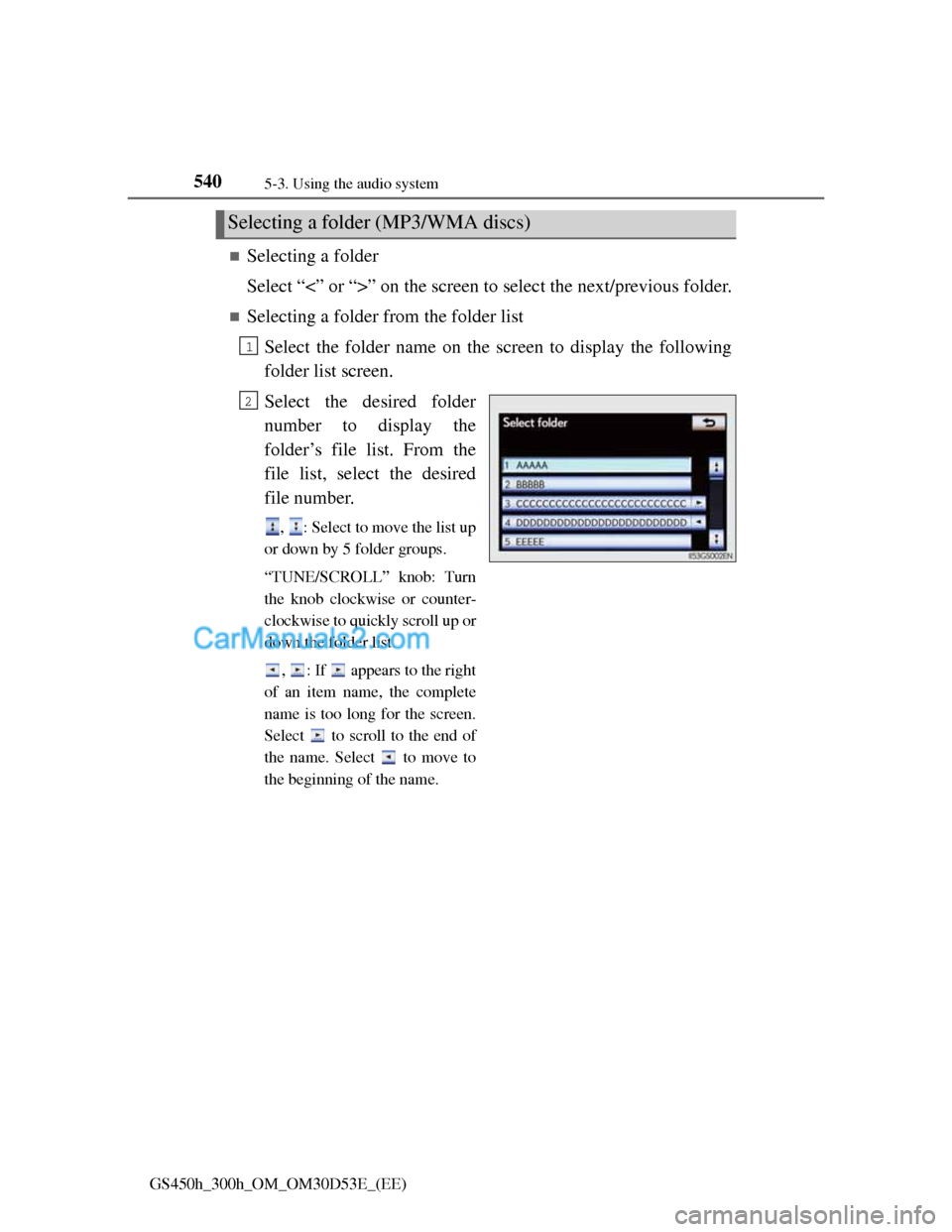
Selecting a folder from the folder list
Select the folder name on the screen to display the following
folder list screen.
Select the desired folder
number to display the
folder’s file list. From the
file list, select the desired
file number.
, : Select to move the list up
or down by 5 folder groups.
“TUNE/SCROLL” knob: Turn
the knob clockwise or counter-
clockwise to quickly scroll up or
down the folder list.
, : If appears to the right
of an item name, the complete
name is too long for the screen.
Select to scroll to the end of
the name. Select to move to
the beginning of the name.
Selecting a folder (MP3/WMA discs)
1
2
Page 561 of 1014
5415-3. Using the audio system
5
Interior features
GS450h_300h_OM_OM30D53E_(EE)
Selecting a file
Select “<” or “>” on the screen to select the next/previous file.
Press “<” or “>” on the “CH•TRACK” button or turn the
“TUNE/SCROLL” knob to select the desired file number.
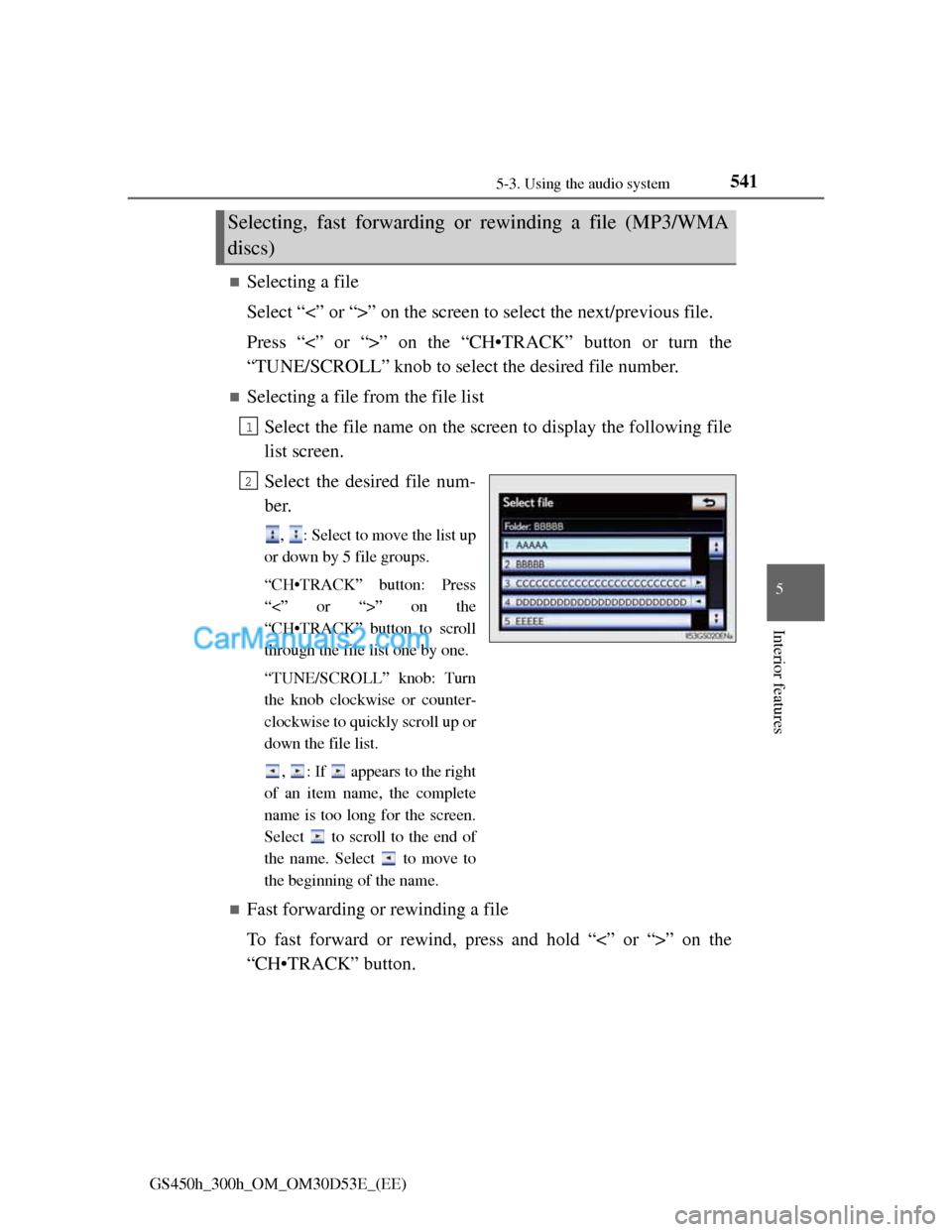
Selecting a file from the file list
Select the file name on the screen to display the following file
list screen.
Select the desired file num-
ber.
, : Select to move the list up
or down by 5 file groups.
“CH•TRACK” button: Press
“<” or “>” on the
“CH•TRACK” button to scroll
through the file list one by one.
“TUNE/SCROLL” knob: Turn
the knob clockwise or counter-
clockwise to quickly scroll up or
down the file list.
, : If appears to the right
of an item name, the complete
name is too long for the screen.
Select to scroll to the end of
the name. Select to move to
the beginning of the name.
Fast forwarding or rewinding a file
To fast forward or rewind, press and hold “<” or “>” on the
“CH•TRACK” button.
Selecting, fast forwarding or rewinding a file (MP3/WMA
discs)
1
2