buttons Lexus GS300h 2013 User Guide
[x] Cancel search | Manufacturer: LEXUS, Model Year: 2013, Model line: GS300h, Model: Lexus GS300h 2013Pages: 1014
Page 465 of 1014
4485-1. Remote Touch screen
GS450h_300h_OM_OM30D53E_(EE)
When using the Remote Touch screen
If the screen is cold, the display may be dark, or the system may seem to be
operating slightly slower than normal.
When the screen is viewed through polarized sunglasses, a rainbow pattern
may appear on the screen due to optical characteristics of the screen. If this
is disturbing, please operate the screen without polarized sunglasses.
Dimmed screen buttons cannot be operated.
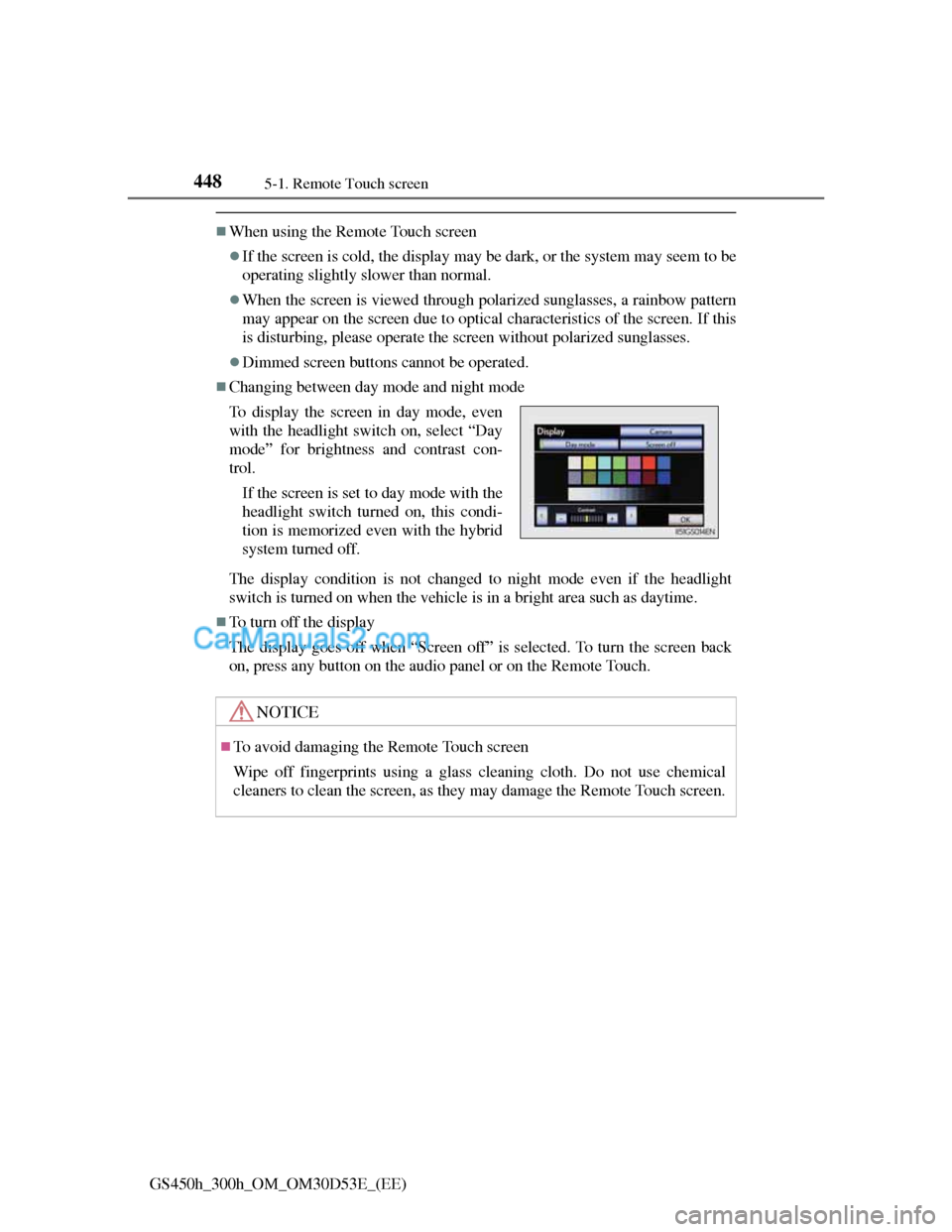
Changing between day mode and night mode
The display condition is not changed to night mode even if the headlight
switch is turned on when the vehicle is in a bright area such as daytime.
To turn off the display
The display goes off when “Screen off” is selected. To turn the screen back
on, press any button on the audio panel or on the Remote Touch. To display the screen in day mode, even
with the headlight switch on, select “Day
mode” for brightness and contrast con-
trol.
If the screen is set to day mode with the
headlight switch turned on, this condi-
tion is memorized even with the hybrid
system turned off.
NOTICE
To avoid damaging the Remote Touch screen
Wipe off fingerprints using a glass cleaning cloth. Do not use chemical
cleaners to clean the screen, as they may damage the Remote Touch screen.
Page 475 of 1014
4585-1. Remote Touch screen
GS450h_300h_OM_OM30D53E_(EE)
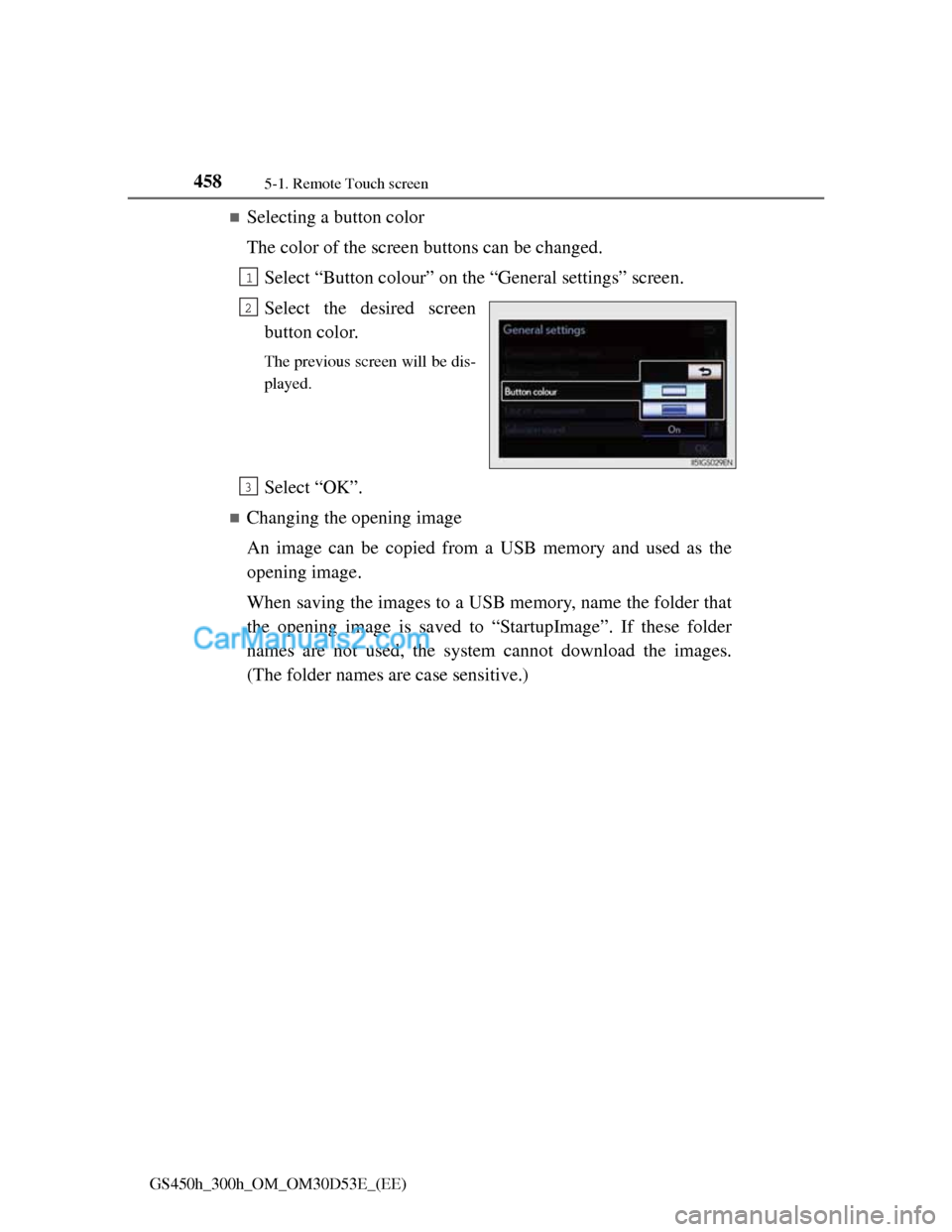
Selecting a button color
The color of the screen buttons can be changed.
Select “Button colour” on the “General settings” screen.
Select the desired screen
button color.
The previous screen will be dis-
played.
Select “OK”.
Changing the opening image
An image can be copied from a USB memory and used as the
opening image.
When saving the images to a USB memory, name the folder that
the opening image is saved to “StartupImage”. If these folder
names are not used, the system cannot download the images.
(The folder names are case sensitive.)
1
2
3
Page 518 of 1014
5005-2. Using the air conditioning system and defogger
GS450h_300h_OM_OM30D53E_(EE)
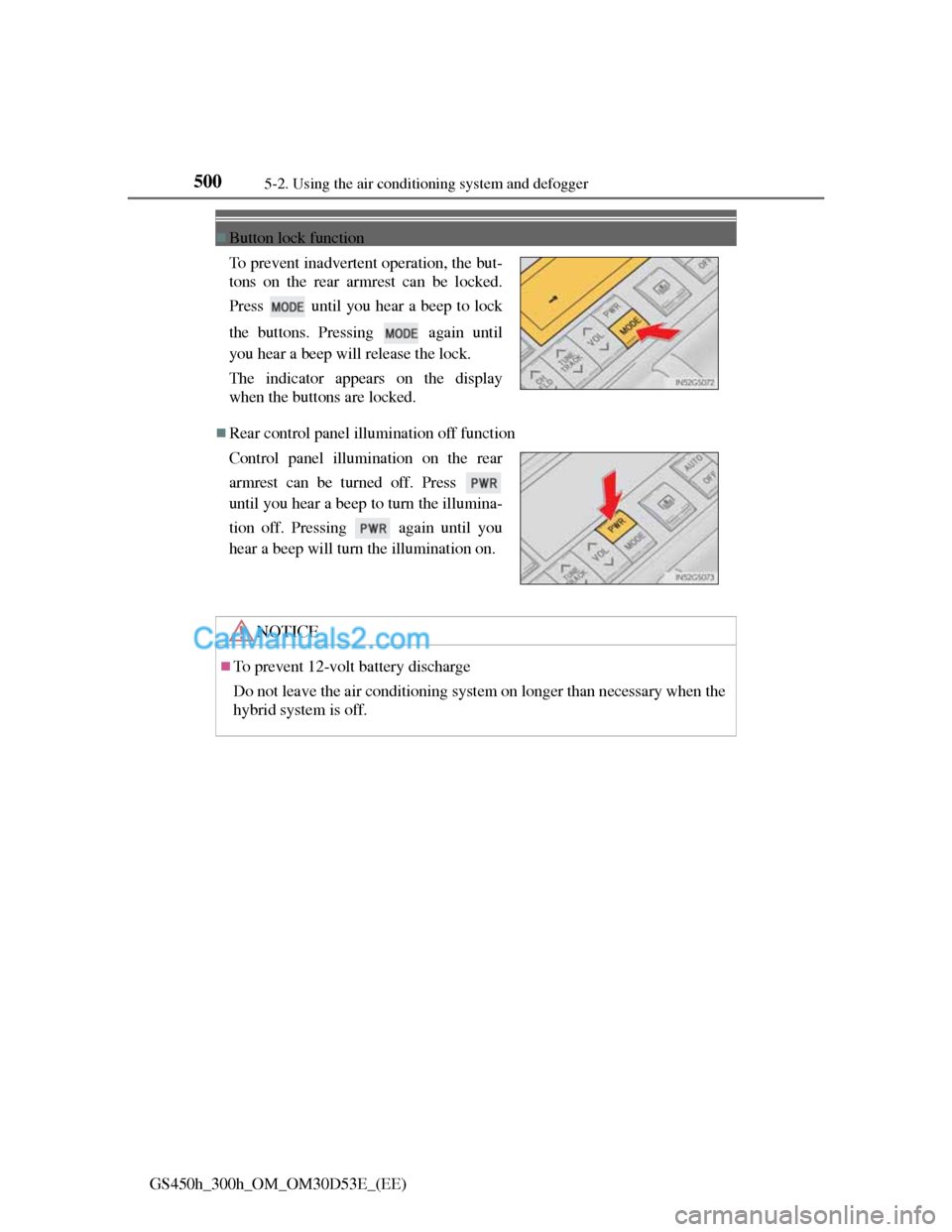
Button lock function
Rear control panel illumination off function To prevent inadvertent operation, the but-
tons on the rear armrest can be locked.
Press until you hear a beep to lock
the buttons. Pressing again until
you hear a beep will release the lock.
The indicator appears on the display
when the buttons are locked.
Control panel illumination on the rear
armrest can be turned off. Press
until you hear a beep to turn the illumina-
tion off. Pressing again until you
hear a beep will turn the illumination on.
NOTICE
To prevent 12-volt battery discharge
Do not leave the air conditioning system on longer than necessary when the
hybrid system is off.
Page 524 of 1014
5045-3. Using the audio system
GS450h_300h_OM_OM30D53E_(EE)
Using cellular phones
Interference may be heard through the audio system’s speakers if a cellular
phone is being used inside or close to the vehicle while the audio system is
operating.
When using the Remote Touch screen
Dimmed screen buttons cannot be operated.
Ta b
Select or , located either side of the screen tabs, to display tabs from
the previous or next page.
About Dolby
Manufactured under license from Dolby Laboratories. Dolby and the double-
D symbol are trademarks of Dolby Laboratories.
CAUTION
Certification for the disc player
This product is a Class 1 laser product classified under the Safety of laser
products, IEC 60825-1:2007, and contains a class 1 M laser module. To
ensure continued safety, do not remove any covers or attempt to gain access
to the inside of the product. Refer all servicing to qualified personnel.
CLASS 1 LASER PRODUCT
CAUTION - CLASS 1 M VISIBLE
AND INVISIBLE LASER RADIA-
TION WHEN OPEN, DO NOT VIEW
DIRECTLY WITH OPTICAL
INSTRUMENTS.
Page 603 of 1014
5835-3. Using the audio system
5
Interior features
GS450h_300h_OM_OM30D53E_(EE)
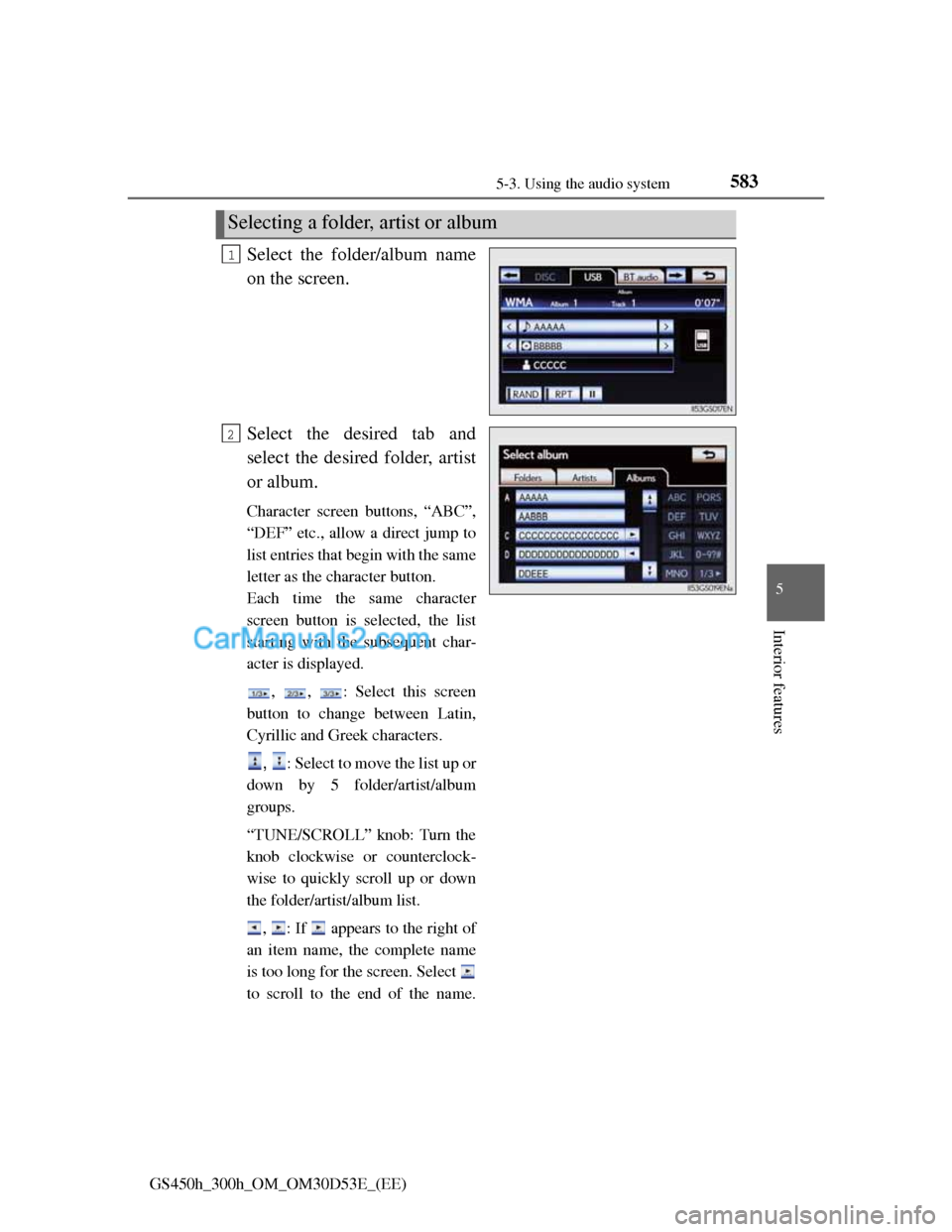
Select the folder/album name
on the screen.
Select the desired tab and
select the desired folder, artist
or album.
Character screen buttons, “ABC”,
“DEF” etc., allow a direct jump to
list entries that begin with the same
letter as the character button.
Each time the same character
screen button is selected, the list
starting with the subsequent char-
acter is displayed.
, , : Select this screen
button to change between Latin,
Cyrillic and Greek characters.
, : Select to move the list up or
down by 5 folder/artist/album
groups.
“TUNE/SCROLL” knob: Turn the
knob clockwise or counterclock-
wise to quickly scroll up or down
the folder/artist/album list.
, : If appears to the right of
an item name, the complete name
is too long for the screen. Select
to scroll to the end of the name.
Selecting a folder, artist or album
1
2
Page 630 of 1014
6105-3. Using the audio system
GS450h_300h_OM_OM30D53E_(EE)
Fast forwarding or rewinding a chapter or file
Press and hold “” or “” on .
Button lock function
To prevent inadvertent operation, some buttons on the rear armrest can be
locked. (P. 500)
Rear control panel illumination off function
Control panel illumination on the rear armrest can be turned off. (P. 500)
When “ERROR”, “WAIT” or “NO MUSIC” is shown on the display
Refer to the following and take the appropriate measures. If the problem is
not rectified, take the vehicle inspected by any authorized Lexus dealer or
repairer, or another duly qualified and equipped professional.
“ERROR”:This indicates a trouble either in the disc or inside the player. The
disc may be dirty, damaged, or inserted up-side down.
“WAIT”:Operation is stopped due to a high temperature inside the player.
Eject the disc and allow the player to cool down.
“NO MUSIC”:This indicates that an MP3/WMA file is not included in the
disc.
Page 671 of 1014
6485-4. Using the hands-free phone system(for cellular phone)
GS450h_300h_OM_OM30D53E_(EE)
Setting the ring tone
Display the “Telephone settings” screen. (P. 646)
Select “Sound settings” on the “Telephone settings” screen.
Select “Ring tone” on the “Sound settings” screen.
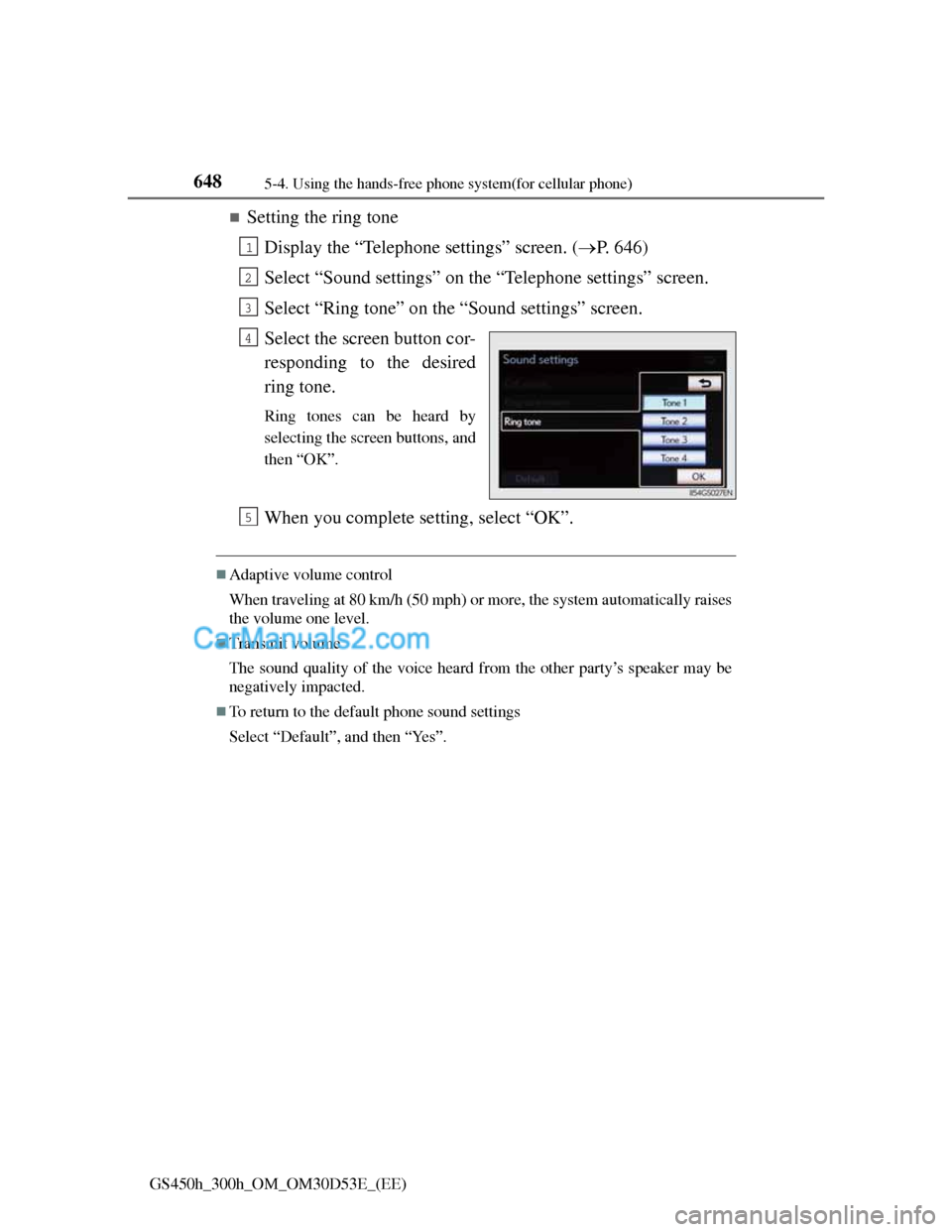
Select the screen button cor-
responding to the desired
ring tone.
Ring tones can be heard by
selecting the screen buttons, and
then “OK”.
When you complete setting, select “OK”.
Adaptive volume control
When traveling at 80 km/h (50 mph) or more, the system automatically raises
the volume one level.
Transmit volume
The sound quality of the voice heard from the other party’s speaker may be
negatively impacted.
To return to the default phone sound settings
Select “Default”, and then “Yes”.
1
2
3
4
5
Page 689 of 1014
6665-4. Using the hands-free phone system(for cellular phone)
GS450h_300h_OM_OM30D53E_(EE)
Changing the new message notification volume
Display the “Messaging settings” screen. (P. 665)
Select “New message notification volume” on the “Messaging
settings” screen.
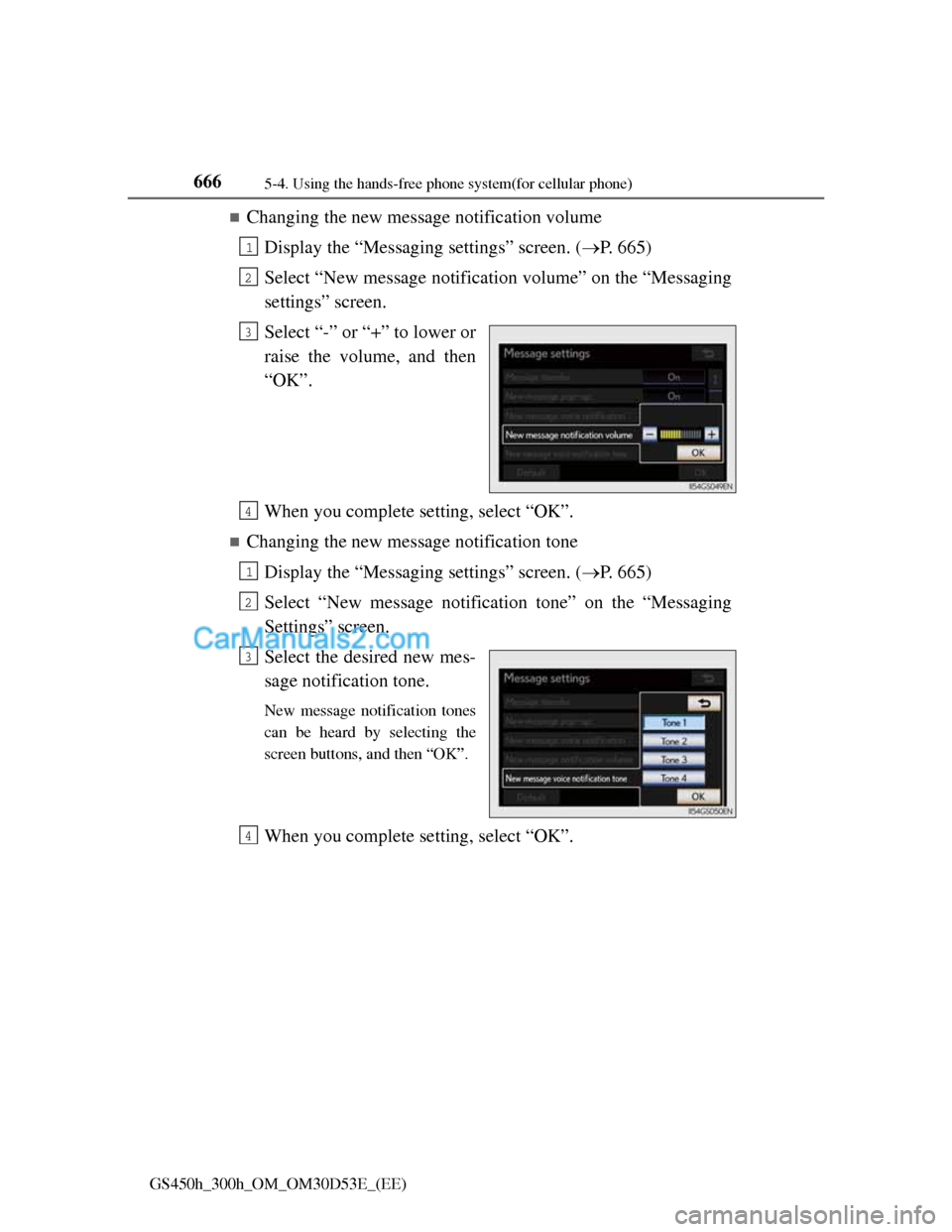
Select “-” or “+” to lower or
raise the volume, and then
“OK”.
When you complete setting, select “OK”.
Changing the new message notification tone
Display the “Messaging settings” screen. (P. 665)
Select “New message notification tone” on the “Messaging
Settings” screen.
Select the desired new mes-
sage notification tone.
New message notification tones
can be heard by selecting the
screen buttons, and then “OK”.
When you complete setting, select “OK”.
1
2
3
4
1
2
3
4
Page 722 of 1014
6985-7. Other interior features
GS450h_300h_OM_OM30D53E_(EE)
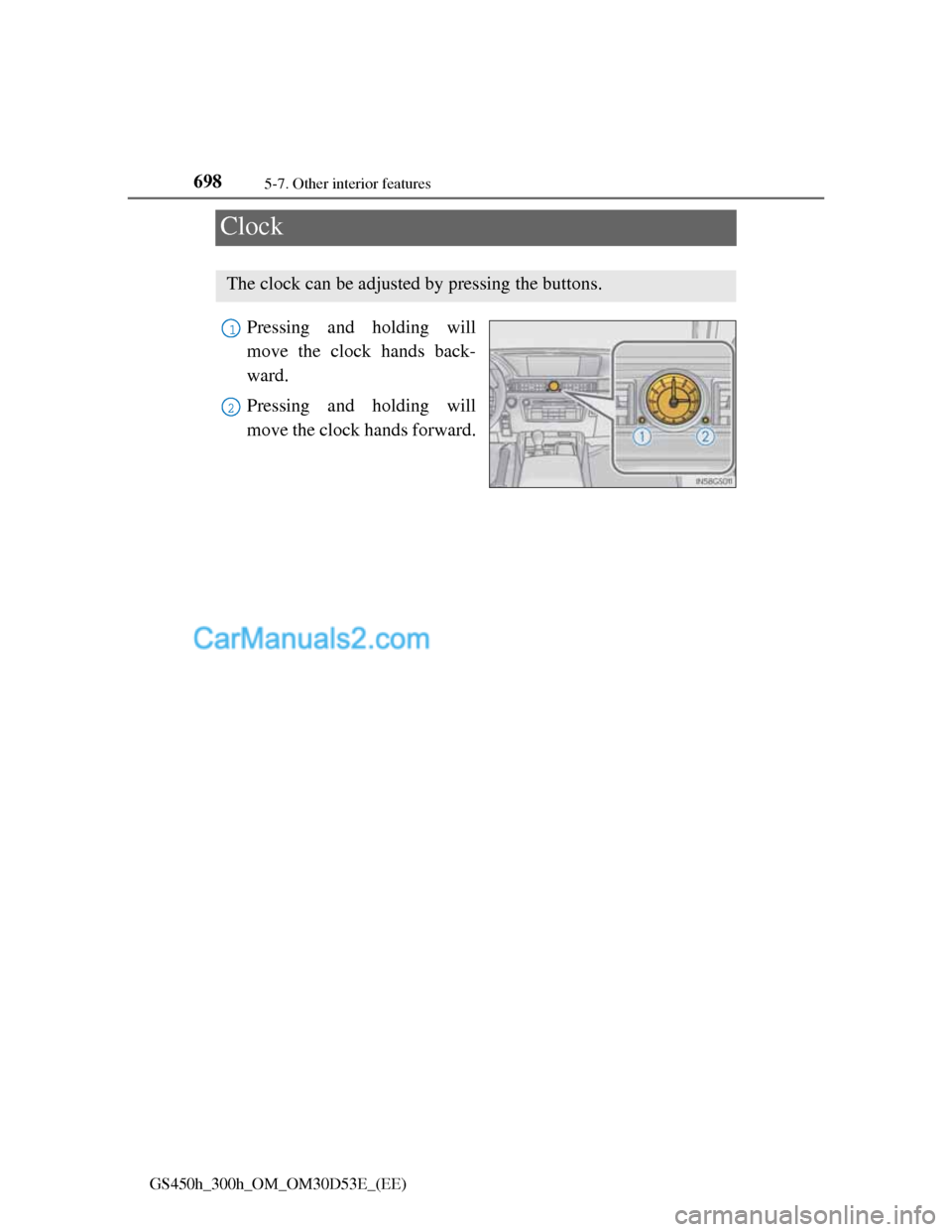
Clock
Pressing and holding will
move the clock hands back-
ward.
Pressing and holding will
move the clock hands forward.
The clock can be adjusted by pressing the buttons.
1
2
Page 733 of 1014
7095-7. Other interior features
5
Interior features
GS450h_300h_OM_OM30D53E_(EE)
Button lock function (vehicles with rear control panel)
To prevent inadvertent operation, some buttons on the rear armrest can be
locked. (P. 500)
When the switch is disabled (vehicles with rear control panel)
When the rear control panel switch cannot be operated even though the but-
ton lock function is released, check whether the switch is disabled due to
pressing on Remote Touch screen. (P. 488)
Rear control panel illumination off function (vehicles with rear control panel)
Control panel illumination on the rear armrest can be turned off. (P. 500)
Customization
The automatic operation of the front seat heaters (without seat ventilators)
and the automatic mode settings for the front seat heaters and ventilators or
the rear seat heaters can be changed. (Customizable features: P. 950)
CAUTION
Burns (vehicles with seat heaters)
Use caution when seating the following persons in a seat with the seat
heater on to avoid the possibility of burns:
• Babies, small children, the elderly, the sick and the physically chal-
lenged
• Persons with sensitive skin
• Persons who are fatigued
• Persons who have taken alcohol or drugs that induce sleep (sleeping
drugs, cold remedies, etc.)
Do not cover the seat with anything when using the seat heater.
Using the seat heater with a blanket or cushion increases the temperature
of the seat and may lead to overheating.
Do not use seat heater more than necessary. Doing so may cause minor
burns or overheating.