headlights Lexus GS300h 2013 User Guide
[x] Cancel search | Manufacturer: LEXUS, Model Year: 2013, Model line: GS300h, Model: Lexus GS300h 2013Pages: 1014
Page 288 of 1014
2784-3. Operating the lights and wipers
GS450h_300h_OM_OM30D53E_(EE)
When all of the following conditions are fulfilled, high beam will
be automatically turned on (after approximately 1 second):
Vehicle speed is above approximately 40 km/h (25 mph).
The area ahead of the vehicle is dark.
There are no oncoming or preceding vehicles with headlights or
tail lights turned on.
There are few streetlights on the road ahead.
If any of the following conditions are fulfilled, high beam will be
automatically turned off:
Vehicle speed drops below approximately 30 km/h (19 mph).
The area ahead of the vehicle is not dark.
Oncoming or preceding vehicles have headlights or tail lights
turned on.
There are many streetlights on the road ahead.
High beam automatic turning on or off conditions
Page 290 of 1014

2804-3. Operating the lights and wipers
GS450h_300h_OM_OM30D53E_(EE)
The Automatic High Beam can be operated when
The power switch is in ON mode.
Camera sensor detection information
High beam may not be automatically turned off in the following situations:
• When oncoming vehicles suddenly appear from a curve
• When the vehicle is cut in front of by another
• When oncoming or preceding vehicles are hidden from sight due to
repeated curves, road dividers or roadside trees
• When oncoming vehicles appear from the faraway lane on wide road
• When oncoming or preceding vehicles have no lights
High beam may be turned off if an oncoming vehicle that is using fog lights
without using the headlights is detected.
House lights, street lights, red traffic signals, and illuminated billboards or
signs may cause the high beam to turn off.
The following factors may affect the amount of time taken to turn high
beam on or off:
• The brightness of headlights, fog lights, and tail lights of oncoming and
preceding vehicles
• The movement and direction of oncoming and preceding vehicles
• When a oncoming or preceding vehicle only has operational lights on
one side
• When a oncoming or preceding vehicle is a two-wheeled vehicle
• The condition of the road (gradient, curve, condition of the road surface
etc.)
• The number of passengers and amount of luggage
High beam may be turned on or off when unexpected by the driver.
Page 291 of 1014
2814-3. Operating the lights and wipers
4
Driving
GS450h_300h_OM_OM30D53E_(EE)
In the situations below, the system may not be able to correctly detect the
surrounding brightness levels, and may flash or expose nearby pedestrians
to the high beam. Therefore, you should consider turning the high beams on
or off manually rather than relying on the Automatic High Beam system.
• In bad weather (rain, snow, fog, sandstorms etc.)
• The windshield is obscured by fog, mist, ice, dirt etc.
• The windshield is cracked or damaged.
• The inside rear view mirror or camera sensor is deformed or dirty.
• The camera sensor temperature is extremely high.
• Surrounding brightness levels are equal to those of headlights, tail lights
or fog lights.
• Vehicles ahead have headlights that are either switched off, dirty, are
changing color, or have are not aimed properly.
• When driving through an area of intermittently changing brightness and
darkness.
• When frequently and repeatedly driving ascending/descending roads, or
roads with rough, bumpy or uneven surfaces (such as stone-paved roads,
gravel tracks etc.).
• When frequently and repeatedly taking curves or driving on a winding
road.
• There is a highly reflective object ahead of the vehicle, such as a sign or
a mirror.
• The back of a vehicle ahead is highly reflective, such as a container on a
truck.
• The vehicle’s headlights are damaged or dirty.
• The vehicle is listing or tilting, due to a flat tire, a trailer being towed etc.
• The high beam and low beam are repeatedly being switched between in
an abnormal manner.
• The driver believes that the high beam may be causing problems or dis-
tress to other drivers or pedestrians nearby.
CAUTION
Limitations of the Automatic High Beam
Do not rely on the Automatic High Beam. Always drive safely, taking care
to observe your surroundings and turning high beam on or off manually if
necessary.
Page 292 of 1014
2824-3. Operating the lights and wipers
GS450h_300h_OM_OM30D53E_(EE)
NOTICE
Notes when using the Automatic High Beam system
Do not spill liquid onto the inside rear view mirror or the camera sensor.
Do not apply window tinting or stickers to the camera sensor or the area of
windshield near the camera sensor.
Do not place items on the dashboard. There is a possibility that the camera
sensor will mistake items reflected in the windshield for streetlights, the
headlights of other vehicles, etc.
Do not install a parking tag or any other accessories near or around the
inside rear view mirror and the camera sensor.
Do not overload the vehicle.
Do not modify the vehicle.
Do not replace windshield with non-genuine windshield.
Contact any authorized Lexus dealer or repairer, or another duly qualified
and equipped professional.
Do not replace headlights with non-genuine headlights.
Contact any authorized Lexus dealer or repairer, or another duly qualified
and equipped professional.
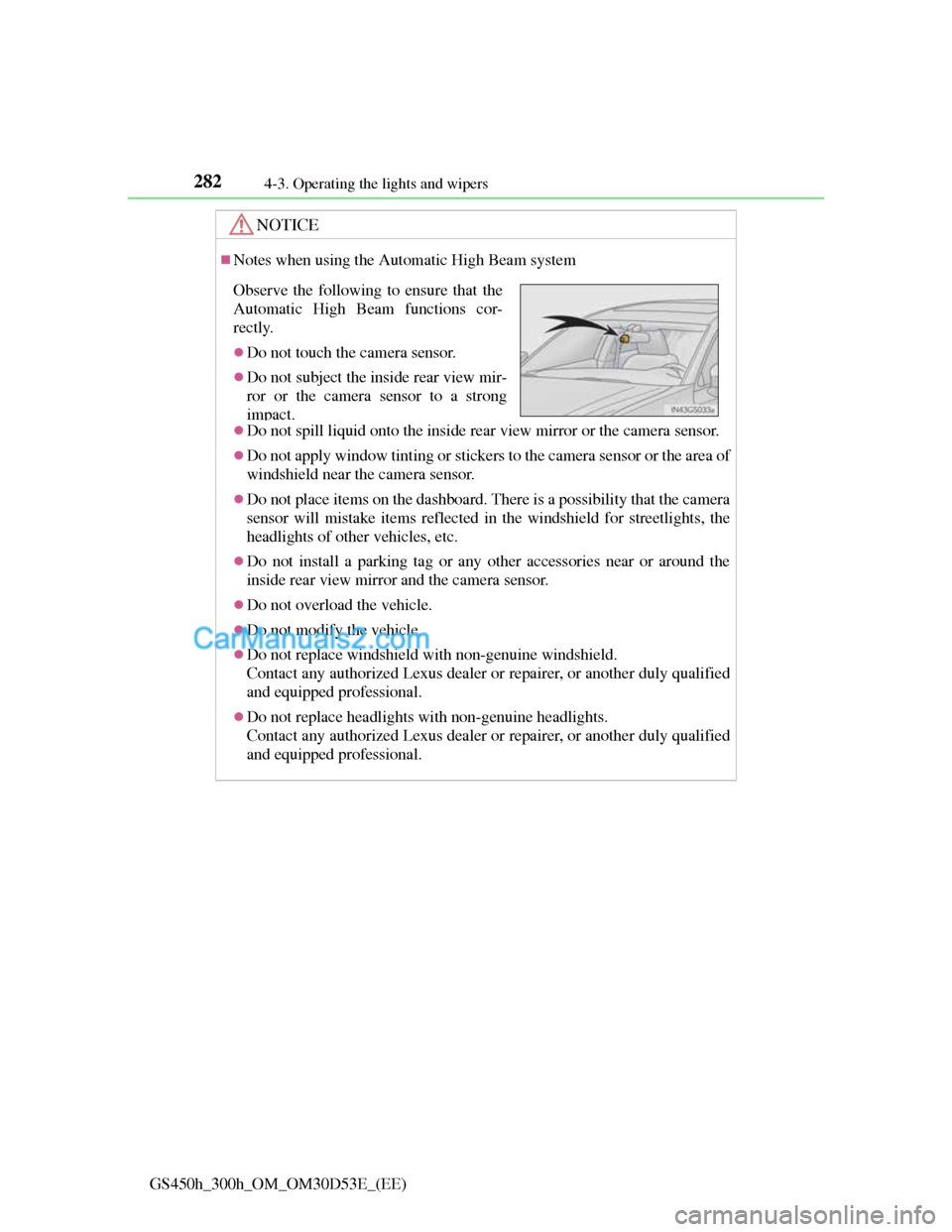
Observe the following to ensure that the
Automatic High Beam functions cor-
rectly.
Do not touch the camera sensor.
Do not subject the inside rear view mir-
ror or the camera sensor to a strong
impact.
Page 294 of 1014

2844-3. Operating the lights and wipers
GS450h_300h_OM_OM30D53E_(EE)
Fog lights can be used when
Vehicles with a front and rear fog light switch
Front fog lights: The headlights or the front position lights are turned on.
Rear fog light: The front fog lights are turned on.
Vehicles with a rear fog light switch
The headlights or the front position lights are turned on.
Page 303 of 1014
2934-3. Operating the lights and wipers
4
Driving
GS450h_300h_OM_OM30D53E_(EE)
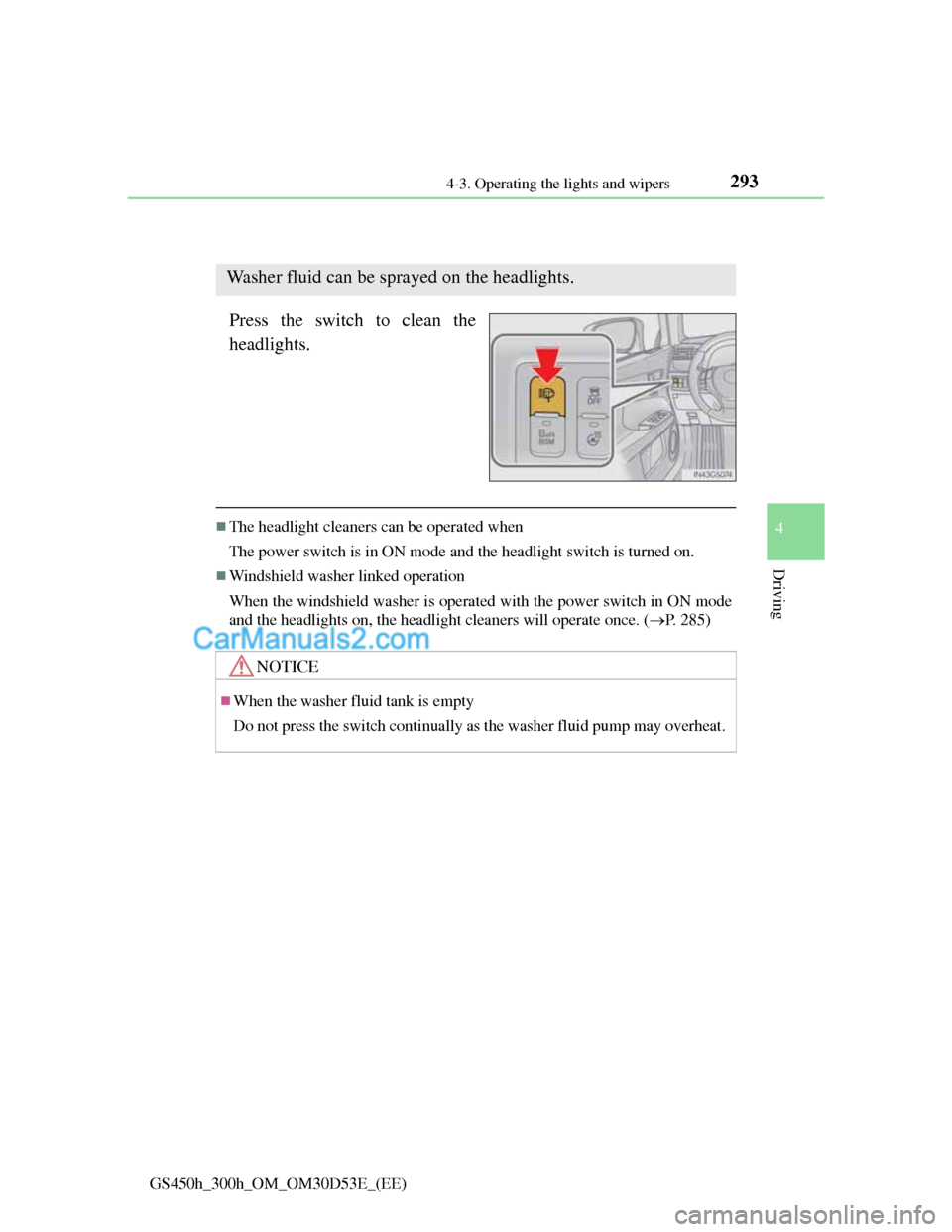
Headlight cleaner switch
Press the switch to clean the
headlights.
The headlight cleaners can be operated when
The power switch is in ON mode and the headlight switch is turned on.
Windshield washer linked operation
When the windshield washer is operated with the power switch in ON mode
and the headlights on, the headlight cleaners will operate once. (P. 285)
Washer fluid can be sprayed on the headlights.
NOTICE
When the washer fluid tank is empty
Do not press the switch continually as the washer fluid pump may overheat.
Page 355 of 1014
3444-5. Using the driving support system
GS450h_300h_OM_OM30D53E_(EE)
After the vehicle has been parked in the sun
The LKA system functions may not be available and a warning message
(P. 854) will be displayed for a while after driving has started. In such
cases, turn the LKA system off and turn it on again after normal temperature
returns. When the temperature in the cabin decreases and the temperature
around the camera sensor (P. 338) becomes suitable for its operation, the
functions will begin to operate.
If there are lane markers on only one side of the vehicle
The lane keeping assist function will not operate. Also, the lane departure
warning will not operate for the side on which lane markers could not be rec-
ognized.
Conditions in which the function may not operate correctly
In the following conditions, the LKA system functions may not operate, or it
may not be possible to ensure adequate performance. Also, the camera sensor
may be unable to recognize lane lines causing the lane departure warning
function to operate incorrectly, or the lane keeping assist function may not
operate properly. However, this does not indicate a malfunction.
When driving through an area with no lane markers, such as a tollbooth, a
crossing or before a ticket checkpoint
When driving on a sharp curve
When lanes are extremely narrow or extremely wide
When the vehicle leans to one side an unusual amount due to a heavy load
or improper tire inflation pressure
When the following distance between your vehicle and the vehicle ahead is
extremely short
When the lane markers are yellow (These may be more difficult for the sys-
tem to recognize compared to white markers.)
When the lane markers are broken, “Raised pavement marker” or stones
When lane markers are obscured or partially obscured by sand, dirt, etc.
When there are shadows on the road running parallel with lane markers, or
if a shadow covers the lane markers
When driving on a particularly bright road surface, such as concrete
When driving on a road surface that is bright due to reflected light
When driving in a location where the light level changes rapidly, such as the
entrance to or exit from a tunnel
When sunlight or the headlights of oncoming vehicles are shining directly
into the camera lens
Page 356 of 1014
345
4 4-5. Using the driving support system
Driving
GS450h_300h_OM_OM30D53E_(EE)
When driving on roads that are branching or merging
When driving on a road surface that is wet due to rain, previous rainfall,
standing water, etc.
When the vehicle experiences strong up-and-down motion such as when
driving on an extremely rough road or on a seam in the pavement
When headlight brightness at nighttime is reduced due to dirt on the lenses,
or when the headlights are misaligned
When driving with a strong crosswind
When driving on winding roads or roads that are uneven
When driving on rough or unpaved roads
When changing the tires
Depending on the tires used, sufficient performance may not be maintain-
able.
Warning messages for LKA
Warning messages are used to indicate a system malfunction or to inform the
driver of the need for caution while driving. (P. 842, 854)
CAUTION
Before using the LKA system
Do not rely solely on the LKA system. The LKA system does not drive the
vehicle automatically, nor does it reduce the amount of care you need to
take. As such, the driver must always assume full responsibility for under-
standing his/her surroundings, for operating the steering wheel to correct
the driving line, and for driving safely.
Inappropriate or negligent driving could lead to an accident.
To avoid operating the LKA by mistake
Switch the LKA off using the “LKA” switch when not in use.
Page 357 of 1014
3464-5. Using the driving support system
GS450h_300h_OM_OM30D53E_(EE)
CAUTION
Situations unsuitable for LKA
Do not use LKA in any of the following situations.
Otherwise, the system may not function correctly and could result in an
accident.
When driving with snow tires, tire chains, a spare tire, or similar equip-
ment
When the tires have been excessively worn, or when the tire inflation
pressure is low
When there are objects or structures along the roadside that might be mis-
interpreted as lane markers (such as guardrails, curb, reflector posts, etc.)
When driving on snowy roads
When pavement lane markers are difficult to see due to rain, snow, fog,
sand, dirt, etc.
When there are visible lines on the pavement from road repairs, or if the
remains of old lane markers are still visible on the road
When driving on slippery roads, such as those covered with rain, ice or
snow
When driving in a lane other than the driving or passing lanes on a free-
way or highway
When driving on a road with lane closures due to maintenance, or when
driving in a temporary lane
When towing a trailer
NOTICE
To prevent damage to or incorrect operation of the LKA system
Do not modify the headlights or attach stickers to the surface of the lights.
Do not modify the suspension, or replace them with non-genuine parts.
Do not install or place anything on the hood or the grille. Also, do not
install a grille guard (bull bars, kangaroo bar etc.).
Do not modify the sun visor or replace it with anything other than a genu-
ine Lexus product.
If your windshield needs repairs, contact any authorized Lexus dealer or
repairer, or another duly qualified and equipped professional.
Page 441 of 1014
4304-5. Using the driving support system
GS450h_300h_OM_OM30D53E_(EE)
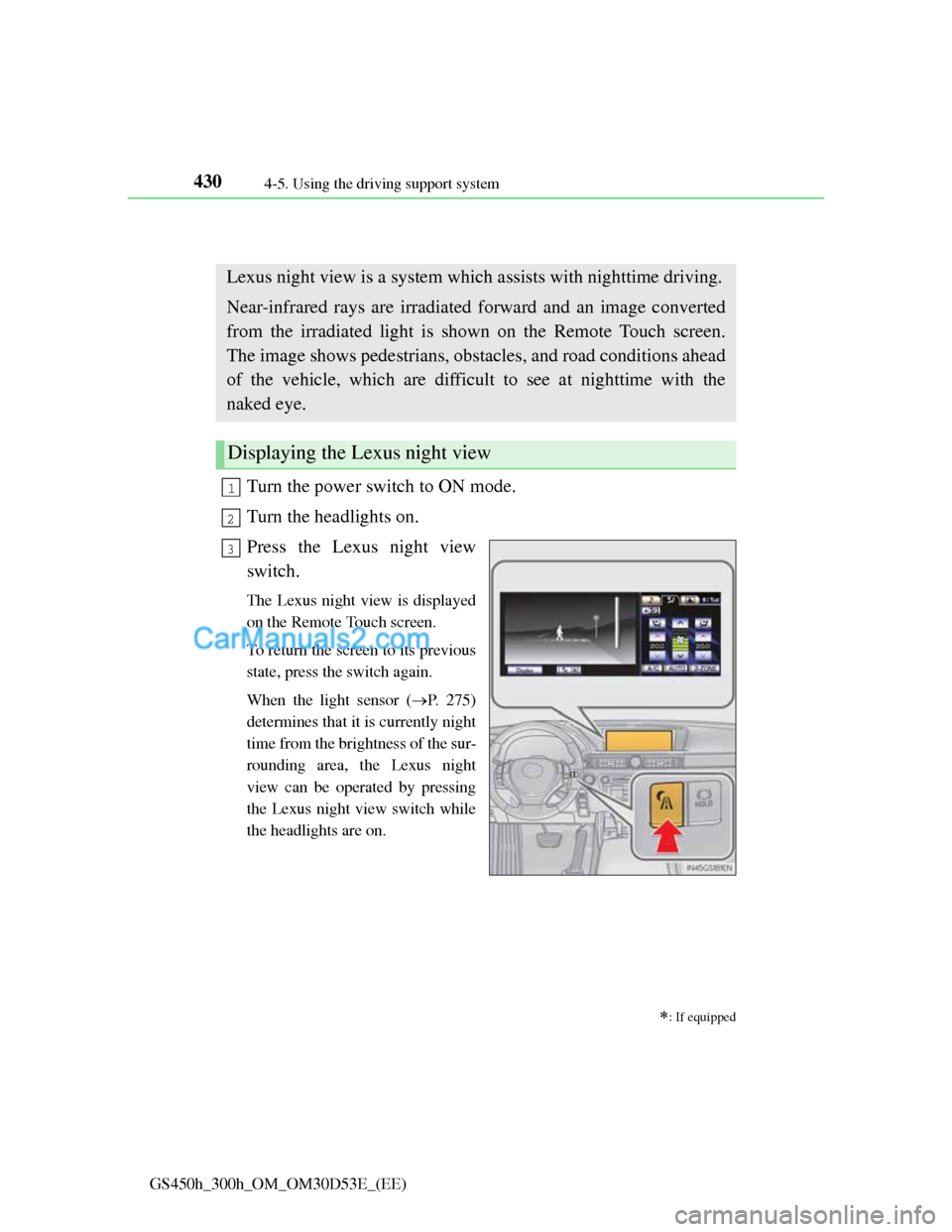
Lexus night view
Turn the power switch to ON mode.
Turn the headlights on.
Press the Lexus night view
switch.
The Lexus night view is displayed
on the Remote Touch screen.
To return the screen to its previous
state, press the switch again.
When the light sensor (P. 275)
determines that it is currently night
time from the brightness of the sur-
rounding area, the Lexus night
view can be operated by pressing
the Lexus night view switch while
the headlights are on.
: If equipped
Lexus night view is a system which assists with nighttime driving.
Near-infrared rays are irradiated forward and an image converted
from the irradiated light is shown on the Remote Touch screen.
The image shows pedestrians, obstacles, and road conditions ahead
of the vehicle, which are difficult to see at nighttime with the
naked eye.
Displaying the Lexus night view
1
2
3