remote control Lexus GS300h 2013 Owner's Guide
[x] Cancel search | Manufacturer: LEXUS, Model Year: 2013, Model line: GS300h, Model: Lexus GS300h 2013Pages: 1014
Page 205 of 1014
2043-3. Adjusting the seats
GS450h_300h_OM_OM30D53E_(EE)
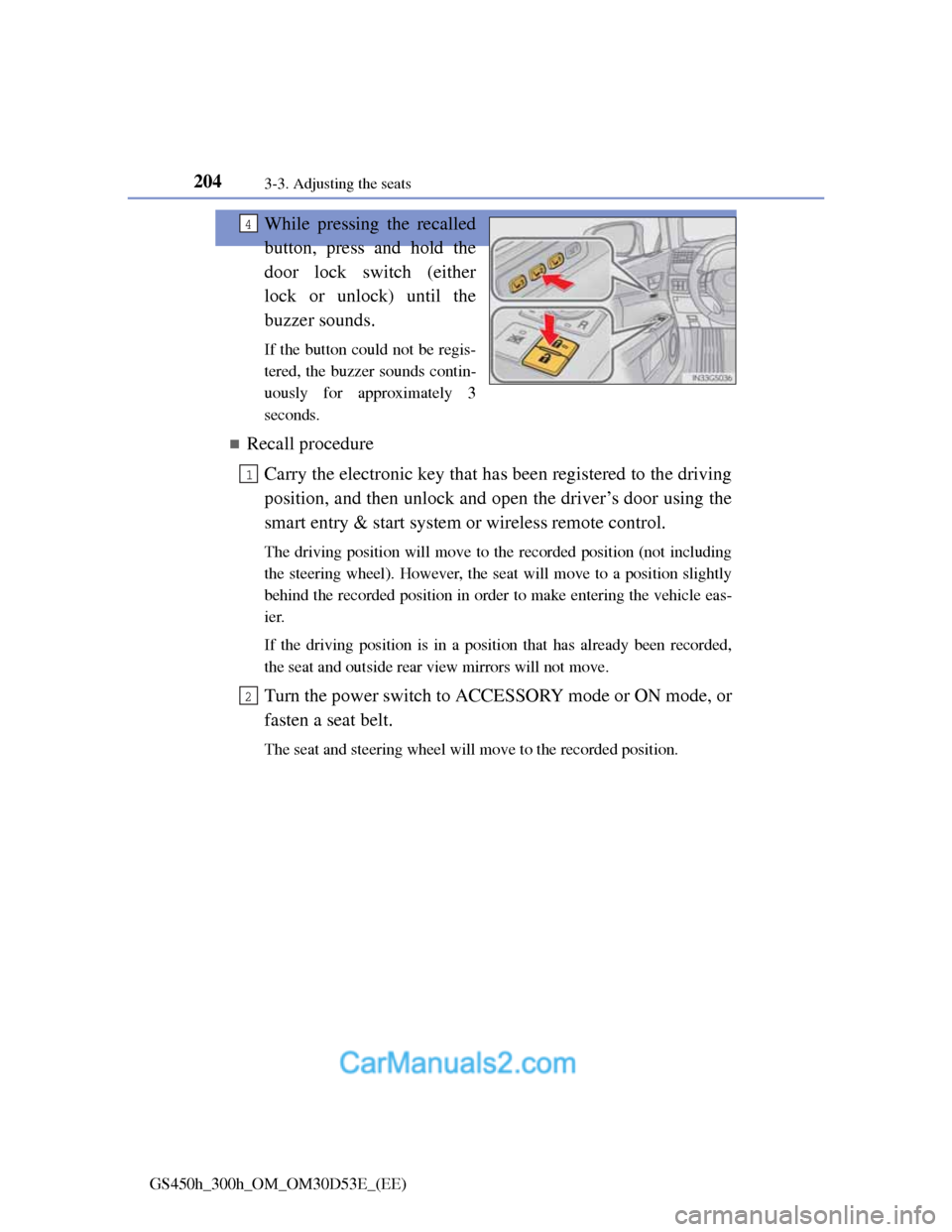
While pressing the recalled
button, press and hold the
door lock switch (either
lock or unlock) until the
buzzer sounds.
If the button could not be regis-
tered, the buzzer sounds contin-
uously for approximately 3
seconds.
Recall procedure
Carry the electronic key that has been registered to the driving
position, and then unlock and open the driver’s door using the
smart entry & start system or wireless remote control.
The driving position will move to the recorded position (not including
the steering wheel). However, the seat will move to a position slightly
behind the recorded position in order to make entering the vehicle eas-
ier.
If the driving position is in a position that has already been recorded,
the seat and outside rear view mirrors will not move.
Turn the power switch to ACCESSORY mode or ON mode, or
fasten a seat belt.
The seat and steering wheel will move to the recorded position.
4
1
2
Page 220 of 1014
2173-5. Opening, closing the windows and moon roof
3
Operation of each component
GS450h_300h_OM_OM30D53E_(EE)
Door lock linked window operation
The power windows can be opened and closed using the mechanical key.*
(P. 908)
The power windows can be opened and closed using the wireless remote
control.
* (P. 168)
*: These settings must be customized at any authorized Lexus dealer or
repairer, or another duly qualified and equipped professional.
When the 12-volt battery is disconnected
The window lock switch is disabled. If necessary, press the window lock
switch after reconnecting the 12-volt battery.
Power windows open warning buzzer
The buzzer sounds and a message is shown on the multi-information display
in the instrument cluster when the power switch is turned off and the driver’s
door is opened with the power windows open.
Customization
Settings (e.g. linked door lock operation) can be changed.
(Customizable features: P. 942)
CAUTION
Observe the following precautions.
Failure to do so may result in death or serious injury.
Closing the windows
Check to make sure that all passengers do not have any part of their body
in a position where it could be caught when a window is being operated.
Do not allow children to operate the power windows.
Closing a power window on someone can cause serious injury, and in
some instances, even death.
Jam protection function
Never use any part of your body to intentionally activate the jam protec-
tion function.
The jam protection function may not work if something gets caught just
before the window fully closes.
Page 239 of 1014
2364-1. Before driving
GS450h_300h_OM_OM30D53E_(EE)
Cargo and luggage
Take notice of the following information about storage precau-
tions, cargo capacity and load:
CAUTION
Things that must not be carried in the trunk
The following things may cause a fire if loaded in the trunk:
Receptacles containing gasoline
Aerosol cans
Storage precautions
Observe the following precautions.
Failure to do so may prevent the pedals from being depressed properly, may
block the driver’s vision, or may result in items hitting the driver or passen-
gers, possibly causing an accident.
Stow cargo and luggage in the trunk whenever possible.
Do not place cargo or luggage in or on the following locations.
• At the feet of the driver
• On the front passenger or rear seats (when stacking items)
• On the package tray
• On the instrument panel
• On the dashboard
• In front of the Remote Touch screen
Secure all items in the occupant compartment.
Load and distribution
Do not overload your vehicle.
Do not apply loads unevenly.
Improper loading may cause deterioration of steering or braking control
which may cause death or serious injury.
Page 457 of 1014
440
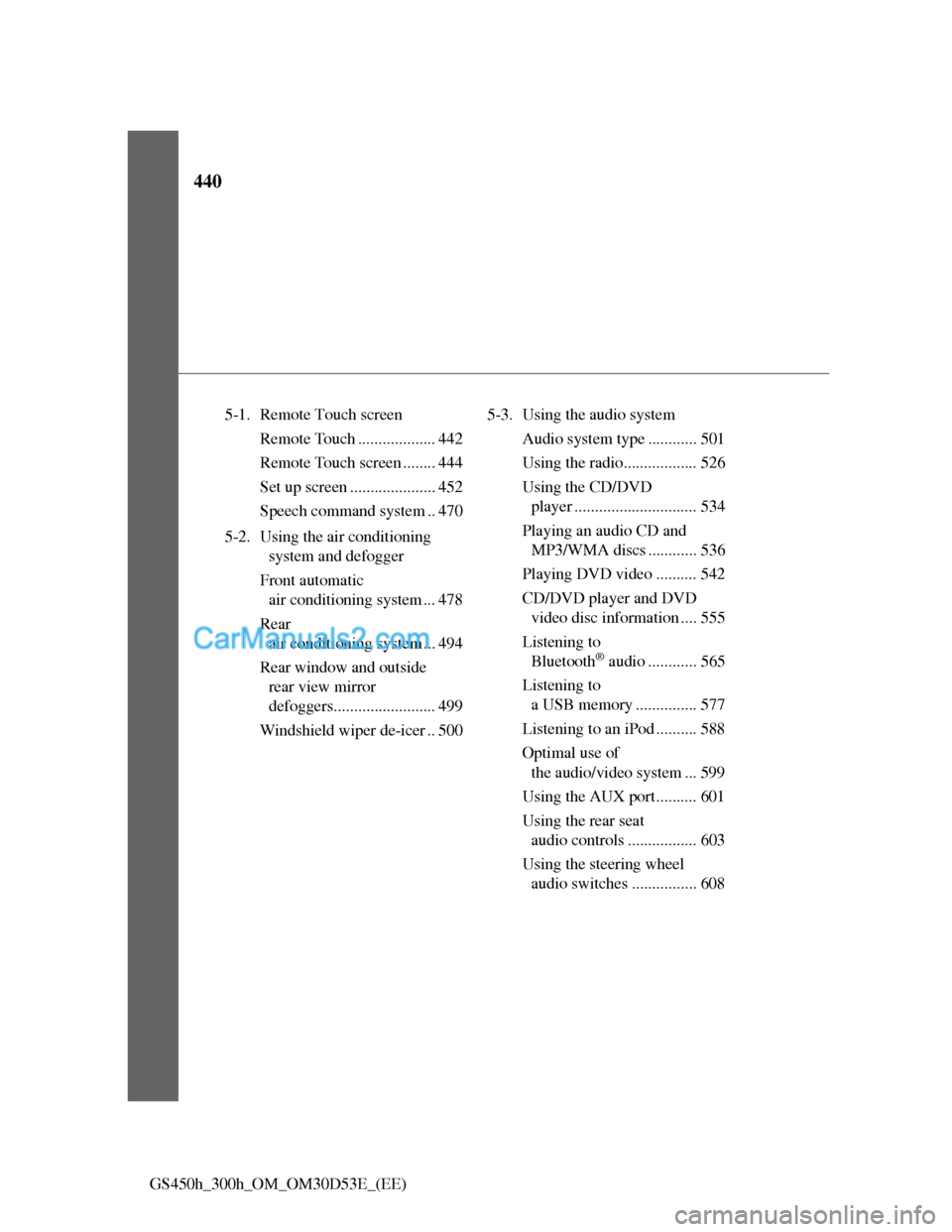
GS450h_300h_OM_OM30D53E_(EE)5-1. Remote Touch screen
Remote Touch ................... 442
Remote Touch screen ........ 444
Set up screen ..................... 452
Speech command system .. 470
5-2. Using the air conditioning
system and defogger
Front automatic
air conditioning system ... 478
Rear
air conditioning system ... 494
Rear window and outside
rear view mirror
defoggers......................... 499
Windshield wiper de-icer .. 5005-3. Using the audio system
Audio system type ............ 501
Using the radio.................. 526
Using the CD/DVD
player .............................. 534
Playing an audio CD and
MP3/WMA discs ............ 536
Playing DVD video .......... 542
CD/DVD player and DVD
video disc information .... 555
Listening to
Bluetooth
® audio ............ 565
Listening to
a USB memory ............... 577
Listening to an iPod .......... 588
Optimal use of
the audio/video system ... 599
Using the AUX port.......... 601
Using the rear seat
audio controls ................. 603
Using the steering wheel
audio switches ................ 608
Page 462 of 1014
4455-1. Remote Touch screen
5
Interior features
GS450h_300h_OM_OM30D53E_(EE)
Remote Touch screen
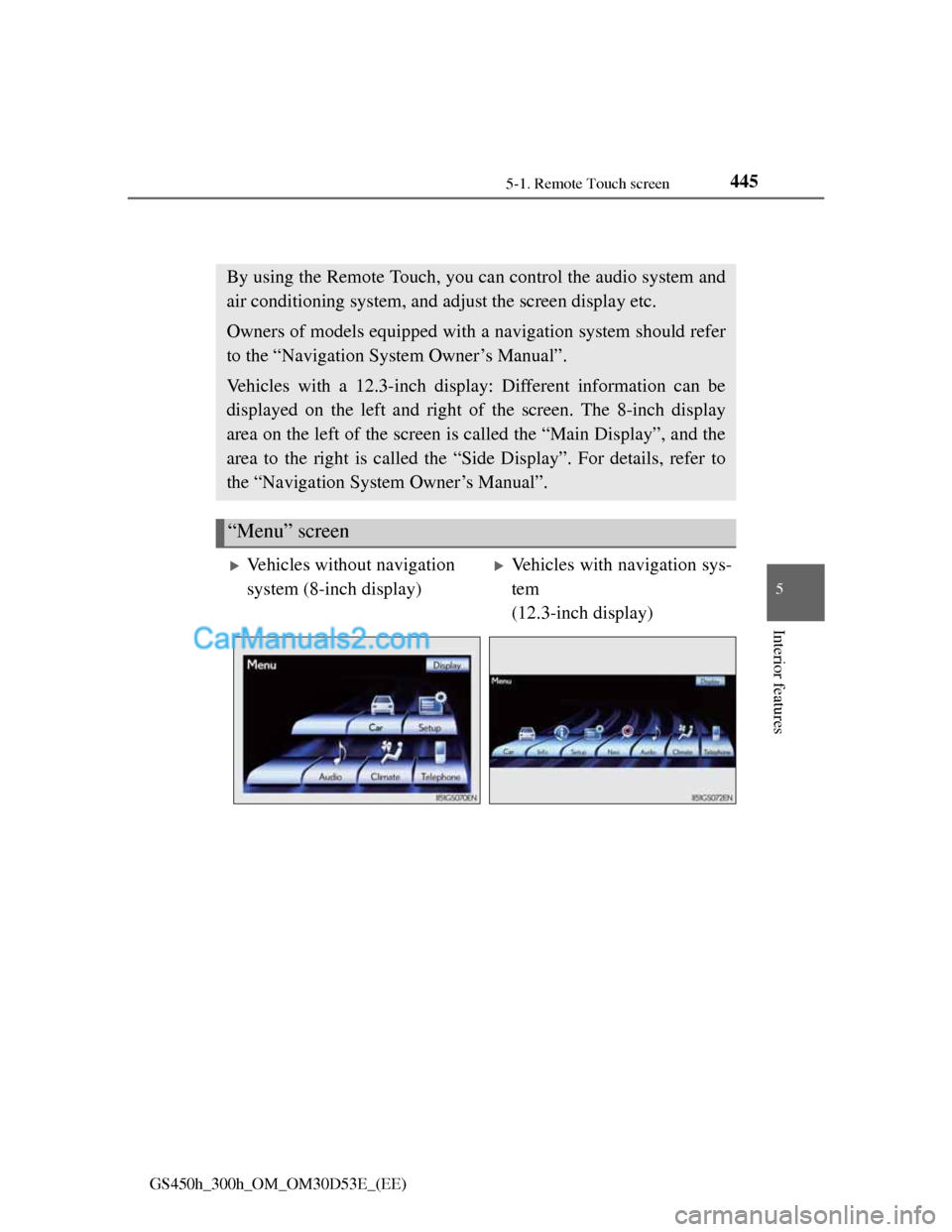
By using the Remote Touch, you can control the audio system and
air conditioning system, and adjust the screen display etc.
Owners of models equipped with a navigation system should refer
to the “Navigation System Owner’s Manual”.
Vehicles with a 12.3-inch display: Different information can be
displayed on the left and right of the screen. The 8-inch display
area on the left of the screen is called the “Main Display”, and the
area to the right is called the “Side Display”. For details, refer to
the “Navigation System Owner’s Manual”.
“Menu” screen
Vehicles without navigation
system (8-inch display)Vehicles with navigation sys-
tem
(12.3-inch display)
Page 521 of 1014
501
5 5-3. Using the audio system
Interior features
GS450h_300h_OM_OM30D53E_(EE)
Audio system type
CD and DVD player with AM/FM radio
Vehicles with a 12.3-inch display: The audio functions can be dis-
played and operated on the “Side Display”. For details, refer to the
“Navigation System Owner’s Manual”.
The illustration below is for left-hand drive vehicles with a 8-inch
display.
The button positions and shapes will differ for right-hand drive
vehicles.
Also, the display and button positions will differ depending on the
type of the system.
Using the instrument panel
Press the “RADIO” or “MEDIA” button to display the audio
control screen.
Using the Remote Touch
Press the “MENU” button on the Remote Touch, select
“Audio” and select each tab to display the audio control screen.
Page 597 of 1014
577
5 5-3. Using the audio system
Interior features
GS450h_300h_OM_OM30D53E_(EE)
About Bluetooth®
Compatible models
Portable players must correspond to the following specifications:
Bluetooth® specification
Ver. 1.1 or higher
(Recommended: Ver. 2.1+EDR or higher)
Profile
• A2DP (Advanced Audio Distribution Profile) Ver. 1.0 or higher
(Recommended: Ver. 1.2 or higher)
• AVRCP (Audio/Video Remote Control Profile) Ver. 1.0 or higher
(Recommended: Ver. 1.4 or higher)
However, please note that some functions may be limited depending on the
type of portable player. Also, the different screen is displayed depending on
which portable player is connecting.
Certification
P. 6 1 8
Reconnecting the portable player
If the portable player is disconnected with a poor reception when the power
switch is in ACCESSORY or ON mode, the system automatically reconnects
the portable player.
If you have switched off the portable player yourself, follow the instructions
below to reconnect:
Select the portable player again
Enter the portable player
When transferring ownership of your vehicle
Be sure to remove the registered portable player from the system. (P. 674) Bluetooth is a registered trademark of
Bluetooth SIG, Inc.
Page 733 of 1014
7095-7. Other interior features
5
Interior features
GS450h_300h_OM_OM30D53E_(EE)
Button lock function (vehicles with rear control panel)
To prevent inadvertent operation, some buttons on the rear armrest can be
locked. (P. 500)
When the switch is disabled (vehicles with rear control panel)
When the rear control panel switch cannot be operated even though the but-
ton lock function is released, check whether the switch is disabled due to
pressing on Remote Touch screen. (P. 488)
Rear control panel illumination off function (vehicles with rear control panel)
Control panel illumination on the rear armrest can be turned off. (P. 500)
Customization
The automatic operation of the front seat heaters (without seat ventilators)
and the automatic mode settings for the front seat heaters and ventilators or
the rear seat heaters can be changed. (Customizable features: P. 950)
CAUTION
Burns (vehicles with seat heaters)
Use caution when seating the following persons in a seat with the seat
heater on to avoid the possibility of burns:
• Babies, small children, the elderly, the sick and the physically chal-
lenged
• Persons with sensitive skin
• Persons who are fatigued
• Persons who have taken alcohol or drugs that induce sleep (sleeping
drugs, cold remedies, etc.)
Do not cover the seat with anything when using the seat heater.
Using the seat heater with a blanket or cushion increases the temperature
of the seat and may lead to overheating.
Do not use seat heater more than necessary. Doing so may cause minor
burns or overheating.
Page 775 of 1014
751 6-3. Do-it-yourself maintenance
6
Maintenance and care
GS450h_300h_OM_OM30D53E_(EE)
Before recharging
When recharging, the 12-volt battery produces hydrogen gas which is flam-
mable and explosive. Therefore, observe the following precautions before
recharging:
If recharging with the 12-volt battery installed on the vehicle, be sure to dis-
connect the ground cable.
Make sure the power switch on the charger is off when connecting and dis-
connecting the charger cables to the 12-volt battery.
After recharging/reconnecting the 12-volt battery
The hybrid system may not start. Follow the procedure below to initialize
the system.
Shift the shift lever to P.
Open and close any of the doors.
Restart the hybrid system.
Unlocking the doors using the smart entry & start system may not be possi-
ble immediately after reconnecting the 12-volt battery. If this happens, use
the wireless remote control or the mechanical key to lock/unlock the doors.
Start the hybrid system with the power switch in ACCESSORY mode. The
hybrid system may not start with the power switch turned off. However, the
hybrid system will operate normally from the second attempt.
The power switch mode is recorded by the vehicle. If the 12-volt battery is
reconnected, the vehicle will return the power switch mode to the status it
was in before the 12-volt battery was disconnected. Make sure to turn off
the power switch before disconnect the 12-volt battery. Take extra care
when connecting the 12-volt battery if the power switch mode prior to dis-
charge is unknown.
If the system will not start even after multiple attempts at all methods above,
contact any authorized Lexus dealer or repairer, or another duly qualified and
equipped professional.
1
2
3
Page 804 of 1014
7806-3. Do-it-yourself maintenance
GS450h_300h_OM_OM30D53E_(EE)
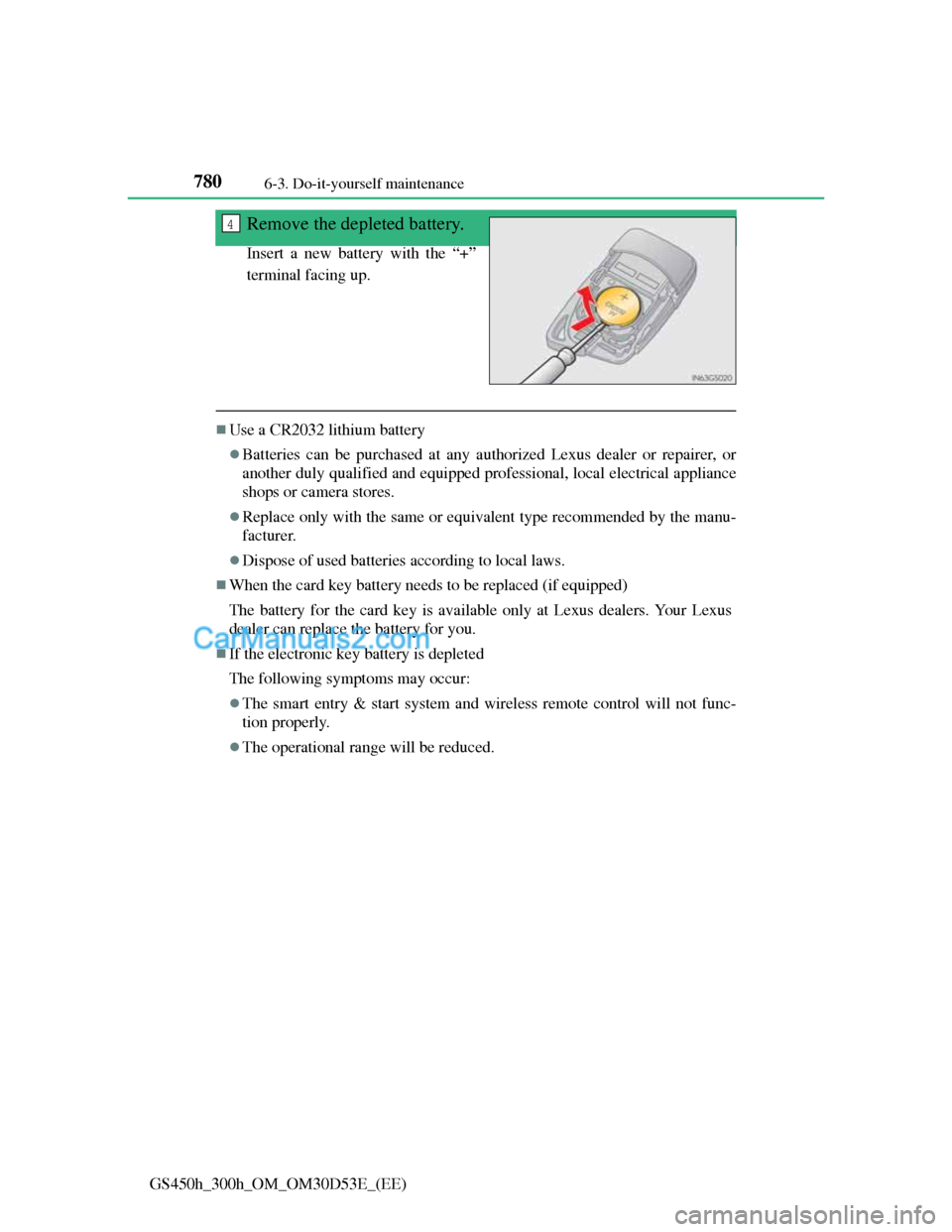
Remove the depleted battery.
Insert a new battery with the “+”
terminal facing up.
Use a CR2032 lithium battery
Batteries can be purchased at any authorized Lexus dealer or repairer, or
another duly qualified and equipped professional, local electrical appliance
shops or camera stores.
Replace only with the same or equivalent type recommended by the manu-
facturer.
Dispose of used batteries according to local laws.
When the card key battery needs to be replaced (if equipped)
The battery for the card key is available only at Lexus dealers. Your Lexus
dealer can replace the battery for you.
If the electronic key battery is depleted
The following symptoms may occur:
The smart entry & start system and wireless remote control will not func-
tion properly.
The operational range will be reduced.
4