service Lexus GS300h 2013 Owner's Guide
[x] Cancel search | Manufacturer: LEXUS, Model Year: 2013, Model line: GS300h, Model: Lexus GS300h 2013Pages: 1014
Page 554 of 1014
5345-3. Using the audio system
GS450h_300h_OM_OM30D53E_(EE)
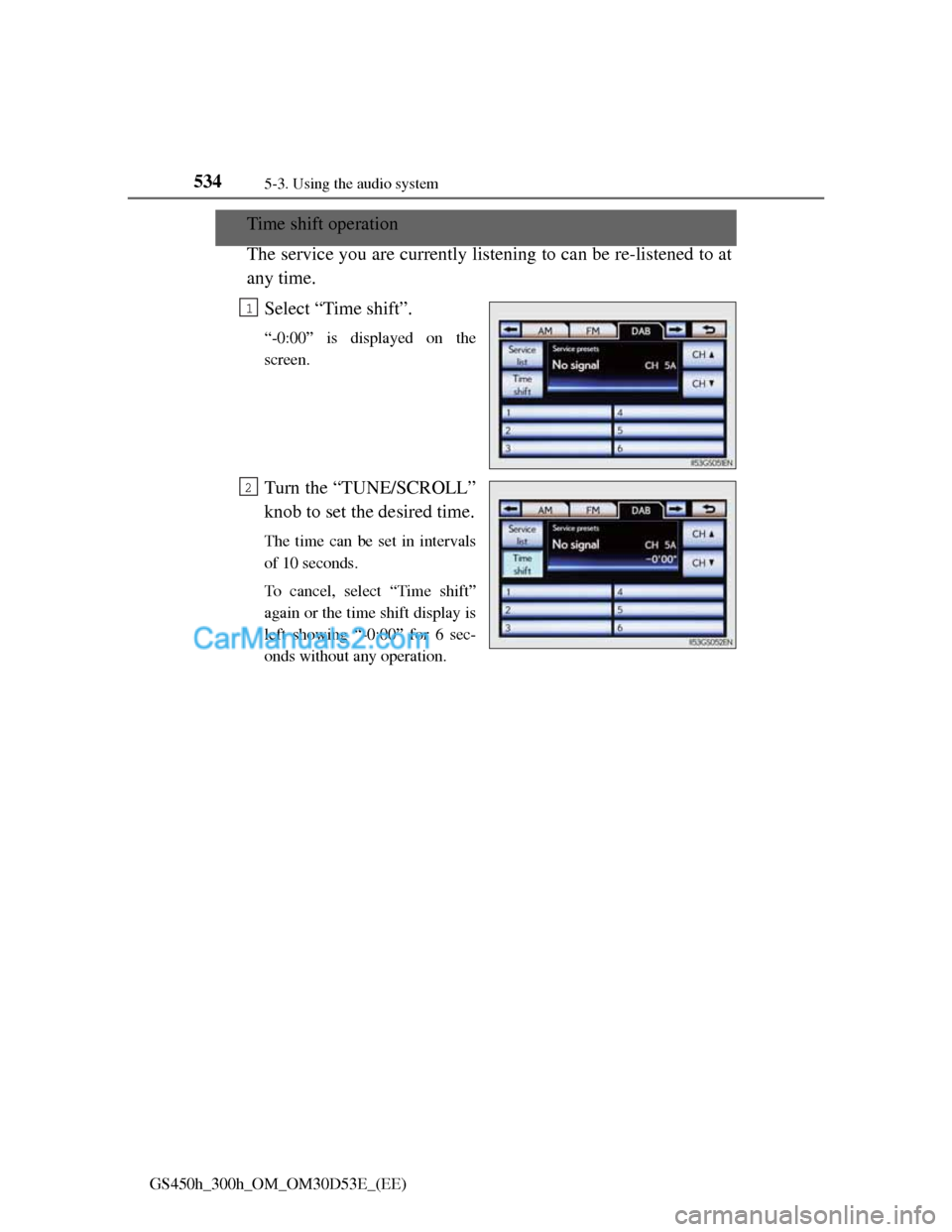
Time shift operation
The service you are currently listening to can be re-listened to at
any time.
Select “Time shift”.
“-0:00” is displayed on the
screen.
Turn the “TUNE/SCROLL”
knob to set the desired time.
The time can be set in intervals
of 10 seconds.
To cancel, select “Time shift”
again or the time shift display is
left showing “-0:00” for 6 sec-
onds without any operation.
1
2
Page 631 of 1014
6115-3. Using the audio system
5
Interior features
GS450h_300h_OM_OM30D53E_(EE)
Using the steering wheel audio switches
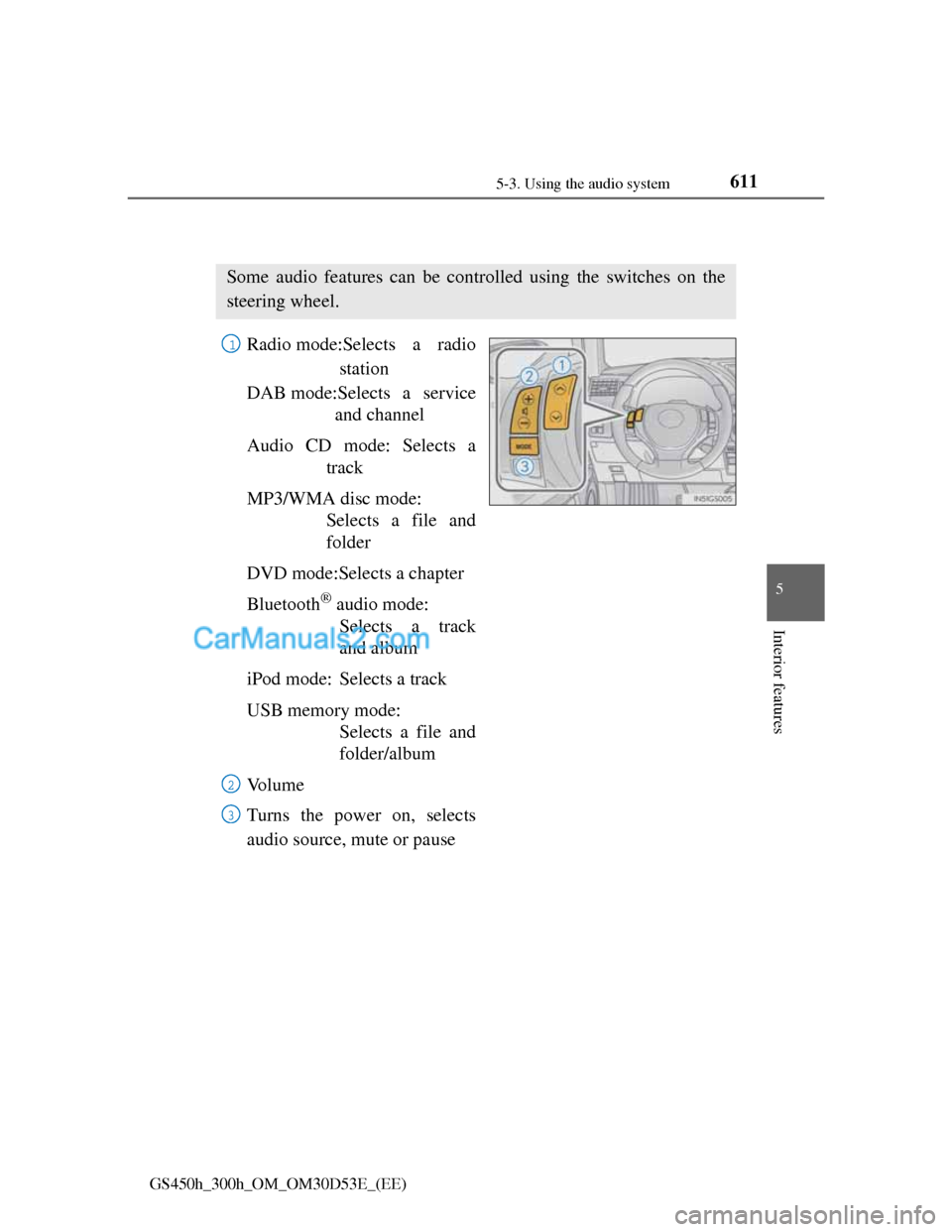
Radio mode:Selects a radio
station
DAB mode:Selects a service
and channel
Audio CD mode: Selects a
track
MP3/WMA disc mode:
Selects a file and
folder
DVD mode:Selects a chapter
Bluetooth
® audio mode:
Selects a track
and album
iPod mode: Selects a track
USB memory mode:
Selects a file and
folder/album
Vo l u m e
Turns the power on, selects
audio source, mute or pause
Some audio features can be controlled using the switches on the
steering wheel.
1
2
3
Page 632 of 1014
6125-3. Using the audio system
GS450h_300h_OM_OM30D53E_(EE)
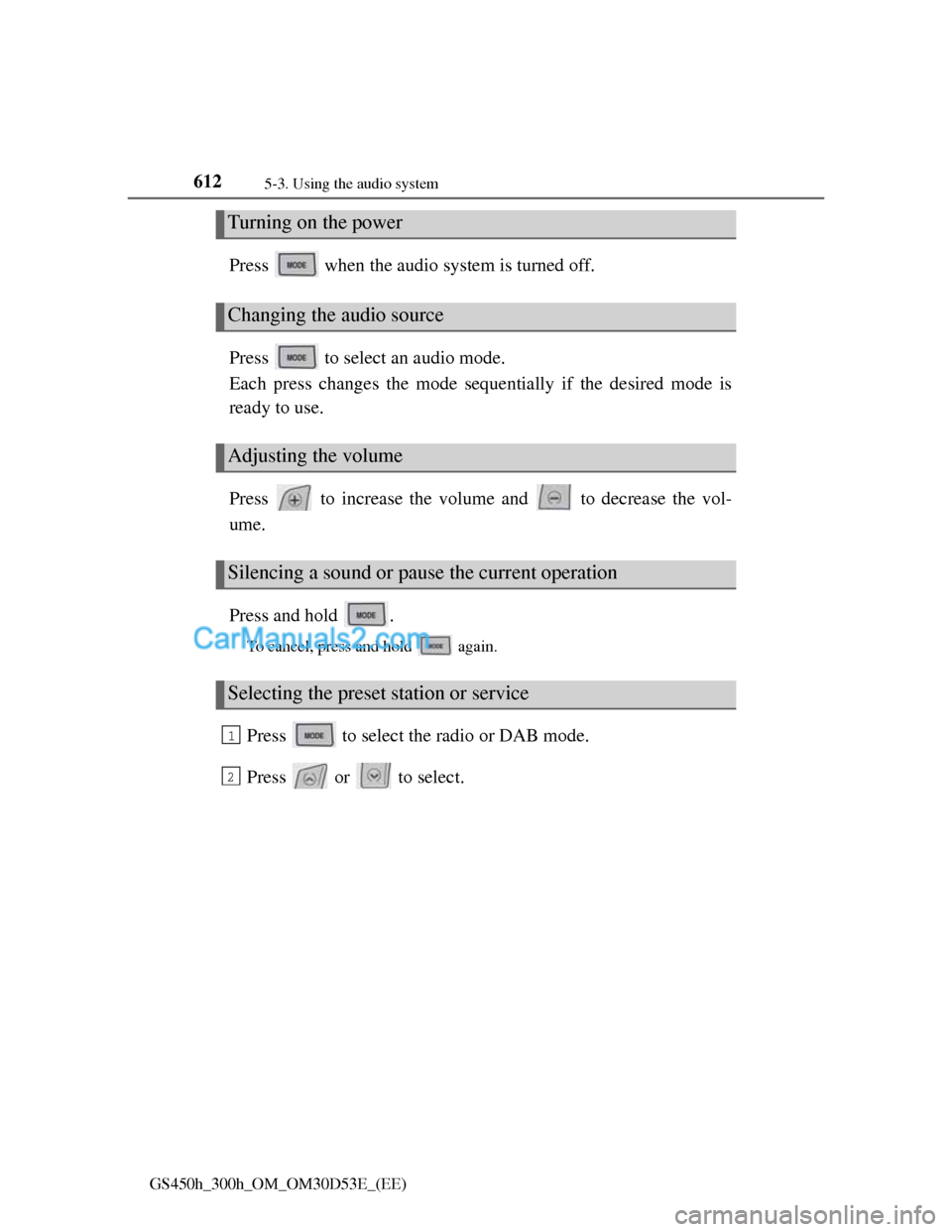
Press when the audio system is turned off.
Press to select an audio mode.
Each press changes the mode sequentially if the desired mode is
ready to use.
Press to increase the volume and to decrease the vol-
ume.
Press and hold .
To cancel, press and hold again.
Press to select the radio or DAB mode.
Press or to select.
Turning on the power
Changing the audio source
Adjusting the volume
Silencing a sound or pause the current operation
Selecting the preset station or service
1
2
Page 638 of 1014
6155-4. Using the hands-free phone system(for cellular phone)
5
Interior features
GS450h_300h_OM_OM30D53E_(EE)
When using the hands-free system
The audio system is muted when making a call.
If both parties speak at the same time, it may be difficult to hear.
If the incoming call volume is overly loud, an echo may be heard.
Try to face toward the microphone as much as possible when speaking.
In the following circumstances, it may be difficult to hear the other party:
• When driving on unpaved roads
• When driving at high speeds
• If a window is open
• If the air conditioning is blowing directly on the microphone
• If the air conditioning is set to high
• There is an effect from the network of the cellular phone
Conditions under which the system will not operate
If using a cellular phone that does not support Bluetooth®
If the cellular phone is turned off
If you are outside service range
If the cellular phone is not connected
If the cellular phone’s battery is low
Bluetooth® antenna
The antenna is built into the instrument panel. If the cellular phone is behind
the seat or in the console box, or touching or covered by metal objects, con-
nection status may deteriorate.
Battery charge/Signal status
This display may not correspond exactly with the cellular phone itself.
When the cellular phone is not connected, “No connect” is displayed.
When the cellular phone is out of the service area or in a place inaccessible
by radio waves, “No service” is displayed.
When using Bluetooth® audio and hands-free system at the same time
The following problems may occur.
The Bluetooth® connection may be cut.
Noise may be heard on the Bluetooth® audio playback.
Page 640 of 1014
6175-4. Using the hands-free phone system(for cellular phone)
5
Interior features
GS450h_300h_OM_OM30D53E_(EE)
Compatible models
This system supports the following service.
Bluetooth® Specification Ver. 1.1 or higher (Recommended: Ver. 2.1+EDR
or higher)
Profiles
• HFP (Hands Free Profile) Ver. 1.0 or higher (Recommended: Ver. 1.5 or
higher)
• OPP (Object Push Profile) Ver. 1.1 or higher
• PBAP (Phone Book Access Profile) Ver. 1.0 or higher
• MAP (Message Access Profile) Ver. 1.0 or higher
• DUN (Dial-Up Networking Profile) Ver.1.1 or higher
*
*
: This profile is necessary when using connected services. For details,
refer to the “Navigation System Owner’s Manual”
If your cellular phone does not support HFP, you cannot enter the Bluetooth
®
phone, and take OPP, PBAP, MAP or DUN service individually.
If the connected Bluetooth
® phone version is older than recommended or
incompatible, this function may not be used.
Page 659 of 1014
6365-4. Using the hands-free phone system(for cellular phone)
GS450h_300h_OM_OM30D53E_(EE)
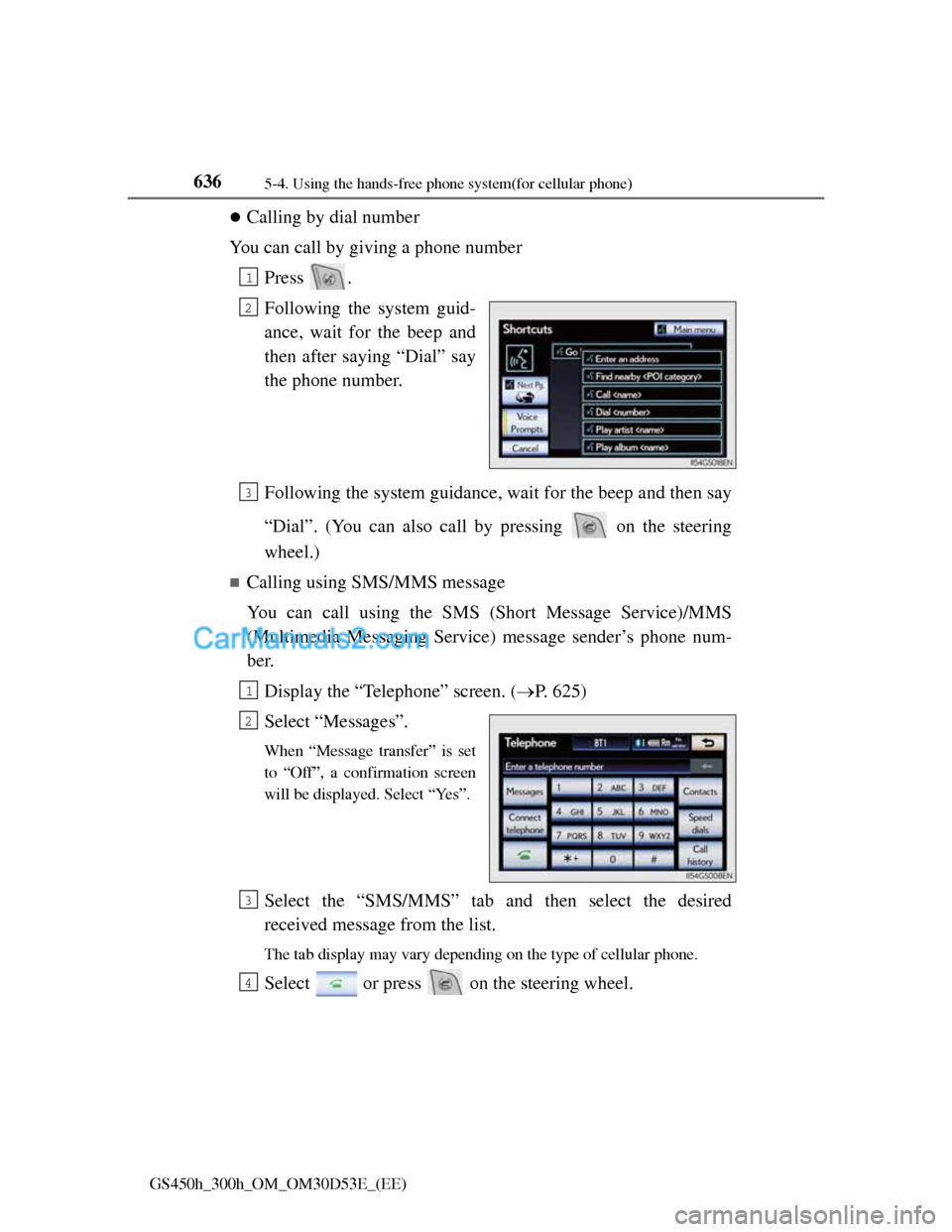
Calling by dial number
You can call by giving a phone number
Press .
Following the system guid-
ance, wait for the beep and
then after saying “Dial” say
the phone number.
Following the system guidance, wait for the beep and then say
“Dial”. (You can also call by pressing on the steering
wheel.)
Calling using SMS/MMS message
You can call using the SMS (Short Message Service)/MMS
(Multimedia Messaging Service) message sender’s phone num-
ber.
Display the “Telephone” screen. (P. 625)
Select “Messages”.
When “Message transfer” is set
to “Off”, a confirmation screen
will be displayed. Select “Yes”.
Select the “SMS/MMS” tab and then select the desired
received message from the list.
The tab display may vary depending on the type of cellular phone.
Select or press on the steering wheel.
1
2
3
1
2
3
4
Page 664 of 1014
6415-4. Using the hands-free phone system(for cellular phone)
5
Interior features
GS450h_300h_OM_OM30D53E_(EE)
Inputting tones
When using phone services such as an answering service or a
bank, you can store phone numbers and code numbers in the
phonebook.
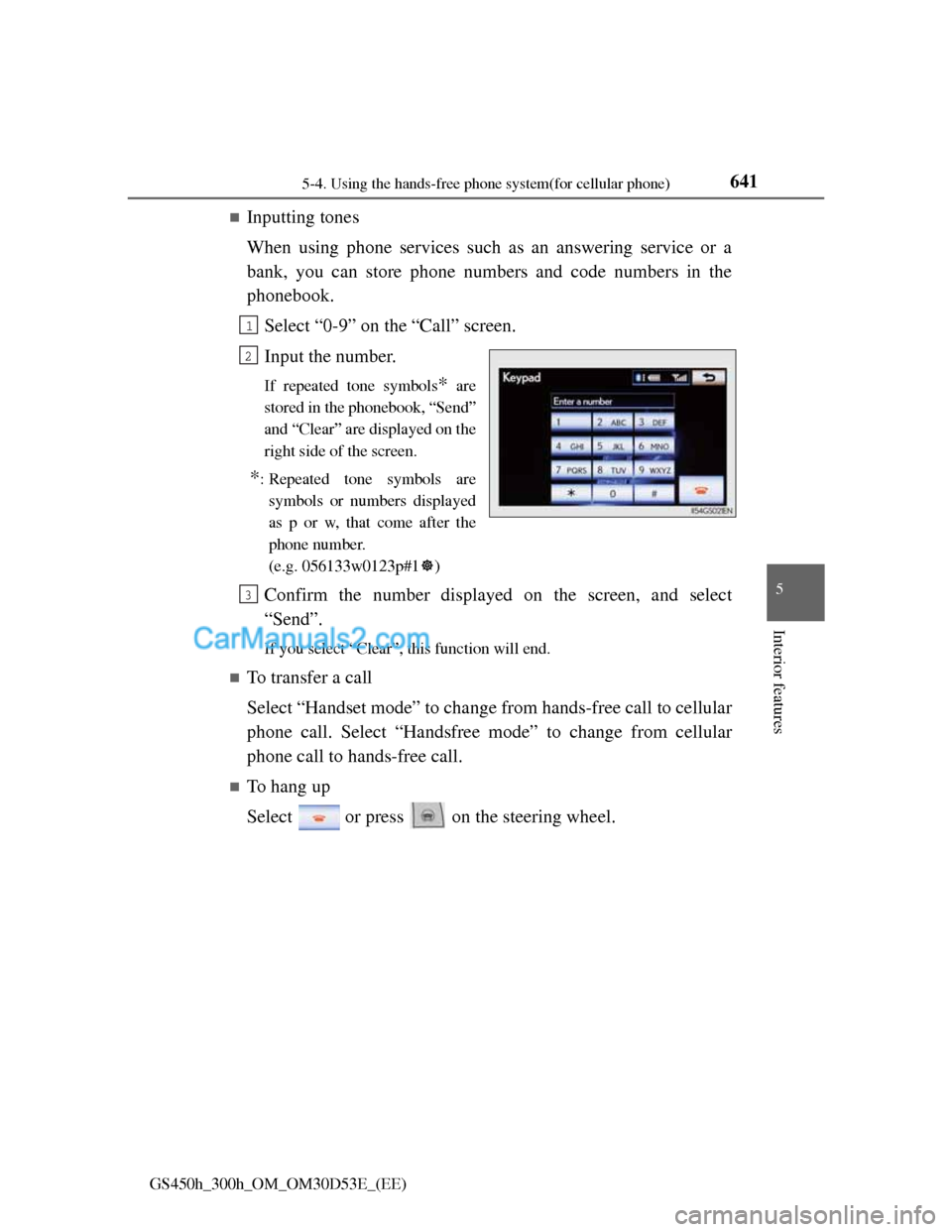
Select “0-9” on the “Call” screen.
Input the number.
If repeated tone symbols* are
stored in the phonebook, “Send”
and “Clear” are displayed on the
right side of the screen.
*: Repeated tone symbols are
symbols or numbers displayed
as p or w, that come after the
phone number.
(e.g. 056133w0123p#1)
Confirm the number displayed on the screen, and select
“Send”.
If you select “Clear”, this function will end.
To transfer a call
Select “Handset mode” to change from hands-free call to cellular
phone call. Select “Handsfree mode” to change from cellular
phone call to hands-free call.
To hang up
Select or press on the steering wheel.
1
2
3
Page 668 of 1014
645
5 5-4. Using the hands-free phone system(for cellular phone)
Interior features
GS450h_300h_OM_OM30D53E_(EE)
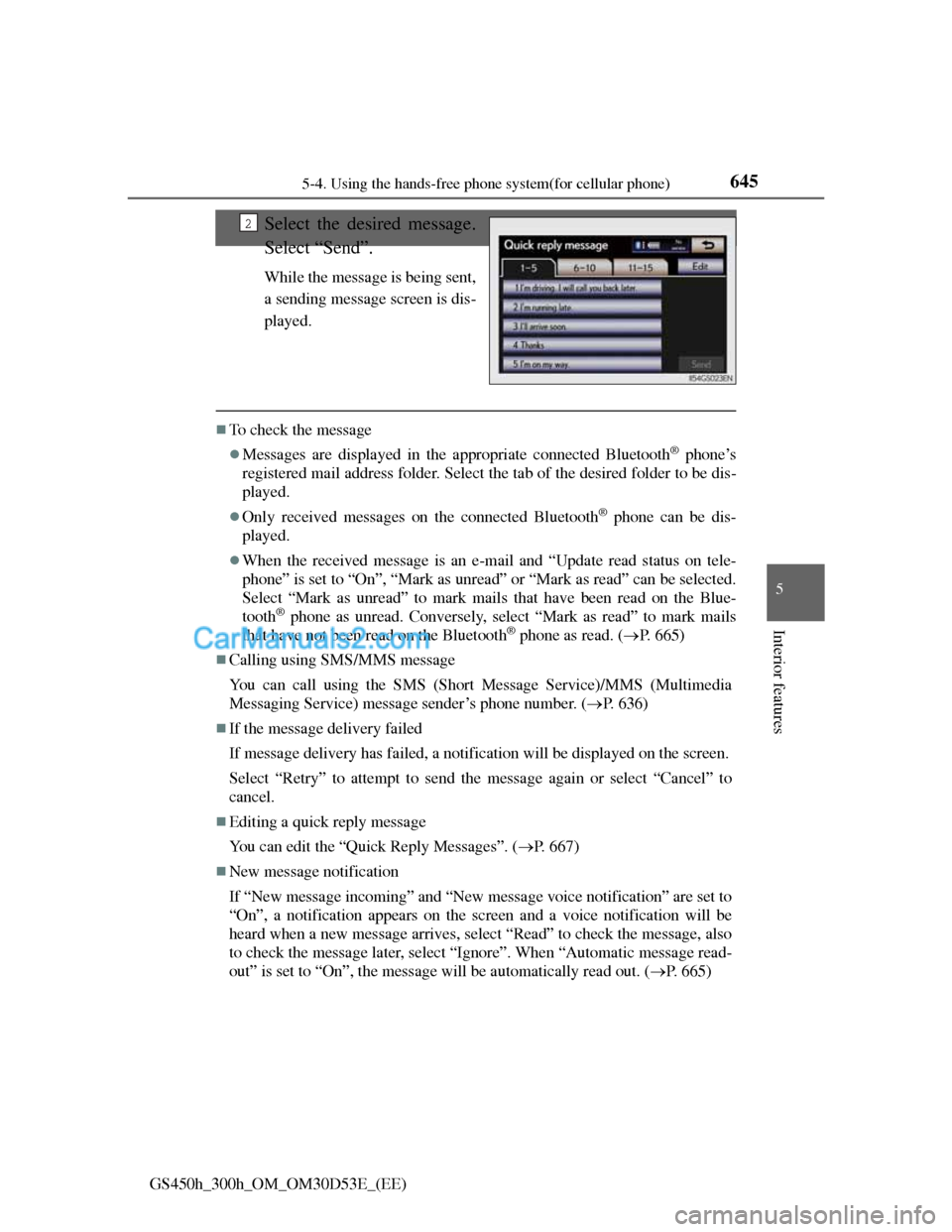
Select the desired message.
Select “Send”.
While the message is being sent,
a sending message screen is dis-
played.
To check the message
Messages are displayed in the appropriate connected Bluetooth® phone’s
registered mail address folder. Select the tab of the desired folder to be dis-
played.
Only received messages on the connected Bluetooth® phone can be dis-
played.
When the received message is an e-mail and “Update read status on tele-
phone” is set to “On”, “Mark as unread” or “Mark as read” can be selected.
Select “Mark as unread” to mark mails that have been read on the Blue-
tooth
® phone as unread. Conversely, select “Mark as read” to mark mails
that have not been read on the Bluetooth® phone as read. (P. 665)
Calling using SMS/MMS message
You can call using the SMS (Short Message Service)/MMS (Multimedia
Messaging Service) message sender’s phone number. (P. 636)
If the message delivery failed
If message delivery has failed, a notification will be displayed on the screen.
Select “Retry” to attempt to send the message again or select “Cancel” to
cancel.
Editing a quick reply message
You can edit the “Quick Reply Messages”. (P. 667)
New message notification
If “New message incoming” and “New message voice notification” are set to
“On”, a notification appears on the screen and a voice notification will be
heard when a new message arrives, select “Read” to check the message, also
to check the message later, select “Ignore”. When “Automatic message read-
out” is set to “On”, the message will be automatically read out. (P. 665)
2
Page 743 of 1014
719
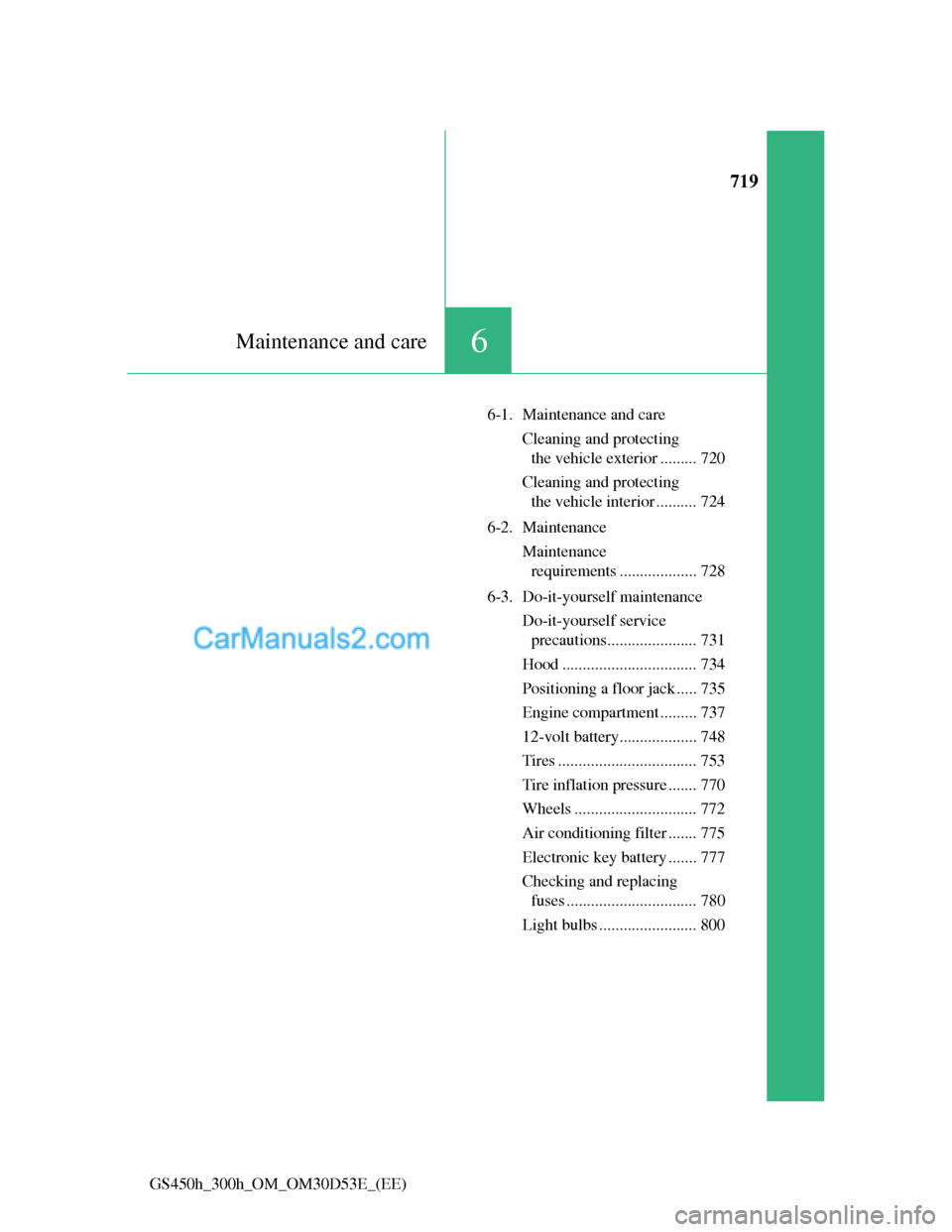
6Maintenance and care
GS450h_300h_OM_OM30D53E_(EE)6-1. Maintenance and care
Cleaning and protecting
the vehicle exterior ......... 720
Cleaning and protecting
the vehicle interior .......... 724
6-2. Maintenance
Maintenance
requirements ................... 728
6-3. Do-it-yourself maintenance
Do-it-yourself service
precautions...................... 731
Hood ................................. 734
Positioning a floor jack ..... 735
Engine compartment ......... 737
12-volt battery................... 748
Tires .................................. 753
Tire inflation pressure ....... 770
Wheels .............................. 772
Air conditioning filter ....... 775
Electronic key battery ....... 777
Checking and replacing
fuses ................................ 780
Light bulbs ........................ 800
Page 752 of 1014
7286-2. Maintenance
GS450h_300h_OM_OM30D53E_(EE)
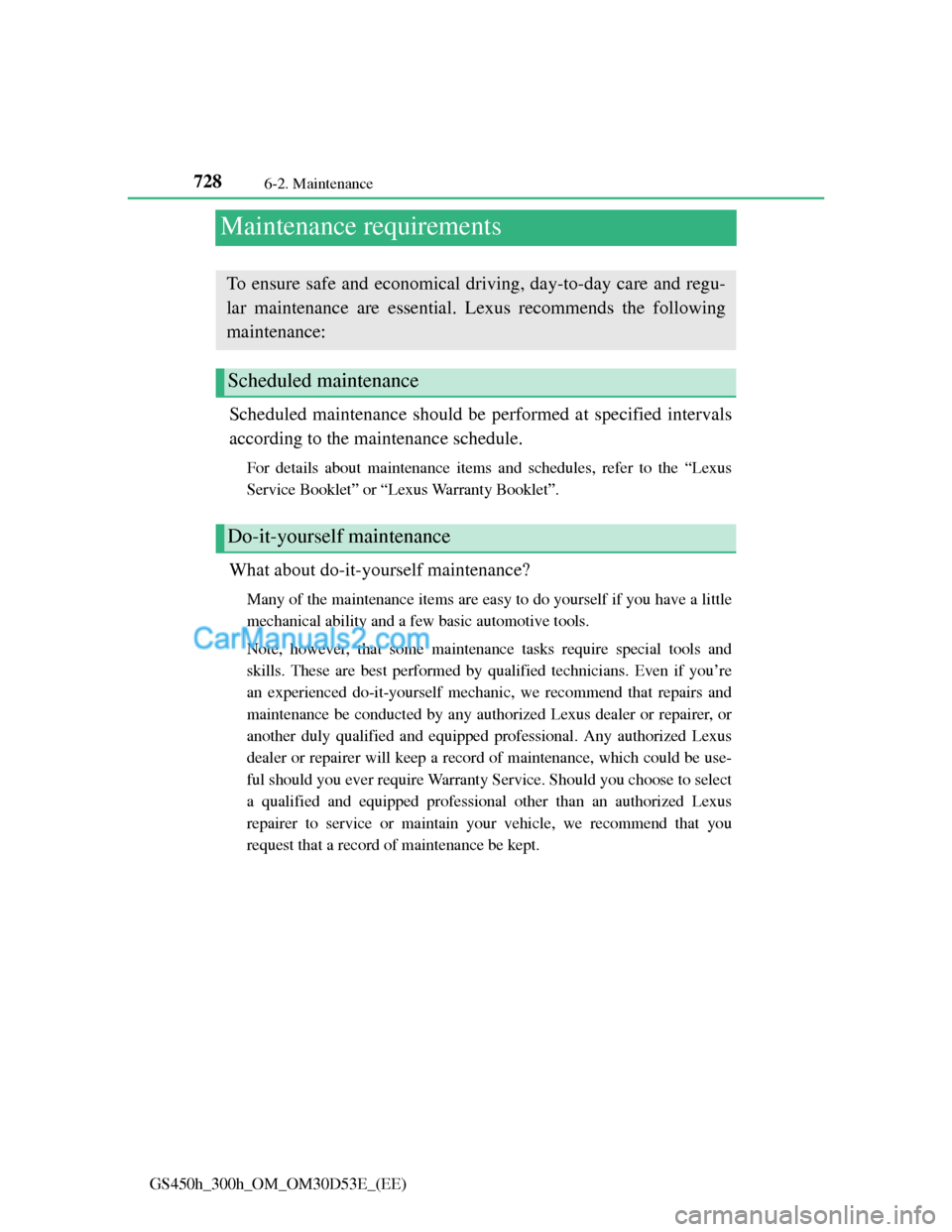
Maintenance requirements
Scheduled maintenance should be performed at specified intervals
according to the maintenance schedule.
For details about maintenance items and schedules, refer to the “Lexus
Service Booklet” or “Lexus Warranty Booklet”.
What about do-it-yourself maintenance?
Many of the maintenance items are easy to do yourself if you have a little
mechanical ability and a few basic automotive tools.
Note, however, that some maintenance tasks require special tools and
skills. These are best performed by qualified technicians. Even if you’re
an experienced do-it-yourself mechanic, we recommend that repairs and
maintenance be conducted by any authorized Lexus dealer or repairer, or
another duly qualified and equipped professional. Any authorized Lexus
dealer or repairer will keep a record of maintenance, which could be use-
ful should you ever require Warranty Service. Should you choose to select
a qualified and equipped professional other than an authorized Lexus
repairer to service or maintain your vehicle, we recommend that you
request that a record of maintenance be kept.
To ensure safe and economical driving, day-to-day care and regu-
lar maintenance are essential. Lexus recommends the following
maintenance:
Scheduled maintenance
Do-it-yourself maintenance