navigation system Lexus GS300h 2017 User Guide
[x] Cancel search | Manufacturer: LEXUS, Model Year: 2017, Model line: GS300h, Model: Lexus GS300h 2017Pages: 600, PDF Size: 58.17 MB
Page 295 of 600
295
4-5. Using the driving support systems
4
Driving
GS450h_300h_OM_OM30F92E_(EE)
●Side road speed signs may be detected and di splayed (if positioned in sight of the cam-
era sensor) while the vehicle is traveling on the main road.
●Roundabout exit road speed signs may be detected and displayed (if positioned in sight
of the camera sensor) while traveling on a roundabout.
●On some models: The speed information displayed on the meter and t hat displayed on
the navigation system may be different due to the navigation system using map data.
■When driving vehicle in country with different speed unit
Since RSA recognizes signs based on the set un it of the meter, it is necessary to change
the set unit of the meter. Adjust the set unit of the meter to the speed unit of signs in the
current location. ( P. 565)
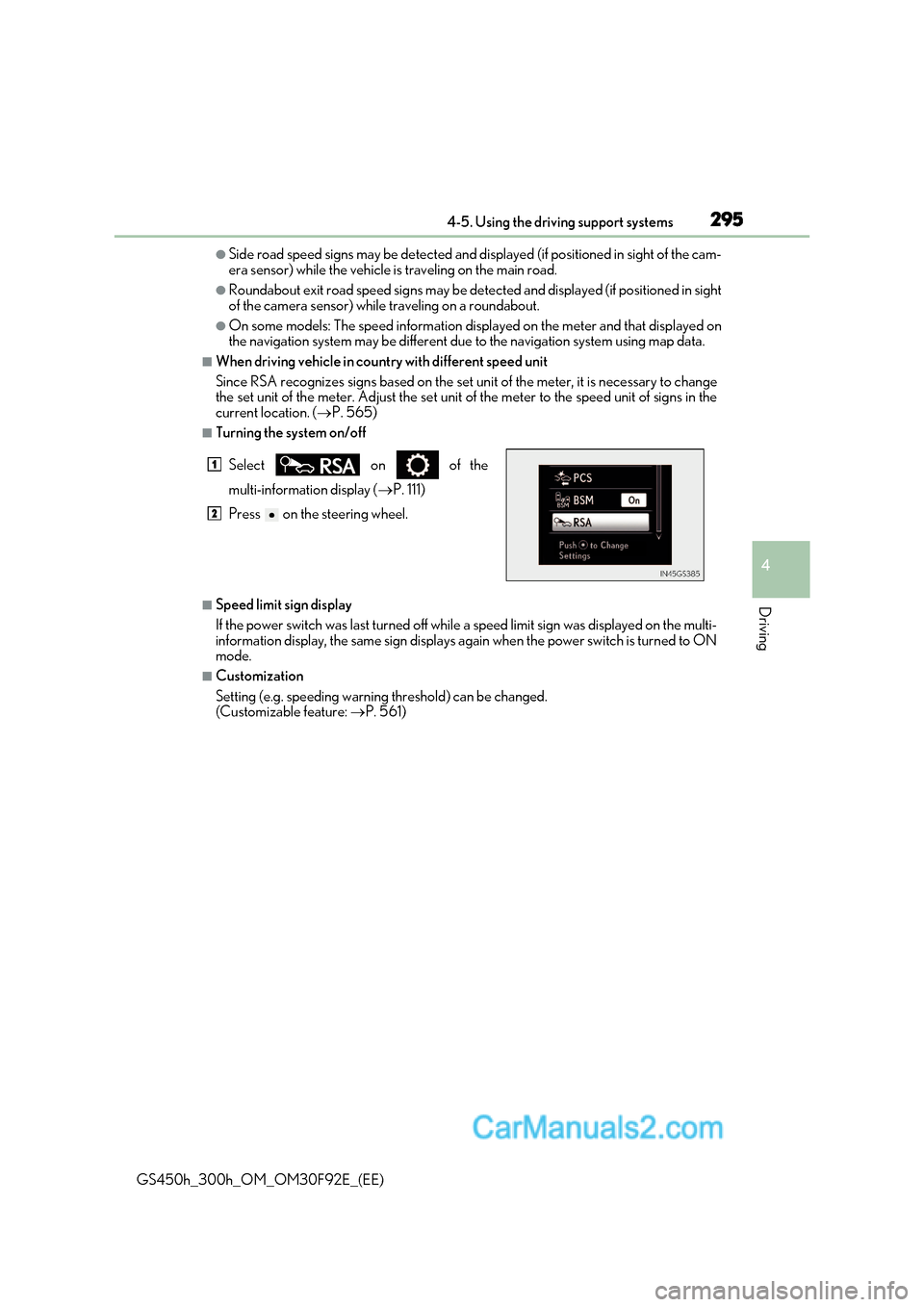
■Turning the system on/off
■Speed limit sign display
If the power switch was last turned off while a speed limit sign was displayed on the multi-
information display, the same sign displays again when the power switch is turned to ON
mode.
■Customization
Setting (e.g. speeding warning threshold) can be changed.
(Customizable feature: P. 561)
Select on of the
multi-information display (
P. 111)
Press on the steering wheel.
1
2
Page 340 of 600
3405-1. Remote Touch screen
GS450h_300h_OM_OM30F92E_(EE)
Remote Touch/12.3-inch display
: If equipped
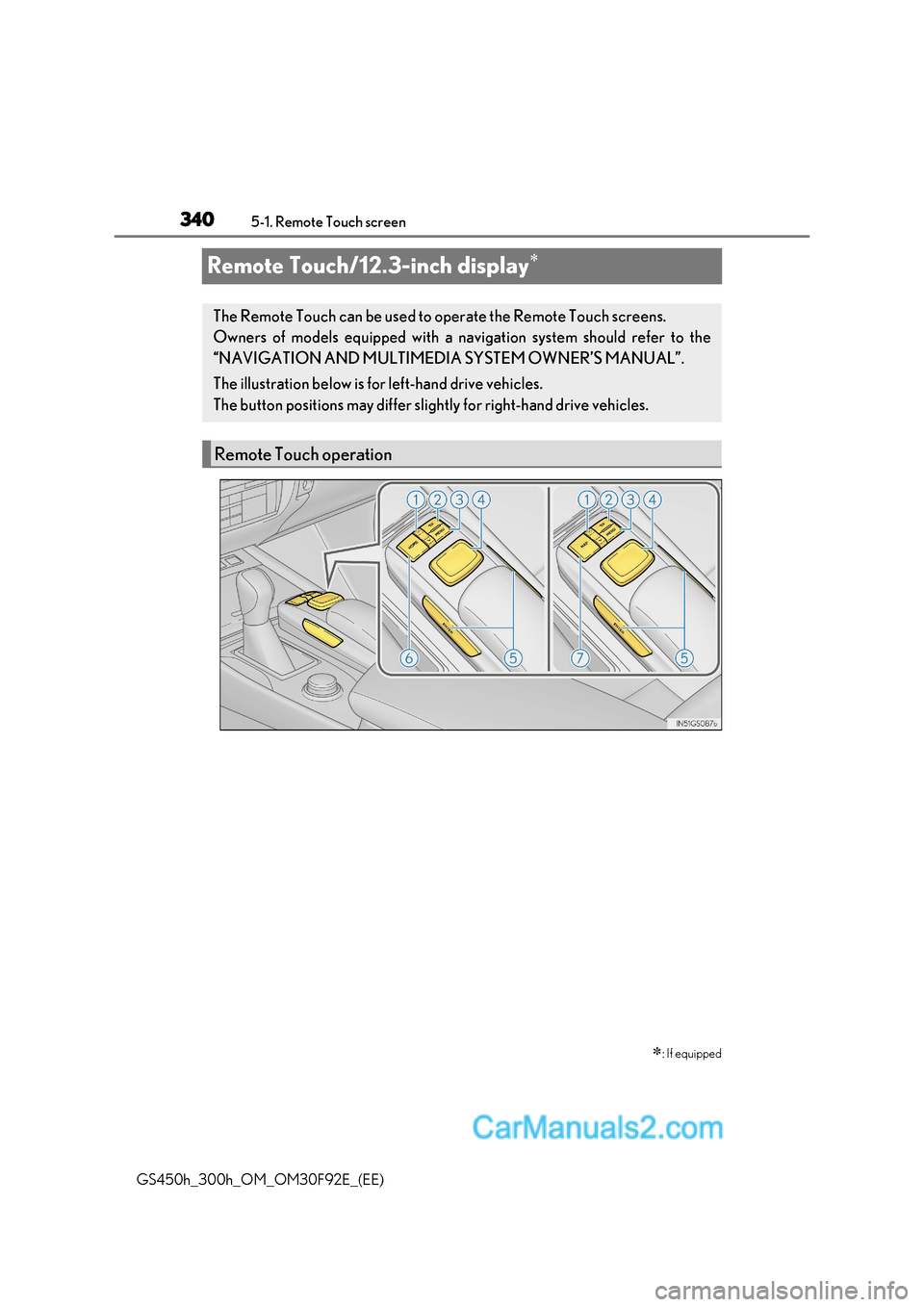
The Remote Touch can be used to operate the Remote Touch screens.
Owners of models equipped with a navi gation system should refer to the
“NAVIGATION AND MULTIMEDIA SYSTEM OWNER’S MANUAL”.
The illustration below is for left-hand drive vehicles.
The button positions may differ slight ly for right-hand drive vehicles.
Remote Touch operation
Page 343 of 600
343
5-1. Remote Touch screen
5
Interior features
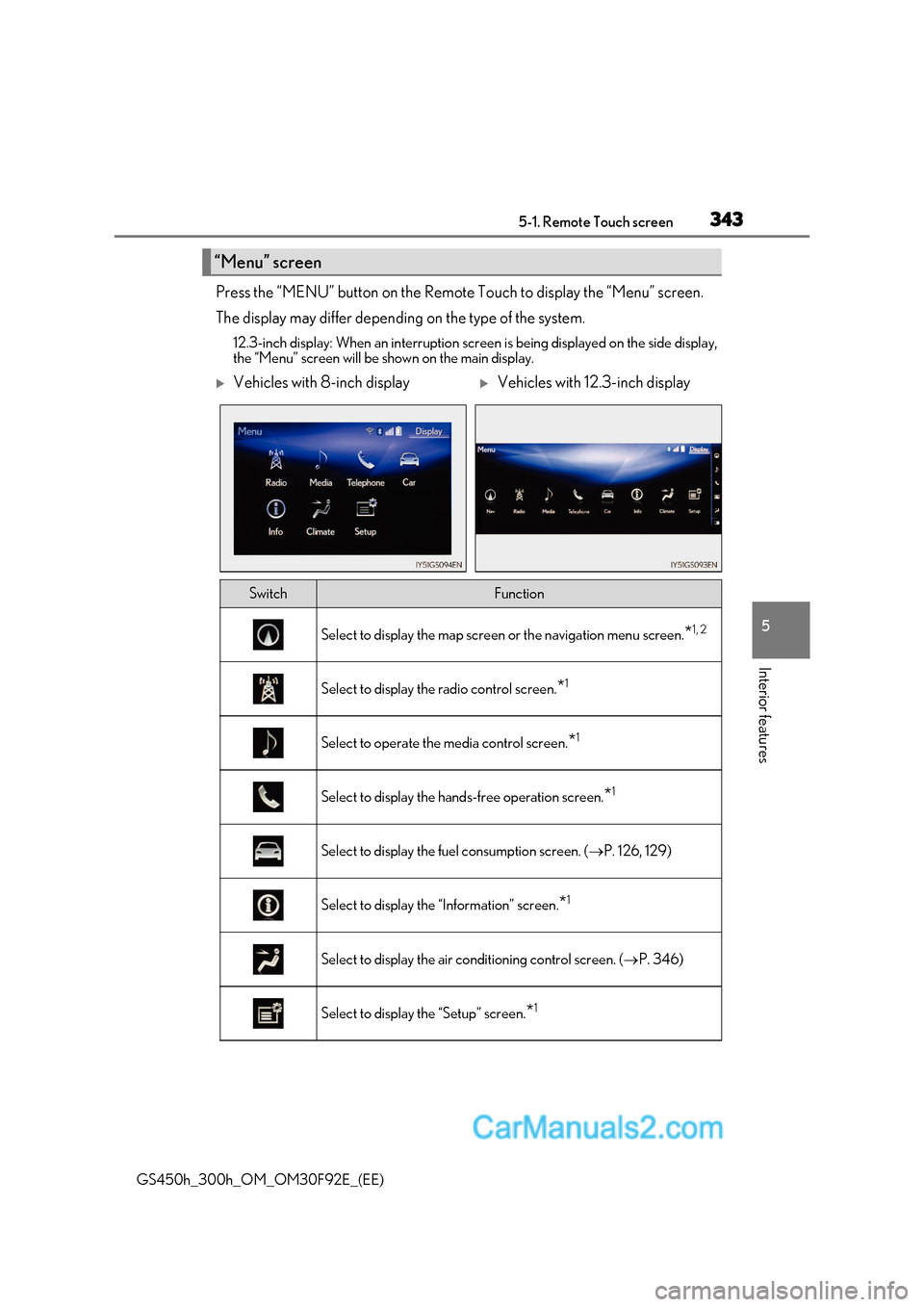
GS450h_300h_OM_OM30F92E_(EE) Press the “MENU” button on the Remote Touch to display the “Menu” screen.
The display may differ depending on the type of the system.
12.3-inch display: When an interruption scr een is being displayed on the side display,
the “Menu” screen will be shown on the main display.
“Menu” screen
Vehicles with 8-inch displayVehicles with 12.3-inch display
SwitchFunction
Select to display the map screen or the navigation menu screen.*1, 2
Select to display the radio control screen.
*1
Select to operate the media control screen.
*1
Select to display the hand
s-free operation screen.*1
Select to display the fuel consumption screen. (
P. 126, 129)
Select to display the “Information” screen. *1
Select to display the air conditioning control screen. (
P. 346)
Select to display the “Setup” screen. *1
Page 344 of 600
3445-1. Remote Touch screen
GS450h_300h_OM_OM30F92E_(EE) *
1
: Refer to the “NAVIGATION AND MULTIMEDIA SYSTEM OWNER’S MANUAL”.
* 2
: If equipped
■Full screen display
The following functions can be displayed full screen:
* : Refer to the “NAVIGATION AND MULTIMEDIA SYSTEM OWNER’S MAN-
UAL”.
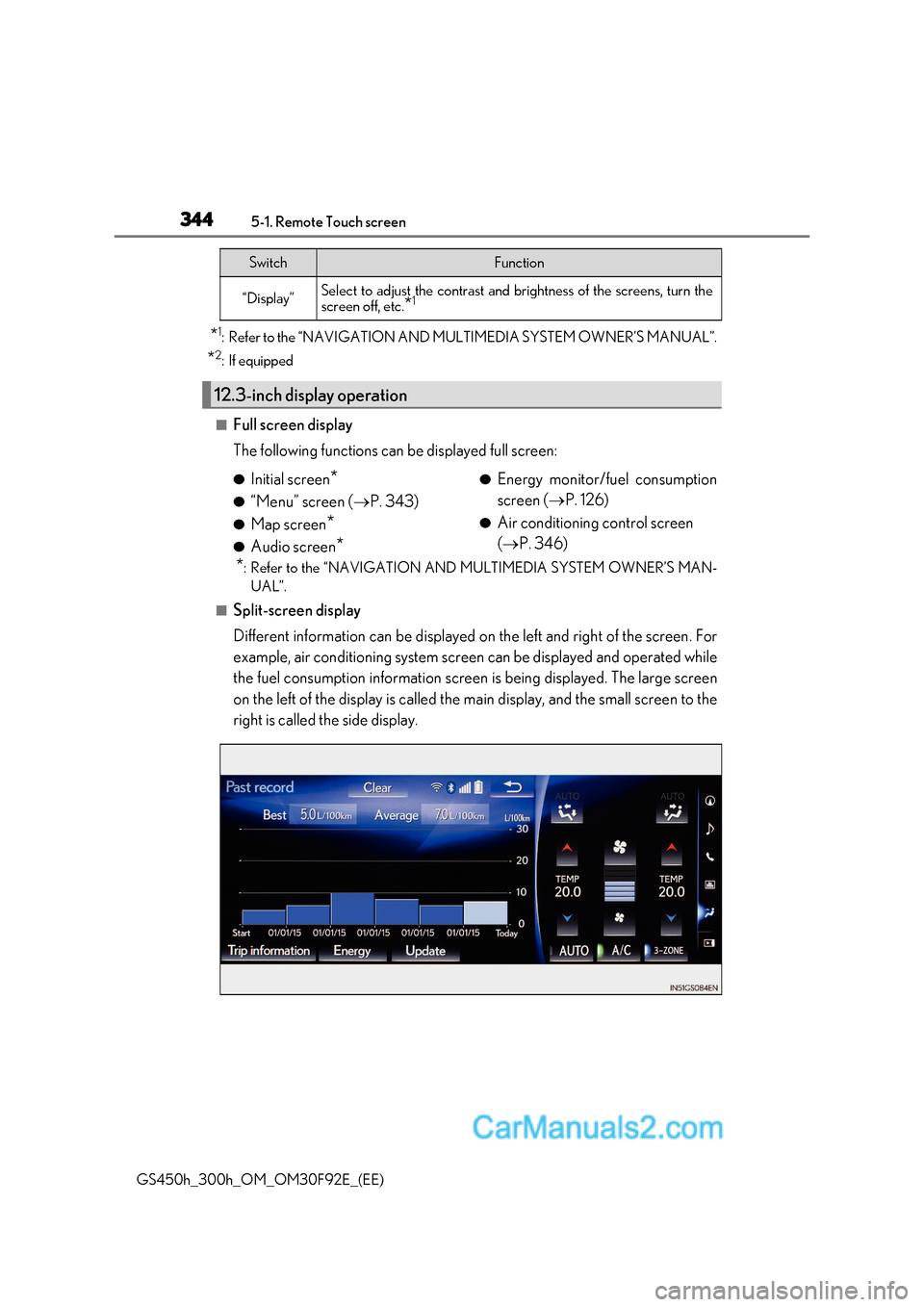
■Split-screen display
Different information can be displayed on the left and right of the screen. For
example, air conditioning system screen can be displayed and operated while
the fuel consumption information screen is being displayed. The large screen
on the left of the display is called the main display, and the small screen to the
right is called the side display.
“Display”Select to adjust the contrast and brightness of the screens, turn the
screen off, etc. *1
12.3-inch display operation
SwitchFunction
●
Initial screen *
● “Menu” screen ( P. 343)
● Map screen *
● Audio screen * ●
Energy monitor/fuel consumption
screen ( P. 126)
● Air conditioning control screen ( P. 346)
Page 345 of 600
345
5-1. Remote Touch screen
5
Interior features
GS450h_300h_OM_OM30F92E_(EE) For details of the functions and operation of the main display, refer to the respec-
tive section.
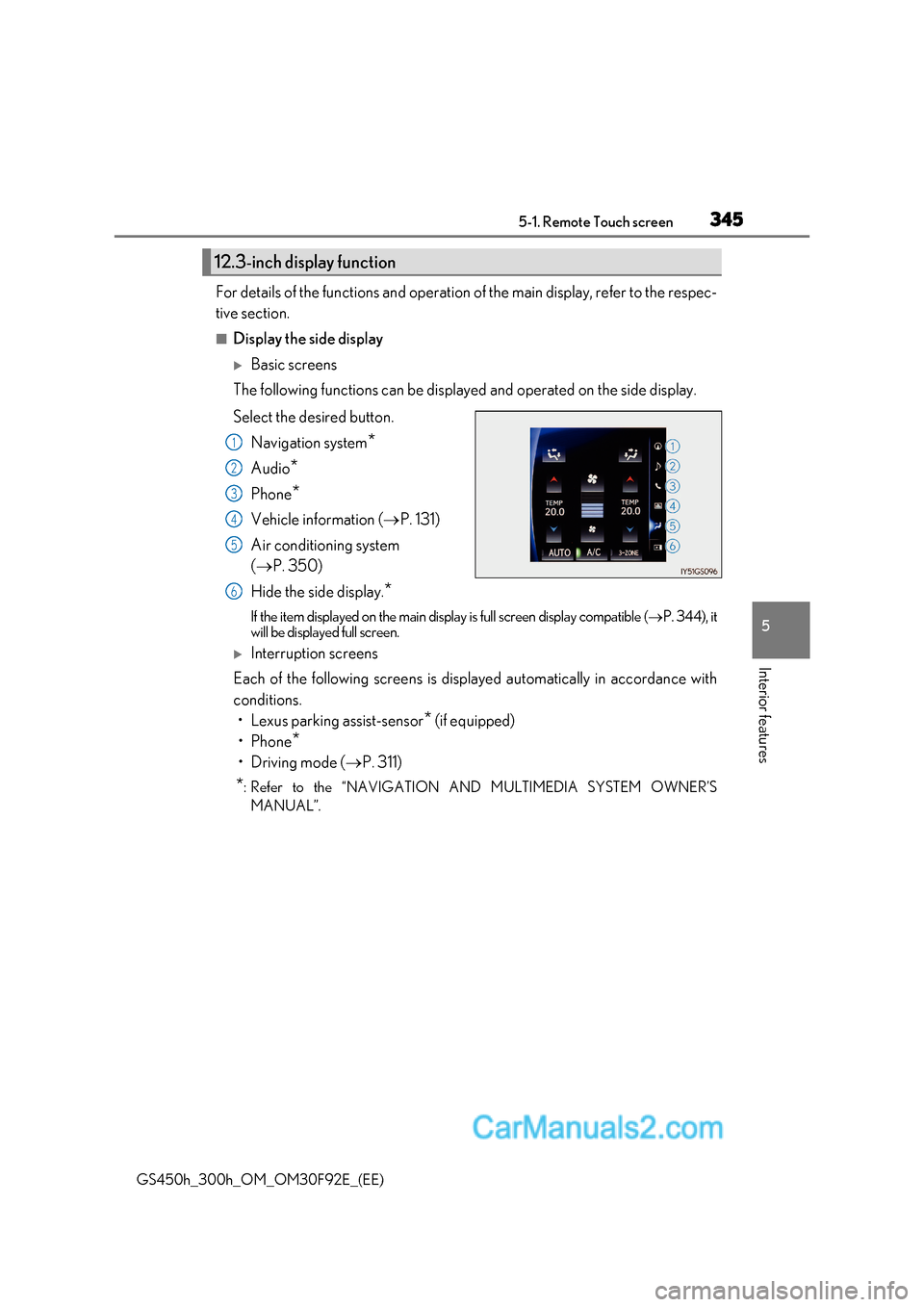
■Display the side display
Basic screens
The following functions can be displayed and operated on the side display.
Select the desired button.
Navigation system *
Audio *
Phone *
Vehicle information ( P. 131)
Air conditioning system ( P. 350)
Hide the side display. *
If the item displayed on the main display is full screen display compatible ( P. 344), it
will be displayed full screen.
Interruption screens
Each of the following screens is displayed automatically in accordance with
conditions.
Page 378 of 600
3785-5. Using the other interior features
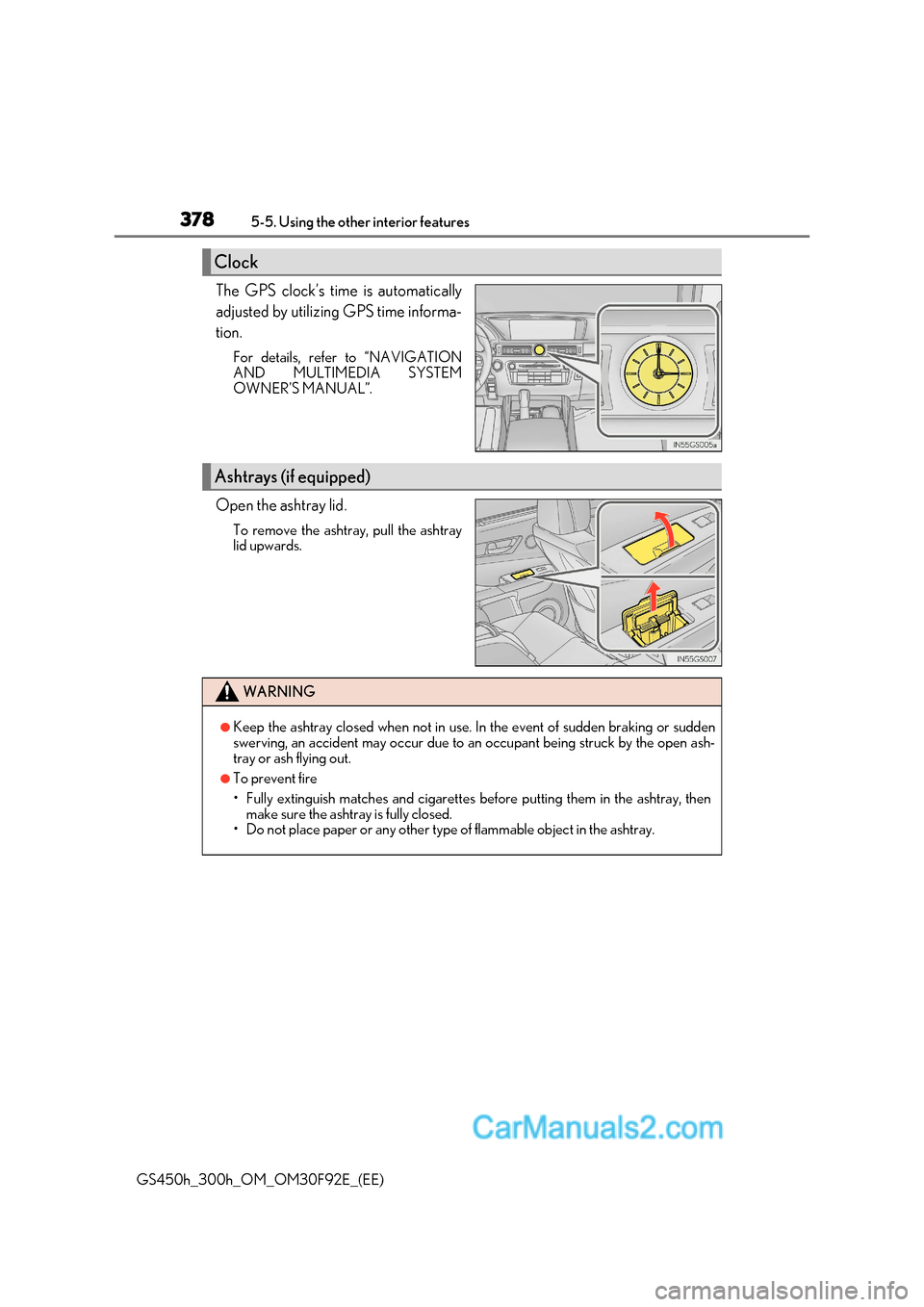
GS450h_300h_OM_OM30F92E_(EE) The GPS clock’s time is automatically
adjusted by utilizing GPS time informa-
tion.
For details, refer to “NAVIGATION
AND MULTIMEDIA SYSTEM
OWNER’S MANUAL”.
Open the ashtray lid. To remove the ashtray, pull the ashtray
lid upwards.
Clock
Ashtrays (if equipped)
WARNING
●Keep the ashtray closed when not in use. In the event of sudden braking or sudden
swerving, an accident may occur due to an occupant being struck by the open ash-
tray or ash flying out.
●To prevent fire
Page 384 of 600
3845-5. Using the other interior features
GS450h_300h_OM_OM30F92E_(EE)
ERA-GLONASS
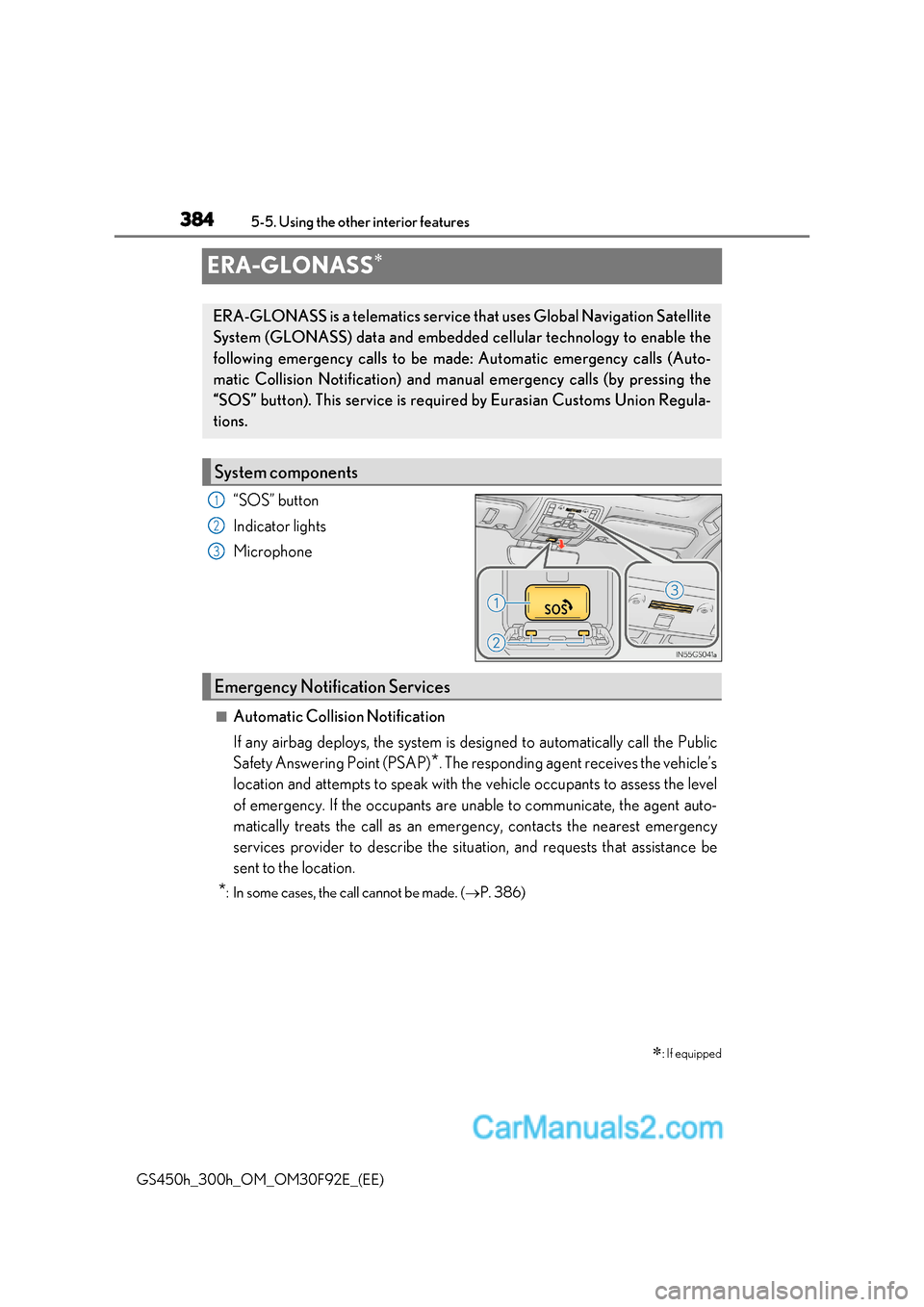
“SOS” button
Indicator lights
Microphone
■Automatic Collision Notification
If any airbag deploys, the system is designed to automatically call the Public
Safety Answering Point (PSAP)
*
. The responding agent receives the vehicle’s
location and attempts to speak with the vehicle occupants to assess the level
of emergency. If the occupants are unable to communicate, the agent auto-
matically treats the call as an emer gency, contacts the nearest emergency
services provider to describe the situation, and requests that assistance be
sent to the location.
* : In some cases, the call cannot be made. ( P. 386)
: If equipped
ERA-GLONASS is a telematics service that uses Global Navigation Satellite
System (GLONASS) data and embedded cellular technology to enable the
following emergency calls to be ma de: Automatic emergency calls (Auto-
matic Collision Notification) and manu al emergency calls (by pressing the
“SOS” button). This service is require d by Eurasian Customs Union Regula-
tions.
System components
1
2
3
Emergency Notification Services
Page 570 of 600
5708-2. Customization
GS450h_300h_OM_OM30F92E_(EE)
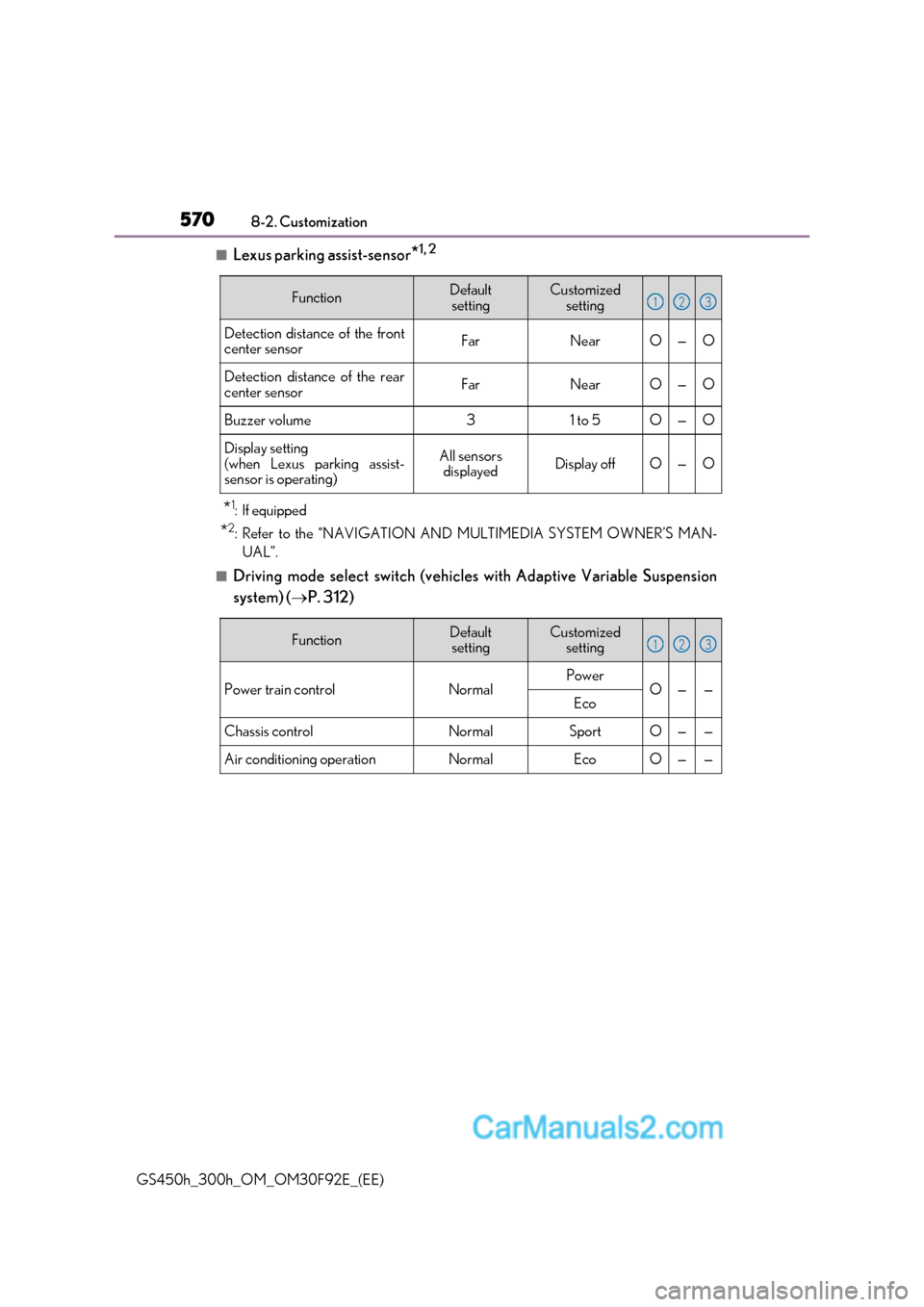
■Lexus parking assist-sensor *1, 2
* 1
:If equipped
* 2
: Refer to the “NAVIGATION AND MULTIMEDIA SYSTEM OWNER’S MAN-
UAL”.
■Driving mode select switch (vehicles with Adaptive Variable Suspension
system) ( P. 312)
FunctionDefault
settingCustomized setting
Detection distance of the front
center sensorFarNearO—O
Detection distance of the rear
center sensorFarNearO—O
Buzzer volume31 to 5O—O
Display setting
(when Lexus parking assist-
sensor is operating)All sensors displayedDisplay offO—O
123
FunctionDefaultsettingCustomized setting
Power train controlNormalPowerO——Eco
Chassis controlNormalSportO——
Air conditioning operationNormalEcoO——
123
Page 577 of 600
577
Index
GS450h_300h_OM_OM30F92E_(EE) What to do if...
(Troubleshooting) ............................... 578
Alphabetical index.................................582
For information regarding the equipment listed below, refer to the
“NAVIGATION AND MULTIMEDIA SYSTEM OWNER’S MAN-
UAL”
Page 583 of 600
583
Alphabetical index
GS450h_300h_OM_OM30F92E_(EE) Approach warning
Dynamic radar cruise control
with full-speed range....................302
Armrest.................................................... 380
Ashtrays .................................................... 378
Assist grips ............................................. 383
Audio input *
Audio system *
Automatic headlight leveling system ...................................................240
Automatic High Beam ....................... 246
Automatic light control system ...... 237
AUX port *
Auxiliary boxes ...................................... 373
AVS (Adaptive Variable Suspension system) .......................... 325
Back-up light Replacing light bulb .......................... 443
Wattage................................................. 558
Battery (12-volt battery)...................... 412
If the 12-volt battery is discharged........................................ 530
Preparing and checking before winter .................................... 334
Warning light ...................................... 460
Battery (traction battery)..................... 80 Blind Spot Monitor (BSM) ................314
Blind Spot Monitor function .......... 319
Rear Crossing Traffic Alert function...................................... 321
Bluetooth ®
*
Brake
Brake Hold ........................................... 235
Fluid .......................................................... 554
Parking brake .......................................232
Regenerative braking..........................78
Warning light........................... 460, 462
Warning message ............................ 466
Brake assist ............................................ 324
Brake Hold .............................................. 235
Break-in tips ........................................... 202
Brightness control Instrument panel li ght control ....... 107
BSM (Blind Spot Monitor) .................314
Blind Spot Monitor function .......... 319
Rear Crossing Traffic Alert function...................................... 321
Card key ....................................................134
Care ............................................... 390, 394 Aluminum wheels................................ 391
Exterior ................................................... 390
Interior..................................................... 394
Seat belts ............................................... 395
B
C
*: Refer to the “NAVIGATION AND MULTIMEDIA
SYSTEM OWNER’S MANUAL”.