warning LEXUS GS300H 2019 Owners Manual
[x] Cancel search | Manufacturer: LEXUS, Model Year: 2019, Model line: GS300H, Model: LEXUS GS300H 2019Pages: 600, PDF Size: 55.99 MB
Page 282 of 600
2824-5. Using the driving support systems
GS450h_300h_OM_OM30F92E_(EE)
LKA (Lane-Keeping Assist)
When driving on highways and freeways with white or yellow lines, this function
alerts the driver when the vehicle might depart from its lane and provides assis-
tance by operating the steering wheel to keep the vehicle in its lane. Further-
more, the system also provides steering assistance when dynamic radar cruise
control with full-speed range is operating to keep the vehicle in its lane.
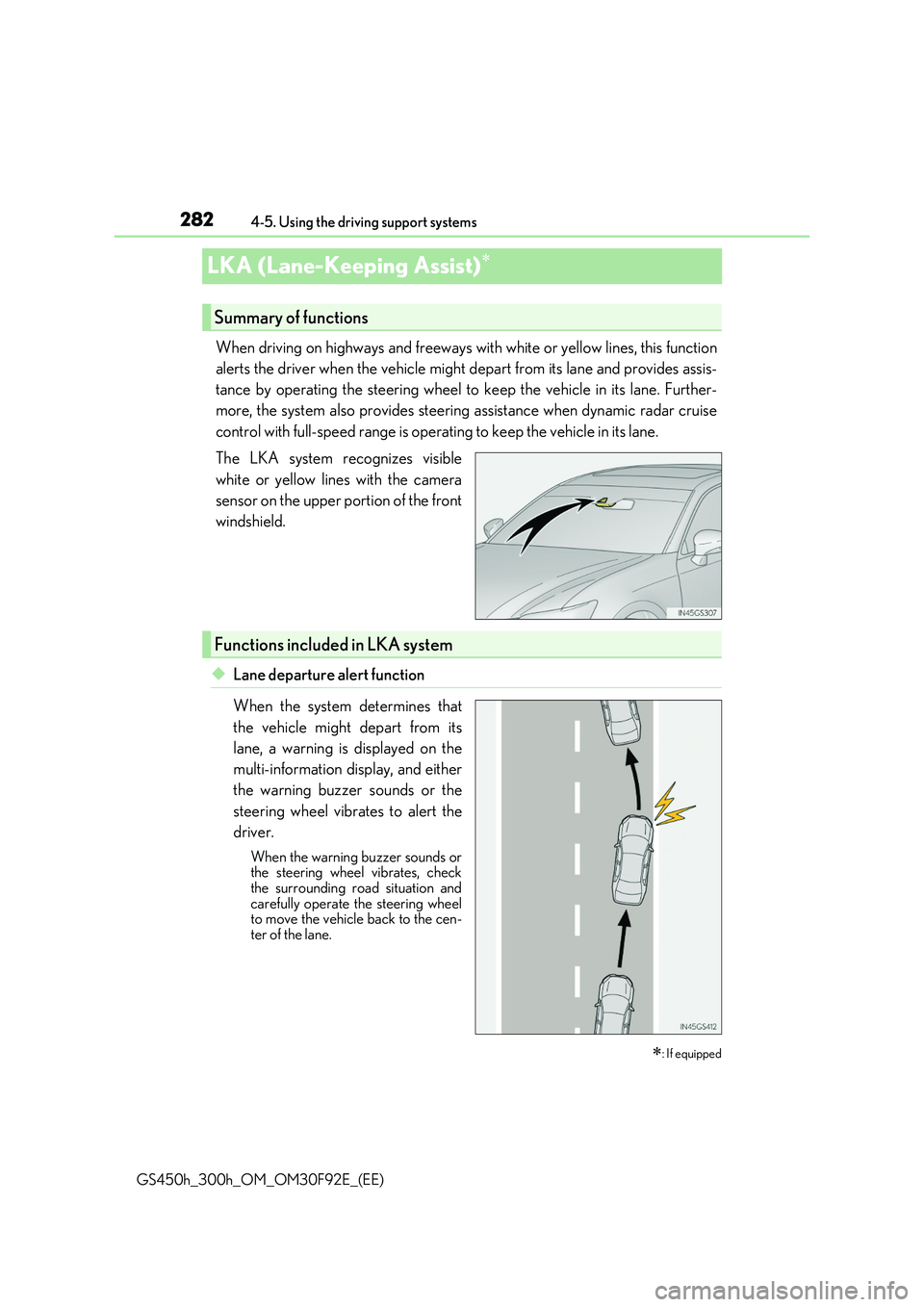
The LKA system recognizes visible
white or yellow lines with the camera
sensor on the upper portion of the front
windshield.
◆Lane departure alert function
When the system determines that
the vehicle might depart from its
lane, a warning is displayed on the
multi-information display, and either
the warning buzzer sounds or the
steering wheel vibrates to alert the
driver.
When the warning buzzer sounds or the steering wheel vibrates, check
the surrounding road situation and carefully operate the steering wheelto move the vehicle back to the cen-
ter of the lane.
: If equipped
Summary of functions
Functions included in LKA system
Page 283 of 600
2834-5. Using the driving support systems
4
Driving
GS450h_300h_OM_OM30F92E_(EE)
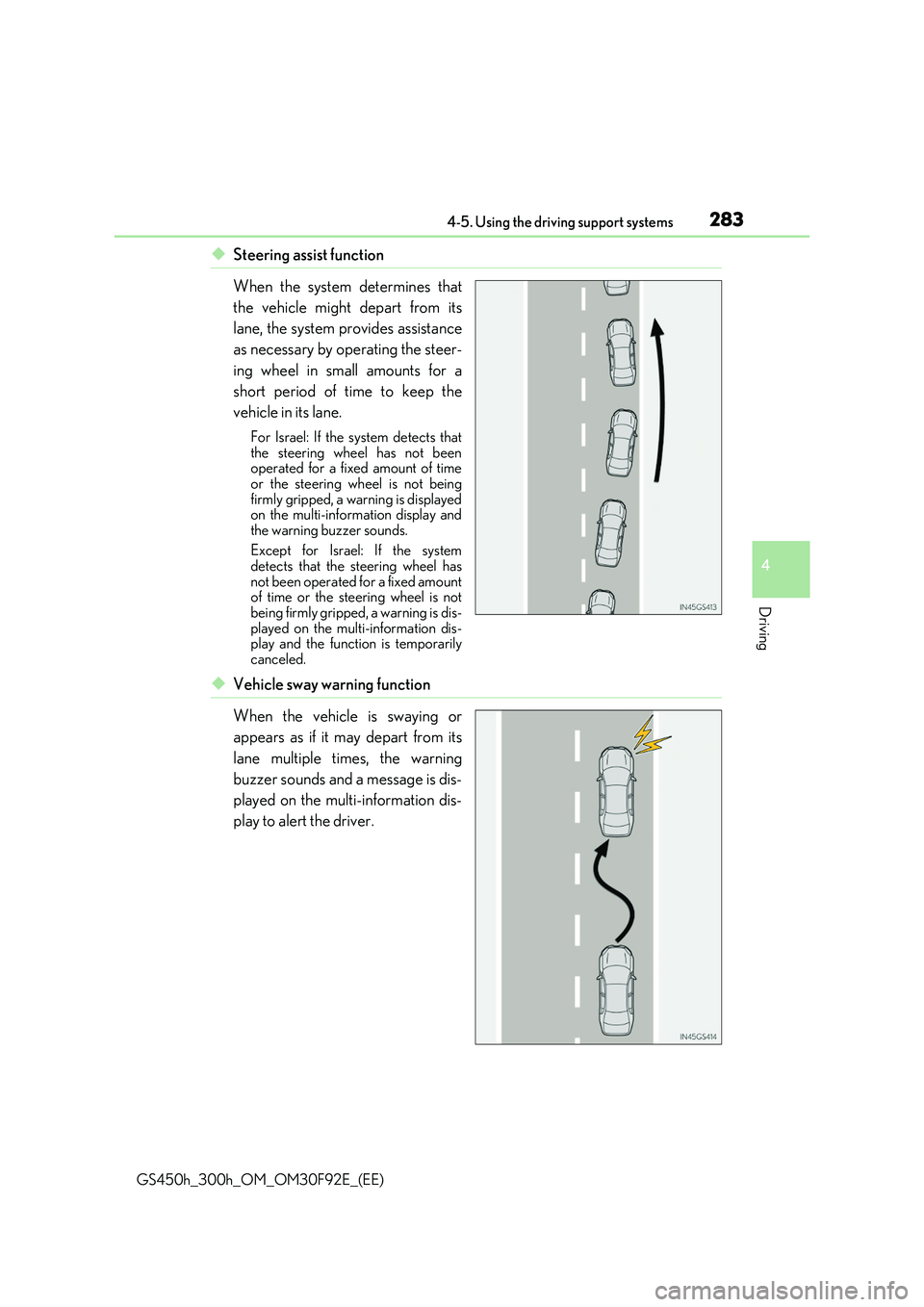
◆Steering assist function
When the system determines that
the vehicle might depart from its
lane, the system provides assistance
as necessary by operating the steer-
ing wheel in small amounts for a
short period of time to keep the
vehicle in its lane.
For Israel: If the system detects that the steering wheel has not beenoperated for a fixed amount of time
or the steering wheel is not being firmly gripped, a warning is displayedon the multi-information display and
the warning buzzer sounds.
Except for Israel: If the system detects that the steering wheel has
not been operated for a fixed amount of time or the steering wheel is notbeing firmly gripped, a warning is dis-
played on the multi-information dis- play and the function is temporarilycanceled.
◆Vehicle sway warning function
When the vehicle is swaying or
appears as if it may depart from its
lane multiple times, the warning
buzzer sounds and a message is dis-
played on the multi-information dis-
play to alert the driver.
Page 284 of 600
2844-5. Using the driving support systems
GS450h_300h_OM_OM30F92E_(EE)
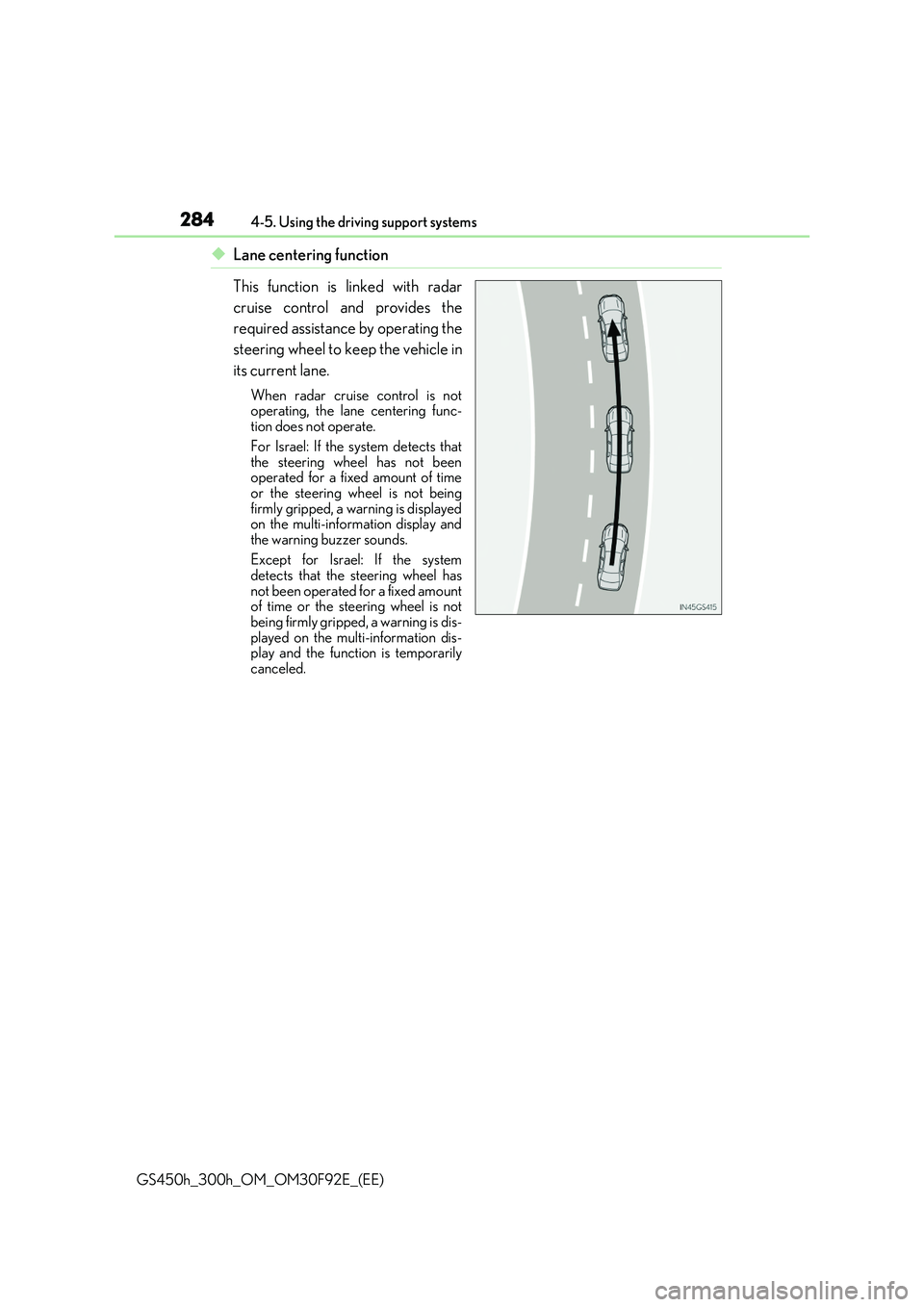
◆Lane centering function
This function is linked with radar
cruise control and provides the
required assistance by operating the
steering wheel to keep the vehicle in
its current lane.
When radar cruise control is not operating, the lane centering func-tion does not operate.
For Israel: If the system detects that the steering wheel has not beenoperated for a fixed amount of time
or the steering wheel is not being firmly gripped, a warning is displayedon the multi-information display and
the warning buzzer sounds.
Except for Israel: If the system detects that the steering wheel has
not been operated for a fixed amount of time or the steering wheel is notbeing firmly gripped, a warning is dis-
played on the multi-information dis- play and the function is temporarilycanceled.
Page 285 of 600
2854-5. Using the driving support systems
4
Driving
GS450h_300h_OM_OM30F92E_(EE)
WARNING
■Before using LKA system
Do not rely solely upon the LKA system. Th e LKA system does not automatically drive the vehicle or reduce the amount of attention that must be paid to the area in front of
the vehicle. The driver must always assume full responsibility for driving safely by pay- ing careful attention to the surrounding conditions and operating the steering wheel tocorrect the path of the vehicle. Also, the driver must take adequate breaks when
fatigued, such as from driving for a long period of time. Failure to perform appropriate driving operat ions and pay careful attention may lead to an accident, resulting in death or serious injury.
■To avoid operating LKA system by mistake
When not using the LKA system, use the LKA switch to turn the system off.
■Situations unsuitable for LKA system
Do not use the LKA system in the following situations. The system may not operate properly and le ad to an accident, resulting in death or serious injury.
●A spare tire, tire chains, etc. are equipped.
●When the tires have been excessively worn, or when the tire inflation pressure is low.
●Tires which differ by structure, manufacturer, brand or tread pattern are used.
●Objects or patterns that could be mistaken for white (yellow) lines are present on the side of the road (guardrails, cu rbs, reflective poles, etc.).
●Vehicle is driven on a snow-covered road.
●White (yellow) lines are difficult to see due to rain, snow, fog, dust, etc.
●Asphalt repair marks, white (yellow) line marks, etc. are present due to road repair.
●Vehicle is driven in a temporary lane or restricted lane due to construction work.
●Vehicle is driven on a road surface which is slippery due to rainy weather, fallen snow, freezing, etc.
●Vehicle is driven in traffic lanes other than on highways and freeways.
●Vehicle is driven in a construction zone.
●Vehicle is towing a trailer or another vehicle. (vehicles with towing package)
■Preventing LKA system malfunctions and operations performed by mistake
●Do not modify the headlights or place stickers, etc. on the surface of the lights.
●Do not modify the suspension etc. If the suspension etc. needs to be replaced, con- tact any authorized Lexus retailer or Le xus authorized repairer, or any reliable
repairer.
●Do not install or place anything on the hood or grille. Also, do not install a grille guard (bull bars, kangaroo bar, etc.).
●If your windshield needs repairs, contac t any authorized Lexus retailer or Lexus authorized repairer, or any reliable repairer.
Page 288 of 600
2884-5. Using the driving support systems
GS450h_300h_OM_OM30F92E_(EE)
●Vehicle sway warning
This function operates when all of the following conditions are met.
• Setting for “Sway Warning” in of the multi-information display is set to “On”.
( P. 111)
• Vehicle speed is approximately 50 km/h (32 mph) or more. • Width of traffic lane is approximately 3 m (9.8 ft.) or more.• No system malfunctions are detected. ( P. 290)
●Lane centering function
This function operates when all of the following conditions are met.
• LKA is turned on. • Setting for “Steering Assist” and “Lane Center” in of the multi-information display are set to “On”. ( P. 111)
• System recognizes white (yellow) lines. • Dynamic radar cruise control with full-speed range is operating.• Width of traffic lane is approximat ely 2.5 to 4.1 m (8.2 to 13.5 ft.).
• Turn signal lever is not operated. • Vehicle is driven on a straight road or around a gentle curve with a radius of morethan approximately 200 m (656 ft.).
• No system malfunctions are detected. ( P. 290) • Vehicle does not accelerate or dece lerate by a fixed amount or more. • Steering wheel is not operated with a steering force level suitable for changing
lanes. • ABS, VSC, TRC and PCS (Pre-Crash Safety system) are not operating. • TRC or VSC is not turned off.
• Except for Israel: Hands off steering wheel alert is not displayed. ( P. 289) • Steering assist function is not operating.
■Temporary cancellation of functions
When operation conditions are no longer met, a function may be temporarily canceled. However, when the operation conditions are met again, operation of the function is auto-
matically restored. ( P. 287)
■Steering assist function/lane centering function
Depending on the vehicle speed, lane departure situation, road conditions, etc., the
driver may not feel the function is operating or the function may not operate at all.
■Lane departure alert function
The warning buzzer may be difficult to hear due to external noise, audio playback, etc.
Also, it may be difficult to feel steering wheel vibrations due to the road conditions, etc.
Page 289 of 600
2894-5. Using the driving support systems
4
Driving
GS450h_300h_OM_OM30F92E_(EE)
■Hands off steering wheel alert
For Israel: When the system determines that the driver has removed the hands from the steering wheel while the steering assist function or lane centering function is operating, a
warning message is displayed on the multi- information display and the buzzer sounds.
Except for Israel: When the system determines that the driver has removed the hands from the steering wheel while the steering assist function or lane centering function is
operating, a warning message is displa yed on the multi-information display. If the driver continues to keep the hands off of the steering wheel, the buzzer sounds, awarning message is displayed and the function is temporarily canceled. This alert also
operates in the same way when the vehicle is driven with the steering wheel lightly gripped. However, depending on the road conditions, etc., the function may not cancel.
■White (yellow) lines are on ly on one side of road
The LKA system will not operate for the side on which white (yellow) lines could not be recognized.
■Conditions in which functi ons may not operate properly
In the following situations, the camera sensor may not detect white (yellow) lines and var- ious functions may not operate normally.
●There are shadows on the road that run paralle l with, or cover, the white (yellow) lines.
●The vehicle is driven in an area without white (yellow) lines, such as in front of a tollgate or checkpoint, or at an intersection, etc.
●The white (yellow) lines are cracked, “Raised pavement marker” or stones are present.
●The white (yellow) lines cannot be seen or are difficult to see due to sand, etc.
●The vehicle is driven on a road surface that is wet due to rain, puddles, etc.
●The traffic lines are yellow (which may be more difficult to recognize than lines that are
white).
●The white (yellow) lines cross over a curb, etc.
●The vehicle is driven on a bright surface, such as concrete.
●The vehicle is driven on a surface that is bright due to reflected light, etc.
●The vehicle is driven in an area where the brightness changes suddenly, such as at the
entrances and exits of tunnels, etc.
●Light from the headlights of an oncoming vehicle, the sun, etc. enters the camera.
●The vehicle is driven where the road diverges, merges, etc.
●The vehicle is driven on a slope.
Page 290 of 600
2904-5. Using the driving support systems
GS450h_300h_OM_OM30F92E_(EE)
●The vehicle is driven on a road which tilts left or right, or a winding road.
●The vehicle is driven on an unpaved or rough road.
●The vehicle is driven around a sharp curve.
●The traffic lane is excessively narrow or wide.
●The vehicle is extremely tilted due to carrying heavy luggage or having improper tire pressure.
●The distance to the preceding vehicle is extremely short.
●The vehicle is moving up and down a large amount due to road conditions during driv-ing (poor roads or road seams).
●The headlight lenses are dirty and emit a faint amount of light at night, or the beam axis has deviated.
●The vehicle is struck by a crosswind.
●The vehicle has just changed lanes or crossed an intersection.
●Snow tires, etc. are equipped.
■Warning message
Warning messages are used to indicate a syst em malfunction or to inform the driver of the need for caution while driving. ( P. 466)
■Customization
The following settings can be changed.
For how to change settings, refer to P. 561.
FunctionSetting details
Lane departure alert functionAdjust alert sensitivity
Adjust alert type
Steering assist functionTurn steering wheel assistance on and off
Vehicle sway warning functionTurn function on and off
Adjust alert sensitivity
Lane centering functionTurn function on and off
Page 291 of 600
291
4
4-5. Using the driving support systems
Driving
GS450h_300h_OM_OM30F92E_(EE)
RSA (Road Sign Assist)
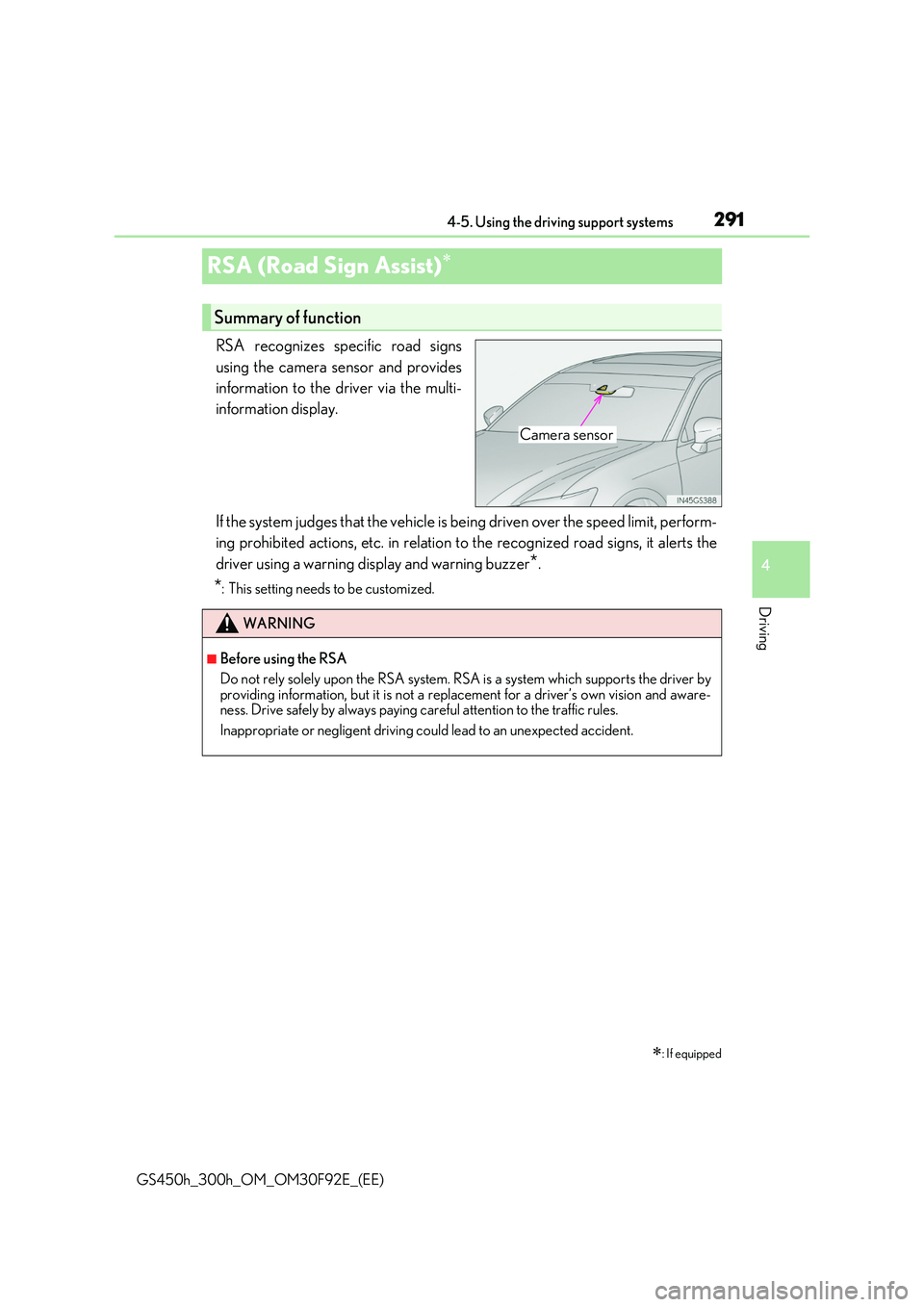
RSA recognizes specific road signs
using the camera sensor and provides
information to the driver via the multi-
information display.
If the system judges that the vehicle is being driven over the speed limit, perform-
ing prohibited actions, etc. in relation to the recognized road signs, it alerts the
driver using a warning display and warning buzzer*.
*: This setting needs to be customized.
: If equipped
Summary of function
Camera sensor
WARNING
■Before using the RSA
Do not rely solely upon the RSA system. RS A is a system which supports the driver by
providing information, but it is not a replacement for a driver’s own vision and aware- ness. Drive safely by always paying careful attention to the traffic rules.
Inappropriate or negligent driving could lead to an unexpected accident.
Page 294 of 600
2944-5. Using the driving support systems
GS450h_300h_OM_OM30F92E_(EE)
*1: If the turn signal indicator is not operated when changing lanes, the mark does not dis-
play.
*2:On some models
In the following situations, the RSA system alerts the driver using a warning dis-
play.
●When the vehicle speed exceeds the speed warning threshold applied to the
speed limit of the sign displayed on the multi-information display, the sign
color becomes inverted.
●If it is detected that your vehicle is overtaking when a no overtaking sign is dis-
played on the multi-information display, the sign flashes.
●On some models: When the RSA system recognizes a no-entry sign and
detects that the vehicle has entered a no-entry area based on the map infor-
mation of the navigation system, the no-entry sign flashes.
Depending on the situation, traffic environment (traffic direction, speed, unit)
may be detected incorrectly and a warning display may not operate properly.
■Automatic turn-off of RSA sign display
One or more signs automatically turn off in the following situations.
●A new sign is not recognized for a certain distance.
●The road changes due to a left or right turn, etc.
■Conditions in which the function may not operate or detect correctly
In the following situations, RSA does not op erate normally and may not recognize signs,
display the incorrect sign, etc. However, this does not indicate a malfunction.
●The camera sensor is misaligned due to a strong impact being applied to the sensor, etc.
●Dirt, snow, stickers, etc. are on the windshield near the camera sensor.
●In inclement weather such as heavy rain, fog, snow or sand storms
●Light from an oncoming vehicle, the sun, etc. enters the camera sensor.
●The sign is dirty, faded, tilted or bent, and if an electronic sign, the contrast is poor.
●All or part of the sign is hidden by the leaves of a tree, a pole, etc.
●The sign is only visible to the camera sensor for a short amount of time.
●The driving scene (turning, lane change, etc.) is judged incorrectly.
●Even if it is a sign not appropriate for the currently traveled lane, such a sign exists
directly after a freeway branches, or in an adjacent lane just before merging.
●Stickers are attached to the rear of the preceding vehicle.
●A sign resembling a system comp atible sign is recognized.
●The vehicle is driven in a country with a different direction of traffic.
Warning display
Page 295 of 600
2954-5. Using the driving support systems
4
Driving
GS450h_300h_OM_OM30F92E_(EE)
●Side road speed signs may be detected and displayed (if positioned in sight of the cam-era sensor) while the vehicle is traveling on the main road.
●Roundabout exit road speed signs may be detected and displayed (if positioned in sight
of the camera sensor) while traveling on a roundabout.
●On some models: The speed information displayed on the meter and that displayed on the navigation system may be different due to the navigation system using map data.
■When driving vehicle in country with different speed unit
Since RSA recognizes signs based on the set unit of the meter, it is necessary to changethe set unit of the meter. Adjust the set unit of the meter to the speed unit of signs in the
current location. (P. 565)
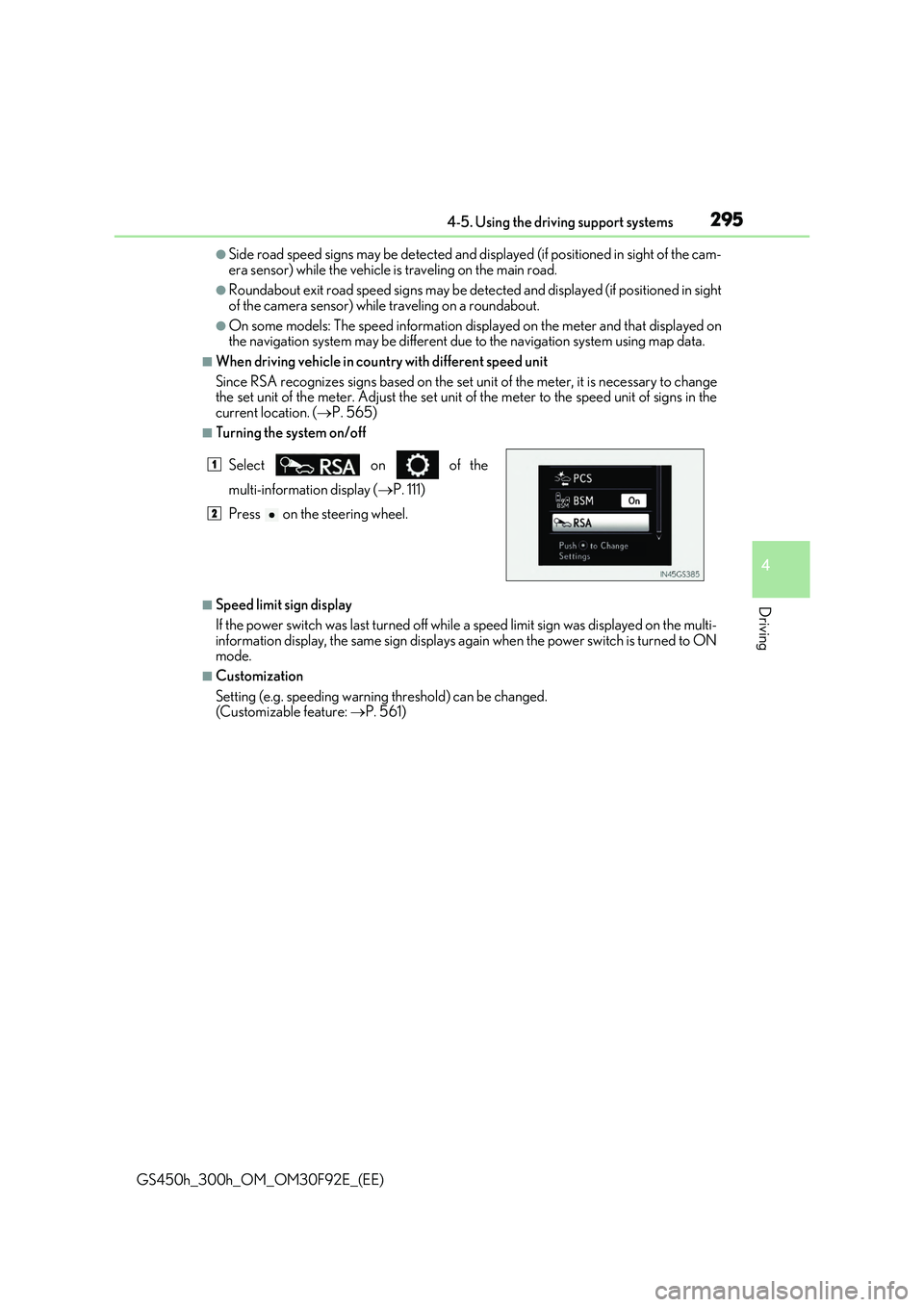
■Turning the system on/off
■Speed limit sign display
If the power switch was last turned off while a speed limit sign was displayed on the multi-
information display, the same sign displays again when the power switch is turned to ON mode.
■Customization
Setting (e.g. speeding warning threshold) can be changed. (Customizable feature: P. 561)
Select on of the
multi-information display (P. 111)
Press on the steering wheel.
1
2