lock LEXUS GS300H 2019 Owner's Guide
[x] Cancel search | Manufacturer: LEXUS, Model Year: 2019, Model line: GS300H, Model: LEXUS GS300H 2019Pages: 600, PDF Size: 55.99 MB
Page 109 of 600
1092. Instrument cluster
2
Instrument cluster
GS450h_300h_OM_OM30F92E_(EE)
■Tachometer
Hybrid System Indicator switches to the tach ometer when driving mode is in sport mode. The settings of the tachometer display can be changed on the multi-information display.
( P. 111)
■Engine speed
On hybrid vehicles, engine speed is precis ely controlled in order to help improve fuel
efficiency and reduce exhaust emissions etc. There are times when the engine speed that is displayed may differ even when vehicleoperation and driving conditions are the same.
■Outside temperature display
●In the following situations, the correct outside temperature may not be displayed, or thedisplay may take longer than normal to change.
• When stopped, or driving at low sp eeds (less than 20 km/h [12 mph]) • When the outside temperature has changed suddenly (at the entrance/exit of agarage, tunnel, etc.)
• When the vehicle is parked in direct sunlight
●When “--” or “E” is displayed, the system may be malfunctioning.
Take your vehicle to any authorized Lexus re tailer or Lexus authorized repairer, or any reliable repairer.
■Pop-up display
In some situations, a pop-up display will be temporarily displayed on the multi-informa- tion display or the odometer/trip meter/ maintenance required information screen. The pop-up display function can be set on/off. ( P. 563)
■Liquid crystal display
Small spots or light spots may appear on the display. This phenomenon is characteristic
of liquid crystal displays, and there is no problem continuing to use the display.
■Clock settings
■Customization
The meter display can be customized on the multi-information display.
(Customizable features P. 561)
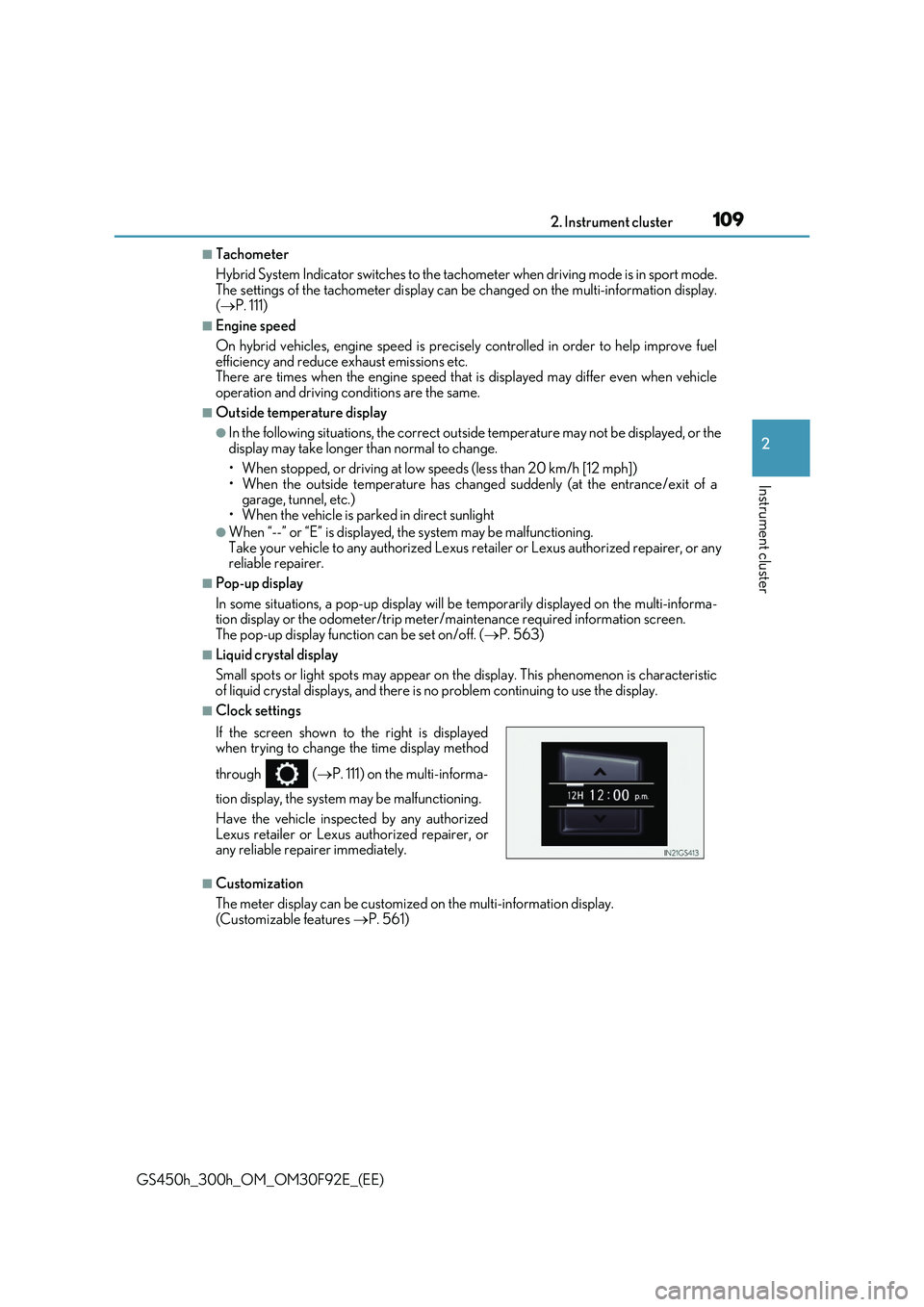
If the screen shown to the right is displayed when trying to change the time display method
through ( P. 111) on the multi-informa-
tion display, the system may be malfunctioning.
Have the vehicle inspected by any authorized
Lexus retailer or Lexus authorized repairer, or any reliable repairer immediately.
Page 115 of 600
1152. Instrument cluster
2
Instrument cluster
GS450h_300h_OM_OM30F92E_(EE)
■Display off
A blank screen is displayed
*1: Displayed when the item is set in “Drive Info 1”, “Drive Info 2” or “Drive Info 3”.
( P. 562)
*2: The function can be reset by pressing the of the meter control switches for longer
than 1 second when the item to reset is displayed.
If there is more than one item that can be reset, the item selection screen will appear.
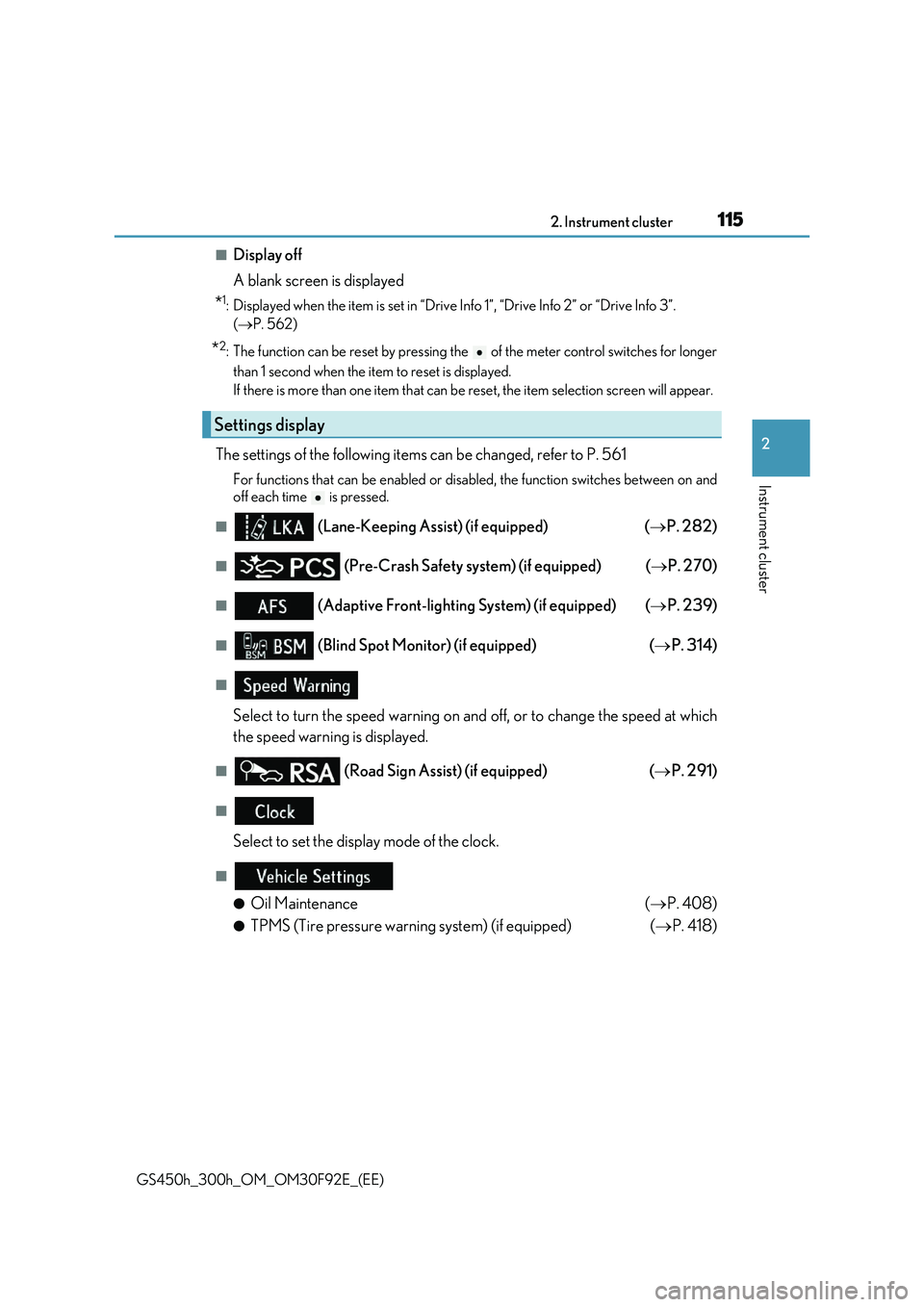
The settings of the following items can be changed, refer to P. 561
For functions that can be enabled or disabled, the function switches between on and
off each time is pressed.
■ (Lane-Keeping Assist) (if equipped) ( P. 282)
■ (Pre-Crash Safety system) (if equipped) (P. 270)
■ (Adaptive Front-lighting System) (if equipped) (P. 239)
■ (Blind Spot Monitor) (if equipped) (P. 314)
■
Select to turn the speed warning on and off, or to change the speed at which
the speed warning is displayed.
■ (Road Sign Assi st) (if equipped) (P. 291)
■
Select to set the display mode of the clock.
■
●Oil Maintenance ( P. 408)
●TPMS (Tire pressure warning system) (if equipped) (P. 418)
Settings display
Page 133 of 600
133
3
Operation of
each component
GS450h_300h_OM_OM30F92E_(EE)
3-1. Key information
Keys .................................................. 134
3-2. Opening, closing and locking
the doors and trunk
Doors ............................................... 139
Trunk .................................................146
Smart entry & start system ...... 153
3-3. Adjusting the seats
Front seats.......................................175
Driving position memory ......... 178
Head restraints ............................ 183
3-4. Adjusting the steering
wheel and mirrors
Steering wheel ............................. 186
Inside rear view mirror ............. 188
Outside rear view mirrors....... 190
3-5. Opening, closing the
windows and moon roof
Power windows ........................... 193
Moon roof ...................................... 196
Page 134 of 600
1343-1. Key information
GS450h_300h_OM_OM30F92E_(EE)
Keys
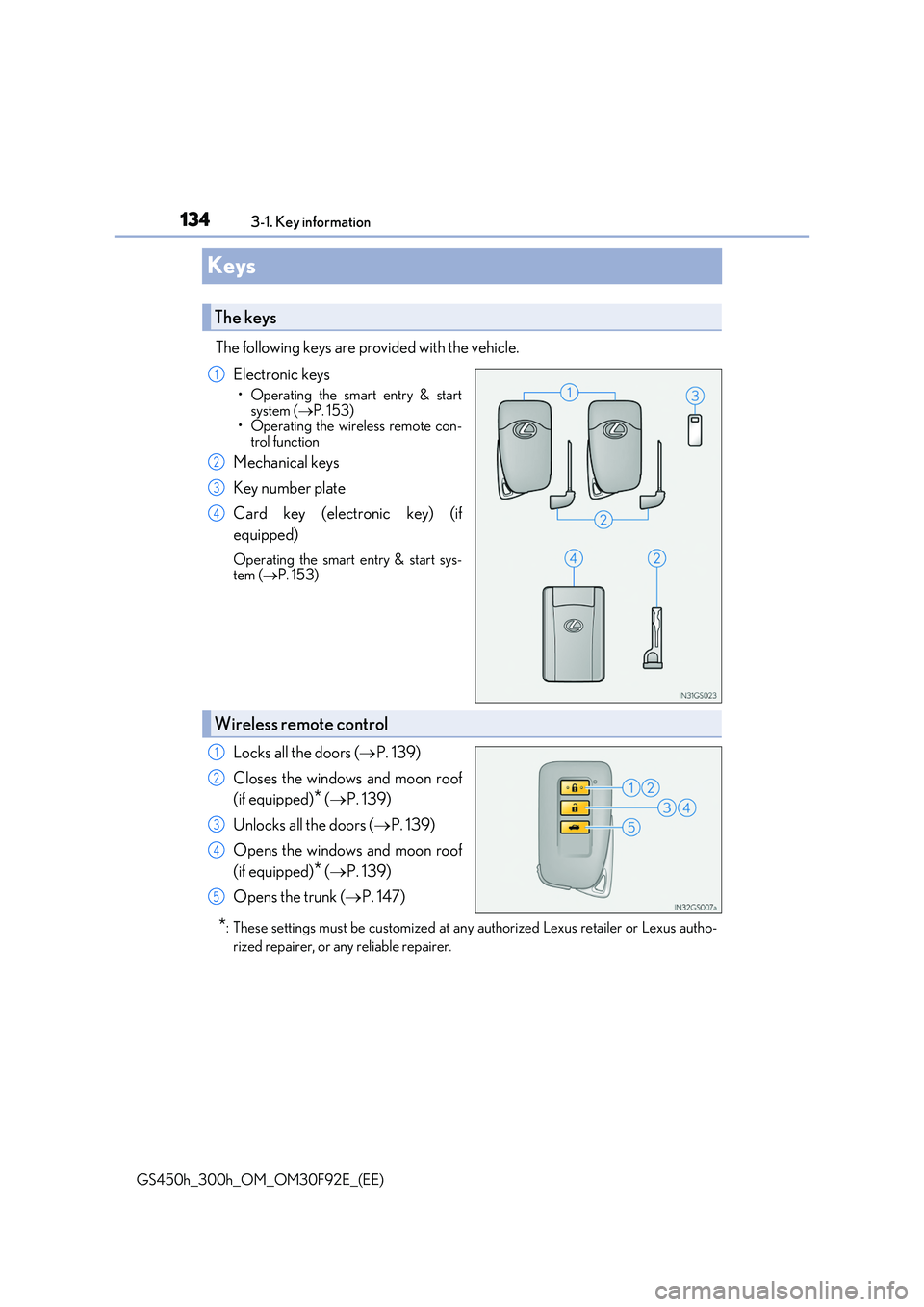
The following keys are provided with the vehicle.
Electronic keys
• Operating the smart entry & start
system ( P. 153) • Operating the wireless remote con-trol function
Mechanical keys
Key number plate
Card key (electronic key) (if
equipped)
Operating the smart entry & start sys- tem ( P. 153)
Locks all the doors (P. 139)
Closes the windows and moon roof
(if equipped)* ( P. 139)
Unlocks all the doors ( P. 139)
Opens the windows and moon roof
(if equipped)* ( P. 139)
Opens the trunk ( P. 147)
*: These settings must be customized at any authorized Lexus retailer or Lexus autho-
rized repairer, or any reliable repairer.
The keys
1
2
3
4
Wireless remote control
1
2
3
4
5
Page 135 of 600
1353-1. Key information
3
Operation of each component
GS450h_300h_OM_OM30F92E_(EE)
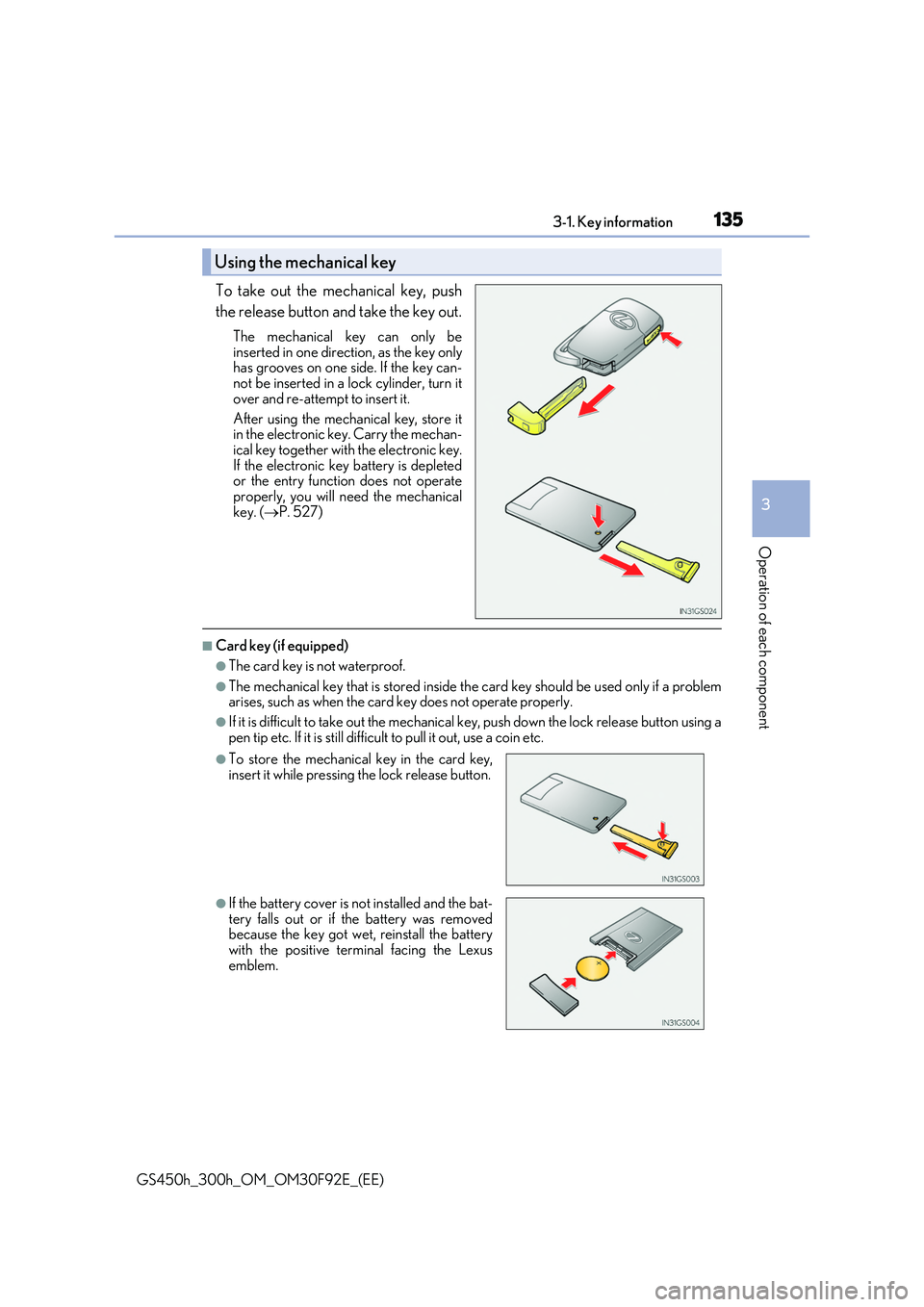
To take out the mechanical key, push
the release button and take the key out.
The mechanical key can only be
inserted in one direction, as the key only has grooves on one si de. If the key can- not be inserted in a lock cylinder, turn it
over and re-attempt to insert it.
After using the mechanical key, store it in the electronic key. Carry the mechan-
ical key together with the electronic key. If the electronic key battery is depletedor the entry function does not operate
properly, you will need the mechanical key. ( P. 527)
■Card key (if equipped)
●The card key is not waterproof.
●The mechanical key that is stored inside the card key should be used only if a problem arises, such as when the card key does not operate properly.
●If it is difficult to take out the mechanical key, push down the lock release button using a
pen tip etc. If it is still difficu lt to pull it out, use a coin etc.
Using the mechanical key
●To store the mechanical key in the card key,
insert it while pressing the lock release button.
●If the battery cover is not installed and the bat-
tery falls out or if the battery was removed because the key got wet, reinstall the batterywith the positive terminal facing the Lexus
emblem.
Page 136 of 600
1363-1. Key information
GS450h_300h_OM_OM30F92E_(EE)
■When required to leave the vehicle’s key with a parking attendant
Turn the trunk opener main switch off and lock the glove box as circumstances demand. ( P. 148, 370)
Remove the mechanical key for your own use and provide the attendant with the elec- tronic key only.
■If you lose your mechanical keys
New genuine mechanical keys can be made by any authorized Lexus retailer or Lexus authorized repairer, or any reliable repairer using the other mechanical key and the keynumber stamped on your key number plate. K eep the plate in a safe place such as your
wallet, not in the vehicle.
■When riding in an aircraft
When bringing an electronic key onto an aircraft, make sure you do not press any but-
tons on the electronic key while inside the ai rcraft cabin. If you are carrying an electronic key in your bag etc., ensure that the buttons are not likely to be pressed accidentally.Pressing a button may cause the electronic key to emit radio waves that could interfere
with the operation of the aircraft.
■Electronic key battery depletion
●The standard battery life is 1 to 2 years. (The card key battery life is about a year and a
half.)
●If the battery becomes low, an alarm will sound in the cabin when the hybrid system stops. ( P. 496)
●As the electronic key always receives radio waves, the battery will become depleted even if the electronic key is not used. The following symptoms indicate that the elec-tronic key battery may be depleted. Replace the battery when necessary. ( P. 435)
• The smart entry & start system or the wireless remote control does not operate. • The detection area becomes smaller.
• The LED indicator on the key surface does not turn on.
●To avoid serious deterioration, do not leave the electronic key within 1 m (3 ft.) of the
following electrical appliances that produce a magnetic field:
•TVs •Personal computers
• Cellular phones, cordless phones and battery chargers • Recharging cellular phones or cordless phones• Table lamps
• Induction cookers
■Replacing the battery
P. 435
■Confirmation of the registered key number
The number of keys already registered to the vehicle can be confirmed. Ask any autho- rized Lexus retailer or Lexus authorized repa irer, or any reliable repairer for details.
■If a wrong key is used
The key cylinder rotates freely to isolate inside mechanism.
Page 139 of 600
139
3
3-2. Opening, closing and locking the doors and trunk
Operation of each component
GS450h_300h_OM_OM30F92E_(EE)
Doors
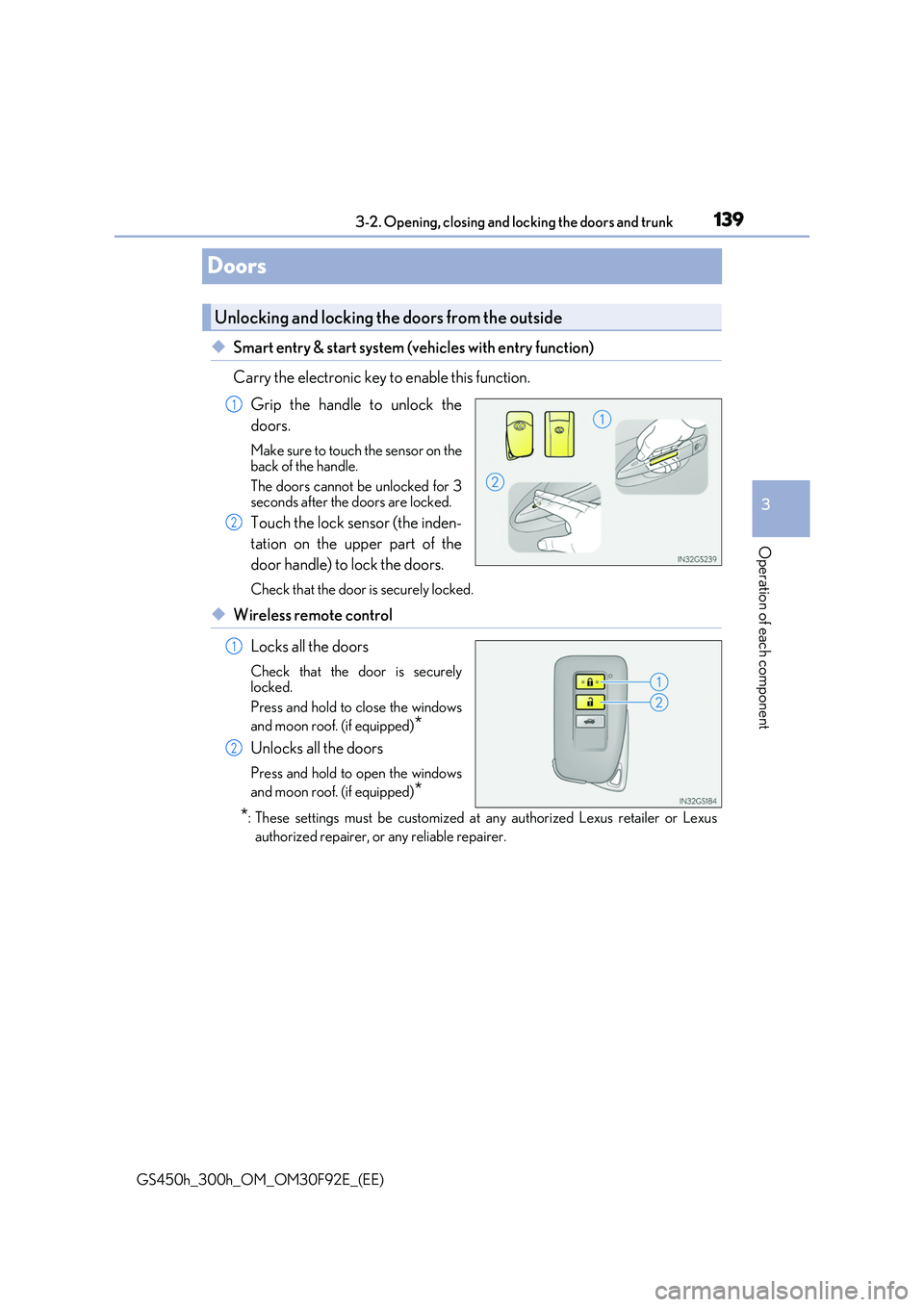
◆Smart entry & start system (vehicles with entry function)
Carry the electronic key to enable this function.
Grip the handle to unlock the
doors.
Make sure to touch the sensor on the back of the handle.
The doors cannot be unlocked for 3 seconds after the doors are locked.
Touch the lock sensor (the inden-
tation on the upper part of the
door handle) to lock the doors.
Check that the door is securely locked.
◆Wireless remote control
Locks all the doors
Check that the door is securely locked.
Press and hold to close the windows
and moon roof. (if equipped)*
Unlocks all the doors
Press and hold to open the windows
and moon roof. (if equipped)*
*: These settings must be customized at any authorized Lexus retailer or Lexus
authorized repairer, or any reliable repairer.
Unlocking and locking the doors from the outside
1
2
1
2
Page 140 of 600
1403-2. Opening, closing and locking the doors and trunk
GS450h_300h_OM_OM30F92E_(EE)
■Operation signals
The emergency flashers flash to indicate that the doors have been locked/unlocked. (Locked: once; Unlocked: twice)
■Security feature
If a door is not opened within approximately 30 seconds after the vehicle is unlocked, the security feature automatically locks the vehicle again.
■Welcome light illumination control
The front position, tail and license plate lights automatically turn on at night when the doors are unlocked using the entry function or wireless remote control if the light switch is in the “AUTO” position.
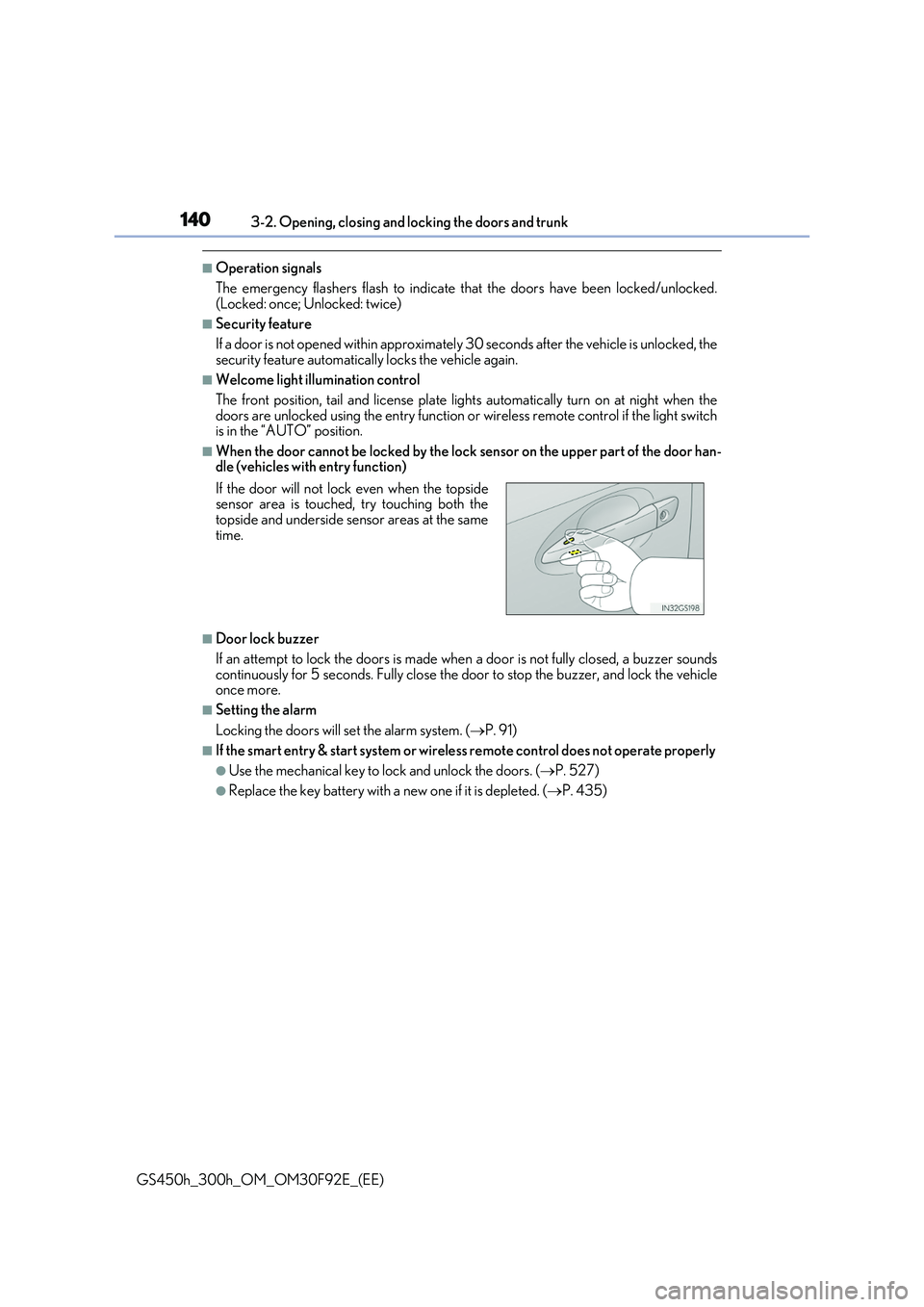
■When the door cannot be locked by the lock sensor on the upper part of the door han-dle (vehicles with entry function)
■Door lock buzzer
If an attempt to lock the doors is made when a door is not fully closed, a buzzer sounds
continuously for 5 seconds. Fully close the door to stop the buzzer, and lock the vehicle once more.
■Setting the alarm
Locking the doors will set the alarm system. ( P. 91)
■If the smart entry & start system or wireless remote control does not operate properly
●Use the mechanical key to lock and unlock the doors. (P. 527)
●Replace the key battery with a new one if it is depleted. (P. 435)
If the door will not lock even when the topside sensor area is touched, try touching both thetopside and underside sensor areas at the same
time.
Page 141 of 600
1413-2. Opening, closing and locking the doors and trunk
3
Operation of each component
GS450h_300h_OM_OM30F92E_(EE)
WARNING
Observe the following precautions. Failing to do so may result in death or serious injury.
■When using the wireless remote control and operating the power windows or moon
roof (if equipped)
Operate the power window or moon roof afte r checking to make sure that there is no possibility of any passenger having any of their body parts caught in the window or
moon roof. Also, do not allow children to oper ate the wireless remote control. It is pos- sible for children and other passengers to get caught in the power window or moonroof.
■Jam protection function
●Never try jamming any part of your body to activate the jam protection functionintentionally.
●The jam protection function may not work if something gets caught just before thewindow or moon roof fully closes.
Page 142 of 600
1423-2. Opening, closing and locking the doors and trunk
GS450h_300h_OM_OM30F92E_(EE)
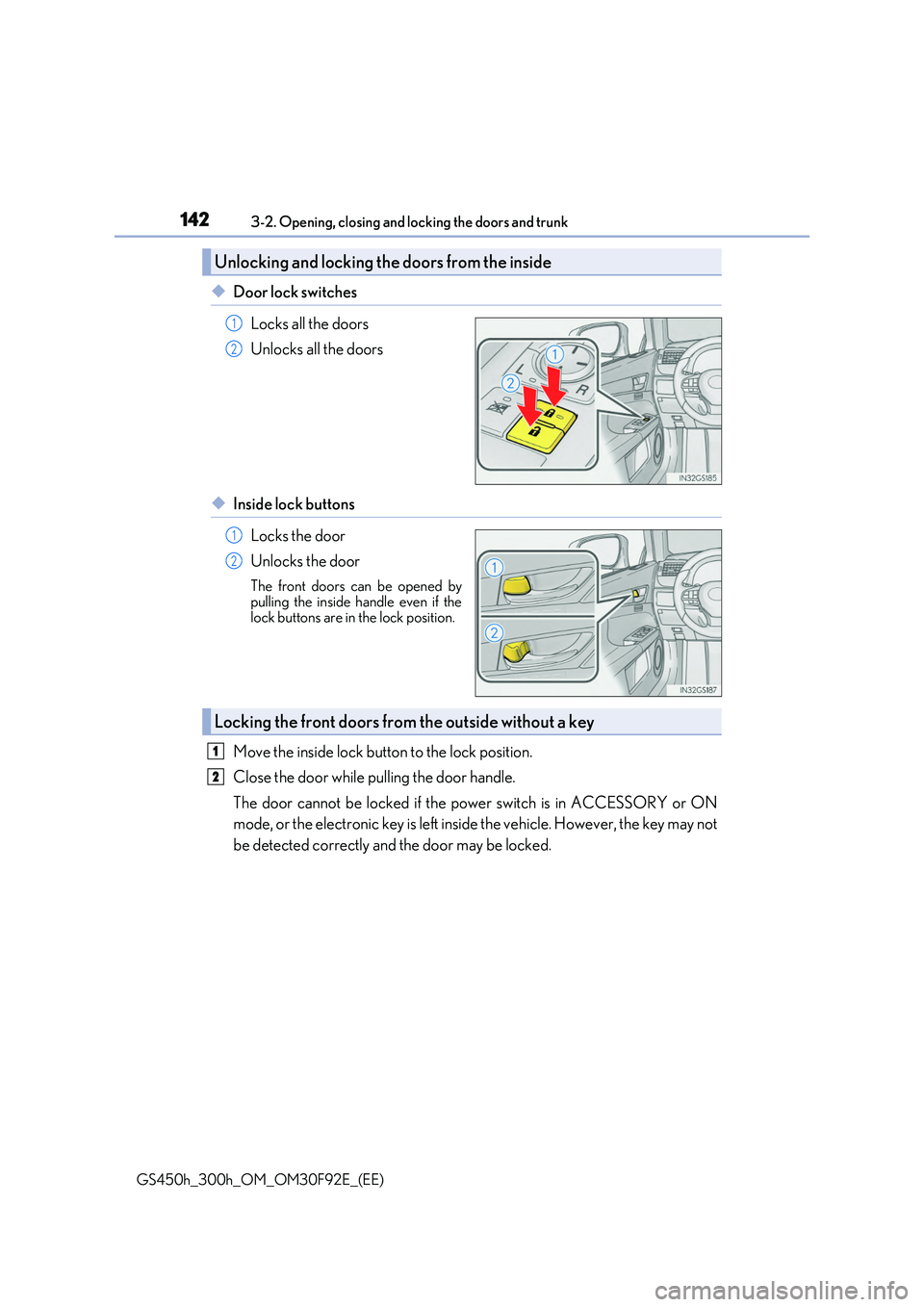
◆Door lock switches
Locks all the doors
Unlocks all the doors
◆Inside lock buttons
Locks the door
Unlocks the door
The front doors can be opened by
pulling the inside ha ndle even if the lock buttons are in the lock position.
Move the inside lock button to the lock position.
Close the door while pulling the door handle.
The door cannot be locked if the power switch is in ACCESSORY or ON
mode, or the electronic key is left inside the vehicle. However, the key may not
be detected correctly and the door may be locked.
Unlocking and locking th e doors from the inside
1
2
1
2
Locking the front doors from the outside without a key
1
2