parking brake Lexus GS350 2008 Do-it-yourself maintenance / LEXUS 2008 GS460/350 (OM30A87U) User Guide
[x] Cancel search | Manufacturer: LEXUS, Model Year: 2008, Model line: GS350, Model: Lexus GS350 2008Pages: 596, PDF Size: 9.29 MB
Page 131 of 596
131
2-1. Driving procedures
2
When driving
GS_G_U
May 13, 2008 5:14 pm
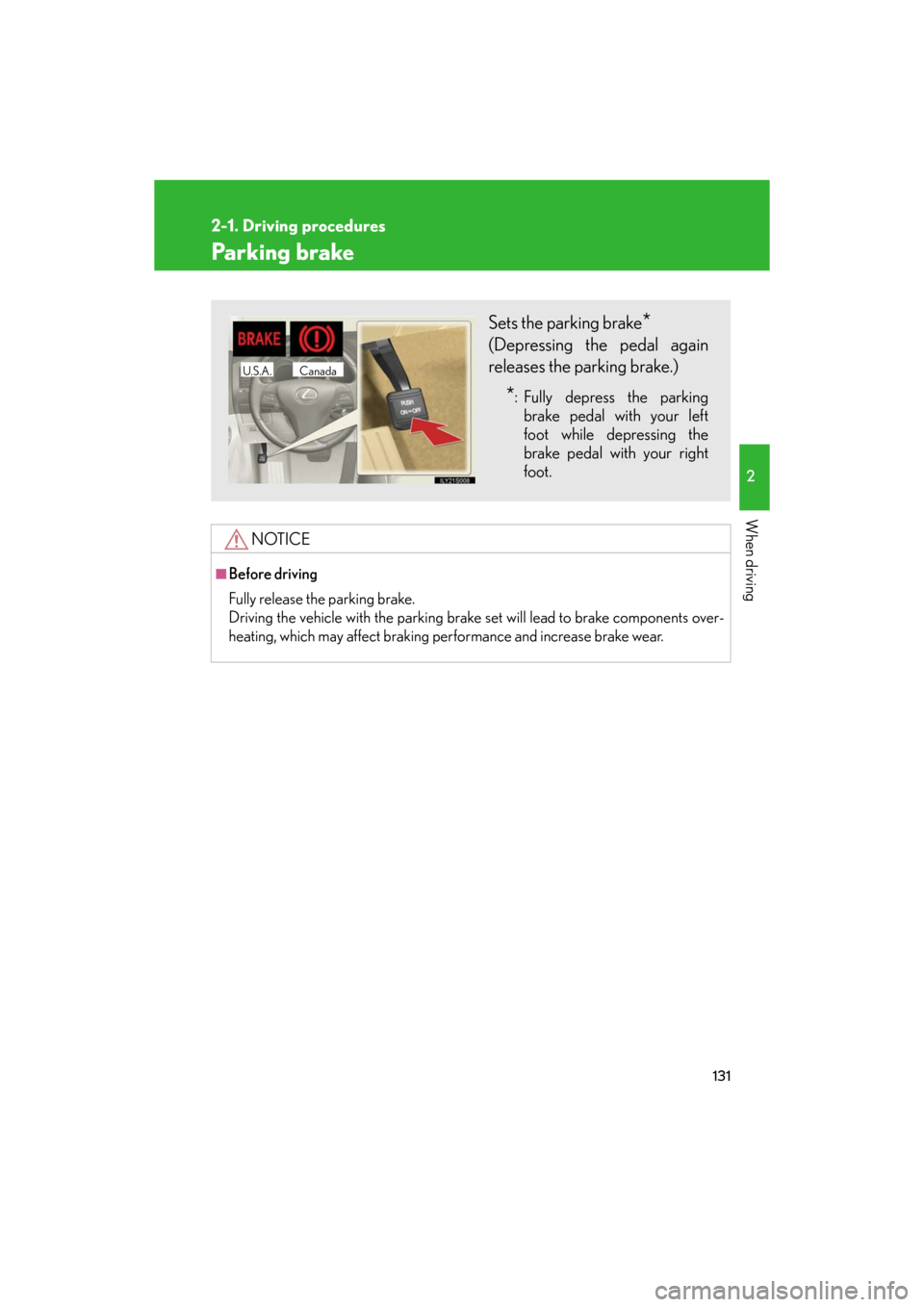
Parking brake
NOTICE
■Before driving
Fully release the parking brake.
Driving the vehicle with the parking brake set will lead to brake components over-
heating, which may affect braking performance and increase brake wear.
Sets the parking brake*
(Depressing the pedal again
releases the parking brake.)
*: Fully depress the parking
brake pedal with your left
foot while depressing the
brake pedal with your right
foot.
CanadaU.S.A.
Page 143 of 596
143
2-3. Operating the lights and windshield wipers
2
When driving
GS_G_U
June 5, 2008 10:37 am
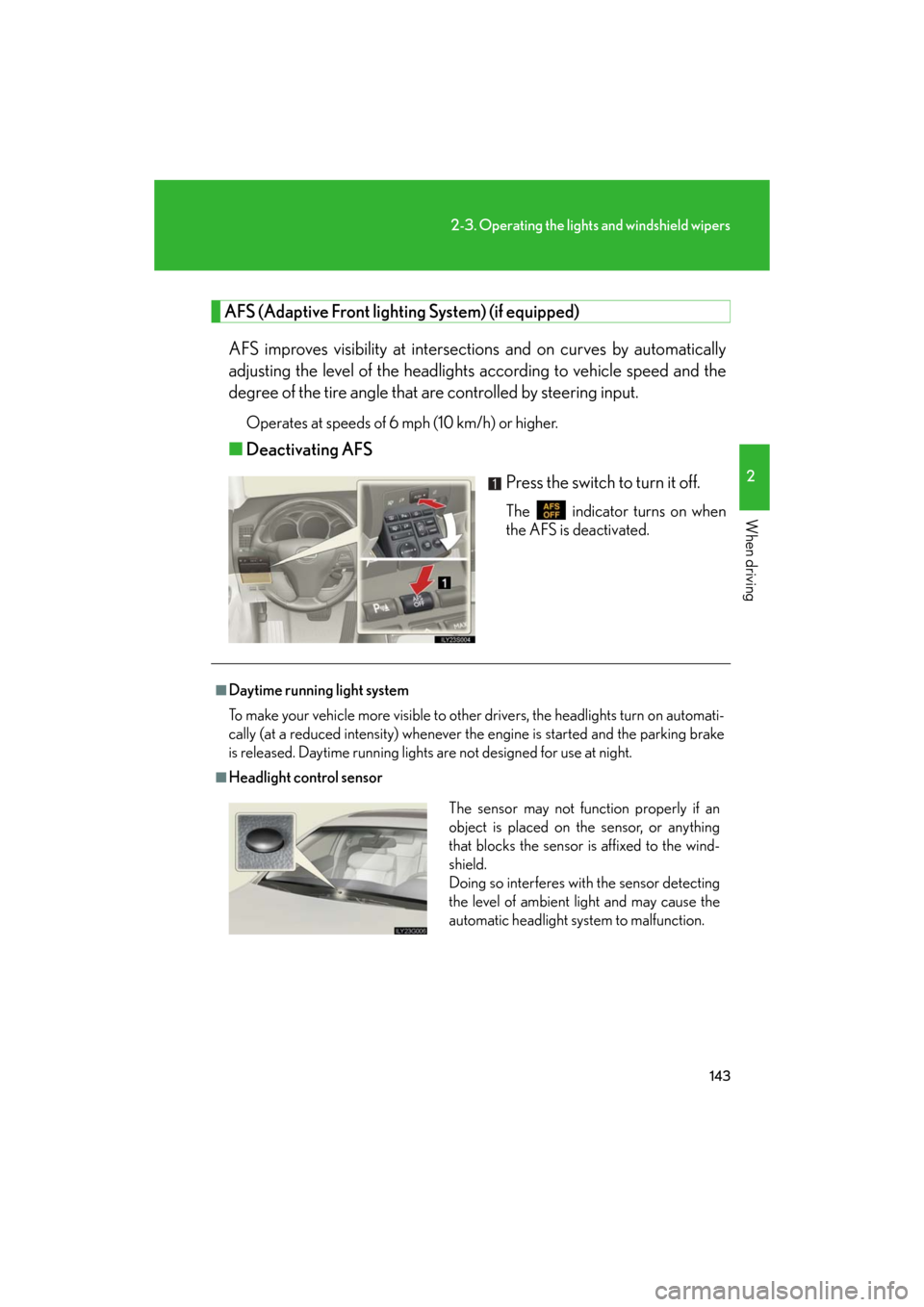
AFS (Adaptive Front lighting System) (if equipped)
AFS improves visibility at intersectio ns and on curves by automatically
adjusting the level of the headlights according to vehicle speed and the
degree of the tire angle that are controlled by steering input.
Operates at speeds of 6 mph (10 km/h) or higher.
■ Deactivating AFS
Press the switch to turn it off.
The indicator turns on when
the AFS is deactivated.
■Daytime running light system
To make your vehicle more visible to other drivers, the headlights turn on automati-
cally (at a reduced intensity) whenever the engine is started and the parking brake
is released. Daytime running lights are not designed for use at night.
■Headlight control sensor
The sensor may not function properly if an
object is placed on the sensor, or anything
that blocks the sensor is affixed to the wind-
shield.
Doing so interferes with the sensor detecting
the level of ambient light and may cause the
automatic headlight system to malfunction.
Page 175 of 596

175
2-4. Using other driving systems
2
When driving
GS_G_U
May 13, 2008 5:14 pm
■When using the intuitive parking assist
●The sensors’ detection areas and reaction times are limited. When moving for-
ward or reversing, check the areas surrounding the vehicle (especially the sides
of the vehicle) for safety, and drive slowly, using the brake to control the vehicle’s
speed.
• The sensors’ detection areas are limited to the areas around the vehicle’s front and rear bumpers.
• Depending on the shape of the obstacle and other factors, the detection dis-
tance may shorten, or dete ction may be impossible.
• There will be a short delay between ob stacle detection and display. Even at
slow speeds, there is a possibility that the obstacle will come within 0.8 ft. (25
cm) of the vehicle before the display is shown and the warning beep sounds.
• Braking distance may differ according to the road conditions (rain, gravel
etc.).
• It might be difficult to hear beeps due to the volume of audio system or air flow noise of air conditioning system.
• For long obstacles such as walls, the obstacle warning may change as the obstacle gets closer.
Page 200 of 596
200
2-5. Driving information
GS_G_U
May 13, 2008 5:14 pm
Regulations on the use of snow chains● Regulations regarding the use of tire chains vary according to location
and type of road. Alwa ys check local regulations before installing
chains.
● Use SAE Class “S” type radial tire chains, with the exception of radial
cable chains or V-bar type chains.
• Install the chains on the rear tires.
• Refer to the explanation that comes with the tire chains for installa-
tion instructions.
● Retighten the chains after driving 1 /4 - 1 /2 mile (0.5 - 1.0 km).
■When driving the vehicle
Accelerate the vehicle slowly and dr ive at a reduced speed suitable
to road conditions.
■ When parking the vehicle
Park the vehicle and move the shift lever to “P” without setting the
parking brake. The parking brake ma y freeze up, preventing it from
being released.
Page 254 of 596
254
3-3. Using the audio system
GS_G_U
May 13, 2008 5:14 pm
Playing DVD video/audio
For safety reasons, you can enjoy the visual contents of discs only when the
vehicle is completely stopped with the “ENGINE START STOP” switch in
ACCESSORY or IGNITION ON mode and the parking brake applied.
While you are driving, only audio contents may be played.
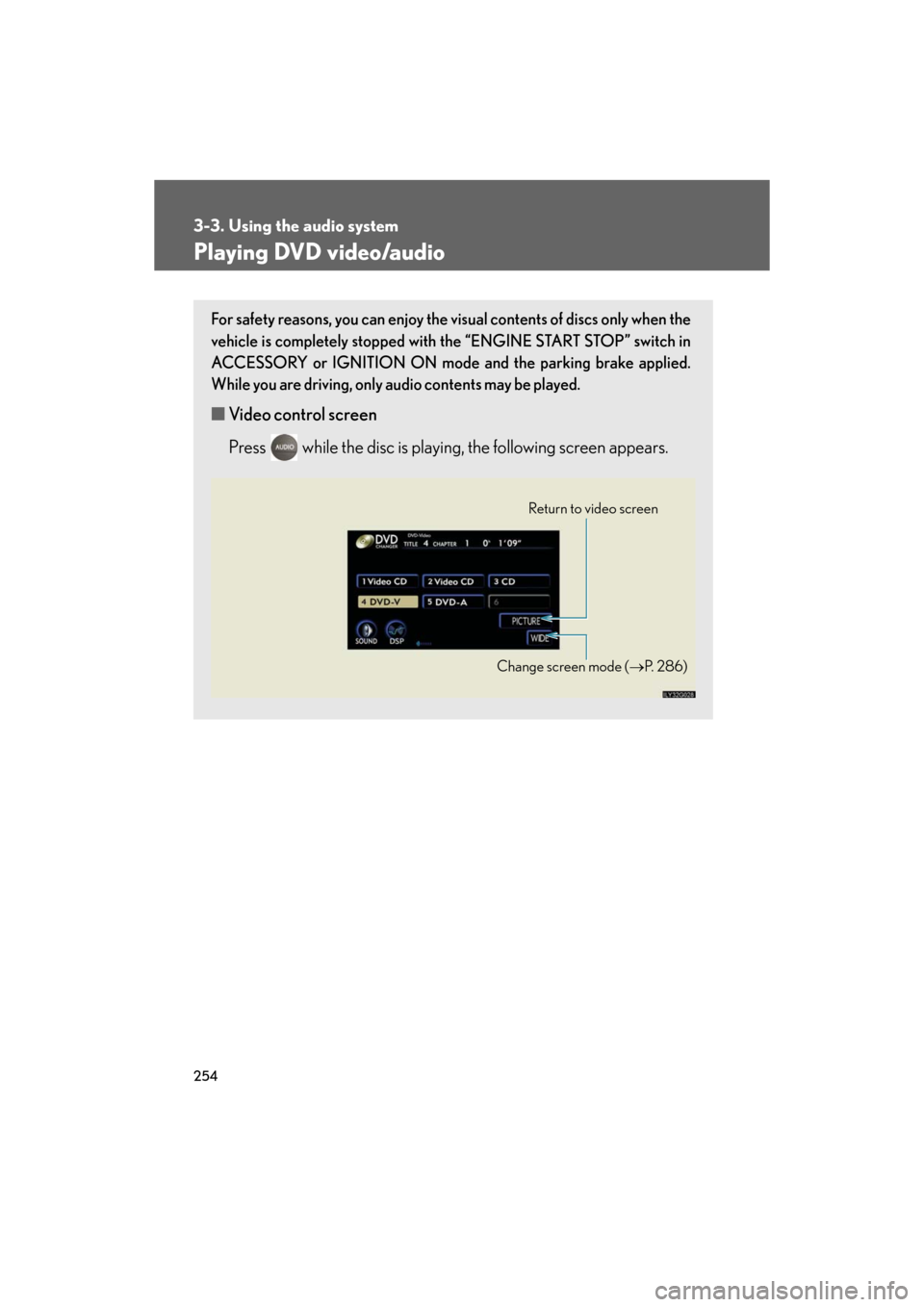
■ Video control screen
Press while the disc is playing , the following screen appears.
Return to video screen
Change screen mode ( P. 2 8 6 )
Page 266 of 596
266
3-3. Using the audio system
GS_G_U
May 13, 2008 5:14 pm
Playing video CD
For safety reasons, you can enjoy the visual contents of discs only when the
vehicle is completely stopped with the “ENGINE START STOP” switch in
ACCESSORY or IGNITION ON mode and the parking brake applied.
While you are driving, only audio contents may be played.
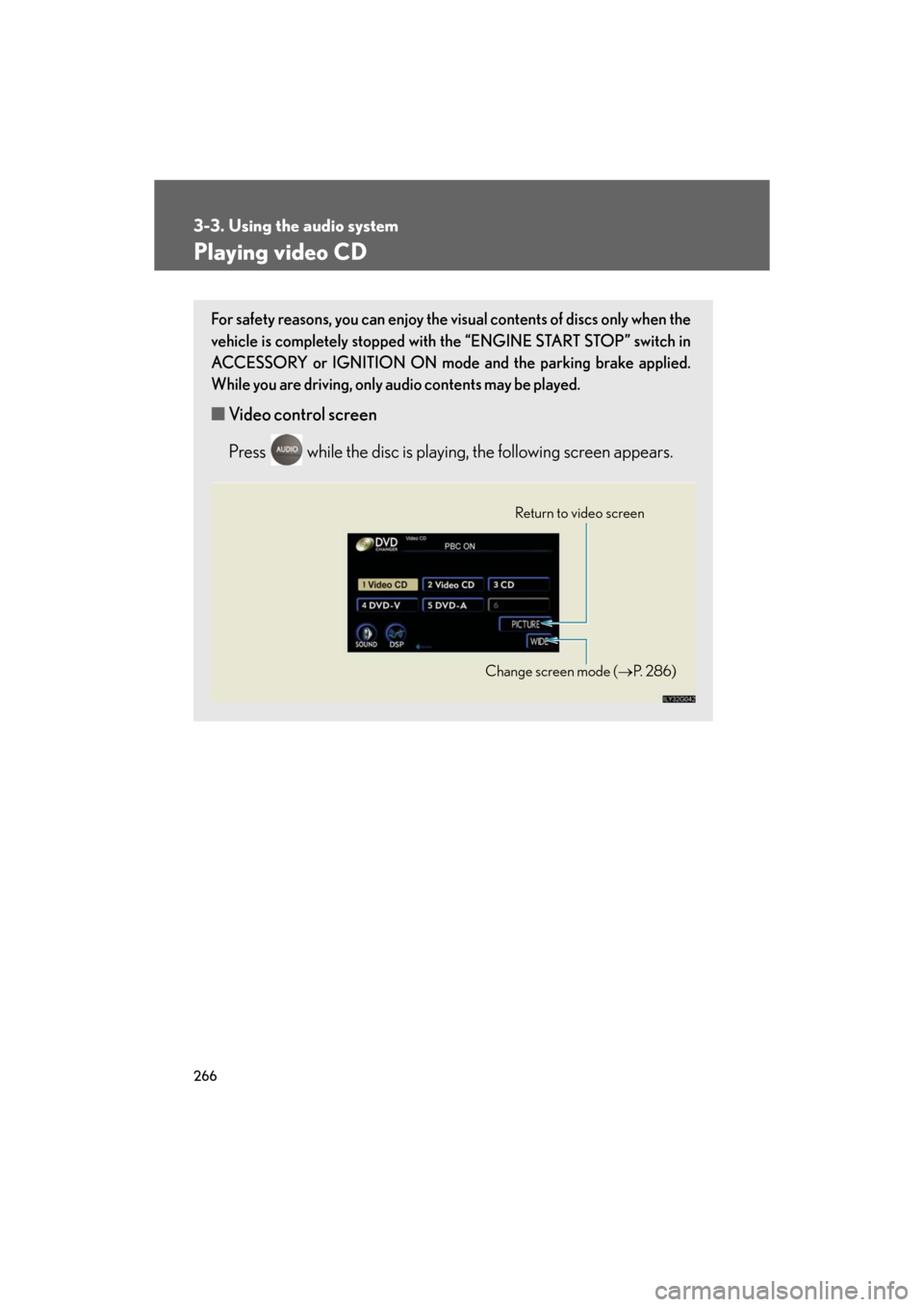
■ Video control screen
Press while the disc is playing, the following screen appears.
Return to video screen
Change screen mode ( P. 2 8 6 )
Page 405 of 596
405
4-3. Do-it-yourself maintenance
4
Maintenance and care
GS_G_U
May 13, 2008 5:14 pm
CAUTION
■When raising your vehicle
Make sure to observe the following to reduce the possibility of death or serious
injury.
●Do not use the jack that was supplied with your vehicle.
●Do not put any part of your body or get underneath the vehicle supported only by
the floor jack.
Always use automotive jack stands or a solid, level surface.
●Do not start the engine while the vehicle is supported by the floor jack.
●Stop the vehicle on level firm ground, firmly set the parking brake and put the shift
lever in “P”.
●Make sure to set the floor jack properly at the jack point.
Raising the vehicle with an improperly positioned floor jack will damage the vehi-
cle and may cause the vehicle to fall off the floor jack.
●Do not raise the vehicle while someone is in the vehicle.
●When raising the vehicle, do not place any objects on top of or underneath the
floor jack.
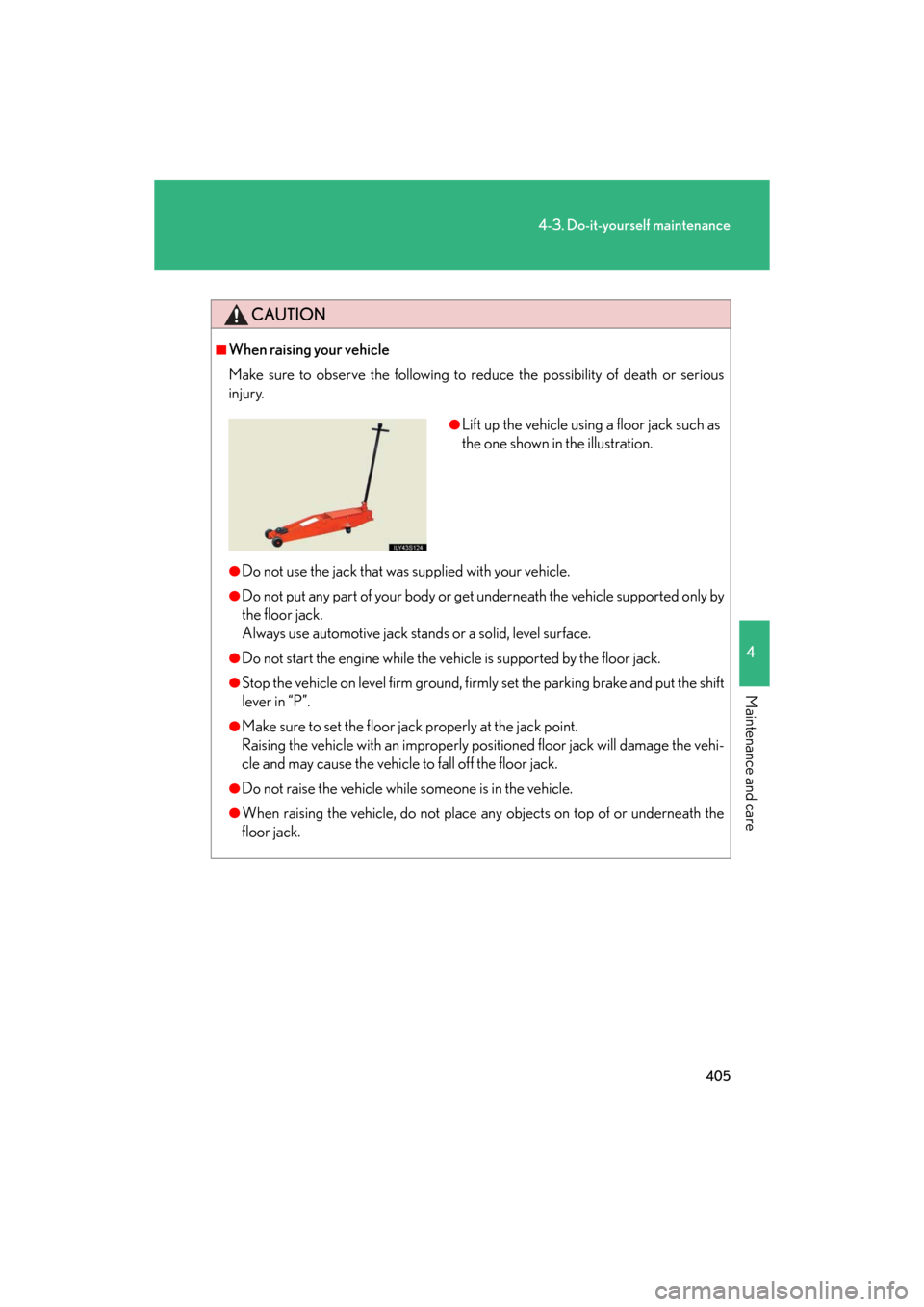
●Lift up the vehicle using a floor jack such as
the one shown in the illustration.
Page 479 of 596
5
When trouble arises
479
5-1. Essential information
GS_G_U
May 13, 2008 5:14 pm
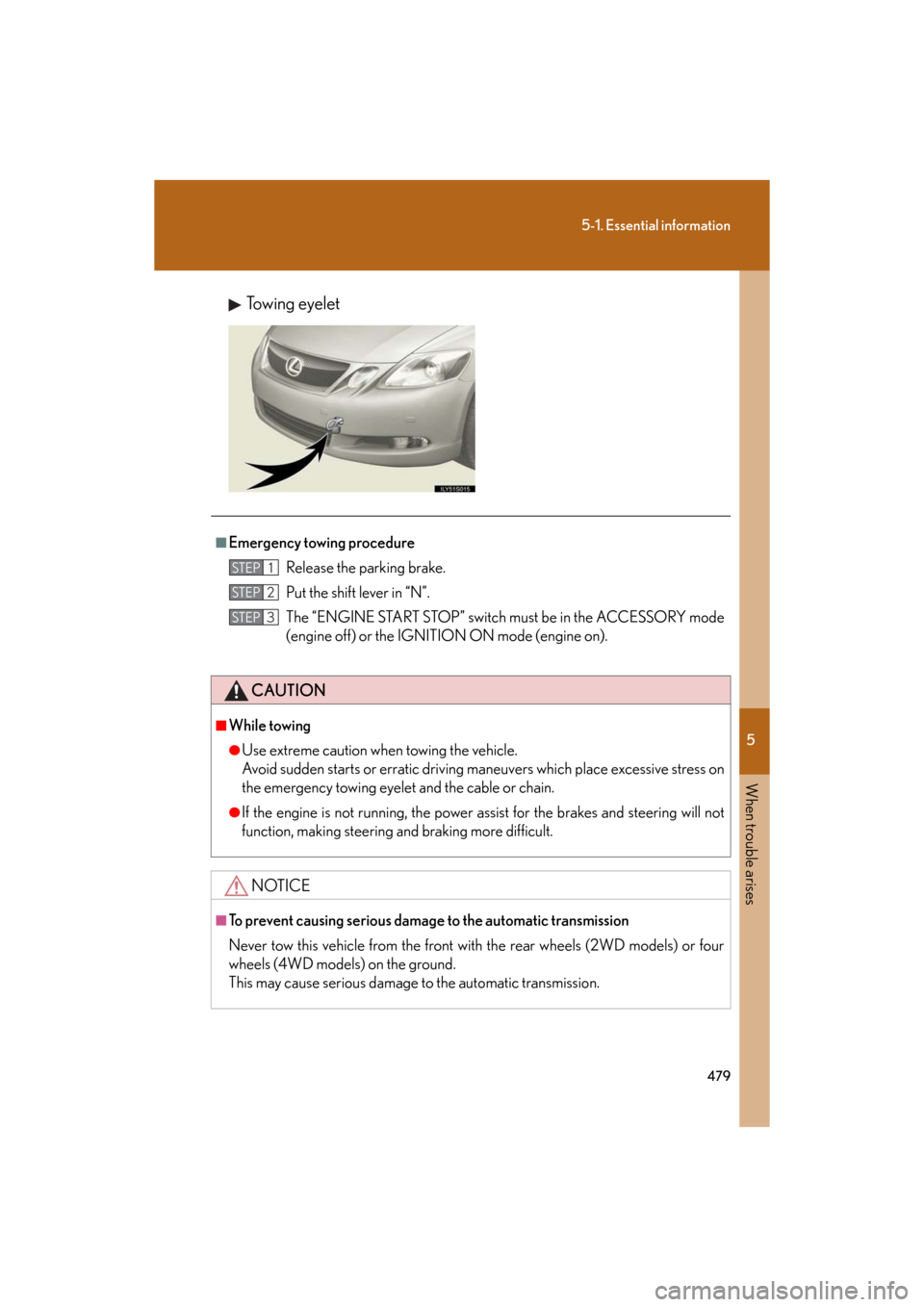
Towing eyelet
■Emergency towing procedureRelease the parking brake.
Put the shift lever in “N”.
The “ENGINE START STOP” switch must be in the ACCESSORY mode
(engine off) or the IGNITION ON mode (engine on).
CAUTION
■While towing
●Use extreme caution when towing the vehicle.
Avoid sudden starts or erratic driving maneuvers which place excessive stress on
the emergency towing eyelet and the cable or chain.
●If the engine is not running, the power assi st for the brakes and steering will not
function, making steering and braking more difficult.
NOTICE
■To prevent causing serious damage to the automatic transmission
Never tow this vehicle from the front with the rear wheels (2WD models) or four
wheels (4WD models) on the ground.
This may cause serious damage to the automatic transmission.
STEP1
STEP2
STEP3
Page 488 of 596
488
GS_G_U
May 13, 2008 5:14 pm
5-2. Steps to take in an emergency
If a warning light turns on or a warning buzzer sounds...
Stop the vehicle immediately. Continuing to drive the vehicle may be
dangerous.
The following warning in dicates a possible problem in the brake system.
Immediately stop the vehicl e in a safe place and contact your Lexus
dealer.
*1: Parking brake engaged warning buzzer:
P. 5 0 3
Stop the vehicle immediately.
The following warning indicates the po ssibility of damage to the vehicle
that may lead to an ac cident. Immediately stop the vehicle in a safe place
and contact your Lexus dealer.
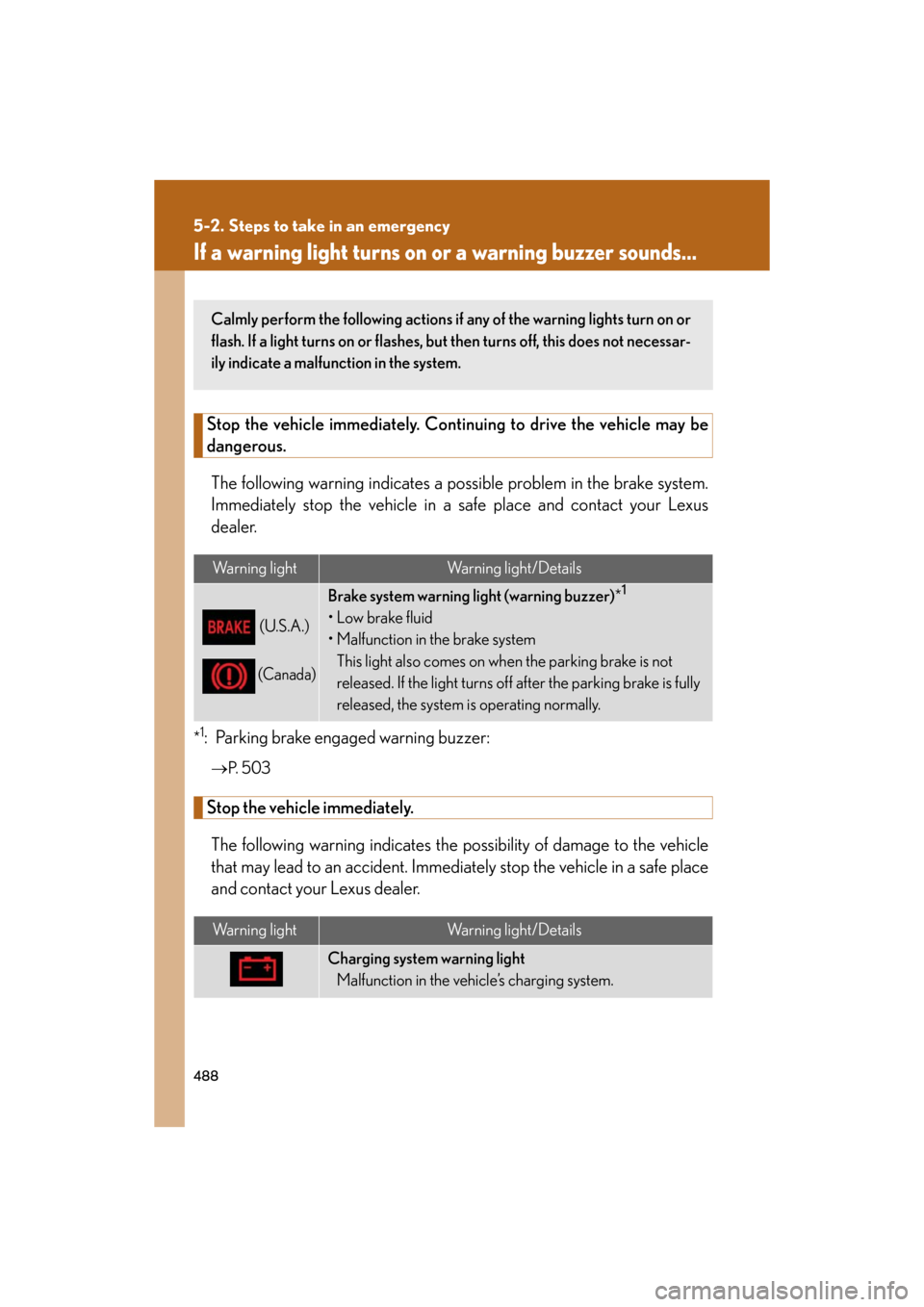
Warning lightWarning light/Details
(U.S.A.)
(Canada)
Brake system warning light (warning buzzer) *1
•Low brake fluid
• Malfunction in the brake system
This light also comes on when the parking brake is not
released. If the light turns off after the parking brake is fully
released, the system is operating normally.
Warning lightWarning light/Details
Charging system warning lightMalfunction in the vehicle’s charging system.
Calmly perform the following actions if any of the warning lights turn on or
flash. If a light turns on or flashes, bu t then turns off, this does not necessar-
ily indicate a malfunction in the system.
Page 503 of 596
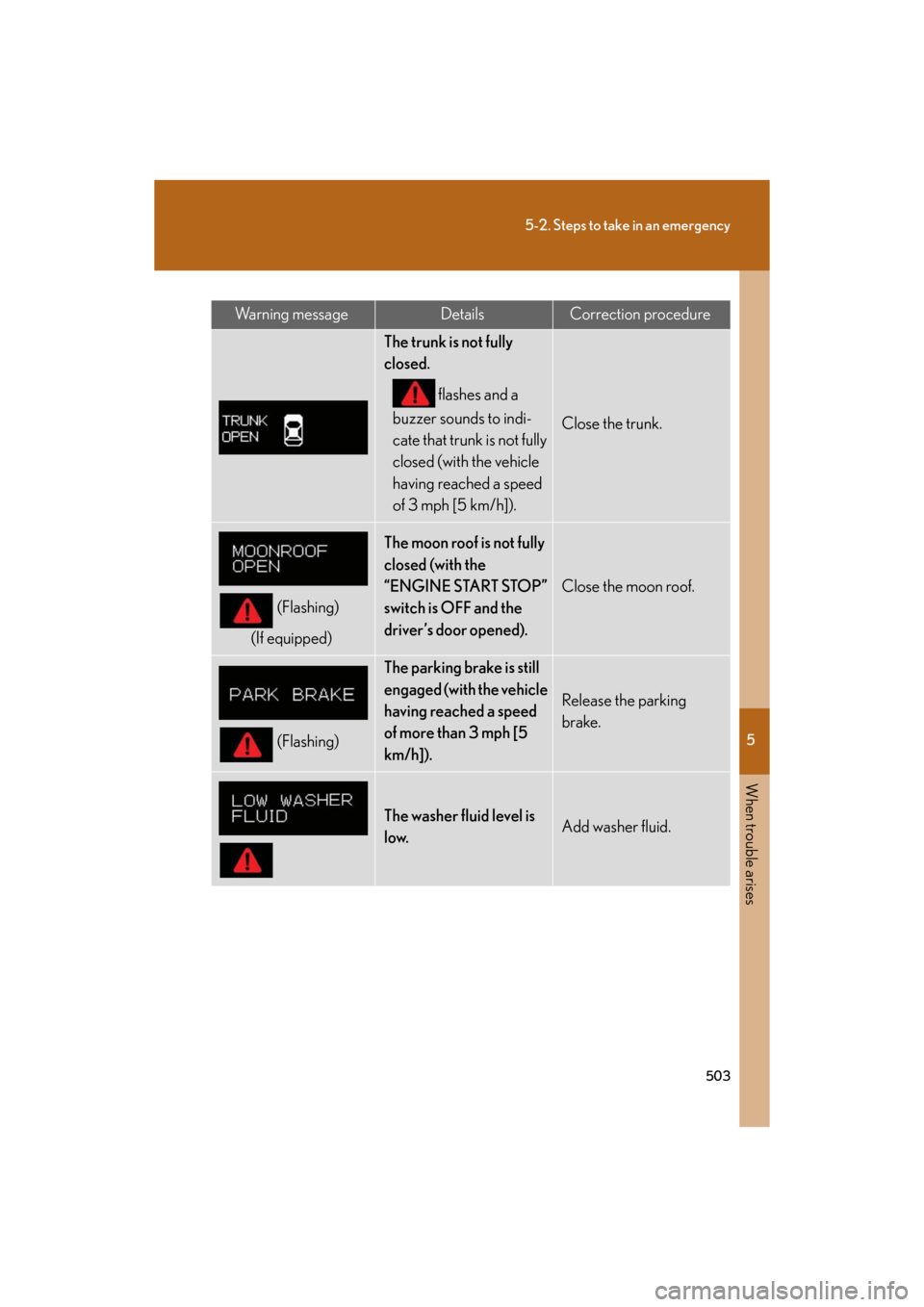
5
When trouble arises
503
5-2. Steps to take in an emergency
GS_G_U
May 13, 2008 5:14 pm
Wa r n i n g m e s s a g eDetailsCorrection procedure
The trunk is not fully
closed. flashes and a
buzzer sounds to indi-
cate that trunk is not fully
closed (with the vehicle
having reached a speed
of 3 mph [5 km/h]).
Close the trunk.
(Flashing)
(If equipped)
The moon roof is not fully
closed (with the
“ENGINE START STOP”
switch is OFF and the
driver’s door opened).
Close the moon roof.
(Flashing)
The parking brake is still
engaged (with the vehicle
having reached a speed
of more than 3 mph [5
km/h]).
Release the parking
brake.
The washer fluid level is
low.Add washer fluid.