Brake Lexus GS350 2008 User Guide
[x] Cancel search | Manufacturer: LEXUS, Model Year: 2008, Model line: GS350, Model: Lexus GS350 2008Pages: 598, PDF Size: 14.03 MB
Page 120 of 598
119
2-1. Driving procedures
2
When driving
GS_G_U
June 19, 2008 12:54 pm
NOTICE
■While driving the vehicle
Do not use the accelerator pedal or depress accelerator and brake pedals together
to hold the vehicle on a hill.
■When parking the vehicle
Always put the shift lever in “P”. Failure to do so may cause the vehicle to move or
the vehicle may accelerate suddenly if the accelerator pedal is accidentally
depressed.
■Avoiding damage to vehicle parts
●Do not turn the steering wheel fully in either direction and hold it there for a long
time.
Doing so may damage the power steering motor.
●When driving over bumps in the road, drive as slowly as possible to avoid damag-
ing the wheels, underside of the vehicle, etc.
■If you hear a squealing or scraping noise (brake pad wear limit indicators)
Have your Lexus dealer check and replace the brake pads as soon as possible.
The rotor damage can result if the pads are not replaced when needed.
Front brake only: Moderate levels of the brake pad and disc wear allow enhanced
front braking power. As a result, the discs may wear more quickly than conventional
brake discs. Therefore, when replacing the brake pads, Lexus recommends that you
also have the thickness of the discs measured.
It is dangerous to drive the vehicle when the wear limits of the brake pads and/or
that of the brake discs are exceeded.
GS_U_G.book Page 119 Thursday, June 19, 2008 12:54 PM
Page 121 of 598
120
2-1. Driving procedures
GS_G_U
June 19, 2008 12:54 pm
NOTICE
■If you get a flat tire while driving
A flat or damaged tire may cause the following situations. Hold the steering wheel
firmly and gradually press the brake pedal to slow down the vehicle.
●It may be difficult to control your vehicle.
●The vehicle will make abnormal sounds.
●The vehicle will behave abnormally.
Replace a flat tire with a new one. ( →P. 5 1 5 )
■When encountering flooded roads
Do not drive on a road that has flooded after heavy rain etc. Doing so may cause the
following serious damage to the vehicle.
●Engine stalling
●Short in electrical components
●Engine damage caused by water immersion
In the event that you drive on a flooded road and the vehicle is flooded, be sure to
have your Lexus dealer check the following.
●Brake function
●Changes in quantity and quality of oil and fluid used for the engine, automatic
transmission, transfer (4WD models), differentials, etc.
●Lubricant condition for the propeller shaft (4WD models), bearings and suspen-
sion joints (where possible) and the function of all joints, bearings, etc.
GS_U_G.book Page 120 Thursday, June 19, 2008 12:54 PM
Page 122 of 598
121
2-1. Driving procedures
2
When driving
GS_G_U
June 19, 2008 12:54 pm
Engine (ignition) switch
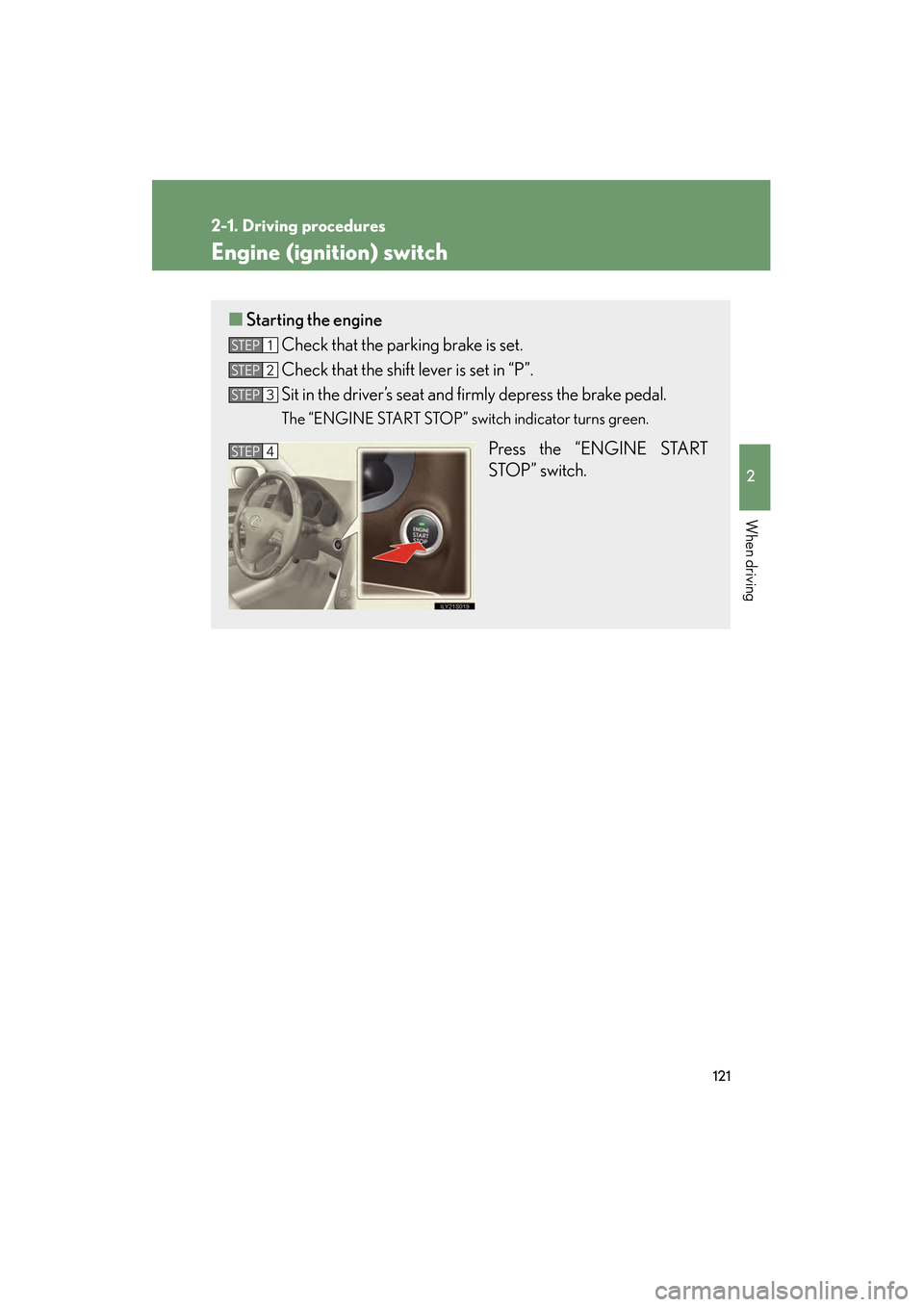
■Starting the engine
Check that the parking brake is set.
Check that the shift lever is set in “P”.
Sit in the driver’s seat and firmly depress the brake pedal.
The “ENGINE START STOP” switch indicator turns green.
Press the “ENGINE START
STOP” switch.
STEP1
STEP2
STEP3
STEP4
GS_U_G.book Page 121 Thursday, June 19, 2008 12:54 PM
Page 123 of 598
122
2-1. Driving procedures
GS_G_U
June 19, 2008 12:54 pm
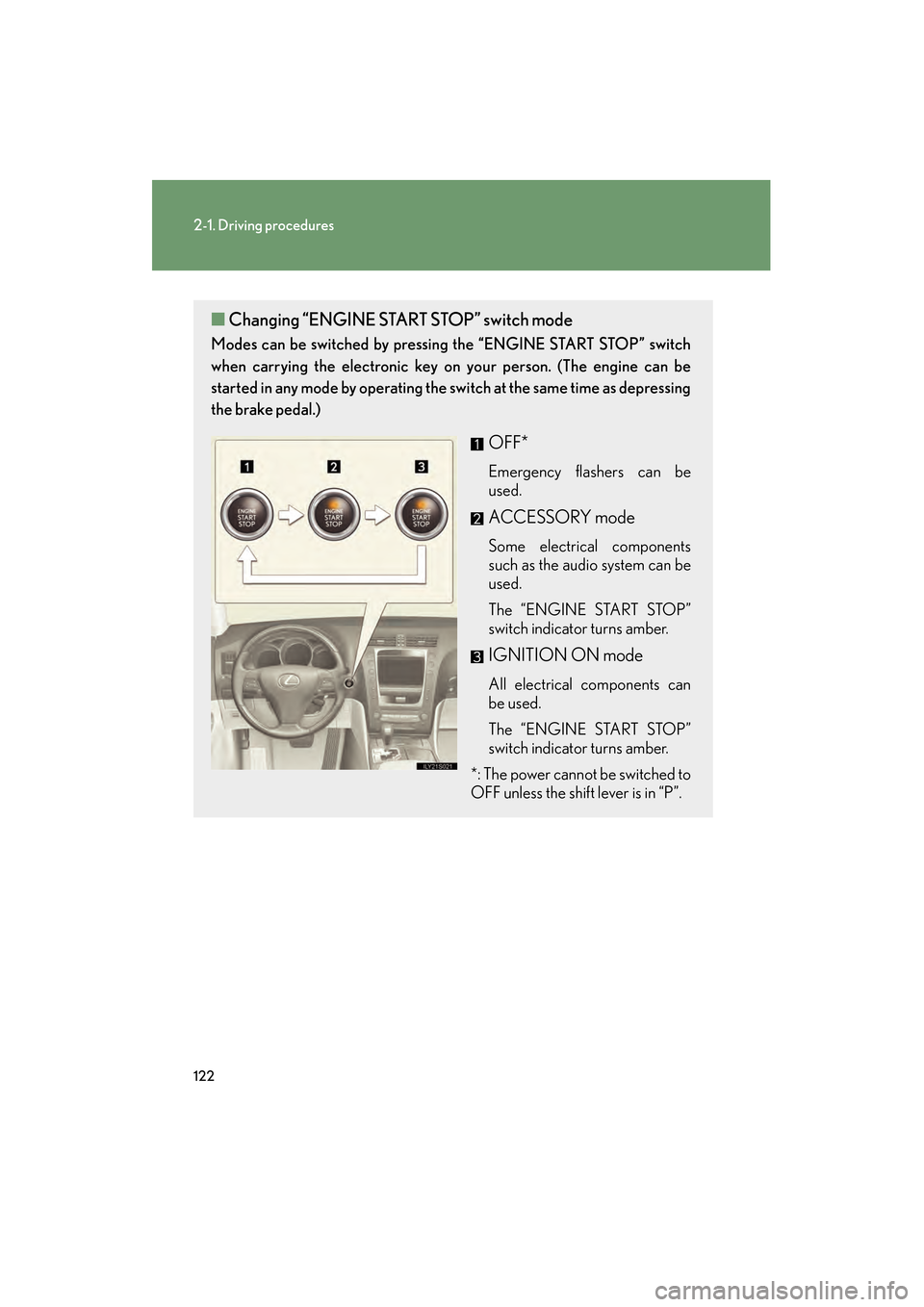
■Changing “ENGINE STAR T STOP” switch mode
Modes can be switched by pressing the “ENGINE START STOP” switch
when carrying the electronic key on your person. (The engine can be
started in any mode by operating the switch at the same time as depressing
the brake pedal.)
OFF*
Emergency flashers can be
used.
ACCESSORY mode
Some electrical components
such as the audio system can be
used.
The “ENGINE START STOP”
switch indicator turns amber.
IGNITION ON mode
All electrical components can
be used.
The “ENGINE START STOP”
switch indicator turns amber.
*: The power cannot be switched to
OFF unless the shift lever is in “P”.
GS_U_G.book Page 122 Thursday, June 19, 2008 12:54 PM
Page 126 of 598
125
2-1. Driving procedures
2
When driving
GS_G_U
June 19, 2008 12:54 pm
Automatic transmission
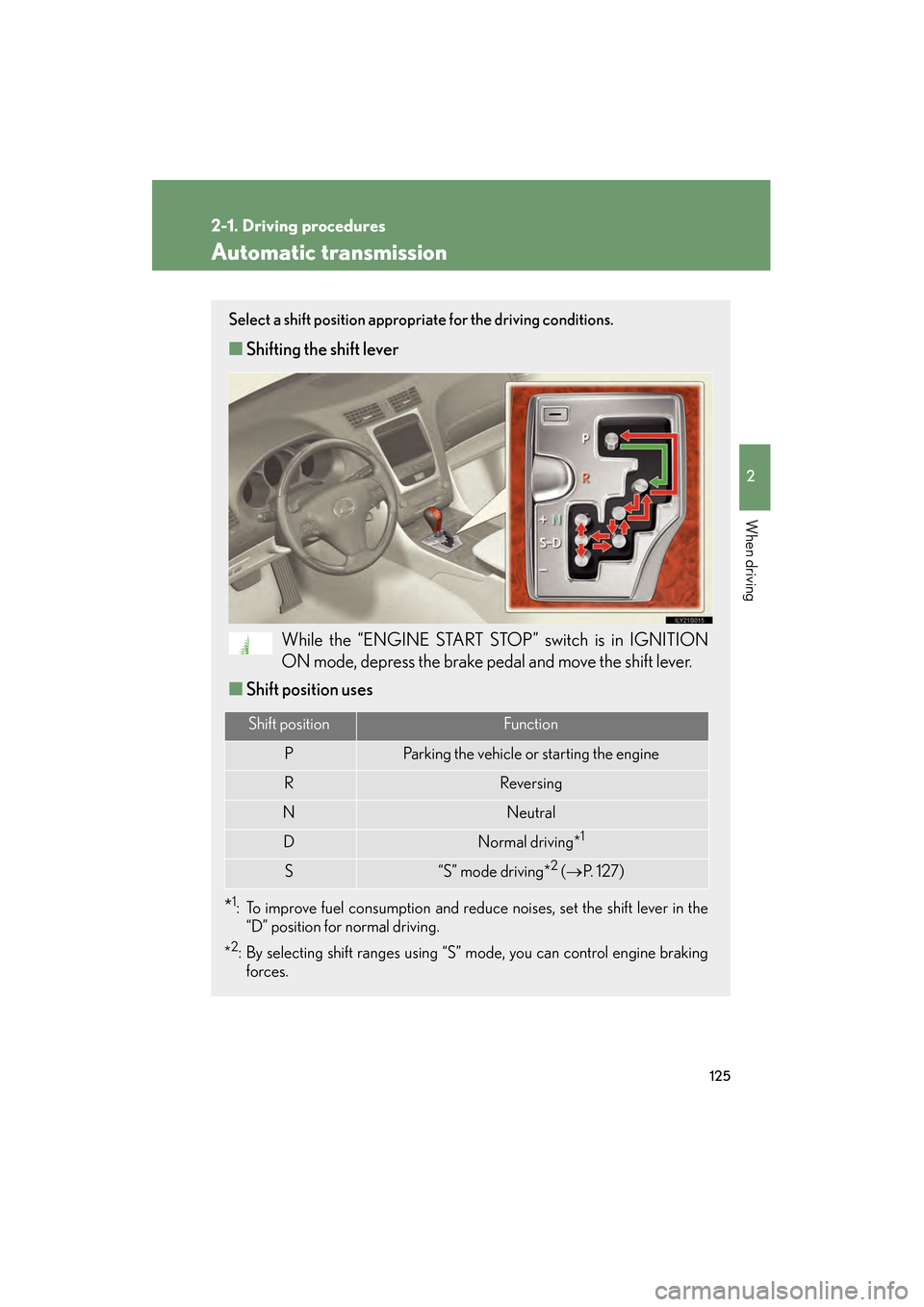
Select a shift position appropriate for the driving conditions.
■Shifting the shift lever
While the “ENGINE START STOP” switch is in IGNITION
ON mode, depress the brake pedal and move the shift lever.
■ Shift position uses
*1: To improve fuel consumption and reduce noises, set the shift lever in the
“D” position for normal driving.
*
2: By selecting shift ranges using “S” mode, you can control engine braking forces.
Shift positionFunction
PParking the vehicle or starting the engine
RReversing
NNeutral
DNormal driving*1
S“S” mode driving*2 ( → P. 1 2 7 )
GS_U_G.book Page 125 Thursday, June 19, 2008 12:54 PM
Page 129 of 598
128
2-1. Driving procedures
GS_G_U
June 19, 2008 12:54 pm
■Shift ranges and their functions
●You can choose from 8 levels (GS460) or 6 levels (GS350) of
engine braking force.
● A lower shift range will provide greater engine braking force than a
higher shift range, and the engine revolutions will also increase.
● If you accelerate while in ranges “1” to “7” (GS460) or “1” to “5”
(GS350), the shift range may automatically range up in accordance
with the vehicle’s speed.
■“S” mode
When the shift range is “6” (GS460) or “4” (GS350) or lower, holding the shift
lever toward “+” sets the shift range to “8” (GS460) or “6” (GS350).
■Downshifting restrictions warning buzzer (in the “S” mode)
To help ensure safety and driving performance, downshifting operation may some-
times be restricted. In some circumstances, downshifting may not be possible even
when the shift lever is operated. (The warning buzzer will sound twice.)
■When driving with the cruise control syst em (or dynamic radar cruise control sys-
tem)
The engine brake will not operate in the “S” mode, even when downshifting to “7”,
“6”, “5” or “4” (GS460) or “5” or “4” (GS350). ( →P. 150, 153)
■Snow mode automatic deactivation
Snow mode is automatically deactivated if the “ENGINE START STOP” switch is
turned to ACCESSORY or IGNITION ON mode after driving in snow mode.
■If the shift lever cannot be shifted from “P”
→ P. 5 2 4
GS_U_G.book Page 128 Thursday, June 19, 2008 12:54 PM
Page 132 of 598
131
2-1. Driving procedures
2
When driving
GS_G_U
June 19, 2008 12:54 pm
Parking brake
NOTICE
■Before driving
Fully release the parking brake.
Driving the vehicle with the parking brake set will lead to brake components over-
heating, which may affect braking performance and increase brake wear.
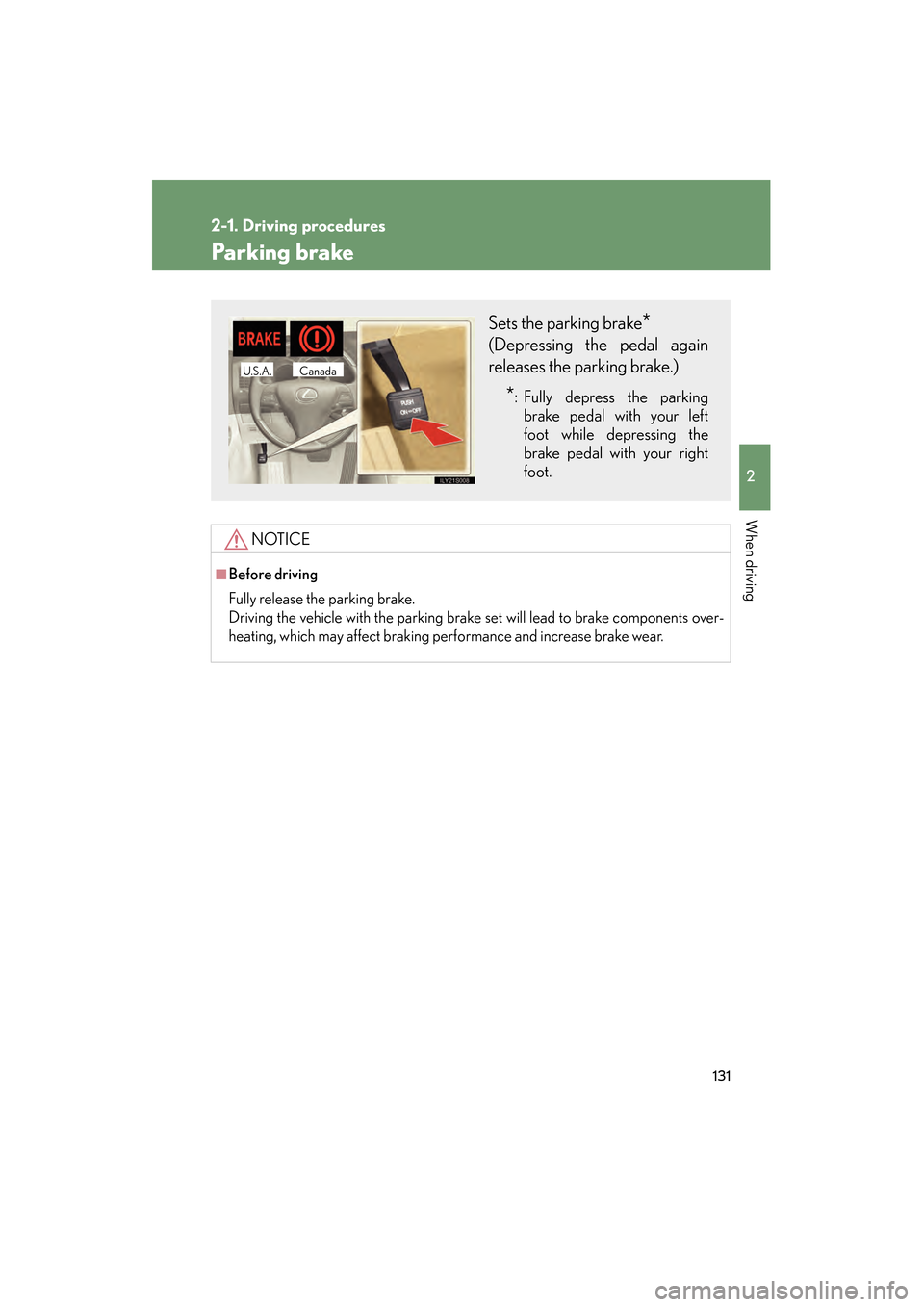
Sets the parking brake*
(Depressing the pedal again
releases the parking brake.)
*: Fully depress the parkingbrake pedal with your left
foot while depressing the
brake pedal with your right
foot.
CanadaU.S.A.
GS_U_G.book Page 131 Thursday, June 19, 2008 12:54 PM
Page 144 of 598
143
2-3. Operating the lights and windshield wipers
2
When driving
GS_G_U
June 19, 2008 12:54 pm
AFS (Adaptive Front lighting System) (if equipped)AFS improves visibility at intersections and on curves by automatically
adjusting the level of the headlights according to vehicle speed and the
degree of the tire angle that are controlled by steering input.
Operates at speeds of 6 mph (10 km/h) or higher.
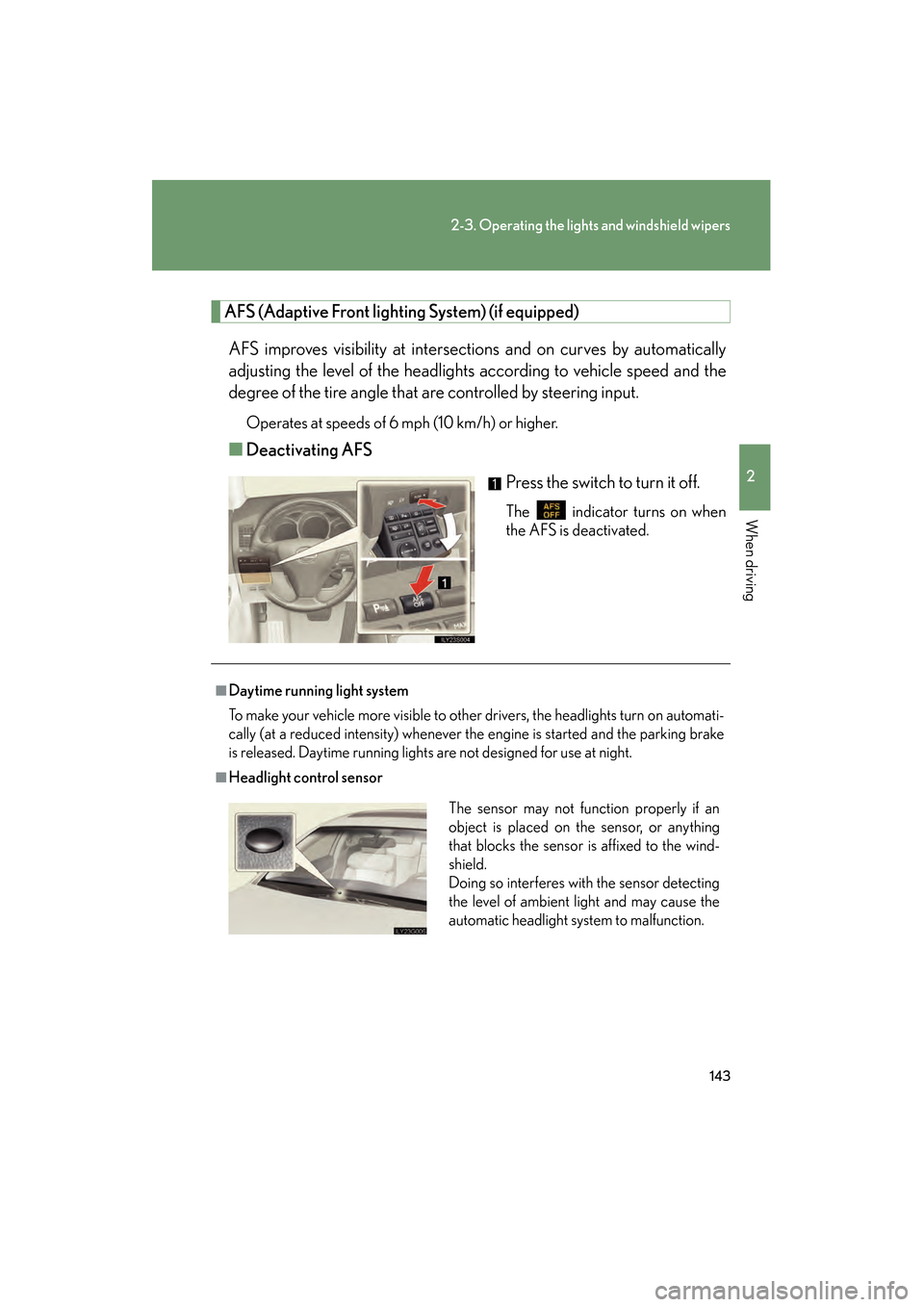
■ Deactivating AFS
Press the switch to turn it off.
The indicator turns on when
the AFS is deactivated.
■Daytime running light system
To make your vehicle more visible to other drivers, the headlights turn on automati-
cally (at a reduced intensity) whenever the engine is started and the parking brake
is released. Daytime running lights are not designed for use at night.
■Headlight control sensor
The sensor may not function properly if an
object is placed on the sensor, or anything
that blocks the sensor is affixed to the wind-
shield.
Doing so interferes with the sensor detecting
the level of ambient light and may cause the
automatic headlight system to malfunction.
GS_U_G.book Page 143 Thursday, June 19, 2008 12:54 PM
Page 152 of 598
151
2-4. Using other driving systems
2
When driving
GS_G_U
June 19, 2008 12:54 pm
■Cruise control can be set when
●The shift lever is in the “D” or “4”, “5”, “6”, “7” or “8” (GS460) or “4”, “5”, or “6”
(GS350) range of “S”.
●Vehicle speed is between approximately 25 mph (40 km/h) and 125 mph
(200 km/h).
■Accelerating
The vehicle can be accelerated normally. After acceleration, the set speed
resumes.
■Automatic cruise control cancelation
The set speed is automatically canceled in any of the following situations.
●Actual vehicle speed falls more than 10 mph (16 km/h) below the preset vehicle
speed
At this time, the memorized set speed is not retained.
●Actual vehicle speed is below 25 mph (40 km/h)
●VSC is activated
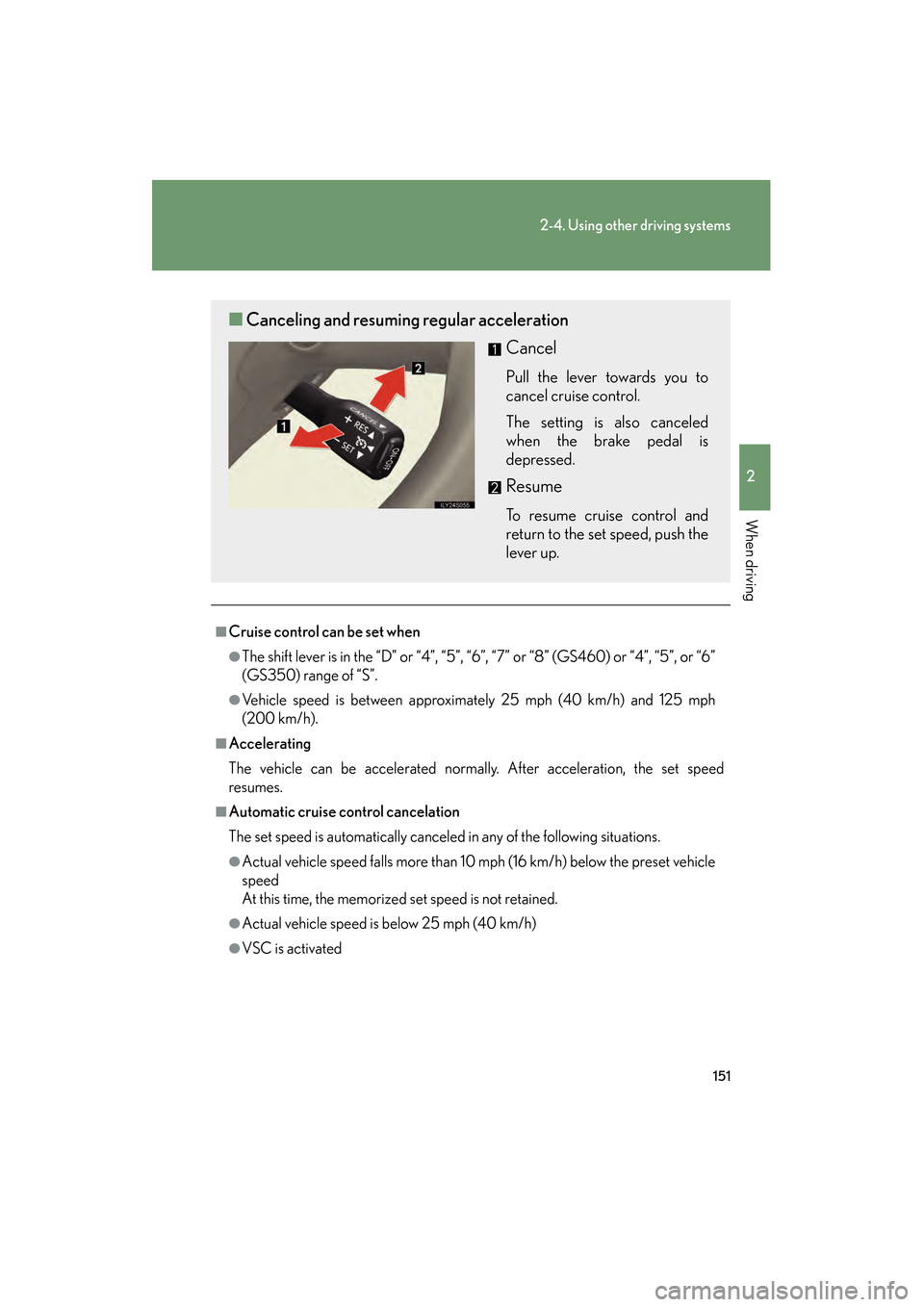
■Canceling and resuming regular acceleration
Cancel
Pull the lever towards you to
cancel cruise control.
The setting is also canceled
when the brake pedal is
depressed.
Resume
To resume cruise control and
return to the set speed, push the
lever up.
GS_U_G.book Page 151 Thursday, June 19, 2008 12:54 PM
Page 156 of 598
155
2-4. Using other driving systems
2
When driving
GS_G_U
June 19, 2008 12:54 pm
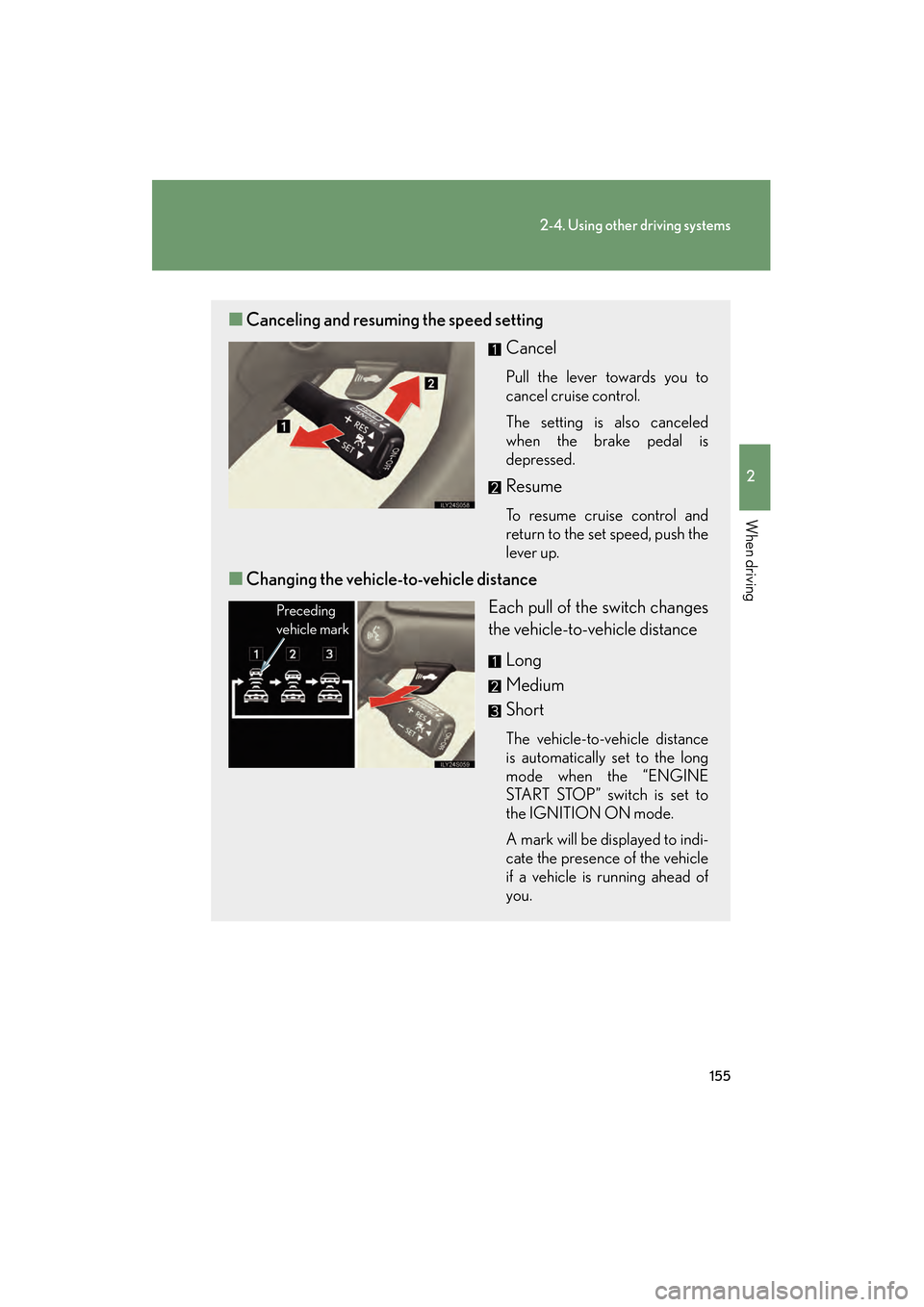
■Canceling and resuming the speed setting
Cancel
Pull the lever towards you to
cancel cruise control.
The setting is also canceled
when the brake pedal is
depressed.
Resume
To resume cruise control and
return to the set speed, push the
lever up.
■Changing the vehicle- to-vehicle distance
Each pull of the switch changes
the vehicle-to-vehicle distance
Long
Medium
Short
The vehicle-to-vehicle distance
is automatically set to the long
mode when the “ENGINE
START STOP” switch is set to
the IGNITION ON mode.
A mark will be displayed to indi-
cate the presence of the vehicle
if a vehicle is running ahead of
you.
Preceding
vehicle mark
GS_U_G.book Page 155 Thursday, June 19, 2008 12:54 PM