battery Lexus GS350 2008 Owner's Guide
[x] Cancel search | Manufacturer: LEXUS, Model Year: 2008, Model line: GS350, Model: Lexus GS350 2008Pages: 598, PDF Size: 14.03 MB
Page 294 of 598
293
3-4. Using the hands-free system (for cellular phone)
3
Interior features
GS_G_U
June 19, 2008 12:54 pm
■When using the hands-free system
●The audio system and voice guidance are muted when making a call.
●If both parties speak at the same time, it may be difficult to hear.
●If the received call volume is overly loud, an echo may be heard.
●Try to face toward the microphone as much as possible when speaking.
●In the following circumstances it may be difficult to hear the other party.
• When driving on unsealed roads
• When driving at high speeds
• If a window is open
• If the air conditioning is blowing directly on the microphone
• If the air conditioning is set to high
■Conditions under which the system will not operate
●If using a mobile phone that does not support Bluetooth®.
●If the mobile phone is switched off.
●If you are outside service range.
●If the mobile phone is not connected.
●If the mobile phone’s battery is low.
■Bluetooth® antenna
The antenna is built into the display. If the mobile phone is behind the seat or in the
console box, or touching or covered by metal objects, connection status may dete-
riorate.
GS_U_G.book Page 293 Thursday, June 19, 2008 12:54 PM
Page 295 of 598
294
3-4. Using the hands-free system (for cellular phone)
GS_G_U
June 19, 2008 12:54 pm
■Battery charge/Signal status
This display may not correspond exactly with the mobile phone itself.
■About Bluetooth®
■Compatible models
Compatible with HFP (Hands Free Profile) Ver. 1.0 and OPP (Object Push Profile)
Ver. 1.1.
If your cellular phone does not support HFP, you cannot enter the Bluetooth
®
phone, and take OPP service individually.
■Certification for the hands-free system
This device complies with Part 15 of the FCC Rules and RSS-210. Operation is sub-
ject to the following two conditions: (1) This device may not cause harmful interfer-
ence, and (2) This device must accept any interference received, including
interference that may cause undesired operation. Bluetooth is a registered trademark of
Bluetooth SIG. Inc.
FCC ID: HYQBT0501A
IC ID: 1551A-BT0501A
GS_U_G.book Page 294 Thursday, June 19, 2008 12:54 PM
Page 339 of 598
338
3-5. Using the interior lights
GS_G_U
June 19, 2008 12:54 pm
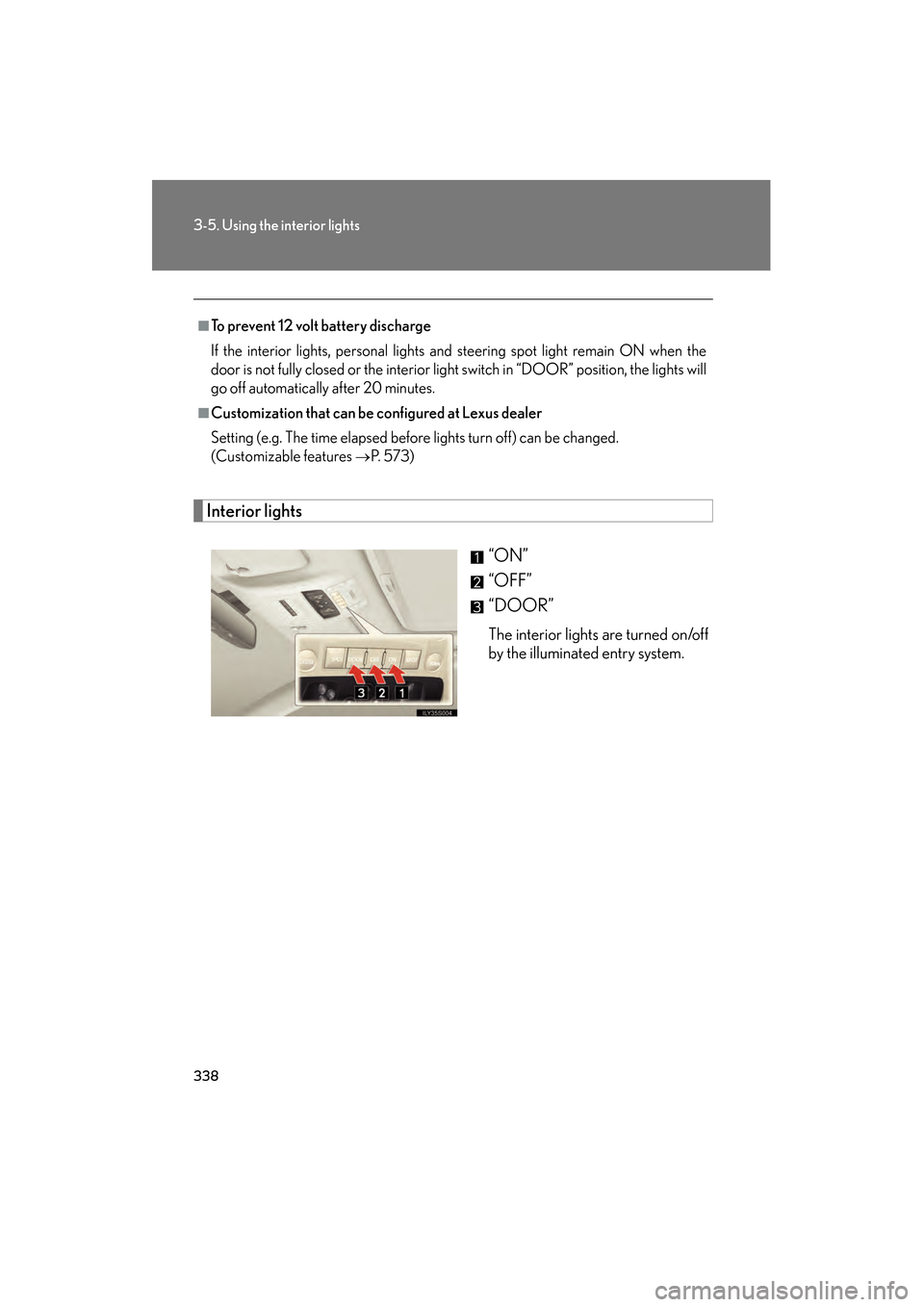
Interior lights“ON”
“OFF”
“DOOR”
The interior lights are turned on/off
by the illuminated entry system.
■To prevent 12 volt battery discharge
If the interior lights, personal lights and steering spot light remain ON when the
door is not fully closed or the interior light switch in “DOOR” position, the lights will
go off automatically after 20 minutes.
■Customization that can be configured at Lexus dealer
Setting (e.g. The time elapsed before lights turn off) can be changed.
(Customizable features
→P. 5 7 3 )
GS_U_G.book Page 338 Thursday, June 19, 2008 12:54 PM
Page 350 of 598
349
3-7. Other interior features
3
Interior features
GS_G_U
June 19, 2008 12:54 pm
Clock
■The clock is displayed when
The “ENGINE START STOP” switch is in ACCESSORY or IGNITION ON mode.
■When the 12 volt battery is disconnected
The time display will automatically be set to 1:00.
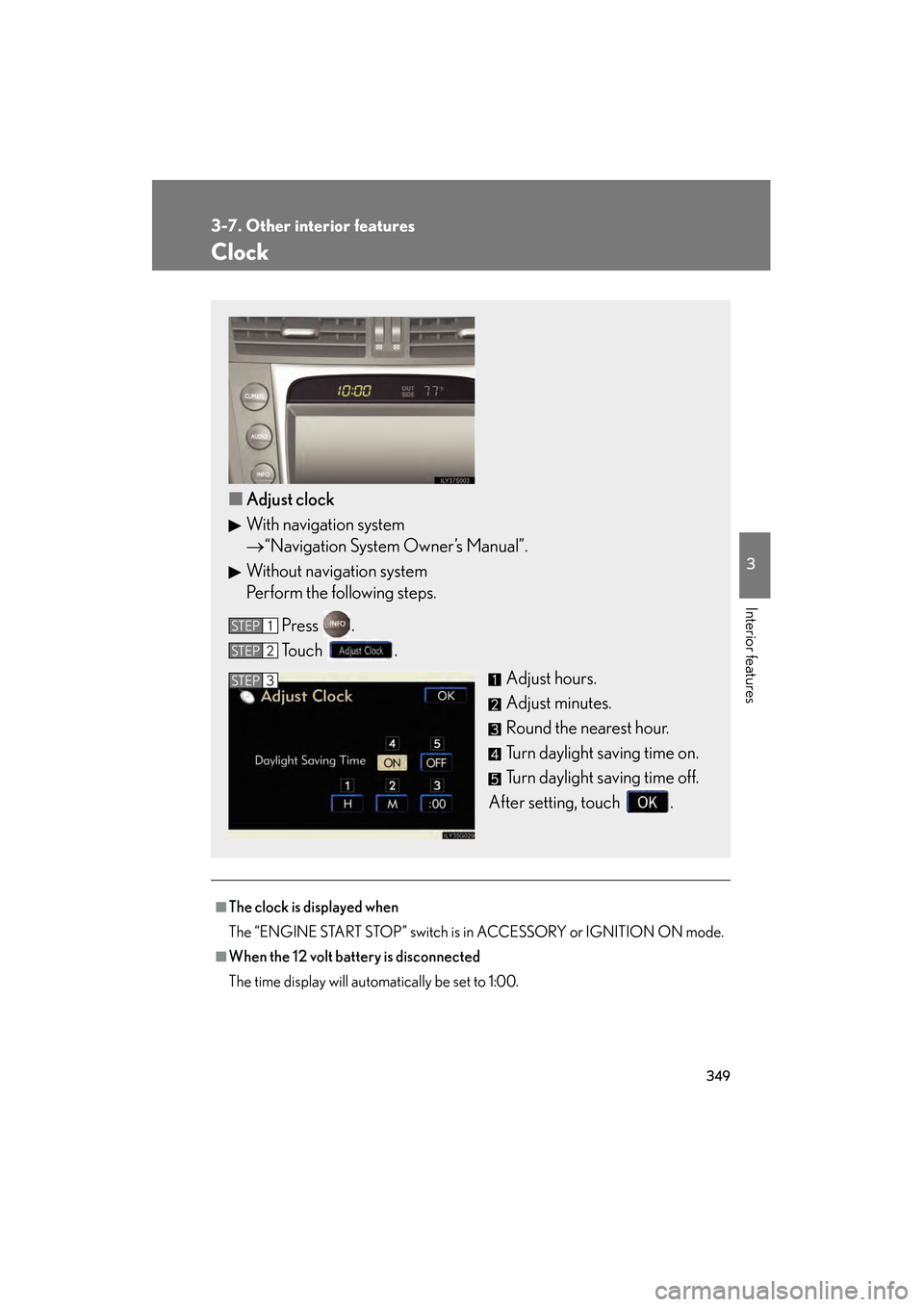
■Adjust clock
With navigation system
→ “Navigation System Owner’s Manual”.
Without navigation system
Perform the following steps.
Press .
Touch . Adjust hours.
Adjust minutes.
Round the nearest hour.
Turn daylight saving time on.
Turn daylight saving time off.
After setting, touch .
STEP1
STEP2
STEP3
GS_U_G.book Page 349 Thursday, June 19, 2008 12:54 PM
Page 354 of 598
353
3-7. Other interior features
3
Interior features
GS_G_U
June 19, 2008 12:54 pm
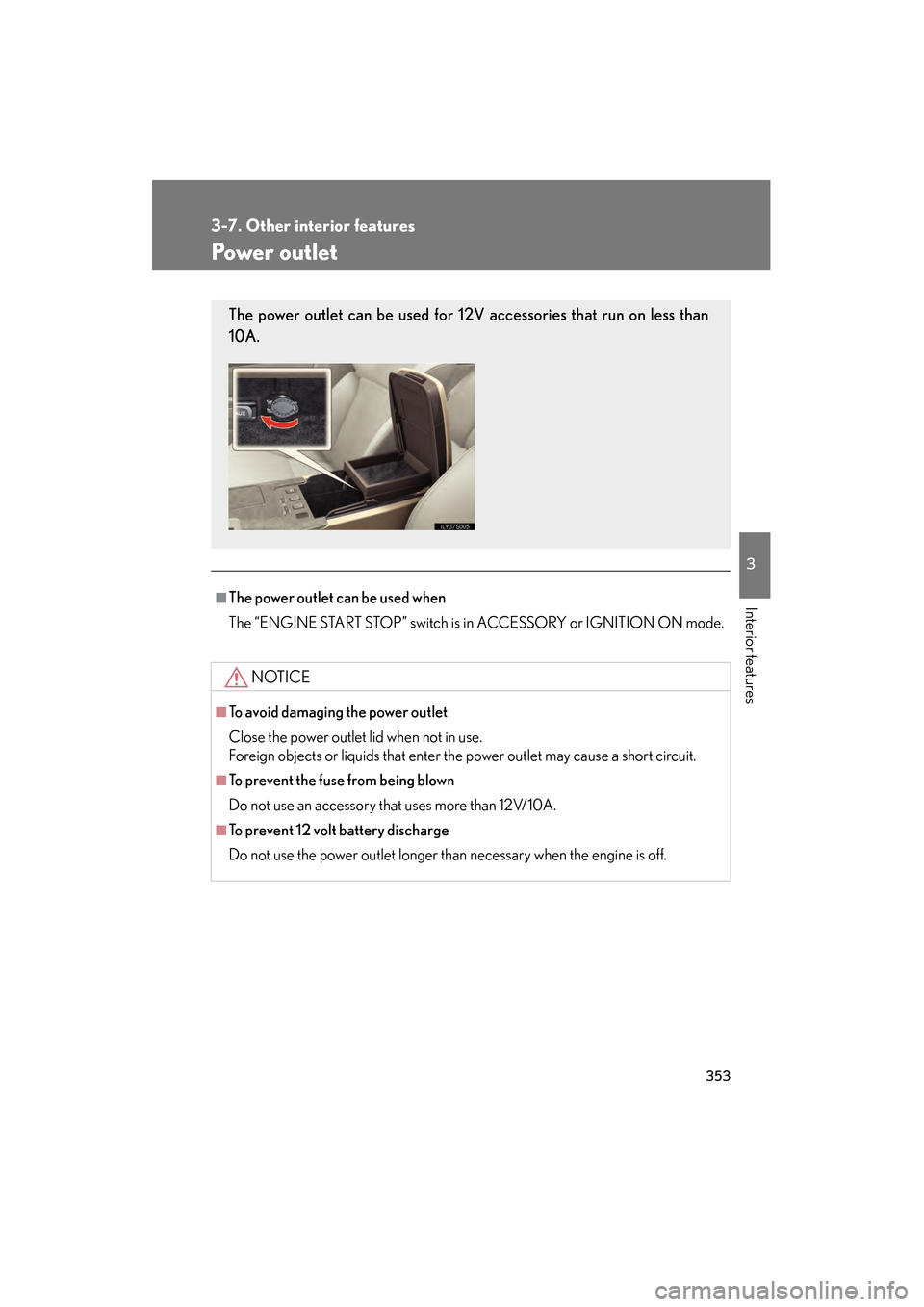
Power outlet
■The power outlet can be used when
The “ENGINE START STOP” switch is in ACCESSORY or IGNITION ON mode.
NOTICE
■To avoid damaging the power outlet
Close the power outlet lid when not in use.
Foreign objects or liquids that enter the power outlet may cause a short circuit.
■To prevent the fuse from being blown
Do not use an accessory that uses more than 12V/10A.
■To prevent 12 volt battery discharge
Do not use the power outlet longer than necessary when the engine is off.
The power outlet can be used for 12V accessories that run on less than
10A.
GS_U_G.book Page 353 Thursday, June 19, 2008 12:54 PM
Page 356 of 598
355
3-7. Other interior features
3
Interior features
GS_G_U
June 19, 2008 12:54 pm
CAUTION
■Burns
●Use caution when seating the following persons in a seat with the seat heater on
to avoid the possibility of burns:
• Babies, small children, the elderly, the sick and the disabled
• Persons with sensitive skin
• Persons who are fatigued
• Persons who have taken alcohol or drugs that induce sleep (sleeping drugs,cold remedies, etc.)
●Do not cover the seat with anything when using the seat heater.
Using the seat heater with a blanket or cushion increases the temperature of the
seat and may lead to overheating.
NOTICE
■To prevent damage to the seat heaters/ventilators
Do not put heavy objects on the seat and do not stick sharp objects (needles, nails,
etc.) into the seat.
■To prevent 12 volt battery discharge
Turn the switches off when the engine is off.
GS_U_G.book Page 355 Thursday, June 19, 2008 12:54 PM
Page 359 of 598
358
3-7. Other interior features
GS_G_U
June 19, 2008 12:54 pm
CAUTION
■When the rear sunshade is being raised or lowered
Do not place fingers or other objects in the fastener section or in the opening.
They may get caught, causing injury.
NOTICE
■To prevent 12 volt battery discharge
Do not operate the rear sunshade when the engine is off.
■To ensure normal operation of the sunshade
Observe the following precautions.
●Do not place excessive load on the motor or other components.
●Do not place objects where they may hinder opening and closing operations.
●Do not attach items to the rear sunshade.
●Keep the opening clean and clear of obstructions.
●Do not operate the rear sunshade continuously over long periods of time.
GS_U_G.book Page 358 Thursday, June 19, 2008 12:54 PM
Page 368 of 598
367
3-7. Other interior features
3
Interior features
GS_G_U
June 19, 2008 12:54 pm
Operating the HomeLink
Press the appropriate HomeLink button. The HomeLink indicator
light on the HomeLink transceiver should turn on.
The HomeLink continues to send a signal for up to 20 seconds as long as
the button is pressed.
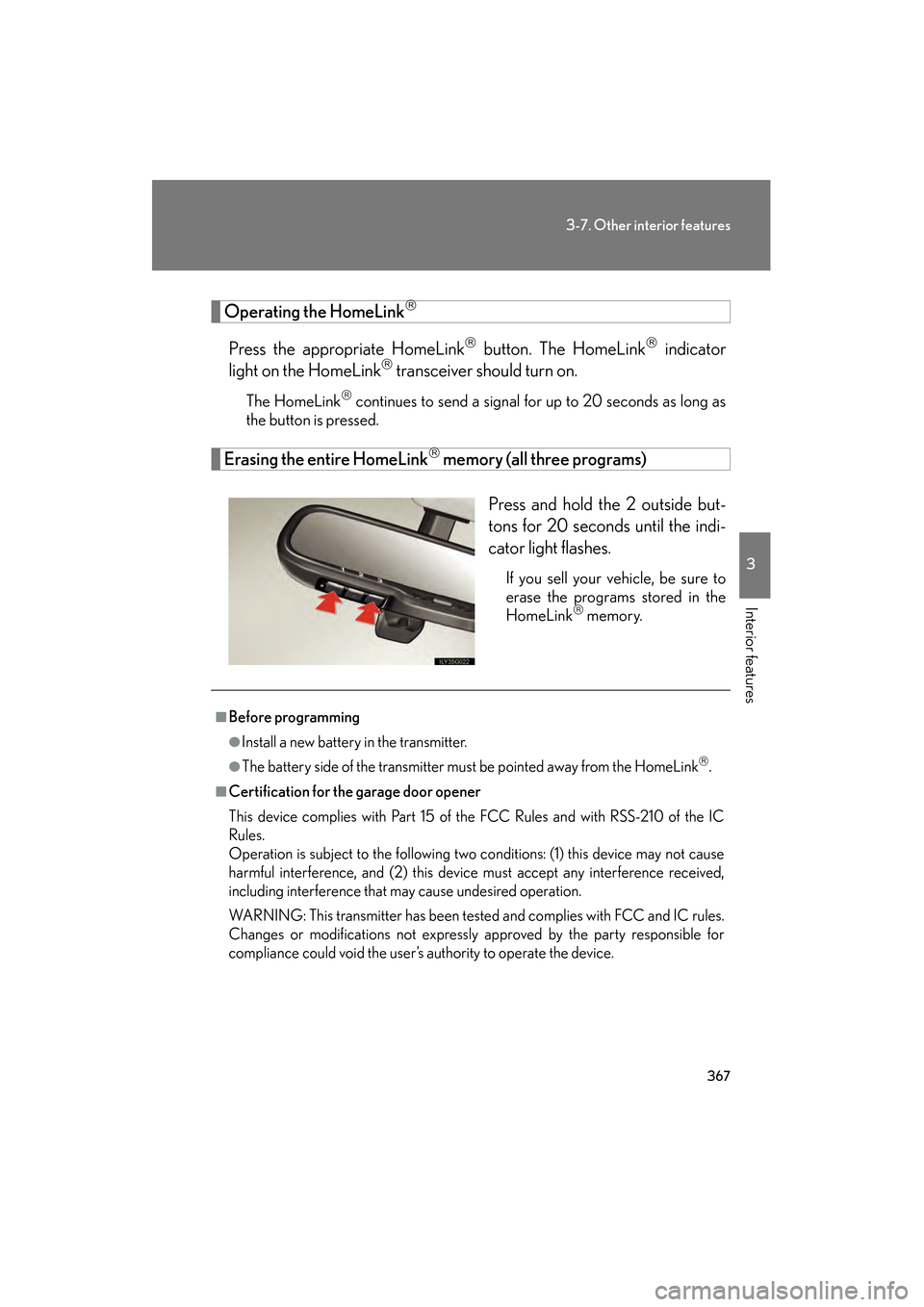
Erasing the entire HomeLink memory (all three programs)
Press and hold the 2 outside but-
tons for 20 seconds until the indi-
cator light flashes.
If you sell your vehicle, be sure to
erase the programs stored in the
HomeLink
memory.
■Before programming
●Install a new battery in the transmitter.
●The battery side of the transmitter must be pointed away from the HomeLink.
■Certification for the garage door opener
This device complies with Part 15 of the FCC Rules and with RSS-210 of the IC
Rules.
Operation is subject to the following two conditions: (1) this device may not cause
harmful interference, and (2) this device must accept any interference received,
including interference that may cause undesired operation.
WARNING: This transmitter has been tested and complies with FCC and IC rules.
Changes or modifications not expressly approved by the party responsible for
compliance could void the user’s authority to operate the device.
GS_U_G.book Page 367 Thursday, June 19, 2008 12:54 PM
Page 372 of 598
371
3-7. Other interior features
3
Interior features
GS_G_U
June 19, 2008 12:54 pm
Wait a few seconds until the compass direction is displayed.
The calibration is complete.
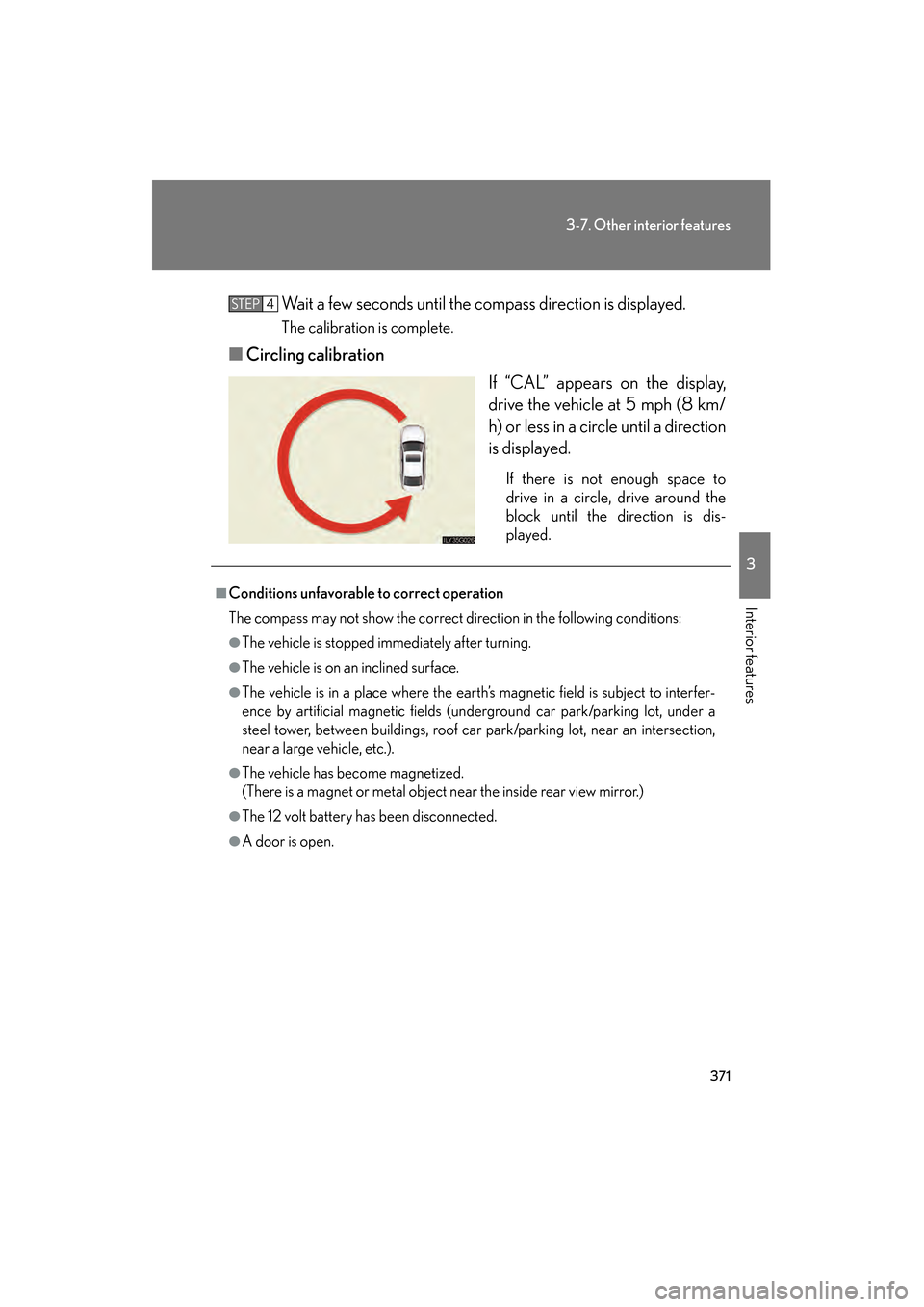
■Circling calibration
If “CAL” appears on the display,
drive the vehicle at 5 mph (8 km/
h) or less in a circle until a direction
is displayed.
If there is not enough space to
drive in a circle, drive around the
block until the direction is dis-
played.
STEP4
■Conditions unfavorable to correct operation
The compass may not show the correct di rection in the following conditions:
●The vehicle is stopped immediately after turning.
●The vehicle is on an inclined surface.
●The vehicle is in a place where the earth’s magnetic field is subject to interfer-
ence by artificial magnetic fields (underground car park/parking lot, under a
steel tower, between buildings, roof car park/parking lot, near an intersection,
near a large vehicle, etc.).
●The vehicle has become magnetized.
(There is a magnet or metal object near the inside rear view mirror.)
●The 12 volt battery has been disconnected.
●A door is open.
GS_U_G.book Page 371 Thursday, June 19, 2008 12:54 PM
Page 388 of 598
Maintenance and care4
387
GS_G_U
June 19, 2008 12:54 pm
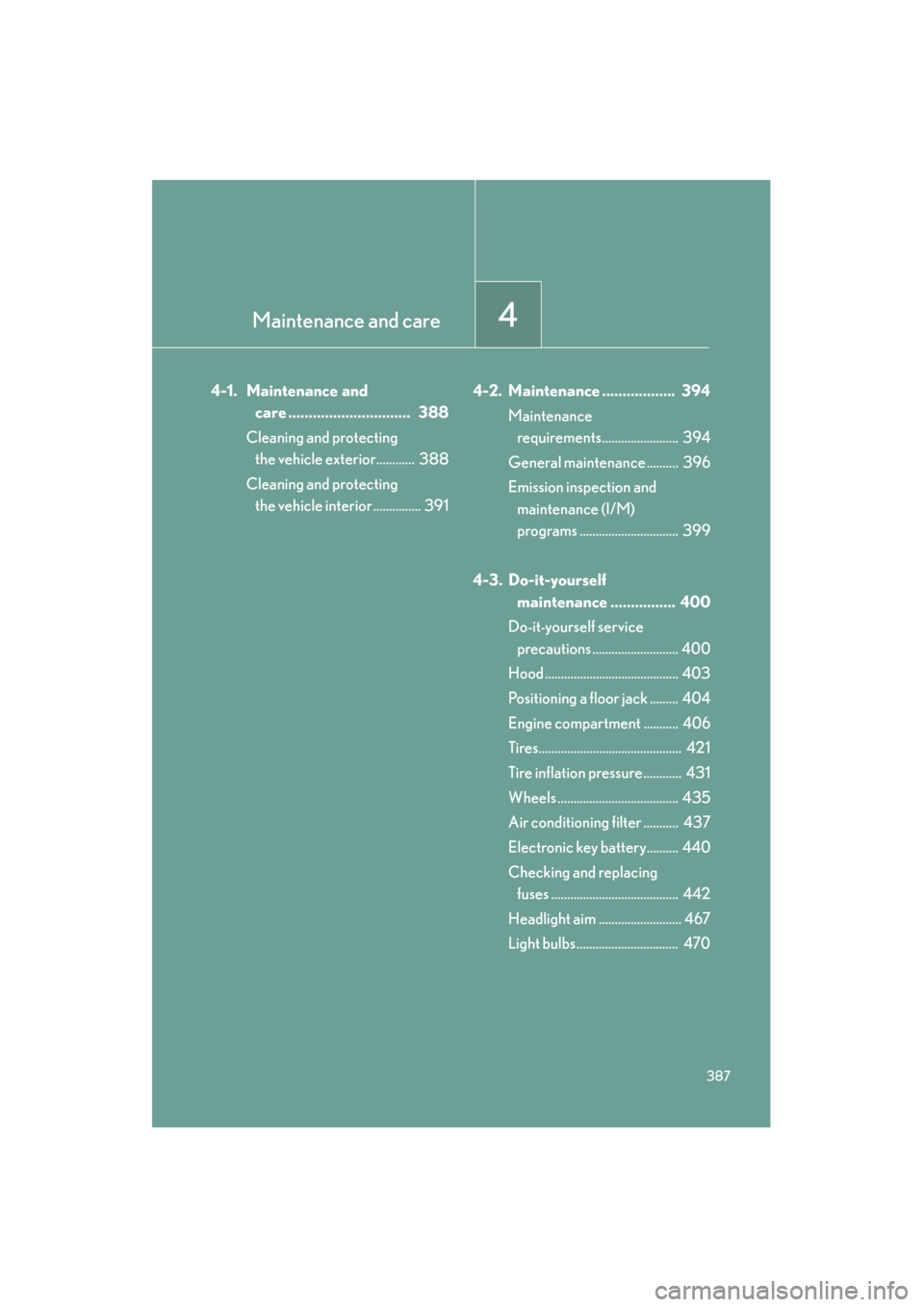
4-1. Maintenance and care .............................. 388
Cleaning and protecting the vehicle exterior............ 388
Cleaning and protecting the vehicle interior ............... 391 4-2. Maintenance .................. 394
Maintenance requirements........................ 394
General maintenance .......... 396
Emission inspection and maintenance (I/M)
programs ............................... 399
4-3. Do-it-yourself maintenance ................ 400
Do-it-yourself service precautions ........................... 400
Hood .......................................... 403
Positioning a floor jack ......... 404
Engine compartment ........... 406
Tires............................................. 421
Tire inflation pressure............ 431
Wheels ...................................... 435
Air conditioning filter ........... 437
Electronic key battery.......... 440
Checking and replacing fuses ........................................ 442
Headlight aim .......................... 467
Light bulbs................................ 470
GS_U_G.book Page 387 Thursday, June 19, 2008 12:54 PM