dynamic Lexus GS350 2008 Owner's Manual
[x] Cancel search | Manufacturer: LEXUS, Model Year: 2008, Model line: GS350, Model: Lexus GS350 2008Pages: 598, PDF Size: 14.03 MB
Page 4 of 598
1
2
3
4
5
6
7
3
GS_G_U
June 19, 2008 12:54 pm
2-3. Operating the lights and windshield wipers .................... 142
Headlight switch ............................ 142
Fog light switch .............................. 145
Windshield wipers and washer............................................. 146
Headlight cleaner switch ........... 149
2-4. Using other driving systems ...................................... 150
Cruise control ................................ 150
Dynamic radar cruise control............................................. 153
Intuitive parking assist ................. 164
Rear view monitor system ......... 179
AVS (Adaptive Variable Suspension System) .................. 183
Driving assist systems.................. 184
PCS (Pre-Collision System)..... 190
2-5. Driving information ................... 194 Cargo and luggage ...................... 194
Vehicle load limits ......................... 198
Winter driving tips ........................ 199
Trailer towing ................................. 204
Dinghy towing .............................. 205 3-1. Using the touch screen .......... 208
Touch screen ................................ 208
Setting the touch screen ............ 212
3-2. Using the air conditioning system and defogger .............. 217
Automatic air conditioning system .............................................. 217
Rear window and outside rear view mirror defoggers ............ 225
3-3. Using the audio system........... 226 Audio system type ....................... 226
Using the radio.............................. 229
Using the cassette player ......... 238
Using the CD player................... 242
Playing MP3 and WMA discs.................................. 247
Using the DVD player ................ 251
Playing DVD video/audio ................................. 254
Playing video CD ......................... 266
DVD player and DVD video disc information ............. 270
Optimal use of the audio/video system .................. 282
Using the AUX adapter............ 287
Using the steering switches .... 288
3Interior features
GS_U_G.book Page 3 Thursday, June 19, 2008 12:54 PM
Page 17 of 598
16
GS_G_U
June 19, 2008 12:54 pm
For your information
Main Owner’s Manual
Please note that this manual applies to all models and explains all equipment, includ-
ing options. Therefore, you may find some explanations for equipment not installed
on your vehicle.
All specifications provided in this manual are current at the time of printing. How-
ever, because of the Lexus policy of continual product improvement, we reserve the
right to make changes at any time without notice.
Depending on specifications, the vehicle shown in the illustration may differ from
your vehicle in terms of color and equipment.
Accessories, spare parts and modification of your Lexus
A wide variety of non-genuine spare parts and accessories for Lexus vehicles are
currently available in the market. You should know that Toyota does not warrant
these products and is not responsible for their performance, repair, or replacement,
or for any damage they may cause to, or adverse effect they may have on, your
Lexus vehicle.
This vehicle should not be modified with non-genuine Lexus products. Modification
with non-genuine Lexus products could affect its performance, safety or durability,
and may even violate governmental regulations. In addition, damage or perfor-
mance problems resulting from the modification may not be covered under war-
ranty.
Installation of a mobile two-way radio system
As the installation of a mobile two-way radio system in your vehicle could affect
electronic systems such as the multiport fuel injection system/sequential multiport
fuel injection system, cruise control system, vehicle dynamics integrated manage-
ment, SRS airbag system and seat belt pretensioner system, be sure to check with
your Lexus dealer for precautionary measures or special instructions regarding
installation.
GS_U_G.book Page 16 Thursday, June 19, 2008 12:54 PM
Page 112 of 598
When driving2
111
GS_G_U
June 19, 2008 12:54 pm
2-1. Driving procedures ........ 112Driving the vehicle................... 112
Engine (ignition) switch .......... 121
Automatic transmission ........ 125
Turn signal lever ....................... 130
Parking brake ............................ 131
2-2. Instrument cluster .......... 132 Gauges and meters ................ 132
Indicators and warning lights ......................................... 136
Multi-information display ..... 139 2-3. Operating the lights and
windshield wipers ........ 142
Headlight switch ..................... 142
Fog light switch ........................ 145
Windshield wipers and washer ..................................... 146
Headlight cleaner switch ..... 149
2-4. Using other driving systems .......................... 150
Cruise control.......................... 150
Dynamic radar cruise control ..................................... 153
Intuitive parking assist ........... 164
Rear view monitor system ....................................... 179
AVS (Adaptive Variable Suspension System) ............ 183
Driving assist systems ............ 184
PCS (Pre-Collision System) ................................... 190
2-5. Driving information........ 194 Cargo and luggage ................ 194
Vehicle load limits ................... 198
Winter driving tips .................. 199
Trailer towing .......................... 204
Dinghy towing......................... 205
GS_U_G.book Page 111 Thursday, June 19, 2008 12:54 PM
Page 129 of 598
128
2-1. Driving procedures
GS_G_U
June 19, 2008 12:54 pm
■Shift ranges and their functions
●You can choose from 8 levels (GS460) or 6 levels (GS350) of
engine braking force.
● A lower shift range will provide greater engine braking force than a
higher shift range, and the engine revolutions will also increase.
● If you accelerate while in ranges “1” to “7” (GS460) or “1” to “5”
(GS350), the shift range may automatically range up in accordance
with the vehicle’s speed.
■“S” mode
When the shift range is “6” (GS460) or “4” (GS350) or lower, holding the shift
lever toward “+” sets the shift range to “8” (GS460) or “6” (GS350).
■Downshifting restrictions warning buzzer (in the “S” mode)
To help ensure safety and driving performance, downshifting operation may some-
times be restricted. In some circumstances, downshifting may not be possible even
when the shift lever is operated. (The warning buzzer will sound twice.)
■When driving with the cruise control syst em (or dynamic radar cruise control sys-
tem)
The engine brake will not operate in the “S” mode, even when downshifting to “7”,
“6”, “5” or “4” (GS460) or “5” or “4” (GS350). ( →P. 150, 153)
■Snow mode automatic deactivation
Snow mode is automatically deactivated if the “ENGINE START STOP” switch is
turned to ACCESSORY or IGNITION ON mode after driving in snow mode.
■If the shift lever cannot be shifted from “P”
→ P. 5 2 4
GS_U_G.book Page 128 Thursday, June 19, 2008 12:54 PM
Page 140 of 598
139
2-2. Instrument cluster
2
When driving
GS_G_U
June 19, 2008 12:54 pm
Multi-information display
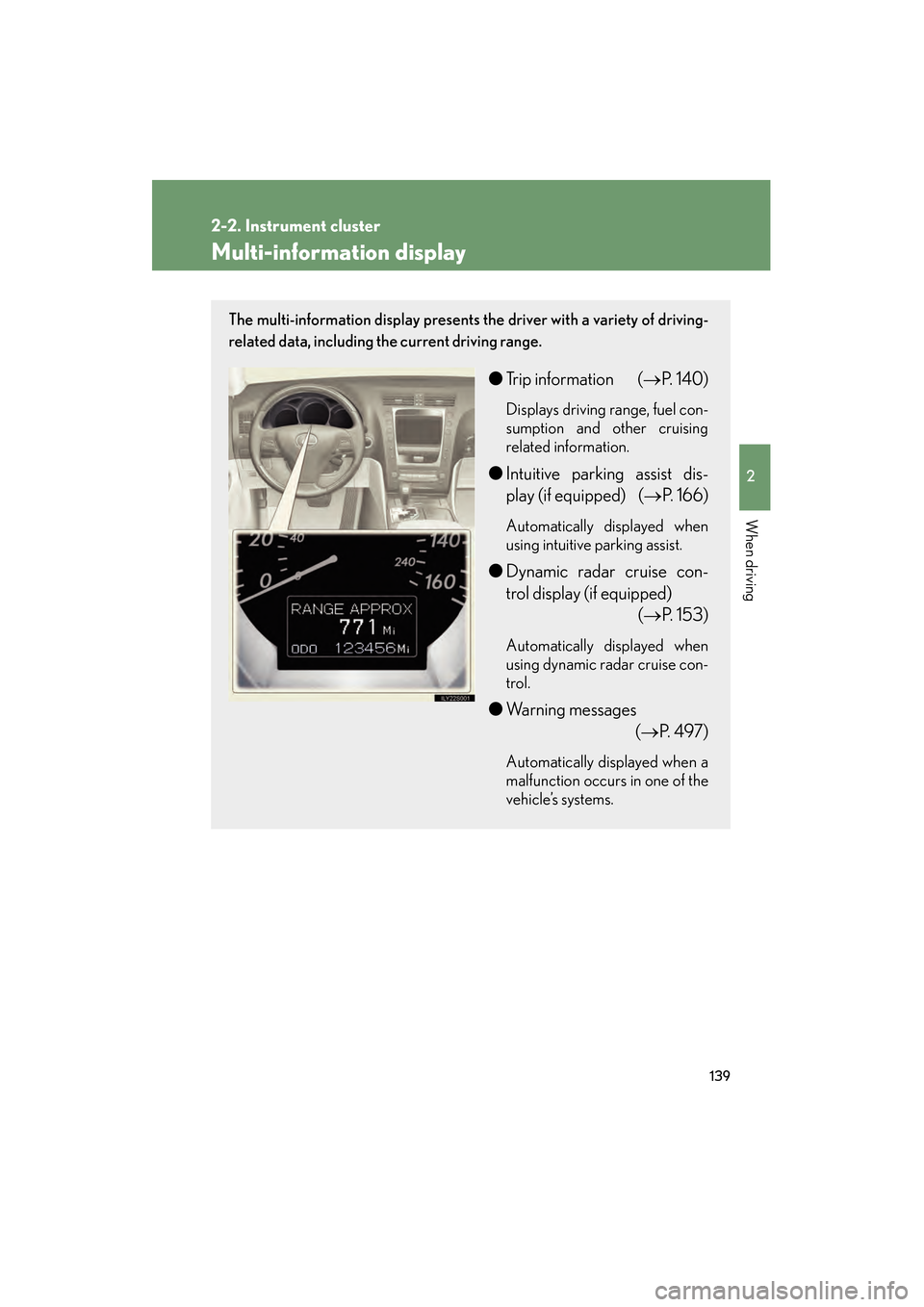
The multi-information display presents the driver with a variety of driving-
related data, including the current driving range.
●Trip information ( →P. 1 4 0 )
Displays driving range, fuel con-
sumption and other cruising
related information.
●Intuitive parking assist dis-
play (if equipped) (→ P. 166)
Automatically displayed when
using intuitive parking assist.
●Dynamic radar cruise con-
trol display (if equipped)
(→P. 153)
Automatically displayed when
using dynamic radar cruise con-
trol.
●Warning messages
(→P. 4 9 7 )
Automatically displayed when a
malfunction occurs in one of the
vehicle’s systems.
GS_U_G.book Page 139 Thursday, June 19, 2008 12:54 PM
Page 154 of 598
153
2-4. Using other driving systems
2
When driving
GS_G_U
June 19, 2008 12:54 pm
Dynamic radar cruise control (if equipped)
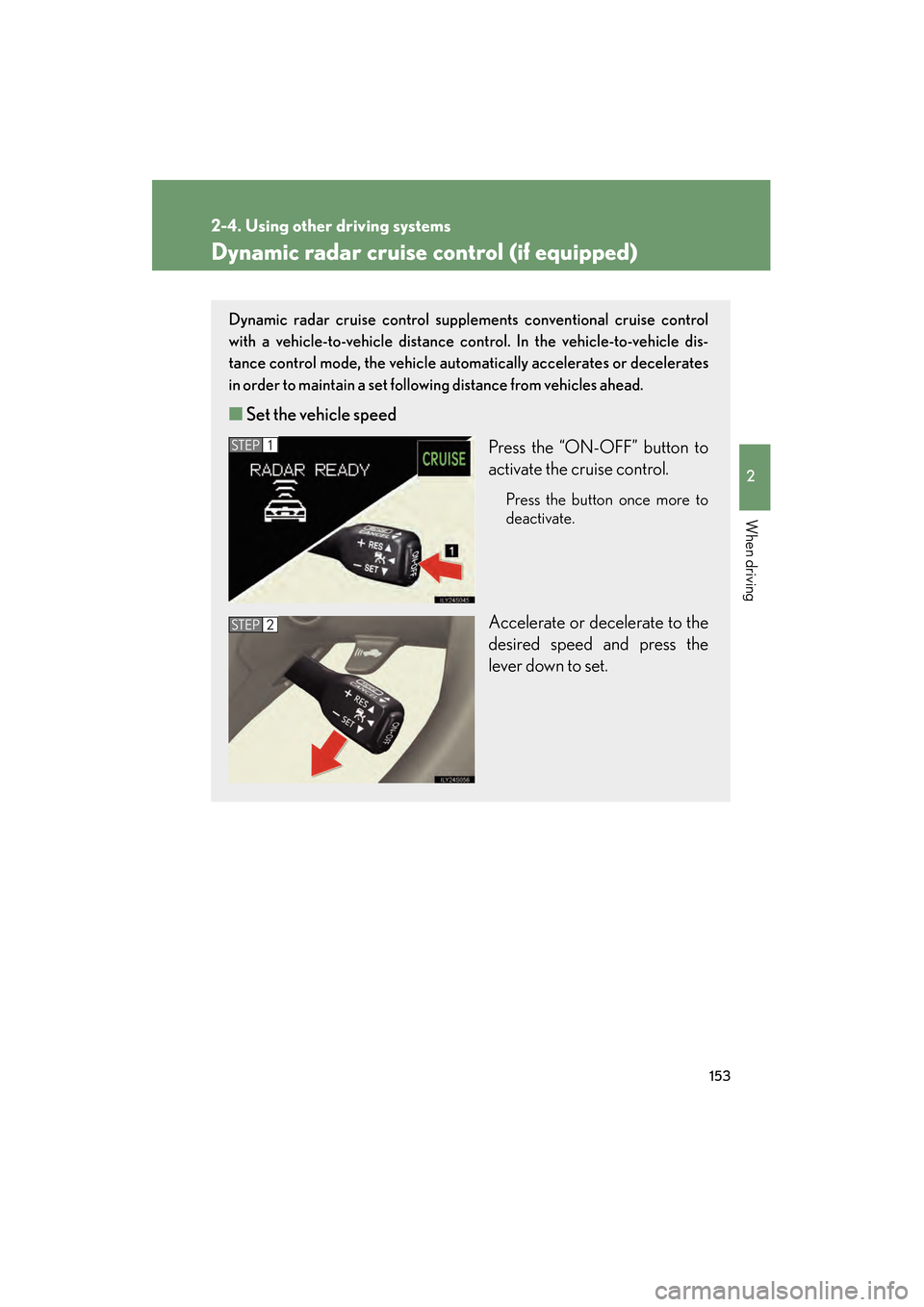
Dynamic radar cruise control supplements conventional cruise control
with a vehicle-to-vehicle distance co ntrol. In the vehicle-to-vehicle dis-
tance control mode, the vehicle automatically accelerates or decelerates
in order to maintain a set following distance from vehicles ahead.
■ Set the vehicle speed
Press the “ON-OFF” button to
activate the cruise control.
Press the button once more to
deactivate.
Accelerate or decelerate to the
desired speed and press the
lever down to set.
STEP1
STEP2
GS_U_G.book Page 153 Thursday, June 19, 2008 12:54 PM
Page 158 of 598
157
2-4. Using other driving systems
2
When driving
GS_G_U
June 19, 2008 12:54 pm
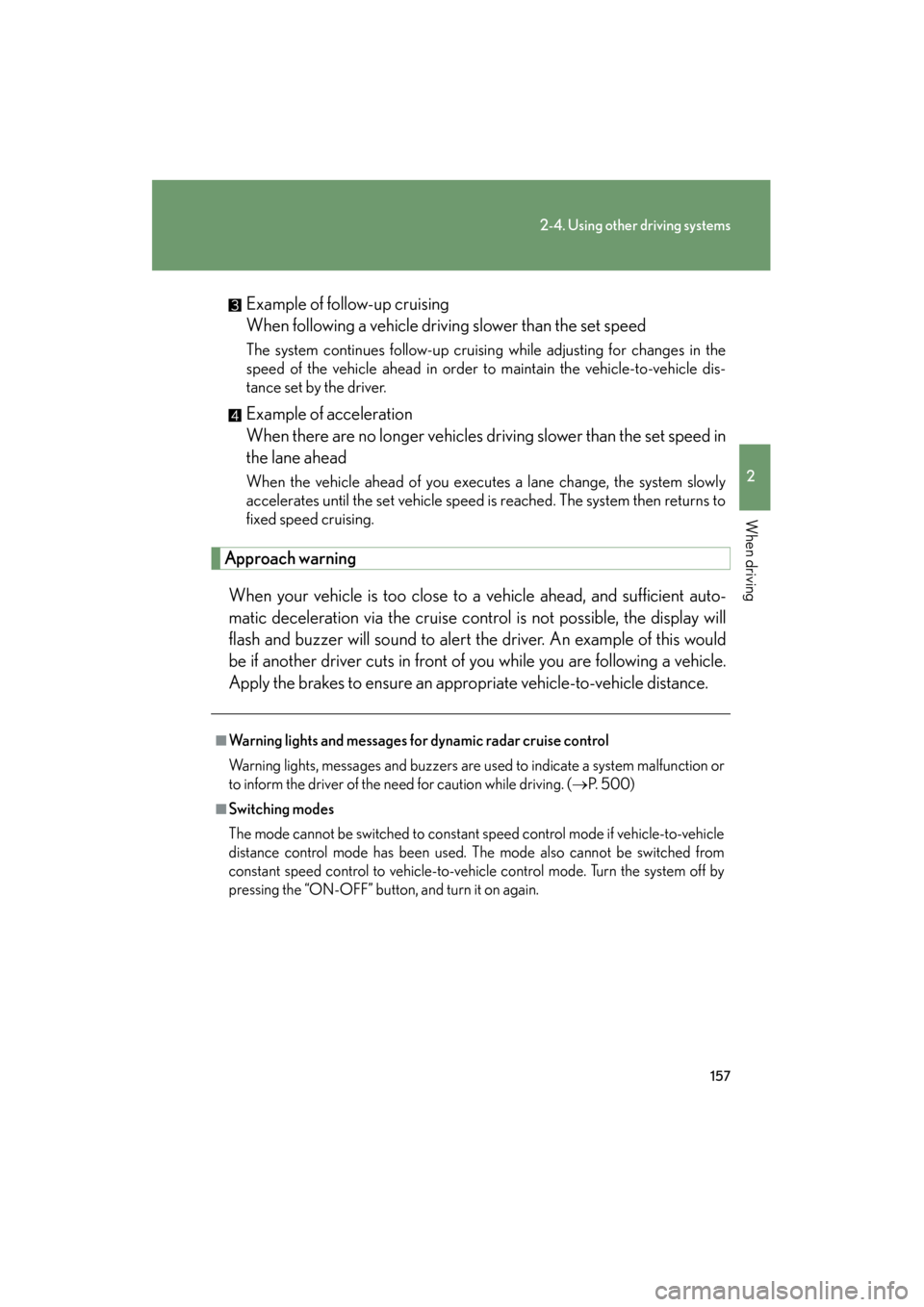
Example of follow-up cruising
When following a vehicle driving slower than the set speed
The system continues follow-up cruising while adjusting for changes in the
speed of the vehicle ahead in order to maintain the vehicle-to-vehicle dis-
tance set by the driver.
Example of acceleration
When there are no longer vehicles driving slower than the set speed in
the lane ahead
When the vehicle ahead of you executes a lane change, the system slowly
accelerates until the set vehicle speed is reached. The system then returns to
fixed speed cruising.
Approach warningWhen your vehicle is too close to a vehicle ahead, and sufficient auto-
matic deceleration via the cruise control is not possible, the display will
flash and buzzer will sound to alert the driver. An example of this would
be if another driver cuts in front of you while you are following a vehicle.
Apply the brakes to ensure an appropriate vehicle-to-vehicle distance.
■Warning lights and messages for dynamic radar cruise control
Warning lights, messages and buzzers are used to indicate a system malfunction or
to inform the driver of the need for caution while driving. ( →P. 500)
■Switching modes
The mode cannot be switched to constant speed control mode if vehicle-to-vehicle
distance control mode has been used. The mode also cannot be switched from
constant speed control to vehicle-to-vehicle control mode. Turn the system off by
pressing the “ON-OFF” button, and turn it on again.
GS_U_G.book Page 157 Thursday, June 19, 2008 12:54 PM
Page 159 of 598
158
2-4. Using other driving systems
GS_G_U
June 19, 2008 12:54 pm
■The dynamic radar cruise can be set when
●The shift lever is in “D” or the “4”, “5”, “6”, “7” or “8” (GS460) or “4”, “5” or “6”
(GS350) range of “S”.
●Vehicle speed is between approximately 27 mph (43 km/h) and 87 mph (139
km/h).
■Accelerating
The vehicle can be accelerated normally.
■Automatically canceling vehicle-to-vehicle distance control
Vehicle-to-vehicle distance control driving is automatically canceled in the follow-
ing situations.
●Actual vehicle speed falls below 25 mph (40 km/h)
●VSC is activated
●The windshield wipers are operating at high speed
●The mode select switch is set to snow mode
●The sensor cannot operate correctly because it is covered in some way
Vehicle-to-vehicle distance control driving must be reset by turning the “ON-
OFF” button on again.
If vehicle-to-vehicle distance control driving is automatically canceled for any other
reason, there may be a malfunction in the system. Contact your Lexus dealer.
■Automatically canceling constant speed control
The set speed is automatically canceled in the following situations.
●Actual vehicle speed is more than 10 mph (16 km/h) below the preset vehicle
speed
●Actual vehicle speed falls below 25 mph (40 km/h)
●VSC is activated
GS_U_G.book Page 158 Thursday, June 19, 2008 12:54 PM
Page 160 of 598
159
2-4. Using other driving systems
2
When driving
GS_G_U
June 19, 2008 12:54 pm
■Vehicle-to-vehicle distance settings
Select a distance from the table below. Note that the distances shown correspond
to a vehicle speed of 50 mph (80 km/h). Vehicle-to-vehicle distance increases/
decreases in accordance with vehicle speed.
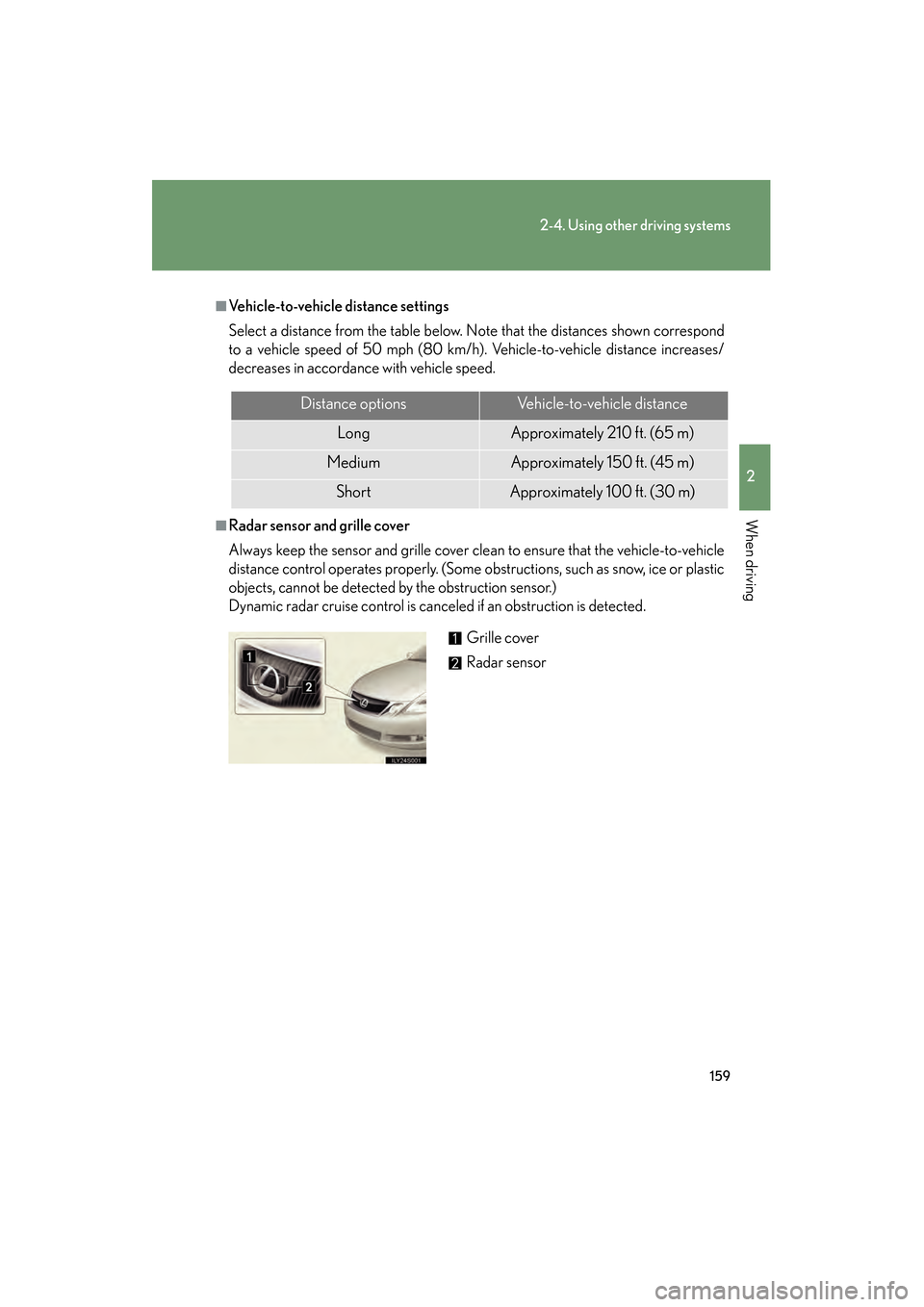
■Radar sensor and grille cover
Always keep the sensor and grille cover clean to ensure that the vehicle-to-vehicle
distance control operates properly. (Some obstructions, such as snow, ice or plastic
objects, cannot be detected by the obstruction sensor.)
Dynamic radar cruise control is canceled if an obstruction is detected.
Distance optionsVehicle-to-vehicle distance
LongApproximately 210 ft. (65 m)
MediumApproximately 150 ft. (45 m)
ShortApproximately 100 ft. (30 m)
Grille cover
Radar sensor
GS_U_G.book Page 159 Thursday, June 19, 2008 12:54 PM
Page 162 of 598
161
2-4. Using other driving systems
2
When driving
GS_G_U
June 19, 2008 12:54 pm
CAUTION
■Before using dynamic radar cruise control
Do not overly rely on vehicle-to-vehicle distance control.
Be aware of the set vehicle speed. If automatic deceleration/acceleration is not
appropriate, adjust the vehicle speed, as well as the distance between your vehicle
and vehicles ahead by applying the brakes, etc.
■To avoid operating the dynamic radar cruise control by mistake
Keep the “ON-OFF” button off when not in use.
■Situations unsuitable for dynamic radar cruise control
Do not use dynamic radar cruise control in any of the following situations.
Doing so may result in inappropriate control of speed and could cause serious or
fatal accident.
●In heavy traffic
●On roads with sharp bends
●On winding roads
●On slippery roads, such as those covered with rain, ice or snow
●On steep downhills, where there are sudden changes between sharp up and
down gradients
Vehicle speed may exceed the set speed when driving down a steep hill.
●At entrances to expressways
●When weather conditions are bad enough that they may prevent the sensors
from functioning correctly (fog, snow, sandstorm, etc.)
●When the approach warning buzzer can be heard often
GS_U_G.book Page 161 Thursday, June 19, 2008 12:54 PM