air conditioning Lexus GS350 2009 User Guide
[x] Cancel search | Manufacturer: LEXUS, Model Year: 2009, Model line: GS350, Model: Lexus GS350 2009Pages: 622, PDF Size: 17.98 MB
Page 238 of 622
237
3-2. Using the air conditioning system and defogger
3
Interior features
GS_G_U (OM30B43U)
April 20, 2009 4:34 pm
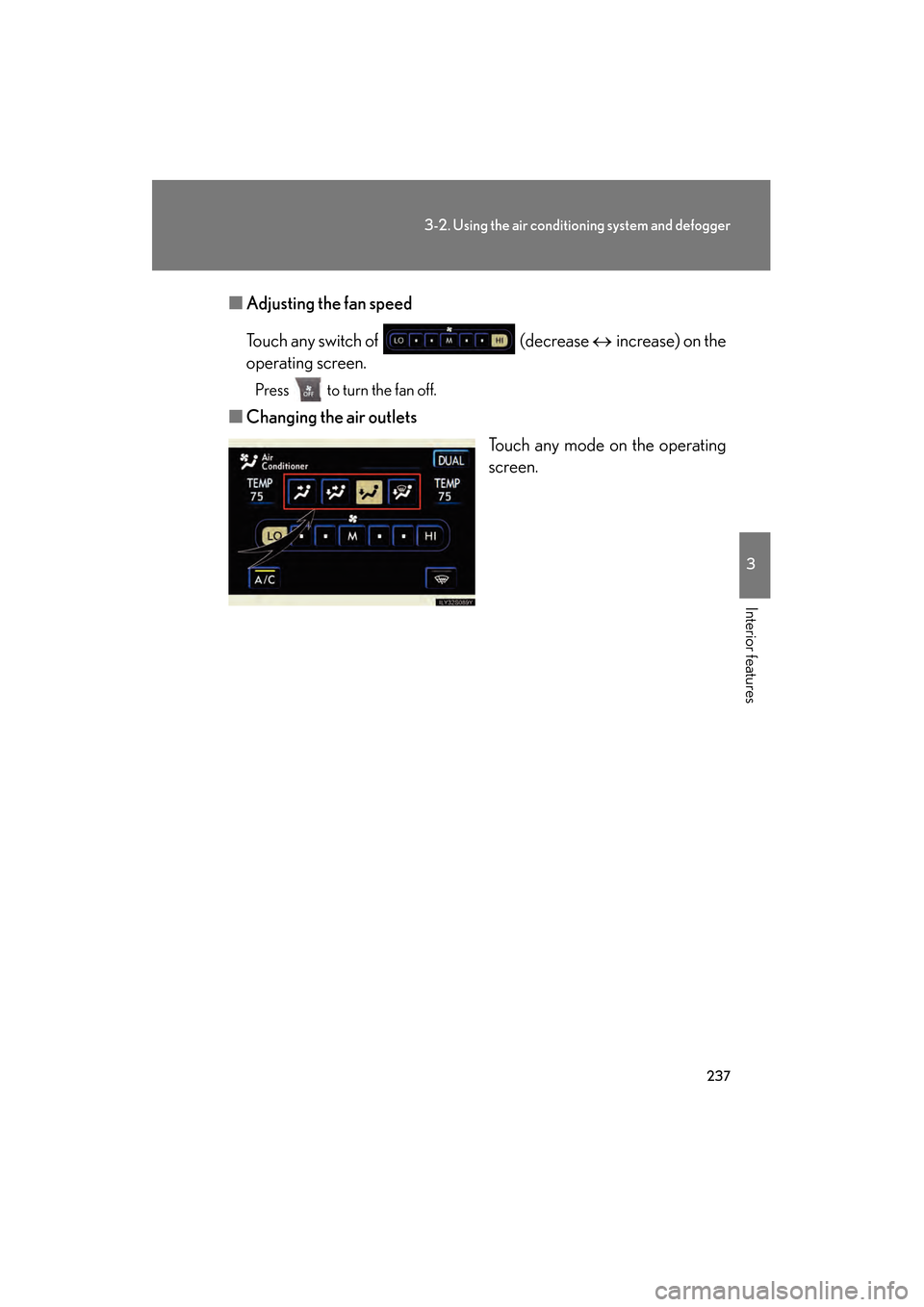
■Adjusting the fan speed
Touch any switch of (decrease ↔ increase) on the
operating screen.
Press to turn the fan off.
■ Changing the air outlets
Touch any mode on the operating
screen.
GS_U_G.book Page 237 Monday, April 27, 2009 10:50 AM
Page 239 of 622
238
3-2. Using the air conditioning system and defogger
GS_G_U (OM30B43U)
April 20, 2009 4:34 pm
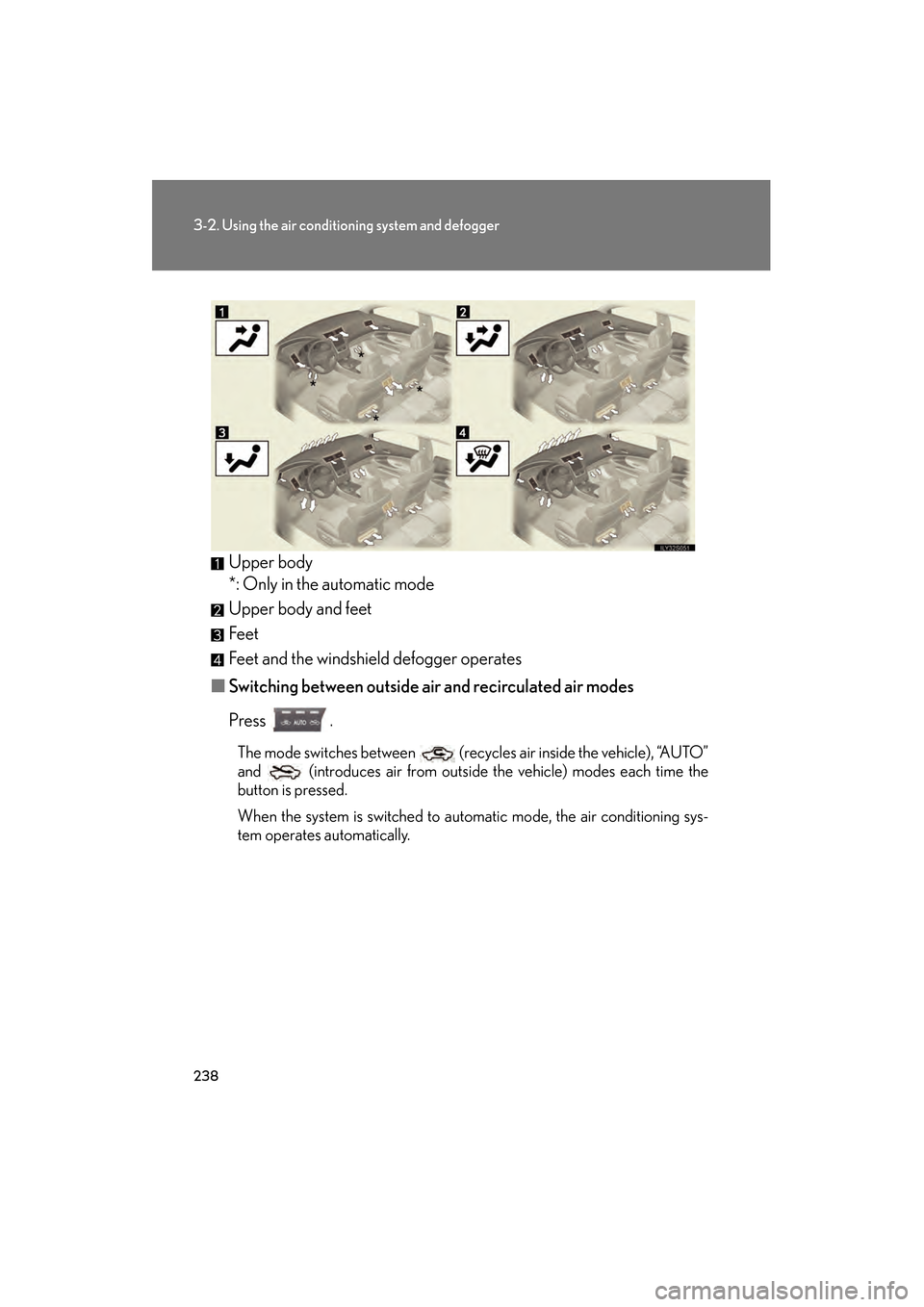
Upper body
*: Only in the automatic mode
Upper body and feet
Feet
Feet and the windshield defogger operates
■ Switching between outside air and recirculated air modes
Press .
The mode switches between (recycles air inside the vehicle), “AUTO”
and (introduces air from outside the vehicle) modes each time the
button is pressed.
When the system is switched to automatic mode, the air conditioning sys-
tem operates automatically.
GS_U_G.book Page 238 Monday, April 27, 2009 10:50 AM
Page 240 of 622
239
3-2. Using the air conditioning system and defogger
3
Interior features
GS_G_U (OM30B43U)
April 20, 2009 4:34 pm
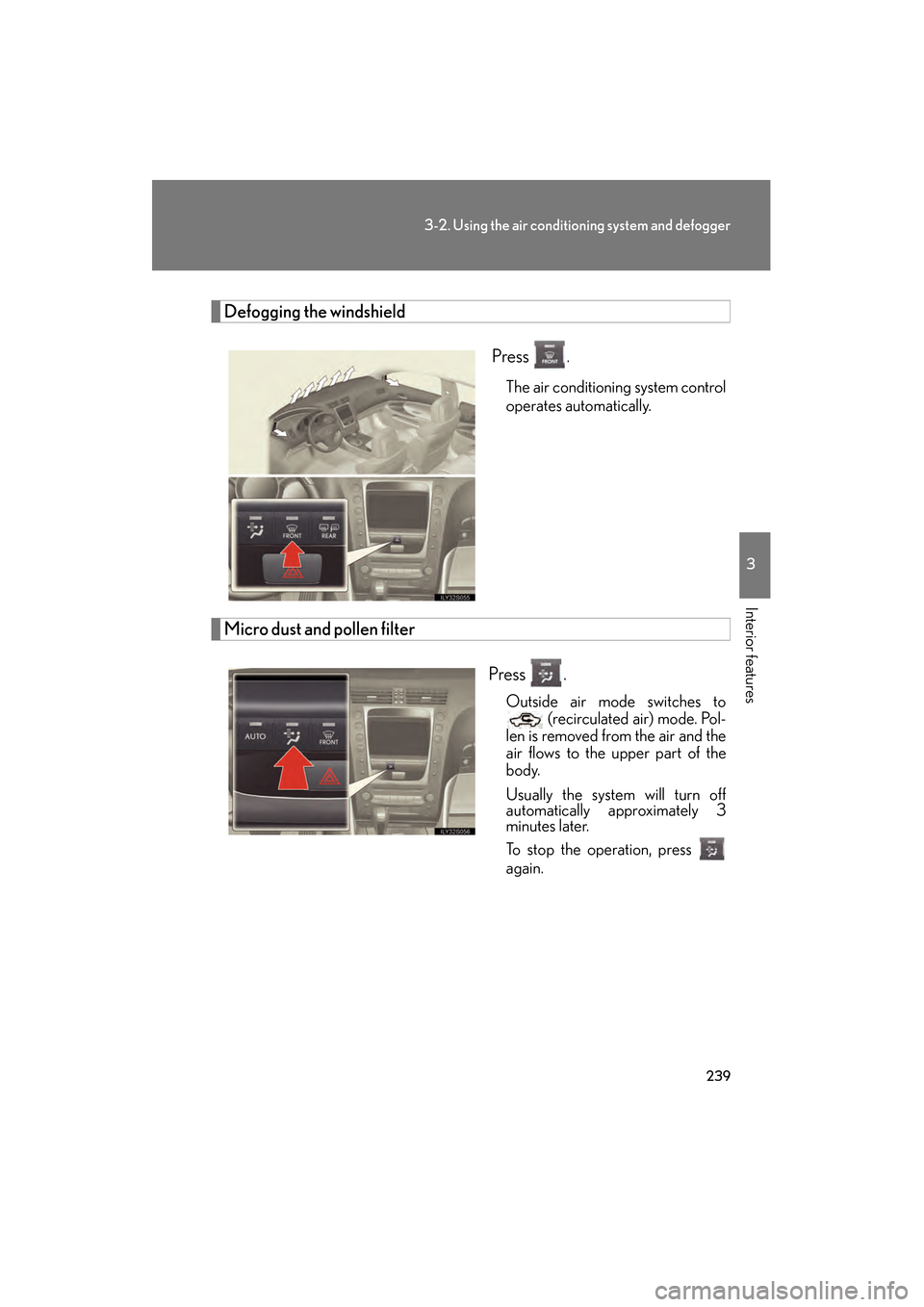
Defogging the windshield
Press
.
The air conditioning system control
operates automatically.
Micro dust and pollen filter
Press .
Outside air mode switches to (recirculated air) mode. Pol-
len is removed from the air and the
air flows to the upper part of the
body.
Usually the system will turn off
automatically approximately 3
minutes later.
To stop the operation, press
again.
GS_U_G.book Page 239 Monday, April 27, 2009 10:50 AM
Page 241 of 622
240
3-2. Using the air conditioning system and defogger
GS_G_U (OM30B43U)
April 20, 2009 4:34 pm
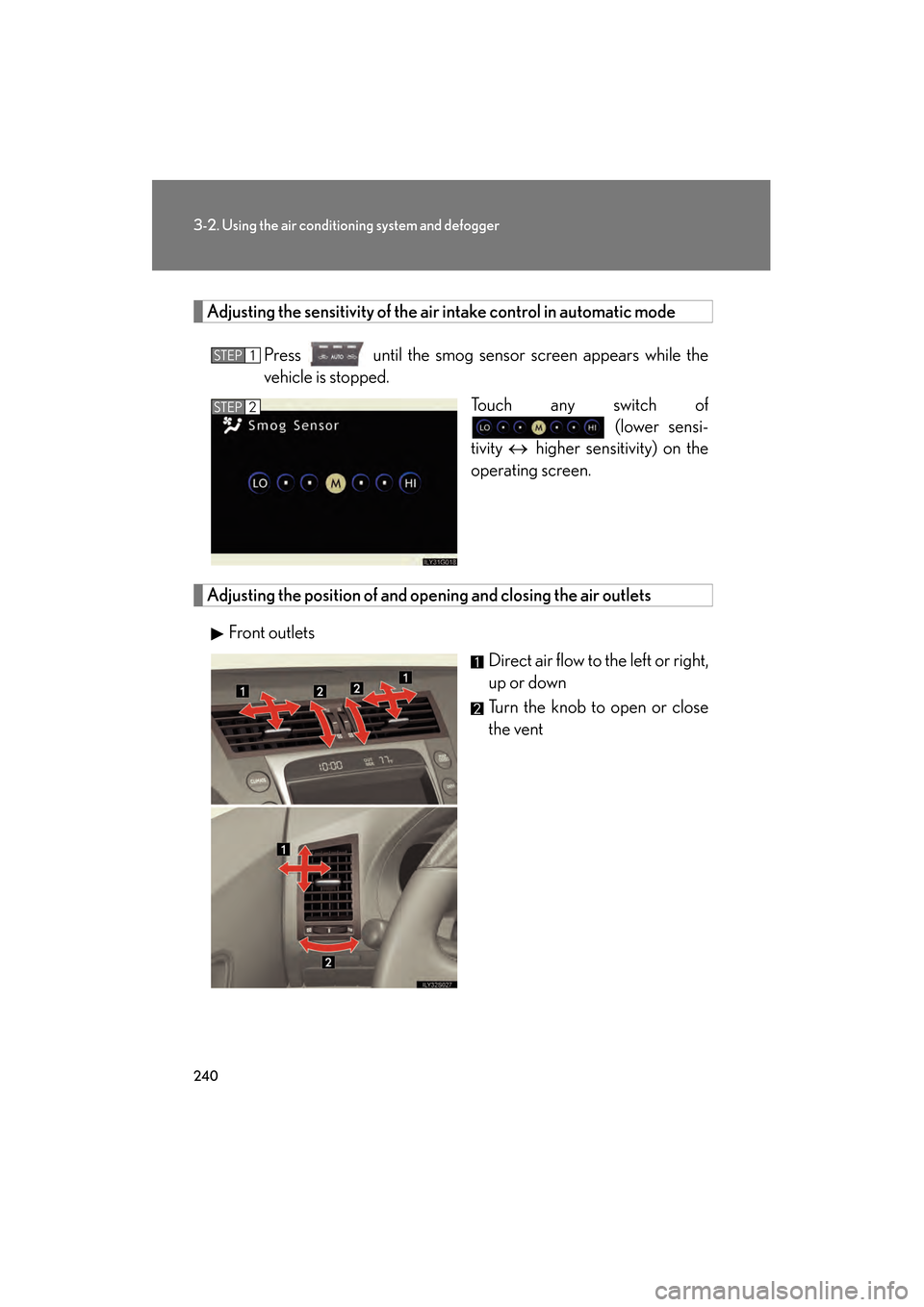
Adjusting the sensitivity of the air intake control in automatic mode
Press until the smog senso r screen appears while the
vehicle is stopped.
Touch any switch of (lower sensi-
tivity ↔ higher sensitivity) on the
operating screen.
Adjusting the position of and opening and closing the air outlets
Front outlets Direct air flow to the left or right,
up or down
Turn the knob to open or close
the vent
STEP1
STEP2
GS_U_G.book Page 240 Monday, April 27, 2009 10:50 AM
Page 242 of 622
241
3-2. Using the air conditioning system and defogger
3
Interior features
GS_G_U (OM30B43U)
April 20, 2009 4:34 pm
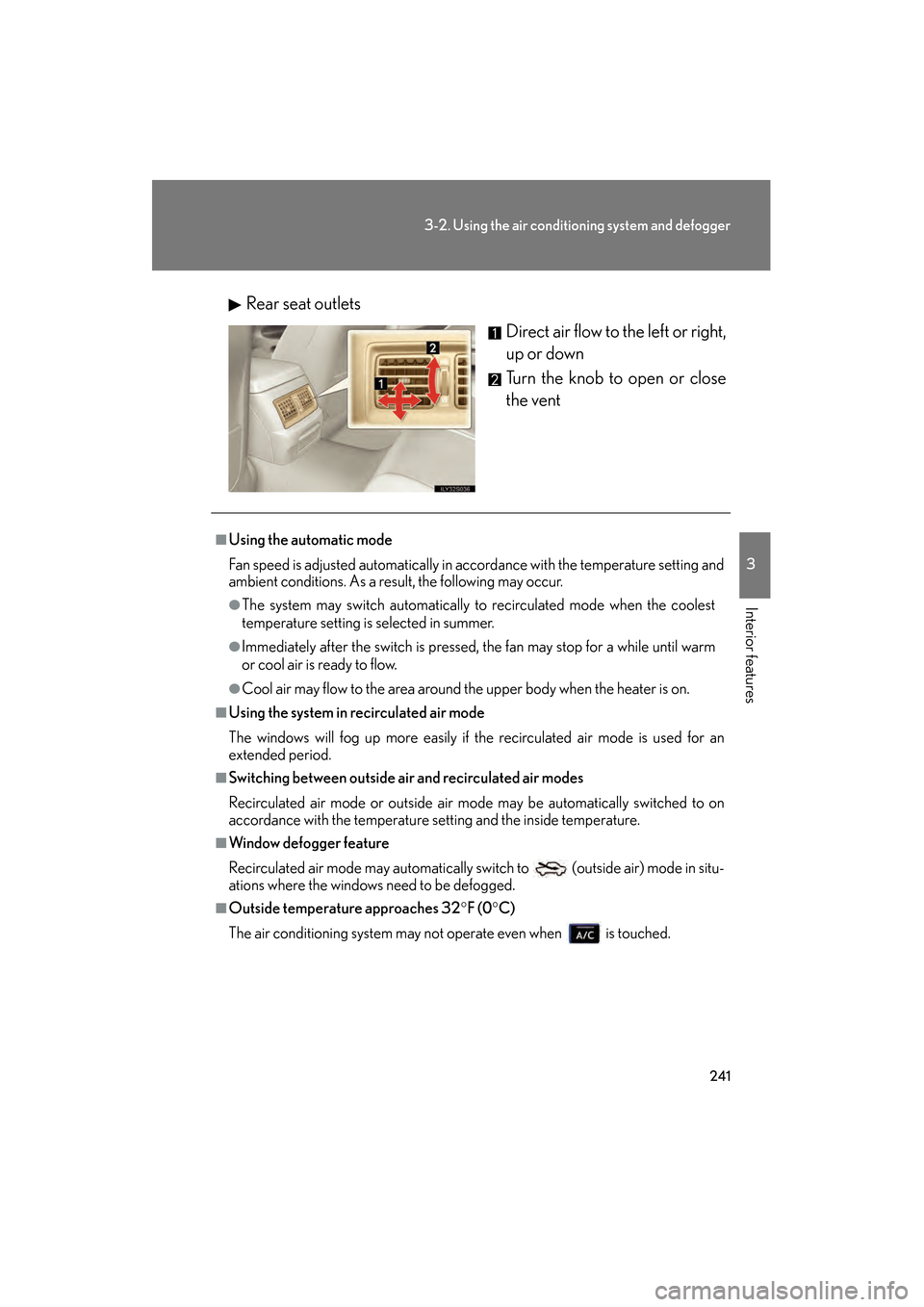
Rear seat outlets
Direct air flow to the left or right,
up or down
Turn the knob to open or close
the vent
■Using the automatic mode
Fan speed is adjusted automatically in acc ordance with the temperature setting and
ambient conditions. As a result, the following may occur.
●The system may switch automatically to recirculated mode when the coolest
temperature setting is selected in summer.
●Immediately after the switch is pressed, the fan may stop for a while until warm
or cool air is ready to flow.
●Cool air may flow to the area around the upper body when the heater is on.
■Using the system in recirculated air mode
The windows will fog up more easily if the recirculated air mode is used for an
extended period.
■Switching between outside air and recirculated air modes
Recirculated air mode or outside air mo de may be automatically switched to on
accordance with the temperature se tting and the inside temperature.
■Window defogger feature
Recirculated air mode may automatically switch to
(outside air) mode in situ-
ations where the windows need to be defogged.
■Outside temperature approaches 32 °F (0 °C)
The air conditioning system may no t operate even when is touched.
GS_U_G.book Page 241 Monday, April 27, 2009 10:50 AM
Page 243 of 622
242
3-2. Using the air conditioning system and defogger
GS_G_U (OM30B43U)
April 20, 2009 4:34 pm
■Automatic mode for air intake control
In automatic mode, the system detects exhaust gas and other pollutants and auto-
matically switches between outside air and recirculated air modes.
When the air conditioning is off, and the fan is operating, turning the auto mode on
will activate the air conditioning system.
■Micro dust and pollen filter
●In order to prevent the windows from fogging up when the outside air is cold,
the following may occur.
• Outside air mode does not switch to .
• The air conditioning syst em operates automatically.
• The operation cancels after 1 minute.
●In rainy weather, the windows may fog up. Press .
■When the indicator light on flashes
Touch and turn off the air conditioning system before turning it on once
more. There may be a problem in the air conditioning system if the indicator light
continues to flash. Turn the air conditioning system off and have it inspected by your
Lexus dealer.
CAUTION
■To prevent the windshield from fogging up
Do not use during cool air operation in extremely humid weather. The differ-
ence between the temperature of the outside air and that of the windshield can
cause the outer surface of the windshield to fog up, blocking your vision.
NOTICE
■To prevent 12 volt battery discharge
Do not leave the automatic air conditioning system on longer than necessary when
the engine is off.
GS_U_G.book Page 242 Monday, April 27, 2009 10:50 AM
Page 244 of 622
243
3-2. Using the air conditioning system and defogger
3
Interior features
GS_G_U (OM30B43U)
April 20, 2009 4:34 pm
Rear window and outside rear view mirror defoggers
■Operating conditions
The “ENGINE START STOP” switch must be in the IGNITION ON mode.
CAUTION
■When the outside rear view mirror defoggers are on
Do not touch the rear view mirror surface s, as they can become very hot and burn
you.
NOTICE
■To prevent 12 volt battery discharge
Turn the defoggers off when the engine is off.
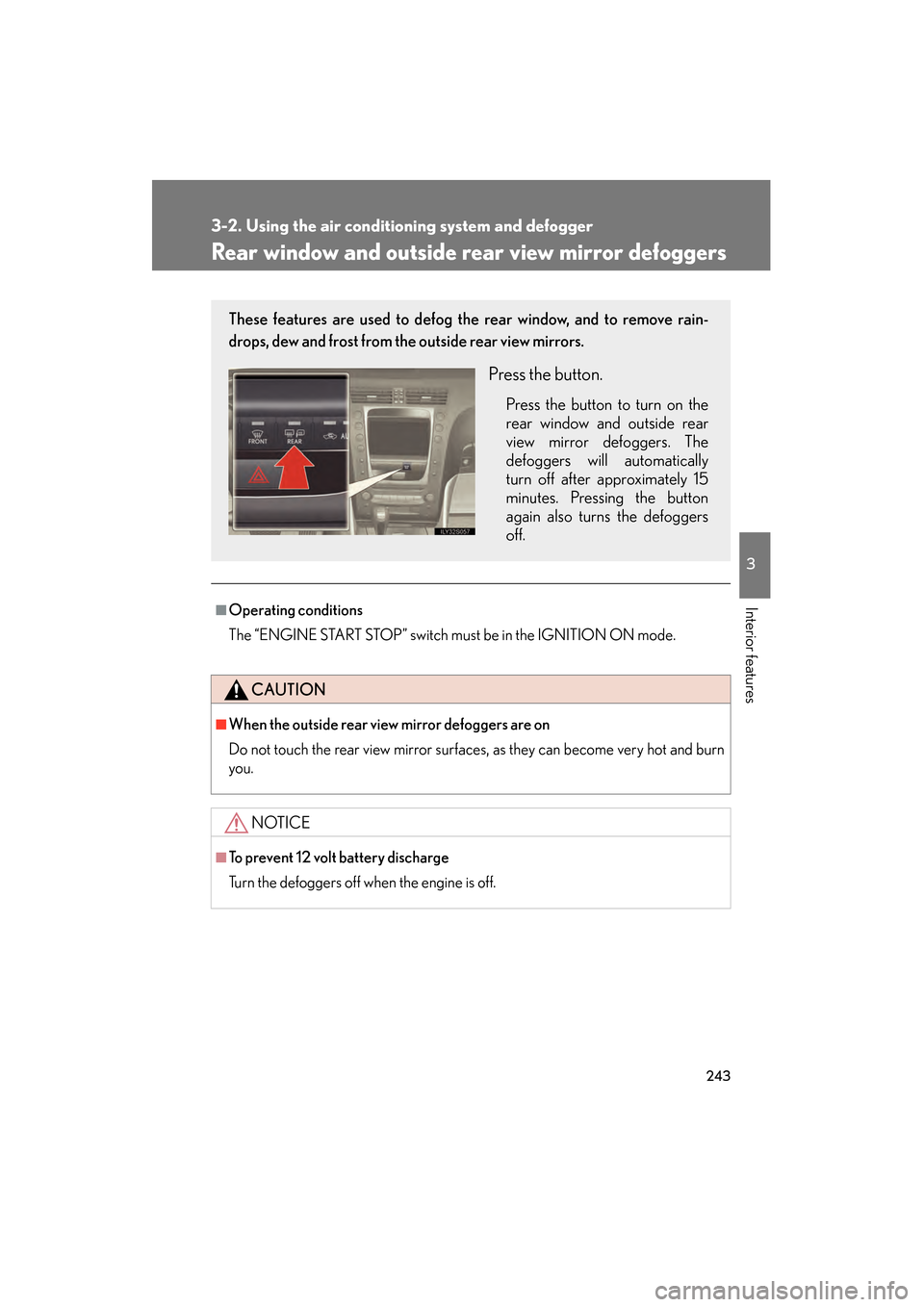
These features are used to defog the rear window, and to remove rain-
drops, dew and frost from the outside rear view mirrors.
Press the button.
Press the button to turn on the
rear window and outside rear
view mirror defoggers. The
defoggers will automatically
turn off after approximately 15
minutes. Pressing the button
again also turns the defoggers
off.
GS_U_G.book Page 243 Monday, April 27, 2009 10:50 AM
Page 245 of 622
244
3-2. Using the air conditioning system and defogger
GS_G_U (OM30B43U)
April 20, 2009 4:34 pm
Windshield wiper de-icer∗
■Operating conditions
The “ENGINE START STOP” switch must be in the IGNITION ON mode.
CAUTION
■When the windshield wiper de-icer is on
Do not touch the glass at the lower part of the windshield or to the side of the front
pillars as the surfaces can become very hot and burn you.
∗: If equipped
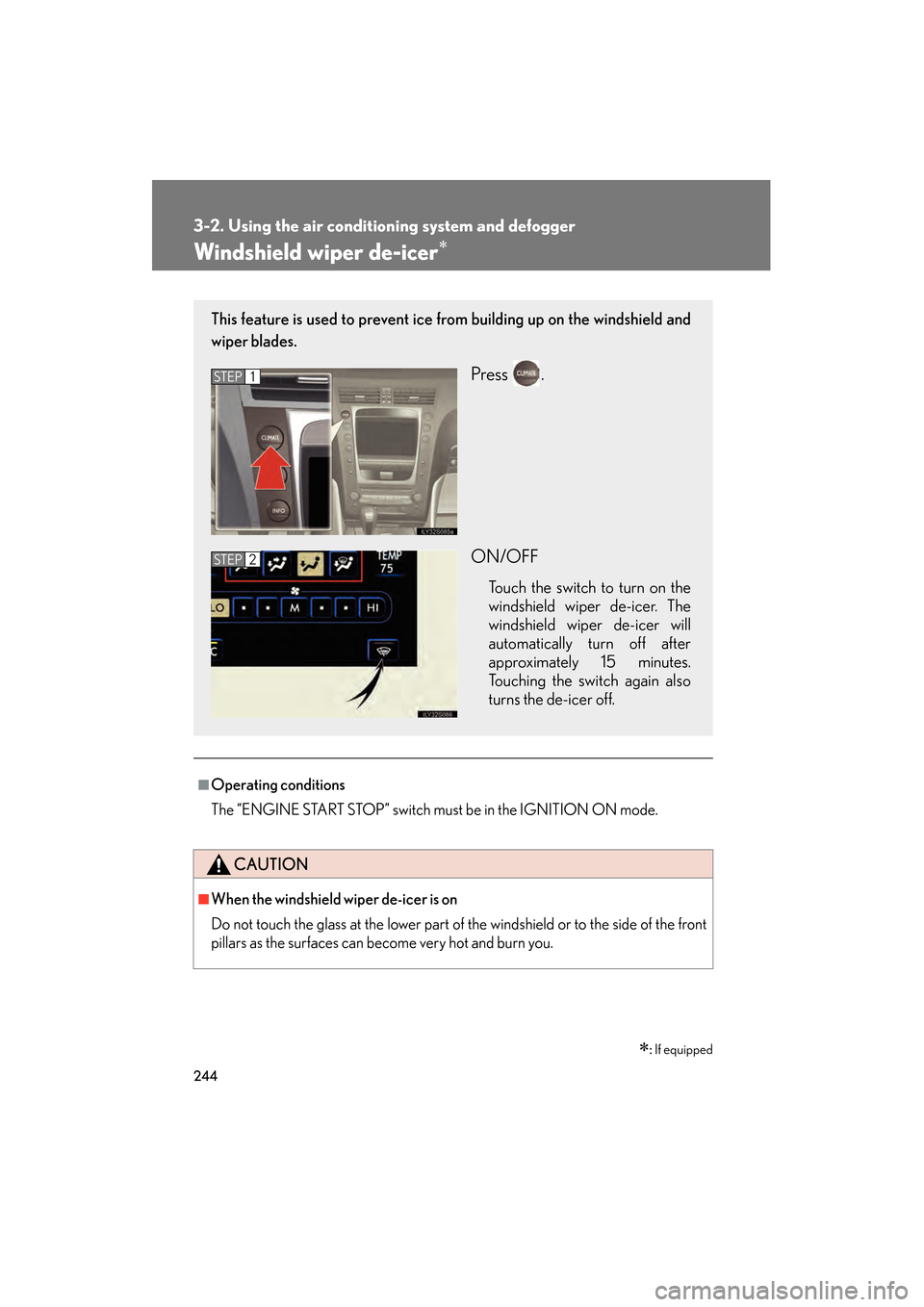
This feature is used to prevent ice fr om building up on the windshield and
wiper blades.
Press .
ON/OFF
Touch the switch to turn on the
windshield wiper de-icer. The
windshield wiper de-icer will
automatically turn off after
approximately 15 minutes.
Touching the switch again also
turns the de-icer off.
STEP1
STEP2
GS_U_G.book Page 244 Monday, April 27, 2009 10:50 AM
Page 313 of 622
312
3-4. Using the hands-free system (for cellular phone)
GS_G_U (OM30B43U)
April 27, 2009 10:48 am
■When using the hands-free system
●The audio system and voice guidance are muted when making a call.
●If both parties speak at the same time, it may be difficult to hear.
●If the received call volume is overly loud, an echo may be heard.
●Try to face toward the microphone as much as possible when speaking.
●In the following circumstances it may be difficult to hear the other party.
• When driving on unsealed roads
• When driving at high speeds
• If a window is open
• If the air conditioning is blowing directly on the microphone
• If the air conditioning is set to high
■Conditions under which the system will not operate
●If using a mobile phone that does not support Bluetooth®.
●If the mobile phone is switched off.
●If you are outside service range.
●If the mobile phone is not connected.
●If the mobile phone’s battery is low.
■Bluetooth® antenna
The antenna is built into the display. If the mobile phone is behind the seat or in the
console box, or touching or covered by metal objects, connection status may dete-
riorate.
GS_U_G.book Page 312 Monday, April 27, 2009 10:50 AM
Page 403 of 622
402
3-7. Other interior features
GS_G_U (OM30B43U)
April 27, 2009 10:48 am
■Speech recognition information
The Lexus Link speech recognition systems use speech technology that is designed
to understand a wide range of speakers of American English. However, the technol-
ogy may not work as well if a regional or ethnic accent is encountered. If the speech
recognition system does not work properly, refer to the following.
●The system does not recognize your command properly if noise is present. Per-
form the following to improve voice command recognition.
• Turn down or off the air conditioning system.
• Slow down to reduce wind noise.
• Close the windows and the moon roof to block outside noise.
• Have all occupants be quiet so that the system does not recognize their con- versation as a command.
●When to speak
Say a command within 5 seconds after the system prompts you to speak.
●How to speak
• Speak forcefully and clearly.
• Speak calmly and naturally.
• The driver should speak while facing forward, and the passenger shouldspeak facing the inside rear view mirror.
• Avoid speaking with a rising intonati on. Use a flat or falling intonation.
●Tips for one-word commands
• The system recognizes only one word at a time for personal calling. (There
are some exceptions, such as “Advanced services” and “My number”.)
• When inputting the security codes or voice-activated keypad number, you
must say them one digit at a time. When inputting a phone number, the
speech recognition system can recogniz e 7, 10, and 11-digit numbers as well
as the number 911.
GS_U_G.book Page 402 Monday, April 27, 2009 10:50 AM