door Lexus GS350 2010 Specifications / LEXUS 2010 GS460 GS350 (OM30C80U) Workshop Manual
[x] Cancel search | Manufacturer: LEXUS, Model Year: 2010, Model line: GS350, Model: Lexus GS350 2010Pages: 648, PDF Size: 15.57 MB
Page 104 of 648

104
1-7. Safety information
GS_G_U (OM30C80U)
June 29, 2011 10:30 am
CAUTION
■SRS airbag precautions
●If breathing becomes difficult after the SRS airbag has deployed, open a door or
window to allow fresh air in, or leave the vehicle if it is safe to do so. Wash off any
residue as soon as possible to prevent skin irritation.
●If the areas where the SRS airbags are stored, such as the steering wheel pad and
front pillar garnish, are damaged or cracked, have them replaced by your Lexus
dealer.
●Do not place anything, such as a cushion, on the front passenger’s seat. Doing so
will disperse the passenger’s weight, which prevents the sensor from detecting
the passenger’s weight properly. As a result, the SRS front passenger airbag may
not deploy in the event of a collision.
■Modification and disposal of SRS airbag system components
Do not dispose of your vehicle or perform any of the following modifications with-
out consulting your Lexus dealer. The SRS airbags may malfunction or deploy
(inflate) accidentally, causing death or serious injury.
●Installation, removal, disassembly and repair of the SRS airbags
●Repairs, modifications, removal or replacement of the steering wheel, instrument
panel, dashboard, seats or seat upholstery, front, side and rear pillars or roof side
rail
●Repairs or modifications of the front fender, front bumper, or side of the occupant
compartment
●Installation of snow plows, winches, etc. to the front grille (bull bars, kangaroo bar
etc.)
●Modifications to the vehicle’s suspension system
●Installation of electronic devices such as mobile two-way radios or CD players
●Modifications to your vehicle for a person with a physical disability
Page 113 of 648
113
1-7. Safety information
1
Before driving
GS_G_U (OM30C80U)
June 29, 2011 10:30 am
CAUTION
■Child restraint precautions
●Do not use the seat belt extender when installing a child restraint system on the
front or rear passenger seat. If installing a child restraint system with the seat belt
extender connected to the seat belt, the seat belt will not securely hold the child
restraint system, which could cause death or serious injury to the child or other
passengers in the event of a sudden stop, sudden swerve or accident.
●Do not allow the child to lean his/her head or any part of his/her body against the
door or the area of the seat, front pillar or roof side rail from which the side air-
bags or curtain shield airbags deploy even if the child is seated in the child
restraint system. It is dangerous if the side airbags and curtain shield airbags
inflate, and the impact could cause death or serious injury to the child.
●Make sure you have complied with all installation instructions provided by the
child restraint manufacturer and that the system is properly secured. If it is not
secured properly, it may cause death or serious injury to the child in the event of a
sudden stop, sudden swerve or an accident.
■Child restraint lock function belt precaution
Do not allow children to play with the child restraint lock function belt. If the belt
becomes twisted around a child’s neck, it will not be possible to pull the belt out
leading to choking or other serious injuries that could result in death.
If this occurs and the buckle cannot be unfastened, scissors should be used to cut
the belt.
■When the child restraint system is not in use
●Keep the child restraint system properly secured on the seat even if it is not in use.
Do not store the restraint unsecured in the passenger compartment.
●If it is necessary to detach the child restraint system, remove it from the vehicle or
store it securely in the trunk. This will prevent it from injuring passengers in the
event of a sudden stop, sudden swerve or accident.
Page 126 of 648
126
GS_G_U (OM30C80U)
June 29, 2011 10:30 am
2-1. Driving procedures
Driving the vehicle
Starting on a steep incline
Firmly set the parking brake and shift the shift lever to “D”.
Gently depress the accelerator pedal.
Release the parking brake.
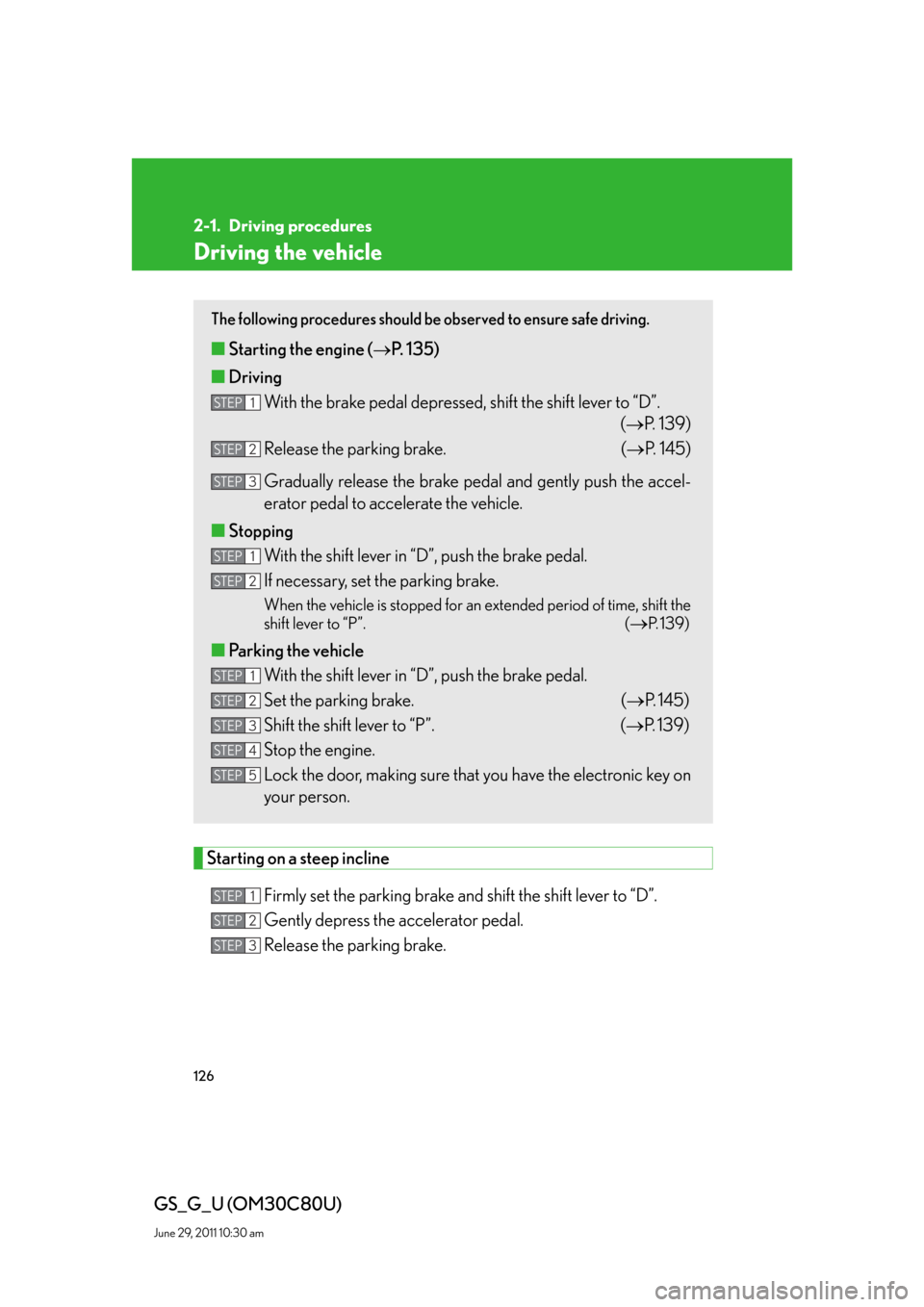
The following procedures should be observed to ensure safe driving.
■Starting the engine (P. 135)
■Driving
With the brake pedal depressed, shift the shift lever to “D”.
(P. 1 3 9 )
Release the parking brake. (P. 145)
Gradually release the brake pedal and gently push the accel-
erator pedal to accelerate the vehicle.
■Stopping
With the shift lever in “D”, push the brake pedal.
If necessary, set the parking brake.
When the vehicle is stopped for an extended period of time, shift the
shift lever to “P”. (
P. 1 3 9 )
■Parking the vehicle
With the shift lever in “D”, push the brake pedal.
Set the parking brake. (P. 145)
Shift the shift lever to “P”. (P. 1 3 9 )
Stop the engine.
Lock the door, making sure that you have the electronic key on
your person.
STEP1
STEP2
STEP3
STEP1
STEP2
STEP1
STEP2
STEP3
STEP4
STEP5
STEP1
STEP2
STEP3
Page 159 of 648
159
2-3. Operating the lights and windshield wipers
2
When driving
GS_G_U (OM30C80U)
June 29, 2011 10:30 am
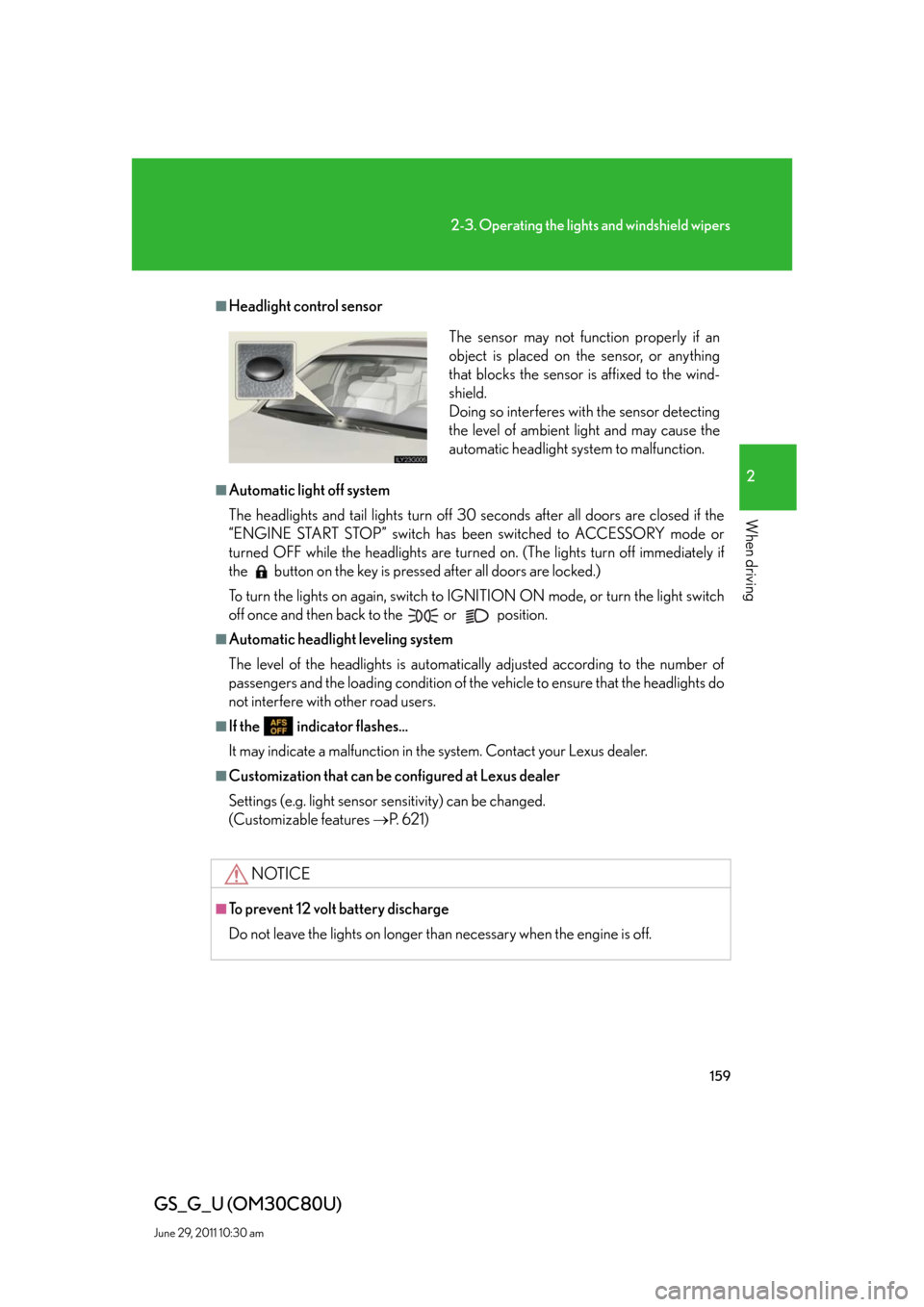
■Headlight control sensor
■Automatic light off system
The headlights and tail lights turn off 30 seconds after all doors are closed if the
“ENGINE START STOP” switch has been switched to ACCESSORY mode or
turned OFF while the headlights are turned on. (The lights turn off immediately if
the button on the key is pressed after all doors are locked.)
To turn the lights on again, switch to IGNITION ON mode, or turn the light switch
off once and then back to the
or position.
■Automatic headlight leveling system
The level of the headlights is automatically adjusted according to the number of
passengers and the loading condition of the vehicle to ensure that the headlights do
not interfere with other road users.
■If the indicator flashes...
It may indicate a malfunction in the system. Contact your Lexus dealer.
■Customization that can be configured at Lexus dealer
Settings (e.g. light sensor sensitivity) can be changed.
(Customizable features P. 6 2 1 )
NOTICE
■To prevent 12 volt battery discharge
Do not leave the lights on longer than necessary when the engine is off.
The sensor may not function properly if an
object is placed on the sensor, or anything
that blocks the sensor is affixed to the wind-
shield.
Doing so interferes with the sensor detecting
the level of ambient light and may cause the
automatic headlight system to malfunction.
Page 227 of 648
Interior features3
227
GS_G_U (OM30C80U)
June 29, 2011 10:30 am
3-3. Using the audio system
Audio system type.................. 257
Using the radio........................ 260
Using the CD/DVD
player ...................................... 269
Playing an audio CD ............. 272
Playing MP3 and
WMA discs............................. 276
Playing DVD video/audio
(with DVD player) .............. 280
Playing a video CD
(with DVD player) ............... 294
CD/DVD player and DVD
video disc information ....... 297
Listening to Bluetooth
®
audio....................................... 308
Listening to a USB memory/
iPod
®....................................... 316
Optimal use of the audio/
video system ......................... 326
Using the AUX port ............. 328
Using the steering
switches .................................. 3293-4. Using the hands-free system
(for cellular phone)
Hands-free system
(for cellular phone) ............. 332
Using a Bluetooth
®
phone ...................................... 338
Setting the hands-free system
(for cellular phone) ............. 353
3-5. Using the interior lights
Interior lights list .................... 382
3-6. Using the storage features
List of storage features......... 385
3-7. Other interior features
Sun visors ................................. 393
Vanity mirrors ......................... 394
Clock ......................................... 395
Outside temperature
display..................................... 396
Ashtrays.................................... 397
Cigarette lighter .................... 398
Power outlet ............................ 399
Seat heaters/ventilators ...... 400
Armrest .................................... 402
Rear sunshade ........................ 403
Floor mats ................................ 406
Trunk features ......................... 408
Garage door opener .............. 411
Compass .................................... 417
Safety Connect ....................... 421
Page 270 of 648
270
3-3. Using the audio system
GS_G_U (OM30C80U)
June 29, 2011 10:30 am
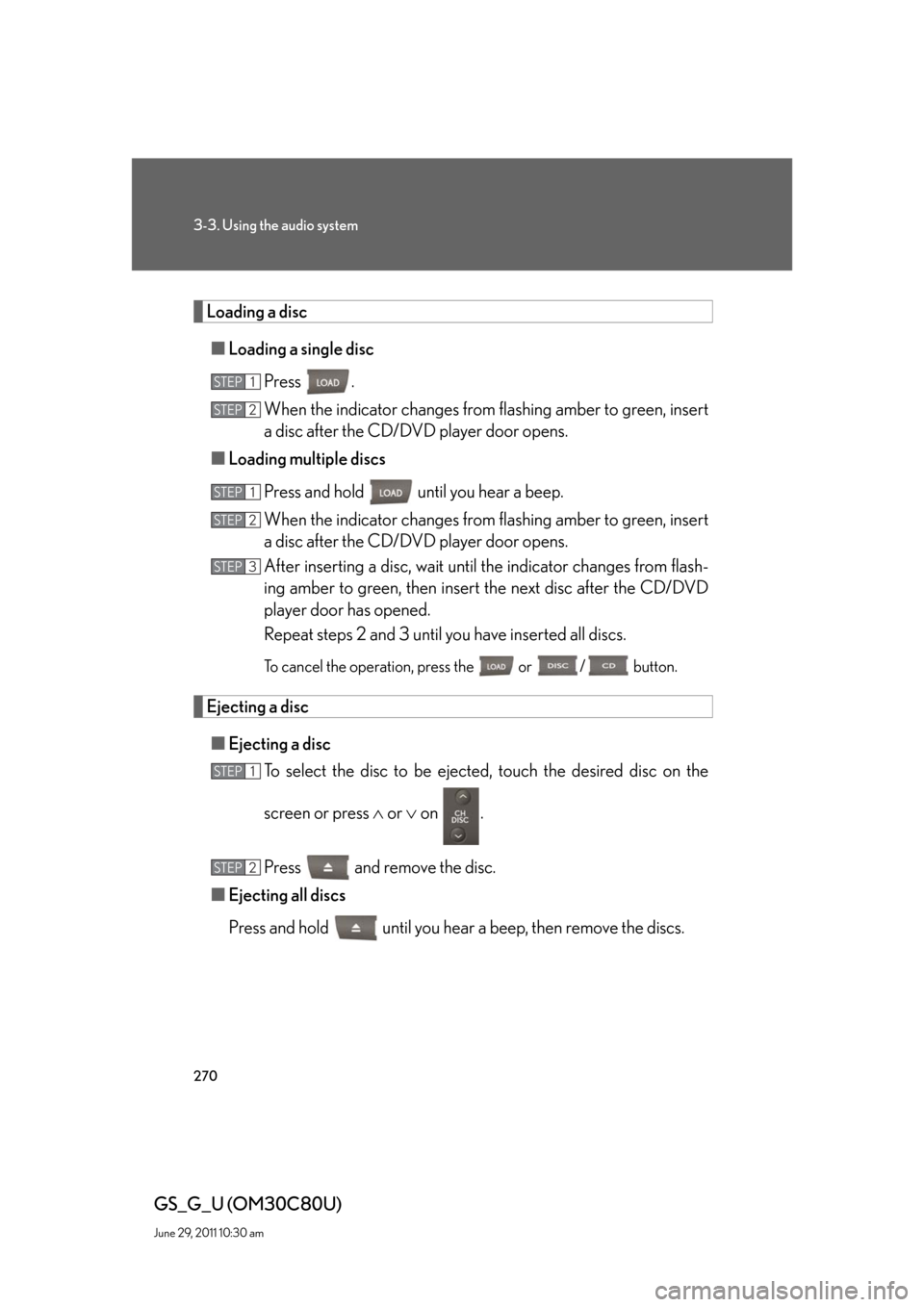
Loading a disc
■Loading a single disc
Press .
When the indicator changes from flashing amber to green, insert
a disc after the CD/DVD player door opens.
■Loading multiple discs
Press and hold until you hear a beep.
When the indicator changes from flashing amber to green, insert
a disc after the CD/DVD player door opens.
After inserting a disc, wait until the indicator changes from flash-
ing amber to green, then insert the next disc after the CD/DVD
player door has opened.
Repeat steps 2 and 3 until you have inserted all discs.
To cancel the operation, press the or / button.
Ejecting a disc
■Ejecting a disc
To select the disc to be ejected, touch the desired disc on the
screen or press or on .
Press and remove the disc.
■Ejecting all discs
Press and hold until you hear a beep, then remove the discs.
STEP1
STEP2
STEP1
STEP2
STEP3
STEP1
STEP2
Page 382 of 648
382
GS_G_U (OM30C80U)
June 29, 2011 10:30 am
3-5. Using the interior lights
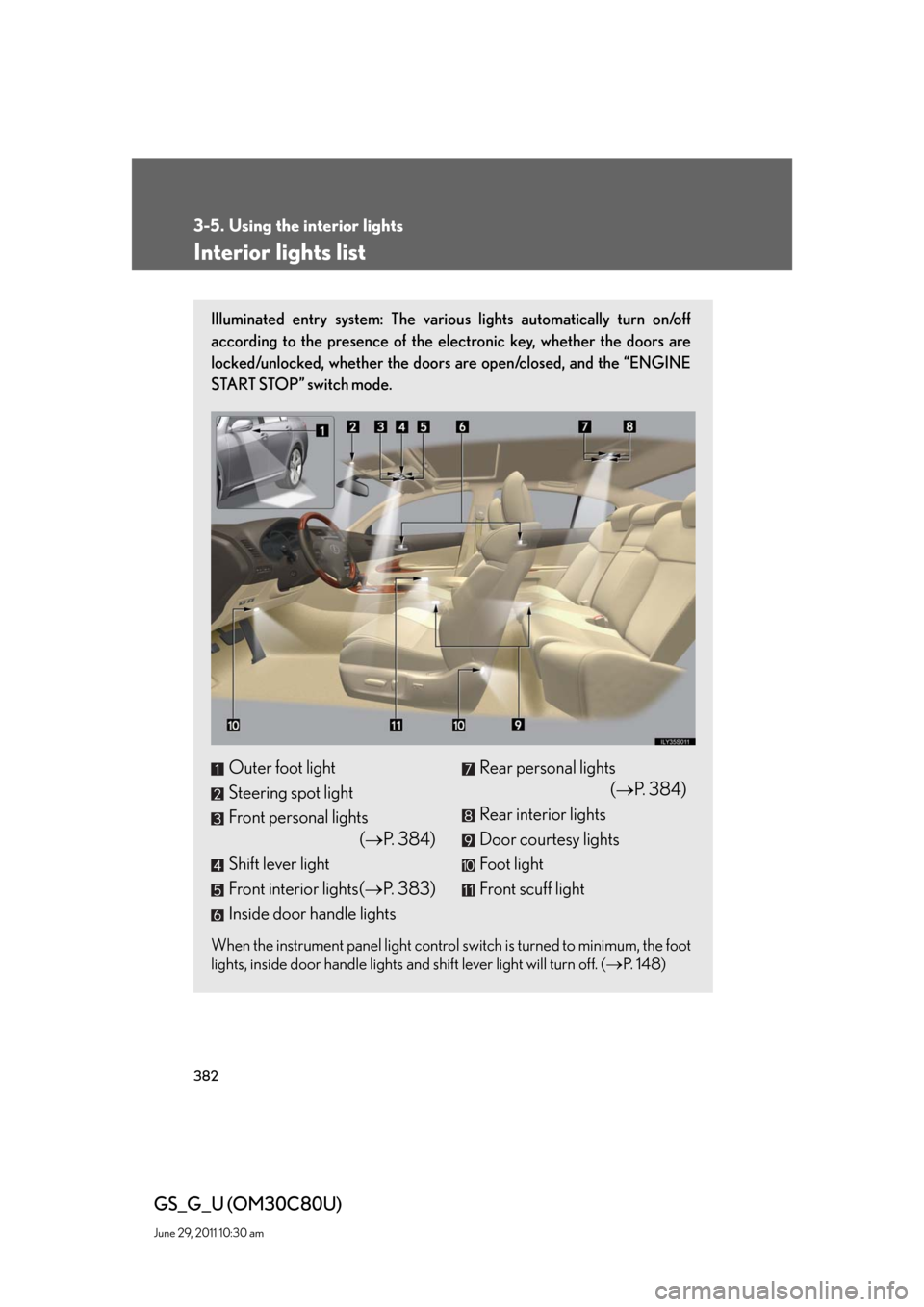
Interior lights list
Illuminated entry system: The various lights automatically turn on/off
according to the presence of the electronic key, whether the doors are
locked/unlocked, whether the doors are open/closed, and the “ENGINE
START STOP” switch mode.
When the instrument panel light control switch is turned to minimum, the foot
lights, inside door handle lights and shift lever light will turn off. (P. 1 4 8 )
Outer foot light
Steering spot light
Front personal lights
(P. 384)
Shift lever light
Front interior lights(P. 383)
Inside door handle lightsRear personal lights
(P. 384)
Rear interior lights
Door courtesy lights
Foot light
Front scuff light
Page 383 of 648
383
3-5. Using the interior lights
3
Interior features
GS_G_U (OM30C80U)
June 29, 2011 10:30 am
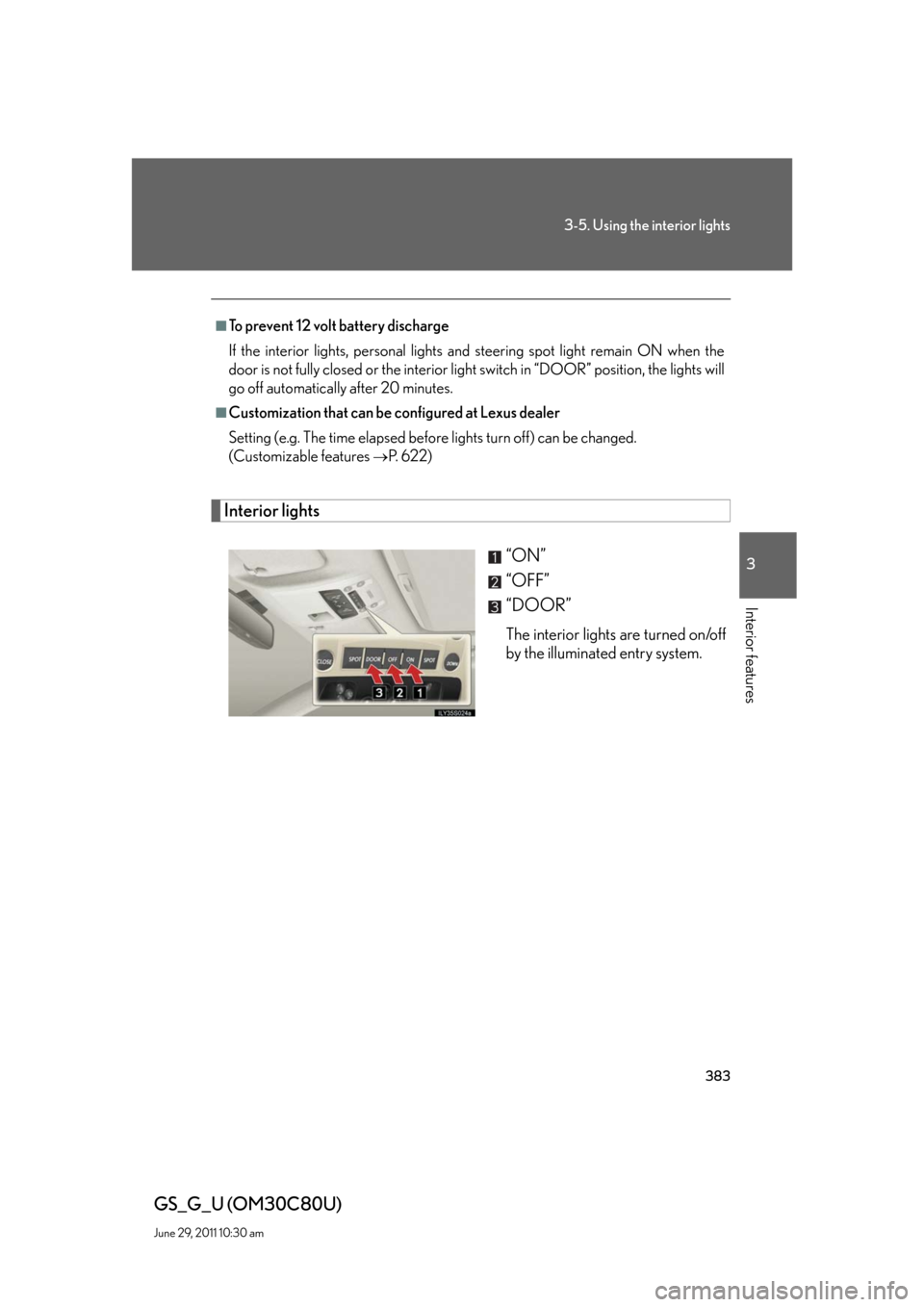
Interior lights
“ON”
“OFF”
“DOOR”
The interior lights are turned on/off
by the illuminated entry system.
■To prevent 12 volt battery discharge
If the interior lights, personal lights and steering spot light remain ON when the
door is not fully closed or the interior light switch in “DOOR” position, the lights will
go off automatically after 20 minutes.
■Customization that can be configured at Lexus dealer
Setting (e.g. The time elapsed before lights turn off) can be changed.
(Customizable features
P. 6 2 2 )
Page 385 of 648
385
3
Interior features
GS_G_U (OM30C80U)
June 29, 2011 10:30 am
3-6. Using the storage features
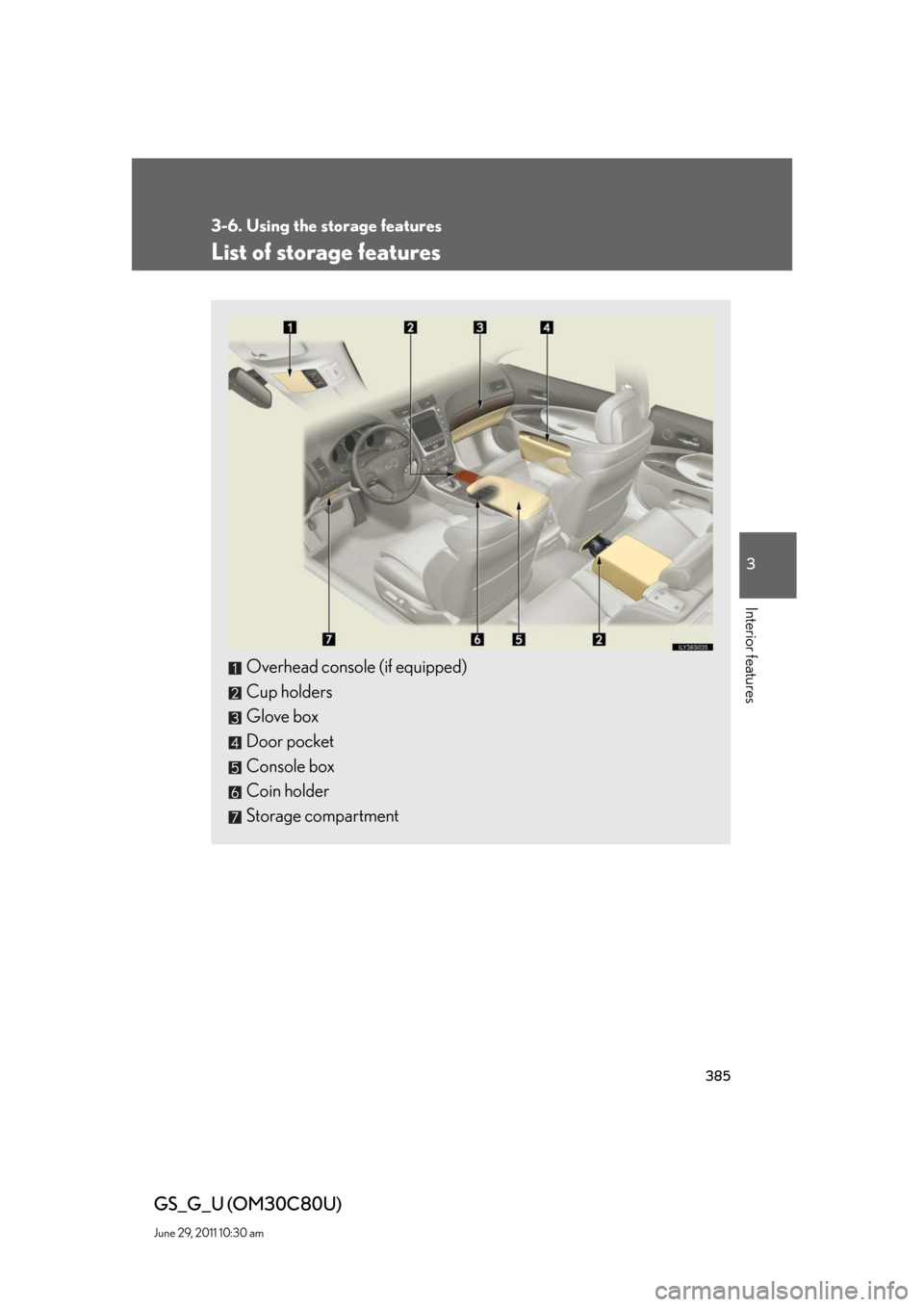
List of storage features
Overhead console (if equipped)
Cup holders
Glove box
Door pocket
Console box
Coin holder
Storage compartment
Page 392 of 648
392
3-6. Using the storage features
GS_G_U (OM30C80U)
June 29, 2011 10:30 am
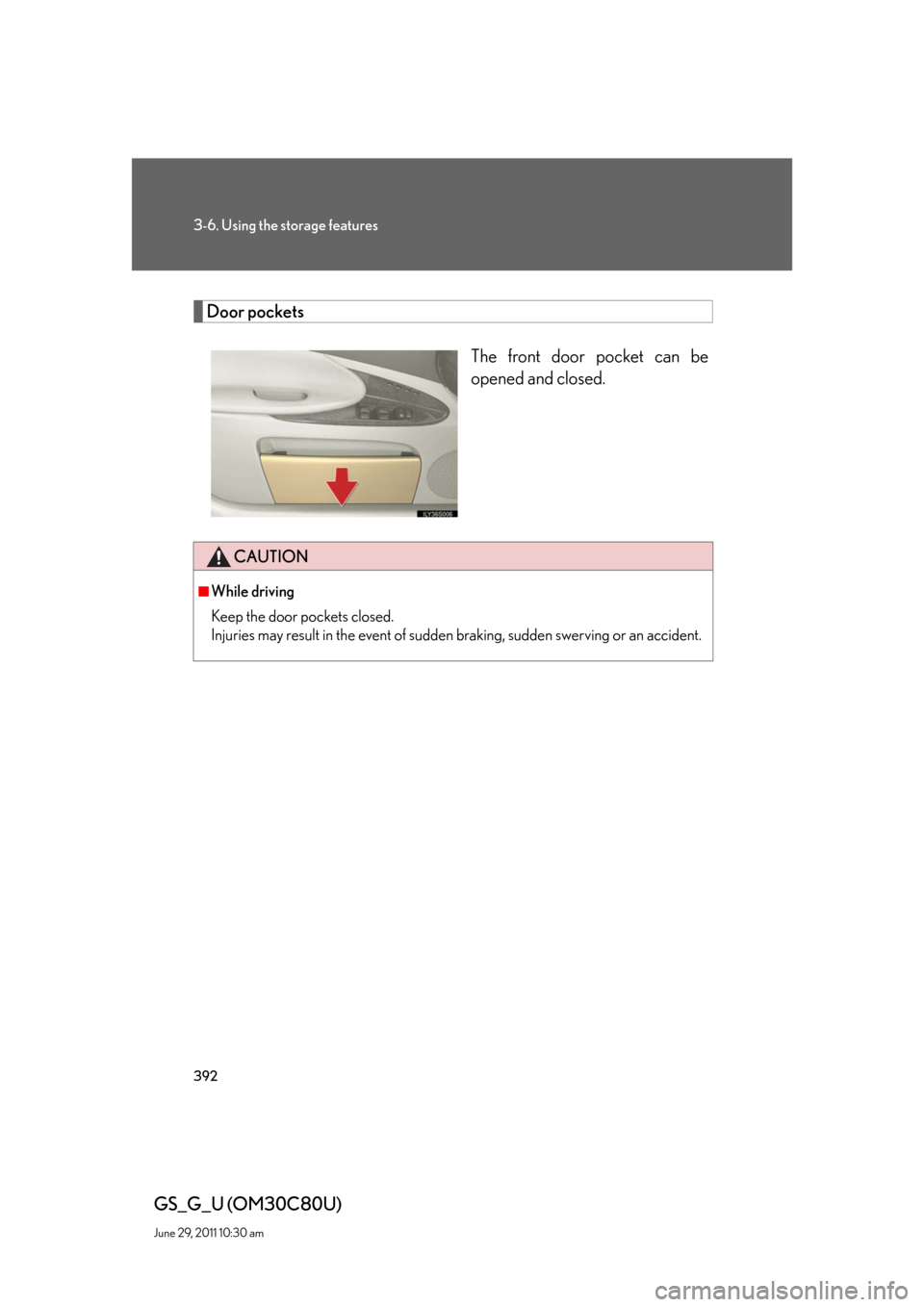
Door pockets
The front door pocket can be
opened and closed.
CAUTION
■While driving
Keep the door pockets closed.
Injuries may result in the event of sudden braking, sudden swerving or an accident.