audio Lexus GS350 2012 Owner's Manual
[x] Cancel search | Manufacturer: LEXUS, Model Year: 2012, Model line: GS350, Model: Lexus GS350 2012Pages: 914, PDF Size: 49.39 MB
Page 552 of 914
5415-3. Using the audio system
5
Interior features
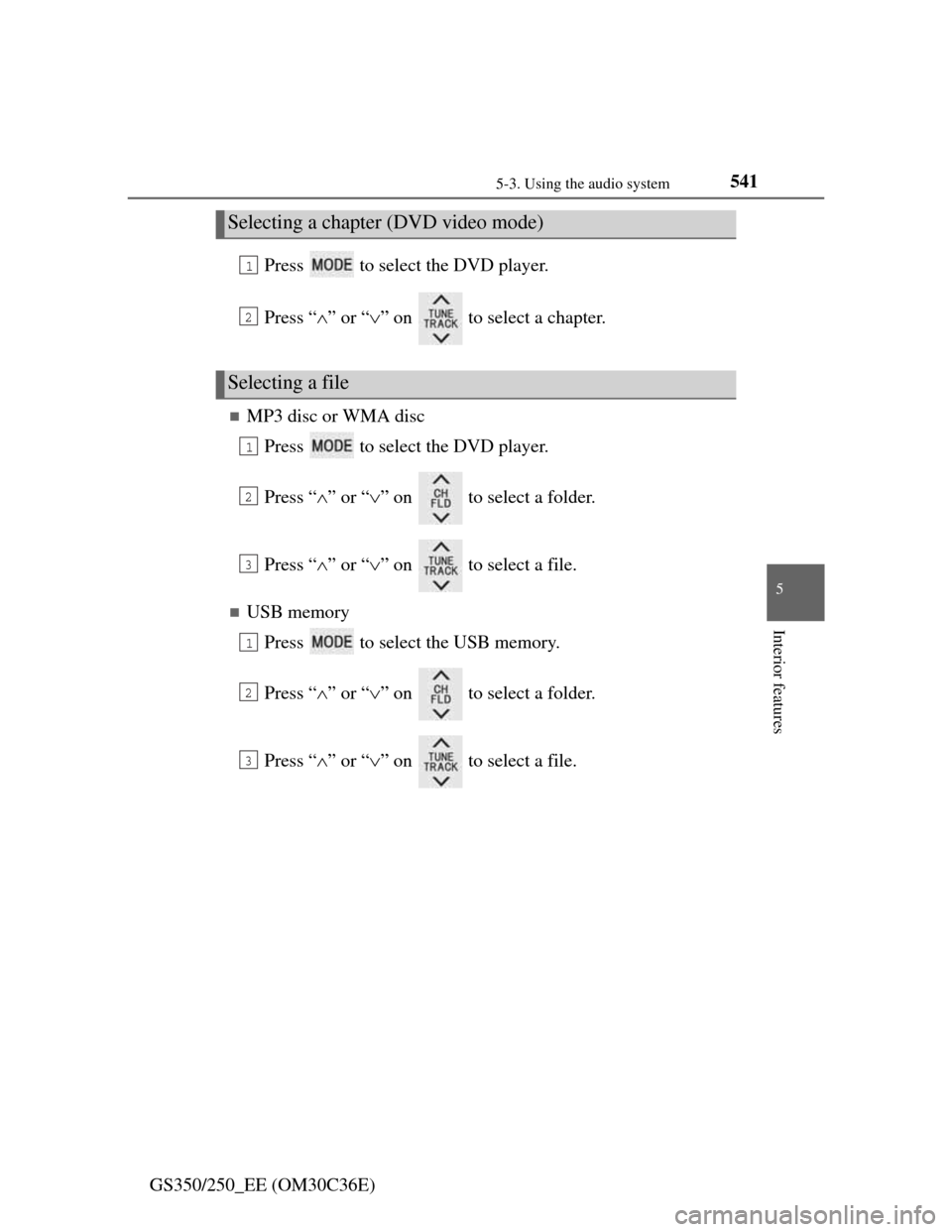
GS350/250_EE (OM30C36E)Press to select the DVD player.
Press “” or “” on to select a chapter.
MP3 disc or WMA disc
Press to select the DVD player.
Press “” or “” on to select a folder.
Press “” or “” on to select a file.
USB memory
Press to select the USB memory.
Press “” or “” on to select a folder.
Press “” or “” on to select a file.
Selecting a chapter (DVD video mode)
Selecting a file
1
2
1
2
3
1
2
3
Page 553 of 914

5425-3. Using the audio system
GS350/250_EE (OM30C36E)
Fast forwarding or rewinding a chapter or file
Press and hold “” or “” on .
Button lock function
To prevent inadvertent operation, some buttons on the rear armrest can be
locked. (P. 429)
Rear control panel illumination off function
Control panel illumination on the rear armrest can be turned off. (P. 429)
When “ERROR”, “WAIT” or “NO MUSIC” is shown on the display
Refer to the following and take the appropriate measures. If the problem is
not rectified, take the vehicle inspected by any authorized Lexus dealer or
repairer, or another duly qualified and equipped professional.
“ERROR”:This indicates a trouble either in the disc or inside the player. The
disc may be dirty, damaged, or inserted up-side down.
“WAIT”:Operation is stopped due to a high temperature inside the player.
Eject the disc and allow the player to cool down.
“NO MUSIC”:This indicates that an MP3/WMA file is not included in the
disc.
Page 554 of 914
5435-3. Using the audio system
5
Interior features
GS350/250_EE (OM30C36E)
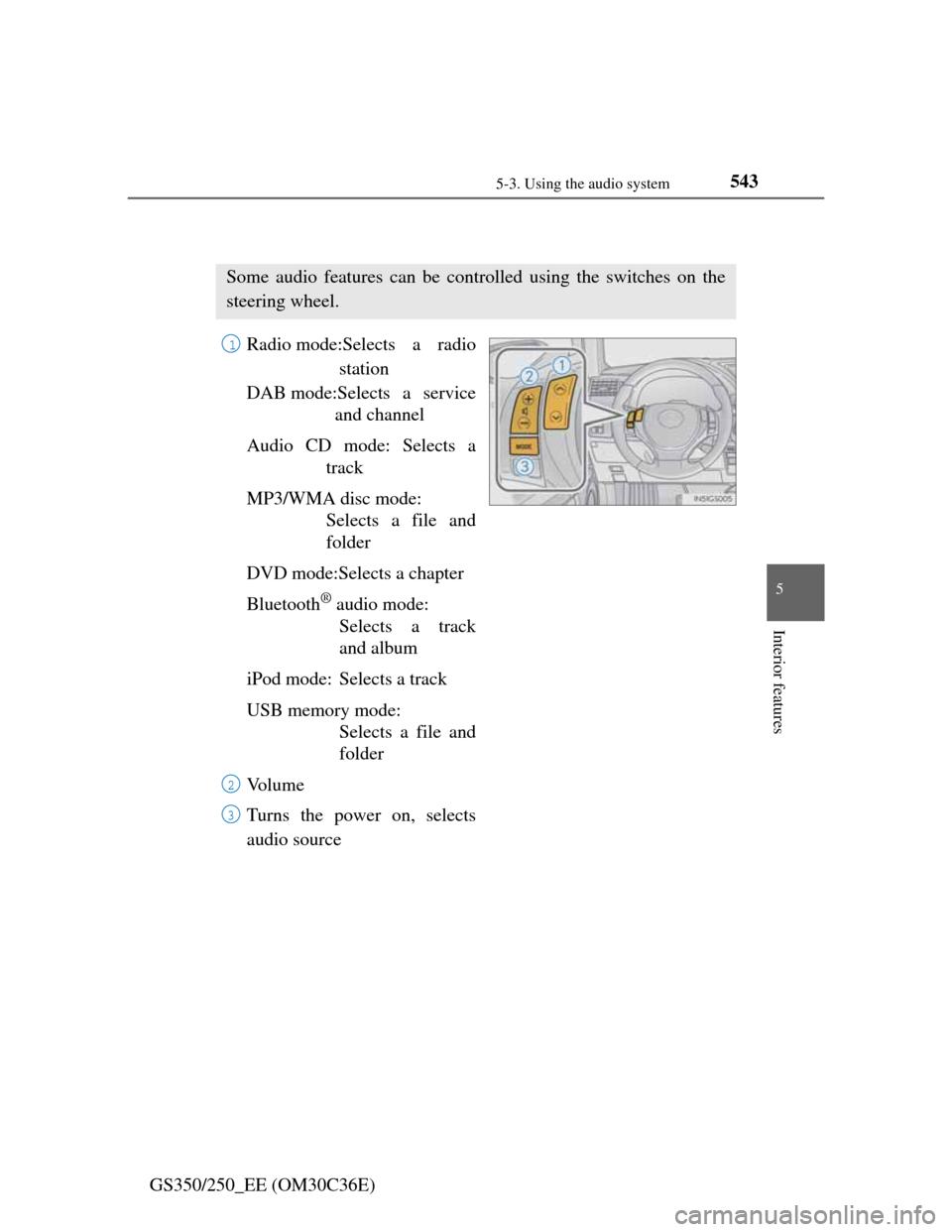
Using the steering wheel audio switches
Radio mode:Selects a radio
station
DAB mode:Selects a service
and channel
Audio CD mode: Selects a
track
MP3/WMA disc mode:
Selects a file and
folder
DVD mode:Selects a chapter
Bluetooth
® audio mode:
Selects a track
and album
iPod mode: Selects a track
USB memory mode:
Selects a file and
folder
Vo l u m e
Turns the power on, selects
audio source
Some audio features can be controlled using the switches on the
steering wheel.
1
2
3
Page 555 of 914
5445-3. Using the audio system
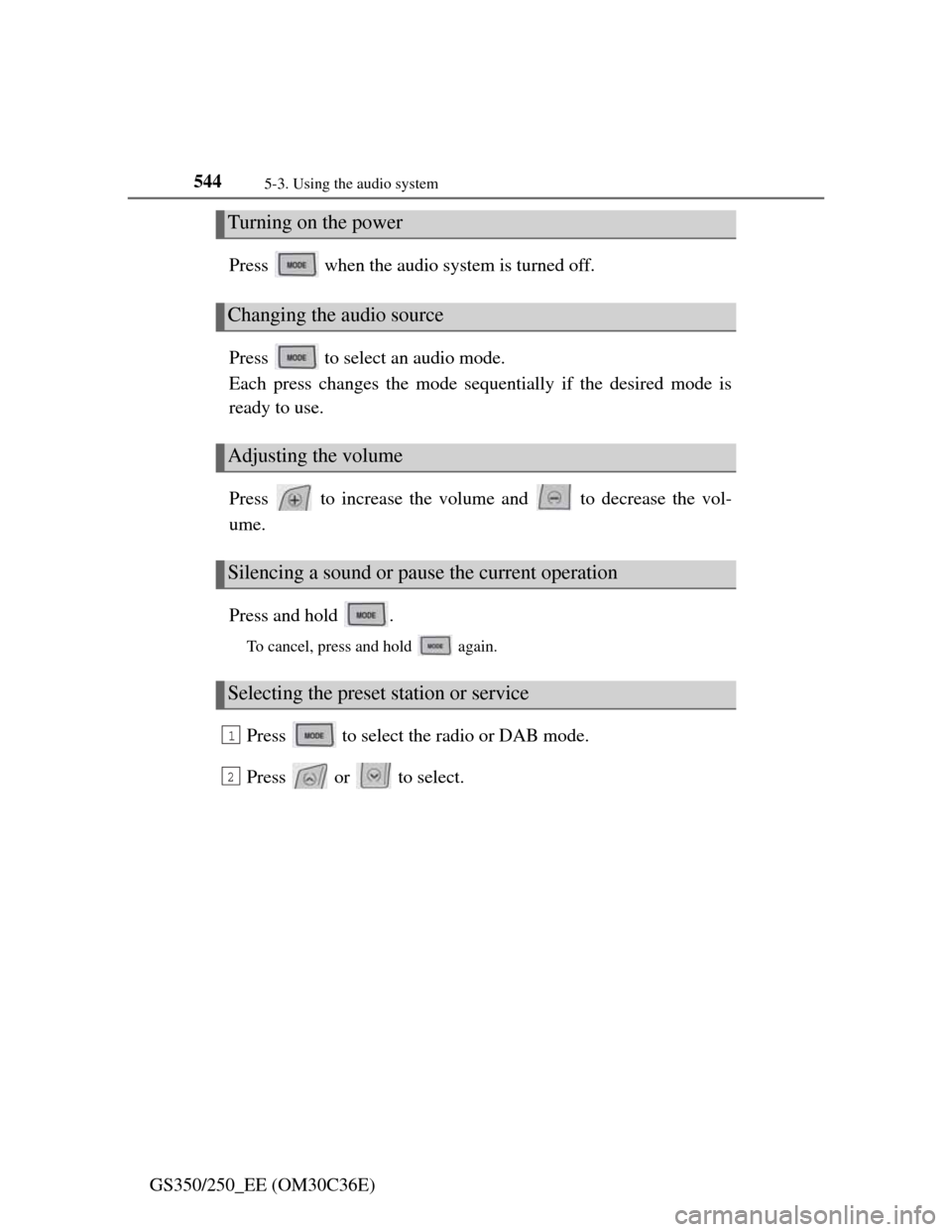
GS350/250_EE (OM30C36E)Press when the audio system is turned off.
Press to select an audio mode.
Each press changes the mode sequentially if the desired mode is
ready to use.
Press to increase the volume and to decrease the vol-
ume.
Press and hold .
To cancel, press and hold again.
Press to select the radio or DAB mode.
Press or to select.
Turning on the power
Changing the audio source
Adjusting the volume
Silencing a sound or pause the current operation
Selecting the preset station or service
1
2
Page 556 of 914
5455-3. Using the audio system
5
Interior features
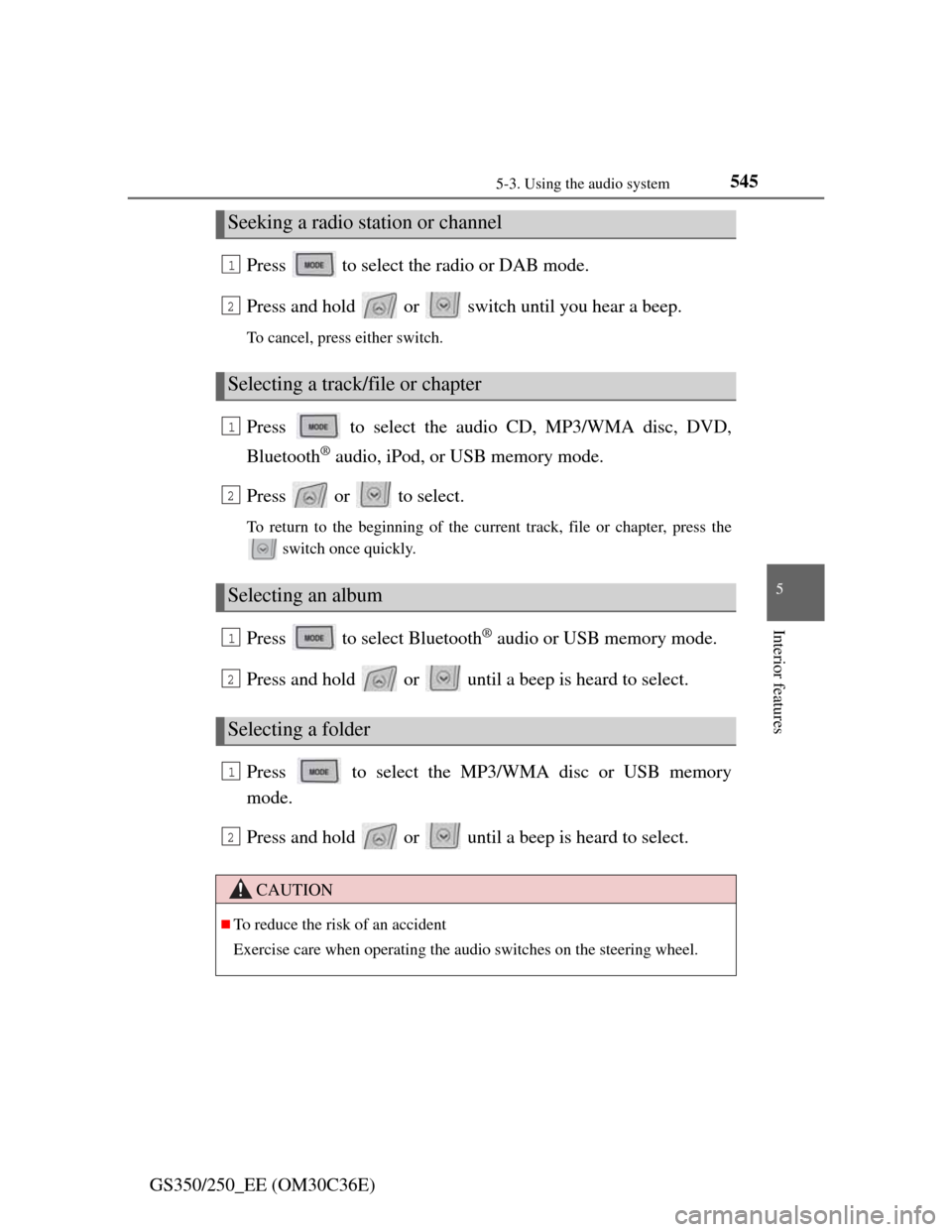
GS350/250_EE (OM30C36E)Press to select the radio or DAB mode.
Press and hold or switch until you hear a beep.
To cancel, press either switch.
Press to select the audio CD, MP3/WMA disc, DVD,
Bluetooth
® audio, iPod, or USB memory mode.
Press or to select.
To return to the beginning of the current track, file or chapter, press the
switch once quickly.
Press to select Bluetooth® audio or USB memory mode.
Press and hold or until a beep is heard to select.
Press to select the MP3/WMA disc or USB memory
mode.
Press and hold or until a beep is heard to select.
Seeking a radio station or channel
Selecting a track/file or chapter
Selecting an album
Selecting a folder
CAUTION
To reduce the risk of an accident
Exercise care when operating the audio switches on the steering wheel.
1
2
1
2
1
2
1
2
Page 561 of 914

5465-4. Using the hands-free phone system (for cellular phone)
GS350/250_EE (OM30C36E)
When using the hands-free system
The audio system is muted when making a call.
If both parties speak at the same time, it may be difficult to hear.
If the incoming call volume is overly loud, an echo may be heard.
Try to face toward the microphone as much as possible when speaking.
In the following circumstances, it may be difficult to hear the other party:
• When driving on unpaved roads
• When driving at high speeds
• If a window is open
• If the air conditioning is blowing directly on the microphone
• If the air conditioning is set to high
• There is an effect from the network of the cellular phone
Conditions under which the system will not operate
If using a cellular phone that does not support Bluetooth®
If the cellular phone is turned off
If you are outside service range
If the cellular phone is not connected
If the cellular phone’s battery is low
When the cellular phone is not connected, “No connect” is displayed.
Bluetooth® antenna
The antenna is built into the instrument panel. If the cellular phone is behind
the seat or in the console box, or touching or covered by metal objects, con-
nection status may deteriorate.
Battery charge/Signal status
This display may not correspond exactly with the cellular phone itself.
When the cellular phone is out of the service area or in a place inaccessible
by radio waves, “No service” is displayed.
When using Bluetooth® audio and hands-free system at the same time
The following problems may occur.
The Bluetooth® connection may be cut.
Noise may be heard on the Bluetooth® audio playback.
Page 576 of 914

5615-4. Using the hands-free phone system (for cellular phone)
5
Interior features
GS350/250_EE (OM30C36E)
Reconnecting to the Bluetooth® phone
If the system cannot connect due to poor signal strength with the engine
switch in ACCESSORY or IGNITION ON mode, the system will automati-
cally attempt to reconnect.
If the phone is turned off, the system will not attempt to reconnect. In this
case, it must be connected manually, or the phone must be re-selected or re-
entered.
Connecting the phone while Bluetooth® audio is playing
Bluetooth® audio will stop temporarily.
It may take time to connect.
Connecting the phone while another Bluetooth® device is connected
When another Bluetooth
® device is currently connected, a confirmation mes-
sage will be displayed. To disconnect the Bluetooth® device, select “Yes”.
Connecting the phone while 5 Bluetooth® devices have already been regis-
tered
When 5 Bluetooth
® devices have already been registered, a registered device
needs to be deleted. Select “Yes” to delete one or more.
Select the device to be deleted, then select “Remove”, and “Yes”.
If the Bluetooth® phone has a Bluetooth® audio function
When the Bluetooth
® phone to be registered has a Bluetooth® audio function,
this audio function will be registered automatically at the same time and con-
firmation message may be displayed. If this screen is displayed, select “Yes”
to connect the audio function or select “No” to cancel the connection.
Page 621 of 914

6065-4. Using the hands-free phone system (for cellular phone)
GS350/250_EE (OM30C36E)Select “Connect portable
player from”.
Select the desired connec-
tion method, and select
“OK”.
“Vehicle”: Select to connect the
audio system to the portable
player.
“Portable player”: Select to con-
nect the portable player to the
audio system.
Depending on the portable
player, the “Vehicle” or “Porta-
ble player” connection method
may be best. As such, refer to
the manual that comes with the
portable player.
5
6
Page 623 of 914
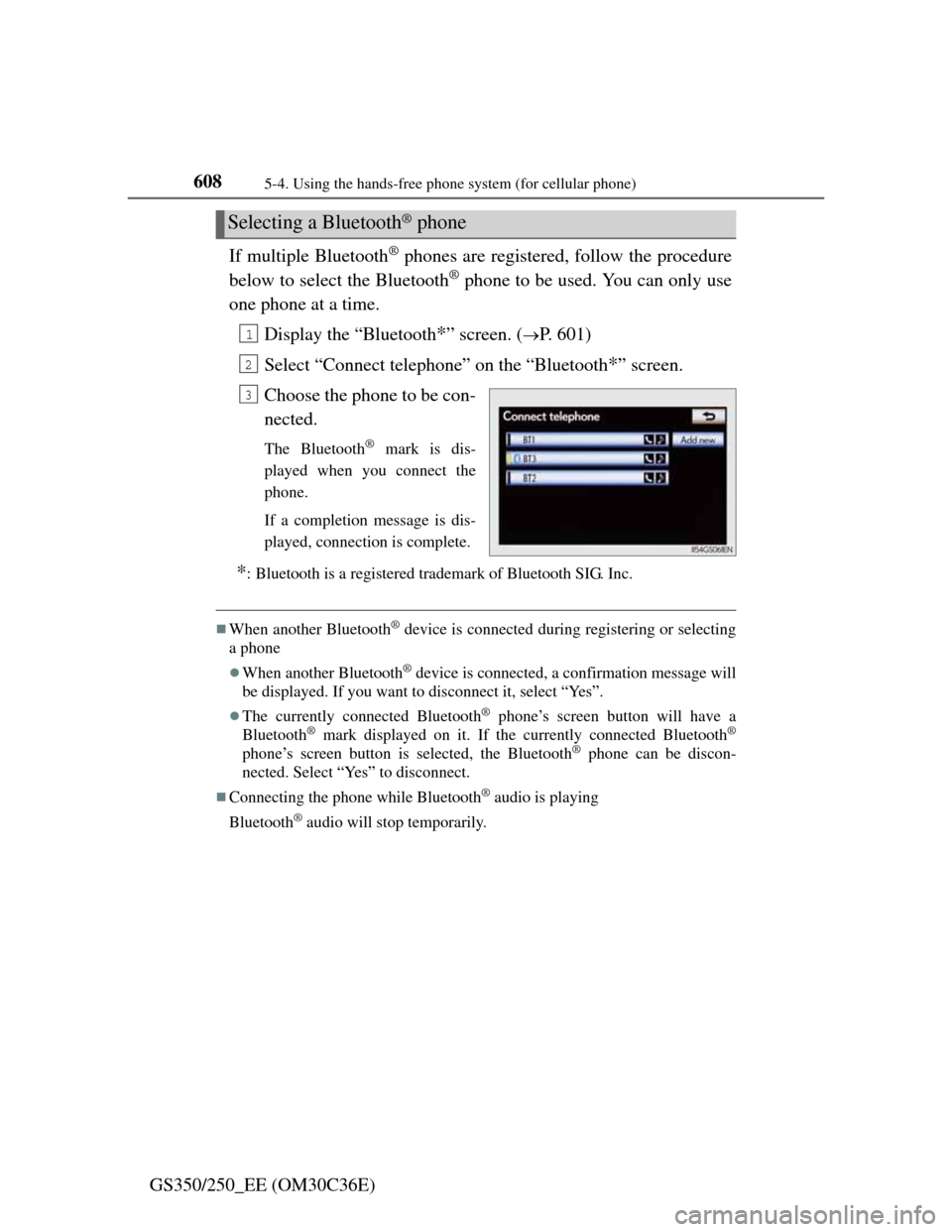
6085-4. Using the hands-free phone system (for cellular phone)
GS350/250_EE (OM30C36E)If multiple Bluetooth
® phones are registered, follow the procedure
below to select the Bluetooth
® phone to be used. You can only use
one phone at a time.
Display the “Bluetooth
*” screen. (P. 601)
Select “Connect telephone” on the “Bluetooth
*” screen.
Choose the phone to be con-
nected.
The Bluetooth® mark is dis-
played when you connect the
phone.
If a completion message is dis-
played, connection is complete.
*: Bluetooth is a registered trademark of Bluetooth SIG. Inc.
When another Bluetooth® device is connected during registering or selecting
a phone
When another Bluetooth® device is connected, a confirmation message will
be displayed. If you want to disconnect it, select “Yes”.
The currently connected Bluetooth® phone’s screen button will have a
Bluetooth® mark displayed on it. If the currently connected Bluetooth®
phone’s screen button is selected, the Bluetooth® phone can be discon-
nected. Select “Yes” to disconnect.
Connecting the phone while Bluetooth® audio is playing
Bluetooth
® audio will stop temporarily.
Selecting a Bluetooth® phone
1
2
3
Page 668 of 914

6506-1. Maintenance and care
GS350/250_EE (OM30C36E)
NOTICE
Cleaning detergents
Do not use the following types of detergent, as they may discolor the vehi-
cle interior or cause streaks or damage to painted surfaces:
• Non-seat portions: Organic substances such as benzene or gasoline,
alkaline or acidic solutions, dye, and bleach
• Seats: Alkaline or acidic solutions, such as thinner, benzene, and alco-
hol
Do not use polish wax or polish cleaner. The instrument panel’s or other
interior part’s painted surface may be damaged.
Preventing damage to leather surfaces
Observe the following precautions to avoid damage to and deterioration of
leather surfaces:
Remove any dust or dirt from leather surfaces immediately.
Do not expose the vehicle to direct sunlight for extended periods of time.
Park the vehicle in the shade, especially during summer.
Do not place items made of vinyl, plastic, or containing wax on the uphol-
stery, as they may stick to the leather surface if the vehicle interior heats
up significantly.
Water on the floor
Do not wash the vehicle floor with water.
Vehicle systems such as the audio system may be damaged if water comes
into contact with electrical components such as the audio system above or
under the floor of the vehicle. Water may also cause the body to rust.
When cleaning the inside of the windshield (vehicles with LKA [Lane-
Keeping Assist])
Be careful not to touch the camera sensor (P. 274).
If the camera is accidentally scratched or hit, LKA may not operate prop-
erly or may cause a malfunction.
Cleaning the inside of the rear window
Do not use glass cleaner to clean the rear window, as this may cause dam-
age to the rear window defogger heater wires or antenna. Use a cloth
dampened with lukewarm water to gently wipe the window clean. Wipe
the window in strokes running parallel to the heater wires or antenna.
Be careful not to scratch or damage the heater wires or antenna.