Customizable features Lexus GS350 2012 User Guide
[x] Cancel search | Manufacturer: LEXUS, Model Year: 2012, Model line: GS350, Model: Lexus GS350 2012Pages: 914, PDF Size: 49.39 MB
Page 188 of 914
1843-5. Opening, closing the windows and moon roof
GS350/250_EE (OM30C36E)
Moon roof open warning buzzer
The buzzer sounds and a message is shown on the multi-information display
in the instrument cluster when the engine switch is turned off and the driver’s
door is opened with the moon roof open.
Customization
Settings (e.g. linked door lock operation) can be changed.
(Customizable features: P. 855)
CAUTION
Observe the following precautions.
Failure to do so may cause death or serious injury.
Opening the moon roof
Do not allow any passengers to put their hands or heads outside the vehi-
cle while it is moving.
Do not sit on top of the moon roof.
Closing the moon roof
Check to make sure that all passengers do not have any part of their body
in a position where it could be caught when the moon roof is being oper-
ated.
Do not allow children to operate the moon roof.
Closing the moon roof on someone can cause death or serious injury.
Jam protection function
Never use any part of your body to intentionally activate the jam protec-
tion function.
The jam protection function may not work if something gets caught just
before the moon roof fully closes.
Page 239 of 914
2324-3. Operating the lights and wipers
GS350/250_EE (OM30C36E)
If the “AFS OFF” indicator flashes
It may indicate a malfunction in the system. Contact any authorized Lexus
dealer or repairer, or another duly qualified and equipped professional.
Customization
Settings (e.g. light sensor sensitivity) can be changed.
(Customizable features: P. 862)
NOTICE
To prevent battery discharge
Do not leave the lights on longer than necessary when the engine is not run-
ning.
Page 631 of 914
6135-5. Using the interior lights
5
Interior features
GS350/250_EE (OM30C36E)
Illuminated entry system
The lights automatically turn on/off according to engine switch mode, the
presence of the electronic key, whether the doors are locked/unlocked, and
whether the doors are opened/closed.
To prevent battery discharge
If the interior lights remain on when the engine switch is turned off, the lights
will go off automatically after 20 minutes.
Customization
Setting (e.g. the time elapsed before lights turn off) can be changed.
(Customizable features: P. 855)
NOTICE
To prevent battery discharge
Do not leave the lights on longer than necessary when the engine is not run-
ning.
Page 656 of 914
6385-7. Other interior features
GS350/250_EE (OM30C36E)
Button lock function (vehicles with rear control panel)
To prevent inadvertent operation, some buttons on the rear armrest can be
locked.
(P. 429)
Rear control panel illumination off function (vehicles with rear control panel)
Control panel illumination on the rear armrest can be turned off. (P. 429)
Customization
Time elapsed before the reverse operation feature activates can be changed.
(Customizable features: P. 855)
CAUTION
When the rear sunshade is being operated
Do not place fingers or other objects in the fastener section or in the open-
ing.
They may get caught, causing injury.
NOTICE
To prevent battery discharge
Do not operate the rear sunshade when the engine is off.
To ensure normal operation of the rear sunshade and rear door sunshades
Observe the following precautions.
Do not place excessive load on the motor or other components of the rear
sunshade.
Do not place objects where they may hinder opening and closing opera-
tions.
Do not attach items to the rear sunshade and rear door sunshades.
Keep the opening clean and clear of obstructions.
Do not operate the rear sunshade continuously for long periods of time.
Page 845 of 914

8247-2. Steps to take in an emergency
GS350/250_EE (OM30C36E)
Stopping the engine
Shift the shift lever to P and press the engine switch as you normally do when
stopping the engine.
Replacing the key battery
As the above procedure is a temporary measure, it is recommended that the
electronic key battery be replaced immediately when the battery is depleted.
(P. 697)
Alarm (if equipped)
Using the mechanical key to lock the doors will not set the alarm system.
If a door is unlocked using the mechanical key when the alarm system is set,
the alarm may be triggered.
Changing engine switch modes
Release the brake pedal and press the engine switch in step above.
The engine does not start and modes will be changed each time the switch is
pressed.(P. 208)
When the electronic key does not work properly
Make sure that the smart entry & start system has not been deactivated in
the customization setting. If it is off, turn the function on.
(Customizable features P. 855)
Check if battery-saving mode is set. If it is set, cancel the function. (P.
129)
3
Page 856 of 914

835
8Vehicle specifications
GS350/250_EE (OM30C36E)
8-1. Specifications
Maintenance data
(fuel, oil level, etc.)......... 836
Fuel information ............... 853
8-2. Customization
Customizable features....... 855
8-3. Items to initialize
Items to initialize .............. 866
Page 877 of 914
855
8 8-2. Customization
Vehicle specifications
GS350/250_EE (OM30C36E)
Customizable features
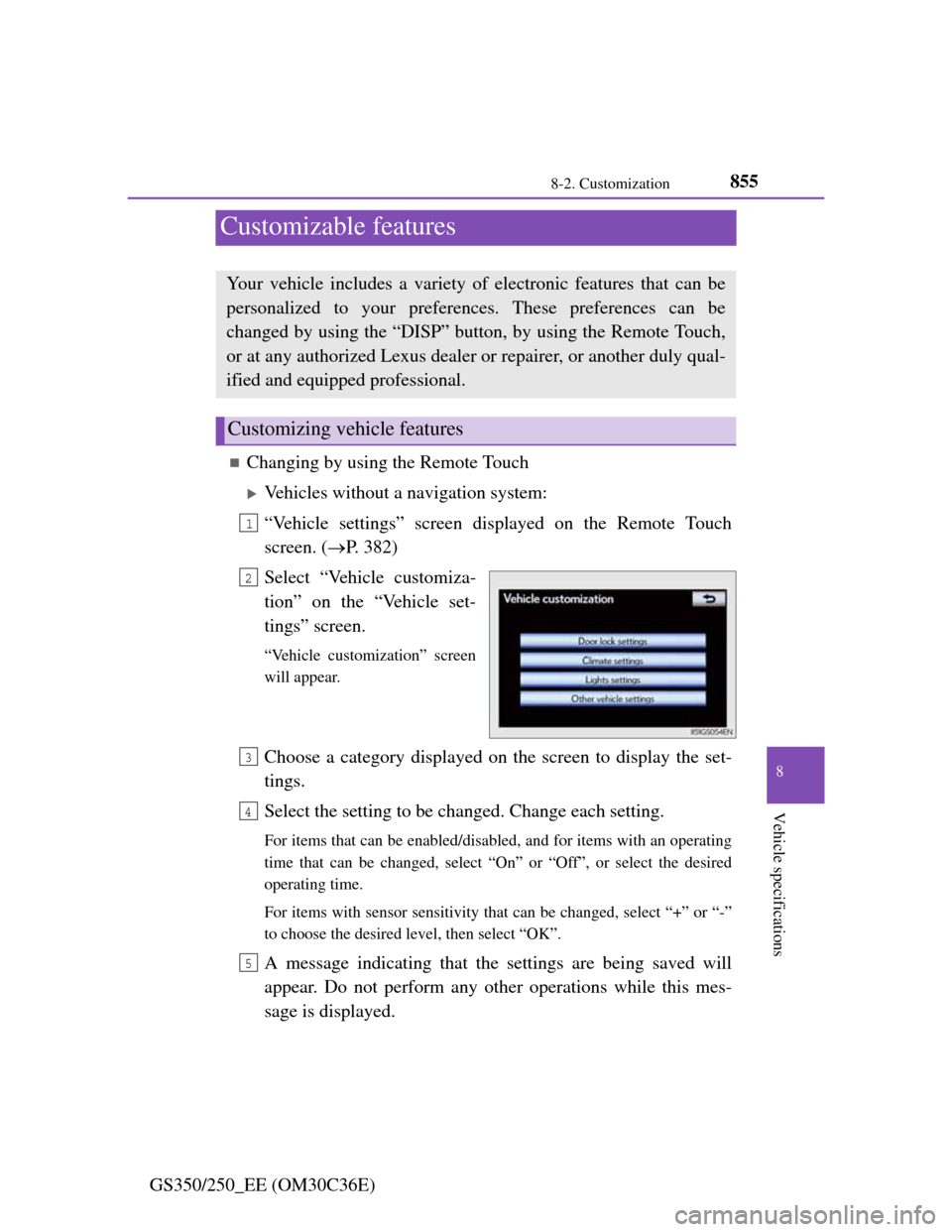
Changing by using the Remote Touch
Vehicles without a navigation system:
“Vehicle settings” screen displayed on the Remote Touch
screen. (P. 382)
Select “Vehicle customiza-
tion” on the “Vehicle set-
tings” screen.
“Vehicle customization” screen
will appear.
Choose a category displayed on the screen to display the set-
tings.
Select the setting to be changed. Change each setting.
For items that can be enabled/disabled, and for items with an operating
time that can be changed, select “On” or “Off”, or select the desired
operating time.
For items with sensor sensitivity that can be changed, select “+” or “-”
to choose the desired level, then select “OK”.
A message indicating that the settings are being saved will
appear. Do not perform any other operations while this mes-
sage is displayed.
Your vehicle includes a variety of electronic features that can be
personalized to your preferences. These preferences can be
changed by using the “DISP” button, by using the Remote Touch,
or at any authorized Lexus dealer or repairer, or another duly qual-
ified and equipped professional.
Customizing vehicle features
1
2
3
4
5
Page 878 of 914
8568-2. Customization
GS350/250_EE (OM30C36E)
Vehicles with a navigation system:
Refer to “Navigation System Owner’s Manual”.
Changing by using the “DISP” button
P. 107
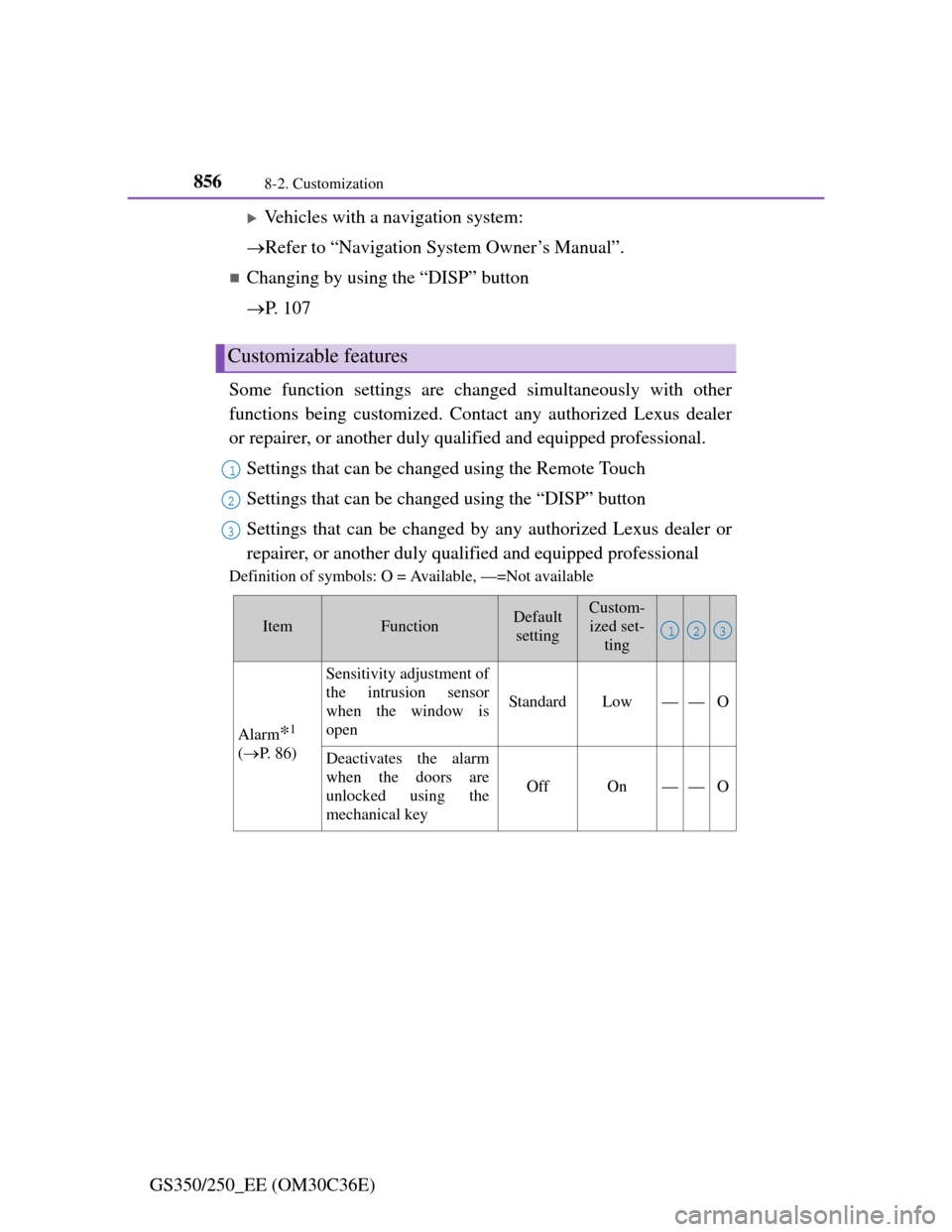
Some function settings are changed simultaneously with other
functions being customized. Contact any authorized Lexus dealer
or repairer, or another duly qualified and equipped professional.
Settings that can be changed using the Remote Touch
Settings that can be changed using the “DISP” button
Settings that can be changed by any authorized Lexus dealer or
repairer, or another duly qualified and equipped professional
Definition of symbols: O = Available, —=Not available
Customizable features
1
2
3
ItemFunctionDefault
settingCustom-
ized set-
ting
Alarm*1
(P. 8 6 )
Sensitivity adjustment of
the intrusion sensor
when the window is
open
StandardLow——O
Deactivates the alarm
when the doors are
unlocked using the
mechanical key
OffOn——O
123
Page 901 of 914
879Alphabetical index
GS350/250_EE (OM30C36E)
Cruise control
Cruise control .......................254
Dynamic radar cruise control .....
258
Cup holders ...............................618
Curtain shield airbags .................45
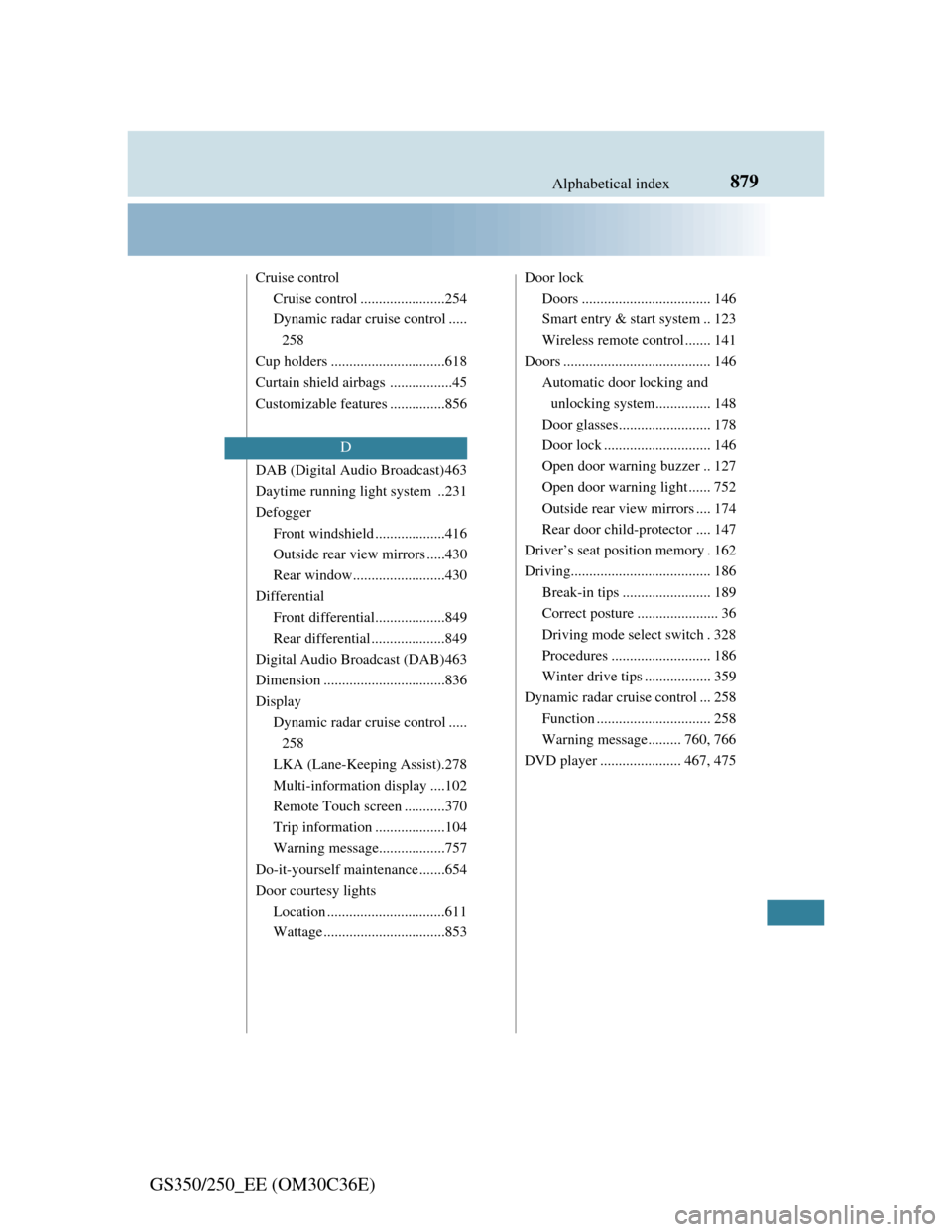
Customizable features ...............856
DAB (Digital Audio Broadcast)463
Daytime running light system ..231
Defogger
Front windshield ...................416
Outside rear view mirrors .....430
Rear window.........................430
Differential
Front differential...................849
Rear differential ....................849
Digital Audio Broadcast (DAB)463
Dimension .................................836
Display
Dynamic radar cruise control .....
258
LKA (Lane-Keeping Assist).278
Multi-information display ....102
Remote Touch screen ...........370
Trip information ...................104
Warning message..................757
Do-it-yourself maintenance .......654
Door courtesy lights
Location ................................611
Wattage .................................853Door lock
Doors ................................... 146
Smart entry & start system .. 123
Wireless remote control ....... 141
Doors ........................................ 146
Automatic door locking and
unlocking system............... 148
Door glasses......................... 178
Door lock ............................. 146
Open door warning buzzer .. 127
Open door warning light ...... 752
Outside rear view mirrors .... 174
Rear door child-protector .... 147
Driver’s seat position memory . 162
Driving...................................... 186
Break-in tips ........................ 189
Correct posture ...................... 36
Driving mode select switch . 328
Procedures ........................... 186
Winter drive tips .................. 359
Dynamic radar cruise control ... 258
Function ............................... 258
Warning message......... 760, 766
DVD player ...................... 467, 475
D