pin out Lexus GS350 2012 User Guide
[x] Cancel search | Manufacturer: LEXUS, Model Year: 2012, Model line: GS350, Model: Lexus GS350 2012Pages: 914, PDF Size: 49.39 MB
Page 333 of 914
3264-5. Using the driving support
GS350/250_EE (OM30C36E)
CAUTION
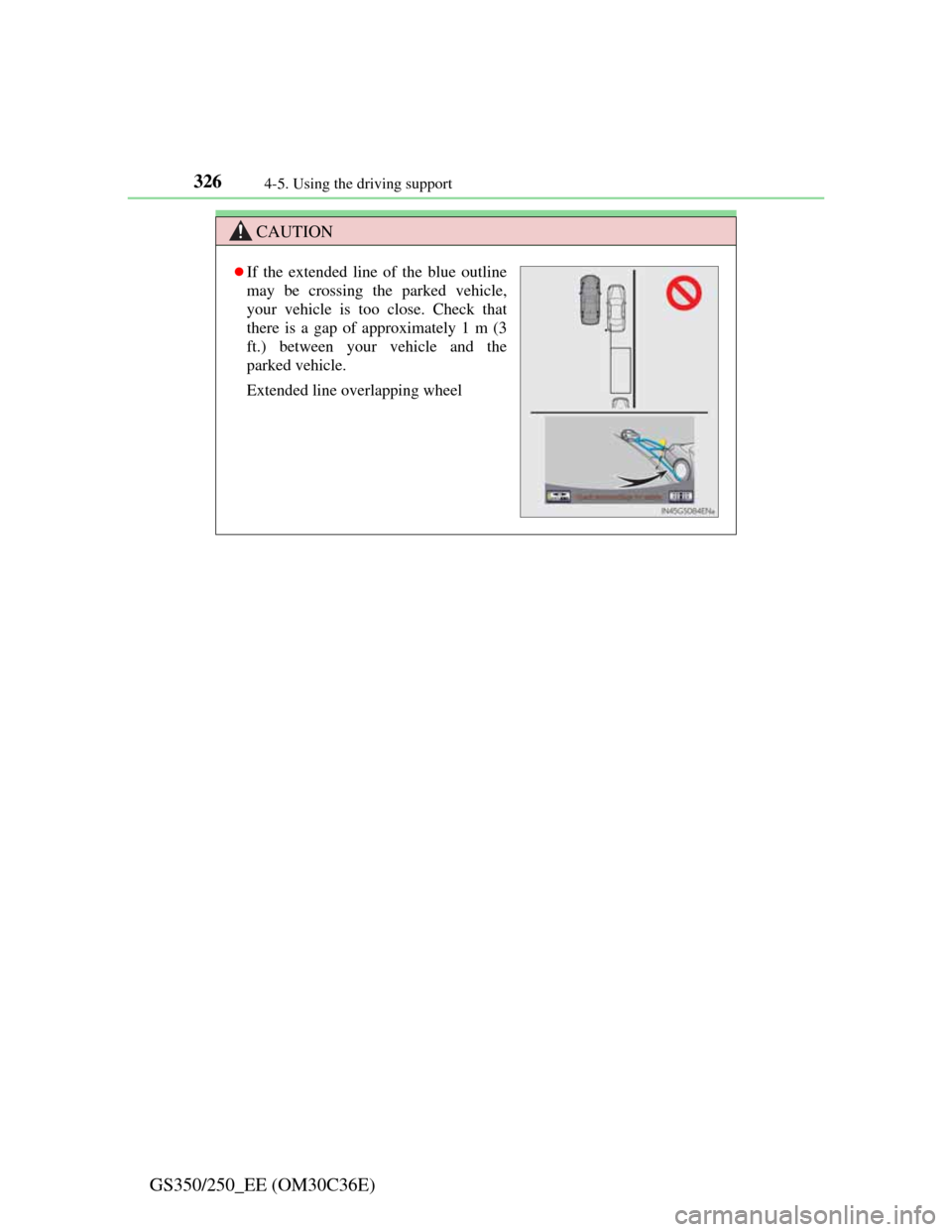
If the extended line of the blue outline
may be crossing the parked vehicle,
your vehicle is too close. Check that
there is a gap of approximately 1 m (3
ft.) between your vehicle and the
parked vehicle.
Extended line overlapping wheel
Page 341 of 914

3344-5. Using the driving support
GS350/250_EE (OM30C36E)
EPS (Electric Power Steering)
Employs an electric motor to reduce the amount of effort needed
to turn the steering wheel
AVS (Adaptive Variable Suspension system) (if equipped)
By independently controlling the damping force of the shock
absorbers for each of the 4 wheels according to the road and driv-
ing conditions, this system combines riding comfort with supe-
rior steering stability, and ensures good vehicle posture. (P.
328)
VDIM (Vehicle Dynamics Integrated Management)
Provides integrated control of the ABS, brake assist, TRC, VSC,
hill-start assist control and EPS systems
Helps to maintain vehicle stability when swerving on slippery
road surfaces by controlling the brakes, engine output, steering
assist, and steering ratio
PCS (Pre-Crash Safety system) (if equipped)
P. 343
Emergency brake signal
When the brakes are applied suddenly, the stop lights automati-
cally flash to alert the vehicle behind.
Page 370 of 914
3604-6. Driving tips
GS350/250_EE (OM30C36E)Perform the following according to the driving conditions:
Do not try to forcibly open a window or move a wiper that is fro-
zen. Pour warm water over the frozen area to melt the ice. Wipe
away the water immediately to prevent it from freezing.
To ensure proper operation of the climate control system fan,
remove any snow that has accumulated on the air inlet vents in
front of the windshield.
Check for and remove any excess ice or snow that may have
accumulated on the exterior lights, vehicle’s roof, chassis, around
the tires or on the brakes.
Remove any snow or mud from the bottom of your shoes before
getting in the vehicle.
Accelerate the vehicle slowly, keep a safe distance between you
and the vehicle ahead, and drive at a reduced speed suitable to road
conditions.
Park the vehicle and move the shift lever to P without setting the
parking brake. The parking brake may freeze up, preventing it from
being released. If necessary, block the wheels to prevent inadver-
tent sliding or creeping.
Before driving the vehicle
When driving the vehicle
When parking the vehicle
Page 373 of 914
3634-6. Driving tips
4
Driving
GS350/250_EE (OM30C36E)
CAUTION
Driving with snow tires
Observe the following precautions to reduce the risk of accidents.
Failure to do so may result in a loss of vehicle control and cause death or
serious injury.
Use tires of the specified size.
Maintain the recommended level of air pressure.
Do not drive at speeds in excess of the speed limit or the speed limit spec-
ified for the snow tires being used.
Use snow tires on all, not just some wheels.
Do not use LKA (Lane-Keeping Assist) system.
Driving with tire chains (vehicles without 19 inch tires)
Observe the following precautions to reduce the risk of accidents.
Failure to do so may result in the vehicle being unable to be driven safely,
and may cause death or serious injury.
Do not drive in excess of the speed limit specified for the tire chains being
used, or 50 km/h (30 mph), whichever is lower.
Avoid driving on bumpy road surfaces or over potholes.
Avoid sudden acceleration, abrupt steering, as well as sudden braking and
shifting operation to engine braking.
Slow down sufficiently before entering a curve to ensure that vehicle con-
trol is maintained.
Do not use LKA (Lane-Keeping Assist) system.
Page 383 of 914
3735-1. Remote Touch screen
5
Interior features
GS350/250_EE (OM30C36E)
To avoid damaging the Remote Touch screen
Remove any dirt on the screen by wiping with a soft cloth. Do not use deter-
gent.
When using the Remote Touch screen
If the screen is cold, the display may be dark, or the system may seem to be
operating slightly slower than normal.
When the screen is viewed through polarized sunglasses, a rainbow pattern
may appear on the screen due to optical characteristics of the screen. If this
is disturbing, please operate the screen without polarized sunglasses.
Dimmed screen buttons cannot be operated.
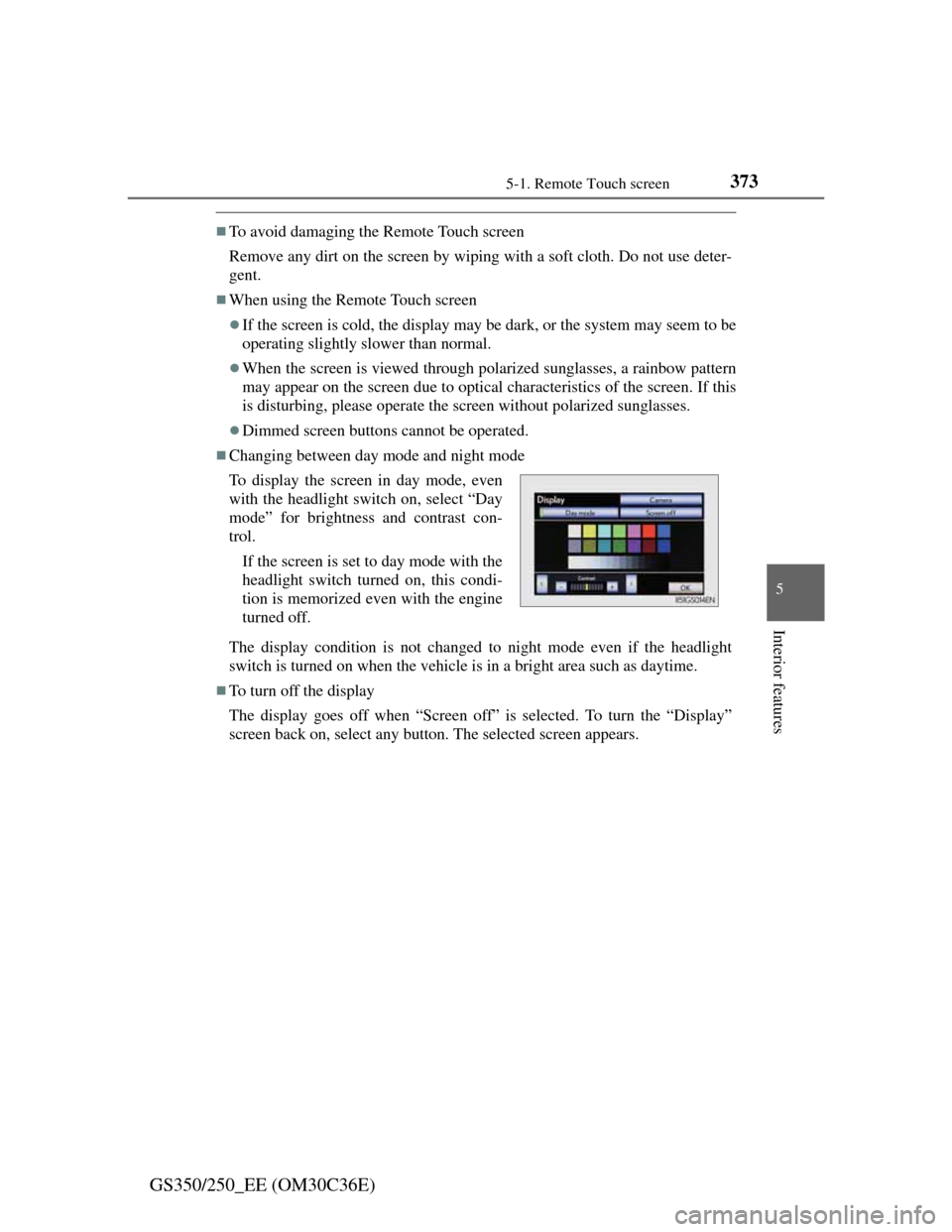
Changing between day mode and night mode
The display condition is not changed to night mode even if the headlight
switch is turned on when the vehicle is in a bright area such as daytime.
To turn off the display
The display goes off when “Screen off” is selected. To turn the “Display”
screen back on, select any button. The selected screen appears. To display the screen in day mode, even
with the headlight switch on, select “Day
mode” for brightness and contrast con-
trol.
If the screen is set to day mode with the
headlight switch turned on, this condi-
tion is memorized even with the engine
turned off.
Page 586 of 914

5715-4. Using the hands-free phone system (for cellular phone)
5
Interior features
GS350/250_EE (OM30C36E)
When calling by phone number
Say the phone number one digit at a time. For example, if the phone number
is 2345678, say “two three four five six seven eight”.
As the system cannot recognize additional numbers, say the complete num-
ber without stopping.
When the system recognizes multiple phone numbers, a phone number can-
didate list will be displayed on the screen. If the desired phone number is
not displayed on the top of the screen, say the number of the desired phone
number from the candidate list (1st and 2nd) to select a phone number from
the candidate list
Calling by using the latest call history item
Press on the steering wheel to display the “Telephone” screen.
Press on the steering wheel to display the “Call history” screen.
Press on the steering wheel to select the most recent number in the
history.
Select or press on the steering wheel.
To cancel voice recognition
Press and hold .
Press on the steering wheel.
Select “Cancel”.
When using voice recognition
Use correct commands and speak clearly, otherwise the system may not cor-
rectly recognize the command. Wind or other noises may also cause the sys-
tem not to recognize the desired command.
1
2
3
4
Page 670 of 914

6526-2. Maintenance
GS350/250_EE (OM30C36E)
Where to go for service?
In order to maintain your vehicle in the best possible condition, Lexus rec-
ommends that all repairs and service operations be carried out by authorized
Lexus dealers or repairers or other duly qualified and equipped professionals.
For repairs and services covered by your warranty, please visit an authorized
Lexus dealer or repairer, who will use genuine Lexus parts in repairing any
difficulties you may encounter. There can also be advantages in utilizing
authorized Lexus dealers or repairers for non-warranty repairs and services,
as members of the Lexus network will be able to expertly assist you with any
difficulties you may encounter.
Your Lexus dealer or repairer, or another duly qualified and equipped profes-
sional will perform all of the scheduled maintenance on your vehicle reliably
and economically due to their experience with Lexus vehicles.
Does your vehicle need repairs?
Be on the alert for changes in performance and sounds, and visual tip-offs
that indicate service is needed. Some important clues are:
Engine missing, stumbling or pinging
Appreciable loss of power
Strange engine noises
A fluid leak under the vehicle (However, water dripping from the air condi-
tioning system after use is normal.)
Change in exhaust sound (This may indicate a dangerous carbon monoxide
leak. Drive with the windows open and have the exhaust system checked
immediately.)
Flat-looking tires, excessive tire squeal when cornering, uneven tire wear
Vehicle pulls to one side when driven straight on a level road
Strange noises related to suspension movement
Loss of brake effectiveness, spongy feeling brake pedal, pedal almost
touches the floor, vehicle pulls to one side when braking
Engine coolant temperature continually higher than normal (P. 9 9 )
If you notice any of these clues, take your vehicle to any authorized Lexus
dealer or repairer, or another duly qualified and equipped professional as
soon as possible. Your vehicle may need adjustment or repair.
Page 755 of 914
737 6-3. Do-it-yourself maintenance
6
Maintenance and care
GS350/250_EE (OM30C36E)
CAUTION
Discharge headlights
Contact any authorized Lexus dealer or repairer, or another duly qualified
and equipped professional before replacing the discharge headlights
(including light bulbs).
Do not touch the discharge headlight’s high voltage socket when the head-
lights are turned on.
An extremely high voltage of 30000 V will be discharged and could result
in death or serious injury by electric shock.
Do not attempt to take apart or repair the headlight bulbs, connectors,
power supply circuits, or related components.
Doing so could result in electric shock and death or serious injury.
To prevent damage or fire
Make sure bulbs are fully seated and locked.
Check the wattage of the bulb before installing to prevent heat damage.
NOTICE
When replacing the outer foot lights
If the front window is stopping you from conducting the replace operation
properly, open the window on the side you are working on to allow you
enough space to work. Continuing the operation without giving yourself
enough space to work could lead you to scratch the vehicle.
Page 789 of 914
![Lexus GS350 2012 User Guide 7687-2. Steps to take in an emergency
GS350/250_EE (OM30C36E)
(If equipped)
Alerts the driver that
the vehicle is out of the
lanes (while the LKA
[Lane-Keeping Assist]
system is operating)
The warning](/img/36/14327/w960_14327-788.png "Lexus GS350 2012 User Guide 7687-2. Steps to take in an emergency
GS350/250_EE (OM30C36E)
(If equipped)
Alerts the driver that
the vehicle is out of the
lanes (while the LKA
[Lane-Keeping Assist]
system is operating)
The warning")
7687-2. Steps to take in an emergency
GS350/250_EE (OM30C36E)
(If equipped)
Alerts the driver that
the vehicle is out of the
lanes (while the LKA
[Lane-Keeping Assist]
system is operating)
The warning buzzer
sounds continuously.
The lane markings
and/or the steering
wheel marking flash.
At the same time,
will appear
on the head-up dis-
play (part of the
image flashes).
Check around the vehi-
cle and back to inside
of the lane markings.
(If equipped)
Indicates that the LKA
(Lane-Keeping Assist)
system detects no-
handed driving (while
the lane keeping assist
function is operating)
The warning buzzer
sounds twice.
Grip the steering wheel
firmly.
(If equipped)
Indicates that the Blind
Spot Monitor sensors
or the surrounding area
on the bumper is dirty
or covered with ice
Clean the sensor and its
surrounding area on the
bumper.
Wa r n i n g m e s s a g eDetailsCorrection procedure
Page 854 of 914

8337-2. Steps to take in an emergency
7
When trouble arises
GS350/250_EE (OM30C36E)
If the vehicle becomes stuck
Stop the engine. Set the parking brake and shift the shift lever to
P.
Remove the mud, snow or sand from around the rear wheels.
Place wood, stones or some other material under the rear wheels
to help provide traction.
Restart the engine.
Shift the shift lever to D or R and release the parking brake.
Then, while exercising caution, depress the accelerator pedal.
When it is difficult to free the vehicle
Carry out the following procedures if the tires spin or the vehicle
becomes stuck in mud, dirt or snow:
Press to turn off TRC.
1
2
3
4
5