check engine Lexus GS350 2012 Owner's Guide
[x] Cancel search | Manufacturer: LEXUS, Model Year: 2012, Model line: GS350, Model: Lexus GS350 2012Pages: 914, PDF Size: 49.39 MB
Page 214 of 914
2084-2. Driving procedures
GS350/250_EE (OM30C36E)Stop the vehicle.
Shift the shift lever to P.
Set the parking brake. (P. 225)
Press the engine switch.
Release the brake pedal and check that “POWER ON” on the
multi-information display is off.
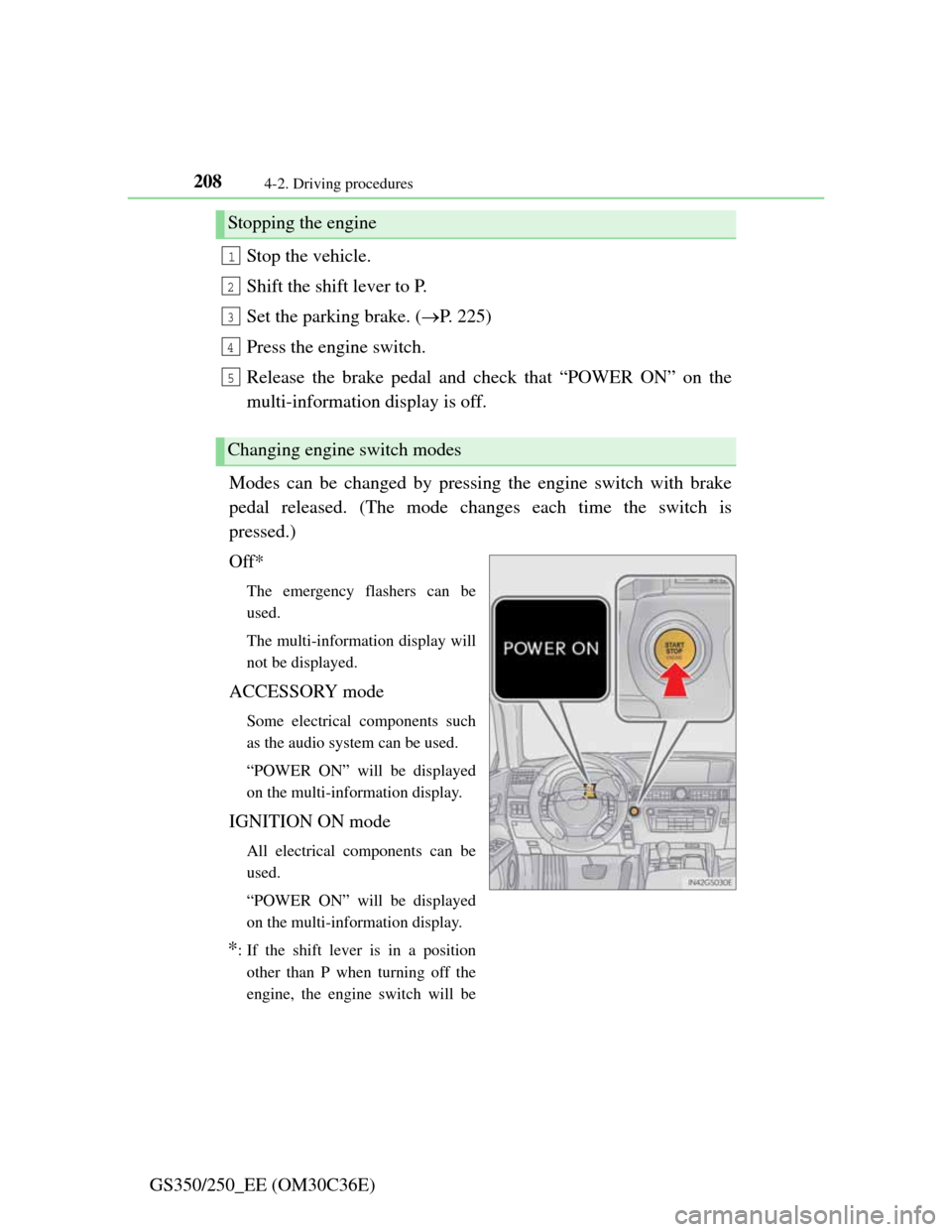
Modes can be changed by pressing the engine switch with brake
pedal released. (The mode changes each time the switch is
pressed.)
Off*
The emergency flashers can be
used.
The multi-information display will
not be displayed.
ACCESSORY mode
Some electrical components such
as the audio system can be used.
“POWER ON” will be displayed
on the multi-information display.
IGNITION ON mode
All electrical components can be
used.
“POWER ON” will be displayed
on the multi-information display.
*: If the shift lever is in a position
other than P when turning off the
engine, the engine switch will be
Stopping the engine
Changing engine switch modes
1
2
3
4
5
Page 216 of 914

2104-2. Driving procedures
GS350/250_EE (OM30C36E)If the engine is stopped with the shift lever in a position other than
P, the engine switch will not be turned off but instead be turned to
ACCESSORY mode. Perform the following procedure to turn the
switch off:
Check that the parking brake is set.
Shift the shift lever to P.
Check that “POWER ON” and “Turn Power OFF” are displayed
alternately on the multi-information display and then press the
engine switch once.
Check that “POWER ON” and “Turn Power OFF” on the multi-
information display are off.
When stopping the engine with the shift lever in a position
other than P
1
2
3
4
Page 217 of 914

2114-2. Driving procedures
4
Driving
GS350/250_EE (OM30C36E)
Auto power off function
If the vehicle is left in ACCESSORY mode for more than 20 minutes or
IGNITION ON mode (the engine is not running) for more than an hour with
the shift lever in P, the engine switch will automatically turn off. However,
this function cannot entirely prevent battery discharge. Do not leave the vehi-
cle with the engine switch in ACCESSORY or IGNITION ON mode for long
periods of time when the engine is not running.
Electronic key battery depletion
P. 1 3 4
Conditions affecting operation
P. 1 3 0
Notes for the entry function
P. 1 3 1
If the engine does not start
The engine immobilizer system may not have been deactivated. (P. 8 0 )
Contact any authorized Lexus dealer or repairer, or another duly qualified
and equipped professional.
Check that the shift lever is securely set in P. The engine may not start if the
shift lever is displaced out of P. “Shift to P position to Start” will be dis-
played on the multi-information display.
Steering lock
After turning the engine switch off and opening and closing the doors, the
steering wheel will be locked due to the steering lock function. Operating the
engine switch again automatically cancels the steering lock.
Page 218 of 914
2124-2. Driving procedures
GS350/250_EE (OM30C36E)
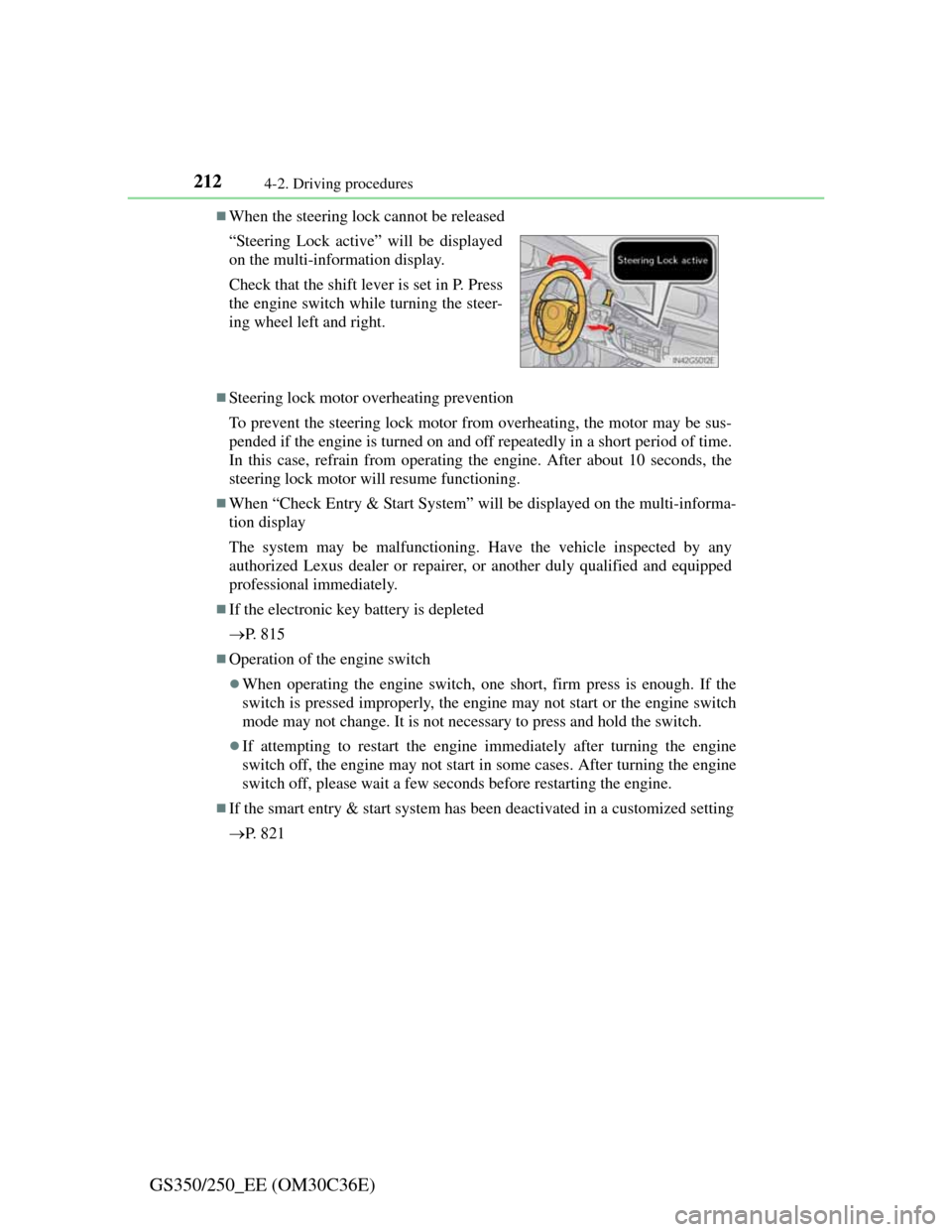
When the steering lock cannot be released
Steering lock motor overheating prevention
To prevent the steering lock motor from overheating, the motor may be sus-
pended if the engine is turned on and off repeatedly in a short period of time.
In this case, refrain from operating the engine. After about 10 seconds, the
steering lock motor will resume functioning.
When “Check Entry & Start System” will be displayed on the multi-informa-
tion display
The system may be malfunctioning. Have the vehicle inspected by any
authorized Lexus dealer or repairer, or another duly qualified and equipped
professional immediately.
If the electronic key battery is depleted
P. 8 1 5
Operation of the engine switch
When operating the engine switch, one short, firm press is enough. If the
switch is pressed improperly, the engine may not start or the engine switch
mode may not change. It is not necessary to press and hold the switch.
If attempting to restart the engine immediately after turning the engine
switch off, the engine may not start in some cases. After turning the engine
switch off, please wait a few seconds before restarting the engine.
If the smart entry & start system has been deactivated in a customized setting
P. 8 2 1 “Steering Lock active” will be displayed
on the multi-information display.
Check that the shift lever is set in P. Press
the engine switch while turning the steer-
ing wheel left and right.
Page 220 of 914

2144-2. Driving procedures
GS350/250_EE (OM30C36E)
NOTICE
To prevent battery discharge
Do not leave the engine switch in ACCESSORY or IGNITION ON mode
for long periods of time without the engine running.
If “POWER ON” is displayed on the multi-information display, the
engine switch is not off. Exit the vehicle after turning the engine switch
off.
Do not stop the engine when the shift lever is in a position other than P. If
the engine is stopped in another shift lever position, the engine switch will
not be turned off but instead be turned to ACCESSORY mode. If the vehi-
cle is left in ACCESSORY mode, battery discharge may occur.
When starting the engine
Do not race a cold engine.
If the engine becomes difficult to start or stalls frequently, have your vehi-
cle checked by any authorized Lexus dealer or repairer, or another duly
qualified and equipped professional immediately.
Symptoms indicating a malfunction with the engine switch
If the engine switch seems to be operating somewhat differently than usual,
such as the switch sticking slightly, there may be a malfunction. Contact
any authorized Lexus dealer or repairer, or another duly qualified and
equipped professional immediately.
Page 230 of 914

2244-2. Driving procedures
GS350/250_EE (OM30C36E)
Turn signals can be operated when
The engine switch is in IGNITION ON mode.
If the indicator flashes faster than usual
Check that a light bulb in the front or rear turn signal lights has not burned
out.
If the turn signals stop flashing before a lane change has been performed
Operate the lever again.
Customization
The number of times the turn signals flash during a lane change can be
changed.
(Customizable feature P. 855)
Page 253 of 914
2464-3. Operating the lights and wipers
GS350/250_EE (OM30C36E)
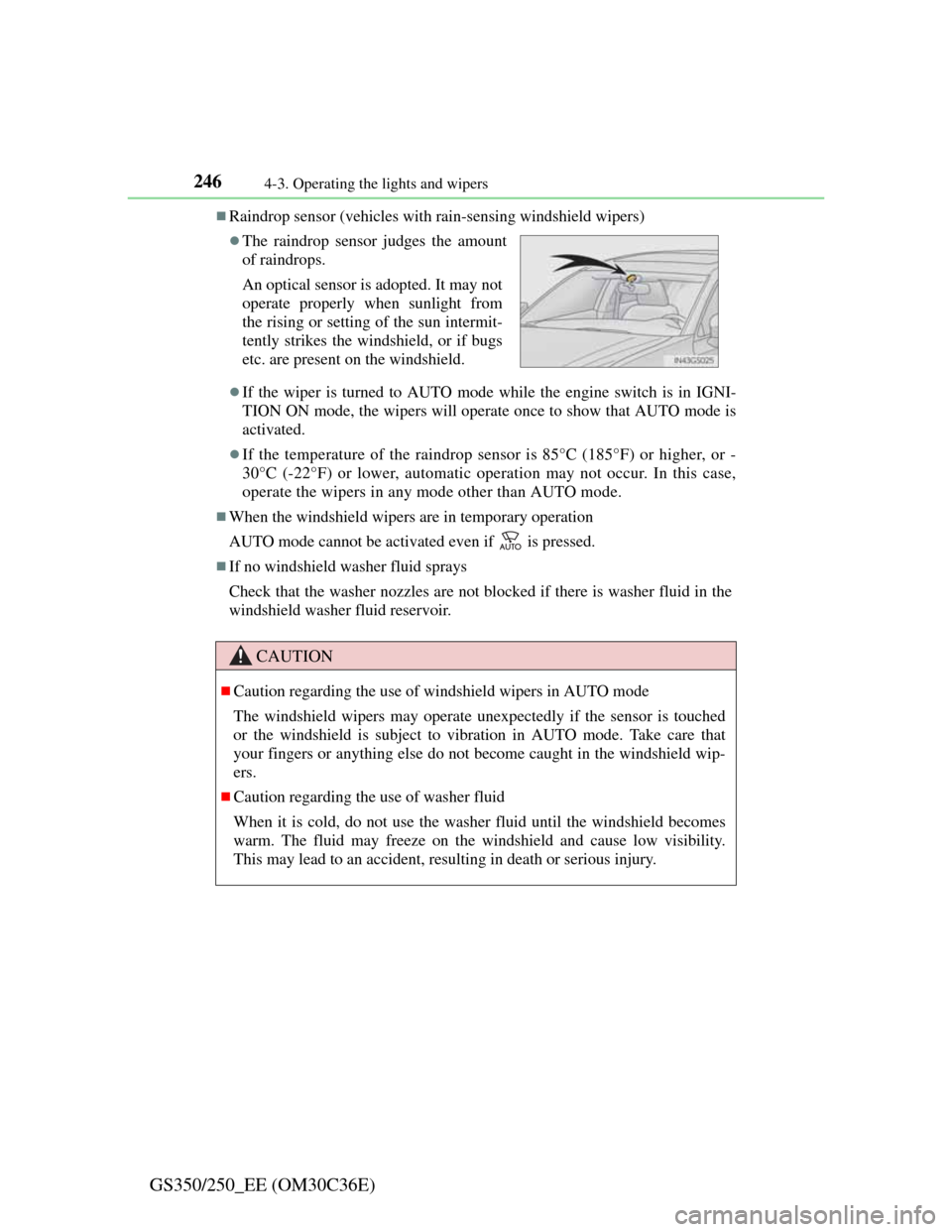
Raindrop sensor (vehicles with rain-sensing windshield wipers)
If the wiper is turned to AUTO mode while the engine switch is in IGNI-
TION ON mode, the wipers will operate once to show that AUTO mode is
activated.
If the temperature of the raindrop sensor is 85°C (185°F) or higher, or -
30°C (-22°F) or lower, automatic operation may not occur. In this case,
operate the wipers in any mode other than AUTO mode.
When the windshield wipers are in temporary operation
AUTO mode cannot be activated even if is pressed.
If no windshield washer fluid sprays
Check that the washer nozzles are not blocked if there is washer fluid in the
windshield washer fluid reservoir.
The raindrop sensor judges the amount
of raindrops.
An optical sensor is adopted. It may not
operate properly when sunlight from
the rising or setting of the sun intermit-
tently strikes the windshield, or if bugs
etc. are present on the windshield.
CAUTION
Caution regarding the use of windshield wipers in AUTO mode
The windshield wipers may operate unexpectedly if the sensor is touched
or the windshield is subject to vibration in AUTO mode. Take care that
your fingers or anything else do not become caught in the windshield wip-
ers.
Caution regarding the use of washer fluid
When it is cold, do not use the washer fluid until the windshield becomes
warm. The fluid may freeze on the windshield and cause low visibility.
This may lead to an accident, resulting in death or serious injury.
Page 320 of 914
3134-5. Using the driving support
4
Driving
GS350/250_EE (OM30C36E)
If the message “Steering wheel turned too far, please return.” is
displayed
The steering wheel has been turned too far, and the system can-
not function. Return the steering wheel to its original position.
If the message is displayed before the outline is positioned over
the desired parking space, it is likely that the vehicle is too far
away from the shoulder. Check that there is a gap of approxi-
mately 1 m (3 ft.) between your vehicle and the parked vehicle.
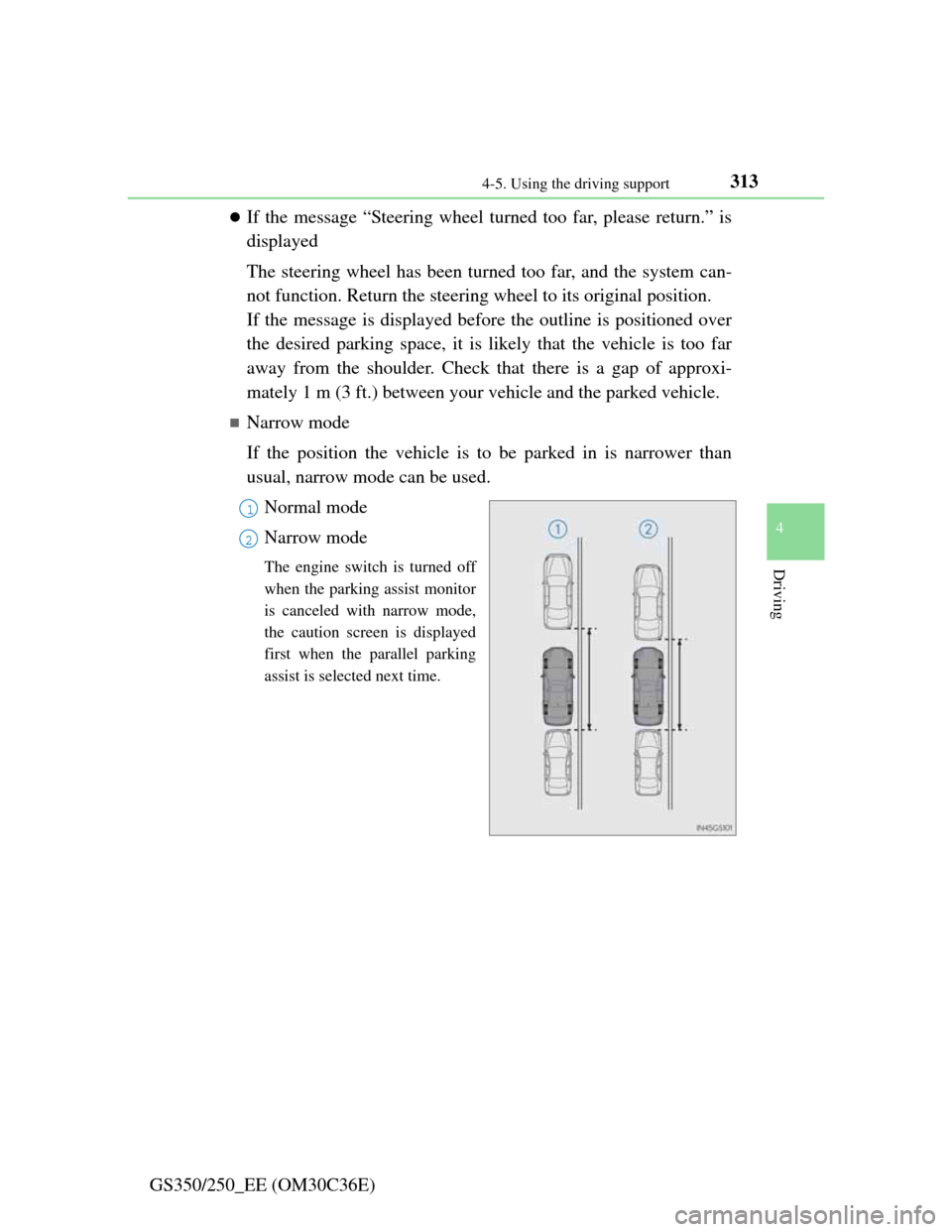
Narrow mode
If the position the vehicle is to be parked in is narrower than
usual, narrow mode can be used.
Normal mode
Narrow mode
The engine switch is turned off
when the parking assist monitor
is canceled with narrow mode,
the caution screen is displayed
first when the parallel parking
assist is selected next time.
1
2
Page 406 of 914
3965-1. Remote Touch screen
GS350/250_EE (OM30C36E)
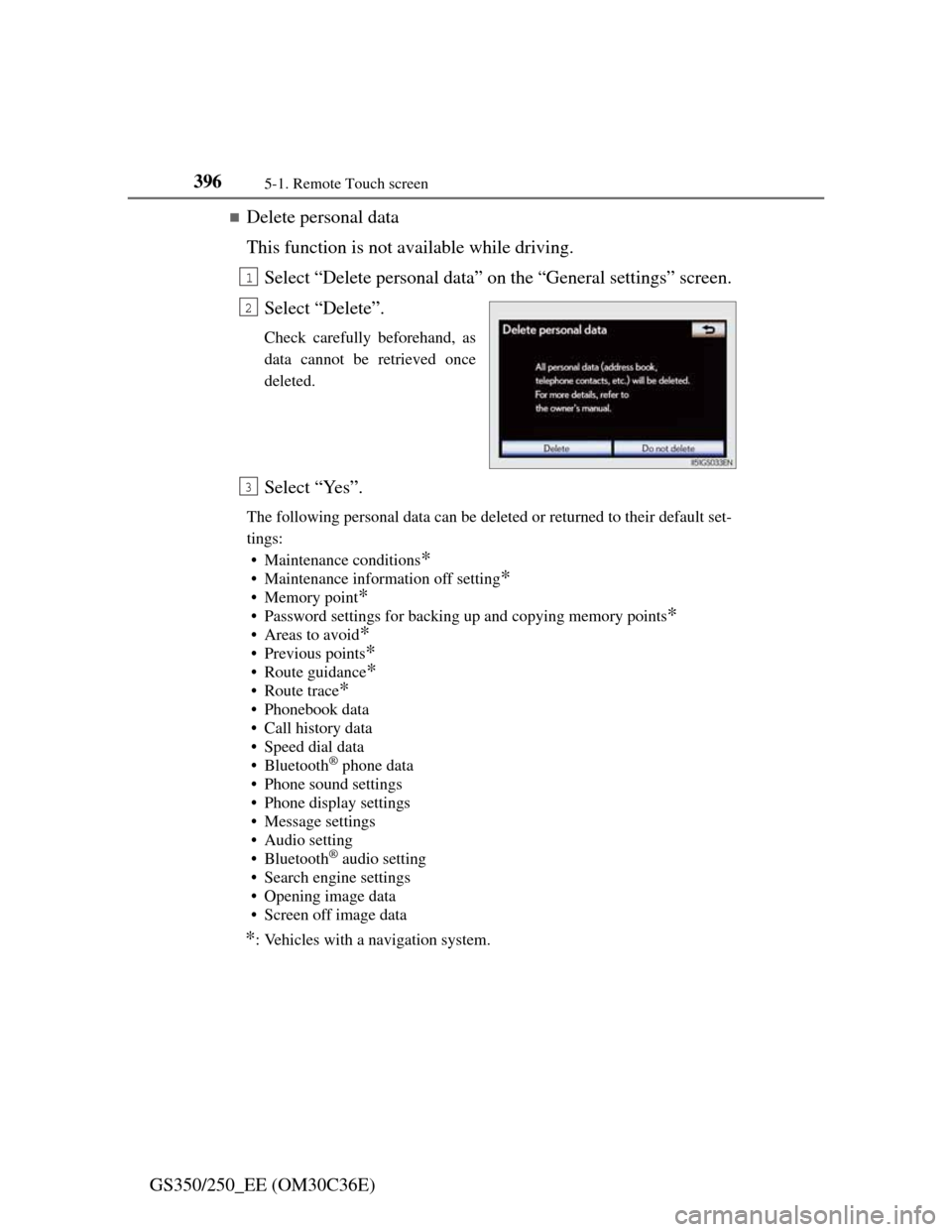
Delete personal data
This function is not available while driving.
Select “Delete personal data” on the “General settings” screen.
Select “Delete”.
Check carefully beforehand, as
data cannot be retrieved once
deleted.
Select “Yes”.
The following personal data can be deleted or returned to their default set-
tings:
• Maintenance conditions
*
• Maintenance information off setting*
• Memory point*
• Password settings for backing up and copying memory points*
•Areas to avoid*
• Previous points*
• Route guidance*
•Route trace*
• Phonebook data
• Call history data
• Speed dial data
•Bluetooth
® phone data
• Phone sound settings
• Phone display settings
• Message settings
• Audio setting
•Bluetooth
® audio setting
• Search engine settings
• Opening image data
• Screen off image data
*: Vehicles with a navigation system.
1
2
3
Page 661 of 914

643
6Maintenance and care
GS350/250_EE (OM30C36E)
6-1. Maintenance and care
Cleaning and protecting
the vehicle exterior ......... 644
Cleaning and protecting
the vehicle interior .......... 648
6-2. Maintenance
Maintenance
requirements ................... 651
6-3. Do-it-yourself maintenance
Do-it-yourself service
precautions...................... 654
Hood ................................. 657
Positioning a floor jack ..... 658
Engine compartment ......... 660
Tires .................................. 672
Tire inflation pressure ....... 689
Wheels .............................. 691
Air conditioning filter ....... 693
Electronic key battery ....... 695
Checking and replacing
fuses ................................ 698
Light bulbs ........................ 720