audio Lexus GS350 2013 Adjusting the steering wheel and mirrors / LEXUS 2013 GS350 (OM30C34U) User Guide
[x] Cancel search | Manufacturer: LEXUS, Model Year: 2013, Model line: GS350, Model: Lexus GS350 2013Pages: 828, PDF Size: 10.43 MB
Page 308 of 828
308
GS350_U (OM30C34U)
5-1. Remote Touch screen
Remote Touch screen
By using the Remote Touch, you can control the audio system and air
conditioning system, and adjust the screen display etc.
Vehicles with a navigation system: Different information can be dis-
played on the left and right of the scr een. The 8-inch display area on the
left of the screen is called the “Main Di splay”, and the area to the right is
called the “Side Display”. For deta ils, refer to the “Navigation System
Owner’s Manual”.
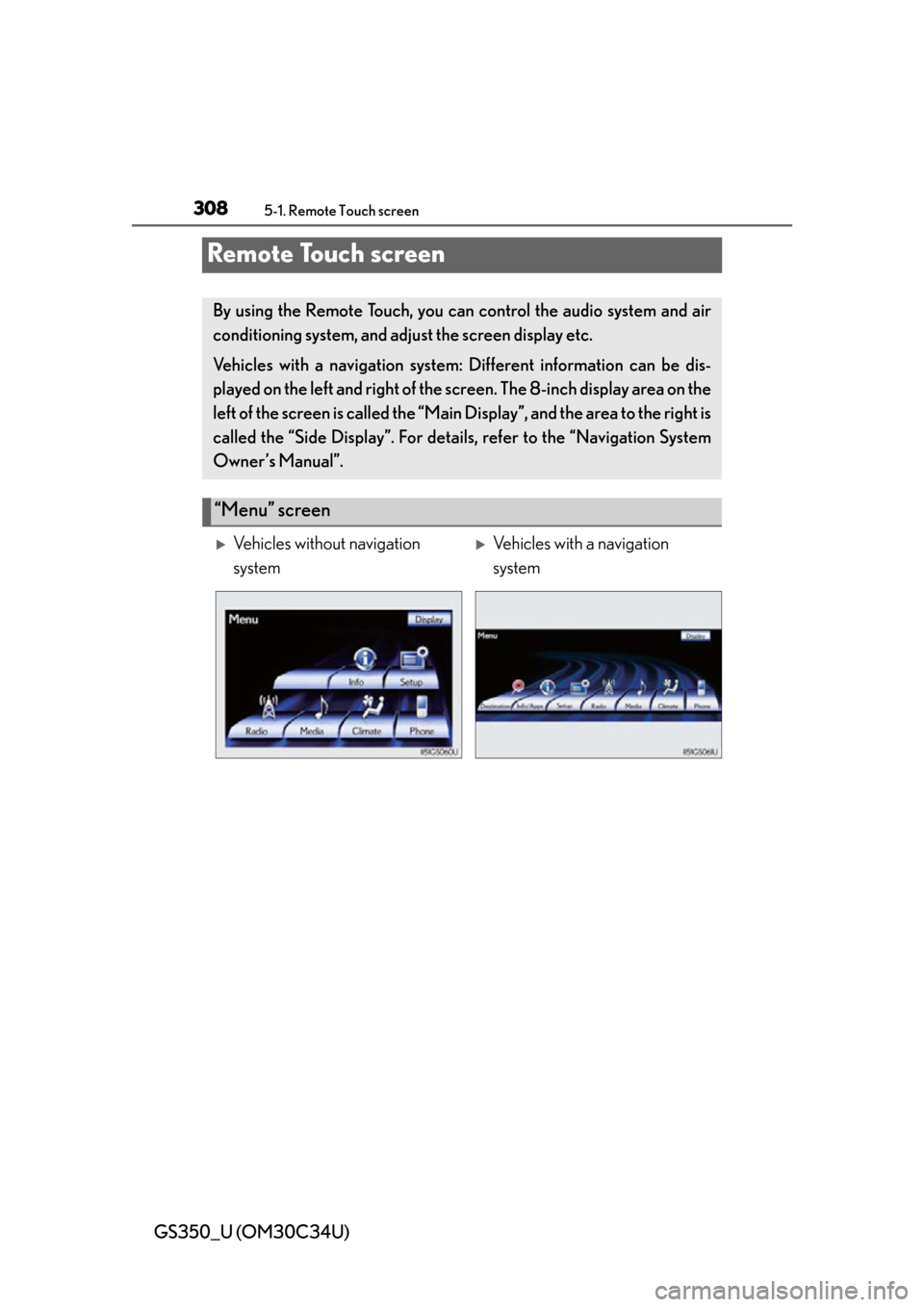
“Menu” screen
Vehicles without navigation
systemVehicles with a navigation
system
Page 310 of 828
310
GS350_U (OM30C34U)
5-1. Remote Touch screen
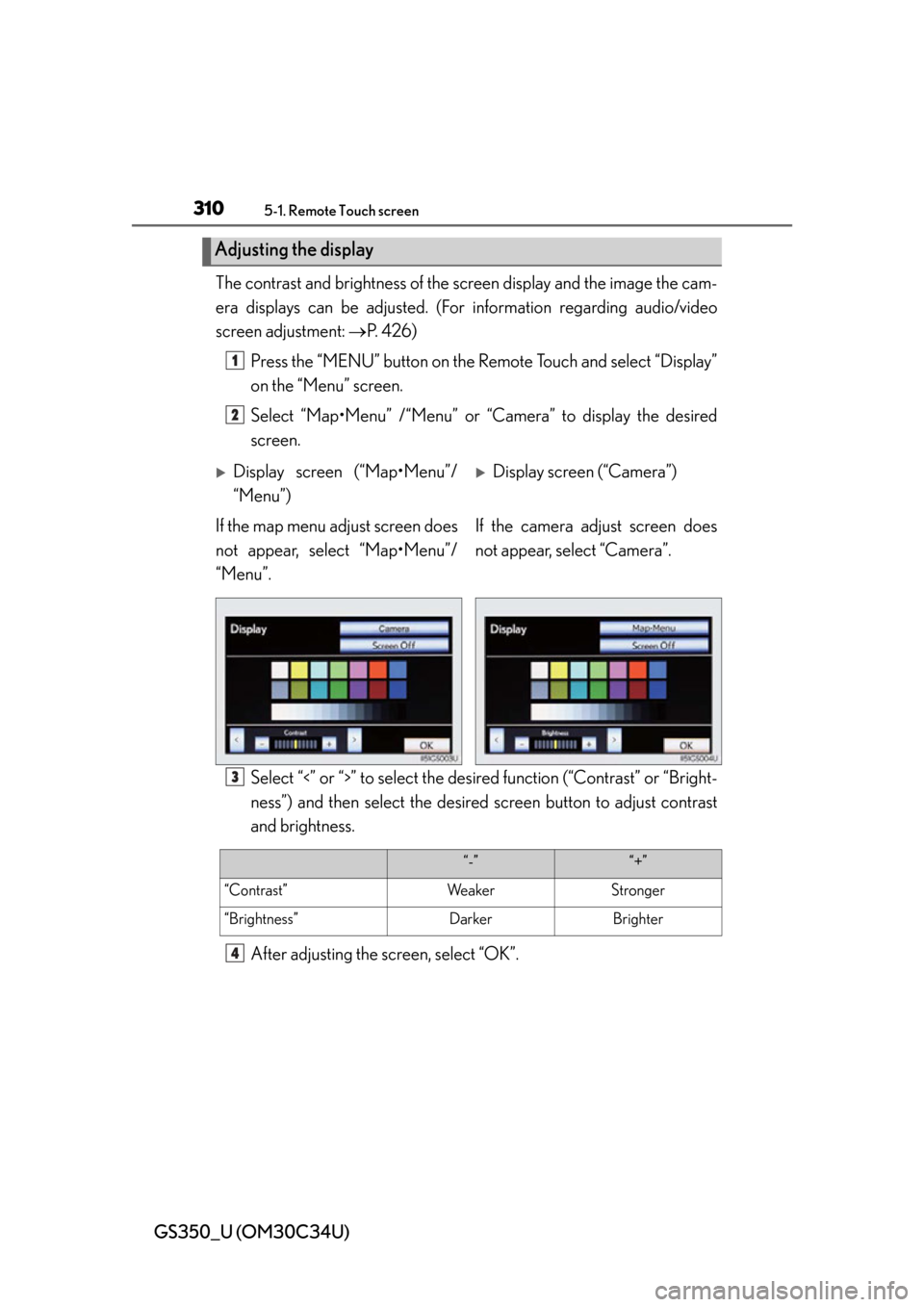
The contrast and brightness of the screen display and the image the cam-
era displays can be adjusted. (For information regarding audio/video
screen adjustment: P. 4 2 6 )
Press the “MENU” butto n on the Remote Touch and select “Display”
on the “Menu” screen.
Select “Map•Menu” /“Menu” or “Camera” to display the desired
screen.
Select “<” or “>” to select the desir ed function (“Contrast” or “Bright-
ness”) and then select the desired screen button to adjust contrast
and brightness.
After adjusting the screen, select “OK”.
Adjusting the display
1
2
Display screen (“Map•Menu”/
“Menu”)Display screen (“Camera”)
If the map menu adjust screen does
not appear, select “Map•Menu”/
“Menu”. If the camera adjust screen does
not appear, select “Camera”.
3
“-”“+”
“Contrast”We a k e rStronger
“Brightness”DarkerBrighter
4
Page 328 of 828
328
GS350_U (OM30C34U)
5-1. Remote Touch screen
■Delete personal data
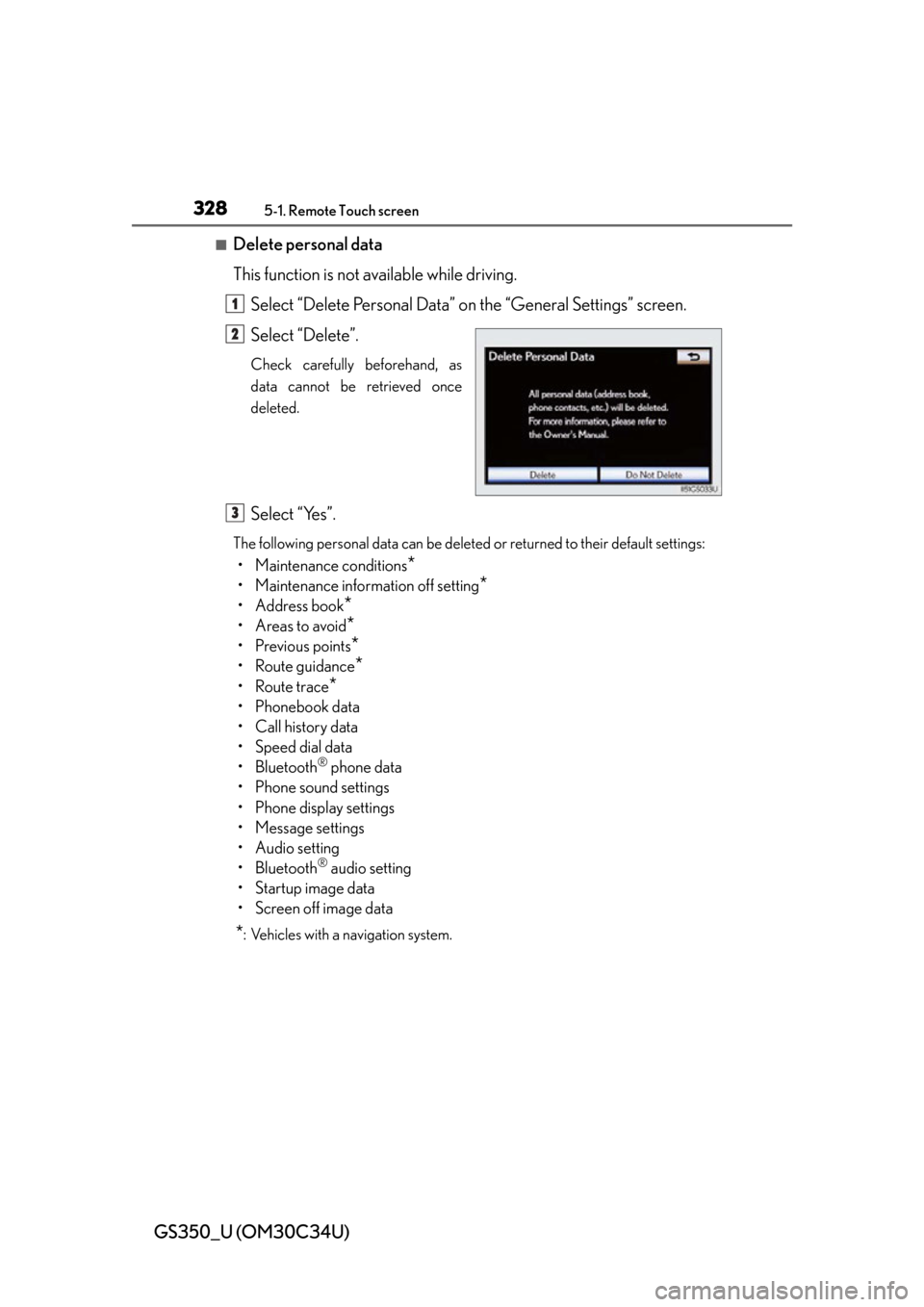
This function is not available while driving.Select “Delete Personal Data” on the “General Settings” screen.
Select “Delete”.
Check carefully beforehand, as
data cannot be retrieved once
deleted.
Select “Yes”.
The following personal data can be deleted or returned to their default settings:
• Maintenance conditions*
• Maintenance information off setting*
• Address book*
•Areas to avoid*
• Previous points*
• Route guidance*
• Route trace*
•Phonebook data
• Call history data
• Speed dial data
• Bluetooth
® phone data
• Phone sound settings
• Phone display settings
• Message settings
• Audio setting
• Bluetooth
® audio setting
• Startup image data
• Screen off image data
*: Vehicles with a navigation system.
1
2
3
Page 330 of 828
330
GS350_U (OM30C34U)
5-1. Remote Touch screen
Voice guidance can be set.
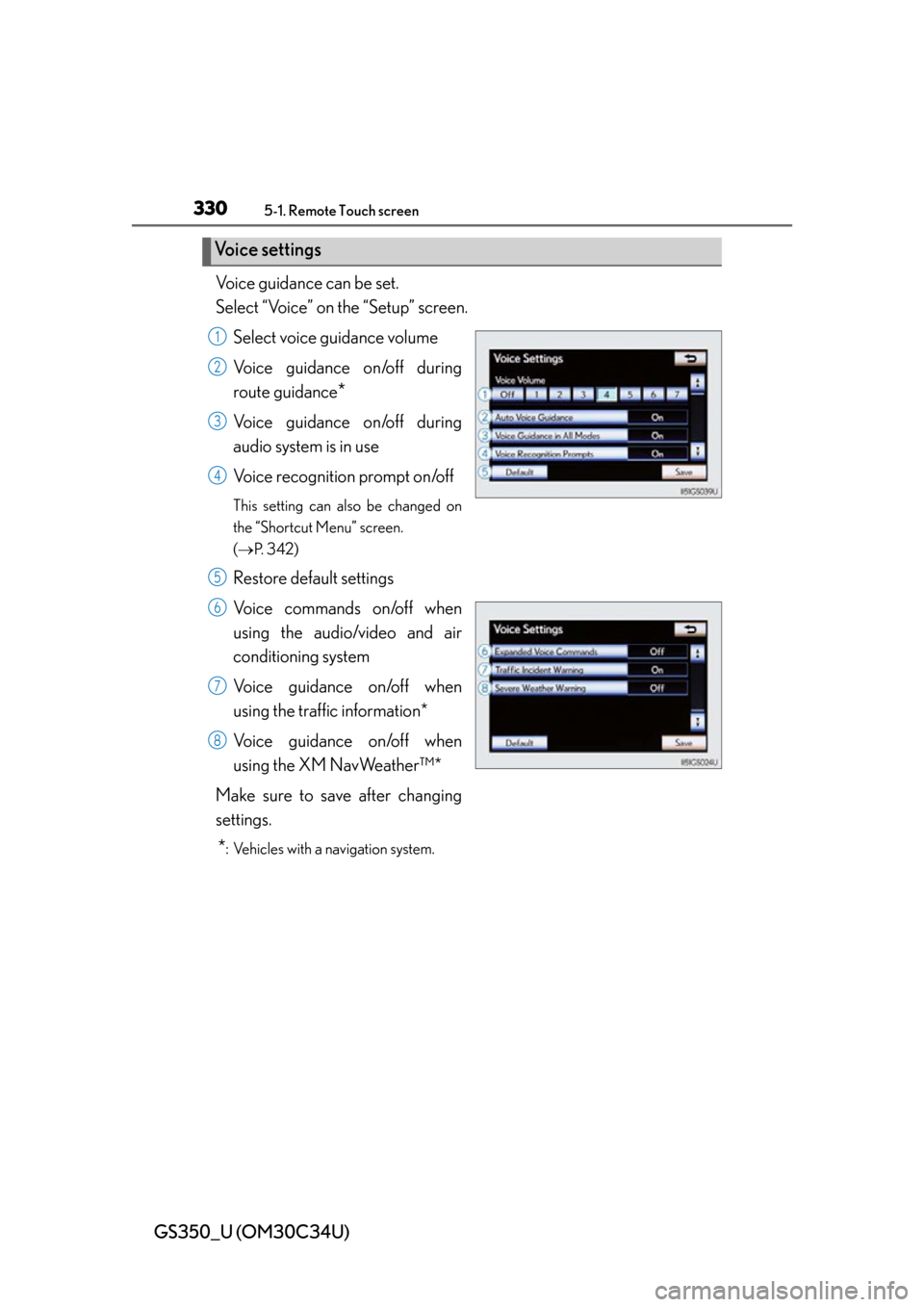
Select “Voice” on the “Setup” screen.Select voice guidance volume
Voice guidance on/off during
route guidance
*
Voice guidance on/off during
audio system is in use
Voice recognition prompt on/off
This setting can also be changed on
the “Shortcut Menu” screen.
( P. 3 4 2 )
Restore default settings
Voice commands on/off when
using the audio/video and air
conditioning system
Voice guidance on/off when
using the traffic information*
Voice guidance on/off when
using the XM NavWeather™*
Make sure to save after changing
settings.
*: Vehicles with a navigation system.
Voice settings
1
2
3
4
5
6
7
8
Page 333 of 828
GS350_U (OM30C34U)
3335-1. Remote Touch screen
5
Interior features
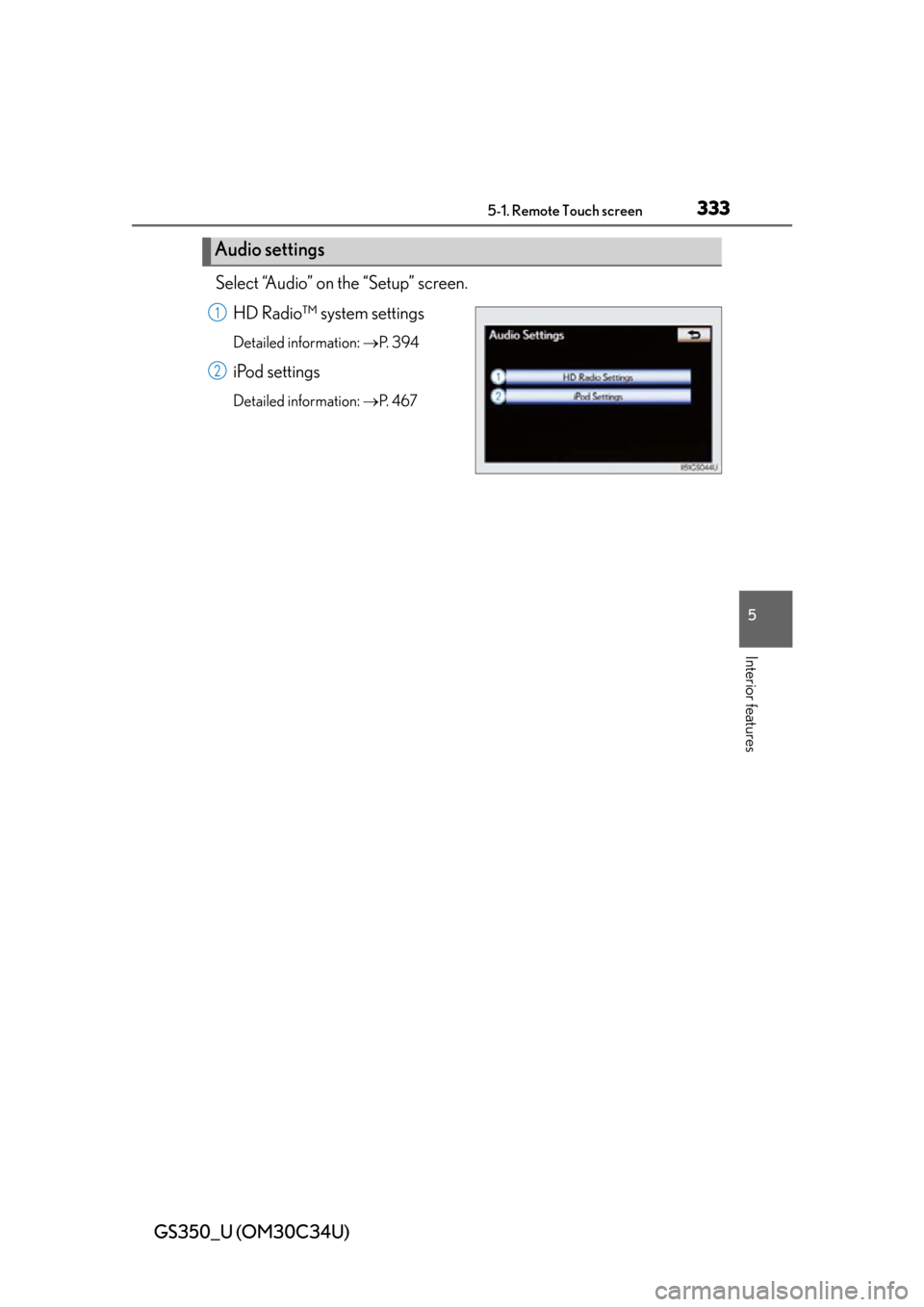
Select “Audio” on the “Setup” screen.HD Radio™ sy stem settings
Detailed information: P. 3 9 4
iPod settings
Detailed information: P. 4 6 7
Audio settings
1
2
Page 334 of 828
334
GS350_U (OM30C34U)
5-1. Remote Touch screen
Voice command system
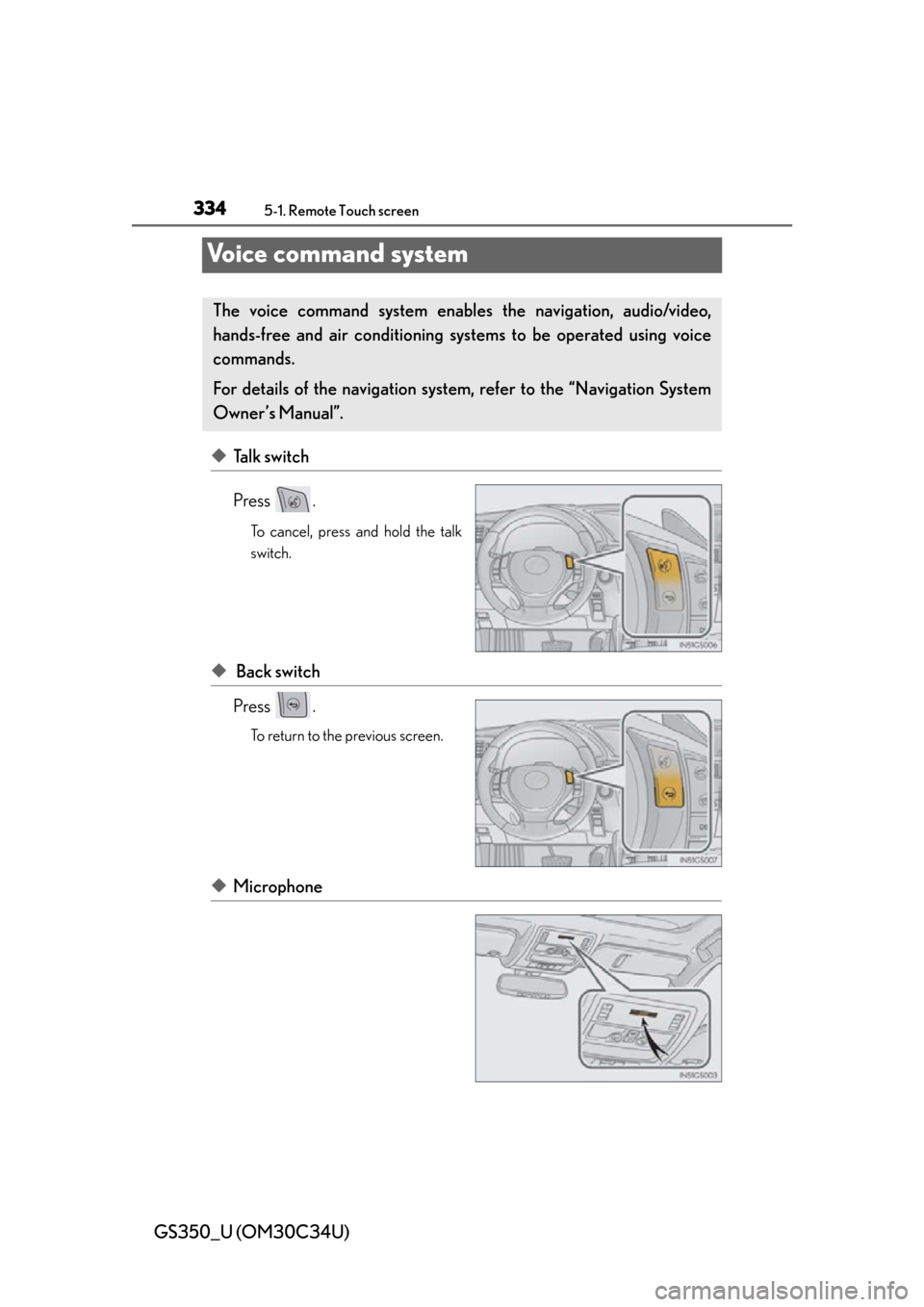
◆Talk switch
Press .
To cancel, press and hold the talk
switch.
◆ Back switch
Press .
To return to the previous screen.
◆Microphone
The voice command system enables the navigation, audio/video,
hands-free and air conditioning syst ems to be operated using voice
commands.
For details of the navigation system, refer to the “Navigation System
Owner’s Manual”.
Page 338 of 828
338
GS350_U (OM30C34U)
5-1. Remote Touch screen
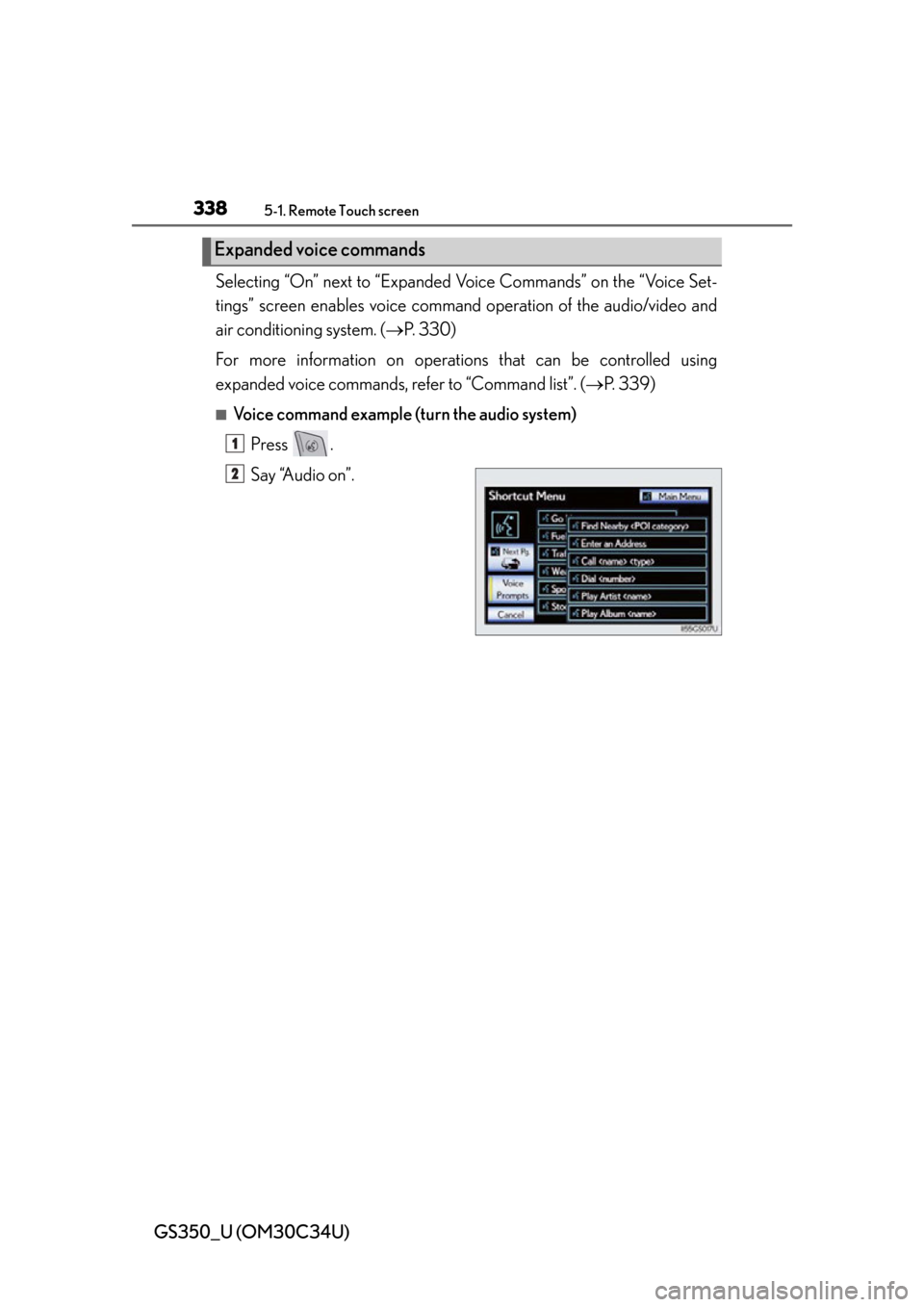
Selecting “On” next to “Expanded Voice Commands” on the “Voice Set-
tings” screen enables voice command operation of the audio/video and
air conditioning system. ( P. 330)
For more information on operatio ns that can be controlled using
expanded voice commands, re fer to “Command list”. (P. 3 3 9 )
■Voice command example (turn the audio system)
Press .
Say “Audio on”.
Expanded voice commands
1
2
Page 341 of 828
GS350_U (OM30C34U)
3415-1. Remote Touch screen
5
Interior features
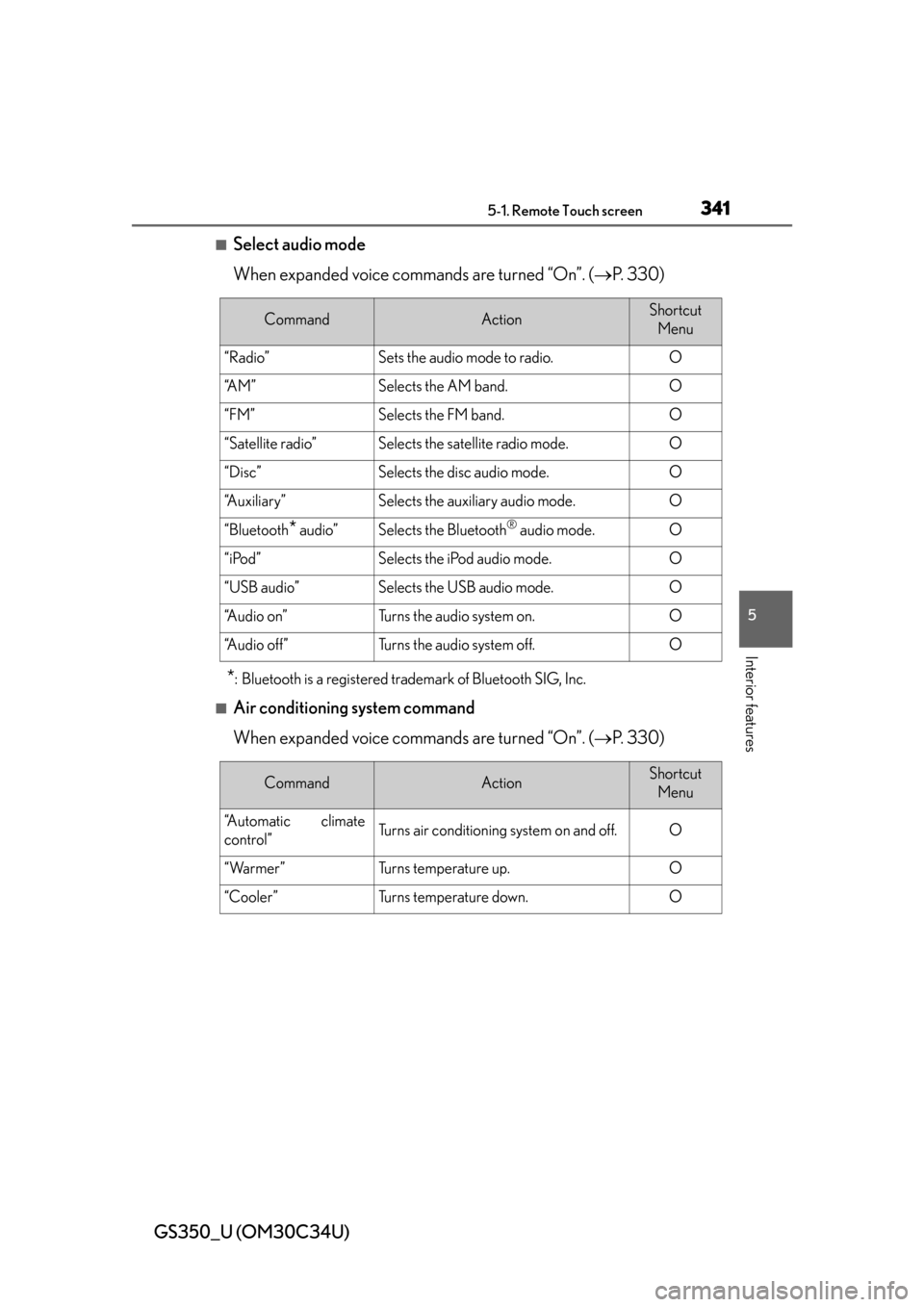
■Select audio mode
When expanded voice commands are turned “On”. (P. 330)
*: Bluetooth is a registered trademark of Bluetooth SIG, Inc.
■Air conditioning system command
When expanded voice commands are turned “On”. ( P. 330)
CommandActionShortcut
Menu
“Radio”Sets the audio mode to radio.O
“A M ”Selects the AM band.O
“FM”Selects the FM band.O
“Satellite radio”Selects the satellite radio mode.O
“Disc”Selects the disc audio mode.O
“Auxiliary”Selects the auxiliary audio mode.O
“Bluetooth* audio”Selects the Bluetooth® audio mode.O
“iPod”Selects the iPod audio mode.O
“USB audio”Selects the USB audio mode.O
“A u d i o o n ”Turns the audio system on.O
“Audio off”Turns the audio system off.O
CommandActionShortcut Menu
“Automatic climate
control”Turns air conditioning system on and off.O
“Warmer”Turns temperature up.O
“Cooler ”Tu r n s t e m p e r a t u r e d o w n .O
Page 344 of 828

344
GS350_U (OM30C34U)
5-1. Remote Touch screen
■Natural speech information
●The “Use the Phone” and “Play Music” commands displayed on the “Shortcut
Menu” screen can be operated using natu ral language speech recognition tech-
nology.
●If the command cannot be recognized completely, the command input screen will
be displayed. (Search results will be sh own based on the part of the command that
was recognized.)
■When turning the audio system or air conditioning system on
●Commands relating to operation of the audio/video and air conditioning systems
can only be performed when the audio/ video and air conditioning systems are
turned on.
●Expanded voice commands can be recognized when the “Shortcut Menu” screen
is displayed.
■The Gracenote® media database
Music recognition technology and related data are provided by Gracenote
®.
Gracenote is the industry standard in music recognition technology and related
content delivery. For more information visit www.gracenote.com
.
Page 367 of 828
367
GS350_U (OM30C34U)5-3. Using the audio system
5
Interior features
Audio system type
CD and DVD player with AM/FM radio
Vehicles with a navigation system: The audio functions can be displayed
and operated on the “Side Display”. Fo r details, refer to the “Navigation
System Owner’s Manual”.
Using the instrument panel
Press the “RADIO” or “MEDIA” butto n to display the audio control
screen.
Using the Remote Touch
Press the “MENU” button on the Remote Touch, select “RADIO” or
“MEDIA” and select each tab to display the audio control screen.