ignition Lexus GS350 2013 Specifications / LEXUS 2013 GS350 (OM30C34U) Owner's Guide
[x] Cancel search | Manufacturer: LEXUS, Model Year: 2013, Model line: GS350, Model: Lexus GS350 2013Pages: 828, PDF Size: 10.43 MB
Page 203 of 828
203
GS350_U (OM30C34U)4-3. Operating the lights and wipers
4
Driving
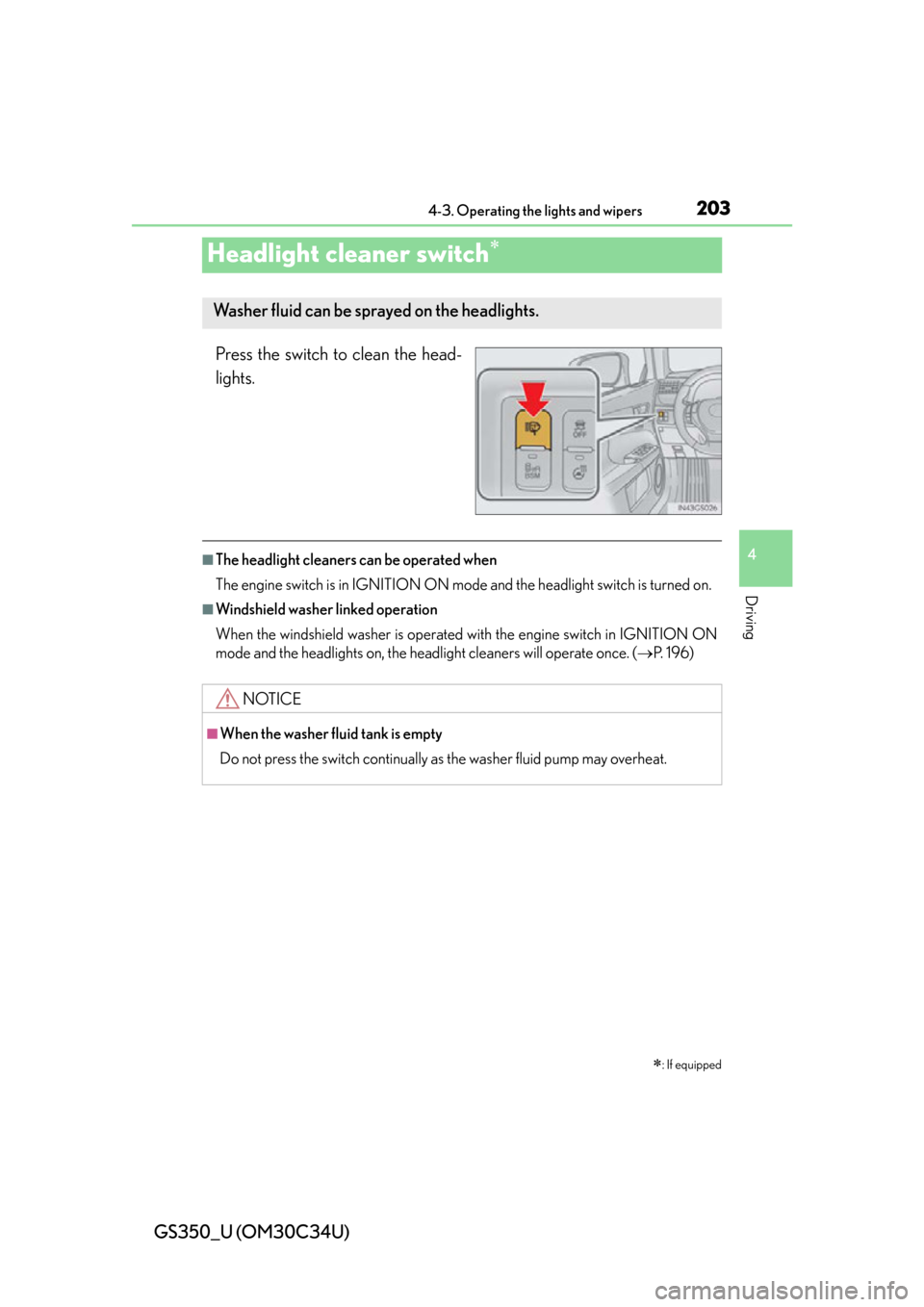
Headlight cleaner switch
Press the switch to clean the head-
lights.
■The headlight cleaners can be operated when
The engine switch is in IGNITION ON mode and the headlight switch is turned on.
■Windshield washer linked operation
When the windshield washer is operated with the engine switch in IGNITION ON
mode and the headlights on, the headlight cleaners will operate once. ( P. 1 9 6 )
: If equipped
Washer fluid can be sprayed on the headlights.
NOTICE
■When the washer fluid tank is empty
Do not press the switch continually as the washer fluid pump may overheat.
Page 205 of 828
GS350_U (OM30C34U)
2054-4. Refueling
4
Driving
CAUTION
■When refueling the vehicle
Observe the following precautions while refueling the vehicle. Failure to do so may
result in death or serious injury.
●After exiting the vehicle and before opening the fuel door, touch an unpainted
metal surface to discharge any static electricity. It is important to discharge static
electricity before refueling because sparks resulting from static electricity can
cause fuel vapors to ignite while refueling.
●Always hold the grips on the fuel tank cap and turn it slowly to remove it.
A whooshing sound may be heard when the fuel tank cap is loosened. Wait until
the sound cannot be heard before fully removing the cap. In hot weather, pressur-
ized fuel may spray out the filler neck and cause injury.
●Do not allow anyone that has not discharged static electricity from their body to
come close to an open fuel tank.
●Do not inhale vaporized fuel.
Fuel contains substances that are harmful if inhaled.
●Do not smoke while refueling the vehicle.
Doing so may cause the fuel to ignite and cause a fire.
●Do not return to the vehicle or touch any person or object that is statically
charged.
This may cause static electricity to build up, resulting in a possible ignition hazard.
■When refueling
Observe the following precautions to prevent fuel overflowing from the fuel tank:
●Securely insert the fuel nozzle into the fuel filler neck.
●Stop filling the tank after the fuel nozzle automatically clicks off.
●Do not top off the fuel tank.
NOTICE
■Refueling
Do not spill fuel during refueling.
Doing so may damage the vehicle, such as causing the emission control system to
operate abnormally or damaging fuel syst em components or the vehicle’s painted
surface.
Page 216 of 828
216
GS350_U (OM30C34U)
4-5. Using the driving support systems
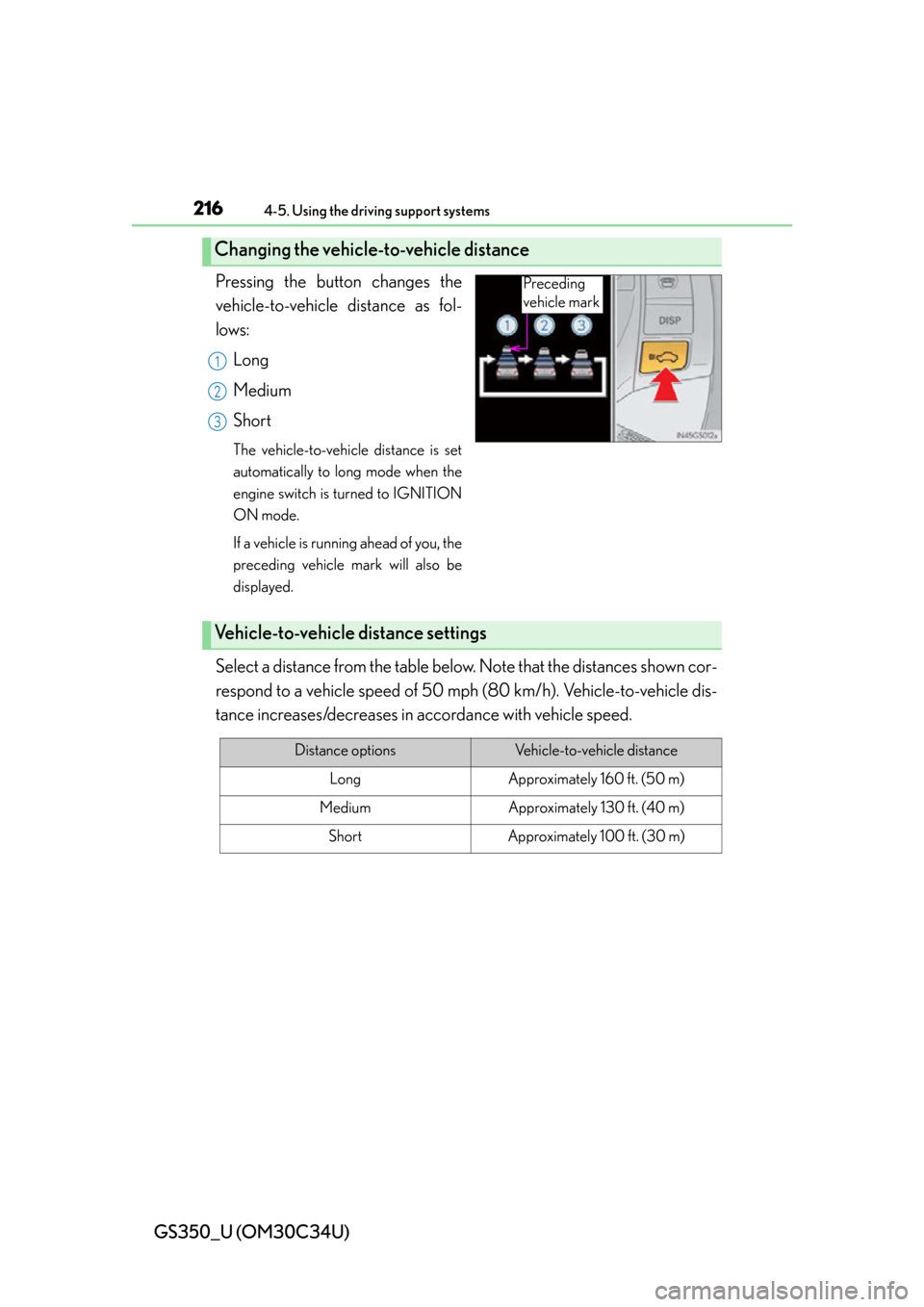
Pressing the button changes the
vehicle-to-vehicle distance as fol-
lows:Long
Medium
Short
The vehicle-to-vehicle distance is set
automatically to lo ng mode when the
engine switch is turned to IGNITION
ON mode.
If a vehicle is running ahead of you, the
preceding vehicle mark will also be
displayed.
Select a distance from the table belo w. Note that the distances shown cor-
respond to a vehicle speed of 50 mph (80 km/h). Vehicle-to-vehicle dis-
tance increases/decreases in accordance with vehicle speed.
Changing the vehicle-to-vehicle distance
Preceding
vehicle mark
1
2
3
Vehicle-to-vehicle distance settings
Distance optionsVehicle-to-vehicle distance
LongApproximately 160 ft. (50 m)
MediumApproximately 130 ft. (40 m)
ShortApproximately 100 ft. (30 m)
Page 220 of 828
220
GS350_U (OM30C34U)
4-5. Using the driving support systems
When constant speed control mode is selected, your vehicle will maintain
a set speed without controlling the vehi cle-to-vehicle distance. Select this
mode only when vehicle-to-vehicle distance control mode does not func-
tion correctly due to dirt etc.
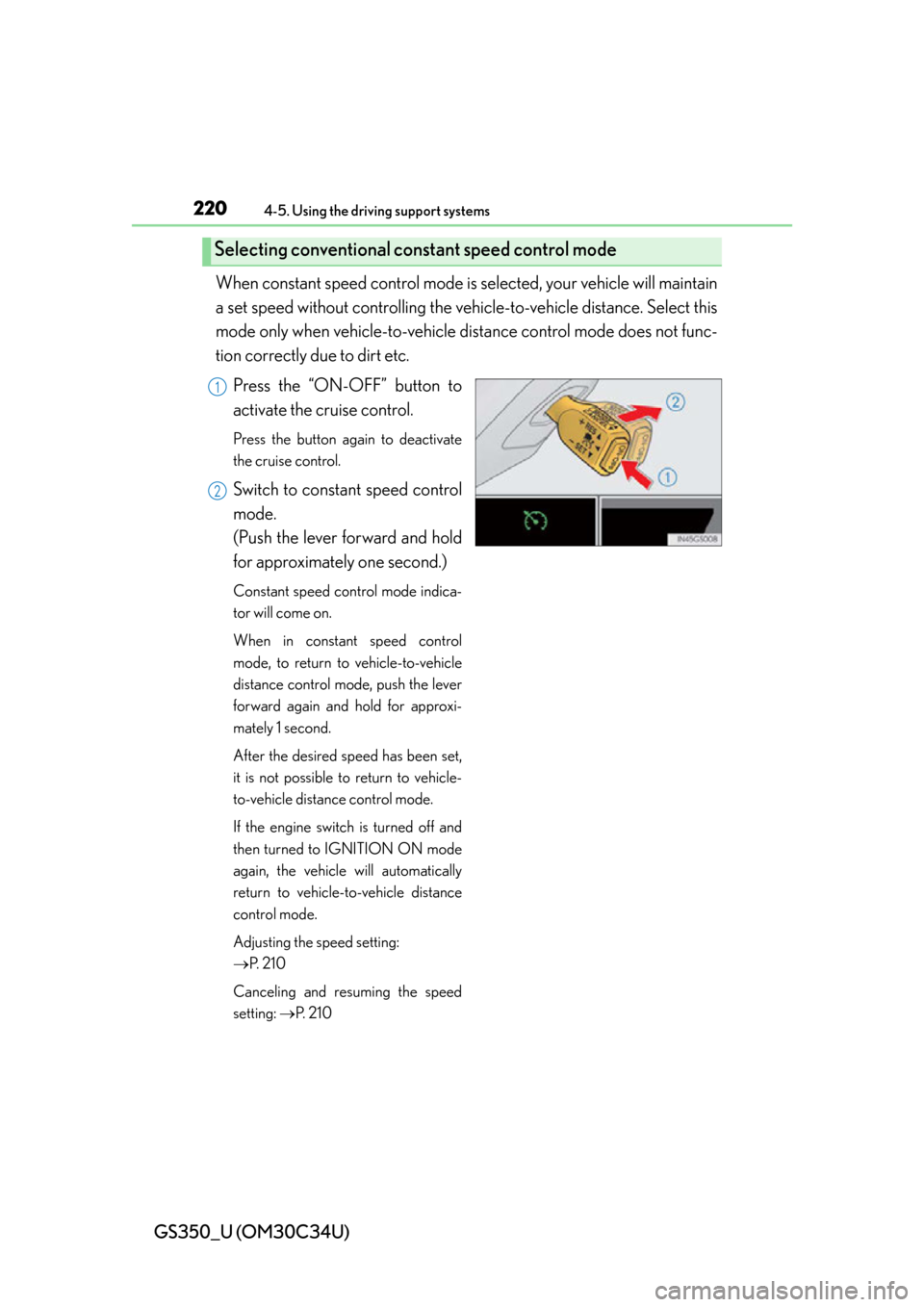
Press the “ON-OFF” button to
activate the cruise control.
Press the button again to deactivate
the cruise control.
Switch to constant speed control
mode.
(Push the lever forward and hold
for approximately one second.)
Constant speed control mode indica-
tor will come on.
When in constant speed control
mode, to return to vehicle-to-vehicle
distance control mode, push the lever
forward again and hold for approxi-
mately 1 second.
After the desired speed has been set,
it is not possible to return to vehicle-
to-vehicle distance control mode.
If the engine switch is turned off and
then turned to IGNITION ON mode
again, the vehicle will automatically
return to vehicle-to-vehicle distance
control mode.
Adjusting the speed setting:
P. 2 1 0
Canceling and resuming the speed
setting: P. 2 1 0
Selecting conventional constant speed control mode
1
2
Page 230 of 828
230
GS350_U (OM30C34U)
4-5. Using the driving support systems
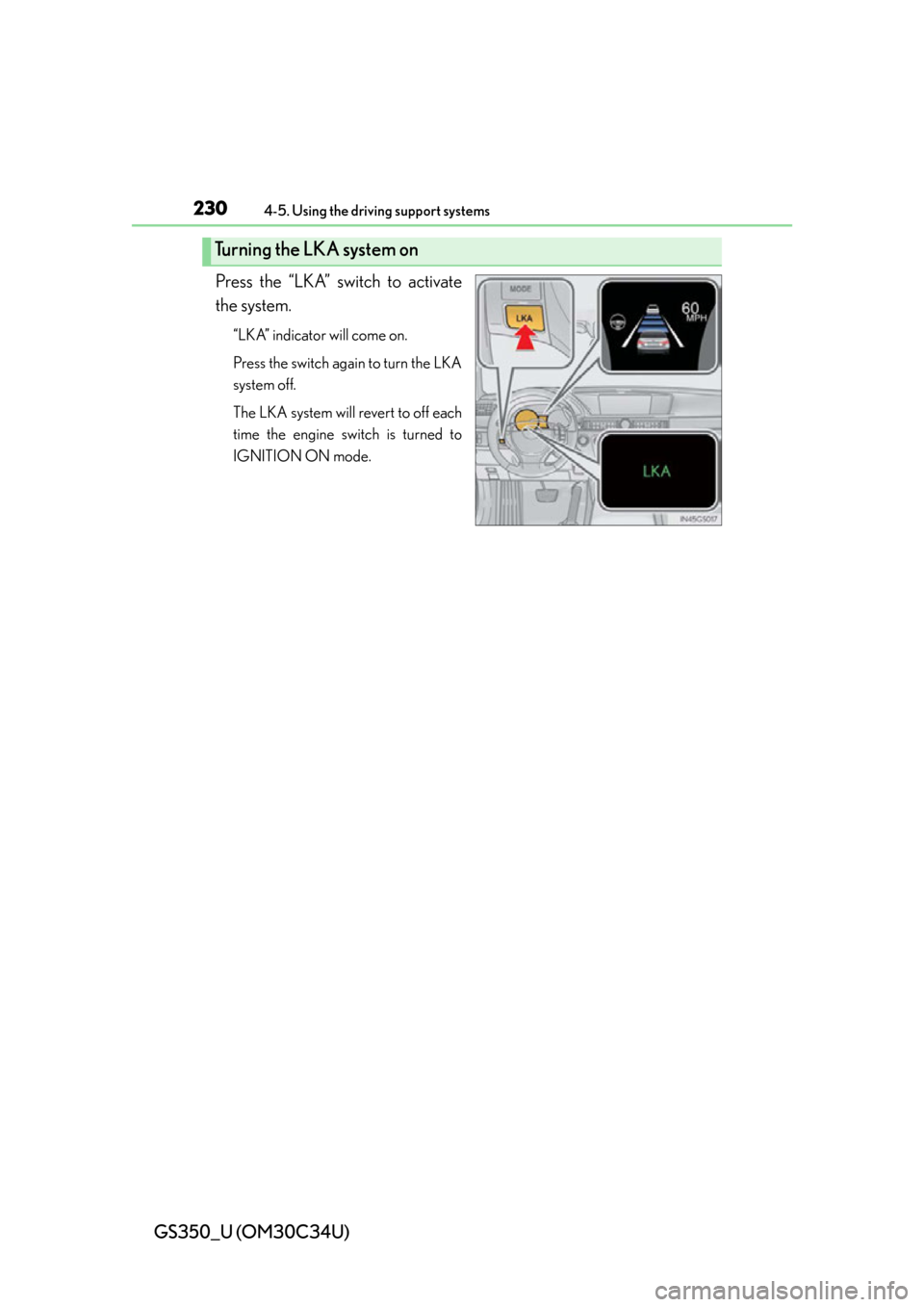
Press the “LKA” switch to activate
the system.
“LKA” indicator will come on.
Press the switch again to turn the LKA
system off.
The LKA system will revert to off each
time the engine switch is turned to
IGNITION ON mode.
Turning the LKA system on
Page 247 of 828

GS350_U (OM30C34U)
2474-5. Using the driving support systems
4
Driving
■Alert volume setting
The alert volume can be adjusted.Select “1” to “5” on the “LEXUS Park Assist settings”.
Select “Save”.
■Display on/off setting
On or off can be selected for intuitive parking assist display.Select “Display Off”.
When the “Display Off” indicator is turned on, the display of intuitive parking
assist will be off. Select “Display Off” again to turn the display of intuitive park-
ing assist on.
Select “Save”.
■Alert distance setting
Front or rear center sensors display and tone indication can be set.Select “Front” or “Rear”.
Long distance or short distance can be selected.
Select “Save”.
■The intuitive parking assist can be operated when
●Front center sensors:
• The engine switch is in IGNITION ON mode.
• The shift lever is in a position other than P.
• The vehicle speed is less than about 6 mph (10 km/h).
●Front corner sensors:
• The engine switch is in IGNITION ON mode.
• The shift lever is in a position other than P or R.
• The vehicle speed is less than about 6 mph (10 km/h).
●Rear corner and rear center sensors:
• The engine switch is in IGNITION ON mode.
• The shift lever is in R.
1
2
1
2
1
2
Page 252 of 828
252
GS350_U (OM30C34U)
4-5. Using the driving support systems
■Screen description
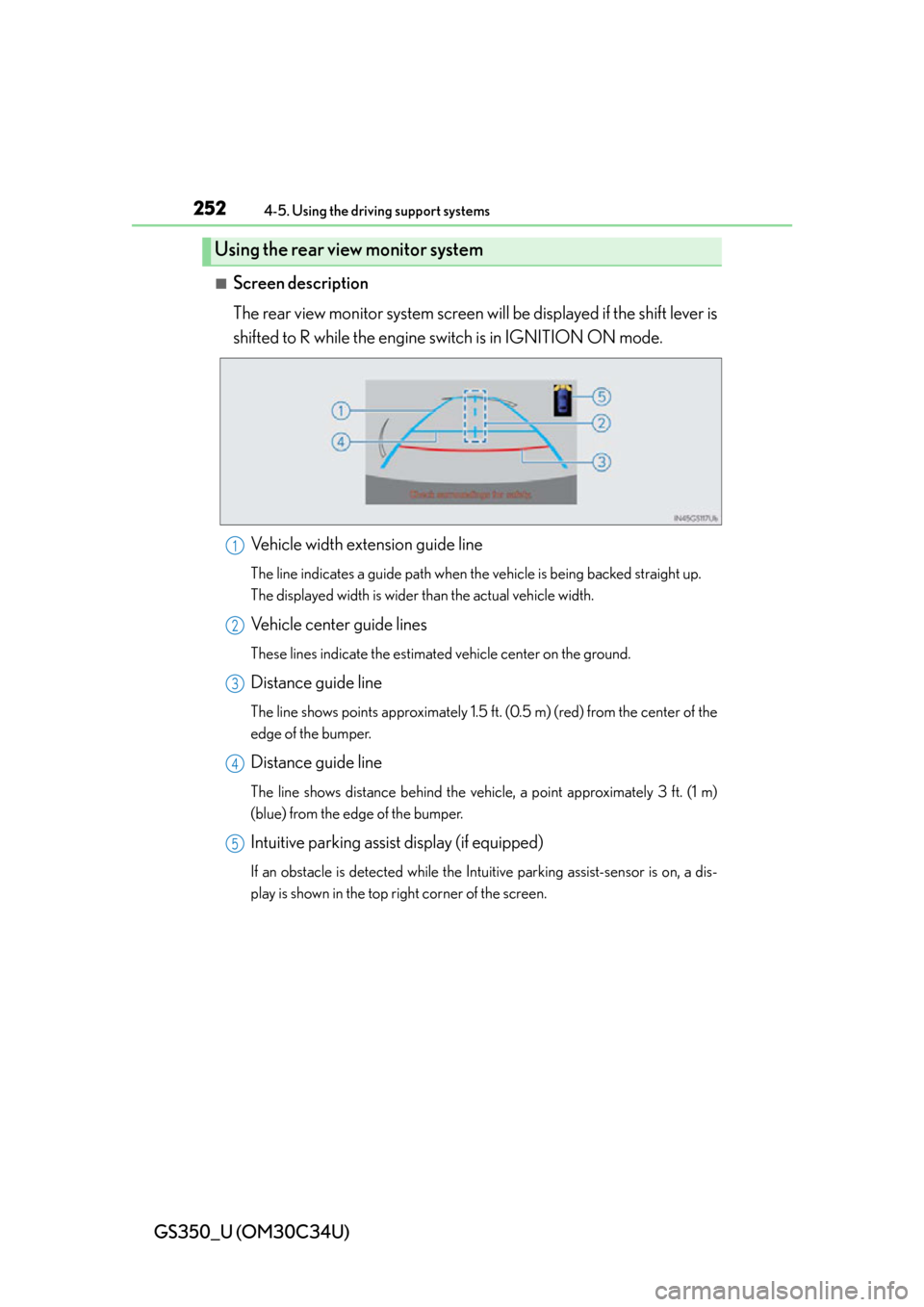
The rear view monitor system screen will be displayed if the shift lever is
shifted to R while the engine switch is in IGNITION ON mode.
Vehicle width extension guide line
The line indicates a guide path when th e vehicle is being backed straight up.
The displayed width is wider than the actual vehicle width.
Vehicle center guide lines
These lines indicate the estimated vehicle center on the ground.
Distance guide line
The line shows points approximately 1.5 ft. (0.5 m) (red) from the center of the
edge of the bumper.
Distance guide line
The line shows distance behind the vehi cle, a point approximately 3 ft. (1 m)
(blue) from the edge of the bumper.
Intuitive parking assist display (if equipped)
If an obstacle is detected while the In tuitive parking assist-sensor is on, a dis-
play is shown in the top right corner of the screen.
Using the rear view monitor system
1
2
3
4
5
Page 293 of 828
293
GS350_U (OM30C34U)4-5. Using the driving support systems
4
Driving
Lexus night view
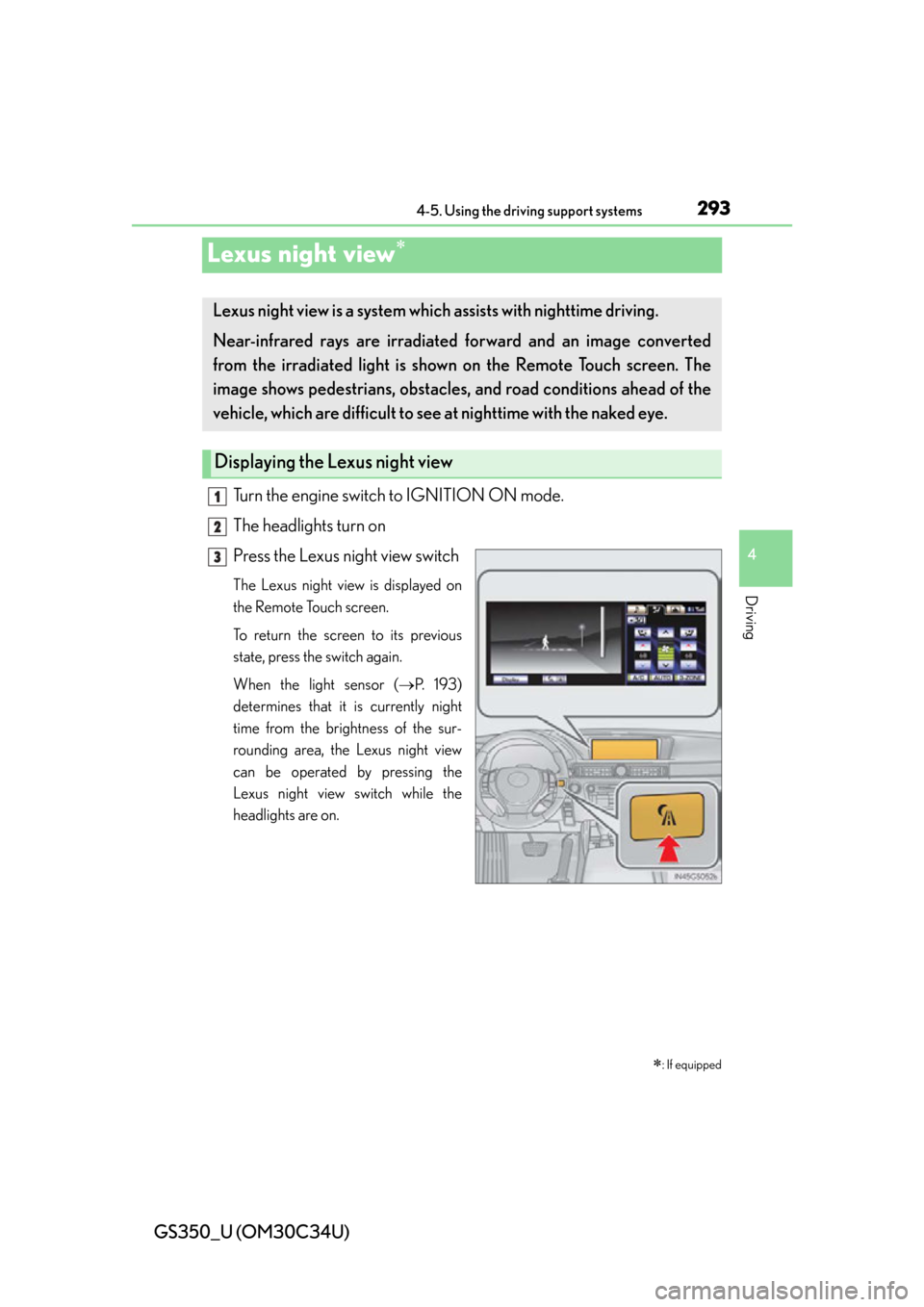
Turn the engine switch to IGNITION ON mode.
The headlights turn on
Press the Lexus night view switch
The Lexus night view is displayed on
the Remote Touch screen.
To return the screen to its previous
state, press the switch again.
When the light sensor ( P. 1 9 3 )
determines that it is currently night
time from the brightness of the sur-
rounding area, the Lexus night view
can be operated by pressing the
Lexus night view switch while the
headlights are on.
: If equipped
Lexus night view is a system which assists with nighttime driving.
Near-infrared rays are irradiated forward and an image converted
from the irradiated light is sh own on the Remote Touch screen. The
image shows pedestrians, obstacles, and road conditions ahead of the
vehicle, which are difficult to see at nighttime with the naked eye.
Displaying the Lexus night view
1
2
3
Page 309 of 828
GS350_U (OM30C34U)
3095-1. Remote Touch screen
5
Interior features
If the engine switch is turned to
ACCESSORY or IGNITION ON
mode, the initial screen will be dis-
played for a few seconds as the sys-
tem starts up.
Images shown on the initial screen can
be changed to suit individual prefer-
ences. (P. 3 2 2 )
SwitchPa g e
“Destination”Navigation System Owner’s Manual
“Info/Apps” or “Info”P. 314/Navigation System Owner’s
Manual
“Setup”P. 3 1 7
“Radio”P. 3 6 7 , 3 9 0
“Media”P. 3 6 7 , 4 1 4
“Climate”P. 3 4 5
“Phone”P. 4 8 5
“Display”P. 3 1 0
Initial screen
Page 315 of 828
GS350_U (OM30C34U)
3155-1. Remote Touch screen
5
Interior features
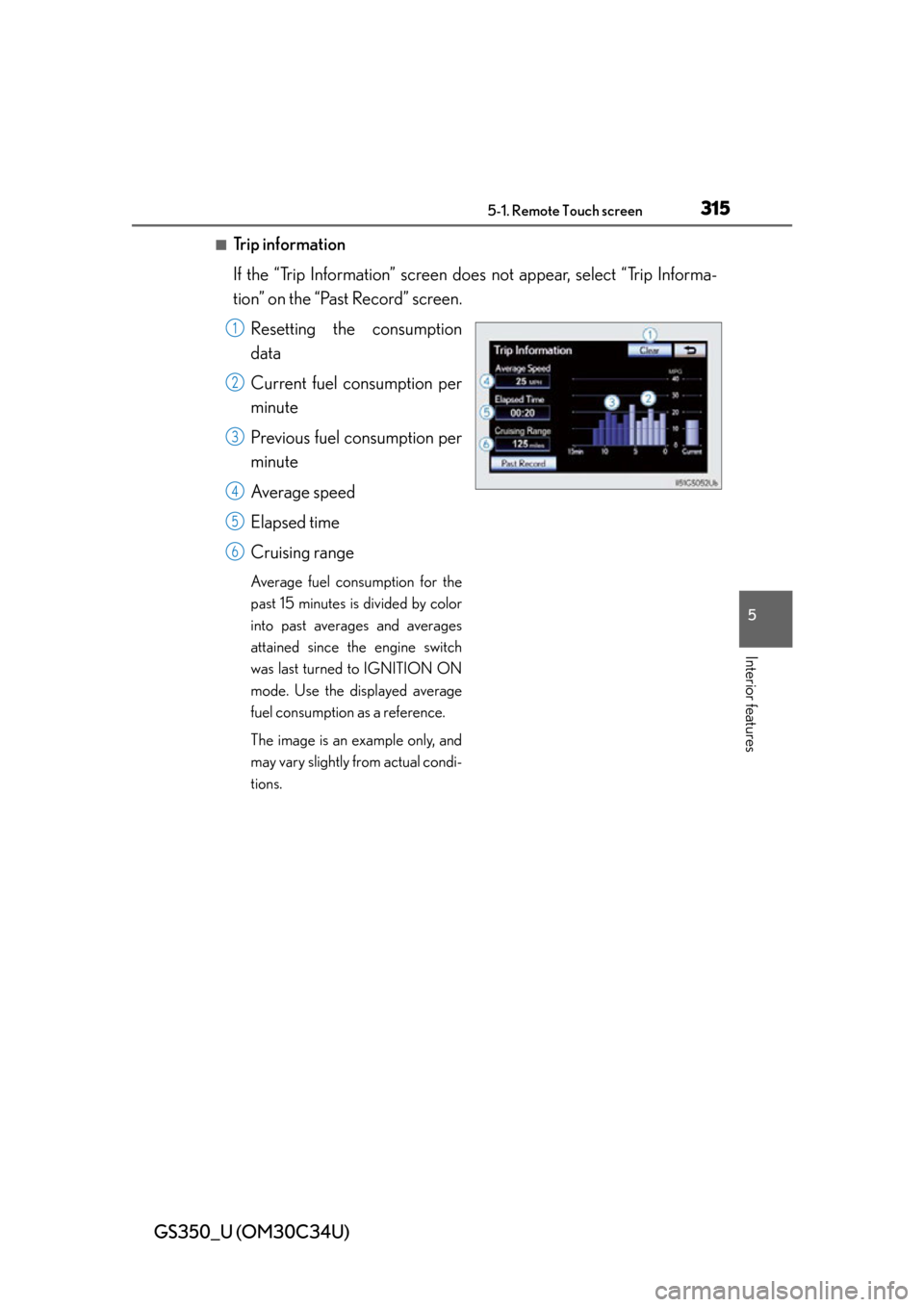
■Trip information
If the “Trip Information” screen does not appear, select “Trip Informa-
tion” on the “Past Record” screen.
Resetting the consumption
data
Current fuel consumption per
minute
Previous fuel consumption per
minute
Average speed
Elapsed time
Cruising range
Average fuel consumption for the
past 15 minutes is divided by color
into past averages and averages
attained since the engine switch
was last turned to IGNITION ON
mode. Use the displayed average
fuel consumption as a reference.
The image is an example only, and
may vary slightly from actual condi-
tions.
1
2
3
4
5
6